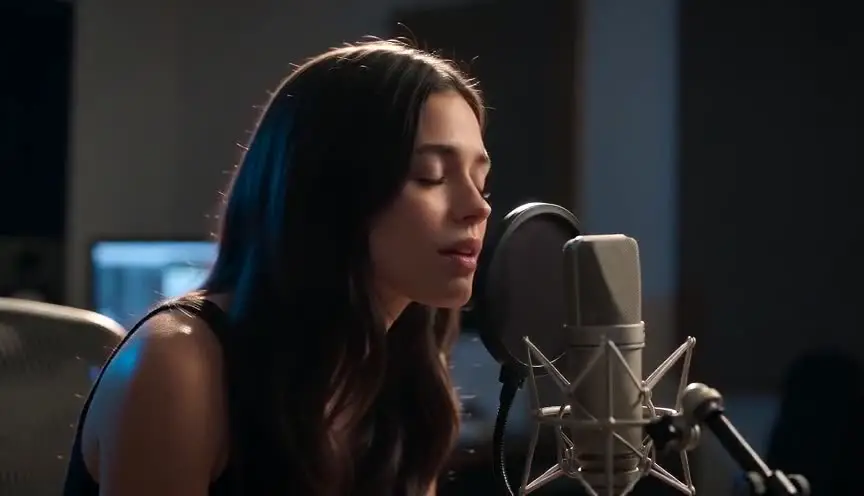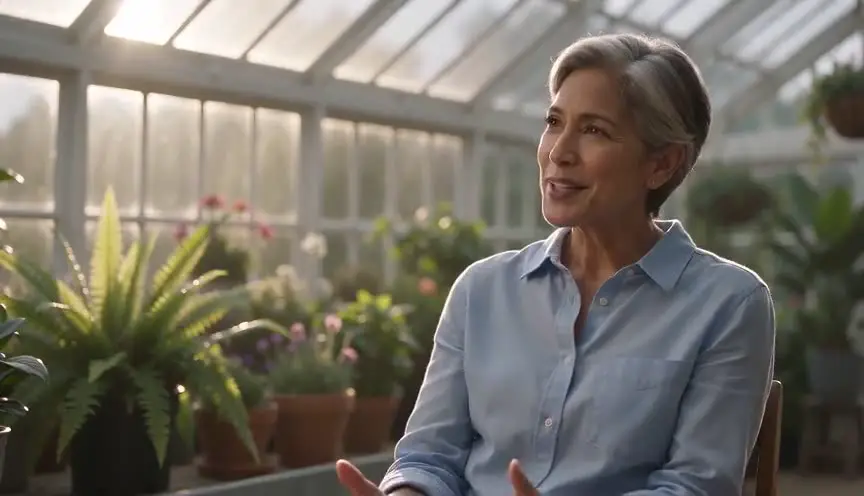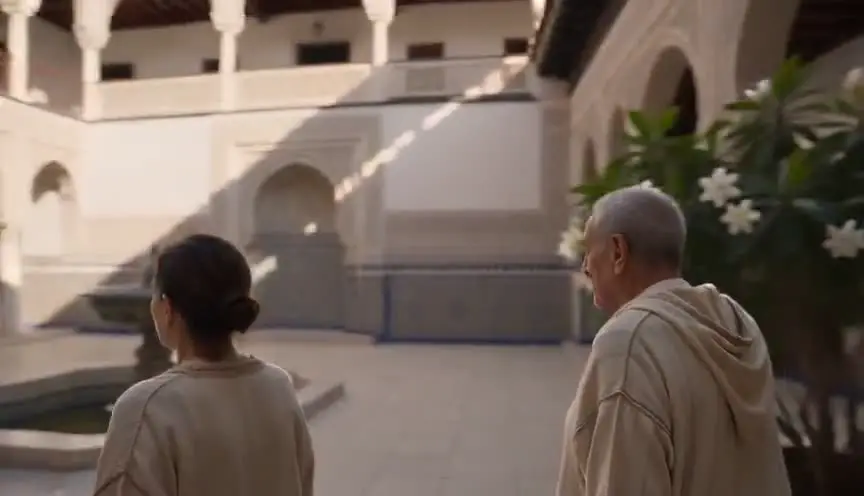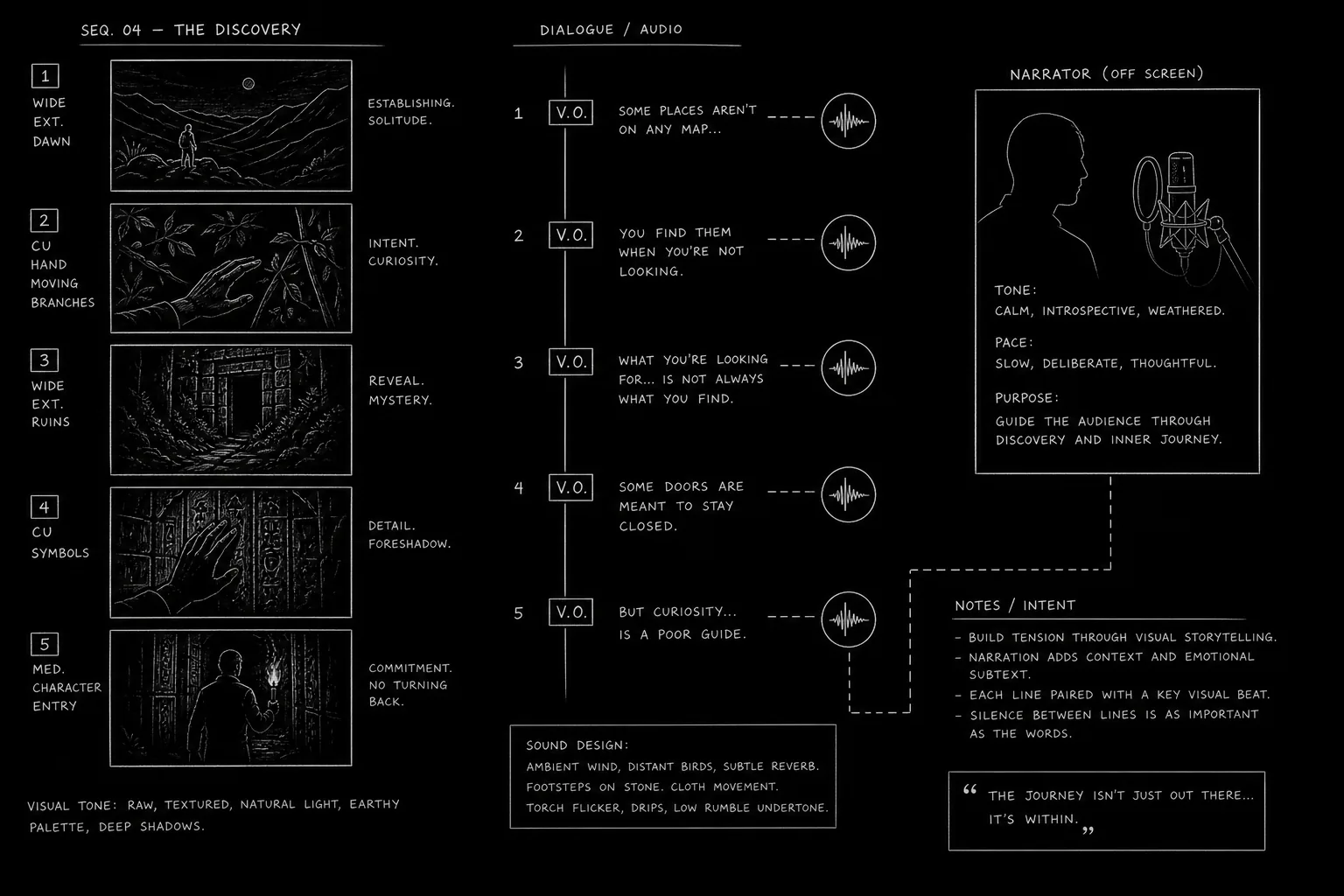

The short answer: to make a documentary with AI, you do the documentary work first and the generation last. Pick a subject and an angle, gather sources, write a treatment, write a script with the narration as voice-over, break it into shots, build reference sheets for every person and place you will reconstruct, board it, and only then generate the shots no camera could ever have filmed. Then record the narration, score it, cut it in an editor, and tell your audience what was reconstructed.
That order is the whole difference between a documentary and the AI history slideshows that flood YouTube. The tools are the same. The method is not.
We built ScreenWeaver for that method: screenplay, shot breakdown, storyboard and video generation live in one project, so the witness you write on page 3 is the same face in shot 47. This guide walks through the full workflow, including the parts the app does not do and where we send you instead.
What an AI documentary is, and what it is not
A documentary is a film about something real, built from evidence. AI does not change that. It changes the cost of the scenes nobody filmed: a lighthouse keeper's night in 1911, a village before the dam, a trial with no cameras in the room. Documentaries have always reconstructed those moments with actors, models or animation. Generative video is one more way.
Search for an "AI documentary maker" or an "AI documentary generator" and you land on one of three kinds of tool:
| Kind of tool | What it does | Where it breaks |
|---|---|---|
| Clip generator | One prompt, one clip, no memory between clips | Every clip reinvents faces and places. Script and edit happen elsewhere. |
| Topic-to-video automation | Type a subject, get narration over stock or generated images | No authorship, no sources, and exactly the profile YouTube refuses to monetize |
| Script-to-film pipeline | Script, shot list, references, storyboard and generation in one project | You still have to do the research and make the decisions |
We are in the third row. A pipeline does not make the film for you. It makes sure your decisions survive from the page to the screen.
The workflow at a glance
| Step | What you produce | Where |
|---|---|---|
| 1. Subject and angle | One sentence that says what the film argues | Before any tool |
| 2. Research | A source log, documents, photos | ScreenWeaver's AI assistant reads the PDFs and images you import |
| 3. Treatment | A short document that pitches the film | Screenplay editor |
| 4. Script | Narration as V.O., reconstructions as scenes | Screenplay editor |
| 5. Shot list | Every shot described | "Generate shots from scene script", "Auto-generate shots" |
| 6. References and storyboard | Characters, Places, Objects, then boards | AI reference sheets, storyboard |
| 7. Reconstruction shots | Video clips | Production canvas, video models |
| 8. Narration | A recorded voice-over | ElevenLabs or a human narrator |
| 9. Music and sound | Score and mix | Licensed music or Suno, plus model ambience |
| 10. Edit | The finished film | DaVinci Resolve or Premiere Pro |
| 11. Disclosure and release | Credits, labels, platform settings | YouTube Studio, festival forms |
Steps 1 to 7 happen in one ScreenWeaver project. Steps 8 to 10 happen outside it: the app does not generate narration, compose music or edit a finished film. Better to know now than halfway through the edit.
Step 1: Choose a subject and an angle
A subject is "the lighthouses of Brittany". An angle is "the men who kept them alive were forgotten the day the lamps went automatic". The subject tells you what to research. The angle tells you what to cut.
Write the angle in one sentence before you open any tool. If you cannot state it, you will generate beautiful shots that belong to no film. Then run three tests:
- Is there evidence? Letters, logbooks, photographs, interviews, court records, newspapers. A documentary without sources is fiction with a serious voice.
- Is there a person? Audiences follow people, not topics.
- Is there something nobody filmed? That is where AI earns its place.
History is the strongest vertical for AI documentaries for that reason. If your project leans toward drama rather than evidence, our AI historical movie generator page covers the fiction side.
Step 2: Research and sources
Most AI documentary guides skip this step. It decides whether your film is trusted. Start a source log on day one. One line per source: what it is, where it lives, who owns the rights, which claim in your film it supports. Fact-checkers and festival programmers will ask for it.
Let the assistant read your research
In ScreenWeaver, the AI assistant reads the documents you import into the project: PDFs of archives, transcripts, articles, and images such as photographs or maps. So instead of "write me a documentary about lighthouse keepers", which invites invention, you ask questions anchored in your material:
- "Which dates in these three logbook transcripts contradict each other?"
- "List every named person in this PDF and the pages where they appear."
- "Read my scene 4 and tell me which claims are not supported by the imported documents."
That last one is the most useful habit we know. An assistant that has read your research is a second pair of eyes. One that has read nothing is a confident guesser. The rule: every factual sentence in your narration points to a line in the source log, or it is cut, rephrased as uncertainty, or flagged for an expert.
For a deeper look at organizing period material next to the script, see organizing historical research in a single interface and our piece on the ethics of AI-assisted historical research.
Step 3: Write the treatment
A treatment is the film in prose, before it is a script. It states the angle, describes the structure and says how the film will look, including which parts are reconstructed. Two or three pages for a short. Cover:
- The opening image and the question it raises
- The main characters, real people with names and dates
- The structure: chronological, braided, investigative, essay
- The visual approach: archive, interviews, reconstructions, maps or graphics
- Your position on reconstruction: will the audience always know what is real?
That last line matters more with AI than it did with actors. Decide now whether reconstructions get a distinct look, a caption or a credit, and write it down so it binds you later. Our guide to writing a treatment for a documentary series has a full template.
Step 4: Write the documentary script
Narration lives in V.O.
Television documentaries traditionally use a two-column audio/video script: picture left, sound right. ScreenWeaver has no dedicated two-column A/V format. It has a screenplay editor, and a documentary script works well in screenplay format with a few conventions.
- Each reconstruction is a scene. It gets a scene heading with place and period:
EXT. LIGHTHOUSE GALLERY, OUESSANT - NIGHT (1911). The action lines describe what the camera sees. - Narration is a character with the V.O. extension.
NARRATOR (V.O.)followed by the line. It sits under the scene it plays over. - Interviews are scenes too.
INT. KITCHEN, BREST - DAY (PRESENT), the witness as a character, the answer as dialogue. Mark interviews you have not shot yet as placeholders. - Archive gets its own heading.
ARCHIVE: logbook page, 14 March 1911as a scene, with the source log reference in the action line.
It reads top to bottom instead of left to right, but carries the same information, with one advantage: the AI can break every scene into shots. Our guide on formatting voice-over and narration in a screenplay covers the V.O. conventions in detail, and formatting documentary interviews in a film script covers the interview side.
If you already wrote in another tool, ScreenWeaver imports Final Draft (FDX) and WriterDuet JSON files, and you can export the script as PDF or FDX at any point.
Write for the ear
Narration is heard once, at the speed of speech. Short sentences, one idea each. Dates written the way they are spoken. Hard names get a phonetic note in a parenthetical.
Time it before you board it
Narration length sets the film's length. Paste each narration block into the script time calculator, which estimates screen time from word count (it works on roughly 130 to 150 words per minute). Forty seconds of narration needs about forty seconds of picture. That number feeds the shot list.
Using AI for the documentary script
Type a topic into an "AI documentary script generator" and you get a plausible, unsourced, interchangeable script. Use AI for what it does well:
- Restructuring: "Propose three structures for these eight scenes, one chronological, one starting from the end."
- Tightening: "Cut this narration block by a third without losing any sourced fact."
- Checking: "Which of these sentences would a historian challenge?"
- Variants for the ear: "Give me two versions of this line that are easier to say aloud."
Write the first draft of the narration yourself, or at least the angle and the key lines. That is the authorship YouTube, festivals and audiences look for.
Step 5: Break the script into shots
Once a scene is written, ScreenWeaver can propose its shots. "Generate shots from scene script" reads the scene and returns a shot list: framing, action, duration. "Auto-generate shots" does it across scenes. You then edit every shot by hand: tighten, merge, delete, add the insert you know you need.
A documentary does not board everything. Observational footage and live interviews have not happened yet. Board what you author: reconstructions, archive sequences, maps, titles. Our article on documentary storyboards explains that split.
For reconstructions, the storyboard is where you check the film before spending money on it. Build the reference sheets of step 6 first, then board: if the board is wrong, the video will be wrong. The AI storyboard generator page shows what the boards look like.
For framing, our film technique library shows a documentary look and interview framing, useful when reconstructions must sit next to real interviews.
Step 6: Character consistency, the problem that sinks most AI documentaries
A documentary follows people. The keeper in 1911 must be the same man in the gallery, in the lamp room, at the kitchen table and in the boat. If his face changes between shots, the audience stops believing the film. In fiction that is a continuity error. In a documentary it signals that nothing on screen is anchored to anything real.
Documentaries also span time. The same witness appears at 20 and at 70. The same lighthouse appears with its oil lamp, then with its electric one. The film has to hold identity across decades while showing change.
Why prompt-to-clip tools reinvent the face every time
A video model has no memory between generations. Describe "a weathered Breton lighthouse keeper in his fifties, grey beard, navy wool jacket" in ten prompts and you get ten different men who all match. Words describe a category, not a person.
That is why so many AI history videos look like a casting call: a new actor in every shot. A more precise description does not solve it, because more than one face always fits a sentence. We wrote about this in detail in character drift in AI video.
The fix is not more adjectives. It is images.
How ScreenWeaver handles it
In ScreenWeaver, the people, places and things in your story are entities: Characters, Places and Objects. Each one can get an AI reference sheet: a set of images that defines how it looks from several angles. You can also upload your own images as references, in JPEG, PNG or WebP: a photo of the real lighthouse, a period map, a museum photograph of the lamp.
Those references then follow the entity everywhere:
- Into the storyboard. When a panel shows the keeper in the lamp room, it is generated with the keeper's sheet and the lamp room's sheet.
- Into production. When the shot becomes video, the same references go to the video model.
The models are built for this. Current image models accept many references at once: Nano Banana 2 takes up to 14 reference images, GPT Image 2.5 up to 16. Seedance 2.5, the default video model in ScreenWeaver, accepts up to 30 image references. That is enough to bind a character's face from several angles, his wardrobe, the place and a key object in a single shot.
Storyboard and production draw from the same entities, so nothing is re-uploaded between steps. Change the keeper's jacket on his sheet, and the next panel and the next clip both use it.
The method, step by step
1. Build the character sheet before anything else. Before the first storyboard panel, create every recurring person as a Character and generate the reference sheet. Is this the face you want for the whole film? Changing your mind after forty shots is expensive. Now it costs one regeneration.
2. Lock wardrobe per era. Clothes are where drift shows first. Decide what each person wears in each period and put it on the sheet. If the keeper wears the same oilskin in every night scene of 1911, that oilskin belongs to the 1911 sheet, not to the prompt.
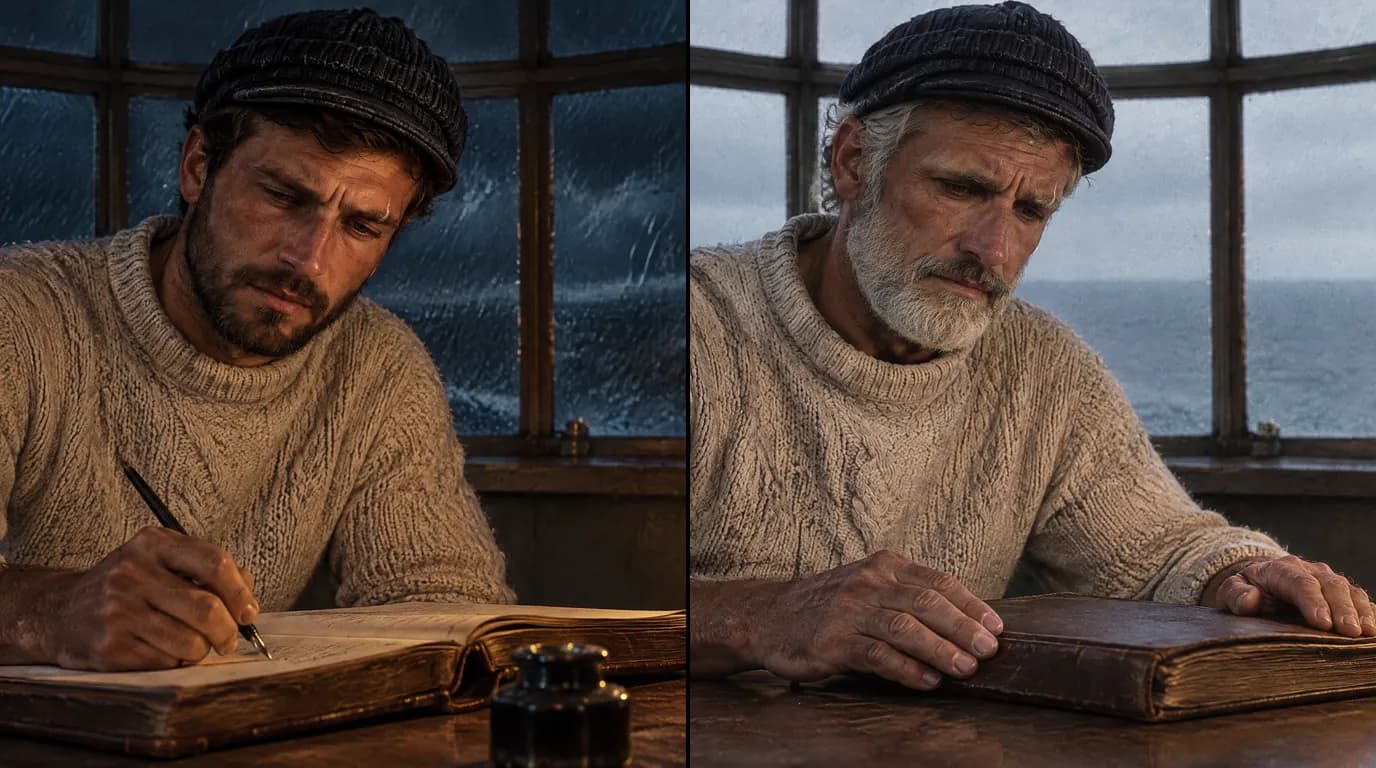
3. Age the character with a second sheet, derived from the first. For the witness at 20 and at 70, do not create two unrelated characters. Generate the older sheet using the younger sheet as its reference, and describe only what time changes: hair, skin, posture, weight, glasses. Bone structure, eye shape and the nose stay. Then use the young sheet for one era and the old sheet for the other. The audience reads one life, not two actors.
4. Reuse the references in every shot. Cite the person, the place and any object that matters with @ references in the shot's action line, so the sheets travel with the shot. Do not skip it on wide shots: the face is small, but the coat and the build are what the audience tracks in a wide.
5. Check continuity on the storyboard before generating video. Lay the panels of a sequence side by side. Same face? Same clothes for this era? Same lamp, same gallery railing, same weather? The storyboard is cheap. Video is not. Fix a wrong panel before it becomes a wrong clip.
Places get one master reference
Places drift as much as people: a lighthouse gains a floor, a harbour changes coastline. Give each Place one master reference image that you trust, ideally a real photograph if the place still exists, or a carefully generated image checked against archival photos if it does not. Derive the other views from it: the gallery from the outside, the lamp room, the stairs. Every shot set in that place uses the master reference. When the place changes over time, treat it like aging: a second reference derived from the first, with only the changes the story needs.
For real places, upload your own images: a photo taken on location, or a public domain archive photograph, gives the model architecture and coastline it would otherwise invent.
Objects carry the period
Objects are the details that tell an audience what year it is: a lamp, a logbook, a uniform badge, a radio. Historians notice them first when they are wrong. Make the important ones Objects with their own reference sheets, built from museum photographs or archive images, and attach them to the shots where they appear. It is the cheapest protection against anachronism you have.
Real people and real photographs
When your subject is a real, identifiable person, think twice before using their photograph as a face reference. Use archival photos of real people as research and as a guide for period, clothing and setting, and decide openly how you represent them. Some video models also refuse reference images that look like a photograph of a real person, which is a reasonable safeguard. For reconstructions, many documentaries choose figures that evoke rather than impersonate: seen from behind, in silhouette, or in a stylized treatment. That choice is part of your ethics section, and of your credits.
Our AI character consistency sheet tool and the guide to character consistency in AI storyboards go further on building sheets.
Try it free
Try Screenweaver for free on your script
It is free. Import your existing project, get a clearer view of your outline, and regain control of your story structure in minutes.
Start FreeStep 7: Generate the reconstruction shots
In ScreenWeaver's production canvas, a scene's shots go through one of two pipelines:
- Reference to video: each shot's action is turned into a directed prompt, and the references cited in the shot (characters, places, objects) are attached at the video step.
- Storyboard panels to video: the boarded panels of a scene, up to 14, guide the order and composition of the generated sequence, alongside the references.
The video models available are Seedance 2.5 (the default, clips from 4 to 30 seconds, up to 1080p), Seedance 2, Veo 3.1, Kling 3.0, MiniMax H3 and Grok Imagine Video. Pick per shot, not per film: the model that handles slow, wide, atmospheric shots well might not be the one for hands writing in a logbook.
Formats: 16:9 for YouTube and broadcast, 9:16 for vertical cuts, 2.39:1 for a cinematic feel, 4:3 if you want reconstructions to sit next to period archive, and 3:4. Decide the format before you generate.
A few rules that save credits:
- Generate the anchor shots first: the establishing shot of each place, the first close-up of each person. The rest of the sequence then has something to match.
- Do not fake archive. A reconstruction can be grainy, but it must never pass as genuine footage.
- Check references before regenerating. When a shot drifts, a missing reference is the usual suspect.
To see a complete example built this way, see the full example on the AI documentary generator page, where our team's short historical reconstruction is shown from script to film.
Step 8: Record the narration
Writing for the ear, timing the commentary to picture and choosing a voice get their own guide: AI documentary narration.
ScreenWeaver does not generate narration. Your options:
- A human narrator, still the gold standard for long documentaries.
- Your own voice, often the most honest choice for a personal film.
- A text-to-speech service such as ElevenLabs. Good for drafts and many finished films. Test every name and date, and listen to the full read in one go: a voice that sounds fine line by line can turn monotonous over ten minutes.
Never clone a real person's voice without their consent, and never make a real person "say" words they did not say without telling the audience. The Roadrunner case, where an AI model of Anthony Bourdain's voice read three lines he had written but never recorded, less than a minute of audio, became a standard example of what happens when this is revealed only after release (Yahoo News).
Record narration before the final edit. Narration leads, picture follows.
Step 9: Music and sound
ScreenWeaver does not generate music. Use licensed music from a library, commission a composer, or use a music generator such as Suno, checking its terms for commercial use. Keep the license documents in your source log alongside the archive rights.
The video models themselves can produce ambient audio with a clip: wind, sea, footsteps, a room tone. Mix it low under the narration, and replace anything that sounds wrong for the period. Our guide on sound for AI films covers the full audio workflow.
Step 10: Edit the film
ScreenWeaver does not edit video or export a finished film. Bring clips, interviews, archive, narration and music into DaVinci Resolve (which has a free version) or Premiere Pro.
The edit is where a documentary is really written. For AI material:
- Lay narration first, then picture.
- Unify the grade. Clips from different models respond differently to colour. One grade makes them one film.
- Keep reconstructions distinct from real archive if your treatment said so.
- Cut for sense, not spectacle. A beautiful shot that does not serve the argument is padding.
Step 11: Ethics, disclosure and transparency
Documentary audiences trust that what they see happened, or that they will be told when it did not. AI makes that trust easier to break, and the profession has started writing rules.
The APA guidelines
In September 2024, the Archival Producers Alliance published best practices for the use of generative AI in documentaries. A draft had been presented at the IDA's Getting Reel conference in April 2024, and the guidelines were endorsed by the International Documentary Association among others, with input from experts at Stanford, MIT Media Lab, PBS and UCLA's law clinic (summary at Desktop Documentaries). Two of their recommendations are directly practical:
- Keep a cue sheet of every generative AI element, the way you keep one for music and archive.
- List AI-generated content in the credits, as you credit archival footage.
ScreenWeaver helps with the first one indirectly: every reconstruction is a shot in a scene of your script, so your shot list is already the skeleton of the cue sheet.
When it goes wrong
In April 2024, Netflix's true crime documentary What Jennifer Did was accused of including photos of its subject with artifacts typical of AI generation: distorted hands, altered features. The executive producer denied using AI, and Netflix did not comment (PetaPixel). Whatever happened in production, the damage came from the lack of disclosure, in a murder case where new trials had been ordered.
The lesson is not "never use AI". It is: tell the audience, in the film, what is reconstructed. A caption costs nothing. Being caught costs the film.
We go further into cue sheets, on-screen labels and festival rules in AI in documentary filmmaking: ethics and disclosure, and the platform rules are summarized in AI film disclosure rules.
Releasing the film
YouTube: the label and the money
The disclosure label. YouTube asks creators to declare realistic altered or synthetic content through the "AI use" setting in YouTube Studio at upload. It covers content that makes a real person appear to say or do something they did not, alters footage of a real event or place, or shows a realistic scene that did not happen (YouTube Help). A photorealistic reconstruction falls squarely in the last case. AI used only for the script or captions does not. Tick the box: it does not hurt you.
For history channels in particular, our guide to AI history documentaries on YouTube that stay monetized goes through the current policy text line by line.
Monetization. On 15 July 2025, YouTube renamed its "repetitious content" policy to "inauthentic content" in the YouTube Partner Program rules. Mass-produced, repetitive or template-made content is not monetizable, including AI content from generic templates. The same page accepts AI used to visualize a unique character and narrative you invented, and says that with any automated tool "the final product must still demonstrate your creative vision" (YouTube monetization policies).
A sourced script you wrote, characters with their own reference sheets, shots you boarded, an edit with an argument: that is the opposite of a template. Forty near-identical slideshows a week is what the rule targets.
How to make AI history videos that are not slop
If you are building a history channel, the method in this guide is also your monetization strategy:
- One researched angle per video, not one topic per hour
- Recurring historical figures with consistent faces across episodes
- Narration you wrote, timed to picture you designed
- Sources in the description, reconstructions labelled in the video
More work per video than automation, and the only version that survives a policy review.
Festivals
Festivals look closely at disclosure. If you aim for the circuit, read our guides to AI films at Hot Docs, IDFA, CPH:DOX and Sheffield DocFest. Have your cue sheet ready before you fill in the form.
Working as a team
Documentaries are rarely made alone. ScreenWeaver projects support real-time collaboration with three roles: Owner, Editor and Viewer. Give your historian Viewer access to read the script and boards, and your co-writer Editor access. Nobody fact-checks an old draft.
What it costs
ScreenWeaver has three plans:
- Screenwriter, $0, forever: the screenplay editor, for writing your treatment and script.
- Auteur, $39.99 per month, 6,000 credits: the AI pipeline, shooting script and storyboard generation, and AI video.
- Studio, $149.99 per month, 25,000 credits: everything in Auteur plus collaboration with unlimited seats and the lowest generation rates.
The real cost depends on how many reconstruction shots you need, their length and the models you pick. The habit that saves the most: check on the storyboard, generate once. See our breakdown of AI film production costs.
Outside ScreenWeaver, budget for narration, music licensing and archive rights.
FAQ
Can AI make a documentary for free?
Partly. You can write your treatment and full script with V.O. narration in ScreenWeaver's Screenwriter plan at $0, forever. Storyboard and video generation require Auteur or above, and narration, music and editing happen in other tools, some with free tiers. A finished documentary with reconstructions is not free. The writing, which decides its quality, can be.
How do I keep the same character across AI shots?
Use images, not descriptions. Create the person as a Character with an AI reference sheet before the first storyboard panel, lock their wardrobe for each era, and attach the sheet to every shot in which they appear, wide shots included. For a person seen at two ages, derive the older sheet from the younger one. Then check the sequence on the storyboard before you generate any video.
Is it allowed to monetize an AI documentary on YouTube?
Yes, if it is original. YouTube's July 2025 "inauthentic content" rule excludes mass-produced, repetitive or template-made videos, including generic AI templates, but explicitly accepts AI used to visualize a unique character and narrative you created. A documentary with your own sourced script and designed shots fits. Declare realistic reconstructions with the "AI use" setting at upload.
Can I use real archival photos as references?
Yes, for places, objects, clothing and period detail: upload them as JPEG, PNG or WebP references. Check the rights and log them. For the faces of real, identifiable people, be careful: some models refuse photographic faces as references, and impersonation raises questions you should answer openly in the film.
Do I have to tell viewers that parts of my documentary are AI-generated?
On YouTube, yes for realistic reconstructions. Documentary practice goes the same way: the APA guidelines recommend a cue sheet of AI elements and a credit listing them.
Does ScreenWeaver write the documentary for me?
No. It helps you write it: the AI assistant reads your imported research, challenges your claims and breaks scenes into shots. The angle, the narration and the decisions stay yours, which is also what makes the film monetizable and worth watching.
Where to go next
Start with the writing: open a project and write the angle and the first scene. The free Screenwriter plan is enough for that: start in ScreenWeaver.
Then read on:
- AI documentary generator, with the complete historical reconstruction example
- How to make an AI film, the full pipeline for fiction
- Documentary storyboard, what to board and what to leave open
- Formatting voice-over and narration in a screenplay
- AI film workflow, from script to screen
Final Step
Build your next script with Screenweaver
Move from ideas to production-ready pages faster with timeline-native writing and AI-assisted story flow.
Try Screenweaver