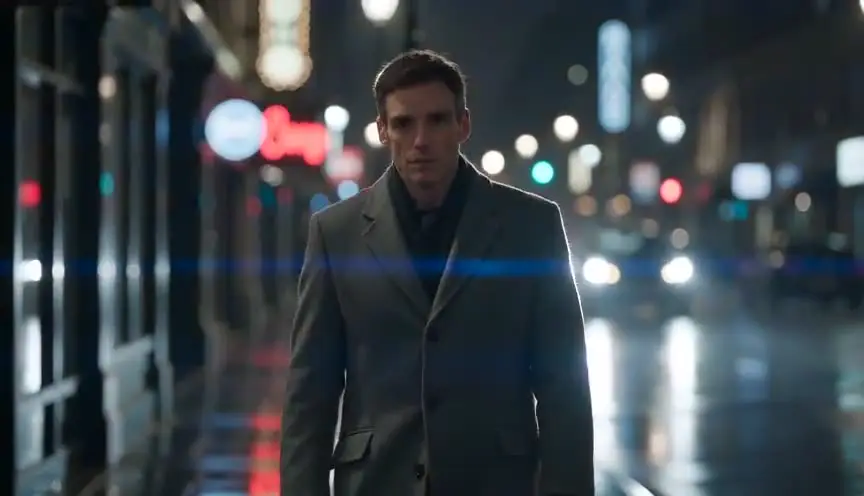

The short answer: YouTube does not demonetize history videos because they use AI. It demonetizes videos that look mass-produced: templated stories, image slideshows, generic AI output with no original insight. To stay on the right side of that line, make each episode the way a small documentary team would. Research it, write the script and the narration yourself, give the channel a recurring character with the same face in every episode, board the shots before you generate them, check the period details, and label the reconstructions.
History is a favorite niche for AI video on YouTube, and plenty of tools promise a finished history video from a single topic. We think that promise is the fastest way to lose monetization. Here is why, from YouTube's own policy text, and the method we use instead.
For the full documentary workflow, read how to make a documentary with AI. This article stays on one question: how to run a history channel that YouTube will keep paying.
What YouTube actually says
The July 2025 rename
On 15 July 2025, YouTube renamed the "repetitious content" section of its Partner Program rules to "inauthentic content". The change note on the policy page says the goal was to make clear that repetitive or mass-produced content is covered, and that the separate reused content policy did not change (YouTube channel monetization policies, update of 15 July 2025).
Before the change took effect, Rene Ritchie, YouTube's Head of Editorial and Creator Liaison, called it a "minor update" to long-standing rules. He added that this kind of content had been ineligible for monetization for years, and that reaction and clip channels were not the target (TechCrunch, 9 July 2025).
The July 2026 reorganization
In July 2026, YouTube restructured the section with clearer examples (The Desk, 20 July 2026). The policy page now has four headings: Generic or Repetitive Content, Reused Content, Unsatisfying or Off-putting Content, and AI Personas Related to Sensitive Topics. Here is what matters for a history channel.
| Not monetizable, per the policy page | Monetizable, per the same page |
|---|---|
| Image slideshows, templated storylines or scrolling text with little or no narrative or educational value | Series with recurring characters, as long as each video has its own storyline or concept |
| AI-generated content made from generic templates that gives the impression of mass production | AI used to visualize a unique character and narrative you invented |
| Content with no clear narrative arc, such as unrelated AI clips stitched together | AI used to edit your scripts or create background visuals for a unique, well-researched narrative |
| Realistic visuals that fake a disaster or a death | The same intro and outro in every video, if the main content changes |
| Content that only reads aloud material you did not create | Footage reworked with your own storyline and commentary |
| AI personas presented as human experts giving advice on health, legal issues, finances or politics | Cohesive storylines that do not rely on shock value |
Two details are easy to miss. First, the page says these guidelines apply to your channel as a whole, not only to single videos. Second, the AI personas rule names politics. A history host who slides into advice on current politics is closer to that line than one who tells the story of 1911.
What YouTube does not say
YouTube does not ban AI. The allowed column explicitly includes "using AI to visualize a unique character and narrative you invented". In his letter to creators of 21 January 2026, YouTube CEO Neal Mohan said the platform is building on its existing anti-spam systems to reduce low-quality AI content, and described AI as "a tool for expression, not a replacement" (YouTube Official Blog, 21 January 2026).
The policy page does not mention synthetic voices by name either. What it rules out is reading aloud material you did not create. An AI voice reading a script you researched and wrote is a different case from a voice reading a web page.
So the question is never "did you use AI?" It is "is there an author behind this?"
Why topic-to-video tools put a channel at risk
A whole category of tools sells the same pipeline: type a topic, and the tool writes a script from what it finds online, pulls stock footage or generates images, adds a synthetic voice and captions, and exports a finished video. Some promise dozens of videos a week.
Set that pipeline next to the policy table and every step lands in the wrong column:
- The script comes from the web, not from your research. At best it summarizes what others already published. At worst it reads aloud material you did not create.
- The images are a slideshow. Stills with slow zooms and little narrative are listed by name.
- The structure is a template. The same tool, fed different topics, produces the same story shape. That is what "templated storylines" means.
- The volume is the problem. Many videos with no extra effort is exactly what a channel-level review reads as mass production.
Accuracy is the second risk. In September 2025, 404 Media described a wave of AI-generated "boring history" videos built for sleep and quoted Pete Kelly of the History Time channel, who found their visuals often inaccurate: "You end up with a very simplified version of the past" (404 Media, 3 September 2025).
Viewers have noticed. Google's autocomplete now suggests searches for history channels that are explicitly not AI. A serious AI history channel has to earn the opposite reputation, and it can.
The method: seven signs of an author
Would a reviewer who watches three of your videos see a person behind them? Seven things make the answer yes. The recurring character gets the most space, because it is where most AI history channels fail and where the policy is most generous.
1. Research a viewer can check
Every episode starts with a source log: what each source is, where it lives, which claim it supports. Put the main sources in the video description. It shows the work.
In ScreenWeaver, the AI assistant reads the documents you import into the project: archive PDFs, transcripts, articles, photographs, maps. Ask it questions anchored in your material, such as "which dates in these two accounts contradict each other?", rather than asking it to write history from memory.
2. An original script, with narration you wrote
The script is the strongest proof of authorship you have. Write the angle and the narration yourself. Use AI to restructure, tighten or check, not to produce a first draft from a topic.
ScreenWeaver has a screenplay editor, not a two-column A/V format, and a documentary script works well in it: each reconstruction is a scene with place and period in the heading, and the narration is a NARRATOR (V.O.) character under the scene it plays over. If you prefer to draft in the classic two-column layout first, use our documentary script template.
Then time the narration in the script time calculator, which works on roughly 130 to 150 spoken words per minute. A ten-minute episode is therefore about 1,300 to 1,500 words of narration, and that number tells you how many shots to board.
Narration is recorded outside ScreenWeaver, which does not generate voices. We cover voice choice and timing in AI documentary narration.
3. A recurring character with the same face in every episode
This is the section we would keep if we could keep only one.
Faceless does not have to mean characterless
Most history channels are faceless: the creator never appears. That is fine. But a channel with no face at all asks viewers to subscribe to a topic, and topics are easy to find elsewhere. A recurring character gives them someone to come back to. In our experience, people attach to a face they recognize far more readily than to a subject they could search for.
The policy points the same way. Series with recurring characters are listed as monetizable when each video has its own storyline, and using AI to bring an original character and story to life is in the allowed column. A character you designed, wrote and kept consistent is about the clearest evidence of authorship a faceless channel can show.
There are two ways to build one:
- A host. An invented guide who appears in every episode: an archivist, a ship's surgeon, a cartographer who travels the centuries. The host frames the story, opens and closes the episode, and is clearly a character, not a real expert.
- A witness of the period. A composite everyman who lives through the events of a series: a lighthouse keeper across forty years, a soldier across a campaign, a family across three generations.
Either way, present the character as a character. The AI personas rule targets synthetic figures that pass as human experts giving advice. A storyteller in a 1911 oilskin is not that. A synthetic "historian" giving opinions on today's politics could drift toward it.
Why the face drifts
A video model has no memory between generations. Describe "a lighthouse keeper in his thirties, navy pea coat, wool cap" in ten prompts and you get ten different men who all fit the words. On a channel, the host of episode 1 stops being the host of episode 12. We explain the mechanics in character drift in AI video. The fix is images, not adjectives.
Reference sheets
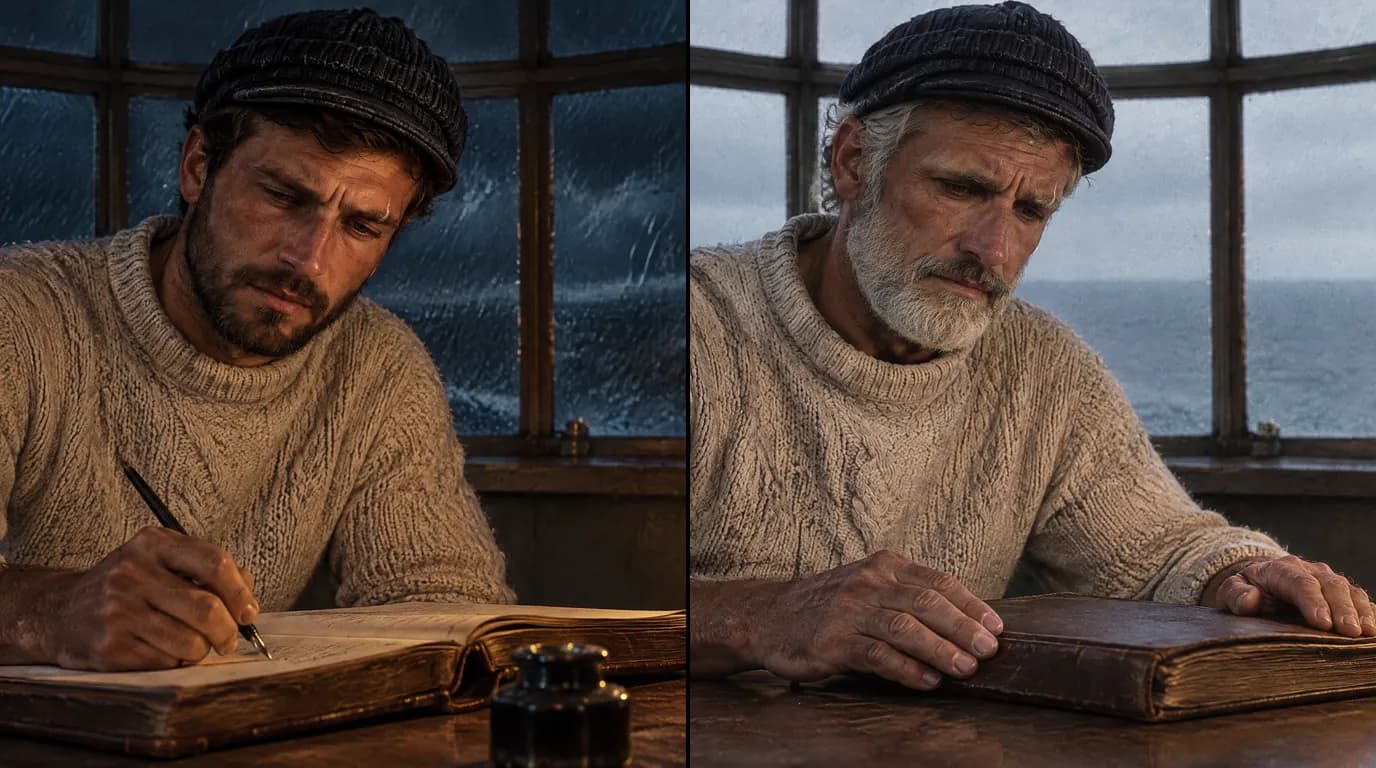
Before the first episode, build a reference sheet for the character: front, three-quarter, profile and full body, with the wardrobe locked. Add one distinguishing mark the audience can learn. In our demo reconstruction, The Last Keeper, the keeper has a small scar on his left eyebrow, and it is in every shot.
In ScreenWeaver, the people, places and things in a story are entities: Characters, Places and Objects. Each one can get an AI reference sheet, and you can upload your own images as references in JPEG, PNG or WebP. The storyboard and video generation both use those references, so the panel and the clip draw on the same sheets. Seedance 2.5, the default video model in ScreenWeaver, accepts up to 30 image references, enough for the face from several angles, the costume, the place and a key object in one shot.
The same character in every episode
Treat the sheet as the channel's most valuable asset. Keep the final sheet images in one place, and start every new episode by attaching them to the character in the new project. Never regenerate the host from a text description because "it is only a cameo". That is how drift gets in.
Keep a short channel bible next to the sheet: name, age, voice, costume per era, the distinguishing mark, the phrases the character never uses.
Aging across eras
A recurring character can move through the decades with your story. Do not create a second, unrelated character for the older version. Generate the older sheet using the younger sheet as its reference, and describe only what time changes: hair, skin, posture, weight. Bone structure, eye shape, the nose and the scar stay.
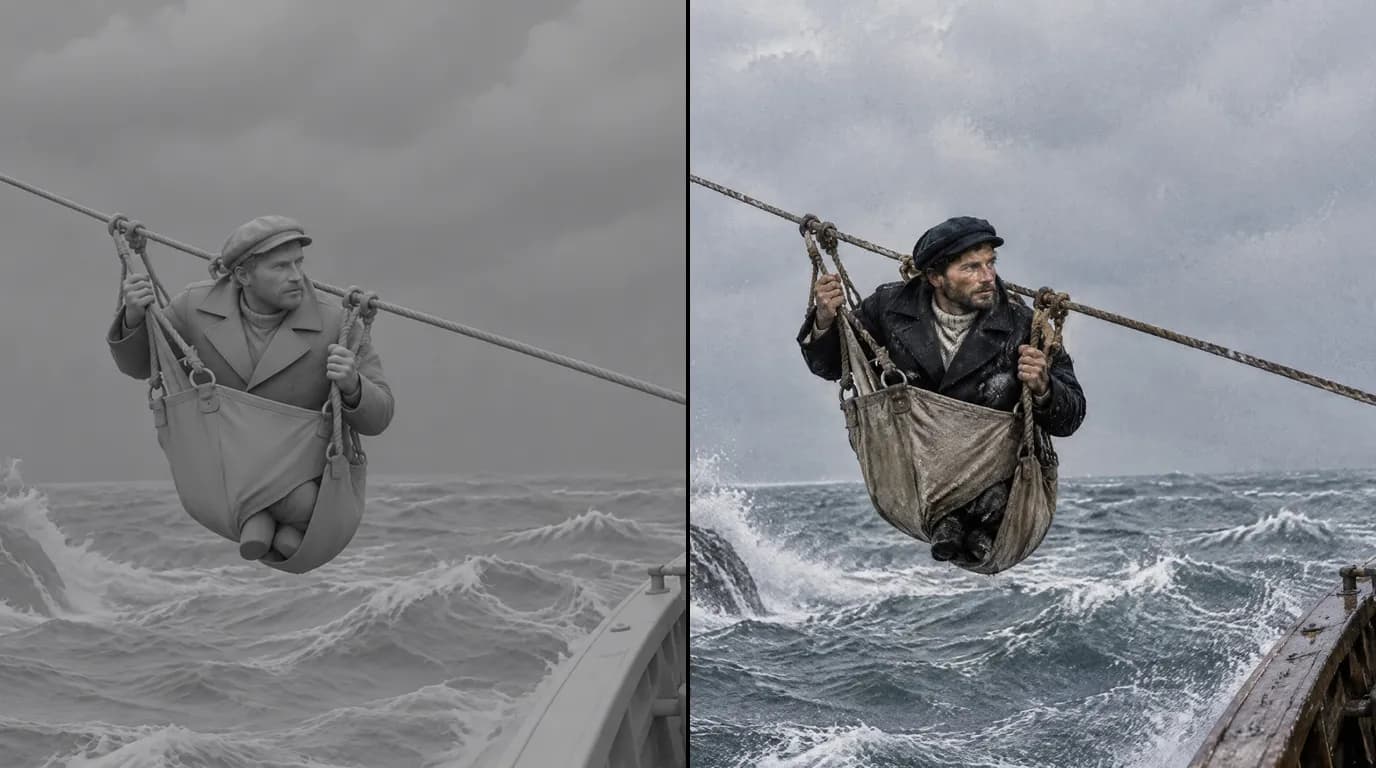
That is how The Last Keeper shows the same man in 1950 and in 1990: two sheets, the second derived from the first, the same coat worn by forty years at sea. The sheets and the six shots are on our AI documentary generator page.
Places and objects recur too. Give each recurring place one master reference image and derive the other views from it, so the fortress in episode 3 is the fortress in episode 9. Do the same for objects that carry the story: a logbook, a seal, a badge.
4. Storyboard before you generate
The storyboard is where an episode gets checked before it costs anything. In ScreenWeaver, the script is broken into shots, the shots are boarded with the same Character, Place and Object references, and only then does each shot go to video. The storyboard-to-video pipeline can also take up to 14 boarded panels as a guide for a whole sequence.
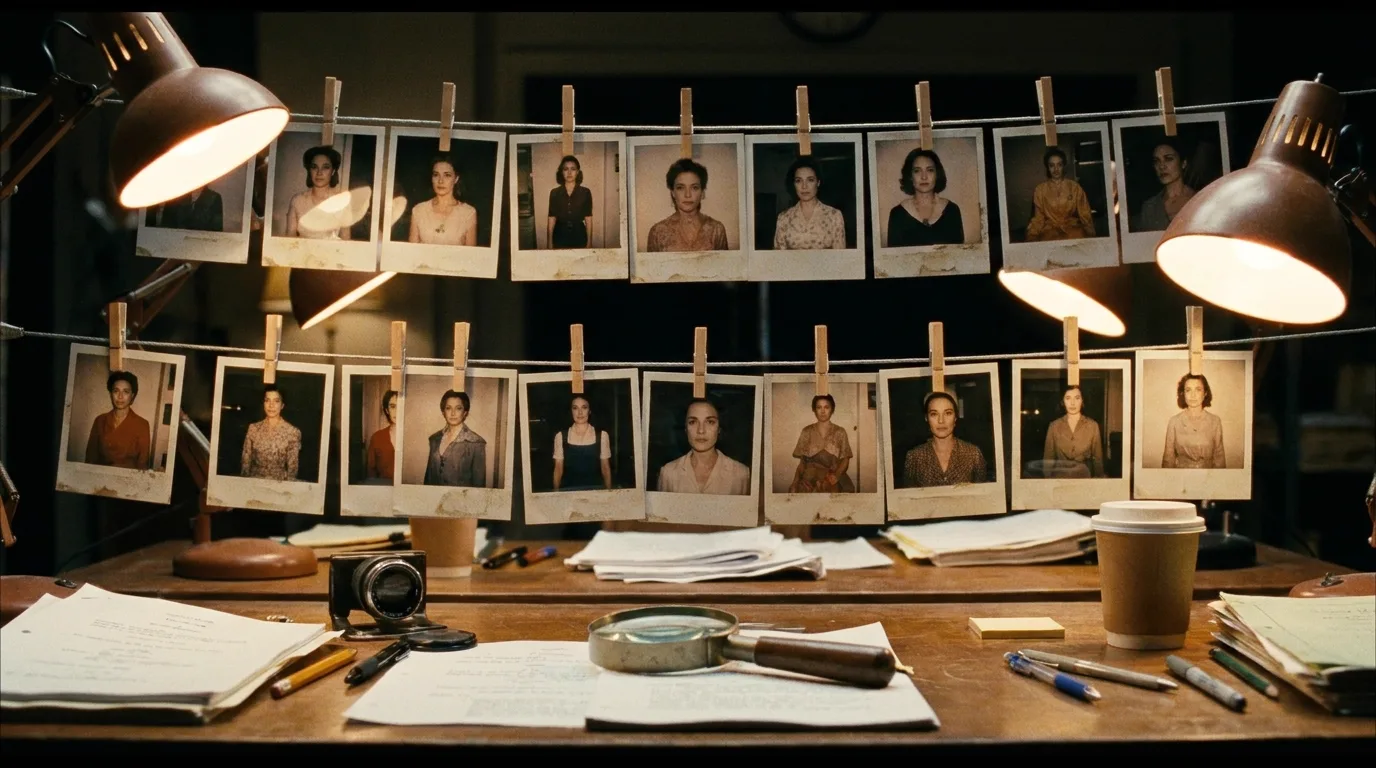
Lay the panels of a sequence side by side. Same face? Same costume for this era? Same fortress walls? Then read them as a historian would, with the checklist below. A wrong panel costs one regeneration.
Try it free
Try Screenweaver for free on your script
It is free. Import your existing project, get a clearer view of your outline, and regain control of your story structure in minutes.
Start Free5. Period accuracy: the anachronism checklist
Image models know what "medieval" looks like on average, which means on film and in games. Check every panel against your sources before it becomes video.
| Check | What usually goes wrong |
|---|---|
| Clothing | Modern fasteners such as zips on a 19th-century coat, wrong cuts, fabrics too clean and new |
| Hair and faces | Modern haircuts, perfect teeth, today's makeup |
| Light sources | Bright, even interiors in centuries lit by fire, candles or oil |
| Materials | Plastic, stainless steel or glossy paint in periods that had none |
| Windows and glass | Large clear panes where the period had small, thick or no glazing |
| Food and crops | Plants that had not yet reached that continent |
| Writing | Gibberish on letters, maps and signs. Ask for illegible handwriting and show real scans in the edit |
| Flags, maps and borders | Present-day borders or symbols in a historical scene |
| Vehicles, tools and weapons | Objects from the wrong decade, the classic giveaway |
| Architecture | A famous building as it looks today, not as it looked then |
Two habits catch most errors. Put period details on the Place and Object references, built from museum photographs or archive images, rather than in every prompt. And give a historian or a sharp friend access to the board before you generate: ScreenWeaver projects have Owner, Editor and Viewer roles for exactly that.
6. Label it honestly
The AI use setting
YouTube asks creators to disclose realistic AI-generated or meaningfully altered content through the "AI use" setting in YouTube Studio. It covers content that makes a real person appear to say or do something they did not, alters footage of a real event or place, or generates a realistic scene that did not happen (YouTube Help). A photorealistic reconstruction of a historical event is squarely in scope. Using AI only for a script outline or captions is not.
For photorealistic content, the label can appear on the video player. For animated or stylized content, it appears in the expanded description. The help page states that disclosing "won't limit a video's audience or impact its eligibility to earn money". The risk runs the other way: creators who consistently fail to disclose can face penalties, up to removal of content or suspension from the Partner Program.
On-screen labels
Clips get shared, and the platform label does not follow them. Put a small "Reconstruction" caption on reconstructed sequences and keep one visual treatment for them. Remember the policy line on realistic visuals that fake a disaster or a death. A shipwreck shown as a labelled reconstruction is history. The same shot passed off as footage is what YouTube refuses to pay for.
Our guide to AI documentary ethics and disclosure covers cue sheets, credits and real people, and AI film disclosure rules compares platforms.
7. Episode structure
Long-form: 8 to 15 minutes
A structure is not a template as long as the substance changes every time. Here is the shape we use, in shares of running time:
| Part | Share | What happens | Your character |
|---|---|---|---|
| Cold open | About 5% | One strong image and the question the episode answers | The host's face in the first seconds |
| Context | About 15% | Place, period, stakes: maps, establishing reconstructions, archive | Introduces the world |
| The person | About 35% | One life through the events. Most reconstruction shots live here | The witness, or the host beside them |
| The turn | About 25% | The event, the decision, the end of an era | Carries the emotion |
| What remains | About 15% | Consequences, the place today, the answer to the opening question | Closes the loop |
| Sources and next | About 5% | What the sources say and do not say, the next episode | Signs off |
Reconstruction shots in a documentary can hold longer than in fiction, often three to six seconds. Plan the board around the narration blocks, not the other way round.
Vary the point of view, the opening image, the turn and the place. If a viewer can predict the next episode beat by beat, so can a reviewer.
Shorts
YouTube has accepted Shorts of up to three minutes since 15 October 2024 (PetaPixel, 4 October 2024). For a history channel, a Short works best as a doorway to the long episode:
- The face and the hook, in the first seconds: your recurring character and one surprising fact.
- One moment: two or three reconstruction shots, one idea.
- The handoff: the question the full episode answers.
Generate Short shots natively in 9:16 from the same references rather than cropping 16:9 shots. ScreenWeaver generates in both formats, and the sheets keep the character identical across them.
What happens outside ScreenWeaver
ScreenWeaver covers script, shot breakdown, references, storyboard and shot generation. Narration, music and the edit happen in other tools: the app has no text-to-speech, does not generate music and does not export a finished cut. Record or synthesize the voice (see AI documentary narration), license your music, and assemble everything, labels included, in DaVinci Resolve, Premiere Pro or your usual editor. Video models can provide ambient sound with each clip.
A realistic budget
ScreenWeaver has three plans:
- Screenwriter, $0, forever: the screenplay editor, enough to research and write every episode.
- Auteur, $39.99 per month, 6,000 credits: the AI pipeline, storyboard generation and AI video.
- Studio, $149.99 per month, 25,000 credits: everything in Auteur, plus collaboration with unlimited seats and the lowest generation rates.
An episode's credit cost depends on the number of reconstruction shots, their length, the resolution and the model. Rather than quote a figure that would be wrong for your channel, measure your own:
- Count the reconstruction shots on the board of episode 1. Maps, archive scans and the location as it is today cost nothing to generate.
- Generate the anchor shots first, the character's first appearance and each establishing place, and check them before the rest.
- Note the credits spent when the episode is done, rerolls included. That is your baseline for the series.
See AI film cost, credits and rerolls and AI video credits budget planning for the arithmetic.
FAQ
Can AI history videos be monetized on YouTube?
Yes. YouTube's monetization policies exclude content that looks mass-produced, such as image slideshows, templated storylines and generic AI output, but allow AI used to bring an original character and story to life. An episode with your own research, your own script and a consistent recurring character fits the allowed side.
Does an AI voice make a history video inauthentic?
Not by itself. The monetization policy page does not mention synthetic voices by name. It excludes content that only reads aloud material you did not create. An AI voice reading a script you researched and wrote is a different case.
Is a faceless history channel still a good idea in 2026?
Faceless can work, characterless rarely does. Give the channel a recurring host or witness with the same face in every episode. The policy lists series with recurring characters as monetizable when each video tells its own story.
Do I have to tick the AI disclosure box for historical reconstructions?
Yes, when they are realistic. YouTube's "AI use" setting covers realistic scenes that did not occur and altered footage of real events or places. YouTube says disclosure does not limit a video's audience or its eligibility to earn money. Add an on-screen "Reconstruction" label too, because clips travel without the platform label.
How do I keep the same host across episodes?
Build a reference sheet once, with four views and a locked costume, then attach the same images to the character in every episode. In ScreenWeaver, Characters, Places and Objects feed both the storyboard and video generation. For two ages, derive the older sheet from the younger one.
Does ScreenWeaver make the whole video?
No. It takes you from sourced script to storyboard to generated shots, with consistent characters. Narration, music and the final edit happen in your own tools, which is also what keeps you the author of the video.
Where to go next
Start with the writing. The free Screenwriter plan is enough for your research and your first script: open a project in ScreenWeaver.
If your project leans toward drama rather than documentary, see the AI historical movie generator and how to make an AI film.
Sources
- YouTube, channel monetization policies, update of 15 July 2025, page read on 8 October 2026
- YouTube Help, disclosing altered or synthetic content, read on 8 October 2026
- Neal Mohan, From the CEO: What's coming to YouTube in 2026, YouTube Official Blog, 21 January 2026
- Sarah Perez, YouTube prepares crackdown on mass-produced and repetitive videos, TechCrunch, 9 July 2025
- Matthew Keys, YouTube clamps down on low-quality, artificial intelligence-generated videos, The Desk, 20 July 2026
- Jason Koebler, AI generated "boring history" videos are flooding YouTube, 404 Media, 3 September 2025
- YouTube Shorts expands video length to three minutes, PetaPixel, 4 October 2024
Final Step
Build your next script with Screenweaver
Move from ideas to production-ready pages faster with timeline-native writing and AI-assisted story flow.
Try Screenweaver