Storyboard without drawing,straight from your script.
- No drawing needed
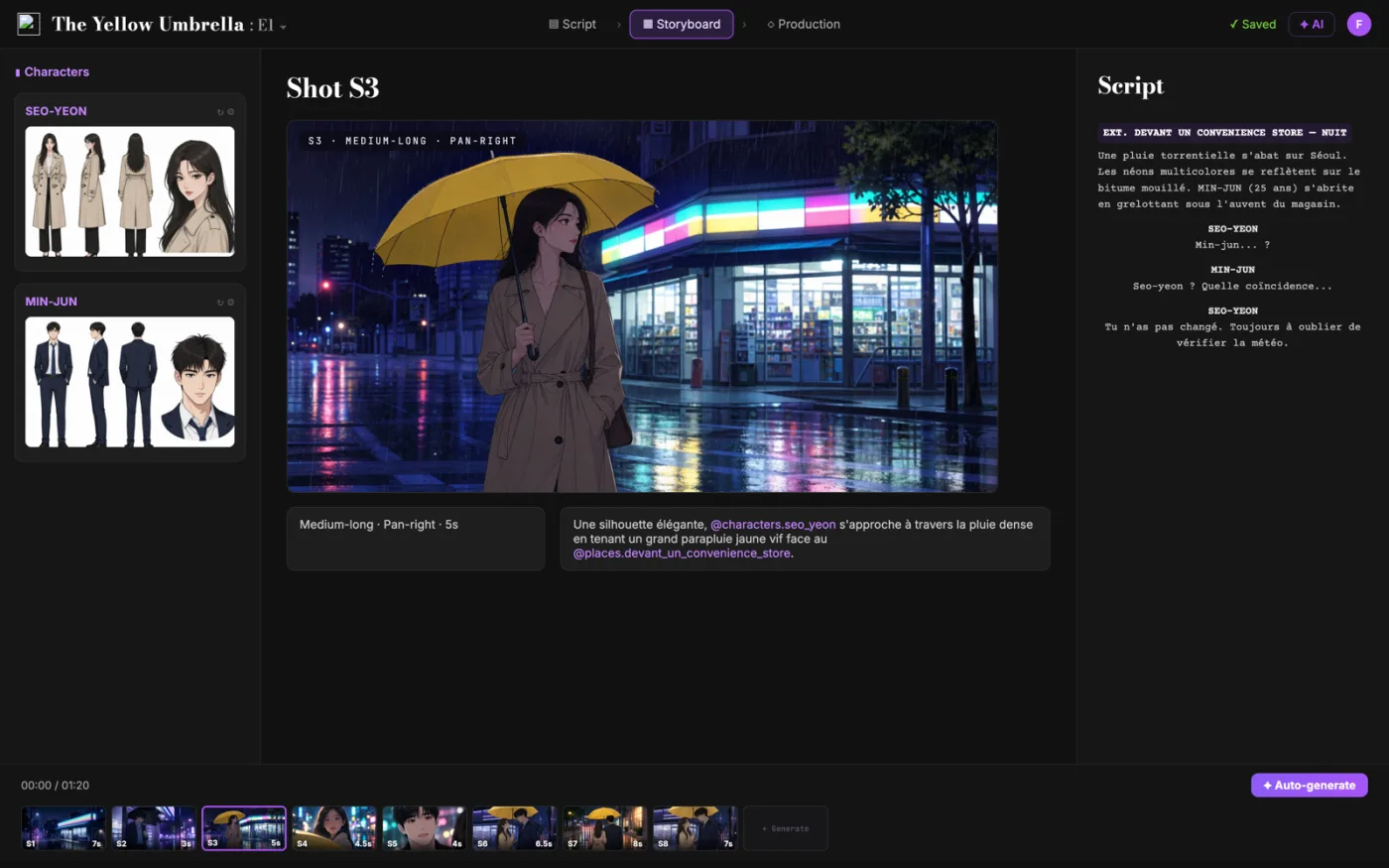
- Framing, angle, movement, duration
- Writing stays free

Why filmmakers try it
Three reasons to board here.
 01
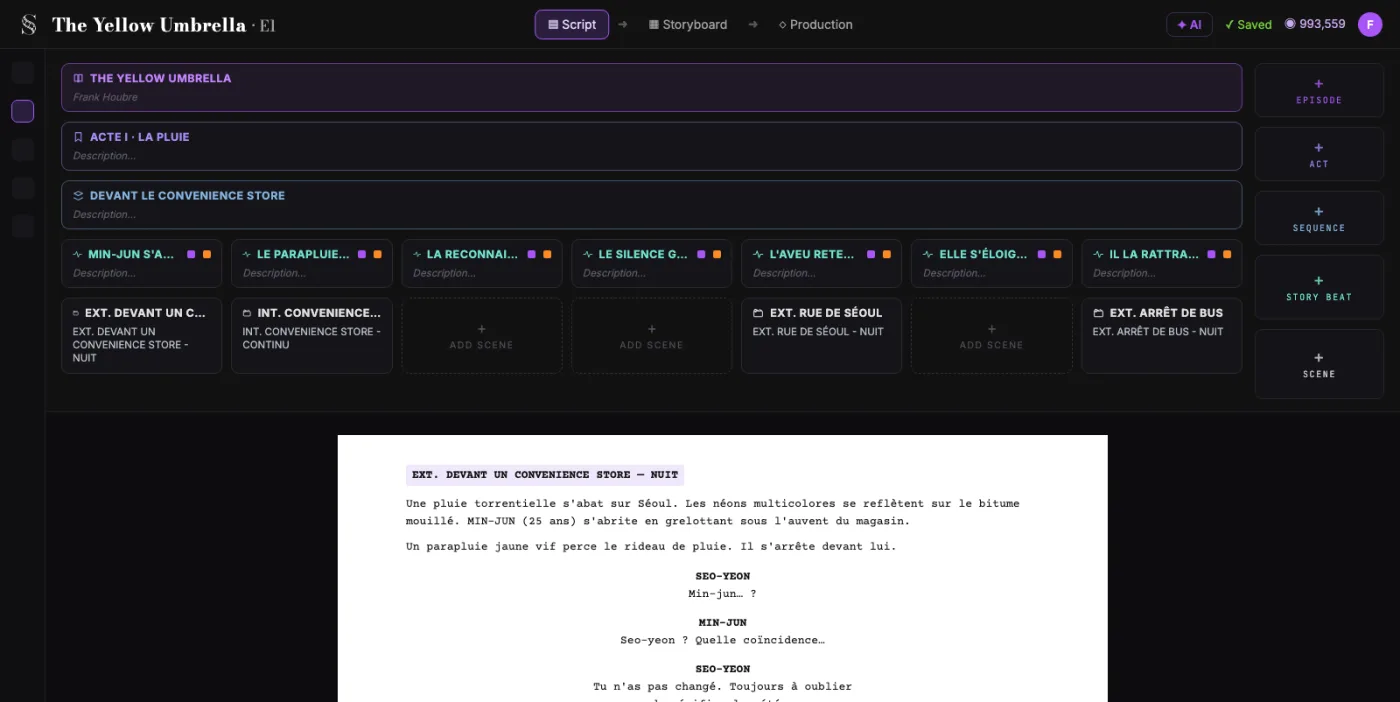
01It starts from your screenplay
Write in a real screenplay editor for $0. No drawing required: the frames come from the scenes, characters and locations you wrote.
- 02
Every shot, broken down for you
ScreenWeaver splits each scene into shots and generates a frame for each one. You set framing, angle, movement and duration. Storyboard Beta costs $9.99 a month.
 03
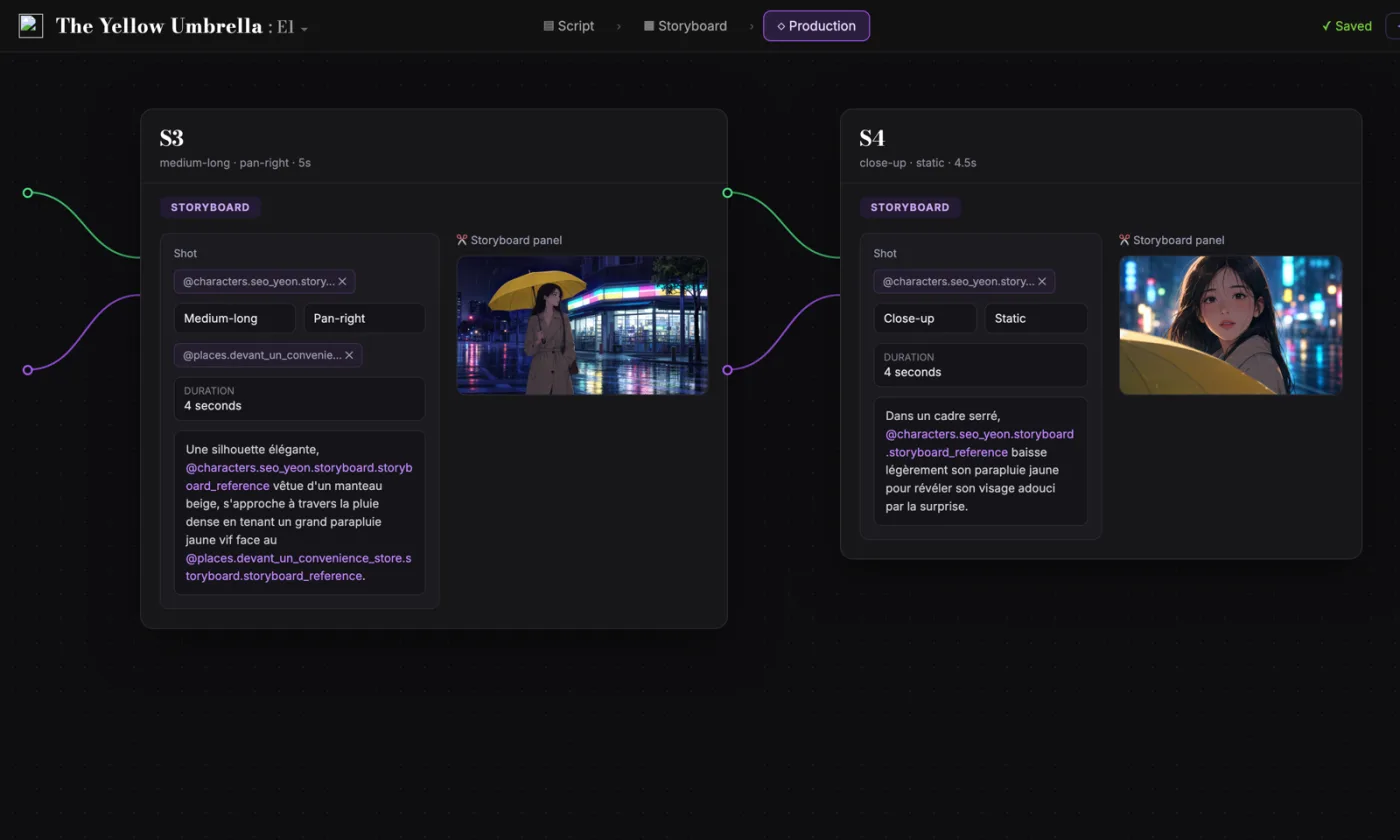
03The board leads to the film
Every frame stays linked to its scene. Shots, characters and references carry into production, in the same project, in any browser.
Side by side
ScreenWeaver vs Storyboarder
| ScreenWeaver | Storyboarder | |
|---|---|---|
| Price | Storyboard Beta, $9.99/mo | Free |
| Free option | Free writing plan, no expiry | Free download |
| Open source | ||
| Platforms | Browser on Mac, Windows, Linux, iPad | Desktop app for Mac, Windows, Linux |
| How frames are made | Generated from the screenplay | Drawn by you, 6 drawing tools |
| Shot breakdown | Automatic, scene by scene | Boards added by hand |
| Link to the script | Frames linked to scenes and beats | Fountain or Final Draft, by scene |
| Shot data | Framing, angle, movement, duration | Dialogue, action, timing, shot type |
| Animatics and previs | AI previsualization, Filmmaker plan | Timeline with audio |
| Exports | Script to PDF and Final Draft (.fdx) | Premiere, Final Cut, Avid, PDF, GIF |
Competitor information as of September 2026, from wonderunit.com. Check their site for the latest.
Fair is fair
What Storyboarder does well
Storyboarder, by Wonder Unit, is free and open source. It is made for people who think with a pencil, and it stays out of the way.
- Six drawing tools, from light pencil to brush, with pen pressure on most Wacom tablets
- Shot Generator: type a shot description, get a reference to draw over
- Paper worksheets: print, draw, then import the page from a photo
- Exports to Premiere, Final Cut, Avid, PDF and animated GIF, with a round trip to Photoshop
Storyboarder is still a good fit if you draw, you want a free desktop app, and your boards are sketches you make yourself. Storyboarder is built for that.
Our verdict
Direct your storyboard instead of drawing it.
Storyboarder is a great free tool if you love to draw every board. If you would rather direct than draw, ScreenWeaver generates the boards from your screenplay, with consistent characters and control of every shot.
- Professional writing, free and unlimited, with PDF and Final Draft export
- A storyboard generated from your screenplay, shot by shot
- Production connected to the same project, characters kept consistent
Switching
From script to storyboard in three steps.
- 1
Bring your screenplay
Write it in ScreenWeaver for free, or attach a PDF, Final Draft (.fdx) or plain text file to the assistant and ask it to import the script.
- 2
Generate the storyboard
ScreenWeaver breaks each scene into shots and generates a frame for each one, linked to the scene it comes from.
- 3
Direct every shot
The AI drafts, you decide. Each shot has its own settings:
- Framing
- Angle
- Movement
- Duration
Script import runs through the assistant, which comes with a paid plan. Writing and PDF or Final Draft export stay free.
FAQ
Questions Storyboarder users ask
Is Storyboarder free?
Is there a Storyboarder alternative that doesn't require drawing?
What is the difference between Storyboarder and ScreenWeaver?
Do characters look the same from shot to shot?
Can I still control each shot?
Does ScreenWeaver run on my computer?
Is writing the screenplay free?
Storyboarder and Wonder Unit are trademarks of their respective owner. ScreenWeaver is not affiliated with, endorsed by or sponsored by Wonder Unit. Product names are used only to identify the products compared.