AI documentary generator

Make a documentary with AI.Same faces, shot after shot.

Write a sourced script, get a storyboard of every reconstruction, and keep each person, place and object identical from the first shot to the last, even forty years apart.
  • Free script writing
  • Storyboard from your script
  • Characters that stay consistent
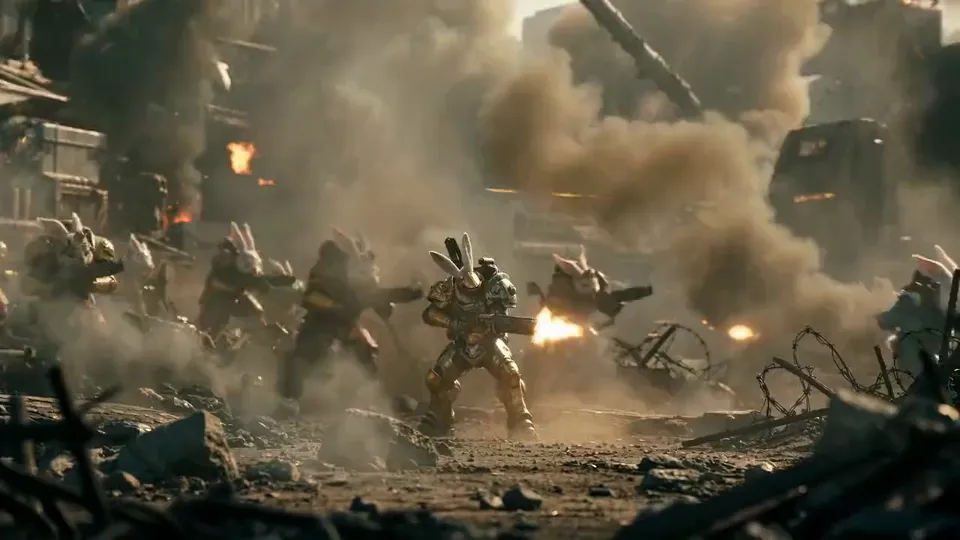
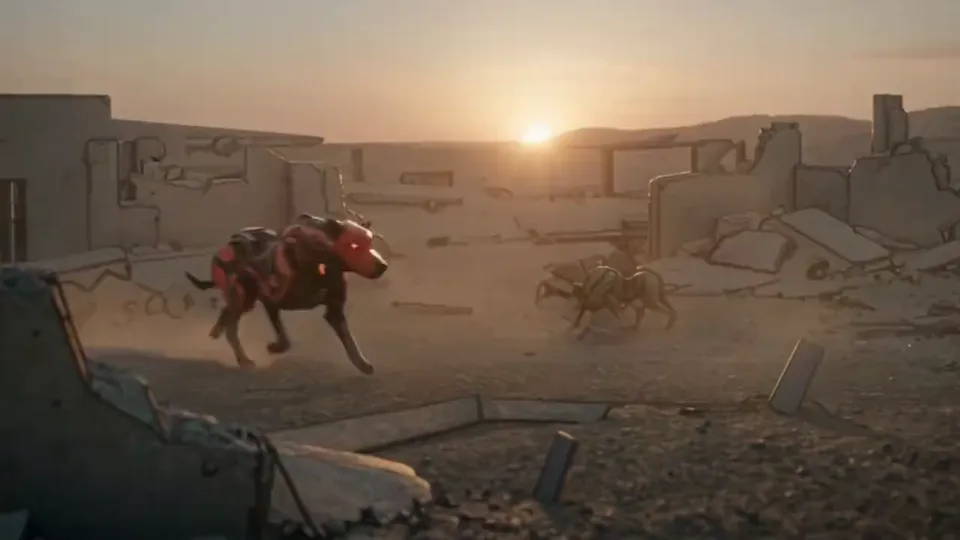
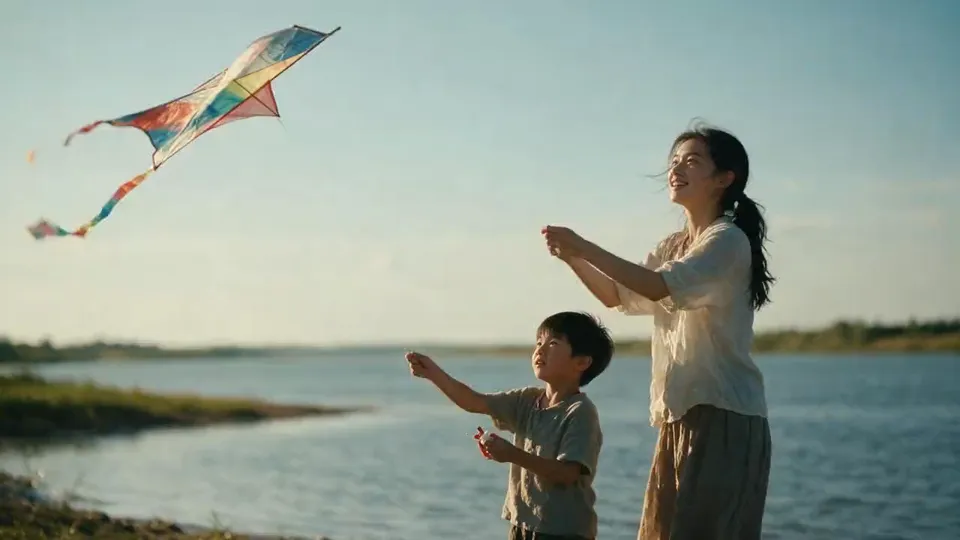
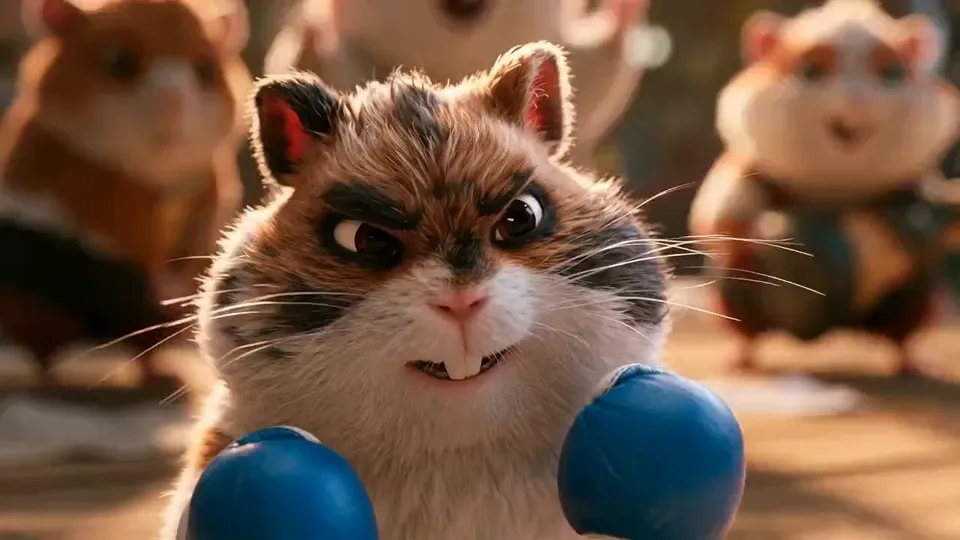
Reconstruction rushes

Available today: free script writing, then the Auteur plan at $39.99 a month for the storyboard and the video generation of each shot, with 6,000 credits a month.

In your own tools: the narration voice, the music and the final edit. ScreenWeaver prepares the script, the board and the shots; you record or synthesise the voice and cut the film where you already work.

Character consistency

One face, forty years apart.

A reconstruction only works if the audience never doubts who they are looking at. Generic video tools reinvent the face in every clip. In ScreenWeaver, every person, place and object gets a reference sheet, and every shot of the film is generated from those sheets. Here is how The Last Keeper was built.
  1. Character reference sheet of a lighthouse keeper in his thirties, four views, navy pea coat, cream sweater and wool cap
    Reference sheet

    The keeper, 1950

    One character sheet: front, three-quarter, profile and full body. The wardrobe is locked: pea coat, fisherman sweater, wool cap. Look for the small scar on his left eyebrow: it is in every shot.

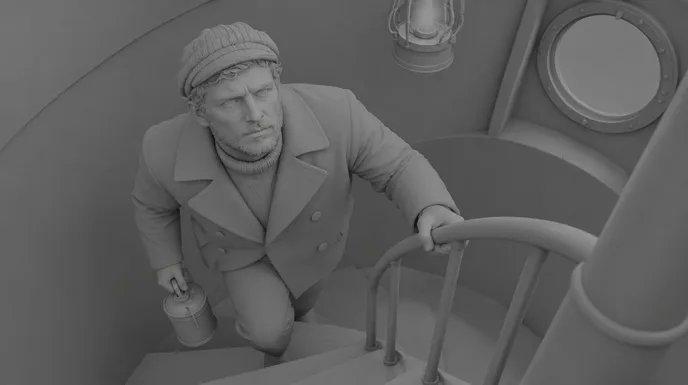
    • A young keeper in a pea coat climbs a spiral stone staircase holding a brass oil can02
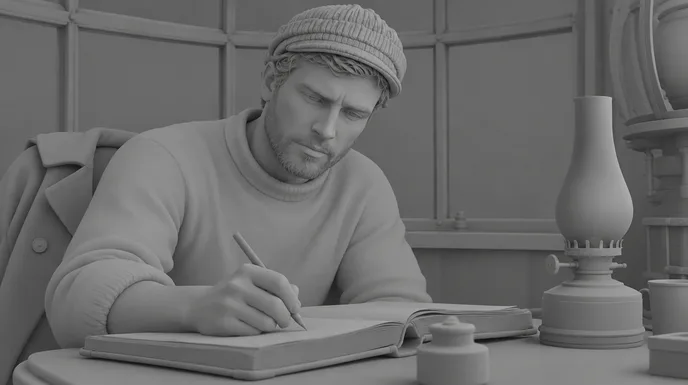
    • The young keeper writes in a leather logbook by the light of a brass oil lamp, storm behind the window03
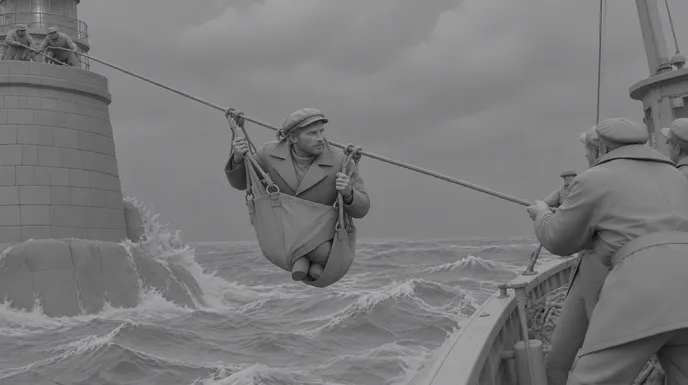
    • The keeper hangs in a canvas breeches buoy on a rope above rough sea between the lighthouse and a supply boat04
  2. Character reference sheet of the same keeper aged seventy, white beard, the same pea coat and cap, four views
    Reference sheet

    The same keeper, 1990

    Not a new character: an aged sheet derived from the first one. Same eyes, same nose, same scar. A white beard, deeper lines and the same coat, worn by forty years at sea.

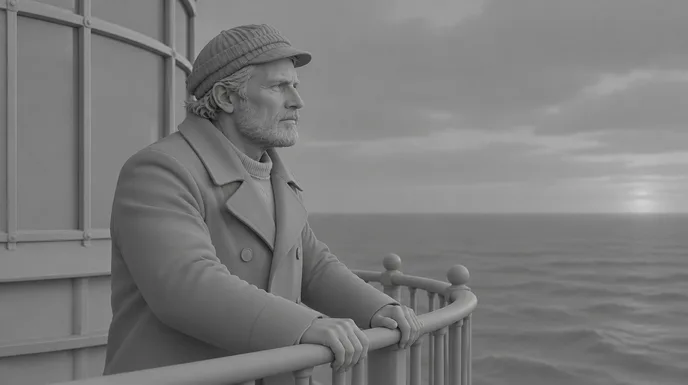
    • The same keeper, now old with a white beard, stands on the lighthouse gallery at dusk looking out to sea05
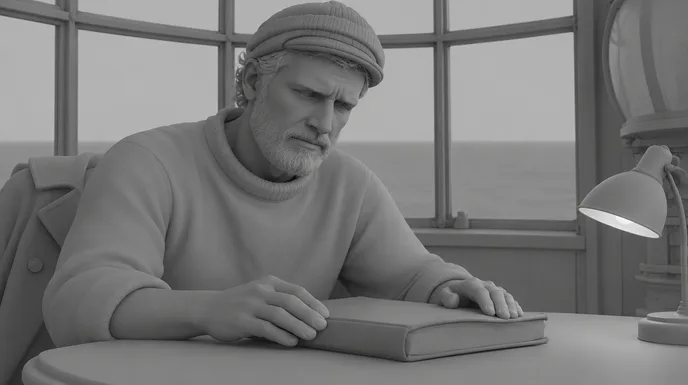
    • The old keeper rests his hands on the closed logbook at the same table, an electric desk lamp beside him06
  3. Master reference view of a granite lighthouse on a small reef, seen from above at an angle, calm grey sea
    Reference sheet

    The lighthouse

    A place gets one master view, seen from above at an angle. The storm shot and the gallery at dusk both come from it, so the tower, the reef and the lantern never change shape.

    • Storm waves explode against a granite lighthouse alone in the open sea at dusk, its lantern lit01
    • The same keeper, now old with a white beard, stands on the lighthouse gallery at dusk looking out to sea05
  4. Object reference sheet of a worn leather logbook with brass corners, closed, open and seen from the spine
    Reference sheet

    The logbook

    Objects matter in a documentary: they carry time. The logbook is a reference too, so the book he opens in 1950 is the book he closes in 1990.

    • The young keeper writes in a leather logbook by the light of a brass oil lamp, storm behind the window03
    • The old keeper rests his hands on the closed logbook at the same table, an electric desk lamp beside him06
  1. 01

    Sheets before shots

    Build the character, place and object sheets first. In ScreenWeaver they live in the project as Characters, Places and Objects, and the storyboard and the production canvas both read them.

  2. 02

    One wardrobe per era

    Lock the clothes for each period in the sheet, not in the prompt. A prompt that says “old coat” invents a new coat every time.

  3. 03

    Age from the sheet

    For a time jump, derive the older sheet from the younger one. The model keeps the bone structure and changes only what time changes.

  4. 04

    Check on the board

    Read the storyboard as a continuity sheet before you spend a credit on video. A face that drifts on the board will drift on screen.

One scene, script to screen

The Last Keeper: six shots of a documentary reconstruction.

A scene inspired by the keepers of Ar‑Men, the Breton lighthouse lit in 1881 and automated in 1990. The keeper is a composite, fictional character, and every image is a labelled reconstruction. Under each shot, the direction that produced it.
Documentary script · page 1

EXT. AR-MEN LIGHTHOUSE, IROISE SEA - NIGHT (1950)

Waves explode against the tower. The spray climbs halfway to the lantern.

NARRATOR (V.O.)

The keepers had a name for this rock: hell of hells.

INT. LIGHTHOUSE - STAIRCASE, THEN WATCH ROOM - NIGHT

YANN (32), the keeper, climbs with the oil can. At the table, he writes the night into the logbook.

EXT. THE REEF - DAY

Relief day. Yann crosses above the swell in a breeches buoy.

EXT. LANTERN GALLERY - DUSK (1990)

Forty years later. The same coat. A white beard now.

NARRATOR (V.O.)

In 1990, the light no longer needed him.

He closes the logbook for the last time.

FADE OUT.
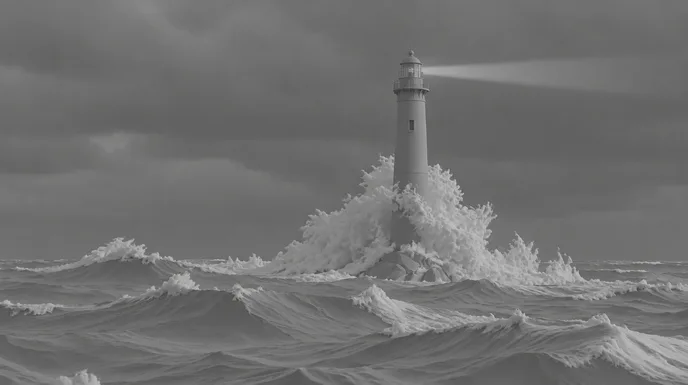
  1. Storm waves explode against a granite lighthouse alone in the open sea at dusk, its lantern lit
    Storyboard frame of the same establishing shot, in grey
    01

    Establishing · the rock

    Wide from a boat at sea level, long lens, storm waves exploding at the base of the tower, faint lantern beam, faded 1950s colour

  2. A young keeper in a pea coat climbs a spiral stone staircase holding a brass oil can
    Storyboard frame of the keeper on the stairs, in grey
    02

    Medium · the climb

    From a few steps above, the keeper climbs the spiral stair with the oil can, warm lamp from above, cold moonlight from the porthole

  3. The young keeper writes in a leather logbook by the light of a brass oil lamp, storm behind the window
    Storyboard frame of the keeper writing, in grey
    03

    Close medium · the logbook

    Three-quarter on his face lit by the oil lamp, dip pen on the logbook, storm streaks on the curved window behind

  4. The keeper hangs in a canvas breeches buoy on a rope above rough sea between the lighthouse and a supply boat
    Storyboard frame of the rope crossing, in grey
    04

    Wide · the relief

    From the boat deck, the keeper hauled across the rope line in a breeches buoy, swell below, sailors pulling, face readable

  5. The same keeper, now old with a white beard, stands on the lighthouse gallery at dusk looking out to sea
    Storyboard frame of the old keeper on the gallery, in grey
    05

    Medium close-up · forty years on

    Along the gallery railing at dusk, the same keeper aged seventy, white beard, same coat and cap, lantern glowing behind

  6. The old keeper rests his hands on the closed logbook at the same table, an electric desk lamp beside him
    Storyboard frame of the old keeper and the logbook, in grey
    06

    Close medium · the last entry

    Same watch room, same table, an electric lamp instead of the oil lamp, his hands resting on the closed logbook

The six shots cut together: fifteen seconds, 16:9, generated from the four reference sheets above. Narration and music are added in the edit.

Writing a documentary

Four rules for a documentary script that films well.

AI makes the reconstruction. The script decides whether anyone believes it.
  1. 01

    Write the narration in the script

    Put the voice-over in the screenplay as NARRATOR (V.O.), next to the images it covers. You see at a glance where words carry the facts and where pictures carry the feeling.

  2. 02

    Source every scene

    Each reconstructed scene starts from a document: a logbook, a photo, a testimony. Import your PDFs and pictures: the AI assistant reads them and challenges the script when it drifts from the sources.

  3. 03

    Say what is reconstructed

    Mark reconstructions in the script, label them on screen and keep a list of every generated shot. Viewers forgive a reconstruction. They do not forgive being fooled.

  4. 04

    One person to follow

    History is abstract; a keeper on a rock is not. Build the film around one consistent character, real or composite, and let the facts happen to them.

Structure and pacing

The shape of a ten-minute documentary.

Short documentaries hold attention with one question, one person and one turning point. Reconstruction shots last three to six seconds, longer than in fiction.
  1. 10 %

    The question

    One strong image and the question the film will answer.

  2. 20 %

    The context

    Place, period, stakes. Archive, maps and establishing shots.

  3. 35 %

    The person

    We follow one character through daily life. Most reconstruction shots live here.

  4. 20 %

    The turn

    What changed: an event, a decision, the end of an era.

  5. 15 %

    What remains

    The place today, the object left behind, the answer.

For a sixty-second YouTube Short, keep the question, the person and what remains, with two or three shots each.

Shot vocabulary

Eight shots that make it feel like a documentary.

Each one with the wording that gets it from an image or video model. Use them in the storyboard, shot by shot.
  • The establishing reconstruction

    The place, in its period, before any person appears.

    wide establishing shot, period setting, overcast natural light, long lens compression, faded colour film look, no people

  • The working hands

    A daily gesture, close. It makes a period feel lived in.

    close-up of weathered hands trimming an oil lamp wick, warm practical light, shallow depth of field

  • The document insert

    The object the story rests on, with no fake writing.

    macro insert of an old leather logbook open on a wooden table, handwriting illegible, no readable text, soft lamplight

  • The archive still

    A reconstruction framed like a period photograph, for slow pushes in the edit.

    black and white period photograph look, 1950s, film grain, slight vignette, figures posed and still

  • The time-jump match

    Same framing, decades apart. The cleanest way to show time passing.

    same composition as the reference shot, forty years later, same character aged, same place, different light

  • The place as witness

    The location empty, as it is today. No reconstruction needed.

    empty location today, still camera, natural light, quiet atmosphere, no people

  • The face in the light

    A close shot of your main character, the one the audience follows.

    close medium shot, three-quarter angle, face lit by a single practical lamp, tired concentrated expression, 35mm grain

  • The anonymous silhouette

    When a person must not be identified, keep the face out of the light.

    silhouette against a window, backlight, face in shadow and unrecognisable, period clothing

Light and palette

Storm grey, one warm lamp.

Reconstructions feel true when the light is motivated: daylight through cloud, a lamp, a window. Keep one cold dominant for the period and one warm source for the human. The five colours below were sampled from The Last Keeper shots. Keep them in every prompt and the decades stay one film.

  • Storm slate

    #515E6D

  • Oil lamp amber

    #BE8645

  • Spray ivory

    #C9CED3

  • Pea coat navy

    #16202B

  • 1990 dusk

    #BB7E6F

Where AI goes wrong

Four documentary traps, and how the script avoids them.

A fiction can survive a glitch. A documentary loses its credibility. These are the usual failures.
  • A different face in every shot

    The witness of shot 3 is not the witness of shot 7. Generate every shot from the same character sheet, and derive the aged version from it.

  • Anachronisms

    Zips in 1910, plastic boats in 1950. Put period details in the place and object references, and check the board before generating video.

  • Fake writing on documents

    Models write gibberish on letters, maps and signs. Ask for illegible handwriting, then show real scans of real documents in the edit.

  • A reconstruction taken for archive

    The worst failure is the one nobody notices. Label reconstructions on screen, credit the AI and keep a cue sheet. Our guide to AI documentary ethics covers it.

Documentary types

History, nature, investigation, and the rest.

  • Historical documentary

    Periods with no footage at all. Reconstructions, one character to follow and period references, like The Last Keeper.

  • Nature and science

    Extinct species, deep time, the inside of a cell. Show what no camera can film, and say it is a visualisation.

  • Investigation and true crime

    Reconstruct places and events, never the faces of real victims or suspects. Silhouettes and empty locations do the work.

  • YouTube history channels

    Long-form history with an original script and consistent characters, the kind of AI video YouTube still monetises.

The pipeline

Write. Board. Produce.

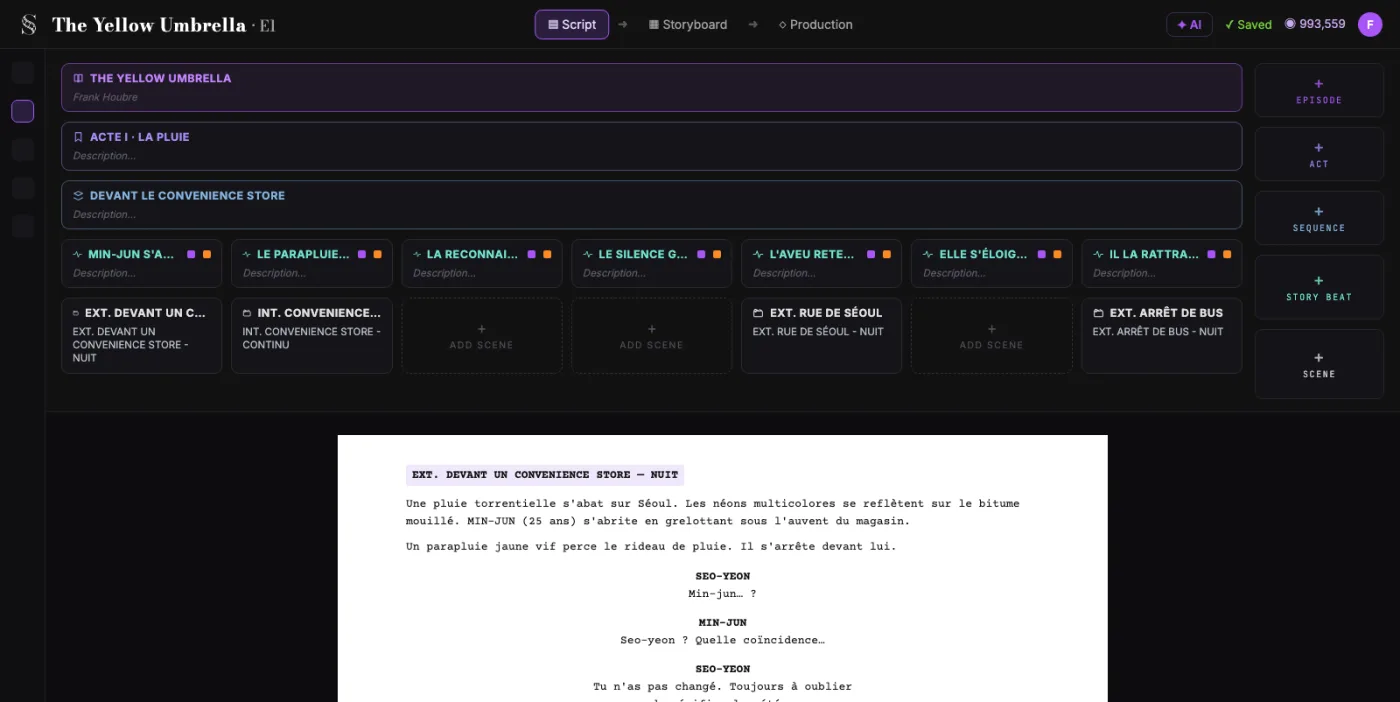
  1. ScreenWeaver screenplay editor: acts, sequences and beats above the formatted script of The Yellow Umbrella

    01The screenplay, enriched

    An industry-standard screenplay editor, and more: a visual outline and beat editor, your writing inspirations (notes, photos, audio) kept next to the page, and an AI researcher to support your writing, not replace it.

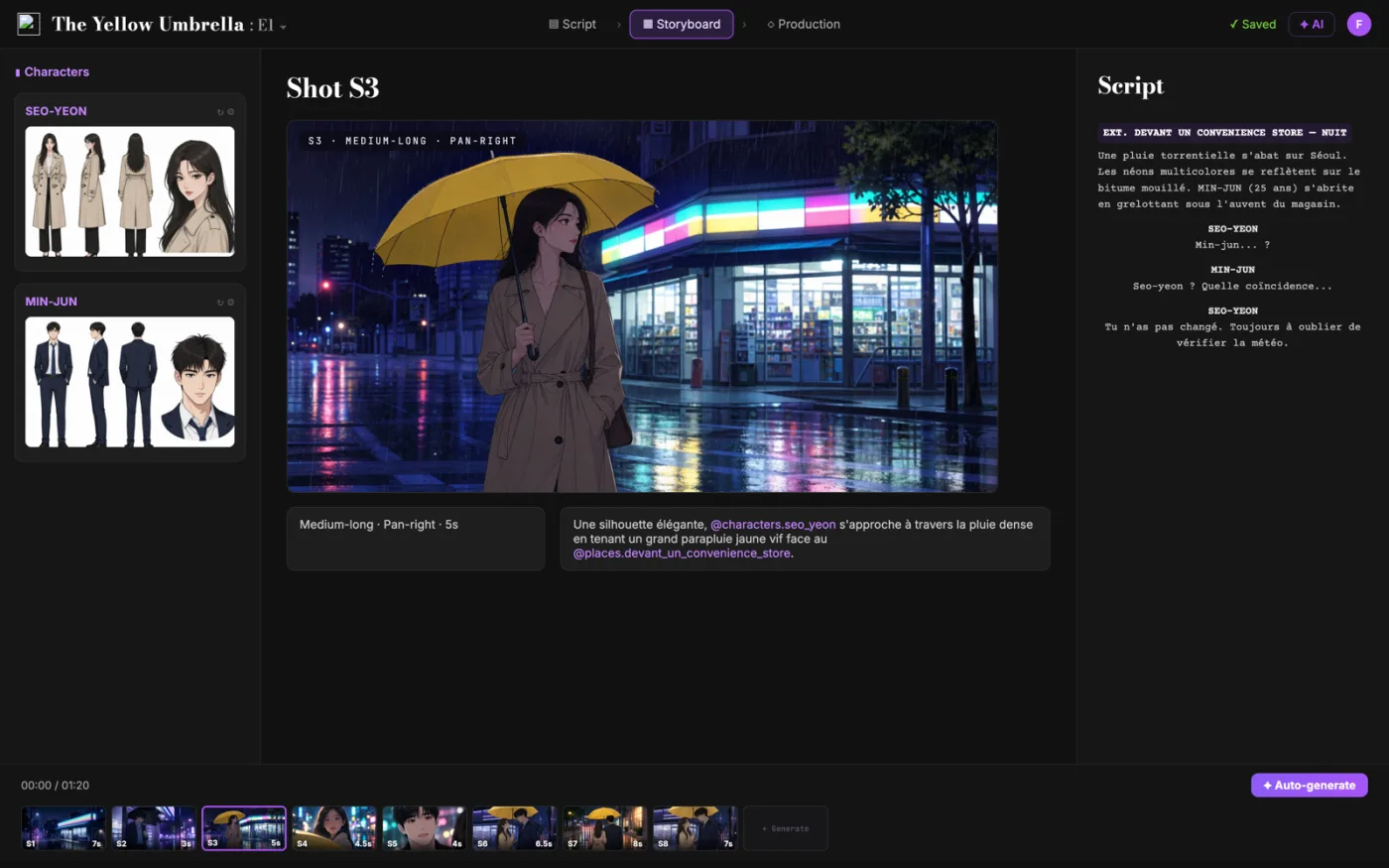
  2. ScreenWeaver storyboard: shot S3 of The Yellow Umbrella with characters, shot settings and the script beside it

    02The storyboard, made easy

    Shot breakdown generated from your screenplay, manual control over every shot (frame, angle, movement, duration), and generative AI previsualization in one click.

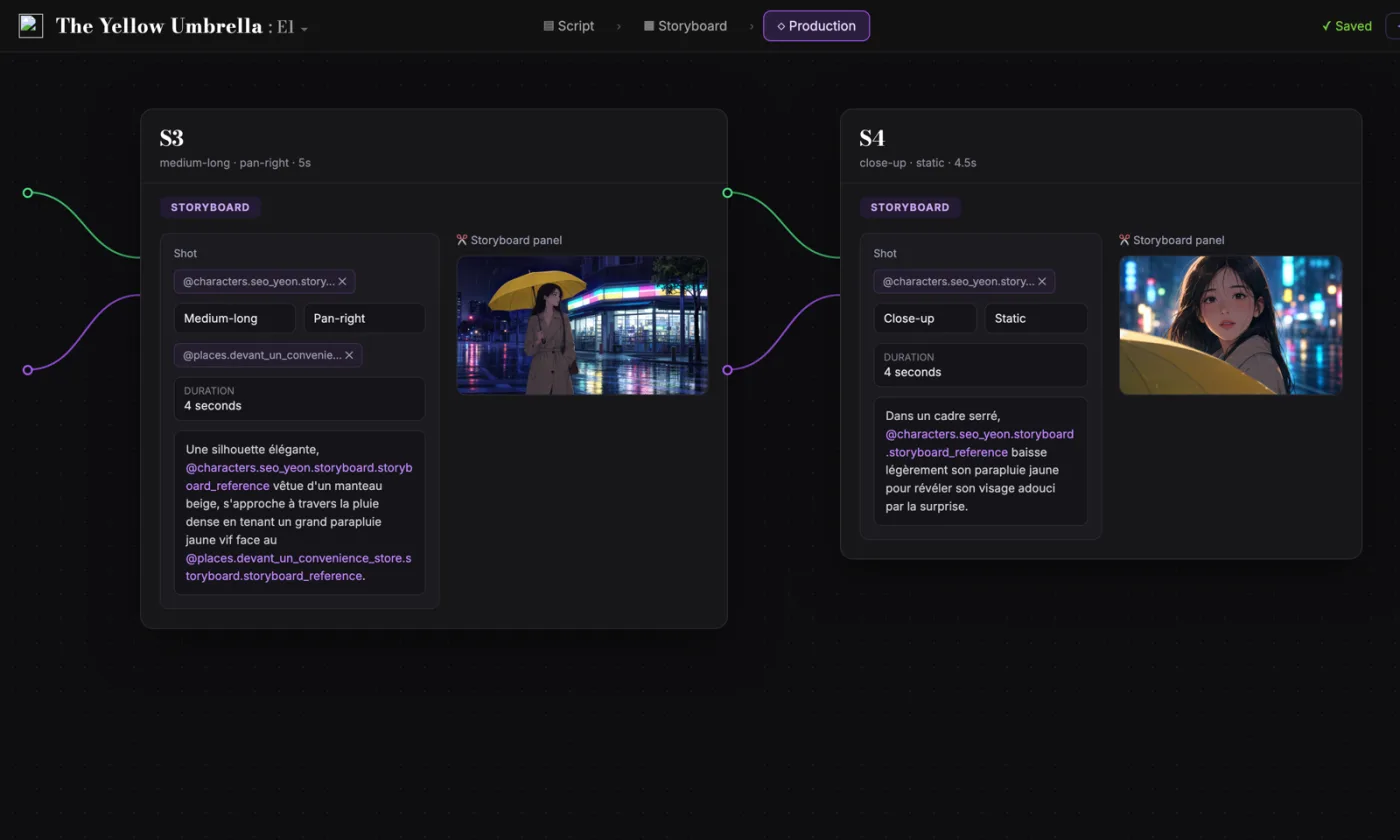
  3. ScreenWeaver production canvas: shots S3 and S4 as connected nodes carrying their storyboard panels and prompts

    03AI production, with finesse

    Footage generation pipelines connected to your screenplay and storyboard. Optimized out of the box, fully editable workflow.

FAQ

Documentaries with AI, your questions

Can I make a documentary with AI in ScreenWeaver?
Yes. You write the script for free, then the Auteur plan at $39.99 a month breaks it into shots, storyboards it and generates each reconstruction as video, with 6,000 credits a month. You add the narration, the music and the final edit in your own tools.
How do I keep the same person across AI shots, and across decades?
Give the person a character sheet once, with front, profile and full-body views, and generate every shot from it. For a time jump, derive the older sheet from the younger one: same face, aged. ScreenWeaver keeps Characters, Places and Objects in the project, so the storyboard and the video use the same references.
Does ScreenWeaver generate the narration voice?
No. You write the narration in the script as V.O., time it with the free narration time calculator, then record it or use a voice tool such as ElevenLabs. Video models can add ambient sound to each shot.
Can I use archival photos as references?
Yes. Upload your own images (JPEG, PNG or WebP) to the project and use them as references for places, objects and costumes. Make sure you hold the rights, and do not recreate the face of a real, identifiable person without consent.
Is it honest to use AI reconstructions in a documentary?
It can be, if you say so. Label reconstructions on screen, credit the AI and keep a list of every generated shot, as the Archival Producers Alliance recommends. Our AI documentary ethics guide goes through each case.
Can I monetise an AI documentary on YouTube?
YouTube’s July 2025 policy targets mass-produced, repetitive content, not AI as such. An original script with real research, consistent characters and your own narration is a different thing from templated slideshows. Tick the altered or synthetic content box when shots look realistic.
Is writing the script free?
Yes. The Screenwriter plan costs $0 and does not expire: unlimited projects and pages, industry-standard formatting, PDF and Final Draft export.
Which video models does ScreenWeaver use?
Seedance 2.5 by default, with up to 30 image references per shot, and other models such as Veo 3.1 and Kling 3.0 on the same production canvas. The pipelines are connected to your script and storyboard, and fully editable.

Your documentary starts with a question.

Write the script for free. Storyboard and film it when your sources are ready.

Film techniques

Film techniques to explore

Each one with a short clip, a screenplay excerpt and the shot list line.

All 263 techniques