Action / Dialogue Ratio Analyzer
Script dialogue ratio · Screenwriting format analyzer
A golden rule in Hollywood is the visual balance of the page: plenty of white space, no dense black blocks. Too much dialogue puts the reader to sleep; too much action exhausts them.
Paste a scene below. The tool detects structure (dialogue is often centered or indented) and Fountain-style character cues, then shows the share of action vs dialogue so you can check your script format and balance.
Runs entirely in your browser , no data is sent to any server. Uses indentation and Fountain formatting rules to classify lines.
Supported formats
Fountain: character names in ALL CAPS (optional parenthetical like V.O. or O.S.) with dialogue on the following lines. Standard screenplay: lines with significant indentation are counted as dialogue, left-aligned lines as action.
How to use this script dialogue ratio analyzer
- Paste one complete scene, sequence, or a few pages of your screenplay into the text area above. Fountain (.fountain) and standard screenplay format both work.
- The tool scans each line, classifies it as action or dialogue using indentation and character cues, then calculates the percentage of the page taken by each.
- Use the bar and percentages to quickly see whether the scene reads as dialogue-heavy, action-heavy, or balanced before you export to PDF or Final Draft.
What is a healthy action / dialogue ratio?
Every genre and writer has a different rhythm, but these rough ranges are useful when you want to sanity-check a draft:
- Around 40-60% dialogue: often feels balanced , the reader sees enough white space, but the script still moves.
- Over 60-70% dialogue: the page may start to feel dense, especially if speeches are long and there is little action or behavior.
- Under 30-40% dialogue: can feel very physical or visual. Great for action or horror, but you may want to check whether key turns are dramatized only in description.
Use the ratio as a quick health check, not a rule. The point is to support pacing and clarity for the person reading your script.
You timed the pages.Now write the rest.
Write the whole screenplay in ScreenWeaver, with industry-standard formatting and unlimited pages. The Screenwriter plan is free and does not expire.
- $0, does not expire
- PDF and Final Draft export
- Mac, Windows, Linux, iPad
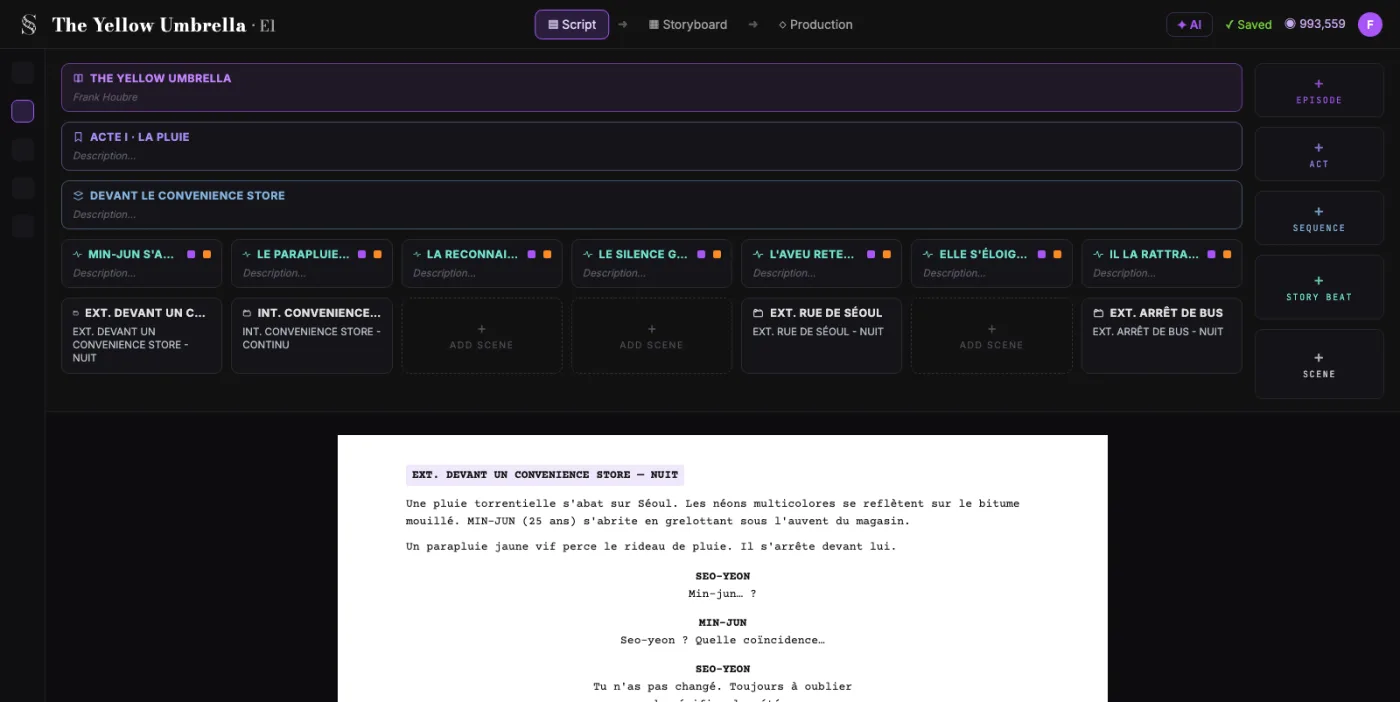
Action Dialogue Ratio: the complete guide
It quantifies page density split between action and dialogue to reveal rhythm imbalances hidden in long drafts.
For this workflow, the central problem is clear: page density imbalances are hard to detect by intuition alone during late rewrites. Left unresolved, this creates downstream friction and slower decisions. The practical target is objective visibility into action vs dialogue balance for cleaner pacing decisions.
Limitation to keep in mind: It cannot evaluate subtext quality or scene intention, so ratio corrections must remain context-aware.
Advanced workflow: Track ratio trends by act and genre conventions, then rewrite only sections where density conflicts with desired audience energy.
Step-by-Step Workflow
- Run analysis on a full sequence first to avoid overreacting to one atypical scene.
- Identify density outliers and review them in context before editing.
- Adjust action beats, line length, and conversational compression where needed.
- Re-check after edits to verify improvements and avoid over-correction.
Use Cases By Profile
- Writer: detect monologue-heavy stretches that flatten momentum.
- Editor: identify action blocks that over-describe instead of dramatize.
- Showrunner/dev: keep tonal rhythm stable across episodes.
Common Mistakes To Avoid
- Treating every genre as if it needed the same ratio profile.
- Fixing percentages without considering dramatic intention.
- Editing for metrics only and flattening voice.
Professional Best Practices
- Benchmark ratio by act and by sequence, not only globally.
- Prioritize clarity in transition scenes where readers fatigue fastest.
- Use ratio checks as a rewrite compass, not a constraint.
Treat this tool output as a decision support layer, not a replacement for authorship. Great scripts are remembered for specific choices, emotional precision, and clarity of dramatic movement. Tools help by removing noise so your energy can go where it matters: character, conflict, escalation, and payoff. If you review outcomes after each pass and keep an explicit log of accepted changes, your workflow becomes faster and more predictable from draft to draft. That consistency is exactly what professional collaborators value: fewer surprises, clearer rationale, and a script that evolves with intent.
Extended FAQ
Is there one ideal action/dialogue ratio?
No universal ratio exists. The right balance depends on genre, scene function, and intended reading pace.
How do I avoid over-correcting to metrics?
Review every flagged section in dramatic context before editing. Keep intent first, metrics second.
Should I analyze by scene or by sequence?
Start by sequence for signal stability, then zoom into scenes that look anomalous.
Can ratio analysis improve readability?
Yes. It often reveals dense stretches that fatigue readers and hide key turns.
What if a scene is intentionally dialogue-heavy?
Keep it if it serves purpose. Use ratio tools to identify accidental imbalance, not intentional design.
When in rewrite cycle should I use this?
After structural pass and before final line polish, then once more before sharing externally.
FAQ: script dialogue ratio and format
There is no single number that fits every script, but many produced features land in the 40-60% dialogue range on most pages. Some scenes will be mostly dialogue (two-hander arguments), others mostly action (set pieces). The goal is to avoid page after page of dense blocks that are hard to read.
It is not a full spec-checker, but it does catch two important signals: whether your dialogue is properly centered or indented, and whether Fountain-style character cues and scene headings are being used. If the tool counts everything as action, your dialogue may not be indented or formatted as character + dialogue blocks.
Yes. The analyzer does not assume a specific page count or act structure. It simply looks at how much of each page is action versus dialogue, which is useful for features, pilots, shorts, and web series.
No. This is a diagnostic surface, not a writing AI. It helps you see density on the page so you can make craft decisions yourself,cut speeches, break action into clearer beats, or let behavior replace on-the-nose explanation.