The Fade In alternativewith nothing to buy.
- Free, no license to buy
- Final Draft (.fdx) export
- Mac, Windows, Linux, iPad

Why writers try it
Three reasons to write here.
- 01
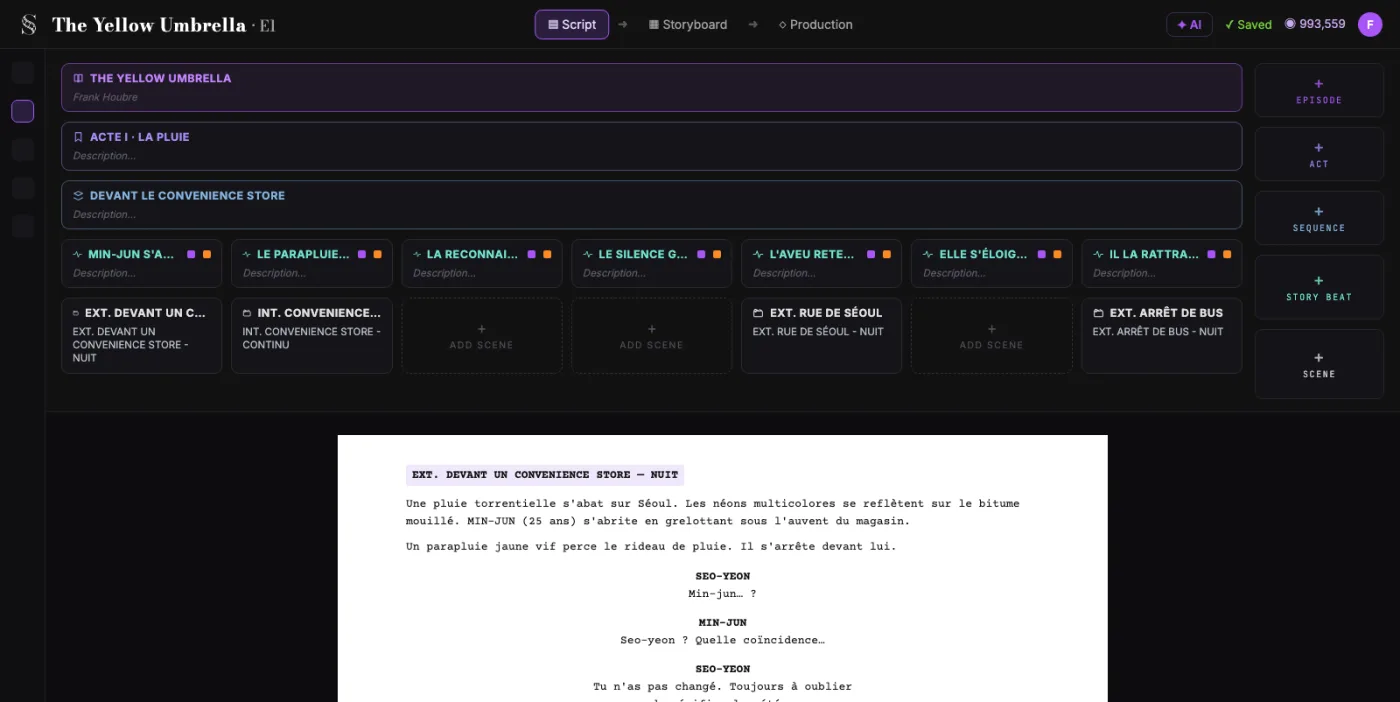
Professional pages for $0
Fade In lists at $99.95, and its demo watermarks printed and PDF pages. ScreenWeaver's writing plan is $0 and never expires, with PDF and Final Draft (.fdx) export.
 02
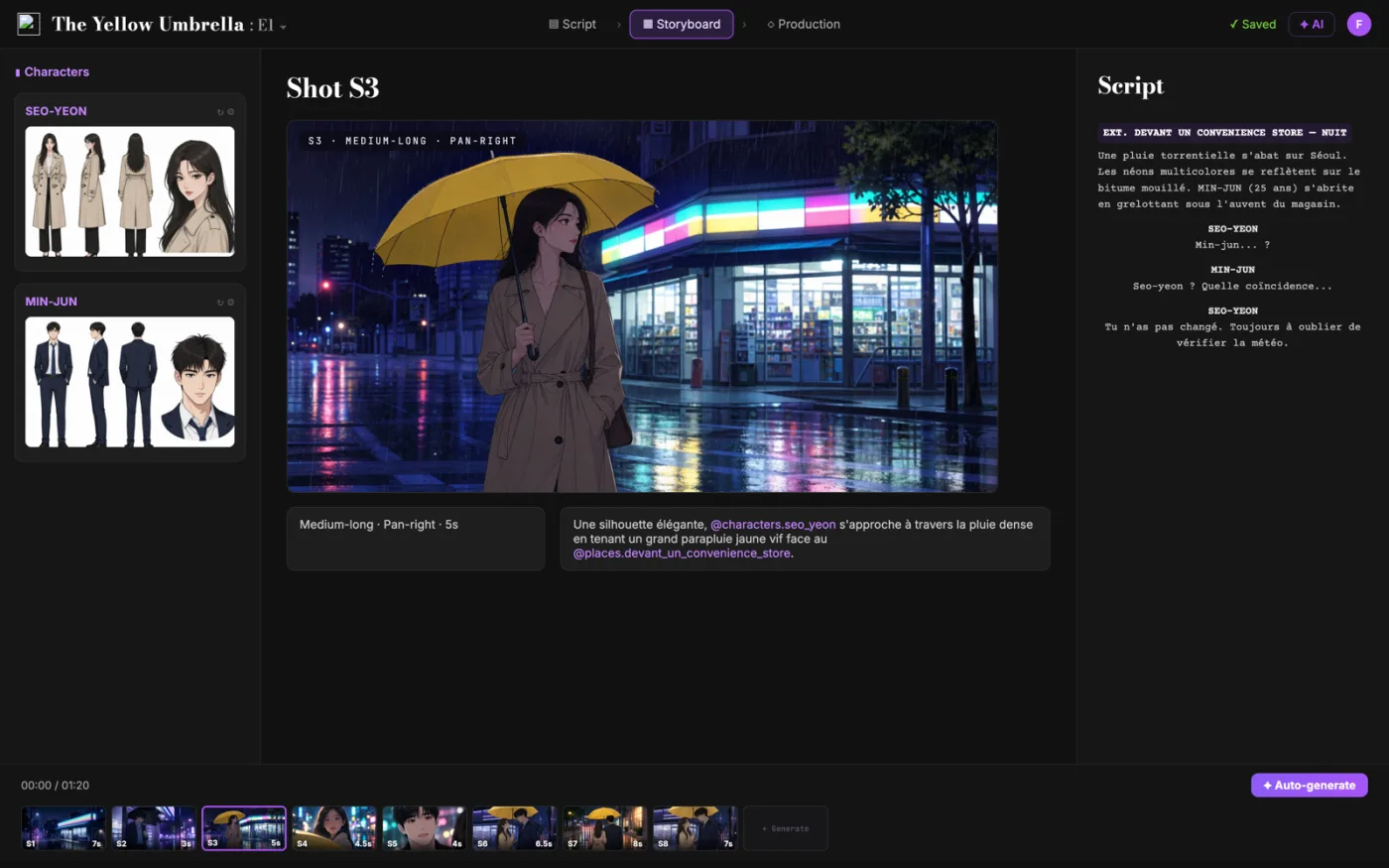
02The storyboard comes from your script
ScreenWeaver breaks your scenes into shots and draws the storyboard with your characters and locations. Storyboard Beta: $9.99 a month.
 03
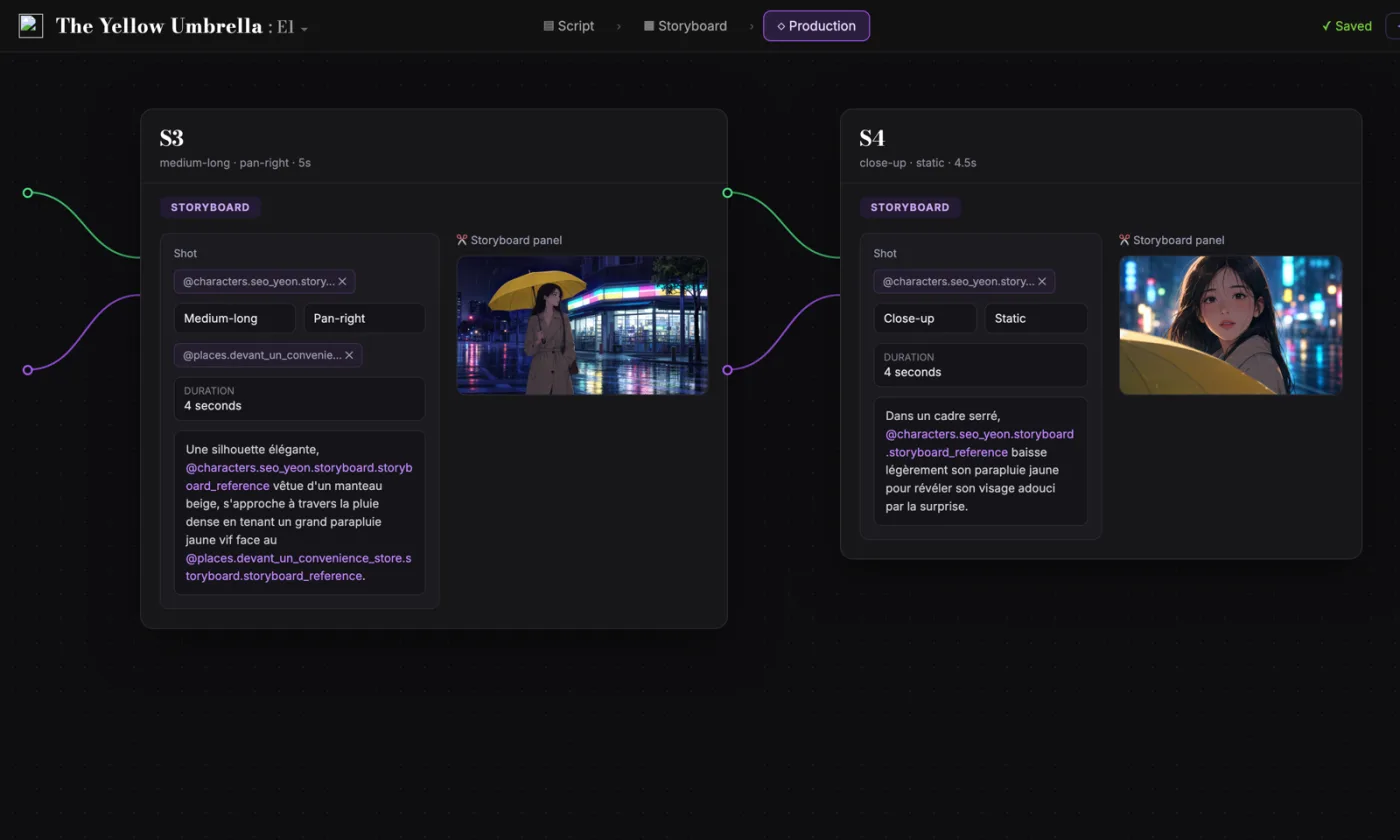
03One project, from page to production
Shots, characters and references carry into production, tied to the same script. You write the film and prepare it in one place.
Side by side
ScreenWeaver vs Fade In
| ScreenWeaver | Fade In | |
|---|---|---|
| Price | $0 for writing | $99.95, one-time |
| Free option | Free plan, no expiry | Demo, watermarked output |
| Platforms | Mac, Windows, Linux, iPad | Mac, Windows, Linux |
| Cloud and browser | Built in, works offline | Fade In Access, from $9.95/mo |
| Real-time collaboration | Filmmaker plan | With Fade In Access |
| Final Draft (.fdx) | Export on the free plan | Opens, edits and saves |
| PDF export | ||
| Students | Free plan | $59.95, with verification |
| Storyboard from the script | Storyboard Beta | |
| AI previsualization | Filmmaker plan |
Competitor information as of September 2026, from fadeinpro.com. Prices in US dollars, list prices before promotions. Check their site for the latest.
Fair is fair
What Fade In does well
Fade In is a fast, stable desktop app. You pay once and updates are free. Its site lists writers like Rian Johnson and Craig Mazin among its users.
- One license for your own Mac, Windows and Linux computers
- Revisions with page and scene locking, and colored pages
- Breakdowns, reports and tagging for production
- An open file format, plus Final Draft, Fountain and Celtx import
Fade In is still a good fit if you want a desktop app you buy once, with revisions and production reports built in. Fade In does that well.
Our verdict
Nothing to buy, and more in the box.
Fade In is a fast desktop app you buy once. ScreenWeaver gives you professional writing for free, with nothing to buy, on every device, and the storyboard and production in the same project when your script is ready.
- Professional writing, free and unlimited, with PDF and Final Draft export
- A storyboard generated from your screenplay, shot by shot
- Production connected to the same project, characters kept consistent
Switching
Bring your Fade In scripts over.
- 1
Save as Final Draft (.fdx)
Fade In opens, edits and saves Final Draft files. Save your script as .fdx to keep the formatting.
- 2
Import into ScreenWeaver
Attach the file to the ScreenWeaver assistant and ask it to import the script. It reads:
- Final Draft (.fdx)
- Plain text
- 3
Keep writing, then storyboard
Write on for free, and export back to .fdx whenever you need to. When you are ready, the storyboard is generated from your scenes.
Import runs through the assistant, which comes with a paid plan. Writing and PDF or Final Draft export stay free.
FAQ
Questions Fade In users ask
How much does Fade In cost in 2026?
Is there a free alternative to Fade In?
Is the Fade In demo free?
Can I open my Fade In scripts in ScreenWeaver?
Does ScreenWeaver work on iPad and Linux?
Can I co-write in real time?
What does ScreenWeaver add after the script?
Fade In is a trademark of its respective owner. ScreenWeaver is not affiliated with, endorsed by or sponsored by Fade In. Product names are used only to identify the products compared.