AI anime video generator

Make an anime with AI.Cut by cut, on model.

Write the episode, get a storyboard of every cut, and keep your characters on model from the first frame to the last, in 16:9 or in vertical 9:16.
  • Free screenwriting
  • Storyboard from your script
  • Characters that stay on model
Anime rushes

Available today: free screenwriting, and a storyboard generated from your screenplay with Storyboard Beta, $9.99 a month.

Coming: video generation of each shot with the Filmmaker plan, targeted for 30 September 2026.

Examples

Anime shorts from the ScreenWeaver team.

Each one shown as its storyboard frame and its finished shot. Four looks, from 90s cel to modern TV anime.
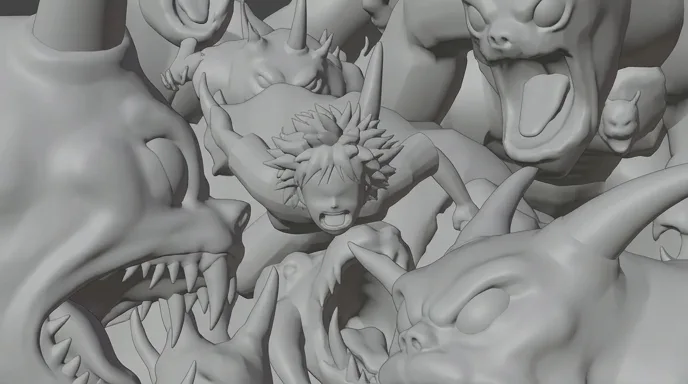
  • Anime boy screaming as horned white and grey monsters grab him in a dark cave

    Monster Boy Chase

    A boy caught by a swarm of creatures in a dark cave. A 90s cel look with hard shadows.

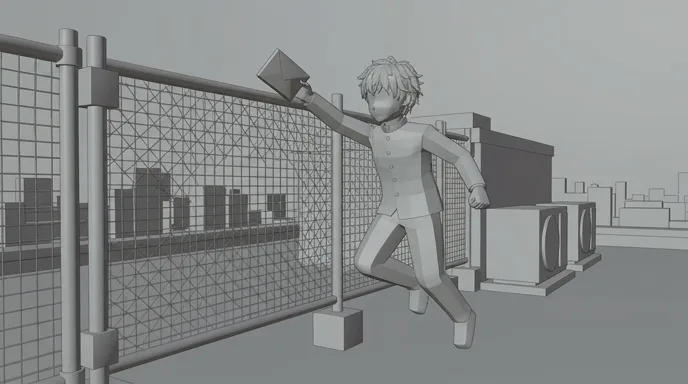
  • Anime schoolboy leaping at a rooftop fence to catch a pink envelope at sunset

    Rooftop Letter

    The wind steals Hana's letter and Ren leaps to catch it. The same heroine as the scene below, in a second story.

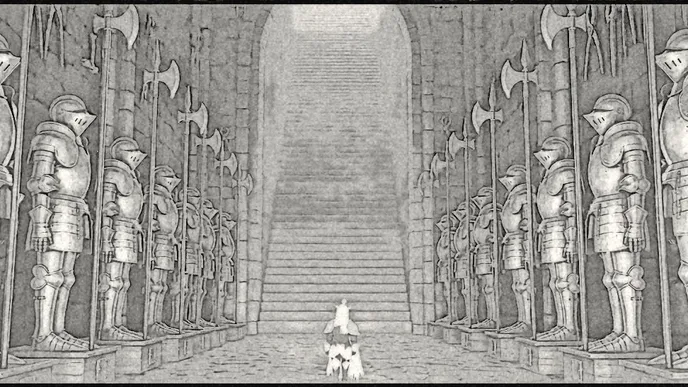
  • Rows of red-lit suits of armour line a hall leading to a blue staircase, a small figure in the middle

    Lost Garden, the armoury

    A hall of empty armour and one small figure at the far end. From Lost Garden, a dark fantasy anime series.

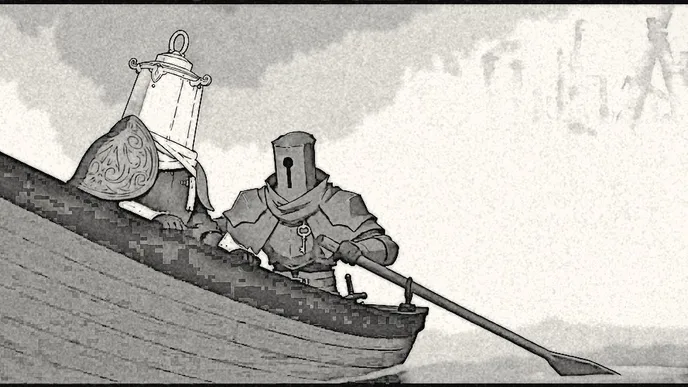
  • Two armoured figures, one with a lantern-shaped helmet, row a boat across a misty blue lake

    Lost Garden, the crossing

    Two knights row across a lake in the mist. Episode 2 of the series whose pilot was a finalist at the AI London Festival.

One scene, script to cut

Hana in the wind: five cuts of anime.

A scene written for this page, then each cut as a hand-drawn pencil board and as the final frame. This is how an AI anime video generator should be driven: the board fixes framing, acting and timing before anything moves.
Screenplay · page 1

EXT. ROOFTOP, OLD DISTRICT - DAY

Wind over the roofs. HANA (15), pink hair, a plaster on her cheek, yellow raincoat, stands at the ledge. Only her hair moves.

Below her, the whole city under a grey haze. Not one sound comes up from it.

Her eye widens. The pupil tightens. Something moved down there.

HANA

(barely a breath)

It's coming back.

The wind doubles. She plants her feet, clenches her fist and leans into it.

HANA

Not this time.

SMASH CUT TO:

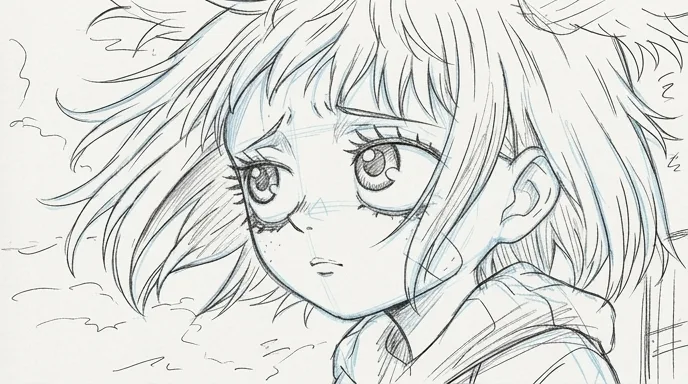
  1. Anime girl with pink hair, a plaster on her cheek and a yellow raincoat, her hair blown by the wind
    Pencil storyboard frame of the same close-up
    01

    Close-up · the hold

    Close-up on Hana, pink hair whipping in the wind, plaster on her cheek, worried eyes, clouds behind. A hold: only the hair moves.

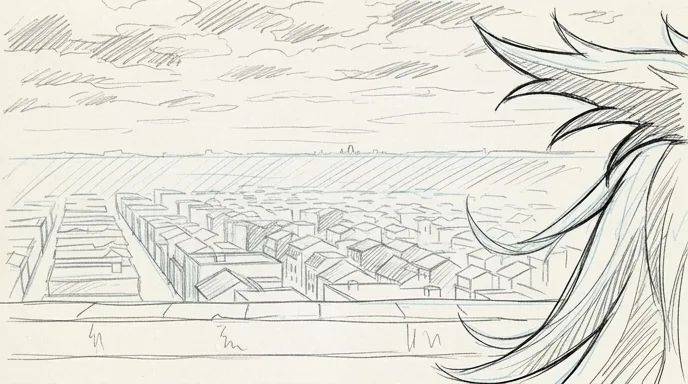
  2. A hazy city seen from a rooftop ledge, pink hair blowing into the edge of the frame
    Pencil storyboard frame of the city from the ledge
    02

    Over the shoulder · the city

    Past her blowing hair, the city from the rooftop ledge under a grey haze. Painted background, slow pan.

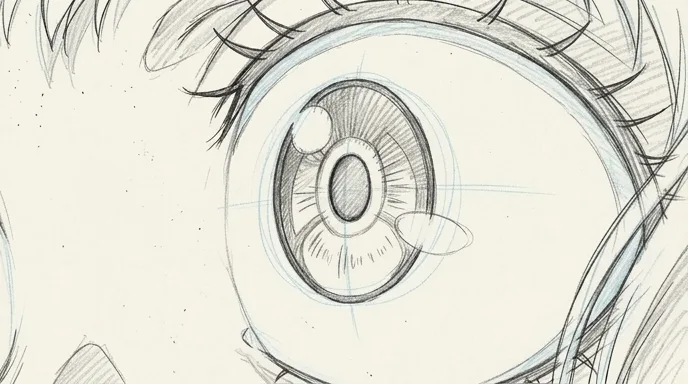
  3. Extreme close-up of a large brown anime eye with two white highlights
    Pencil storyboard frame of the eye, with construction lines
    03

    Extreme close-up · the eye

    Extreme close-up of one eye, brown iris, two highlights, the pupil shrinks. Under two seconds, no camera move.

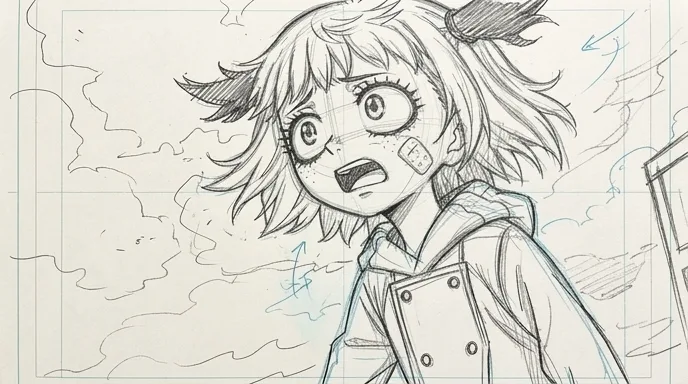
  4. The girl in the yellow raincoat gasps, seen from a low angle against a cloudy sky
    Pencil storyboard frame of the gasp, with wind arrows
    04

    Medium · low angle

    Low medium shot, she gasps, mouth open, fringe flattened by the wind, clouds racing behind her.

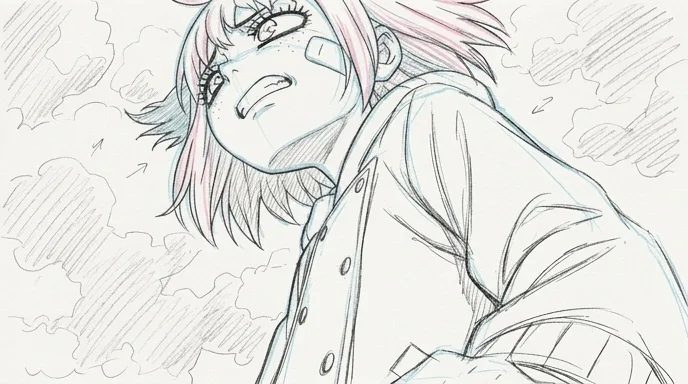
  5. Low angle on the girl gritting her teeth and leaning into the wind, fist raised
    Pencil storyboard frame of the low angle
    05

    Low angle · the resolve

    Strong low angle, teeth clenched, fist rising into frame, raincoat snapping in the wind. The longest cut of the scene.

The five cuts edited together: twelve seconds, 16:9. Four cuts under two and a half seconds, one long hold to close.

Writing anime

Four rules for an anime script that animates well.

Anime is planned cut by cut. The script is where those cuts are born.
  1. 01

    One action line, one cut

    Anime cuts last two to three seconds. Write one image per action line, and each line becomes a cut on the board. The scene above is five lines of action and five cuts.

  2. 02

    Put the emotion on the face

    Anime acting lives in the eyes, the mouth and the reaction shot. Write the reaction as action: her eye widens, the pupil tightens. That line is the extreme close-up.

  3. 03

    Write stillness on purpose

    Anime moves little and holds a lot: a face that stays still while the hair moves, a pan across a painted city. Write the holds, and save full motion for one moment per scene.

  4. 04

    Lock the cast before page one

    Give each character one silhouette, one hair colour and one detail that never changes, like Hana's plaster. Put them in the character description so every cut repeats the model sheet.

Structure and pacing

The shape of a three‑minute anime short.

A TV episode runs about twenty minutes and several hundred cuts. A short keeps the same grammar: a cold open, daily life, a turn and one big moment.
  1. 10 %

    Cold open

    A hook before any setup: a strange image, a line, a scream.

  2. 25 %

    Daily life

    The characters in their normal. Holds, small acting, cheap to animate.

  3. 20 %

    The turn

    Something breaks in. Reaction shots, eye close-ups, shorter cuts.

  4. 25 %

    The sakuga moment

    The one sequence where everything moves: action, impact frames, speed.

  5. 20 %

    The tag

    A quiet wide, a last line, and the hook for the next episode.

For a vertical episode of sixty to ninety seconds, keep the cold open under three seconds and give daily life two cuts at most.

Shot vocabulary

Eight cuts that make it read as anime.

Each one with the wording that gets it from an image or video model. Use them in the storyboard, cut by cut.
  • The eye close-up

    The most anime cut there is. One eye fills the frame and tells you the feeling.

    extreme close-up of an anime character's eye, large glossy iris, two white highlights, clean line art, flat cel shading, hair strands crossing the frame

  • The wind hold

    The character stays still, only hair and clothes move. Cheap, and very expressive.

    medium close-up, anime character standing still, hair and coat blowing in strong wind, clouds drifting behind, limited animation, held pose

  • The over‑the‑shoulder city

    A painted background seen past a character. It sets the world without a line of dialogue.

    over-the-shoulder past a character's hair, wide view of a hazy city from a rooftop ledge, painted anime background, atmospheric perspective

  • The low‑angle resolve

    The moment the character decides. Low camera, big sky, foreshortened fist.

    low angle, anime heroine clenches her fist and leans into the wind, dramatic foreshortening, cloudy sky, cel-shaded rim light

  • The impact frame

    A few frames of pure graphic shock at the hit. The heart of a sakuga sequence.

    anime action impact frame, high-contrast black and white flash, speed lines, smear frames, dynamic camera, fluid sakuga-style motion

  • The shock reaction

    Eyes wide, pupils shrunk, a sweat drop. The reaction shot that sells the threat.

    close-up anime reaction, eyes wide with shrunken pupils, sweat drop, mouth open, speed lines in the background

  • The pan across a still

    The camera slides over a painted image while nothing moves. The classic limited-animation pan.

    slow horizontal pan across a detailed painted anime background, no character motion, soft evening light

  • The sunset two-shot

    Two characters face to face against a low sun. The end of so many episodes.

    two anime students face each other on a school rooftop at sunset, warm backlight, lens flare, cel-shaded rim light, city below

Light and palette

Flat colour, hard shadows, painted skies.

Anime light is cel shading: one flat base colour, one hard shadow tone and a highlight, with no soft gradients on the characters. The softness goes into the painted backgrounds. The five colours below were sampled from the Hana in the wind cuts. Hair and raincoat are her colour keys: keep their values in every prompt and she stays the same girl.

  • Hair magenta

    #C6587A

  • Raincoat ochre

    #A78548

  • Sky blue

    #7E96BC

  • Cloud sepia

    #B4A090

  • Ink line

    #101B25

Where AI goes wrong

Four anime traps, and how the script avoids them.

Video models were trained to move like cameras, not like animators. These are the usual failures in anime.
  • Motion that is too smooth

    Models glide at 24 frames per second. Anime moves on twos and threes, with holds. Keep camera moves simple in the board, write the holds, and retime to 12 or 8 frames per second in the edit.

  • Characters that drift off model

    Eye size, jaw and hair change between cuts. A model sheet with front, three-quarter and profile views keeps them on model: ScreenWeaver carries characters and references from shot to shot.

  • Line art that turns into 3D

    Skin gets soft shading and the line disappears. Ask for clean line art, flat cel shading, two-tone shadows, and reject any cut with gradients on the faces.

  • Mouths and hands

    Lip flap and fingers break first. Anime itself hides them: put dialogue over reaction shots, back views and off-screen lines, and give hands their own cut on the board.

Sub-genres

Shonen, slice of life, mecha, isekai.

  • Shonen action

    Rivals, training, fights. Build each episode toward one sakuga sequence, and board the fight move by move.

  • Slice of life

    School rooftops, trains, summer evenings. Long holds, painted skies and small acting, like Hana and Ren.

  • Mecha

    Machines with a pilot inside. Cockpit close-ups, low angles and one model sheet per machine so the design never drifts.

  • Isekai and fantasy

    Another world, its rules and its creatures. Establishing wides and a location reference for every place, like Lost Garden.

More genres

Make a film in another genre.

The pipeline

Write. Board. Produce.

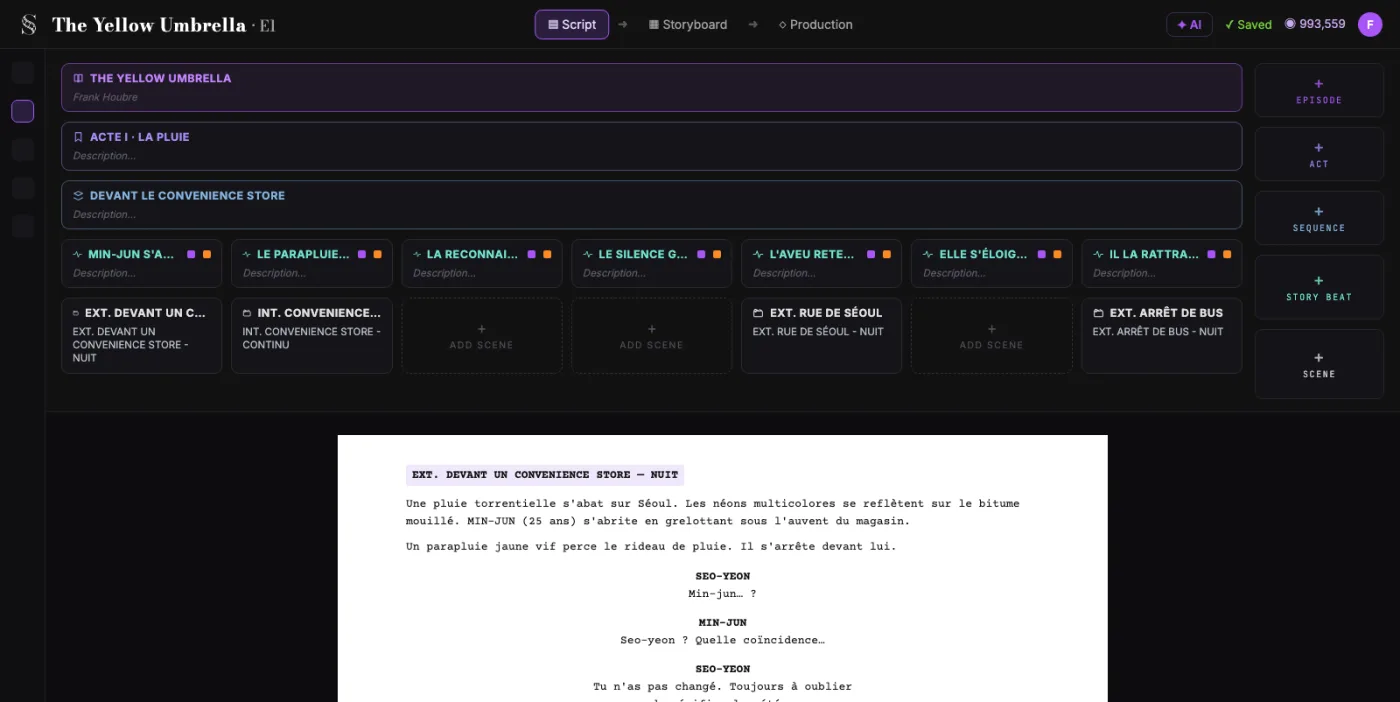
  1. ScreenWeaver screenplay editor: acts, sequences and beats above the formatted script of The Yellow Umbrella

    01The screenplay, enriched

    An industry-standard screenplay editor, and more: a visual outline and beat editor, your writing inspirations (notes, photos, audio) kept next to the page, and an AI researcher to support your writing, not replace it.

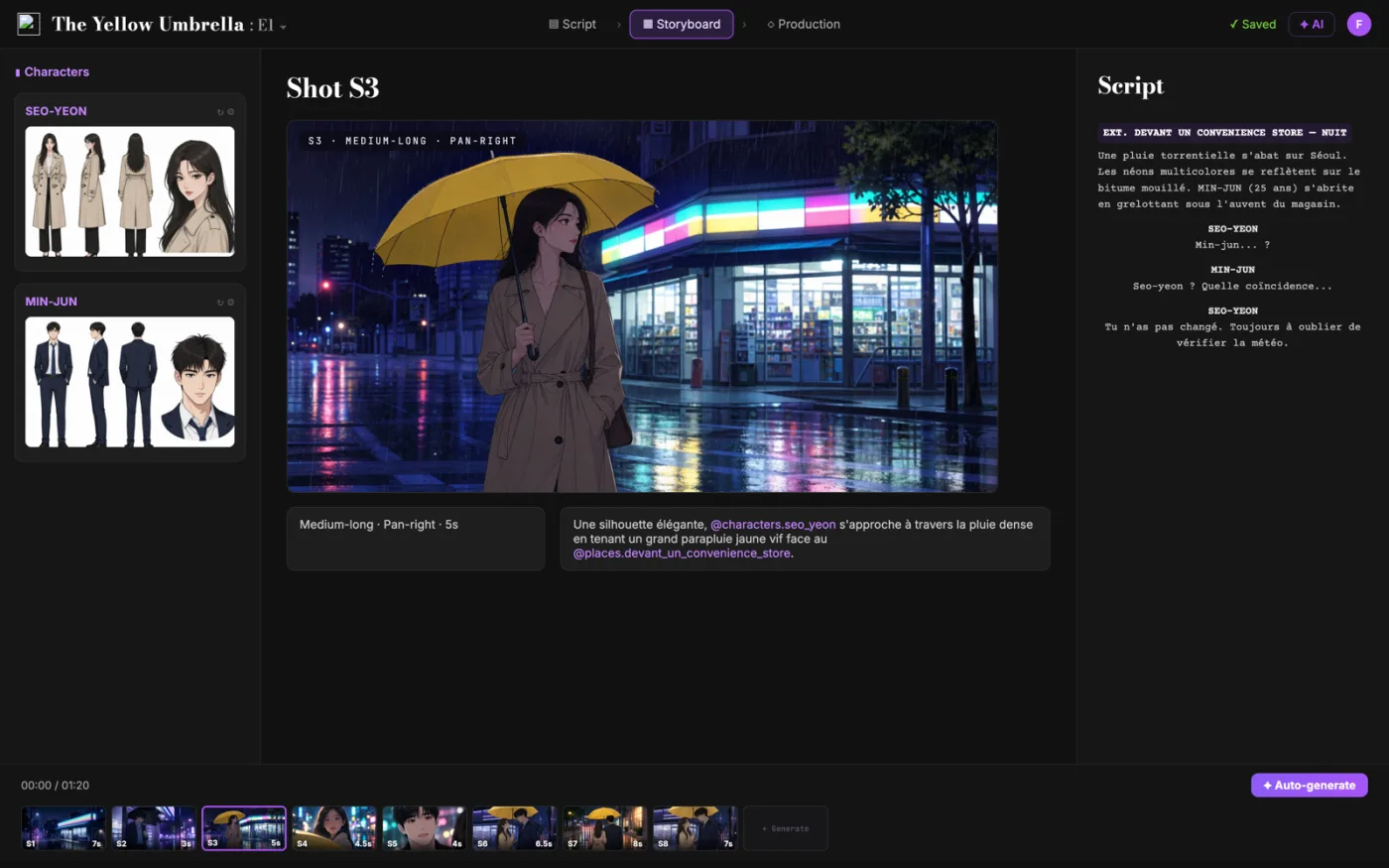
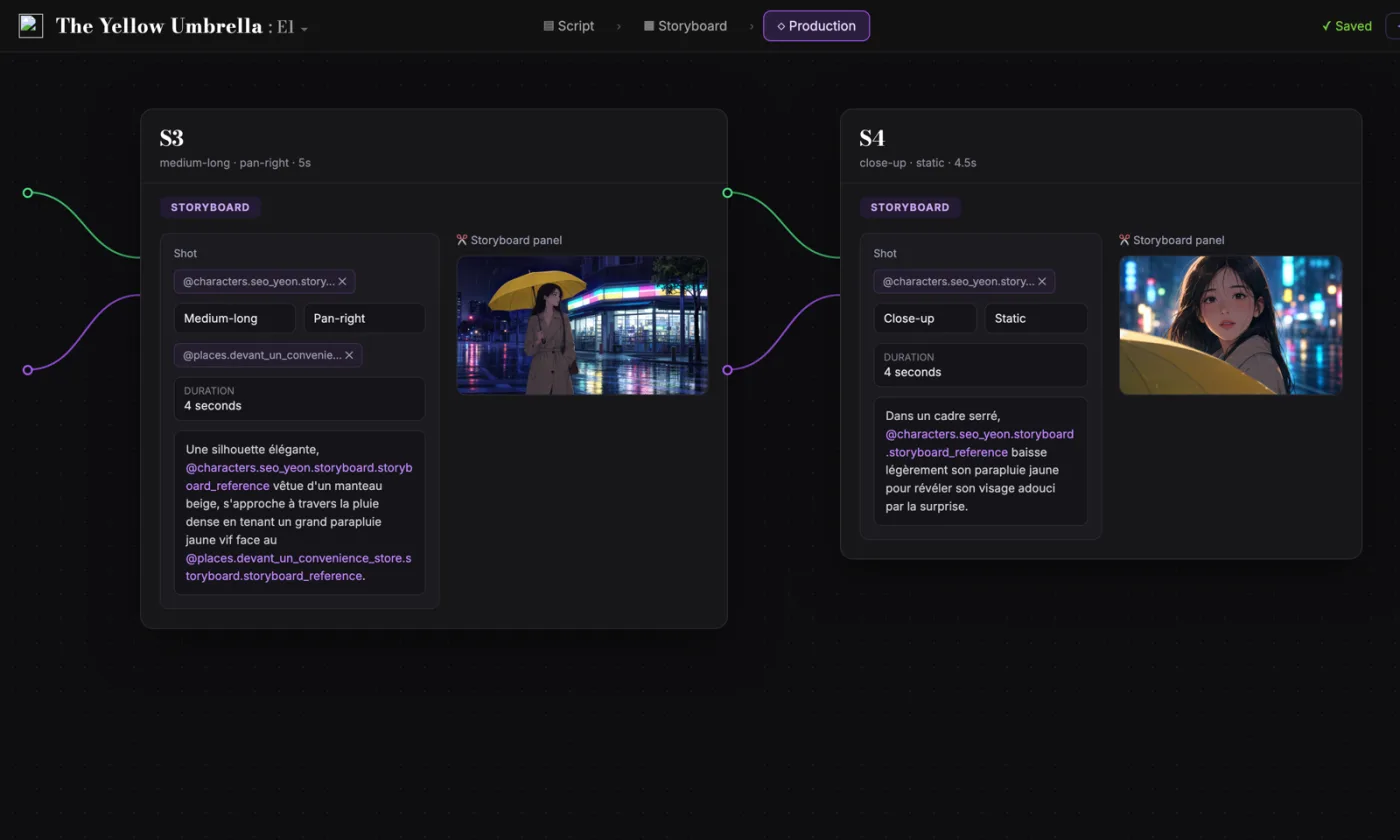
  2. ScreenWeaver storyboard: shot S3 of The Yellow Umbrella with characters, shot settings and the script beside it

    02The storyboard, made easy

    Shot breakdown generated from your screenplay, manual control over every shot (frame, angle, movement, duration), and generative AI previsualization in one click.

  3. ScreenWeaver production canvas: shots S3 and S4 as connected nodes carrying their storyboard panels and prompts

    03AI production, with finesse

    Footage generation pipelines connected to your screenplay and storyboard. Optimized out of the box, fully editable workflow.

FAQ

Anime with AI, your questions

Can I make a whole anime episode with an AI anime video generator in ScreenWeaver?
You can write the script for free today and turn it into a storyboard with Storyboard Beta at $9.99 a month. Video generation of each shot comes with the Filmmaker plan, targeted for 30 September 2026.
How do I keep my characters on model from cut to cut?
Build a model sheet once, with front, three-quarter and profile views and fixed colour keys. In ScreenWeaver, characters, locations and references carry from shot to shot, so the Hana of cut 5 is the Hana of cut 1.
Can I make vertical 9:16 anime episodes?
Yes. Series can be 16:9 or 9:16 for vertical episodes. In vertical, favour close-ups and stacked compositions, and keep each episode to one turn and one cliffhanger.
How long should the cuts be?
Two to three seconds for most cuts, a little longer for holds. A three-minute short is roughly sixty to ninety cuts.
Can I copy the style or characters of a famous anime?
Keep it original. Describe the look instead of naming a studio or a series: line weight, shading, palette, era. Your own characters are also the ones you can keep on model and own.
Is writing the script free?
Yes. The Screenwriter plan costs $0 and does not expire: unlimited projects and pages, industry-standard formatting, PDF and Final Draft export.
Which video models does ScreenWeaver use?
ScreenWeaver is powered by Seedance 2.0 and 2.5. The footage pipelines are connected to your script and storyboard, optimised out of the box and fully editable.
Has anime made with ScreenWeaver been recognised?
Yes. Lost Garden, an animated series pilot, was a finalist at the AI London Festival, and Voidborn, an animated short, won 1st Place Silver at the Mondial Chroma Awards.

Your first episode starts on the page.

Write the script for free. Board every cut when you are ready.