AI music video generator

Make a music video with AI.Written on the track, cut on the bar.

Map your song, write the performance and the story shot by shot, storyboard every bar, and keep one artist on screen from the first verse to the last chorus.
  • Free screenwriting
  • Storyboard every bar
  • One artist in every shot
Music video cut

Available today: free screenwriting, and a storyboard generated from your screenplay with Storyboard Beta, $9.99 a month.

Coming: video generation of each shot with the Filmmaker plan, targeted for 30 September 2026.

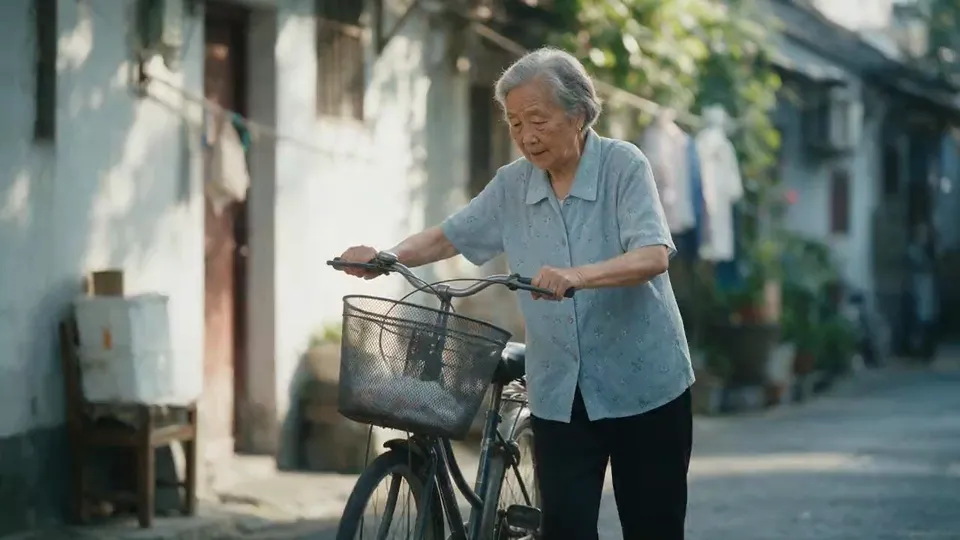
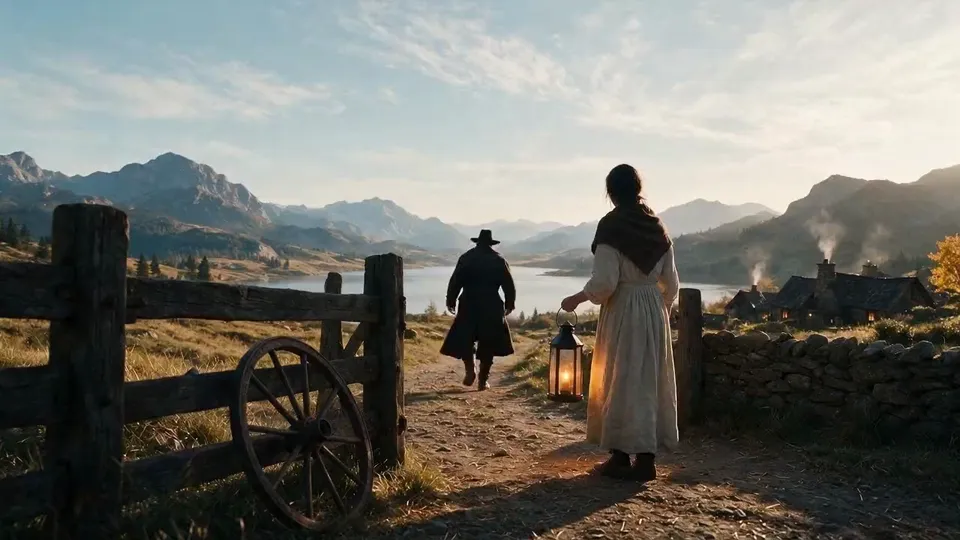
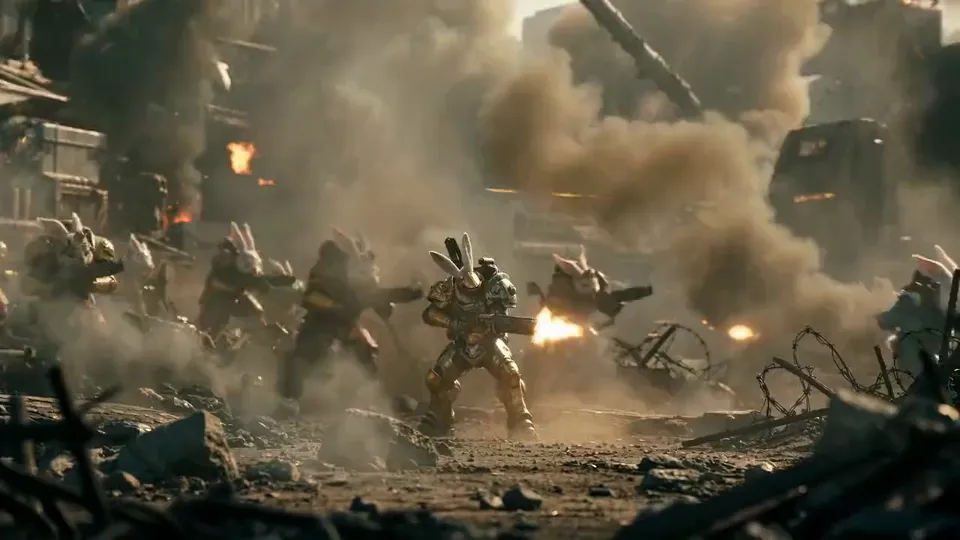
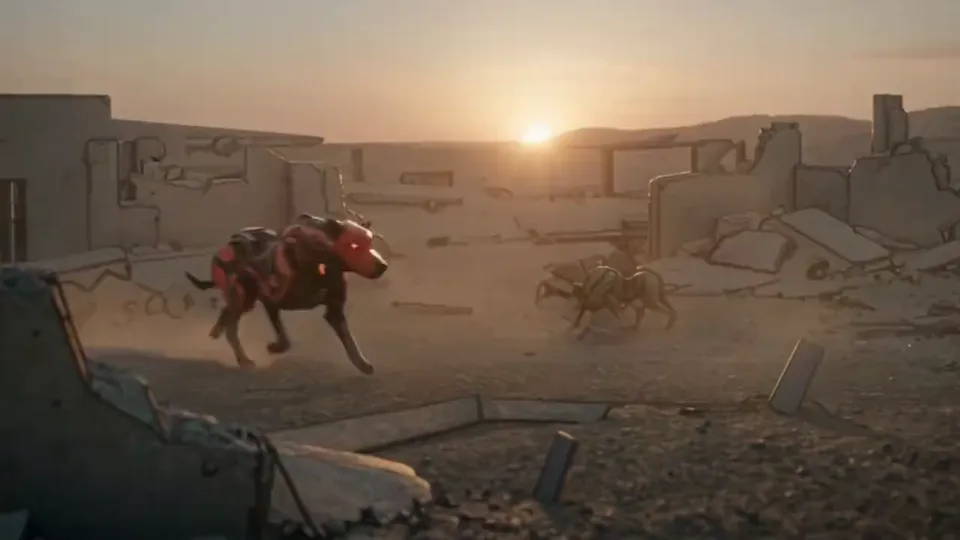
Examples

Music video frames from the ScreenWeaver team.

Four looks, four jobs inside a song. These are finished frames, shown without their storyboard.
  • A person in a long gold and white coat stands on the roof of a yellow taxi in heavy falling snow

    Snow Taxi

    Performance. A figure in a long gold coat stands on a yellow taxi in falling snow: one pose held for a whole chorus.

  • Two people face each other in a corner store at night lit by pink and cyan neon, a woman in a fur coat and a man in a dark coat

    Night Store

    Narrative. Pink and cyan neon in a corner store at night, two people who never speak: the story track between two choruses.

  • A man in a dark suit stands in profile in a foggy corridor framed by crossing white neon tubes, another figure behind him

    Light Corridor

    Light as rhythm. White tubes frame a man in the fog, built to switch on and off with the kick drum.

  • A crowd of young people in blue work clothes runs toward the camera through falling confetti and sparks

    Confetti Run

    The final chorus. A crowd runs at the camera through falling confetti, the release after the bridge.

One clip, track to screen

Neon Temple: an AI music video in six bars.

A clip written for this page, section by section, with a timecode on every section. Each shot is shown as its storyboard frame and its final shot, with its place in the song and how it was directed.
Music video script · page 1

INTRO (0:00) - INT. NEON TEMPLE - NIGHT

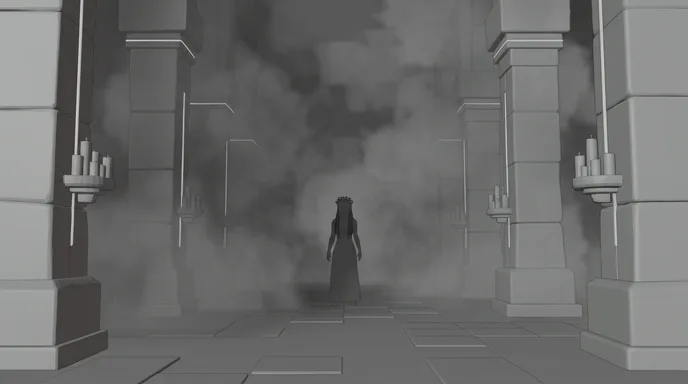
Smoke and candles down a long nave. At the far end, THE PRIESTESS waits. Nothing moves until the kick drum.

VERSE 1 (0:15)

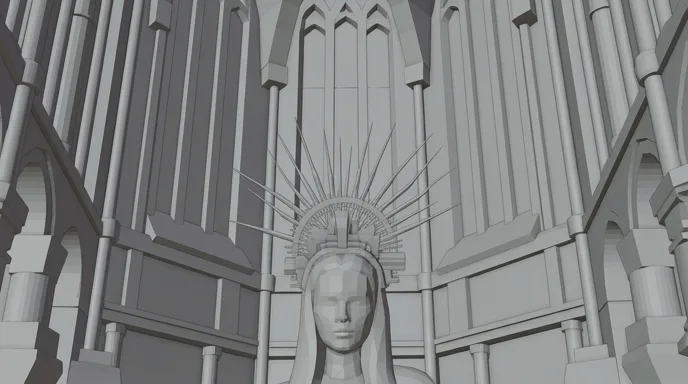
Under three tall windows she lifts her face. The spiked halo catches the light. She sings to the lens.

PRIESTESS

(singing)

Strike the drum and wake the stone.

HOOK (0:44)

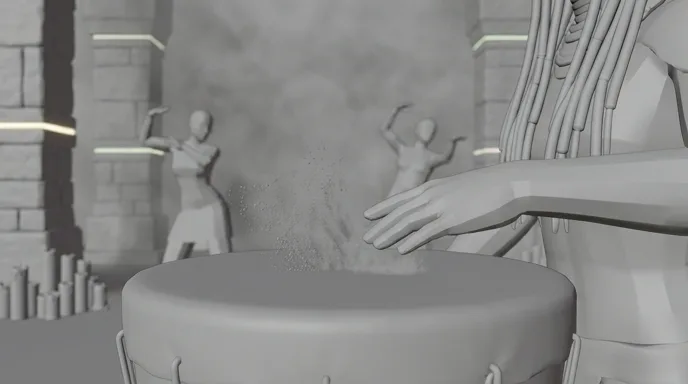
Her palm lands on the drum on the downbeat. Dust jumps off the skin. Behind her, the first dancer rises.

CHORUS 1 (0:50)

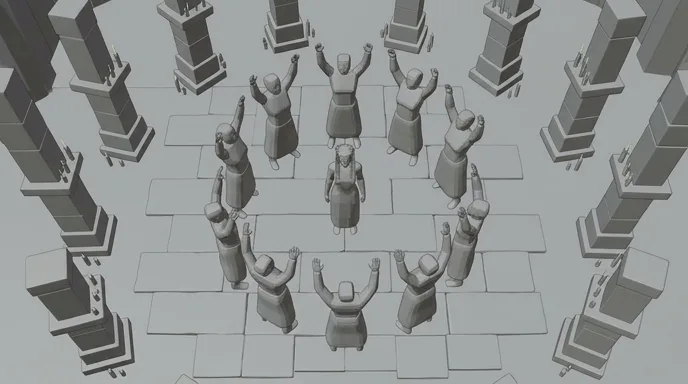
Top shot. Twelve dancers open in a ring around her, one move per bar.

She raises both hands, a flame in each. On the next bar, every neon tube in the temple switches on.

OUTRO (3:05)

The music drops out. She looks straight into the lens, and smiles.

CUT TO BLACK ON THE LAST HIT.

  1. A long candlelit temple nave in smoke, a small robed figure standing at the far end
    Storyboard frame of the nave, in grey
    01

    Intro · one bar before the drop

    Extreme wide down a candlelit nave, the priestess tiny at the far end, smoke, locked camera. Nothing moves before the kick drum.

  2. A woman with long beaded braids and a spiked metal halo looks into the camera beneath tall bright cathedral windows
    Storyboard frame of the priestess under the windows, in grey
    02

    Verse 1 · performance to lens

    Low-angle medium close-up under tall windows, spiked halo backlit, slow push-in, eyes on the lens for the first sung line.

  3. Close-up of hands striking a hand drum, dust lifting, a dancer blurred in the background among candles
    Storyboard frame of the hands on the drum, in grey
    03

    Hook · the downbeat

    Close insert on a hand drum, the palm lands exactly on the downbeat, dust lifts off the skin, a dancer rises out of focus behind.

  4. Top shot of dancers in a ring on a stone floor around a kneeling woman, pillars trimmed with white light
    Storyboard frame of the ring of dancers from above, in grey
    04

    Chorus · the top shot

    Straight down from the ceiling, twelve dancers in a ring around her, light trim on the pillars, one move per bar.

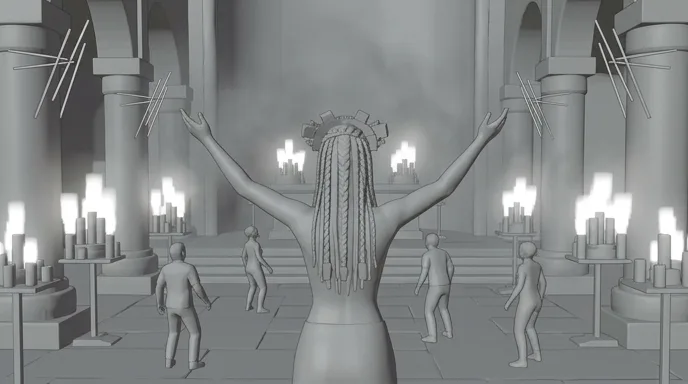
  5. Seen from behind, a woman raises both arms holding flames, dancers facing her in a temple full of candles and white neon tubes
    Storyboard frame of the raised arms and the dancers, in grey
    05

    Chorus · lights on

    Wide from behind, arms raised, a flame in each hand, dancers facing her. The white tubes switch on halfway through the shot.

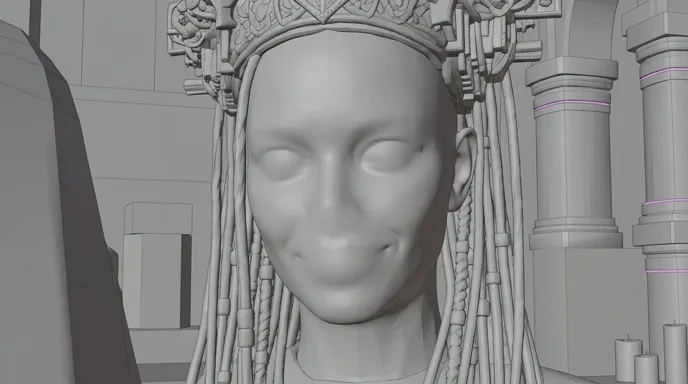
  6. Close-up of a smiling woman with beaded braids and a metal headdress, looking into the lens
    Storyboard frame of the close-up, in grey
    06

    Outro · the last look

    Close-up to lens, braids and wet skin, the track drops out and she smiles. Held for the last bar, then black.

The six shots cut one per bar at 150 BPM: 1.6 seconds each, 16:9. In shot 5 the neon switches on inside the shot, on a downbeat.

Writing a music video

Four rules for a music video script.

There are no dialogue scenes to lean on. The track is the spine, and every shot is written against a timecode.
  1. 01

    Map the song first

    Listen with a stopwatch and write down where the intro, each verse, each chorus and the bridge start. Those timecodes become your scene headings. The script above is split by section, not by place.

  2. 02

    Shot length comes from the BPM

    One bar lasts 240 divided by the BPM, in seconds: 2 seconds at 120 BPM, 1.6 seconds at 150. Neon Temple cuts one shot per bar at 150 BPM. Verses can hold two bars, a chorus one, a drum fill half.

  3. 03

    Write two tracks and intercut them

    The performance track is the artist delivering the song. The story track is the world around it. Write them as separate scenes, decide the ratio early, and mark in the script which lines land on which track.

  4. 04

    Give each section a motif

    One light, place or costume for the verses, another for the choruses. The viewer should know where they are in the song with the sound off. In Neon Temple, the verses are candles and window light, and the chorus switches on the neon.

Song structure

The shape of a three‑minute clip.

The song is already the structure. Give every section a job, a motif and a cut length before you write the first shot.
  1. 8 %

    Intro

    Ten to fifteen seconds to set the world. Long takes, few cuts, the artist far away or not yet seen.

  2. 18 %

    Verse 1

    The artist to lens and the first story images. Two bars per shot, the look of the verses.

  3. 15 %

    Chorus 1: the hook

    The line people will hum. Put the strongest image on its first word, cut on every bar, change the light.

  4. 30 %

    Verse 2 and chorus 2

    The story moves on. Same motifs, new angles, so the second chorus grows instead of repeating the first.

  5. 30 %

    Bridge and final chorus

    One break in style, then the biggest images of the clip, the fastest cuts and the last look to lens.

For a 15 to 30 second 9:16 cut-down, open on the hook rather than the intro. Stack the vertical frame: face in the top third, hands, drum or dancers below.

Shot vocabulary

Eight shots that carry a clip.

Place them on the bars in the storyboard. Each comes with wording you can paste into an image or video model.
  • Performance to lens

    The artist sings to the viewer. It is the contract of the genre, and the shot you come back to on every chorus.

    medium close-up, performer looking straight into the lens, slow push-in, strong backlight, shallow depth of field, haze

  • The downbeat insert

    A hand, a drum, a string, a heel on the floor. A short detail that lands exactly on the hit.

    extreme close-up insert, palm striking a hand drum, dust lifting off the drum skin, candlelight, single impact

  • The top shot

    Choreography read from above. Dancers become a pattern that opens and closes with the music.

    overhead top-down shot, dancers in a ring on a stone floor, synchronized movement, symmetric composition, rim light

  • The light switch

    The set changes colour on a beat. Generate the two states and cut between them, or let the change happen inside one shot.

    wide shot of a dark temple, rows of white neon tubes switching on at once, candles in the foreground, smoke, static camera

  • The hair whip

    A turn of the head that throws hair or fabric across the frame. Slow it down in the edit and it fills a whole bar.

    profile close-up, performer whips her head, long braids flying across the frame, slow motion, dark background, rim light

  • The tableau

    Artist in the centre, dancers placed around her, the whole set lit. The frame the thumbnail comes from.

    symmetrical wide shot, performer centered with arms raised, dancers on both sides, candles, gothic arches, neon accents

  • The walk to camera

    The artist crosses a long space toward the lens over a whole verse. One take, the cuts come from the other track.

    long corridor, performer walks slowly toward the camera, candles on both sides, slow dolly back, smoke, symmetrical framing

  • The last look

    The track drops out and the artist breaks character for a second: a smile, a breath, a glance.

    tight close-up, performer looks into the lens and slowly smiles, sweat on the skin, warm key light, held frame

Light and palette

Light is the second drummer.

In a music video the light plays the song too: candles for the verses, a cold window for the voice, neon for the chorus. Plan each change on a bar, like a cut. The five colours below were sampled from the Neon Temple shots: the white of the tubes, two warm notes from the flames, the blue of the smoke and the black of the nave. When the tubes switch on in shot 5, the chorus changes colour on a downbeat.

  • Neon white

    #DAE5E7

  • Candle flame

    #D3A680

  • Temple amber

    #8E6044

  • Smoke blue

    #5A727C

  • Nave black

    #0E1313

Where AI goes wrong

Four music video traps, and how the script avoids them.

Video models do not hear the song. Anything that depends on the track has to be written into the script and the board.
  • Lip sync

    Generated mouths do not reliably land on the syllables of a real vocal. Film the artist singing and generate the world around them, or keep sung shots wide, in profile or from behind, and plan a dedicated lip-sync pass. Do not count on raw video generation for it.

  • Motion that ignores the tempo

    A model picks its own speed. Describe the motion as one action per shot, like a single hit or one slow turn, generate a little longer than the bar, and cut on the movement in the edit.

  • A different singer every chorus

    Forty shots of the same face show every drift. Build a character sheet of the performer once: ScreenWeaver carries characters, locations and references from shot to shot.

  • Strobes that turn to mush

    Flashing light inside a generated shot tends to flicker and smear. Generate clean lit states, tubes off and tubes on, and make the strobe in the edit, on the beat.

Formats

Performance, narrative, lyric video, visualizer.

  • Performance clip

    The artist, maybe a band or dancers, in one or two sets. Light and choreography carry it. Board the dance counts on the bars.

  • Narrative clip

    A short story told without dialogue, intercut with the performance or replacing it. Write it like a silent short, one turn per chorus.

  • Lyric video

    The words on screen, timed to the vocal. Generate plates with no letters and set the type in the edit, line by line on the timecodes.

  • Visualizer

    A loop or a slowly evolving image for streaming platforms. One world, one camera move, the colour changing with each section.

The pipeline

Write. Board. Produce.

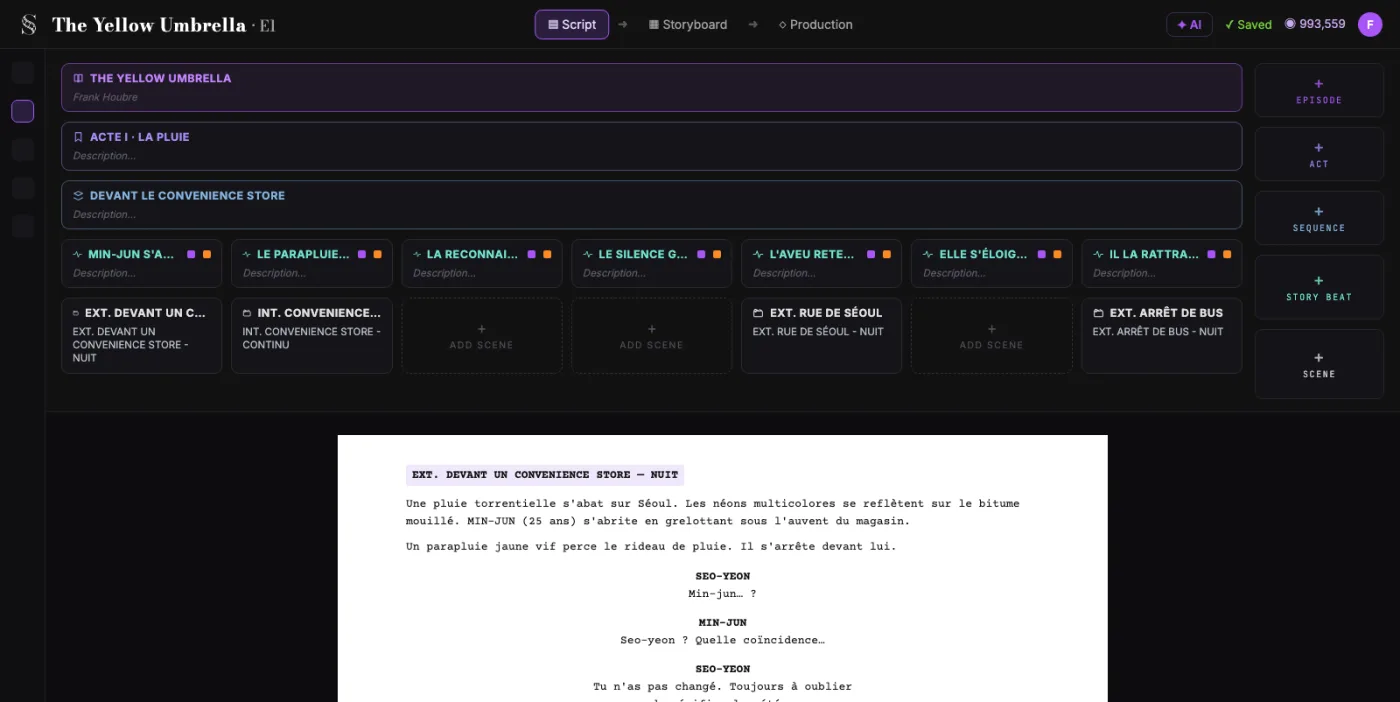
  1. ScreenWeaver screenplay editor: acts, sequences and beats above the formatted script of The Yellow Umbrella

    01The screenplay, enriched

    An industry-standard screenplay editor, and more: a visual outline and beat editor, your writing inspirations (notes, photos, audio) kept next to the page, and an AI researcher to support your writing, not replace it.

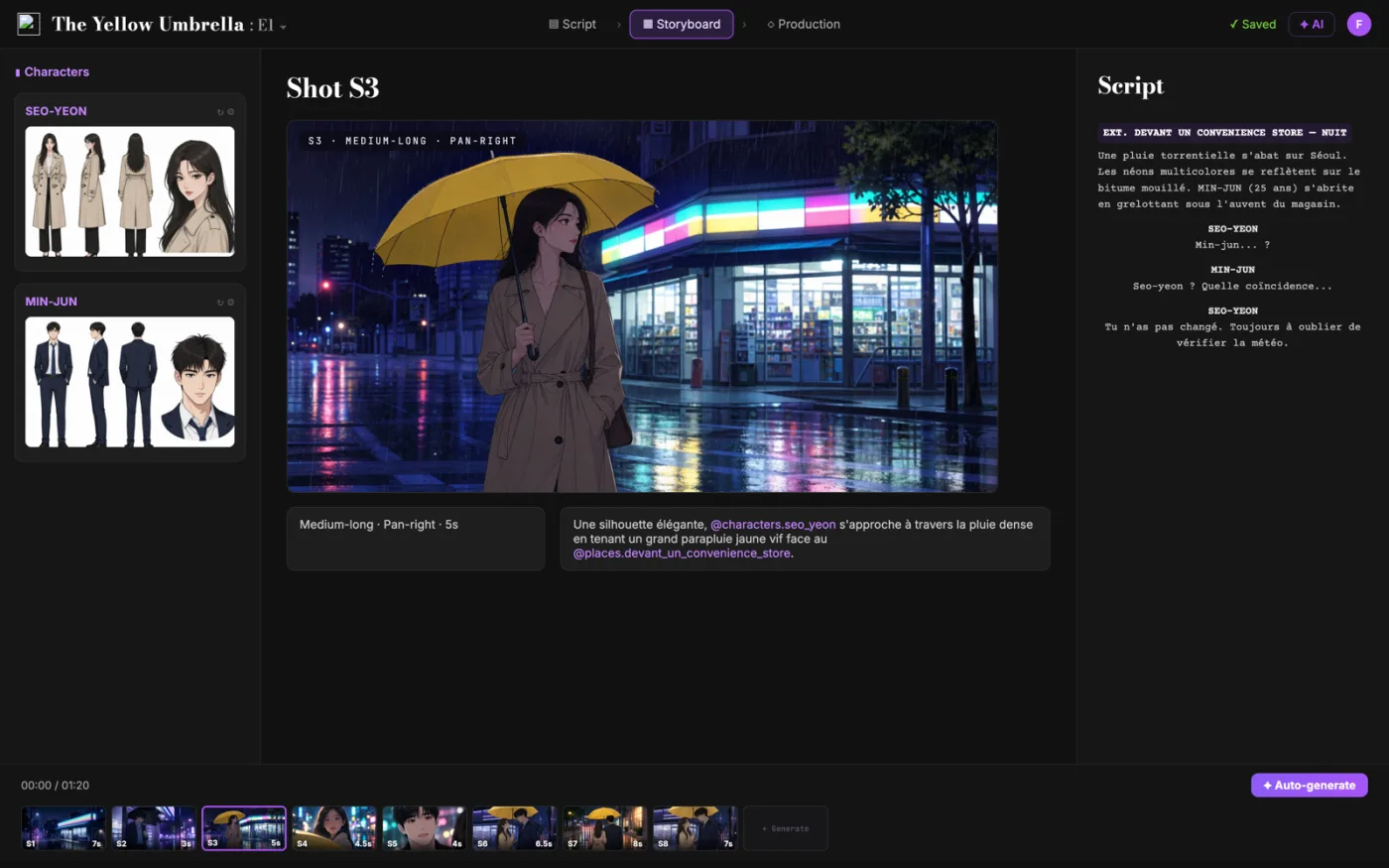
  2. ScreenWeaver storyboard: shot S3 of The Yellow Umbrella with characters, shot settings and the script beside it

    02The storyboard, made easy

    Shot breakdown generated from your screenplay, manual control over every shot (frame, angle, movement, duration), and generative AI previsualization in one click.

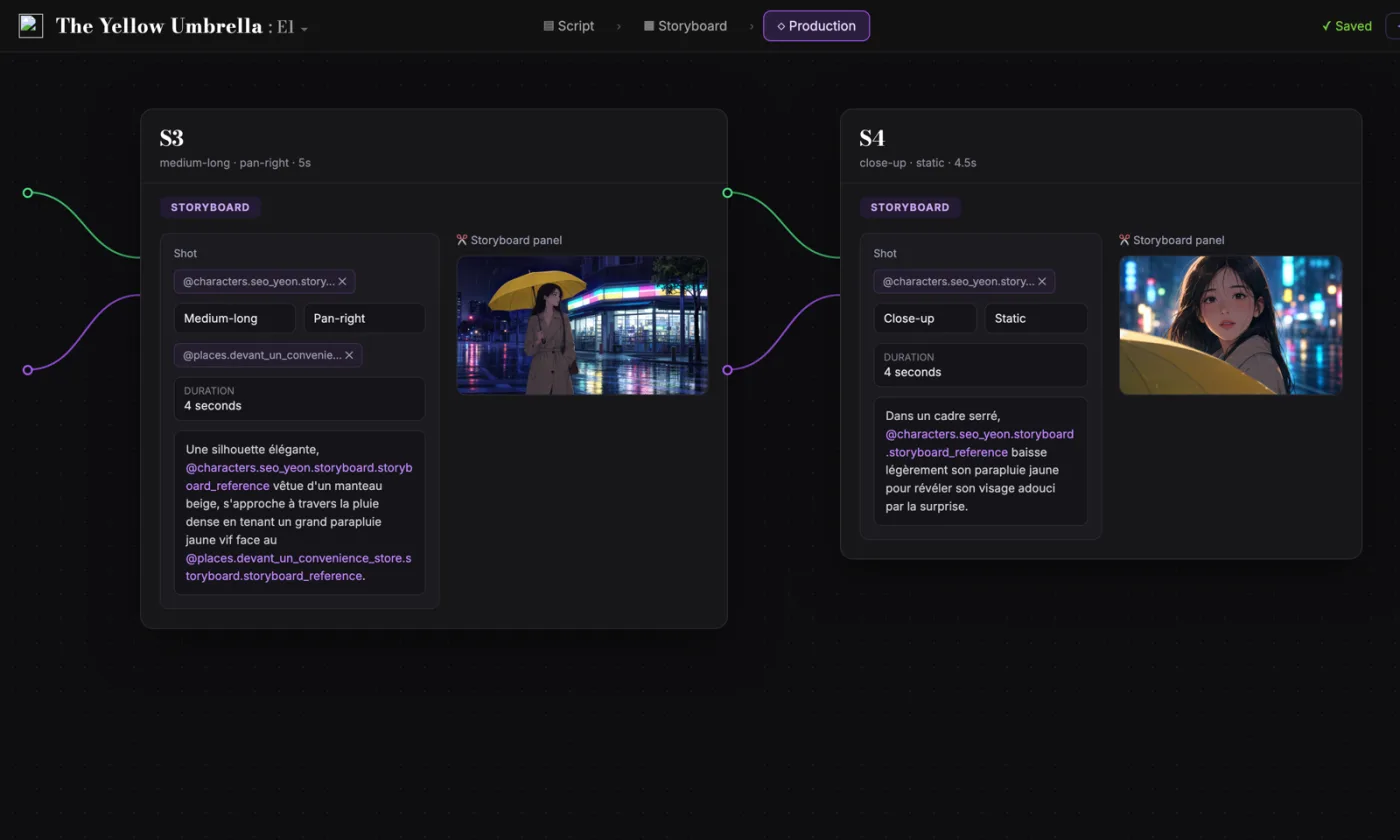
  3. ScreenWeaver production canvas: shots S3 and S4 as connected nodes carrying their storyboard panels and prompts

    03AI production, with finesse

    Footage generation pipelines connected to your screenplay and storyboard. Optimized out of the box, fully editable workflow.

FAQ

Music videos with AI, your questions

Is ScreenWeaver an AI music video generator?
It builds the clip from a script written on your song. Write it for free today and storyboard every bar with Storyboard Beta at $9.99 a month. Video generation of each shot comes with the Filmmaker plan, targeted for 30 September 2026. You then cut the shots on the track in your editing software.
How long should each shot last?
Start from the bar: 240 divided by the BPM gives its length in seconds. A three-minute song at 120 BPM has 90 bars. At two bars per shot that is about 45 shots, closer to 70 if the choruses cut on every bar.
Can the AI make my singer lip sync to the song?
Not reliably yet, and we would rather say so. Mouths drift off the words. The safe options are the real artist filmed singing, sung shots kept wide or in profile, or a separate lip-sync pass on the few close-ups that need it.
Can I make a vertical 9:16 music video?
Yes. ScreenWeaver works in 16:9 and in 9:16. Most artists need both: a 16:9 master for YouTube and vertical cut-downs of the hook for Reels, TikTok and Shorts, boarded as their own frames.
Can I make a lyric video or a visualizer?
Yes. Write the sections and their timecodes, generate backgrounds without any text, then set the lyrics in the edit. A visualizer is one world and one slow camera move, changing colour with the sections.
Can the performer look like a famous singer?
No. Keep the performer original, or use the real artist with their written consent. An original performer is also the one you can keep consistent across every shot and own.
Is writing the script free?
Yes. The Screenwriter plan costs $0 and does not expire: unlimited projects and pages, industry-standard formatting, PDF and Final Draft export.
Which video models does ScreenWeaver use?
ScreenWeaver is powered by Seedance 2.0 and 2.5. The footage pipelines are connected to your script and storyboard, optimised out of the box and fully editable.

Your song already has a structure.

Write the clip for free. Board every bar when you are ready.