
An AI anime production pipeline has three locks: a style plate that fixes line and flat colour, a settei pack that fixes every character before a single shot is generated, and a timing decision that pulls the footage down from 24 frames per second to 8 or 12. Miss the third and your work comes out looking rotoscoped.
Most people who complain their output "doesn't look like anime" have a timing problem they think is a design problem. The characters are fine. The palette is fine. The motion is too smooth. Anime moves in steps. Video models move in continuous glide, because they were trained to, and a glide over a cel-shaded character is exactly what a rotoscoped live-action clip looks like.
The rest of this sits inside the AI filmmaking pipeline hub and assumes you are working from your own story. If your source is a manga volume, a webtoon episode or a comic album, the sizing and reference steps change, and the dedicated walkthroughs are linked further down.
Map the studio pipeline onto the one you can actually run
Japanese TV animation has a stage order that has barely moved in forty years: 企画 (planning), 絵コンテ (e-konte, the storyboard), レイアウト (layout), 原画 (genga, key animation), 動画 (douga, in-betweens), 仕上げ (shiage, colour and finish), 背景 (haikei, backgrounds, running in parallel), 撮影 (satsuei, compositing), then edit and sound.
Every one of those stages exists in an AI pipeline. Some collapse into a single step. Two of them get harder.
| Studio stage | What it produces | AI equivalent | Who decides |
|---|---|---|---|
| 絵コンテ e-konte | Boarded cuts with timing in seconds and frames | Generated board frames, timing still written by hand | You |
| レイアウト layout | Camera, character placement, background brief per cut | Composition prompt plus a reference frame | You |
| 設定 settei | Character, prop and colour model sheets | Reference pack, locked before generation | You |
| 原画 genga | Key drawings at the extremes of a movement | First and last frame of each clip | You, often by hand |
| 動画 douga | In-betweens | The video model | The model |
| 仕上げ shiage | Flat colour, two-tone shadow, line cleanup | Style lock in the prompt plus a colour pass | Shared |
| 背景 haikei | Painted backgrounds, one per setting | Generated plates, reused across cuts | You |
| 撮影 satsuei | Composite, effects, grade, speed lines | Compositing in your NLE or After Effects | You |
Douga is the only stage the model genuinely takes off your hands, and that is the whole economic argument for doing this at all. In-betweening is the labour sink of traditional animation. Handing it to a model is the reason a two-person team can attempt something episodic.
Notice what did not move: the board and the settei are still yours. If you want the timing craft behind the konte page, including the nine fields and how cuts get counted, that is covered in the anime storyboard and e-konte guide.
The look is a line and a flat colour
"Anime style" as a prompt gives you a 2015 mobile game illustration. It fails because the phrase names a market, while the look itself is a short set of techniques.
Four of them, specifically. The line is closed and holds one weight, heavier on the silhouette and sometimes thinner inside it, never sketchy. Colour is flat, one base and one shadow and at most one highlight, with the shadow edge landing as a hard line. Soft shading is what makes generated frames read as digital painting.
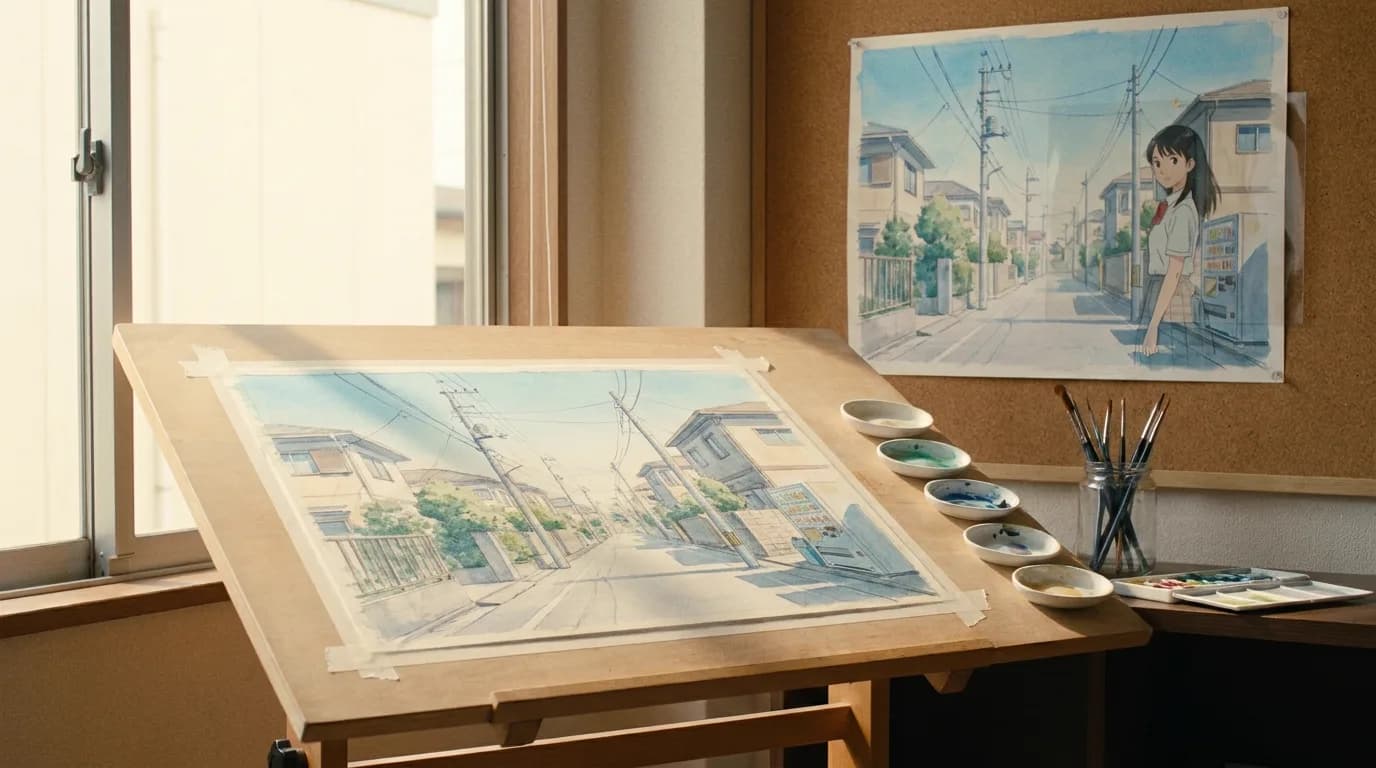
Then the split, which is the one people miss. Characters are flat and graphic. Backgrounds are painted, textured, frequently more detailed than the characters standing in front of them. That contrast carries the whole look, and a pipeline that generates both in the same pass averages them into a video game cutscene.
Last, the palette stays small. Six or eight colours run a scene.
So build a style plate before anything else. One frame, generated or drawn, that shows a character in the correct line and flat against a correct background, at the correct time of day. Every subsequent prompt references that plate. When you add a second lighting condition, night interior for example, you make a second plate rather than describing the change in words.
For a real one taken end to end, the director's own account of making a Japanese-style anime with AI walks through the style decisions on Lost Garden, including the ones that went badly.
Settei before a single shot
Settei (設定) are the model sheets. A studio makes them because forty people draw the same character and need one truth to draw from. You make them because the model has no memory and will re-invent your character every time you ask.
The minimum pack per named character:
| Sheet | Contents | Why it matters for generation |
|---|---|---|
| Turnaround | Front, three-quarter, side, back, same height | The model needs the back of the head or it will guess |
| Expressions | Neutral, angry, surprised, laughing, crying | Stops facial structure shifting with emotion |
| Colour | Day, night, and any special lighting state | Flat colour codes drift more than shapes do |
| Costume variants | Each outfit that appears, with the shoes | Shoes and hands are where drift shows first |
| Props | Anything a character holds for more than one cut | A weapon changes shape between cuts otherwise |
Hair is where this bites first. Anime hair works as a shape language: a fixed number of named clumps that keep their silhouette however the head turns. Video models read hair as a soft mass and re-cluster it mid-clip. Name the clumps in your reference description and you will catch the drift in review instead of in the edit.
Our AI character consistency sheet builds the reusable prompt block from one description, which saves retyping the same paragraph into every shot. The fields it asks for are close to a settei sheet on purpose: exact wardrobe colours, hair, one distinguishing detail, and a locked lighting and grade line.
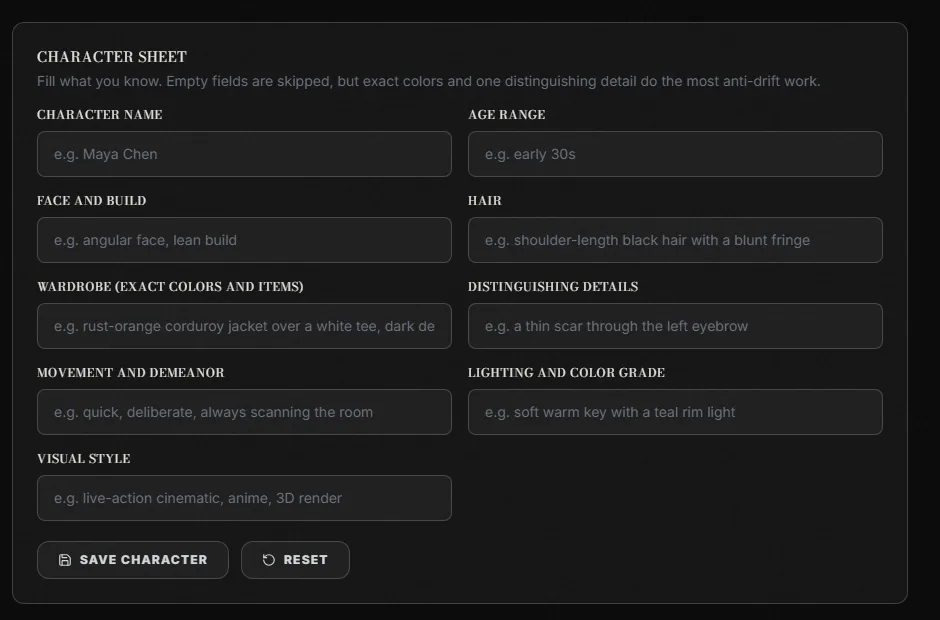
ScreenWeaver's AI character consistency sheet, captured 24 September 2026.
For the version of this problem that only appears across an episode order, the drift patterns and the freeze-on-ship rule are in AI series production consistency.
Motion is the part everyone gets wrong
Film runs at 24 frames per second. Fully animated motion needs a new drawing on every one of those frames, which almost no television production has ever been able to afford. So anime holds each drawing for two or three frames. Shot on twos, a second of screen time carries 12 drawings. Shot on threes, 8. Anime News Network's lexicon has the studio definition of shooting on threes if you want the reference in one line.
The compromise stopped being a compromise decades ago. Stepped motion reads as drawn, and drawn motion is what the audience recognises as animation. So the frame rate becomes a creative decision you make per cut, the way you decide a lens.
| Rate | New images per second | Use it for | How to get there from a generated clip |
|---|---|---|---|
| On ones | 24 | Almost nothing, occasionally a sakuga highlight | Leave the clip alone |
| On twos | 12 | Action, fights, anything with weight | Step the timeline: hold every 2nd frame |
| On threes | 8 | Dialogue, walking, the bulk of an episode | Hold every 3rd frame |
| On fours and slower | 6 and below | Deliberately cheap or comic effect | Hold every 4th frame |
| Hold plus camera | 1 drawing | A held pose over a slow push or pan | Still image, moved in your NLE |
The workflow is: generate at whatever native rate the model gives you, then decimate. In most editors this is a posterize-time or frame-hold effect applied to the clip. Set it to 8 for a dialogue cut, 12 for a fight, and watch what happens to the read. Four seconds of work per clip, and it is the cheapest improvement in this pipeline by a distance.
Two more techniques worth stealing from the studios. The first is the moving hold: a character stops moving but the frame stays alive because one element keeps going, hair settling or a scarf or a slow camera drift. AI clips are poor at true stillness and good at drift, so this one plays to the model's strengths.
The second is the pose over a camera move. Plenty of celebrated anime moments are one drawing and a camera. Pan across a painted background with a held character, hold three seconds, cut. You get scale and mood out of a still plate, and it costs you one generation instead of forty.
If you are converting between frames, seconds and rates while you plan any of this, the video frames calculator does the arithmetic. Its reference table carries the 8 and 12 fps columns, so you can read off how many distinct images a cut actually needs before you queue anything.
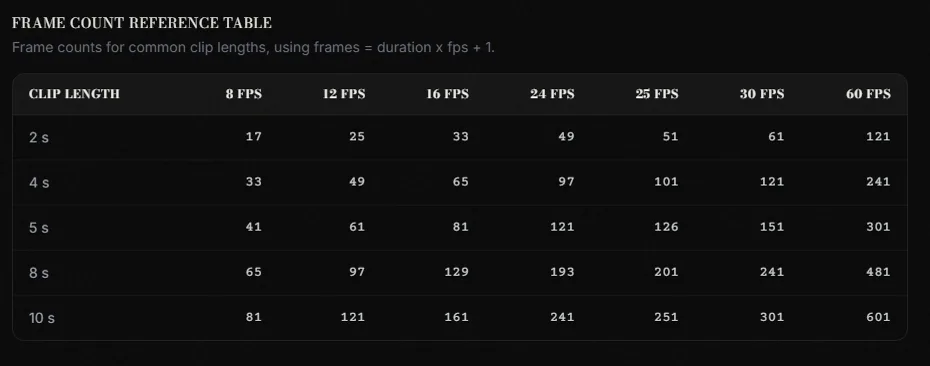
The frame count reference table on ScreenWeaver's video frames calculator, captured 24 September 2026.
Try it free
Try Screenweaver for free on your script
It is free. Import your existing project, get a clearer view of your outline, and regain control of your story structure in minutes.
Start FreeWhere the source material changes the pipeline
Everything above assumes you are starting from your own script. Adapted material rewires the front of the pipeline, differently for each kind of source.
Manga pushes the work into sizing and reading order. How many chapters become an episode, what to do about right-to-left panel flow, and how to handle screentone when your target is flat colour, are worked through in manga to anime with AI.
A webtoon hands you a different problem: aspect ratio. Vertical scroll has no frame edges to inherit, so you invent the 16:9 composition for every beat rather than translating it. That conversion, panel by panel, is in webtoon to animation with AI.
Comic albums and graphic novels are the kind ones. The panel grid mostly gives you your cuts for free, and the only real headache is the splash page, which has no obvious runtime. Comic to animation with AI covers that case.
The shot-level order of operations
Per cut, once the board and the settei exist:
- Read the timing off the konte. Seconds and frames, decided before you generate.
- Pull the background plate for the setting. Generate it once, reuse it across every cut in the scene.
- Write the layout: camera height, lens feel, where the character sits in frame.
- Build the key frame. This is your genga. First frame at minimum, first and last for anything with real movement.
- Generate the motion between keys, at native rate.
- Decimate to 8 or 12 depending on what the cut is doing.
- Composite: character over plate, effects pass, speed lines, grade.
- Log it. Cut number, seed, references used, rate. You will need this in three weeks.
Step 8 is the one people skip and then regret. A logged cut can be regenerated to match. An unlogged one cannot, and you will find out which it is when a client asks for a change.
Four things that still break
Lip sync against a Japanese track. Anime mouths use a small set of shapes held for several frames, and they sit loosely against the dialogue by convention rather than by accident. Generated mouths move continuously and land in an uncanny middle, too precise to read as anime and too imprecise to read as sync. Most people end up animating mouths as a separate layer over a still head.
Cloth and hair in fast action. Both will re-cluster mid-clip. Short clips and hard cuts hide it well enough that you may never notice, but a long continuous action shot will show you every seam.
Effects animation. Fire, water, smoke, impact frames and speed lines are their own discipline in a studio, with their own animators. Models hand you soft, photographic versions of all of them. Move effects into the compositing pass and stop trying to prompt them into the shot.
Background continuity inside a scene. Two cuts in the same room, generated separately, will not be the same room. Generate the plate once and re-frame it. This is the fix for the majority of "why does this feel wrong" notes.
Checklist before you generate an episode
- Style plate exists, one per lighting condition
- Settei pack complete for every character who speaks
- Hair clumps named in the reference description
- Colour codes recorded for day and night
- Background plate generated once per setting, not per cut
- Konte timing written in seconds and frames
- Target rate decided per cut, 8 or 12
- Sakuga moments chosen deliberately, three or four per episode at most
- Effects and speed lines planned as a composite pass
- Mouth strategy decided before the voice record
- Cut log open, with seeds and reference versions
- One test cut taken all the way to composite before you generate the rest
That last line saves the most time. Take one cut from board to finished composite before you commit to the other three hundred. Everything wrong with your pipeline shows up in the first complete one.
FAQ
What is an AI anime production pipeline?
It is the studio anime workflow with the in-betweening stage handed to a video model. You still write the script, board the cuts with timing, build character model sheets, paint or generate background plates, and composite. The model fills the movement between your key frames. The stages that decide how it looks stay with you.
Why does my AI anime look like rotoscoped live action?
Almost always the frame rate. Video models output smooth motion at 24 frames per second, and smooth motion over a cel-shaded character reads as traced live action. Hold every second or third frame to get back to 12 or 8 new images per second, which is what television anime actually runs at.
Can I generate the background and the characters in the same pass?
You can, and it will cost you the look. Anime deliberately contrasts flat graphic characters against painted, textured backgrounds. Generating both together averages the two styles into one, which is why single-pass output tends to feel like a game cutscene. Generate plates separately and composite.
How many cuts is an episode?
Divide the runtime by your average cut length. A 22-minute episode at four seconds per cut is around 330 cuts, at 2.5 seconds for fast action it is closer to 530. The arithmetic and the per-genre variation are broken down in the e-konte guide.
Do I need to know the Japanese terms?
Not to make anything. They are useful the moment you work with anyone else, read a production interview, or hire a freelancer, because the whole industry vocabulary is built on them. Knowing that genga means key animation and douga means in-between tells you which stage a conversation is about.
What is the fastest way to test this before committing to a series?
One cut, all the way through. Board it with real timing, build the settei for the character in it, generate the plate, generate the motion, decimate, composite. If that cut does not look like anime, no volume of extra cuts will fix it, and you have lost a morning instead of a month.
Final Step
Build your next script with Screenweaver
Move from ideas to production-ready pages faster with timeline-native writing and AI-assisted story flow.
Try Screenweaver