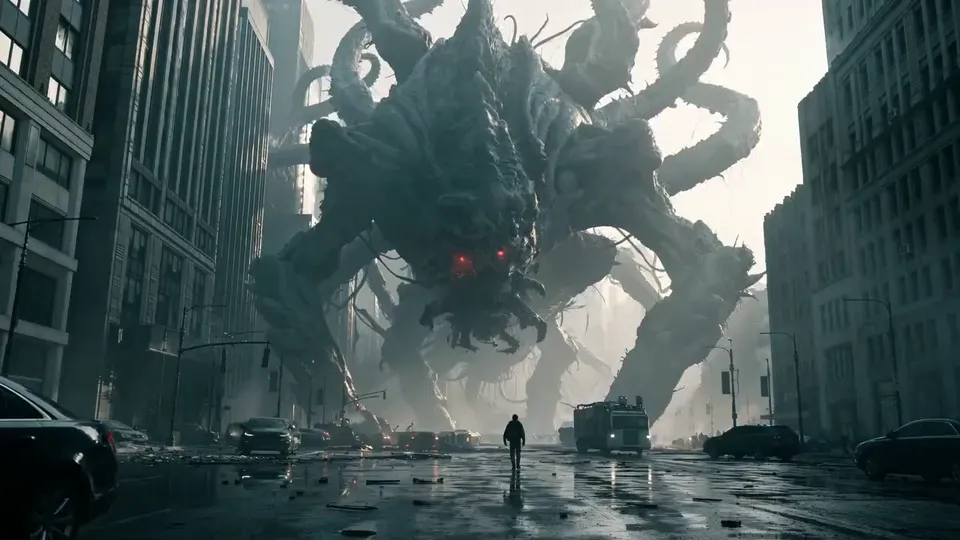
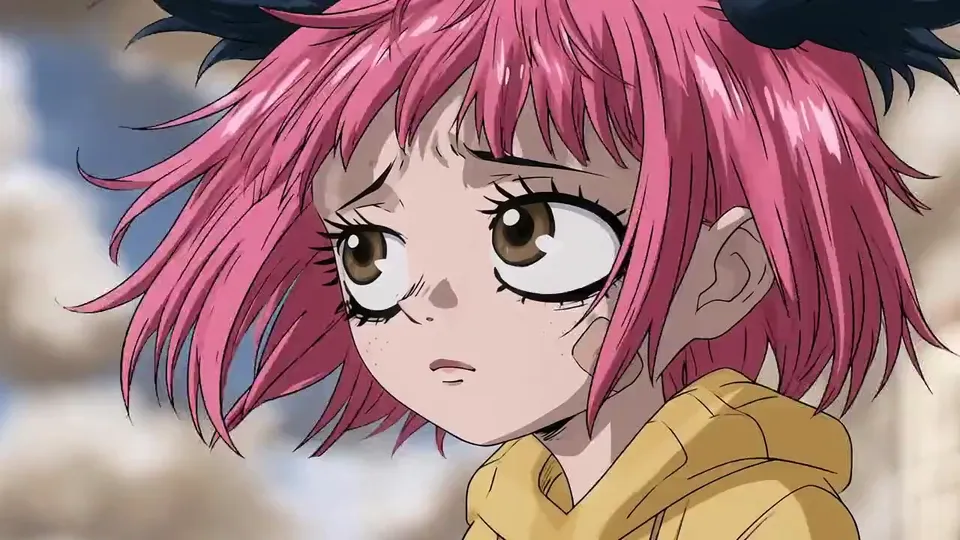
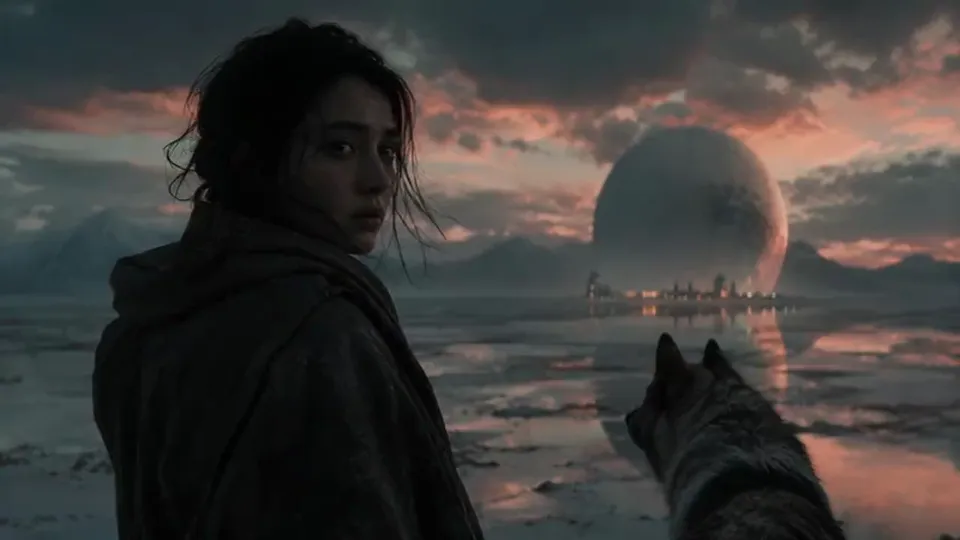
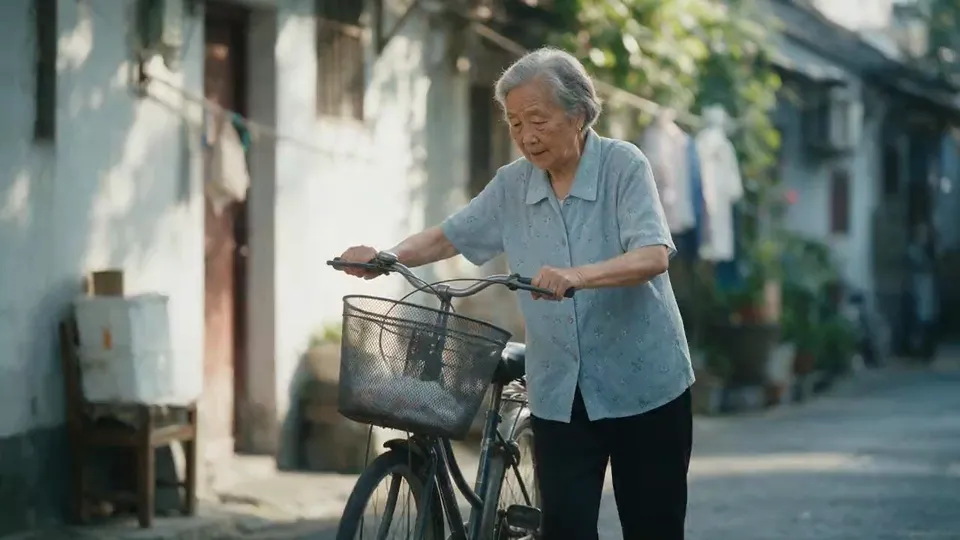
AI 3D animation generator

Make a 3D animated film with AI.Same character, every shot.

Write the gag on the page, board every shot with its timing, and keep your cast on model: the same shapes, markings and eyes in the close‑up and in the wide.
  • Free screenwriting
  • Storyboard from your script
  • Characters locked across shots
3D animation

Available today: screenwriting for free, and Storyboard Beta at $9.99 a month, which turns your screenplay into a storyboard.

Coming: video generation of every shot with the Filmmaker plan, targeted for 30 September 2026.

Examples

Characters and worlds the ScreenWeaver team made in 3D.

Four finished frames, from a creature short to a family adventure. These are stills, shown without their storyboard.
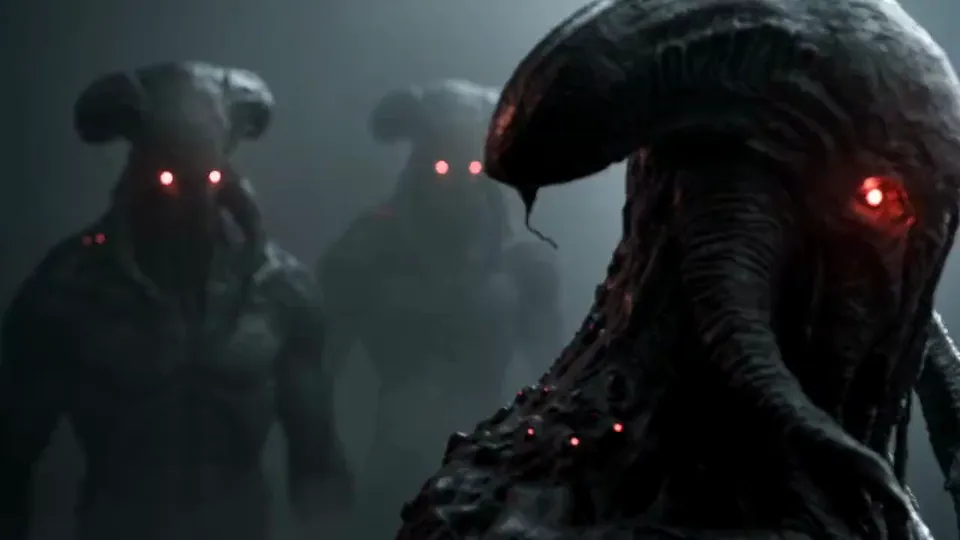
  • A hooded scarecrow demon of woven straw with antlers and glowing red eyes crouches in a forest

    The Scarecrow of the Pass

    A horned straw demon with ember eyes stalks a mountain village. A creature short in stylised 3D, planned shot by shot.

  • A stylised 3D man with a long nose and a green eye presses his face to a brass door peephole

    The Peephole

    From the same short: a villager presses his eye to the door while something waits outside. Big nose, bigger eye, all acting.

  • A rusty orange box-shaped robot on thin legs scans a dusty workshop floor with a red laser

    Spark

    A small maintenance robot scans a workshop with a red laser. A whole character built from one battered box.

  • A character line-up sheet of about twenty-five stylised mice in different cloaks and sizes, on a white background

    The Mouse Line-up

    Twenty-five mice, one sheet. Each silhouette readable at a glance, which is what keeps a cast on model from shot to shot.

One scene, script to render

Round One: a 3D boxing comedy in five shots.

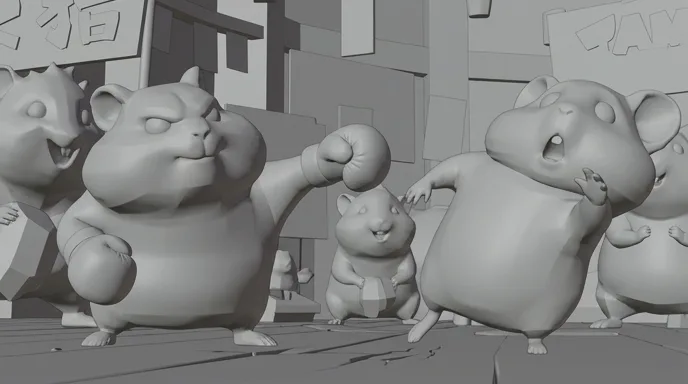
A scene written for this page, shown shot by shot as a grey storyboard frame and as the final frame. The grey frames read like a layout pass in a 3D package: staging, lens and eye lines, before any fur or light. That is the part an AI 3D animation generator cannot guess for you.
Screenplay · page 1

INT. THE SEED BOX CLUB, RING - NIGHT

A boxing ring the size of a shoebox. Two hundred hamsters in the stands, cheeks packed with popcorn.

TANK, a calico champion with a bandit mask of dark fur, bumps his blue gloves together. He grins. Two front teeth.

Across the ring, PIP, round and ginger, has no gloves at all. Just two pink paws. His jaw drops.

PIP

(squeaking)

Nobody said gloves!

They circle. A fan in a yellow number 19 jersey cheers so hard his cheeks empty.

Tank's glove lands. Pip's cheek folds around it like dough. His eyes go huge. Hold it.

Pip rocks back on his heels, paws up, mouth open. Tank keeps his arm out, chin high.

TANK

Round one.

SMASH CUT TO:

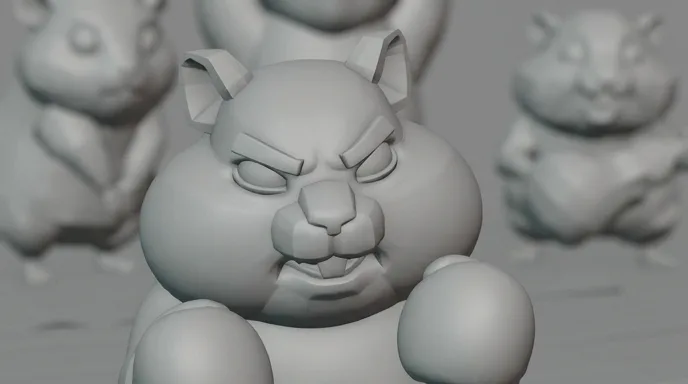
  1. A calico hamster with dark fur around its eyes grins behind two blue boxing gloves
    Storyboard frame of the same close-up, in grey clay
    01

    Close-up · the champion

    Close-up on Tank, calico fur and dark bandit mask, blue gloves raised toward the lens, cocky buck-tooth grin. Warm key from the left, the crowd soft behind.

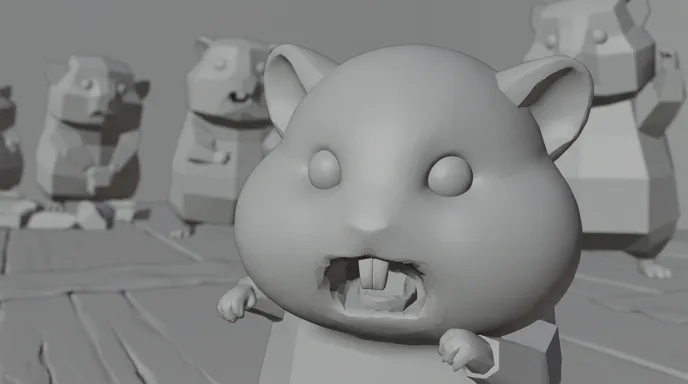
  2. A round ginger hamster with bare paws gasps, mouth wide open, in a crowded ring
    Storyboard frame of the challenger's close-up, in grey clay
    02

    Close-up · the challenger

    Close-up on Pip, ginger and cream, bare pink paws up, mouth wide open. Low camera, floorboards leading into the lens.

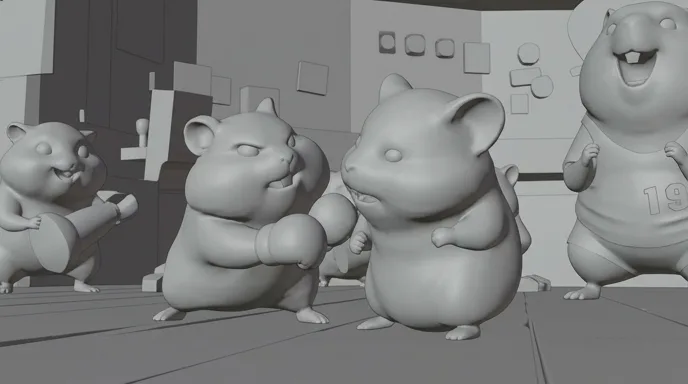
  3. Two hamsters face off in a tiny ring while a hamster in a yellow jersey cheers behind them
    Storyboard frame of the two-shot, in grey clay
    03

    Two-shot · the ring

    Two-shot at hamster eye level, both fighters in profile, the fan in the yellow 19 jersey cheering at frame right. Long lens, lantern bokeh.

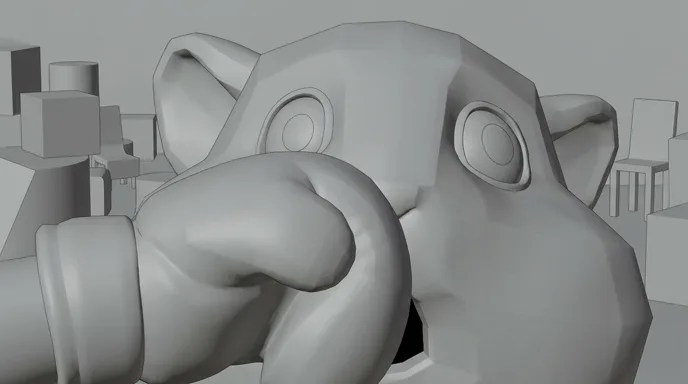
  4. A blue boxing glove squashes a ginger hamster's cheek, its eyes wide in shock
    Storyboard frame of the impact, in grey clay
    04

    Extreme close-up · the squash

    The glove fills the left of frame and Pip's cheek deforms around it, eyes wide open. Squash on the cheek, no camera shake: the face does the work.

  5. A calico hamster throws a straight punch as a ginger hamster staggers back in surprise
    Storyboard frame of the wide shot, in grey clay
    05

    Wide · the result

    Tank's arm fully extended, Pip on his heels with paws up and mouth open. The same key light as shot 1, so the champion matches from cut to cut.

The five shots edited together: twelve seconds, 16:9. The punch plays in two cuts, the glove first, then Pip's eyes.

Writing 3D animation

Four rules for a 3D animated script that renders well.

The model supplies fur and light. Appeal, acting and timing come from the page.
  1. 01

    Design the shape before the detail

    Round reads as friendly, square as stubborn, sharp angles as trouble. Give each character one shape you can read in silhouette and put it in the description: Tank is a pear with a bandit mask, Pip is a ball of ginger fluff. Shape language survives every shot; small details do not.

  2. 02

    Write the anticipation, the action, the reaction

    A cartoon gag has three beats, and each one deserves its own line. The reaction line is the longest on screen. His eyes go huge. Hold it. is a direction the storyboard can time to the frame.

  3. 03

    Act with the face

    3D characters are built to emote: big eyes, readable brows, a mouth that stretches. Write one expression per shot and push it further than live action would. His jaw drops films better than he is surprised.

  4. 04

    Lock the cast in the description

    Write the fixed details once: fur pattern, glove colour, what a character never wears. Pip has bare paws in every shot because the script says so. ScreenWeaver keeps characters and references attached to each shot, so the close‑up and the wide show the same hamster.

Structure and pacing

How a 3D comedy short is built, beat by beat.

Animated shorts run on escalation: two characters, one set and a gag that keeps growing. Shots last two to five seconds, and the reactions get the long ones.
  1. 10 %

    The want

    One character, one small desire, set up in a single image.

  2. 20 %

    The obstacle

    A rival, a rule or an object in the way. Show it clearly so the audience sees the gag coming.

  3. 30 %

    Escalation

    Each attempt fails bigger than the last. The rule of three lives here.

  4. 25 %

    The payoff

    The biggest gag, with a held reaction shot after it.

  5. 15 %

    The button

    One last small joke once the story is over. It is the laugh people leave with.

For a thirty‑second sketch, give the obstacle one shot and go straight to three escalating attempts.

Shot vocabulary

Eight shots that make it look animated, not filmed.

Each one with the prompt wording that gets it from an image or video model. Drop them into the storyboard shot by shot.
  • The squash on impact

    The frame where a cheek, a belly or a hat folds around what hits it. It sells weight better than any camera shake.

    extreme close-up, stylised 3D animation, boxing glove squashes a furry cheek, cheek deforms around the glove, eyes wide, squash and stretch, shallow depth of field

  • The anticipation pose

    The wind‑up before the move: the body leans away so the action reads.

    medium shot, stylised 3D cartoon character leans far back in an anticipation pose before a punch, clear silhouette, exaggerated arc, soft rim light

  • The big‑eye reaction

    Huge eyes, tiny pupils, brows up. The close‑up that tells the audience how to feel.

    close-up, 3D animated character with huge glossy eyes and tiny pupils, eyebrows raised, mouth open in shock, catchlights in both eyes, warm key light

  • The camera at their height

    Lens at the eye level of a small character: the floor becomes a landscape and every prop becomes huge.

    low camera at hamster eye level, wide lens, wooden floorboards leading to the subject, oversized background props, stylised 3D render, warm bokeh

  • The silhouette read

    A pose that works even in solid black. If it reads backlit, it reads everywhere.

    full shot, stylised 3D character backlit against a bright sky, strong readable silhouette, simple shape language, rim light, minimal background

  • The entrance orbit

    The virtual camera circles a character on first appearance, the way a layout artist presents a model.

    slow 180 degree orbit around a stylised 3D character standing proud, three-point lighting, soft global illumination, shallow depth of field, clean background

  • The crowd reaction

    Background characters gasp or cheer together, so the joke lands twice.

    wide shot, crowd of small stylised 3D animal characters cheering in the stands, varied designs in one consistent style, warm arena lights, depth of field

  • The look to camera

    A character freezes after the gag and looks at the lens. The oldest comedy button there is.

    medium close-up, stylised 3D cartoon character freezes mid-action and stares straight into the camera, deadpan expression, beat of stillness, soft key light

Light and palette

Key, rim and bounce, like a render.

3D animation borrows the lighting of a CG render: one warm key that models the face, a rim that lifts the fur off the background, and soft bounce light, the global illumination, filling the shadows so nothing turns black. The five colours below were sampled from the Round One shots. The blue gloves are the only cool note in a warm frame: that complementary accent is why the eye finds them first.

  • Glove blue

    #30658E

  • Ginger fur

    #AE633E

  • Key-light gold

    #EAB47D

  • Cream belly

    #F1DFCC

  • Warm shadow

    #3D2312

Where AI goes wrong

Four 3D animation traps, and how the script avoids them.

Video models learned motion from cameras and real bodies. Animators cheat physics on purpose. That gap causes most failures.
  • Motion with no squash and stretch

    Models move cartoon characters like rigid toys or like real animals. Cartoon motion needs anticipation, overshoot and squash. Name them in the prompt, squash and stretch, anticipation pose, overshoot, and keep the fastest action to one short shot.

  • A model that drifts

    Eye size, ear shape and fur markings change between shots. A character sheet with front, three‑quarter and back views locks the design, and ScreenWeaver feeds it to every shot the character appears in.

  • A cartoon that turns photoreal

    Ask for a hamster and you may get a real one. Repeat the style words in every prompt, stylised 3D animation, simplified shapes, soft subsurface skin, and reject any shot where fur or skin starts to look photographed.

  • Jokes that land too early

    Models rush. A reaction cut after half a second kills the gag. Set shot lengths in the storyboard, give reactions a full second or more, and trim in the edit, not in the prompt.

Sub-genres

Family comedy, action cartoon, creature, stylised.

  • Family comedy

    Animals, kids and one big wish. Warm light, round shapes and gags built in threes, like Round One.

  • Action cartoon

    Chases and fights with cartoon physics. Board every hit, exaggerate the wind‑up, and keep the camera easy to read.

  • Creature short

    A monster that is scary and appealing at once, like the scarecrow of the pass. Strong silhouette, glowing eyes, plenty of rim light.

  • Stylised 3D

    Painterly textures, toon shading or a clay look. Pick one treatment, name it in every prompt, and never mix two in a scene.

The pipeline

Write. Board. Produce.

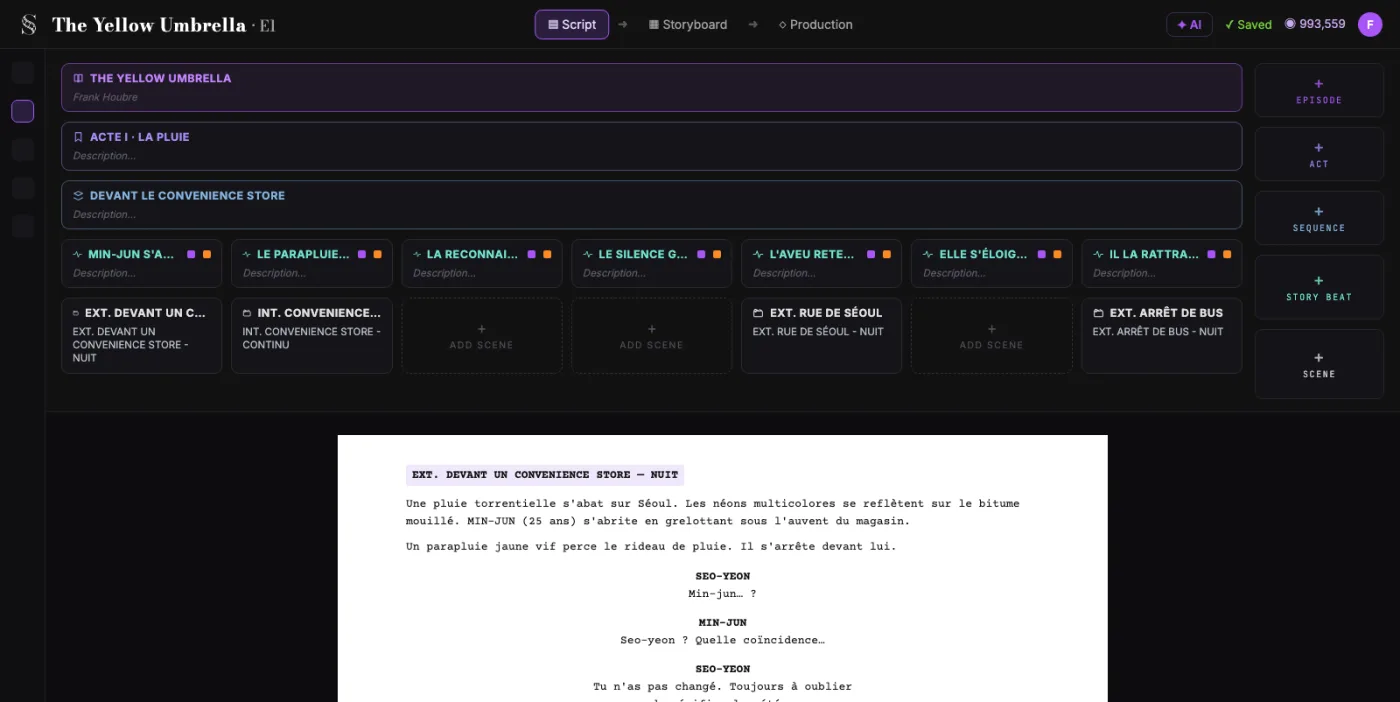
  1. ScreenWeaver screenplay editor: acts, sequences and beats above the formatted script of The Yellow Umbrella

    01The screenplay, enriched

    An industry-standard screenplay editor, and more: a visual outline and beat editor, your writing inspirations (notes, photos, audio) kept next to the page, and an AI researcher to support your writing, not replace it.

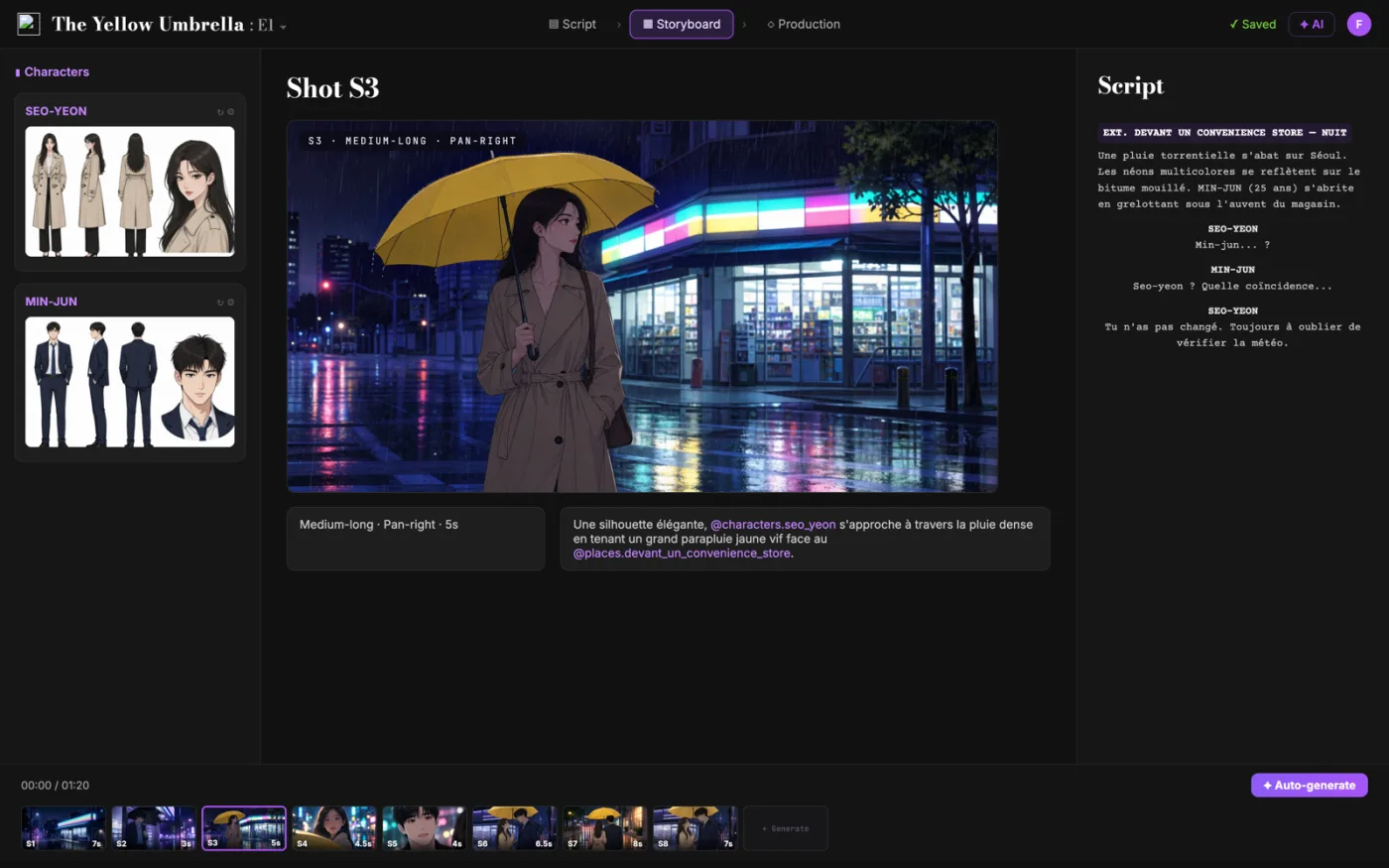
  2. ScreenWeaver storyboard: shot S3 of The Yellow Umbrella with characters, shot settings and the script beside it

    02The storyboard, made easy

    Shot breakdown generated from your screenplay, manual control over every shot (frame, angle, movement, duration), and generative AI previsualization in one click.

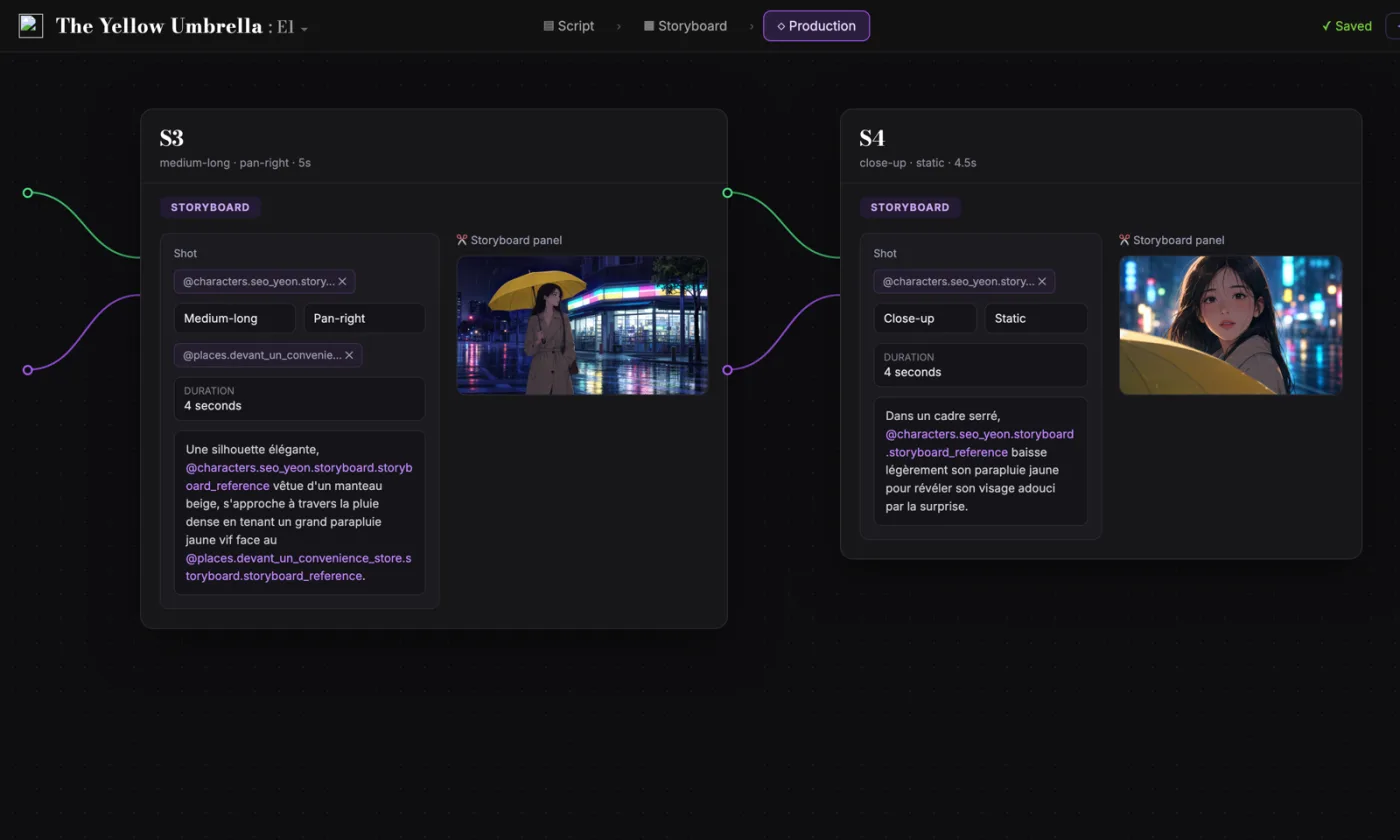
  3. ScreenWeaver production canvas: shots S3 and S4 as connected nodes carrying their storyboard panels and prompts

    03AI production, with finesse

    Footage generation pipelines connected to your screenplay and storyboard. Optimized out of the box, fully editable workflow.

FAQ

3D animation with AI, your questions

Can I make a 3D animated film with the AI 3D animation generator in ScreenWeaver?
Today you can write the screenplay for free and turn it into a storyboard with Storyboard Beta at $9.99 a month. Generating the video of each shot comes with the Filmmaker plan, targeted for 30 September 2026.
How do I keep a 3D character on model from shot to shot?
Build a character sheet once, with front, three-quarter and back views and fixed colours for fur, skin and costume. In ScreenWeaver, characters, locations and references follow the character into every shot, so Pip keeps his bare paws and ginger cheeks from shot 2 to shot 5.
Can I get the look of a famous animation studio?
Keep the style words and drop the names. A studio name in a prompt gets you a copy at best, and a character you cannot own. Write what makes the look: rounded shapes, soft subsurface skin, big eyes, a warm key and a cool rim.
How do I make AI motion feel like cartoon animation?
Ask for anticipation, squash and overshoot by name, keep action shots short, and time the holds in the storyboard. A held reaction is what turns movement into comedy.
How long should a first 3D animated short be?
Start with a sketch of sixty to ninety seconds: one gag, two characters, one set. With shots of two to five seconds, that is twenty to forty shots. A three-minute short is roughly twice that.
Is writing the script free?
Yes. The Screenwriter plan is $0 and never expires: unlimited projects and pages, industry-standard formatting, PDF and Final Draft export.
Which video models power ScreenWeaver?
Seedance 2.0 and 2.5. The footage pipelines are wired to your script and storyboard, tuned out of the box and fully editable.
Can I make a vertical 3D animated series?
Yes. Films and series can be 16:9, or 9:16 for vertical episodes. In vertical, stack the gag: the character low in frame, the threat or the punchline above.

Every good gag starts on the page.

Write the script for free. Board and time every shot when you are ready.