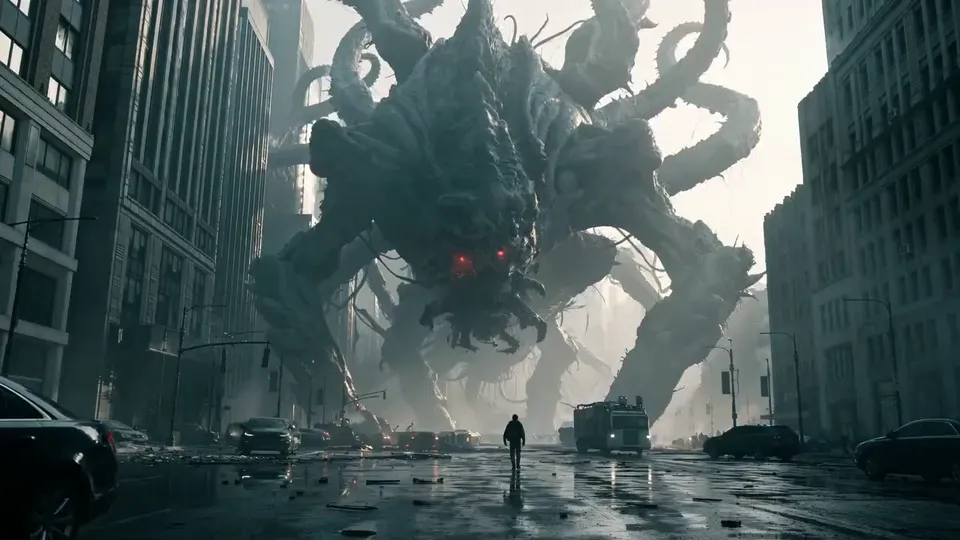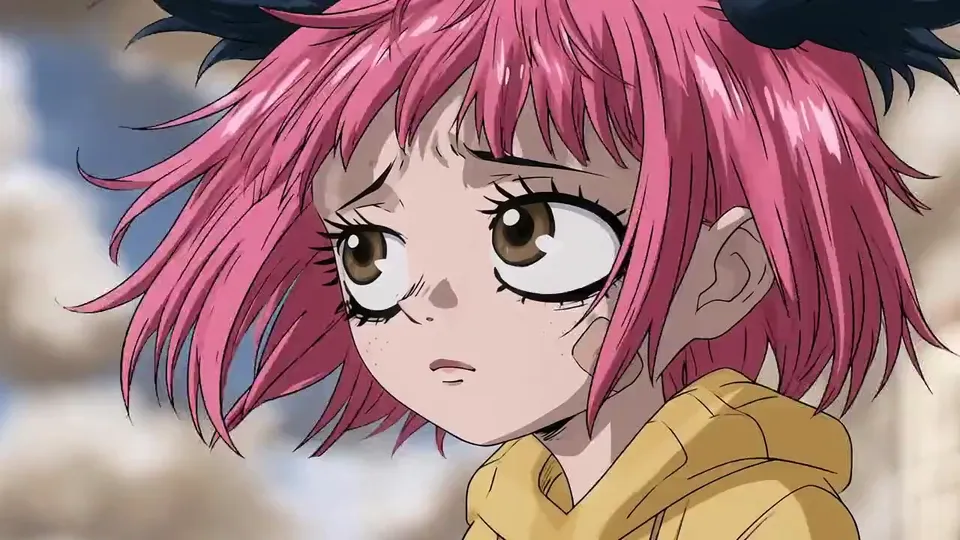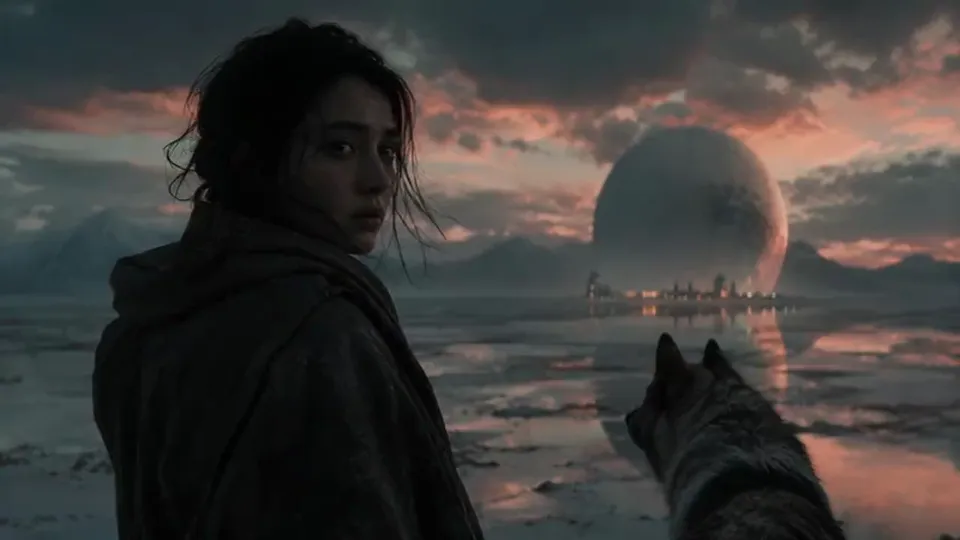
AI horror movie generator

Make a horror film with AI.From script to the last scare.

Write the screenplay, get a storyboard of every scare, and keep your creature, your victims and your fog the same from the first shot to the last.
  • Free screenwriting
  • A storyboard of every scare
  • Creatures that stay on model
Horror rushes

Available today: free screenwriting, and a storyboard generated from your screenplay with Storyboard Beta, $9.99 a month.

Coming: video generation of each shot with the Filmmaker plan, targeted for 30 September 2026, a month before Halloween.

Examples

Horror shots from the ScreenWeaver team.

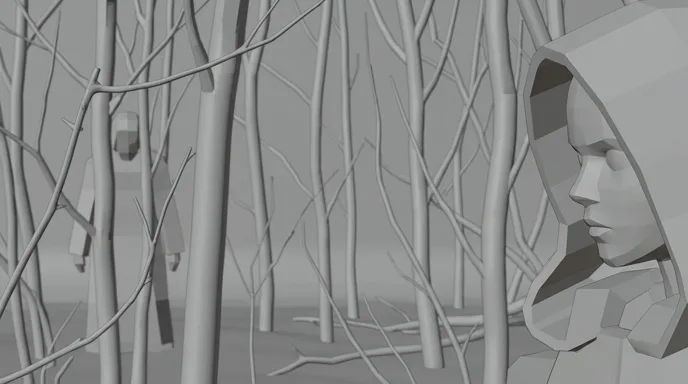
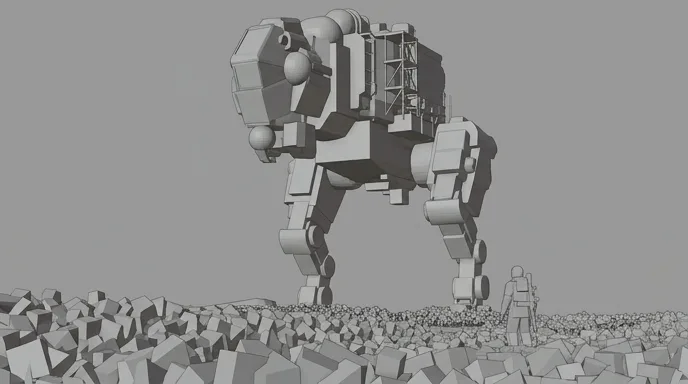
Two shown with their grey storyboard frame and finished shot, two as finished stills.
  • A girl in a red hood in a bare forest, a blurred figure in a red cloak standing among the trees behind her

    The Other Red

    A girl in a red hood in a dead forest. Behind her, out of focus, someone wears the same cloak.

  • A lone figure stands by a car in a foggy field at night as a giant creature with long legs looms above

    Roadside, 3 a.m.

    A car stopped in the fog, headlights on. Above the field, something with too many legs.

  • A man in tall grass watches a giant walking shape with a searchlight in thick blue fog

    The Light in the Fog

    A giant shape crosses a marsh at dawn. Its searchlight sweeps the grass where a man stands very still.

  • A thin creature with long clawed fingers crouches in a bedroom lit blue at night

    The Bedroom

    A bedroom in blue night light. Something with long fingers is already inside.

One scene, script to screen

Low Tide: six shots, one real scare.

A scene written for this page around six shots from the ScreenWeaver team. They are shown in the order the scene reveals the creature: piece by piece, face last. The false scare is written as sound only, so it costs no shot.
Screenplay · page 1

EXT. TIDAL FLATS - BEFORE DAWN

Fog to the waist. The foghorn has stopped. MARA (40s) wades out from the jetty, lantern raised.

Something grey rises and falls in the water. Slow. Like breathing.

A BELL CLANGS. Mara spins round. Only the channel buoy, rocking on a flat sea.

SILENCE. Then a WET CREAK, like rope pulled tight. Something slides past her knees.

MARA

(a whisper)

Tom? Tom, is that you?

Out in the shallows, figures stand in the fog. Too tall. Too still. One of them is much closer.

It turns its head. A horn curls out of the grey. Where the eyes should be, two red embers.

There are two. There are three. None of them seems to move. They are nearer anyway.

The lantern gutters out. Darkness. Two red points open, an arm's length away.

SMASH CUT TO BLACK.

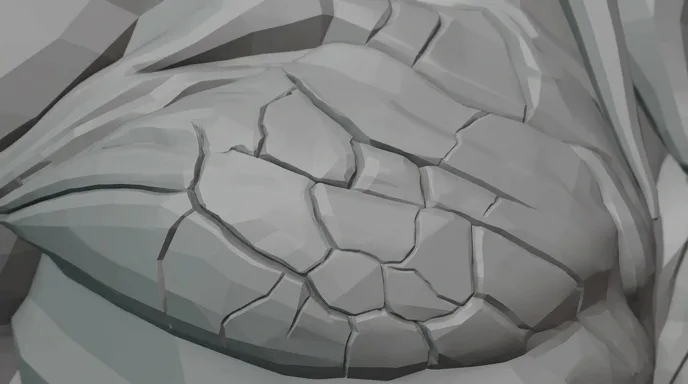
  1. Macro of wet, cracked grey skin in cold light
    Storyboard frame of the same macro, in grey
    01

    Macro · the hide

    Macro on wet grey hide rising and falling like breath, cracked like dry clay, cold fog light, no eyes, no face, nothing to identify

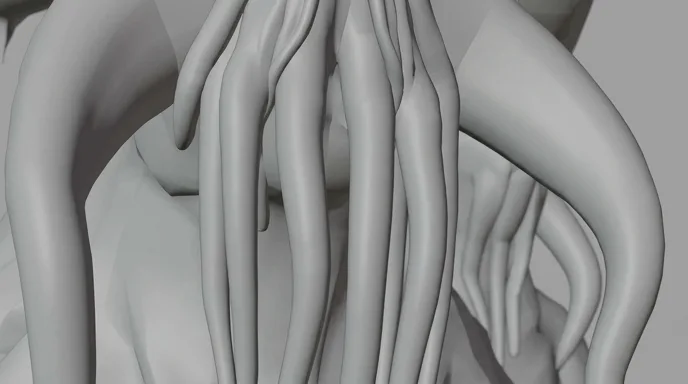
  2. Close-up of dark ribbed tentacles hanging in the gloom
    Storyboard frame of the tentacles, in grey
    02

    Close-up · the tentacles

    Close on ribbed tentacles sliding over each other, wet and slow, the head kept out of frame, faint red at the edge

  3. Tall creatures with glowing red eyes stand in the fog, one head very close on the right
    Storyboard frame of the figures in the fog, in grey
    03

    Wide · the shallows

    Tall figures standing still in the fog, red points for eyes; one head fills the right of frame, much closer than the rest

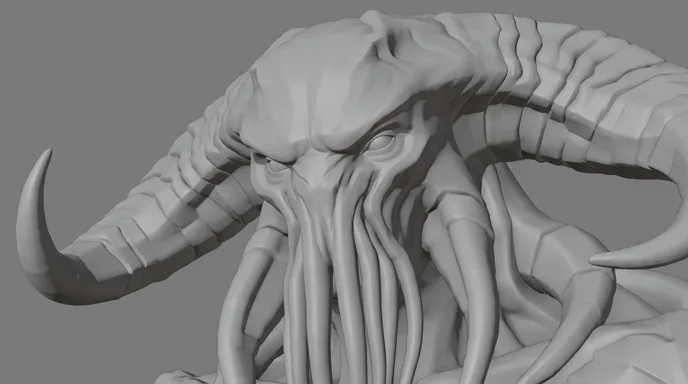
  4. A horned creature with a tentacled face turns its head, eyes glowing red
    Storyboard frame of the profile, in grey
    04

    Medium · the profile

    The head turns into profile, a curved horn out of the grey, eyes glowing red, flat fog behind, low contrast

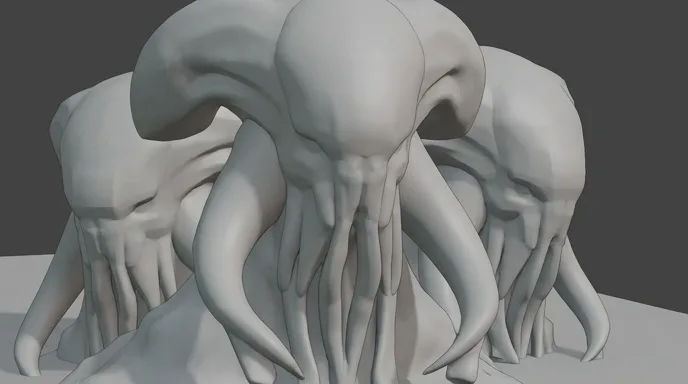
  5. Three tentacle-faced creatures side by side, their red eyes the only light
    Storyboard frame of the three creatures, in grey
    05

    Three shot · there are more

    Three heads close together, faces lit only by their own red eyes, fog behind, nothing moves

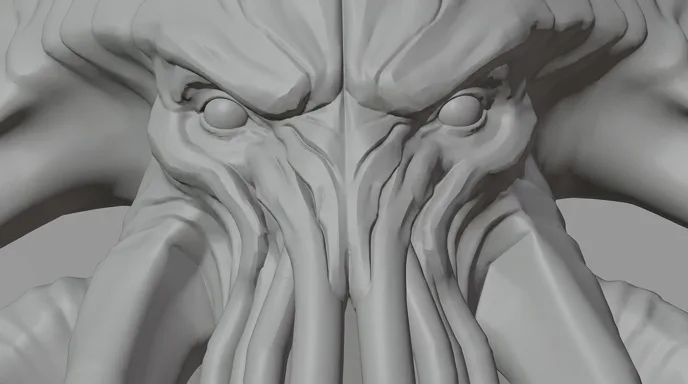
  6. Frontal close-up of a tentacle-faced creature with burning red eyes
    Storyboard frame of the face, in grey
    06

    Extreme close-up · the eyes

    Frontal and symmetrical, eyes burning red at arm's length, tentacles along the bottom of frame; hold two beats, then cut to black

The team's own cut of the same six shots: twelve seconds, 16:9. It opens on the faces. The scene above keeps them for last. Same shots, two ways to scare.

Writing horror

Writing for an AI horror movie generator: six rules.

AI can make anything look frightening for one frame. The script decides whether the fear builds.
  1. 01

    Show less than you know

    Know exactly what your creature looks like, then keep most of it off screen. In Low Tide the face only arrives in shot six. Every shot that hides something pays for the next one.

  2. 02

    Describe the monster in fragments

    On the page, one detail per line: a wet hide, a creak, a horn. The reader builds the rest, and it is always worse. One fragment, one shot also makes the storyboard obvious.

  3. 03

    The false scare, then the real one

    A false scare releases the tension, and the audience relaxes. In Low Tide it is the buoy bell. The real scare lands once they have decided it was nothing.

  4. 04

    Space your scares

    Scares need air. In a three-minute short, two or three are enough. Between them, let the dread grow: longer shots, fewer cuts, nothing happening yet.

  5. 05

    Write the sound

    Horror is heard before it is seen. Put sounds in capitals in the action lines: A BELL CLANGS, a WET CREAK. Write the silence too. It tells the editor where the music stops.

  6. 06

    Map the place before you darken it

    Show the jetty, the water and the way back while there is still light. Fear needs geography: the audience must know where the exit is to feel how far away it is.

Structure and pacing

The shape of a three‑minute horror short.

One place, one threat, one real scare. Most of the running time is dread, not action. Shots last two to four seconds, longer as the dread grows.
  1. 15 %

    The ordinary

    A place and a person in plain light. Show the geography.

  2. 20 %

    The wrong detail

    One small thing does not fit. A sound, a shape, an absence.

  3. 10 %

    The false scare

    A jolt that turns out to be nothing. The audience breathes out.

  4. 35 %

    The dread

    The long build. Fragments of the threat, closer each time. The shots get longer, the sound gets thinner.

  5. 20 %

    The real scare

    The full reveal, held just long enough. Then black, or one last image that says it is not over.

For a sixty-second Halloween teaser, keep the five beats, keep a single false scare, and end on the reveal.

Shot vocabulary

Eight shots that make it feel like horror.

Each one with the wording that gets it from an image or video model. Most horror shots are about what the frame hides.
  • The empty doorway

    Negative space where something could appear. The audience searches the dark for you.

    medium shot, woman in the left third of frame, dark open doorway behind her on the right, empty, one dim practical light, stillness

  • The figure behind

    Someone in the background, out of focus, whom the character has not seen.

    close-up of a girl on the right of frame, sharp focus on her face, a blurred figure standing among bare trees far behind her, shallow depth of field, overcast light

  • The fragment insert

    A macro on part of the creature. Texture, never the whole.

    macro insert, wet grey cracked skin rising and falling slowly, cold fog light, no face, no eyes, no full body

  • Eyes in the dark

    Only the eyes catch the light. Everything else stays black.

    near darkness, two glowing eyes between tangled branches, everything else in shadow, faint moonlight, static camera

  • The slow push‑in

    The camera drifts toward what the character refuses to look at.

    slow dolly push-in down a dark hallway toward a half-open door, single bare bulb, dust in the air, no sudden movement

  • The backlit silhouette

    A figure against bright fog, and above it a shape too large to be real.

    wide shot, lone figure in silhouette facing bright backlit fog, huge dark shape with long legs looming above, low contrast, cold blue

  • The watcher's point of view

    Low in the grass or under the bed: the view of whatever is watching.

    ground-level point of view through tall grass, legs of a giant shape crossing the fog beyond, grass blades sharp in the foreground, handheld

  • The found footage frame

    A camera the character holds. Torchlight, grain, a lens that cannot see far.

    handheld camcorder footage at night, flashlight beam on a forest path, heavy grain, motion blur, auto exposure pumping, no on-screen text

Light and palette

Darkness you can still read.

Horror lives in low light, and AI video turns true black into grey mud and crawling noise. So light the fog, not the monster: a pale backlight gives every shape a silhouette. Then allow one saturated accent. The five colours below were sampled from the Low Tide shots, and the red only ever appears in the eyes. Keep that rule in every prompt and the scene stays one nightmare.

  • Ember eyes

    #D43B30

  • Sea fog

    #66767C

  • Wet hide

    #262C2E

  • Dried red

    #481A18

  • Deep shadow

    #010505

Where AI goes wrong

Six horror traps, and how the script avoids them.

Video models love bright, busy, moving images. Horror needs the opposite. These are their usual failures in the genre.
  • Darkness turns to mud

    Ask for a black scene and the model returns flat grey with crawling noise. Write a light source into every dark shot: a lantern, a window, backlit fog. Crush the blacks in the grade, not in the prompt.

  • Faces that drift

    Over a long take, the victim slowly becomes someone else. Keep close-ups short and give the character a character sheet once: ScreenWeaver carries it from shot to shot.

  • Hands with extra fingers

    A hand reaching for a door handle is a horror staple and a model's weak spot. Frame hands in silhouette or at the edge of frame, and keep the gesture simple. Leave the wrong number of fingers to the creature.

  • A creature that redesigns itself

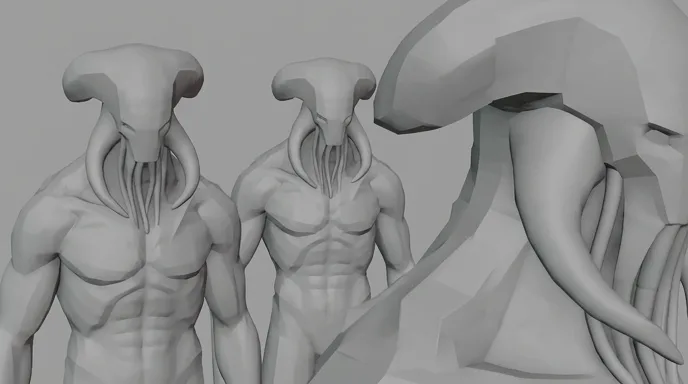
    Horns grow, eyes change colour, tentacles multiply between shots. Lock the design with a reference and a fixed list of features (two horns, red eyes, ribbed tentacles) repeated in every prompt. Fragments help too: fewer shots carry the whole design.

  • Jump scares in slow motion

    Models smooth fast movement into a morph. Do not ask one shot to do the jump. Make the scare a cut: a still frame, then the next shot already far too close.

  • Found footage that looks too good

    Models default to clean, stable, cinematic images. Ask for handheld, grain, pumping exposure and a single torch. Leave out timecodes and REC signs, since models write fake text, and add them in the edit.

Sub-genres

Cosmic, folk, haunted, found footage.

  • Cosmic horror

    Things too large or too old to understand. Fog, silhouettes and fragments, like Low Tide. The scale is the scare.

  • Folk horror and dark fairy tales

    Dead forests, rituals, old stories gone wrong. Overcast light, one saturated colour, figures that stand too still.

  • Haunted house

    One house, room by room. Practical lights, doorways, long corridors, and a sound that moves inside the walls.

  • Found footage

    The camera is a character. Write who holds it and why they keep filming, then prompt handheld, torch-lit and grainy shots.

More genres

Make a film in another genre.

The pipeline

Write. Board. Produce.

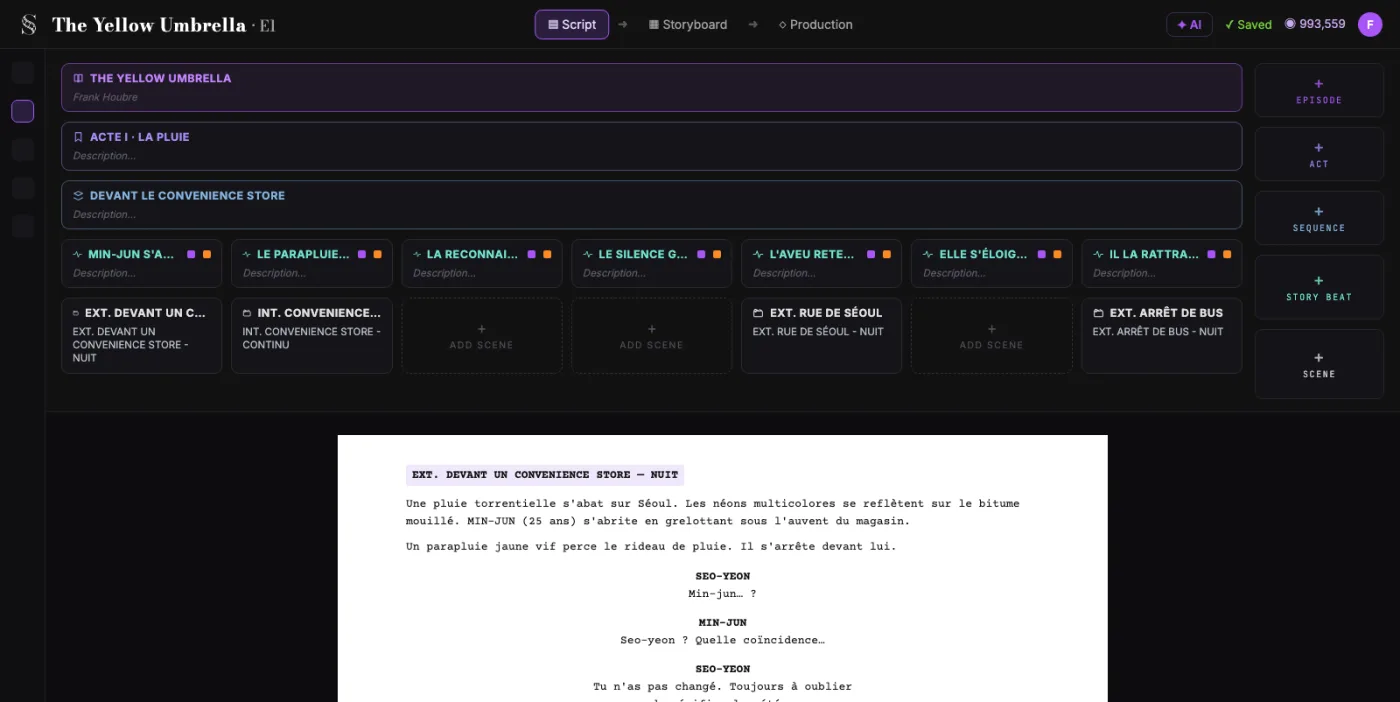
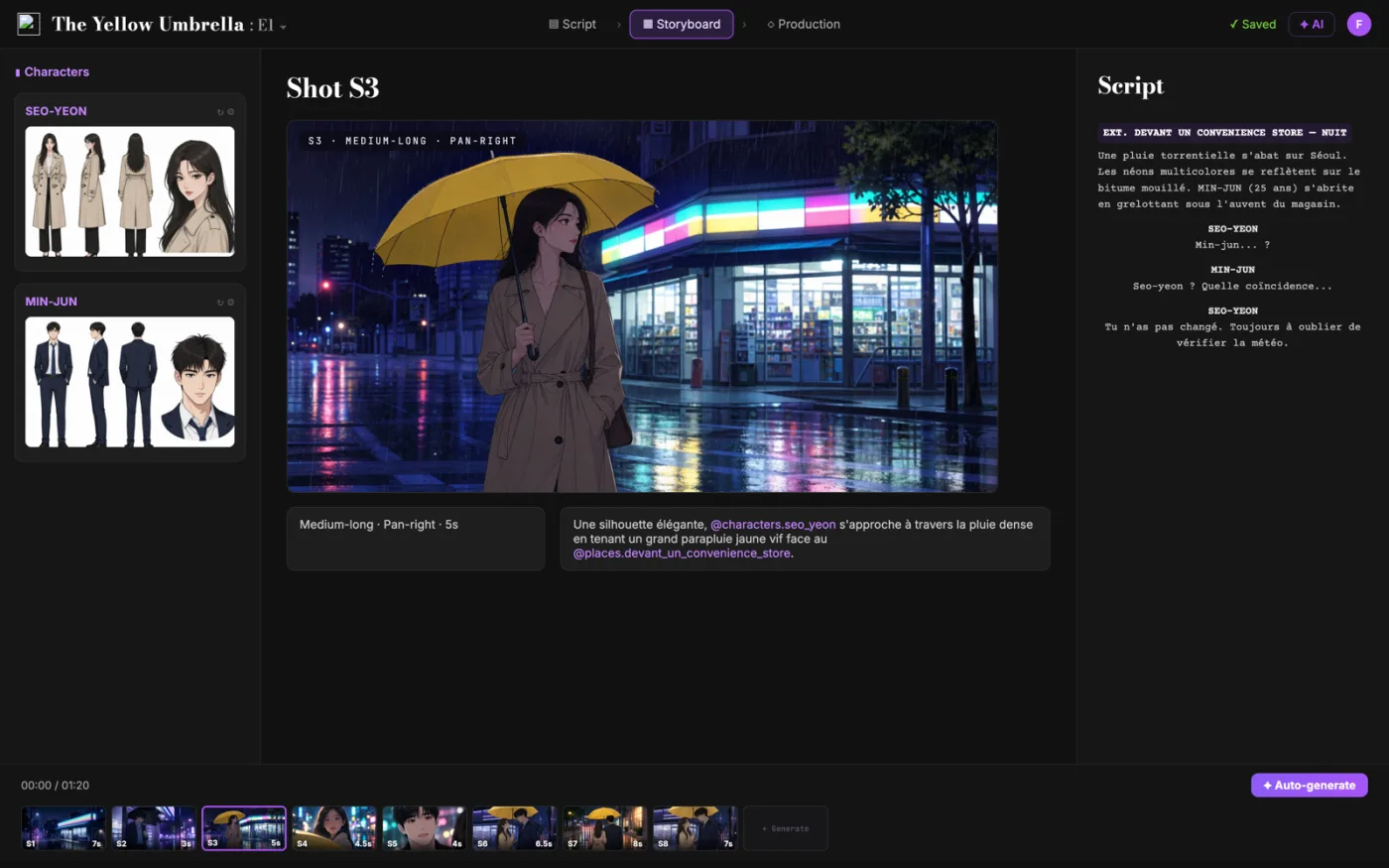
  1. ScreenWeaver screenplay editor: acts, sequences and beats above the formatted script of The Yellow Umbrella

    01The screenplay, enriched

    An industry-standard screenplay editor, and more: a visual outline and beat editor, your writing inspirations (notes, photos, audio) kept next to the page, and an AI researcher to support your writing, not replace it.

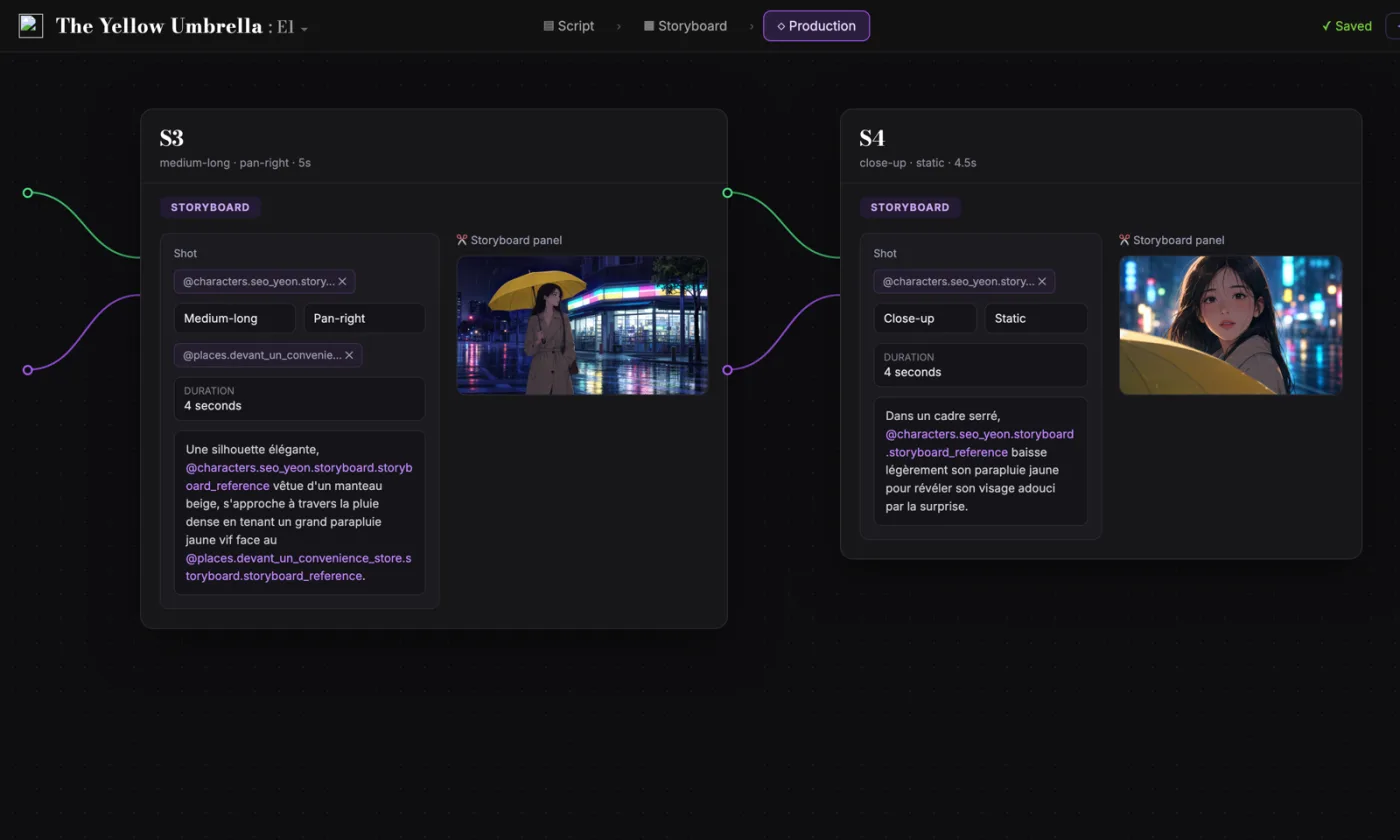
  2. ScreenWeaver storyboard: shot S3 of The Yellow Umbrella with characters, shot settings and the script beside it

    02The storyboard, made easy

    Shot breakdown generated from your screenplay, manual control over every shot (frame, angle, movement, duration), and generative AI previsualization in one click.

  3. ScreenWeaver production canvas: shots S3 and S4 as connected nodes carrying their storyboard panels and prompts

    03AI production, with finesse

    Footage generation pipelines connected to your screenplay and storyboard. Optimized out of the box, fully editable workflow.

FAQ

Horror with AI, your questions

Is ScreenWeaver an AI horror movie generator?
It starts earlier than a prompt box. You write the horror screenplay for free today, then turn it into a storyboard of every shot with Storyboard Beta at $9.99 a month. Video generation of each shot comes with the Filmmaker plan, targeted for 30 September 2026.
How do I keep a creature the same from shot to shot?
Design it once and give it a reference. In ScreenWeaver, characters, locations and references carry from shot to shot. Repeat the same short list of features in each prompt, and show it in fragments: a creature seen in pieces has fewer chances to drift.
Why does my AI horror footage look muddy in the dark?
Video models handle true black badly and fill it with grey noise. Keep one light source in every dark shot, backlight the fog, and take the image darker in the grade.
Can I make a found footage horror film with AI?
Yes. Write who holds the camera and why they keep filming. Prompt for handheld movement, grain and torchlight, and add timecodes or REC signs in the edit, since models draw fake text.
How many scares does a short horror film need?
Fewer than you think. In a three-minute short, one false scare and one real scare are plenty, with a long build of dread between them. That is about fifty to seventy shots of two to four seconds.
Can I make a horror short in time for Halloween?
Start now. The script is free, and the storyboard works today with Storyboard Beta. Video generation is targeted for 30 September 2026, a month before Halloween.
Is writing the screenplay free?
Yes. The Screenwriter plan costs $0 and does not expire: unlimited projects and pages, industry-standard formatting, PDF and Final Draft export.
Which video models does ScreenWeaver use?
ScreenWeaver is powered by Seedance 2.0 and 2.5. The footage pipelines are connected to your script and storyboard, optimised out of the box and fully editable.

Your nightmare starts on the page.

Write the screenplay for free. Storyboard every scare when you are ready.