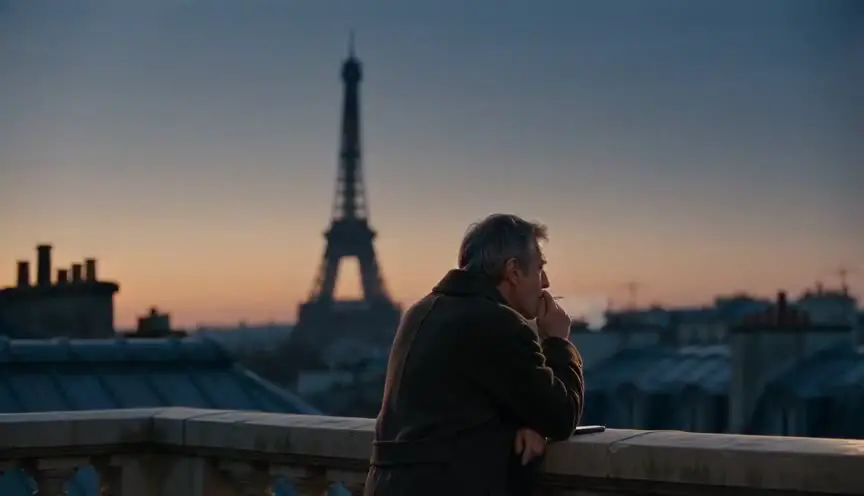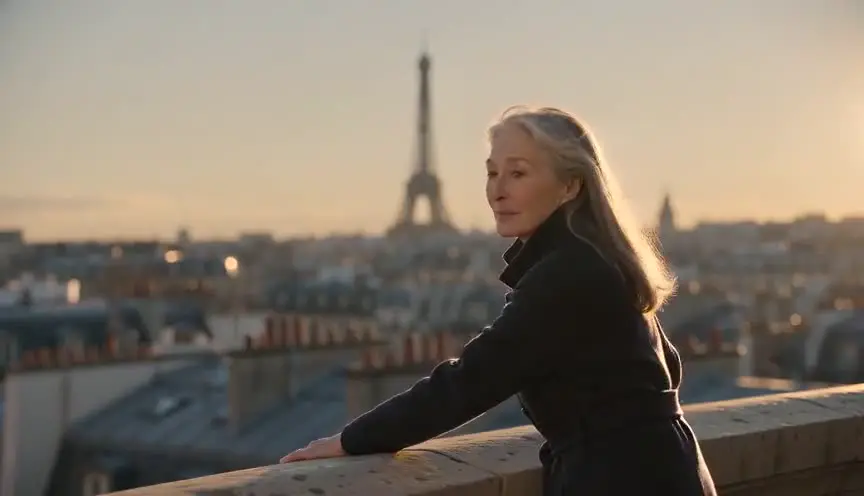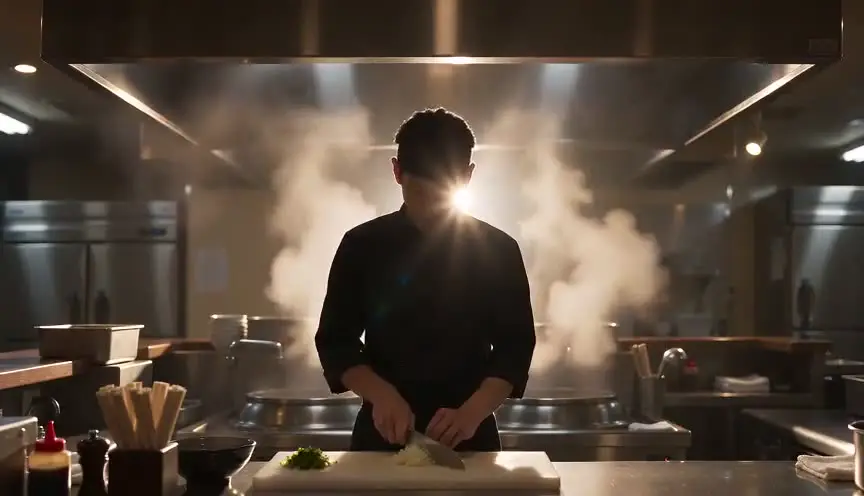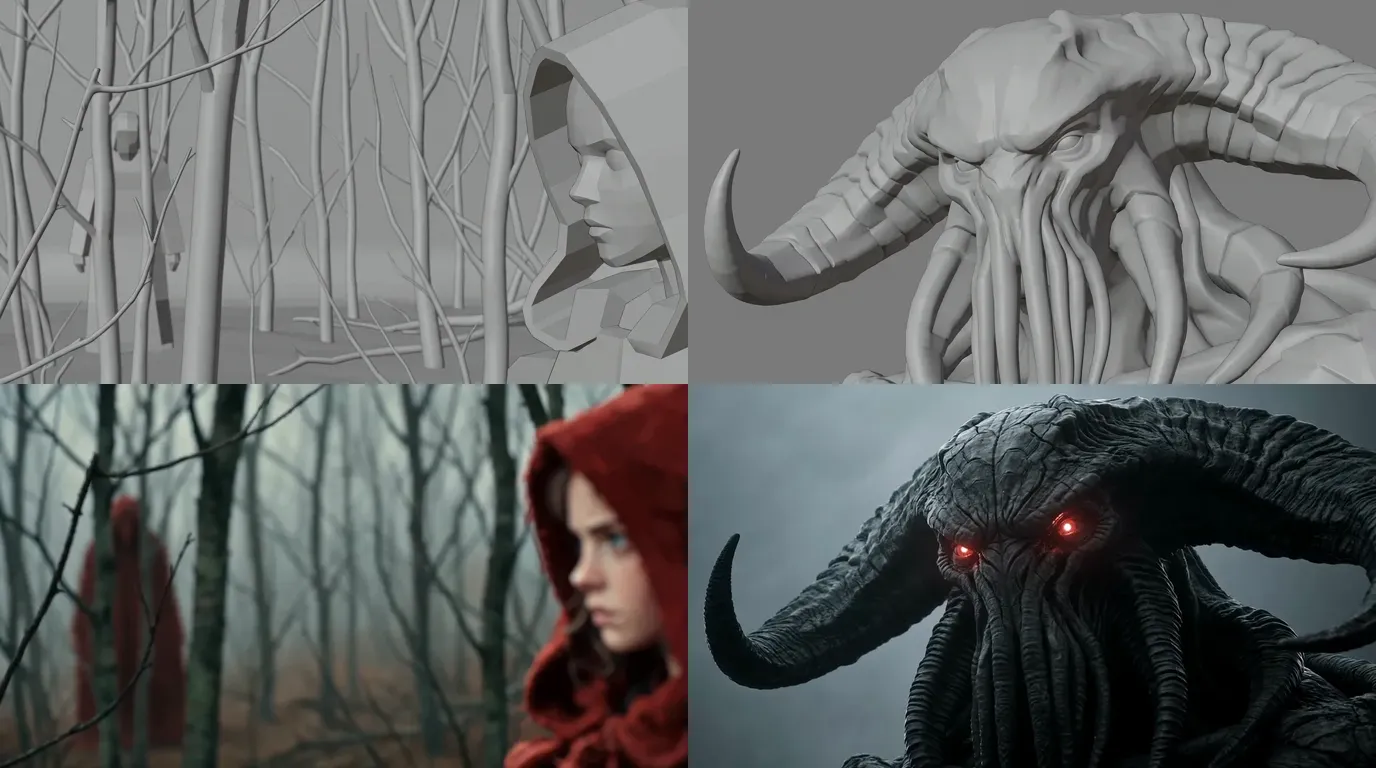

The short answer: in horror, what you hide matters more than what you generate. Write the script with its sounds, give the victim and the creature reference sheets, board every shot, then generate many empty shots and a few threat shots of two to four seconds that never show the whole monster. Music and the edit happen in other tools.
Video models are trained to show things. Ask for a monster and you get the whole monster, lit, centred and posing. That is why most AI horror looks like a creature showreel and scares nobody. Flip it, and the weak spot becomes a tool: a creature seen in pieces has fewer chances to look fake or to drift.
Our running example is Low Tide, a six-shot scene our team made for our horror page, with the real grey storyboard frames next to the real final frames.
What you need
- Time: aim for a first short of one to three minutes. A three-minute horror short runs on one false scare, one real scare and a long build between them.
- Budget: the writing is free. Generation is paid in credits, and the bill depends on how many takes you generate before keeping one. See the pricing and the AI video cost calculator.
- Hardware: a computer with a browser, and headphones. You will judge many of your scares by ear.
- Level: no film school. You need the discipline to keep things off screen.
What makes good horror, before any tool
Start with the grammar of fear, because no model will supply it.
1. Never show the whole threat. The audience always imagines a worse monster than any render. Show a texture, a silhouette, two eyes. The full face comes once, late and briefly, if at all. In Low Tide the creature arrives in six fragments: wet hide, tentacles, shapes in the fog, a profile, three heads, then the eyes.
2. Empty shots do the heavy lifting. A corridor, an empty doorway, a face that listens. The audience searches the frame on your behalf, and models get these shots right most easily.
3. Map the place before you darken it. Show the room, the door and the stairs in plain light first, so the audience can measure how far the character is from safety.
4. Light the fog, not the monster. A backlight gives every shape a readable silhouette. Then allow one saturated accent and give it one job. In Low Tide, red belongs to the creature's eyes and appears nowhere else.
5. Horror is heard first. A creak, a bell, a silence one beat too long. Decide where the sounds and silences fall before you generate a single image.
6. Ration the scares. One false scare releases the tension, and the real one lands once the audience has decided it was nothing. Our guide to slow-burn pacing covers that build in depth.
The method turns rules 1 and 2 into a production plan: sort every shot into empty shots (many, easy, atmospheric) and threat shots (few, short, partial), and treat the two groups differently at every step.
Step 1: Idea and logline
One place, one threat, one person who cannot leave. Ours: before dawn, Mara wades into the tidal flats looking for Tom, and the tall shapes in the fog are not buoys. At about three seconds a shot, a three-minute short is roughly sixty shots.
Pick the sub-genre now, because it decides your shots. Cosmic horror (Low Tide) runs on fog, scale and silhouettes. Folk horror wants dead forests and figures that stand too still. A haunted house goes room by room under practical lights. Found footage makes the camera a character. Analog horror keeps most of its fear in text cards and sound, which you add in the edit.
If your threat is a person and there is no creature, the AI thriller movie generator page is closer to your film. If the creature's size is the whole point, see the AI monster movie generator.
Step 2: Write the script, sounds included
Write it in screenplay format, even for sixty seconds. ScreenWeaver's AI shot breakdown reads it scene by scene, and the screenplay editor is free on the Screenwriter plan, with PDF and Final Draft export.
Three habits make a horror script easy to film with AI:
- One fragment per line. "Something grey rises and falls in the water. Slow. Like breathing." That line is already a shot. Our article on writing monsters explains why less description scares more.
- Sounds in capitals, silence too. "SILENCE. Then a WET CREAK." The editor reads these lines as cues.
- Let sound carry a scare for free. In Low Tide, the false scare is the channel buoy's bell. Written as sound only, it costs no shot.
For found footage, see our found footage screenplay format guide.
Step 3: Build the reference sheets
Every recurring character, place and key object gets a reference sheet before the first panel: in ScreenWeaver, Characters, Places and Objects, generated by AI or from your own uploaded images. In horror: the victim, the creature, the location and any costume that gets dirtier. Details in the consistency section below.
Step 4: Write the dread plate
Write one short art direction block and attach it to every image and video generation. Ours for Low Tide, with colours from the scene's sampled palette:
Cold, desaturated palette: sea fog grey, wet hide charcoal, deep shadow.
One saturated accent: ember red, only in the creature's eyes.
Every dark shot has one visible light source: backlit fog, a lantern, a window.
Low contrast, soft shadows, fine film grain. No lens flares.
Static or slow camera unless the shot says otherwise.
The third line matters most. Ask a video model for true darkness and it returns flat grey full of crawling noise. Give every dark shot a light source and push it darker in the grade. The red rule matters too: a red lamp in shot 3 steals power from the eyes in shot 6.
Step 5: Board every shot, then sort them
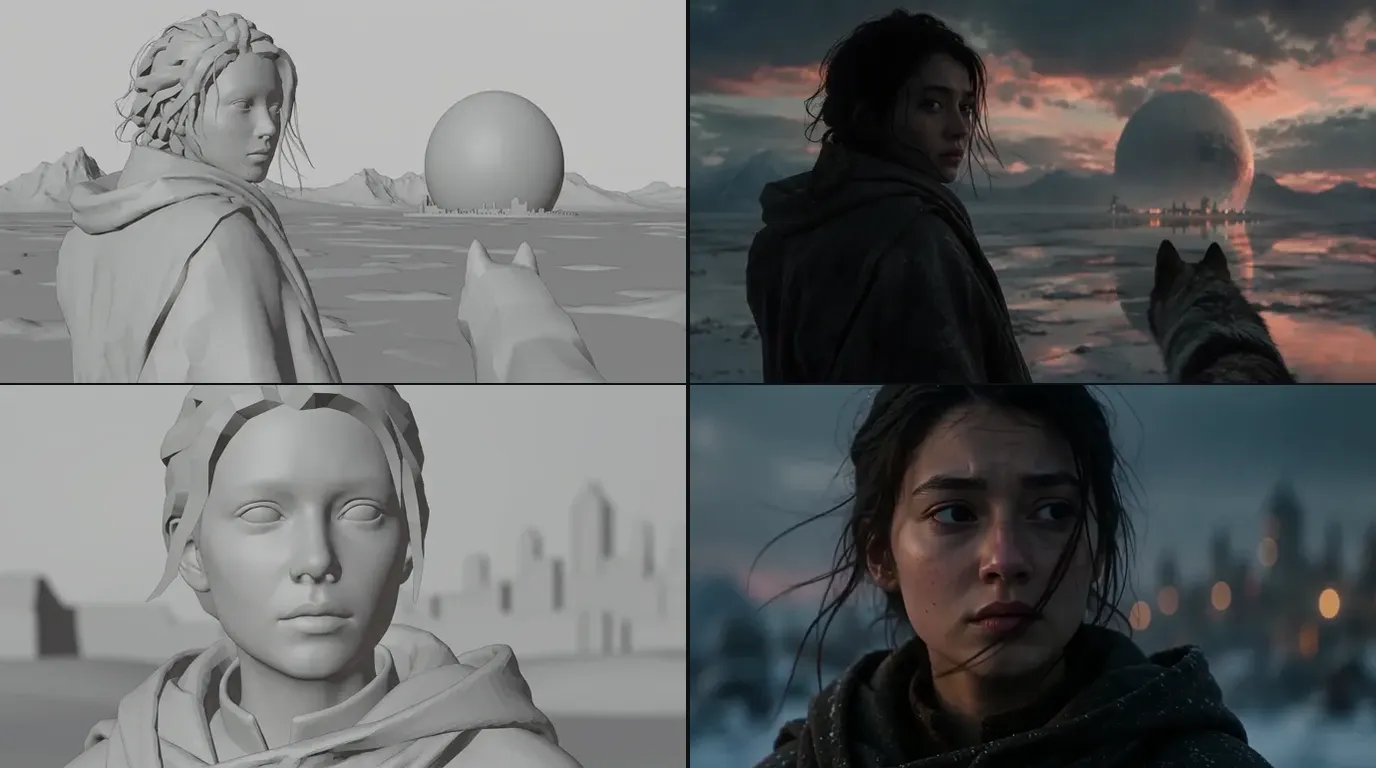
Board before you spend credits on video. ScreenWeaver breaks each scene into shots with AI, then generates storyboard panels as grey 3D previz: real lenses, no texture, no final light. This is where you count how much creature each frame reveals.

Above, Low Tide's six boards and six final frames, in the order the scene reveals the creature. Framing, horn shape and scale carried over. Texture, fog and the red eyes were left to the final pass.
Then label each panel empty or threat. Low Tide's six frames are all threat shots, each a different fragment, and the written scene puts fog, sound and silence between them. In a full short, threat shots are the minority: if half your panels show the creature, you have a monster parade, not a scare. The AI storyboard generator page shows the boarding step in detail.
Step 6: Generate shot by shot
In ScreenWeaver's production canvas, a scene's shots go through one of two pipelines:
- Reference to video: each shot's action becomes a directed prompt, and the characters, places and objects cited in the shot are attached at the video step.
- Storyboard panels to video: the boarded panels of a scene, up to 14, guide the order and composition of the sequence, alongside the references.
Seedance 2.5 is the default video model: clips from 4 to 30 seconds, up to 1080p, up to 30 image references. Seedance 2, Veo 3.1, Kling 3.0, MiniMax H3 and Grok Imagine Video are also available per shot. Aspect ratios are 16:9, 9:16, 2.39:1, 4:3 and 3:4. In horror, 2.39:1 leaves wide dark edges where something could stand. Choose the ratio before the first generation.
Rules that work for horror:
- Empty shots first. They fix the light and the place for everything that follows.
- Threat shots partial. Edge of frame, out of focus, in silhouette, or a macro on one feature. Keep the take that shows the least while still reading.
- Generate long, cut short. Seedance 2.5 clips start at four seconds. Generate four seconds and keep the best two in the edit.
- Make the jump a cut. Models smooth fast motion into a morph. A still frame, then the next shot already far too close.
- Hide the hands. Hands are a model's weak spot. Keep them in silhouette or at the edge of frame.
- Fix the image before animating it. Crop, Angle (re-angle the camera) and Edit mean a horn that came out wrong costs one image edit, not a new video.
Video models can also generate ambient sound per shot: wind, water, a room's hum. Use it as a guide track. The scares get designed in the sound pass.
Step 7: Voice, sound and music
ScreenWeaver does not generate voices or music. Record dialogue yourself, cast an actor, or use a text-to-speech service. For effects and music, use licensed libraries, your own foley or a composer, and leave room for silence. Build the sound pass before you lock the picture. Our sound workflow for AI films covers the full audio pass.
Step 8: Edit, grade and export
ScreenWeaver does not edit or export a finished film. Bring the clips, voices, effects and music into an editor such as DaVinci Resolve or Premiere Pro. Crush the blacks in the grade. Add timecodes, REC signs and text cards here too: models write broken text. For both 16:9 and 9:16 versions, generate both ratios instead of cropping.
Character consistency in horror: the face fear changes, the creature you barely see
Every generation reinvents its subject. Write "a terrified young woman in a red hood" in ten prompts and you get ten different women. The mechanics are explained in character drift in AI video.
Horror makes drift more dangerous than any other genre: the audience scans faces and shapes for wrongness on purpose. If the victim's nose changes between shot 3 and shot 9, viewers suspect a twist that is not there, or stop being afraid.
The rule: attach, don't redescribe
Once a character or creature has a reference sheet, stop describing its look in prose and attach the sheet. The prompt only says what changes in this shot: pose, expression, action, light. In ScreenWeaver, a Character's sheet follows it into the storyboard panels and the video step, and Seedance 2.5 accepts up to 30 image references: room for the victim, the creature, the place and a prop.
The victim: one face, many kinds of fear
Fear rewrites a face: eyes wide, mouth open, tears, sweat, dirt. A model reads "terrified" as permission to draw someone new. Build this kit before the first panel:
- A hero frame in neutral light, with the dread plate applied. Everything derives from it.
- A turnaround: front, three-quarter, side and back. Use the Angle tool to fill a missing view.
- A fear ladder: the same head calm, listening, startled, terrified, crying and exhausted, generated from the hero frame, never from text alone.
- Light variants: the same face by lantern light, backlit and in near darkness. A face in low light drifts faster.
- Identity anchors: three or four traits that must survive any expression, such as eye shape, a scar, the hairline, the jaw. Check them on every take.
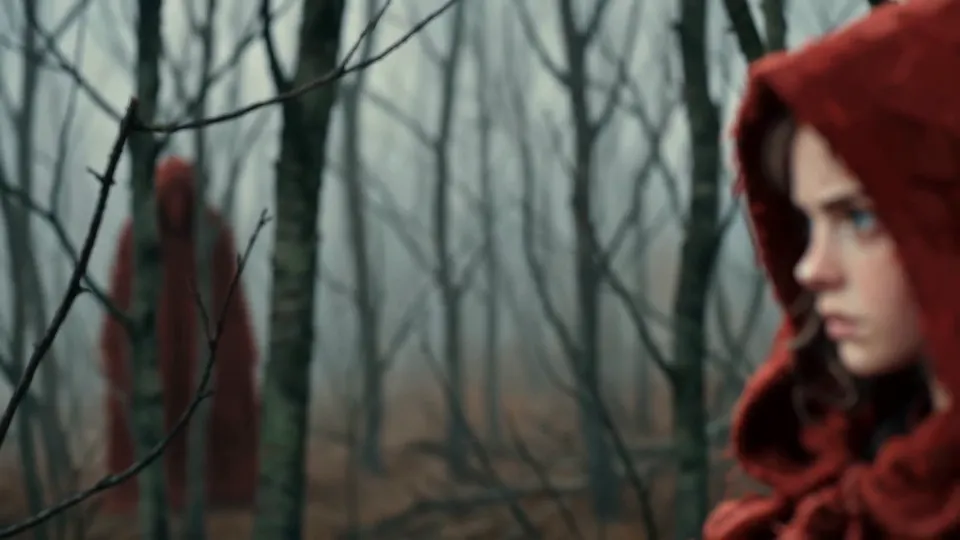
In The Other Red, a still from our team's horror gallery, someone behind the girl wears the same cloak. Two characters share one costume, so the cloak works best as an Object reference attached to both: if the two reds drift apart, the shot loses its idea.
The creature: one design, even when barely seen
It is tempting to skip the creature sheet because the monster is hardly on screen. Do the opposite: fragments only work if they belong to the same body.
- Design the whole creature, even the parts you will never show: full body, a head sheet, and a scale line-up next to the victim.
- Fix a feature list and never paraphrase it. For Low Tide: two horns curling back, red glowing eyes, ribbed tentacles over the mouth, cracked grey hide. Use it as a checklist to reject takes, and use the exact same words when a prompt names a fragment ("the ribbed tentacles").
- Make fragment plates: close references of the hide, the tentacles and the eyes, so the macro shots match the face shots.
- One sheet for many creatures. Low Tide's three heads in shot 5 share one sheet. Describe one separately and a second species appears.
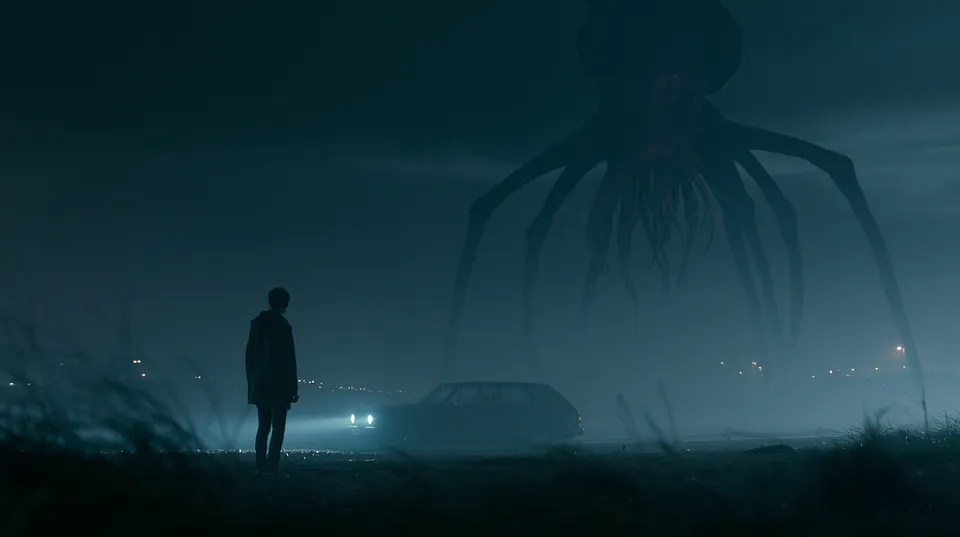
Roadside, 3 a.m., another gallery still, shows the threat as pure silhouette. Even then, the number of legs must match every other shot.
Wardrobe, dirt and blood
Horror costumes degrade as the night goes on, and models remember nothing between shots.
- One reference per state. Coat clean. Coat soaked to the waist. Coat torn, blood on the left sleeve. Attach the right state to each shot.
- Keep a continuity log per scene: which state, how high the water line is, where the blood sits. Blood and dirt only increase unless the script washes them off.
- Watch the side. A mirrored take moves a wound from the left cheek to the right.
- Props have states too. Once Low Tide's lantern gutters out, no later shot has lantern light.
The drift test, in the dark
Before generating the second half of a scene, put shot 1 and shot 10 side by side. In horror, brighten a copy of both frames first: darkness hides drift until the grade or a bright TV reveals it. Same eye shape? Same horns? Same blood on the same sleeve? If anything moved, fix the reference or the panel. Never reuse a generated frame as the next reference: always go back to the sheet.
The full reference method for boards, including a three-panel probe before boarding a scene, is in character consistency in AI storyboards. To build a sheet from a description, try the AI character consistency sheet.
Try it free
Try Screenweaver for free on your script
It is free. Import your existing project, get a clearer view of your outline, and regain control of your story structure in minutes.
Start FreeOne shot, taken apart
Shot 4 of Low Tide is the first time the audience sees a face, and only side-on.
The script line: "It turns its head. A horn curls out of the grey. Where the eyes should be, two red embers."
The board: a medium shot, the head in profile, the horn across the left of frame. One side of the face, nothing frontal.
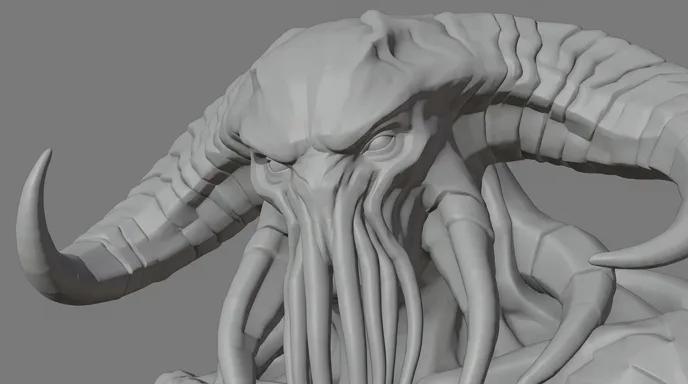
The direction: "The head turns into profile, a curved horn out of the grey, eyes glowing red, flat fog behind, low contrast."
What gets attached: the creature sheet, the tidal flats as a Place, and the dread plate. The sheet carries the look.
What we reject: a third horn, a horn that curls the wrong way, eyes in any colour but ember red, red light anywhere else in the frame, a fully lit frontal face, or a fast head turn that smears into a morph.
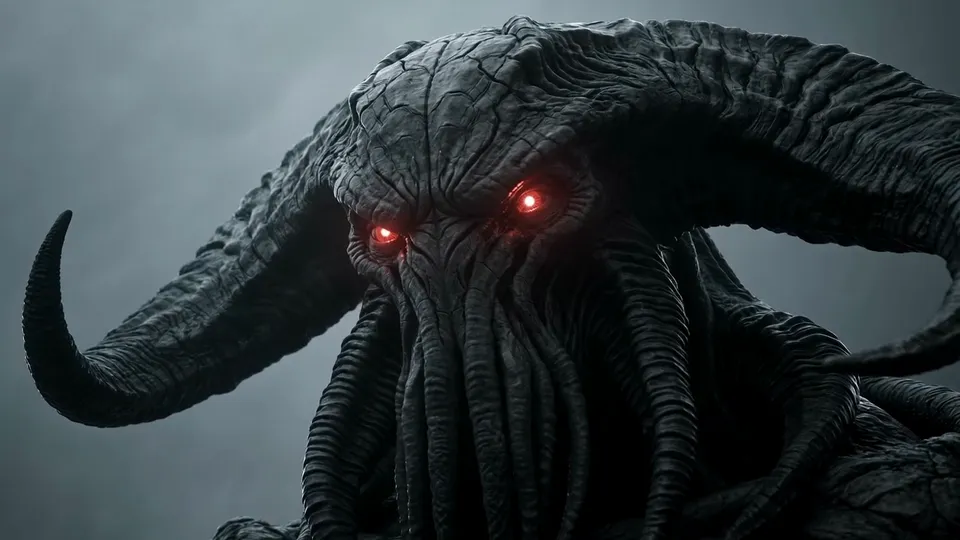
The edit decision: in the written scene, the frontal stare is saved for shot 6, an arm's length away, before the cut to black. Our team's own 12-second cut opens on the faces instead. Same shots, two orders, two kinds of fear, both decided on the board.
How long it takes and what it costs
We won't quote a fixed price: it depends on how many shots, how long each runs, and how many takes you generate before keeping one. Expect threat shots to need more takes, because you are asking the model to hold back. Budget it this way:
- Board the whole scene for the real shot count, split into empty and threat shots.
- Generate the first scene and count your takes per kept shot, for each group.
- Multiply by the number of scenes, using the AI video cost calculator.
Most of the time goes into decisions, not generation. Writing is free on the Screenwriter plan, and the paid plans are in the pricing section. For a broader view, see AI film production costs.
Common mistakes, and how to fix them
1. Generating before writing. You get a mood reel of monsters. Fix: script with sounds, board, then video.
2. The monster whole, lit, in a wide shot. It looks fake at once. Fix: fragments, silhouettes, edge of frame. Save the face for one late, short shot.
3. Asking for pitch black. You get grey mud and noise. Fix: one light source in every dark shot, darkness added in the grade.
4. A jump scare inside one shot. The model smooths the lunge into a morph. Fix: make the scare a cut.
5. Redescribing the victim and the creature in every prompt. Each rewrite is a new face. Fix: attach the sheets.
6. Forgetting the blood. The sleeve is clean again in the next shot. Fix: one reference per costume state, and a continuity log.
7. Keeping the first take of a threat shot. A first take often shows too much. Fix: generate several and keep the one that reveals the least.
8. Sound added last. The scares have no timing to land on. Fix: build the sound pass before locking the edit.
9. Gore instead of dread. Gore disgusts more than it frightens, and on YouTube, dramatised violence where "the aftermath or impact is visible" earns limited ads (YouTube advertiser-friendly guidelines, checked October 2026). Fix: build fear with what you withhold.
Which tool to use
| Kind of tool | Good at | Where it breaks for horror |
|---|---|---|
| Clip generators on their own | One striking frightening shot | No memory between clips, so the victim and the creature drift. Script, board and edit live elsewhere. |
| All-in-one video apps and horror story templates | Fast narrated slideshows from a prompt | Little control over what the frame hides, generic monsters, no shot-by-shot staging |
| Traditional production | Real actors, practical effects, real darkness | Locations, crew and night shoots before the first finished shot |
| A production suite: script, storyboard and video in one project | Holding the victim, the creature and every decision from page to frame | You still write, board, choose the takes and build the sound |
We built ScreenWeaver to be that last row, because horror depends on decisions made before generation: what to hide, in what order, for how long. The AI horror movie generator page walks through the Low Tide scene, the shot vocabulary and the traps.
Proof: what this method produces
Low Tide, a demo by the ScreenWeaver team. Six shots written for our horror page: 12 seconds, 16:9, each grey storyboard frame shown with its final frame. It is a demo, not a released film. The edited scene plays on the horror generator page linked above.
Lost Garden, the long-form proof of the same pipeline. Two episodes, 38 minutes of finished dark fantasy anime, made by one person in ScreenWeaver. Episode 2 cost $1,850 and 75 hours. Not horror, but the same method: script, character sheets, grey 3D previz boards, shot-by-shot generation. The full case study: how I made a Japanese-style anime with AI.
FAQ
Can I make AI horror videos for free?
You can write the full script for free on ScreenWeaver's Screenwriter plan. Storyboard and video generation use credits on a paid plan, and sound, music and editing happen in other tools, some with free tiers.
What is the best AI for horror videos?
No single model wins every shot. Seedance 2.5 is our default because it takes up to 30 image references, which keeps a victim and a creature on model. Test the same board on two models and keep the one that holds back the most.
How do I make AI horror stories for YouTube?
Write the story as a script with narration as voice-over, then board mostly empty places and a few fragments of the threat. ScreenWeaver does not generate the narration voice: record it yourself or use a text-to-speech service.
How do I make AI analog horror?
Prompt for the image texture: VHS softness, tracking noise, a fixed camera, flat fluorescent light. Leave every piece of text out of the prompt. Warning screens, broadcast banners and timecodes go in the edit, because models write broken text.
Can I post and monetise AI horror on YouTube?
Fiction is allowed: YouTube says it generally does not remove dramatised violence when the content or metadata shows it is fictional, but it may age-restrict graphic scenes (YouTube Help, checked October 2026). Visible gore limits ad earnings (YouTube Help, checked October 2026). The AI label applies to realistic content, and clearly non-realistic content does not need it (YouTube Help, checked October 2026).
Can I make an AI horror series?
Yes. The same sheets carry over from episode to episode: the fear ladder, the creature's feature list, the location. Keep one continuity log across episodes.
Start with the sound
Write the first scene tonight, every sound in capitals, every silence marked. The free Screenwriter plan is enough: open ScreenWeaver. When the script is ready, design the whole creature, build the fear ladder and board every shot.
For the full fiction pipeline beyond horror, read how to make an AI film.
Final Step
Build your next script with Screenweaver
Move from ideas to production-ready pages faster with timeline-native writing and AI-assisted story flow.
Try Screenweaver