Found footage horror asks the audience to believe the camera survived the nightmare. That bargain starts on the page. If your found footage horror script reads like a standard feature with a few "camera wobbles," readers will not trust the form. If it reads like a production plan disguised as chaos, they will not trust the story.
The format must do two jobs at once: signal documentary authenticity, and deliver scares with clear cause and effect.
Found footage is not shaky description. It is a record of who chose to keep filming, and why that choice becomes damning.
Free tool: use the Screenplay Title Page Maker to generate an industry-standard title page as a clean PDF.
How It Works: The Camera as Witness and Weapon
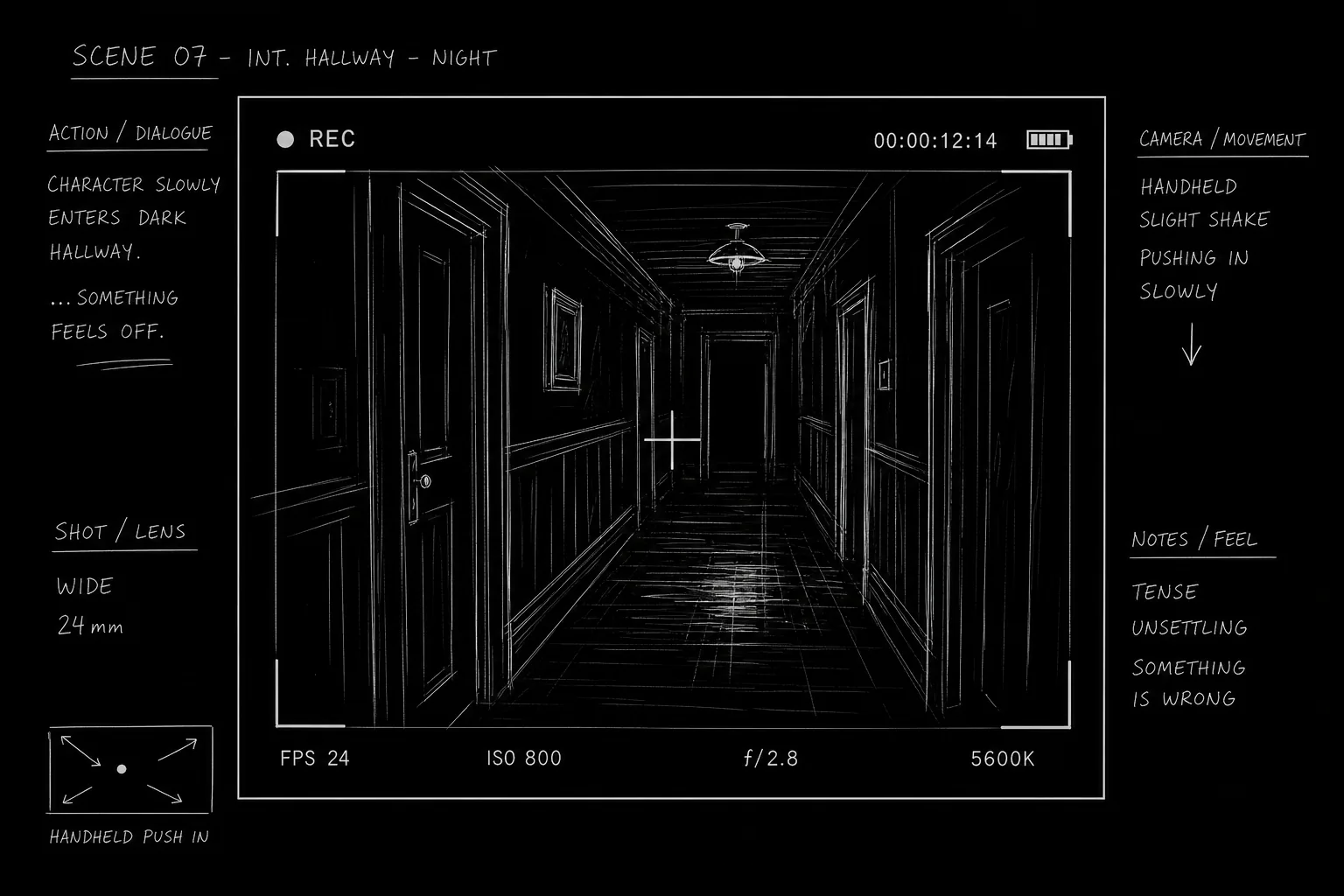
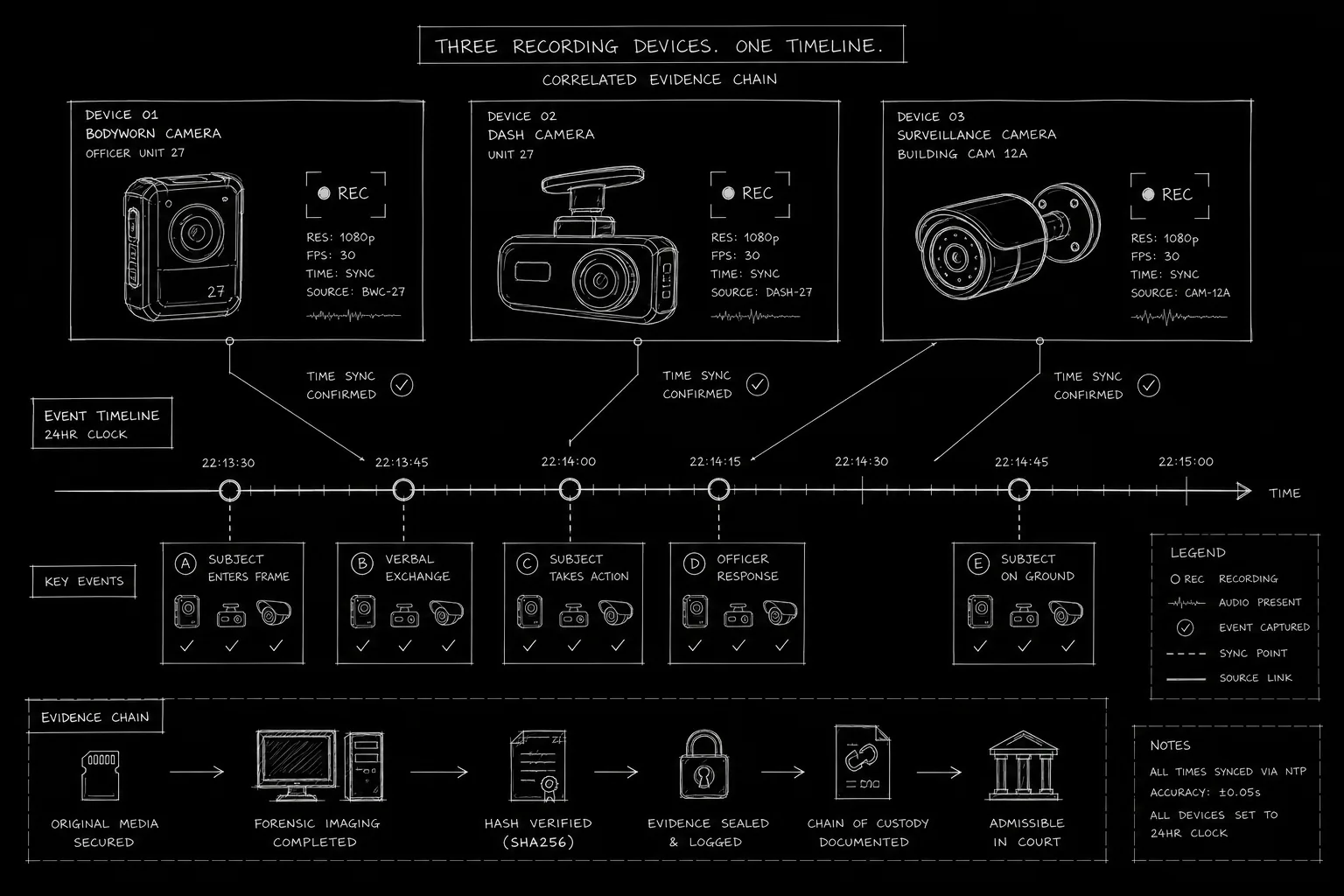
Found footage scripts usually imply one or more recording devices: phone, DSLR, security feed, body cam, webcam archive. Each device has rules:
- Who operates it (and when they stop operating it)
- What the lens can know (field of view, low light limits, audio clipping)
- Why recording continues under stress
Your format encodes those rules so readers never wonder whether a shot is "real" within the fiction.
Common containers:
CAMERA POVorPHONE POVfor primary witness footageSECURITY FOOTAGEfor fixed angles with timestampRECOVERED FILEfor playback of earlier material
Platform and Use-Case Sections
Micro-Budget Features
Found footage exists partly because it can lower perceived production cost. Write scenes that respect location limits: one house, one night, one crew character who insists on documenting. Format transitions between devices cleanly so a small team can plan swaps without confusion.
Use single-location thriller principles as a cousin discipline: confinement raises stakes when the camera is the only witness.
Franchise and Anthology Entries
Anthologies need fast device grammar on page one. Establish date, device owner, and reason for filming in the opening block. If each installment uses different media, put a one-line device key on the title page or cold open.
Hybrid Found Footage (False Documentary + Traditional Scenes)
Some scripts alternate found footage with objective coverage for climax relief. Label mode shifts explicitly: END CAMERA POV then standard slug. Unmarked shifts read like mistakes.
Step-by-Step: Formatting a Found Footage Sequence
Step 1: Open with device identity. "MAYA'S PHONE - REAR CAMERA" or "NIGHT-VISION CAM - FIXED." One line the reader can reuse mentally.
Step 2: State why filming starts. Curiosity, evidence, dare, job, ritual. Motive keeps footage from feeling convenient.
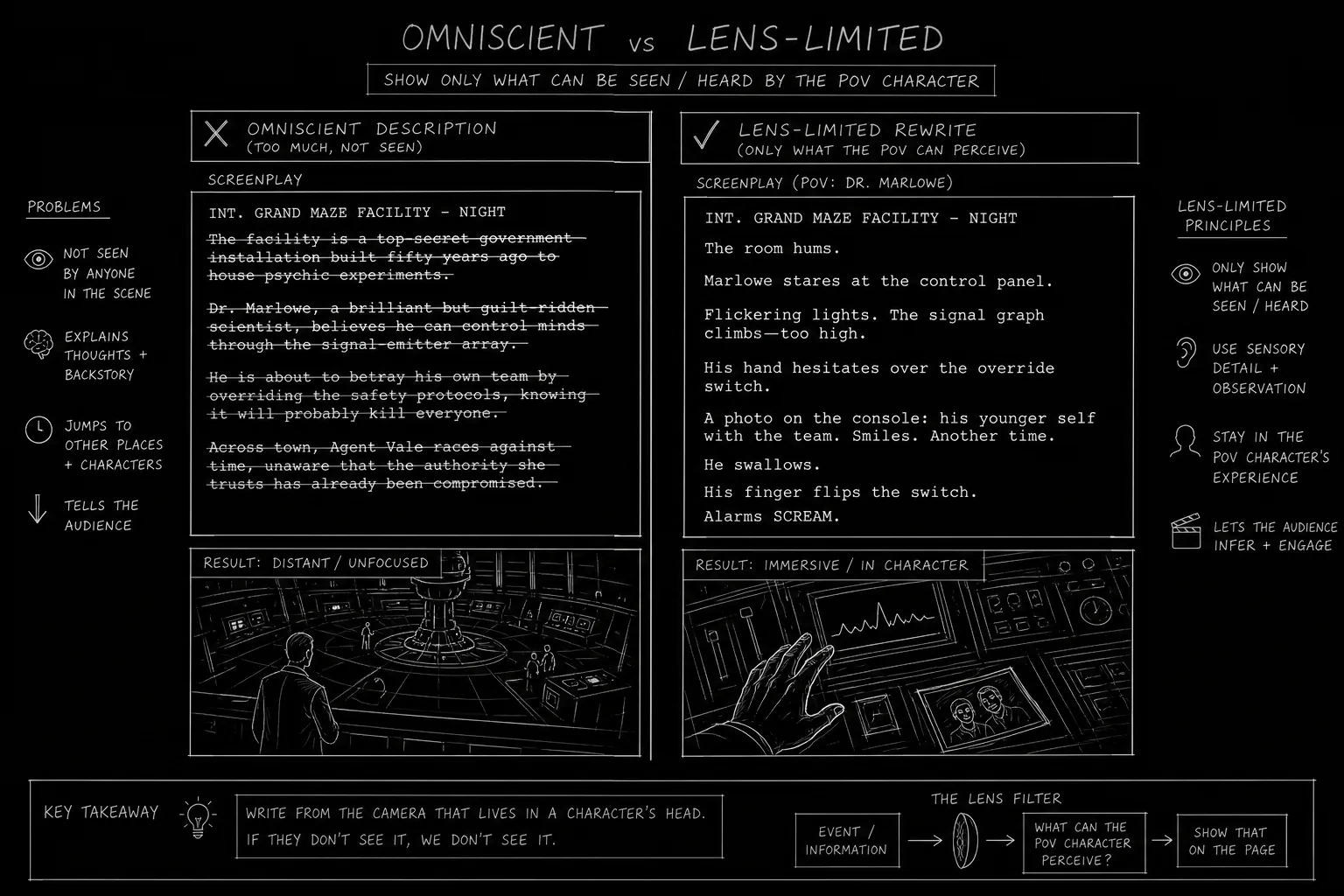
Step 3: Write action through lens limits. We see what fits in frame. We hear what the mic catches. Darkness eats detail. Do not describe what the camera cannot know unless another source appears.
Step 4: Use time stamps when time matters. (00:14:02) on security or recovered files. Do not timestamp every line in handheld mode unless the story tracks chronology tightly.
Step 5: Mark drops and glitches as story beats. Camera falls, lens cracks, file corrupts mid-scream. These are punctuation, not decoration.
Step 6: End with evidentiary consequence. Who finds the card. What was deleted. What still uploads.
Operational Section: Requirements, Audio, and Continuity
Scene headings vs camera headings. Many writers use:
INT. ABANDONED HOSPITAL - NIGHT (CAMERA POV)
Others prefer a dedicated line under a standard slug:
CAMERA: JONAH'S PHONE (SELFIE MODE)
Pick one system. Consistency matters more than dogma.
Audio design on the page. Found footage lives in bad audio: wind, breath, distant screams clipped. Note key sonic failures once per sequence. See sound effects in screenplays for general craft; found footage adds "imperfect capture" as default.
Character address. Characters may speak to lens: LINA (TO CAMERA). Off-screen voices need tags when multiple people share darkness.
Improvised dialogue feel. Write speakable lines with interruptions, false starts, overlaps only when necessary. Too much "uh" reads amateur on the page. Too little reads staged.
Continuity of files. Track battery death, storage full, lens crack. If the audience wonders how the camera still rolls, trust breaks.
Ethical and safety notes for production. Scripts imply stunts, night shoots, and confined spaces. Format clarity helps safety planning even in specs.
| Device type | Format tag | Reader expectation |
|---|---|---|
| Handheld phone | PHONE POV | Imperfect frame, close audio |
| Security | SECURITY FOOTAGE | Fixed angle, timestamp |
| Body cam | BODY CAM POV | Chest-level, tactical motion |
| Recovered | RECOVERED FILE | Playback, possible gaps |
Try it free
Try Screenweaver for free on your script
It is free. Import your existing project, get a clearer view of your outline, and regain control of your story structure in minutes.
Start FreeOutcome and Results: What the Format Should Deliver
Strong found footage formatting yields:
- Believable capture logic. The audience never asks "why are they still filming?" without an answer waiting.
- Scare readability. Even in darkness, cause and effect stays clear.
- Production realism. Small teams can break scripts into shootable blocks by device.
- Ending weight. The final file status feels like plot, not gimmick.
Validate scares in a table read by reading only action and dialogue, no performance direction. If listeners lose geography, add brief orientation lines through character speech or visible landmarks in frame.
Relatable Scenario: The Attic Sequence
A group explores an attic at night. Phone flashlight mode. The old way describes the whole attic omnisciently: boxes, doll, window, trapdoor. The new way writes only what the phone sees when it pans. "Light finds a doll face. Audio peaks with a whisper that may be wind." When someone runs, the frame swings wild. We lose geography on purpose, then recover it when the phone skids and settles on the trapdoor gap.
Format each panic beat as lens behavior, not god-view. That is how found footage scares feel discovered rather than scripted.
In ScreenWeaver
Build this cut in ScreenWeaver
The pipeline behind the Found footage clip of our film techniques library. Click the nodes to see how they are set.
Click a node to see its settings, drag it to move it.


Beginner Mistakes to Fix Before Sending
Mistake 1: Perfect lighting in horror houses. If the phone light is the only source, action should show what that light misses.
Mistake 2: Characters narrating what they film. "I am now filming the door" is redundant. Show the door in frame and let dialogue reveal why they keep recording.
Mistake 3: Switching devices without headers. Each swap needs a line so post and readers track source.
Mistake 4: Final scare that requires impossible angle. If the phone was dropped, the last image must plausibly come from that phone or a new source you introduced earlier.
Hybrid Projects: When to Leave Found Footage
Some scripts use found footage for the first two acts, then shift to objective coverage for climax clarity. That can work if the story motivates the shift: second camera found, live broadcast hijacked, security hub takeover. Format the shift as a hard mode change so readers trust the choice rather than assuming the writer got tired of lens limits.
Why It Matters: Old Way vs New Way
The old way: Writers used found footage as an excuse for vague action and endless screaming. Readers could not track spaces or threats. "Shaky cam" replaced geography.
The new way: Writers treat each device as a POV with rules. Scares are designed for partial information. The format shows what is missing, not only what appears.
The same rule is what makes generated horror work. Video models are built to show the whole monster, lit and centred; a lens that only catches pieces is the fix, not the limitation. If you plan to shoot your pages with AI rather than a camera, our method for making AI horror videos applies it shot by shot: many empty frames, a few threat shots of two to four seconds, and a creature that is never seen whole.
That discipline connects to spec script clarity: you are not shooting yet, but you must simulate a witness with limits. The page is the first camera.
Final CTA and Conclusion
Audit your found footage draft for convenience filming. Every time the camera stays on during a beat that would make a real person drop it, justify or cut.
Standardize device headings, timecode use, and mode exits. Then rewrite one set piece using only what the lens can capture. If the scare survives that constraint, the format is working.
Write the horror as evidence. The audience will believe the nightmare because the record feels too real to fake.
Final Step
Build your next script with Screenweaver
Move from ideas to production-ready pages faster with timeline-native writing and AI-assisted story flow.
Try Screenweaver