
The short answer: write the film before you cut its trailer. Start with a logline and a one-page treatment, then a trailer script in three acts with a title and a button. Lock a reference sheet for your lead, storyboard every cut, lay down voice-over and music first, generate each shot a little longer than its cut, and edit on the music in a separate editor.
Every good trailer is a promise about a film that exists, even if it only exists on paper. Most AI trailers feel hollow because they are thirty strong images with no story behind them. This guide builds the story first, so every cut has a place in it.
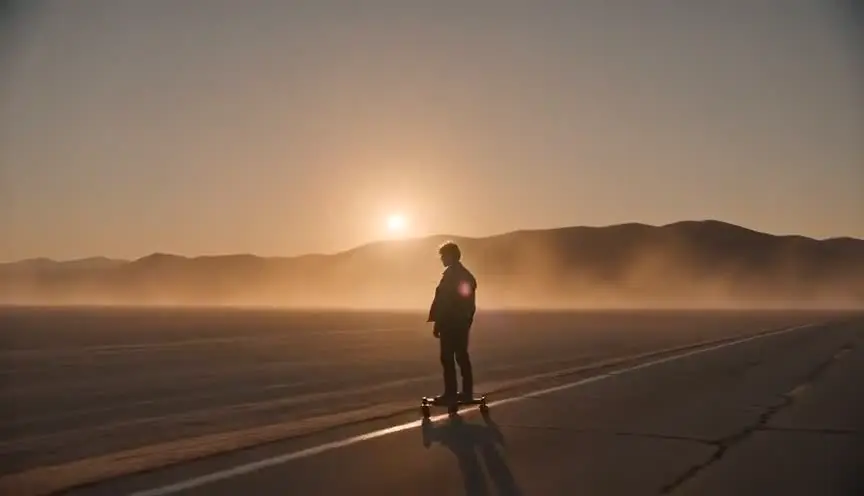
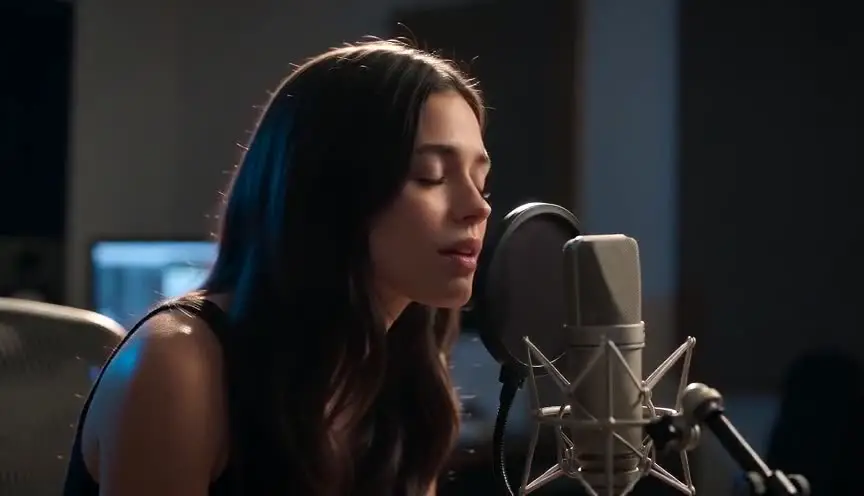
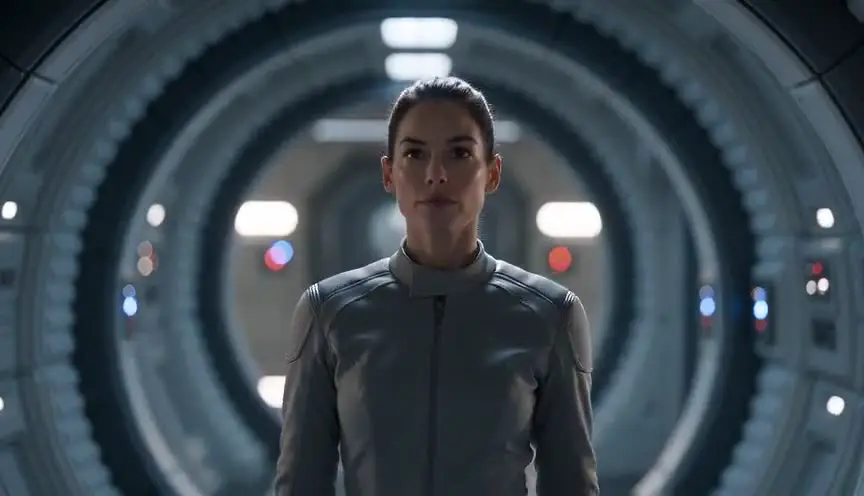
One distinction before we start. A large share of searches for "AI movie trailer" are about fake trailers for franchise films. This guide is about the trailer of your own film: a teaser for a short you are making, a pitch trailer to raise money, or a cut-down for social media. Our running example is Wolf Shore, a six-cut teaser our team made, with the real storyboard frames next to the real final frames.
What you need
- A story: a logline and a page of treatment at minimum. A full screenplay is better, because a trailer steals its best lines.
- Time: a 30 to 60 second teaser is a realistic first project. Most of the time goes into the script and the board, not into generation.
- Budget: the writing is free. Generation is paid in credits, and the bill depends on how many cuts you have and how many takes you keep. See the pricing.
- Other tools: a voice (yours, an actor's or a text-to-speech service), licensed music, and an editor such as DaVinci Resolve or Premiere Pro. ScreenWeaver does not generate voices or music and does not export an edit.
- Hardware: a computer with a browser. No GPU needed.
What makes a good trailer, before any tool
1. Ask the question, never give the answer. Show who, where and what goes wrong. Never show the ending, the twist, the creature in full or who dies. The trailer sells the premise. The film delivers it.
2. Cuts get shorter as the music climbs. Three seconds or more at the start, under a second at the peak. The acceleration is the emotion.
3. Sound leads, picture follows. The music decides where the cuts fall, the voice-over decides how long a shot is held, and a sound hit (a drum, an impact, a door) gets its own insert.
4. Title cards are beats. Two to four cards, a few words each, placed between beats so the music can breathe.
5. Always keep a button. After the title, one last moment: a line, a scare, a joke. It is the part people quote.
6. One face carries the whole thing. The only thread the audience can hold across two minutes of jumps is the lead. If that face changes between cuts, the trailer falls apart.
About fake trailers of famous films
Fan trailers for franchise films are the most visible kind of AI trailer, and the riskiest. Studio characters and titles are protected. In December 2025, YouTube terminated Screen Culture and KH Studio, two fake trailer channels with more than a billion views between them, for spam and misleading metadata, after cutting their ad revenue in March 2025 (Deadline, December 2025; Deadline, March 2025).
The method below works the same for a parody, but we recommend an original project. You own it, you can monetize it, and you can send it to festivals and investors.
Step 1: Put the film on paper
Write the logline first: who, what they want, what stands in the way. Ours: on a frozen sea under a giant planet, a girl and her wolf race hunters to a city no one has ever reached. Our logline workshop helps you tighten it.
Then write a one-page treatment, or better, the screenplay. You need to know the ending, even though the trailer hides it, or you cannot choose which images promise the right film.
Step 2: Write the trailer script
Write the trailer as a second screenplay, in screenplay format, with its own structure. ScreenWeaver's screenplay editor is free on the Screenwriter plan, with PDF and Final Draft export, and the AI shot breakdown reads the script directly.
The shape of a full trailer: a cold open before the music; act one, the world, with longer shots and the first card; act two, the turn, where the music drops in and sound hits land; act three, the montage, shortest cuts and biggest images; then the title and the button.
Three writing habits make the board easier later:
- Steal your best lines, out of order. In Wolf Shore, the button "Don't look back" answers the look back of the cold open.
- Write cards and sound hits as lines. "CARD: THIS WINTER" and "SOUND HIT. A boot lands on black ice." are cuts the storyboard can time.
- Name the lead's look once. "MIRA (19), dark hooded coat, hair loose in the wind." That line becomes her reference sheet.
Choose the format before you write. A teaser runs 30 to 60 seconds: one image, one question, the title. A full trailer runs about 90 seconds to two and a half minutes; North American theater owners' voluntary guidelines cap trailers at two minutes, with limited exemptions (NATO guidelines, January 2014). A pitch trailer for investors sits around 60 to 90 seconds. A social cut runs 15 to 30 seconds in 9:16.
A pitch trailer made from your own shots also replaces the old rip-o-matic, built from other films' clips and only showable in private. To go further, read proof of concept: why you should film a short version.
Step 3: Build the reference sheets
Before the first panel, every recurring character, place and key object gets a sheet: in ScreenWeaver, Characters, Places and Objects, with AI reference sheets or your own uploaded images. In Wolf Shore: Mira, the wolf, the shore, the city and the planet. The section on consistency below explains why trailers test these sheets hardest.
Step 4: Fix one look for every cut
A trailer jumps between scenes, days and places every second. What makes sixty cuts feel like one film is the grade. Write one short art direction block and attach it to every generation.
Ours for Wolf Shore:
Cinematic live action, naturalistic faces, cold dominant palette:
ice blue and polar night. Warm accents only for danger: torch fire.
Pink planet dusk on the horizon. Soft haze, shallow depth of field,
wet reflective ice, wind in hair and fur. No text, no letters.
No film title, no director's name. Danger is the only warm color, so the eye reads the threat first. The last line matters: models invent letters, so the title is set in the edit.
Step 5: Storyboard every cut
Board before you spend credits on video. In a trailer, the board decides framing, screen direction, the length of each cut and where the sound hits land.
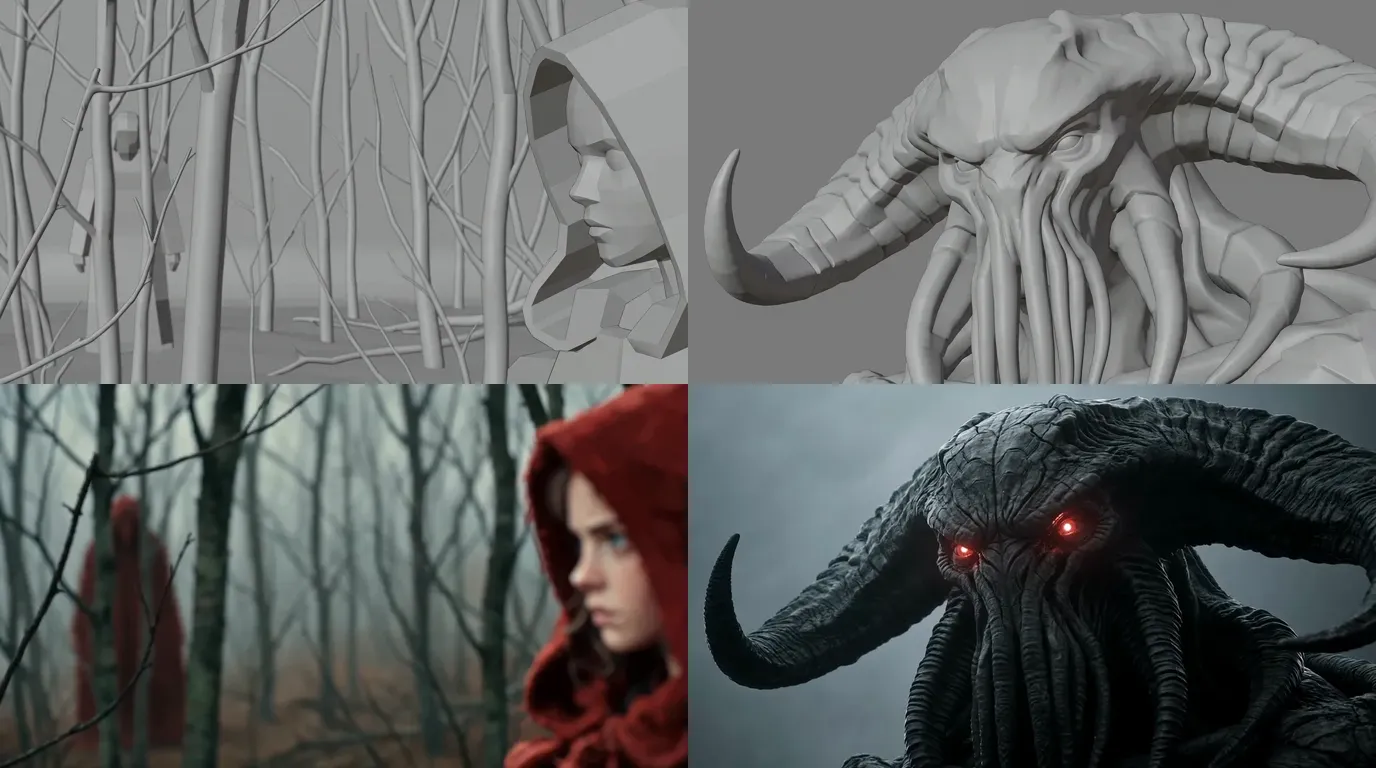
ScreenWeaver breaks each scene into shots with AI, then generates storyboard panels in a grey 3D previz style: real lenses, real eye lines, no final light or texture. You judge only what matters here: does the cut read in one second?
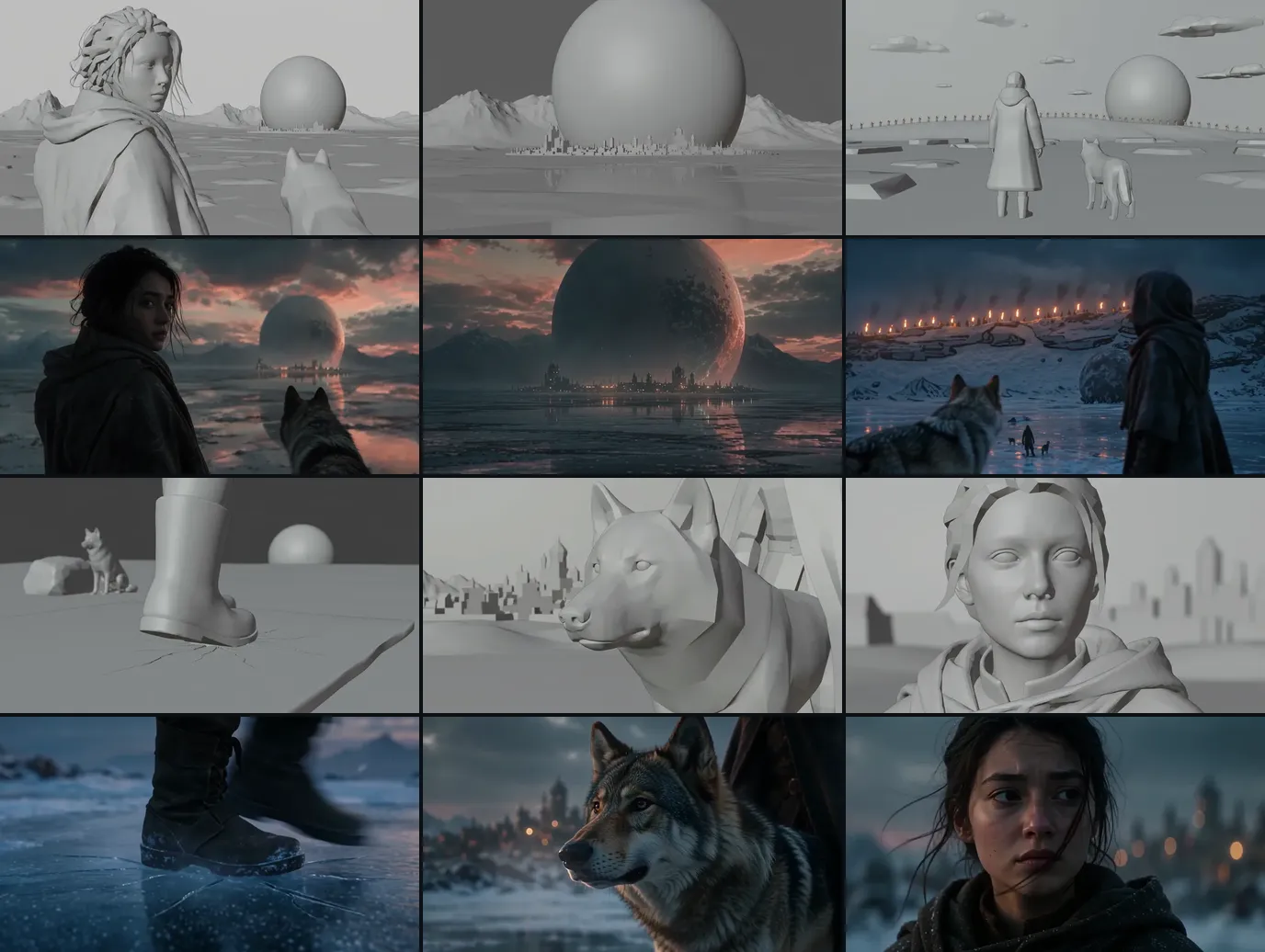
Above, the six boards of Wolf Shore and the six final shots. Framing and staging carried over; light and texture were left open. For the tool, see the AI storyboard generator.
Some shots appear in almost every trailer, so board them on purpose: the quiet cold open image, the look back where the audience meets the lead, the world reveal, the threat seen from behind the hero, the sound-hit insert, the montage flash, the title plate with empty space for type, and the button close-up.
Step 6: Lay down voice-over and music first
Most guides skip this step. Record the voice-over and choose the music before you generate a single shot.
ScreenWeaver does not generate either. Record the voice yourself, cast an actor or use a text-to-speech service. For music, use a licensed library, a composer, or a generator whose terms allow your use. Build a rough audio track in your editor and mark where each cut falls.
Now every cut has a real length. Convert them to frames at your project's frame rate with the video frames calculator, and write the length on each storyboard panel.
You can upload your own audio as a reference: Seedance 2, Seedance 2.5 and MiniMax H3 accept an audio file as an input. It can help the mood of a shot, but do not count on it to hit the beat. The cut is decided in the editor. Our sound workflow for AI films covers the full audio pass.
Step 7: Generate cut by cut
In ScreenWeaver's production canvas, a scene's shots go through one of two pipelines:
- Reference to video: each shot's action becomes a directed prompt, and the characters, places and objects cited in the shot are attached at the video step.
- Storyboard panels to video: the boarded panels of a scene, up to 14, guide the order and composition of the sequence, alongside the references. A trailer with 30 to 40 cuts needs several groups: one per act works well.
Seedance 2.5 is the default video model: clips from 4 to 30 seconds, up to 1080p, up to 30 image references. Seedance 2, Veo 3.1, Kling 3.0, MiniMax H3 and Grok Imagine Video are also available per shot. Aspect ratios are 16:9, 9:16, 2.39:1, 4:3 and 3:4. For a 9:16 social cut, generate vertical shots instead of cropping the wide ones.
Rules that save credits and edits:
- Generate longer than the cut. A one-second cut still comes from a clip of at least four. The extra is your handles: the best second is rarely the first.
- One beat per shot. In a montage flash, one movement: a head turns, a torch rises.
- Anchor shots first: the lead's first close-up and the world reveal. Every other cut is judged against them.
- Several takes, then choose, and test motion at a lower resolution before paying for 1080p.
When a frame is almost right, fix the image before animating it. Crop, Angle and Edit mean a wrong coat color costs one image edit, not a new video.
Step 8: Edit, cards and export
ScreenWeaver does not edit or export a finished trailer. Bring the kept clips into your editor over the audio track from step 6. Cut on the music, land the sound hits on the inserts, set the title and cards in the titler, grade everything once, and export each ratio.
Character consistency in a trailer: the hardest test there is
In a film, a character drifts slowly. In a trailer, every drift is exposed at once. A 90-second trailer can hold 30 to 40 very short cuts from scenes days apart in the story, in different light and different clothes, placed side by side. If Mira's jaw is wider in cut 12 than in cut 11, the audience does not think "continuity error". They think "who is that?"
The mechanics behind this are in character drift in AI video. Every generation reinvents the character: ten prompts describing "a young woman with dark hair in a hooded coat" give ten different young women.
The rule: attach, don't redescribe
Once the lead has a reference sheet, stop describing her face in prose and attach the sheet. The prompt only says what changes in this cut: the framing, the light, the action.
In ScreenWeaver, a Character's sheet follows her into the storyboard panels and into the video step. Seedance 2.5 accepts up to 30 image references: enough for the lead from several angles, the wolf, the place and a prop in the same shot.
The trailer character kit
Build this for the lead and every recurring character before the first panel:
- A hero frame: one image you love, in the final look, with the art direction plate applied. Everything else derives from it.
- A turnaround: front, three-quarter, profile and back, same light, neutral background. Trailers shoot the threat over the hero's shoulder, so the back view is not optional.
- Close-ups under every light of the trailer: dusk, night, firelight. A face that holds in soft dusk can change shape under torchlight.
- Expressions: neutral, fear, resolve, the look back. The button close-up is the most watched frame of the trailer.
- Costume and prop close-ups: the coat, the boots, anything she carries. Our boot insert shows no face, so the boot itself must match.
Wardrobe by act, tracked in the references
Trailers cross the whole film, so the lead's look changes: clean in act one, torn in act three. Two rules keep this under control.
First, make each look its own reference, named by act: "Mira, act 1, dark hooded coat", "Mira, act 3, coat torn, face scratched". Never ask the model to "make her dirtier" from the clean sheet: it will change her face along with her coat.
Second, keep a wardrobe line on every storyboard panel. Before generating, check that the panel and the reference it attaches belong to the same act. A cut from act three can land between two cuts from act one, as long as each carries its own wardrobe reference.

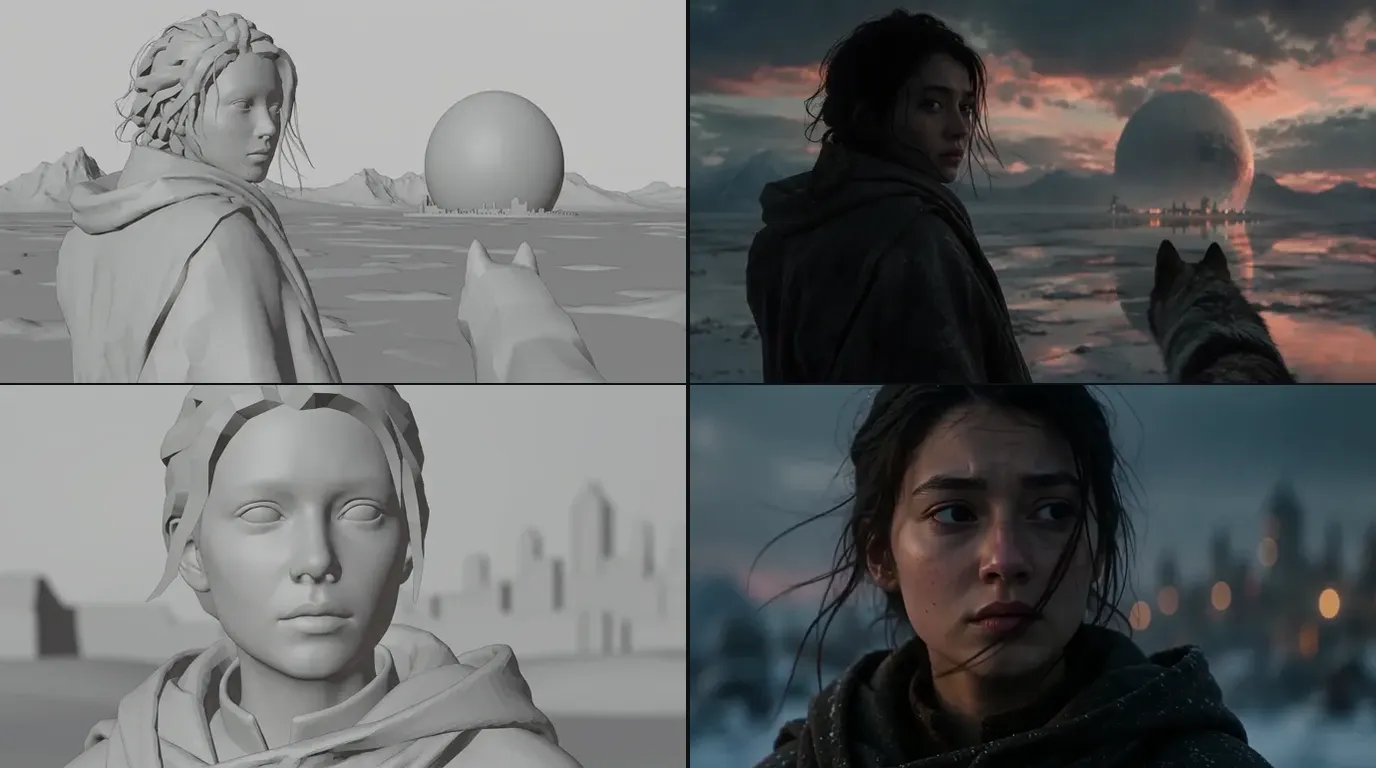
Three cuts, three lights, one person: the coat, the dark hair and the silhouette read even from behind.
Screen direction counts too
Eye lines and screen direction carry the audience from cut to cut. Look at cut 3 in the six-cut image above: the board places Mira on the left and the wolf on the right, and the final shot swapped them. In a ten-second teaser that is harmless. In a montage where Mira runs left to right for six cuts, a flipped shot breaks the chase. Check the side of frame against the board on every take.
The drift test
Before generating act three, line up every kept close-up of the lead in story order. Same face shape, eyes, hairline, coat for that act? If one cut moved, regenerate it from the sheet. Never use a generated frame as the next reference: drift compounds, a copy of a copy.
The full reference method for boards, including a short probe before boarding a scene, is in character consistency in AI storyboards. To build a sheet from a description, try the AI character consistency sheet.
Try it free
Try Screenweaver for free on your script
It is free. Import your existing project, get a clearer view of your outline, and regain control of your story structure in minutes.
Start FreeOne cut, taken apart
Cut 6 of Wolf Shore is the button: the last face of the teaser, after the title.
The script line: "Silence. Mira, close. She lifts her eyes." Then her line: "Don't look back."
The board: a tight close-up, the city behind her. The button plays on the eyes, with no camera move.
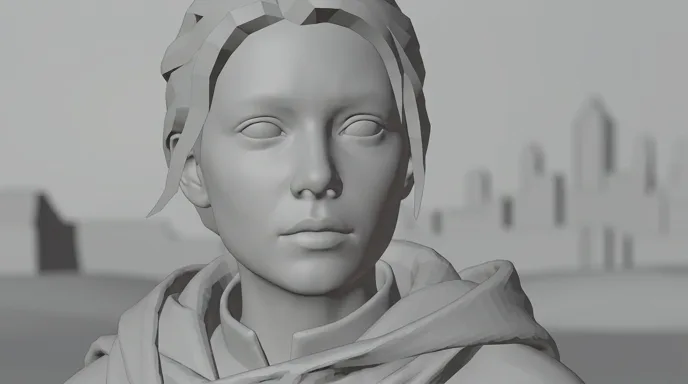
The direction: "Tight close-up of Mira, wind in her hair, city lights out of focus, she lifts her eyes, two beats of silence before the line."
What gets attached: Mira's sheet, her act-one coat, the art direction plate. Her face is not described in the prompt.
What we reject: a face that does not match the look back of cut 1, eyes that move before the hold, a camera push that pulls focus from the eyes, a background that gets sharp and competes with her.
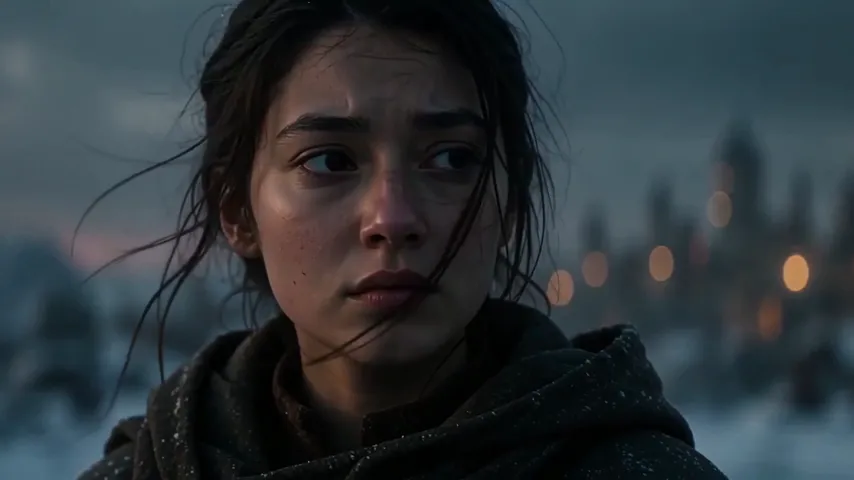
The edit decision: the black beat before this shot is where the title card goes. It was written in the script, not found in the edit.
How long it takes and what it costs
We won't quote a fixed price. It depends on how many cuts you have, how long each clip runs and how many takes you keep. One trailer-specific detail: because each clip runs at least four seconds, a montage of one-second cuts costs more per second on screen than a slow drama. Budget it this way:
- Board the whole trailer first. The board gives you the real cut count.
- Generate act one fully and count your own takes per kept cut.
- Multiply, with the AI video cost calculator.
Writing is free on the Screenwriter plan, and the paid plans are in the pricing section. For the math on rerolls, read how much an AI film really costs.
Common mistakes, and how to fix them
1. A trailer for a film that doesn't exist. Fix: logline, treatment, trailer script, then the board.
2. A lead with three faces. Fix: attach the sheet to every cut, one wardrobe reference per act, and run the drift test before act three.
3. Generating picture before sound. Fix: voice-over and music first, cut lengths on the board, then generation.
4. Every cut the same length. The trailer never climbs. Fix: long shots in act one, under a second in the montage, silence before the title.
5. Letting the model write the title. Misspelled letters. Fix: generate the title plate without text and set the type in the editor.
6. Clips with no handles. Cuts that start on a camera settling. Fix: generate longer than the cut and choose the best second in the edit.
7. Showing the ending. The twist, the creature in full, who dies. Fix: show the question, keep the answer for the film.
8. Cropping 16:9 to make the vertical cut. The face or the action falls out of frame. Fix: board and generate the 9:16 version as its own shots.
Which tool to use
| Kind of tool | Good at | Where it breaks for a trailer |
|---|---|---|
| Clip generators on their own | One striking shot | No memory between clips, so the lead drifts across cuts. Script, board and edit live elsewhere. |
| Prompt-to-trailer apps | A quick promo from one sentence | Generic shots that are not from your film, little control over structure or rhythm |
| Stock footage and a template editor | Fast, cheap, safe rights | The footage is everyone's, and none of it shows your characters |
| A production suite: script, storyboard and video in one project | Holding the same cast and world from the trailer script to the last cut | You still write the trailer, record the sound and edit it elsewhere |
We built ScreenWeaver to be that last row, because a trailer only works if the lead in cut 40 is the lead from cut 1. The AI movie trailer generator page shows how it handles this genre, with the Wolf Shore cuts and their prompts.
Proof: what this method produces
Wolf Shore, a demo by the ScreenWeaver team. A teaser written as a trailer script for our trailer page: six cuts, about ten seconds, 16:9, each cut shown as its storyboard frame and its final shot. It is a demo, not a released film. The edited teaser plays on the trailer generator page linked above.
Lost Garden, the long-form proof of the same pipeline. Two episodes, 38 minutes of finished anime, made by one person in ScreenWeaver. Episode 2 cost $1,850 and 75 hours. Its boards were generated in the same grey 3D previz style as Wolf Shore, and its characters were held with character sheets across both episodes. The full case study: how I made a Japanese-style anime with AI.
FAQ
Can I make an AI movie trailer for free?
You can write the film and the trailer script for free on ScreenWeaver's Screenwriter plan. Storyboard and video generation use credits on a paid plan, and voice, music and editing happen in other tools, some with free tiers.
How do people make AI movie trailers?
The good ones start from a story: logline, treatment, trailer script. They lock a sheet for the lead, storyboard each cut, lay down voice-over and music first, then generate each shot and cut it on the music in an editor.
What is the best AI for movie trailers?
No single model wins every cut. Seedance 2.5 is our default because it takes up to 30 image references, which is what keeps one lead recognisable across dozens of cuts. Test the same board on two models and keep the one that respects the sheet and the framing.
Can I make a fake trailer of a famous movie with AI?
You can make one as a parody, but you do not own the characters or the title, and you cannot monetize them safely. YouTube terminated two of the biggest fake trailer channels in December 2025 (Deadline). An original project is the one you can sell, send to festivals and build on.
Do I need to disclose AI in my trailer?
On YouTube, realistic altered or synthetic content must be disclosed with a label (YouTube Help, checked October 2026). A live-action AI trailer usually falls in that category. Festivals and crowdfunding platforms have their own rules, so check each one before you submit.
Start with the logline
Write the logline and the trailer script tonight. The free Screenwriter plan is enough: open ScreenWeaver. When the script is ready, build the lead's sheet, lay down the sound and board every cut.
For the full fiction pipeline beyond trailers, read how to make an AI film.
Final Step
Build your next script with Screenweaver
Move from ideas to production-ready pages faster with timeline-native writing and AI-assisted story flow.
Try Screenweaver