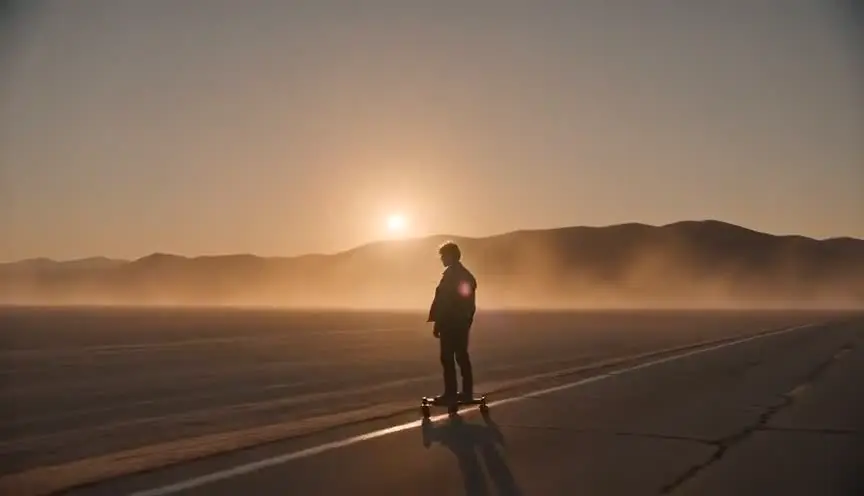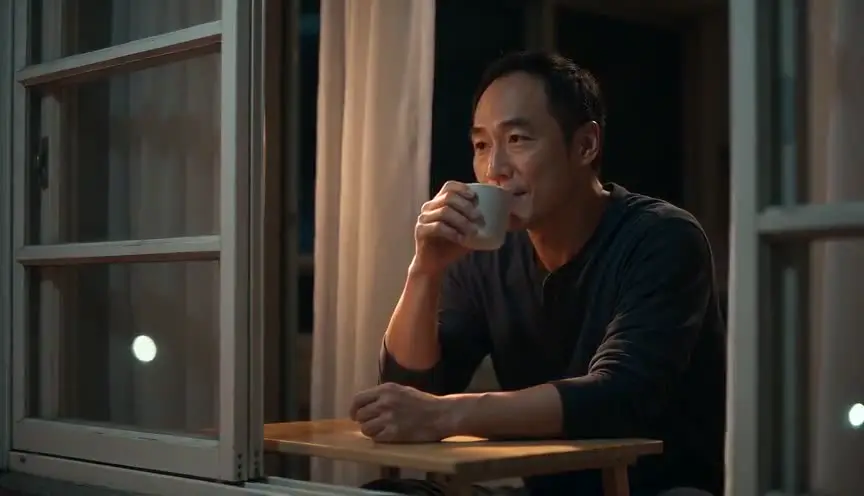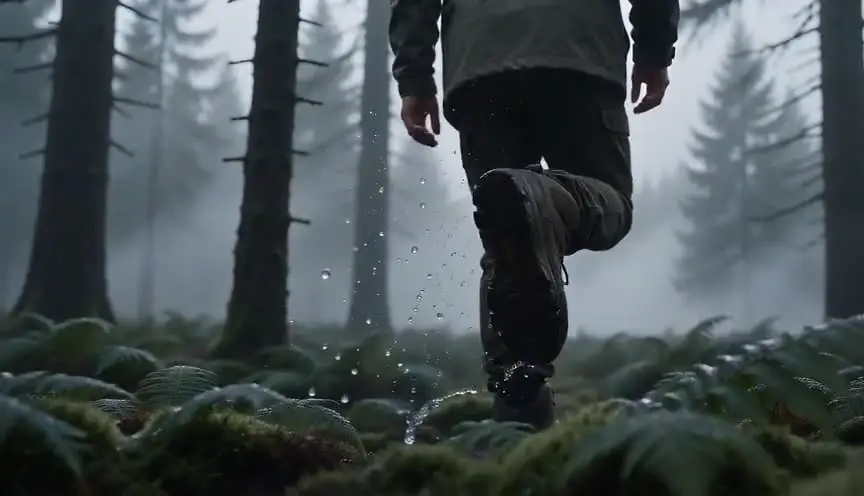

The short answer: treat the song as the screenplay. Lock the final mix, mark every section with a timecode, and turn the tempo into shot lengths (one bar lasts 240 divided by the BPM, in seconds). Then build the artist's reference sheet, storyboard each section, generate shots a little longer than their bar, and cut them on the waveform.
A good AI music video is decided on a timeline before anyone writes a prompt. Most failed clips generate first, then force the pictures onto a song nobody measured. This guide is the music video chapter of our how to make an AI film walkthrough: what a song changes, from a structure you did not write to a performer who carries it for three minutes.
What you need
- The track, final mix, with the rights to use it. The music comes from the artist or a licensed source, not from the video tool.
- Time: several working days for a full three-minute clip. A 15 to 30 second vertical teaser fits in a weekend.
- Budget: writing the script is free in ScreenWeaver. Storyboards and video use credits, so the bill depends on shots kept and takes per shot. Plans are on the pricing section.
- Hardware: a computer with a browser, plus an editor such as DaVinci Resolve, Premiere Pro or CapCut.
- Level: you need to count bars. No drawing, no 3D skills.
What makes a good music video
Five rules come before any tool, because a clip that breaks them looks wrong whatever model made it.
1. The song is the script. A film script gives you the story and you choose the timing. A track gives you the timing and you find the story inside it.
2. Shot length comes from the tempo. In 4/4, one bar lasts 240 divided by the BPM, in seconds: 2 seconds at 120 BPM, 1.6 at 150. Verses hold a shot for two bars, a chorus cuts on every bar, a drum fill on half a bar.
3. Two tracks, intercut. The performance track is the artist delivering the song. The story track is the world around them. Plan them separately and fix the ratio early.
4. One motif per section. A light, a place, a costume or a colour that tells the viewer where they are in the song. The second chorus grows out of the first instead of repeating it.
5. Lip sync is a decision, not a hope. Video models do not reliably land a mouth on the syllables of a real vocal. Decide up front which shots show singing and how you will handle them.
The method, step by step
Step 1: Lock the track, the rights and the idea
Nothing starts until the master is final. A two-bar change in the bridge moves every timecode on the board, and generated shots do not stretch. Get the exact version and duration in writing.
Then settle the rights. If the song is not yours, you need permission from whoever owns the composition and the recording. On YouTube, rights holders can register a track in Content ID, and a matching upload can then be blocked, monetized for the owner, or tracked (YouTube Help, "How Content ID works", checked 8 October 2026).
Last, write the idea in one sentence: "A priestess wakes a stone temple with a drum, and the temple answers with light." If you cannot say it, the clip becomes a reel of pretty shots. Our treatment guide turns it into a pitch the artist can approve.
Step 2: Build the time map
This is the step most AI music videos skip. Load the track into your editor, drop a marker at every section change, and fill one row per section. Here is the start of a time map for an example song at 120 BPM, where one bar lasts 2 seconds:
| Section | Timecode | Bars | Cut rhythm | Shots | Motif | What the viewer must understand |
|---|---|---|---|---|---|---|
| Intro | 0:00 to 0:16 | 8 | one long take | 1 | smoke, candles | the world before the artist |
| Verse 1 | 0:16 to 0:48 | 16 | two bars per shot | 8 | window light | who sings |
| Chorus 1 | 0:48 to 1:20 | 16 | one bar per shot | 16 | neon | the signature image |
Now do the arithmetic. A three-minute song at 120 BPM has 90 bars. At two bars per shot that is about 45 shots, closer to 70 if the choruses cut on every bar. That number is your shot list and the base of your budget, before you spend a credit.
Our article on story beats in a music video then gives each section one visual turn.
Step 3: Write the clip as a script
Write the clip as a screenplay where the sections are the scene headings. Here is the start of the Neon Temple demo in ScreenWeaver's free screenplay editor:
VERSE 1 (0:15) - INT. NEON TEMPLE - NIGHT

Under three tall windows she lifts her face. The spiked halo catches
the light. She sings to the lens.

HOOK (0:44)

Her palm lands on the drum on the downbeat. Dust jumps off the skin.
Write one action per shot, because a model asked for three things in two seconds does none of them well, and tag each shot as performance or story. When the script is done, the AI shot breakdown turns each section into a list of shots you can edit, reorder and time against your map.
Step 4: Build the reference sheets
Before the first storyboard panel, create every recurring element as a reference: Characters (the artist, dancers, story characters who come back), Places (each set, with its lighting states if they change) and Objects (a drum, a car, a necklace, anything the viewer must recognise). You can generate the sheets or upload your own images, including photos of the real artist if they agreed to it. The method is in the consistency section below.
Step 5: Fix one art direction
Pick one look and attach it to every generation: one or two style frames, a few light and colour rules, the aspect ratio.
Decide the ratios now too. Most artists need a 16:9 master and 9:16 cut-downs of the hook for Reels, TikTok and Shorts. A 16:9 performance shot rarely survives a vertical crop, so plan vertical shots as their own frames.
Step 6: Storyboard every section
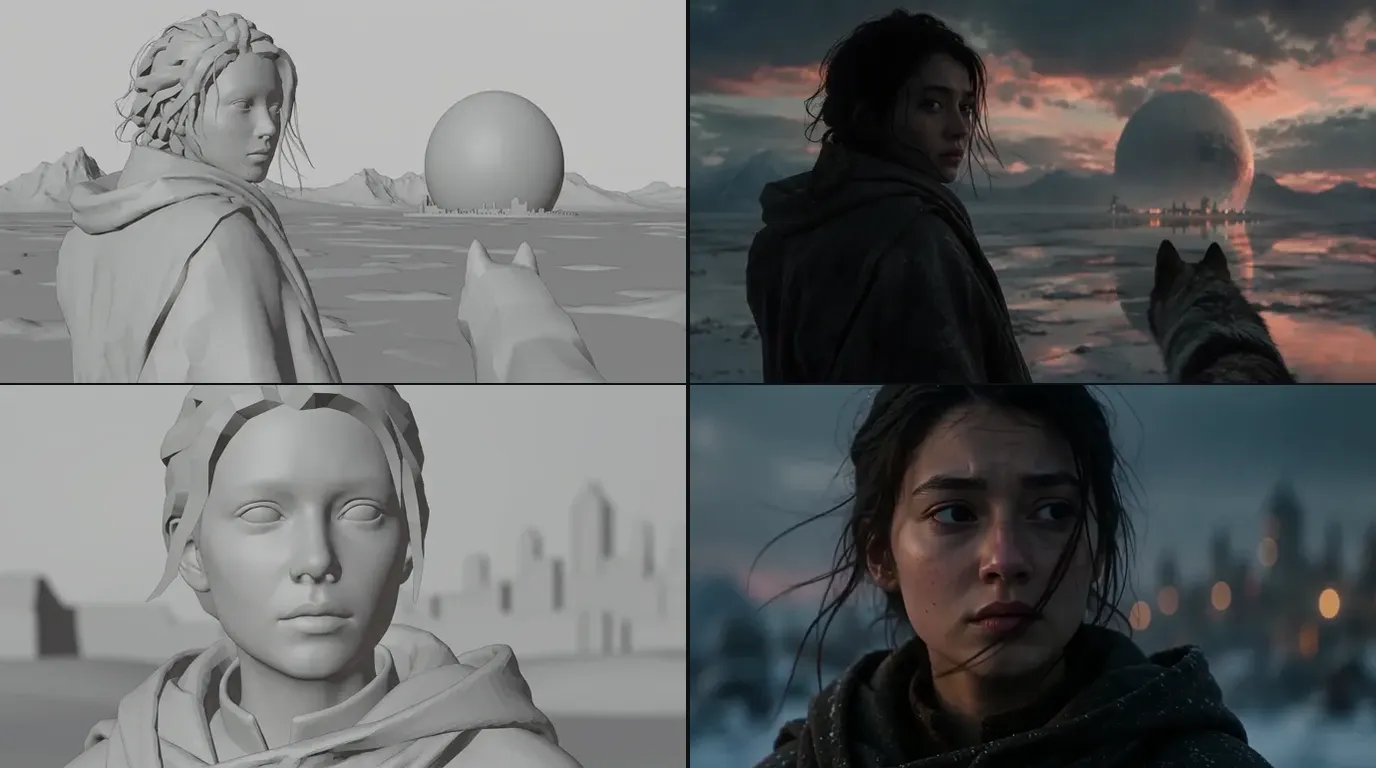
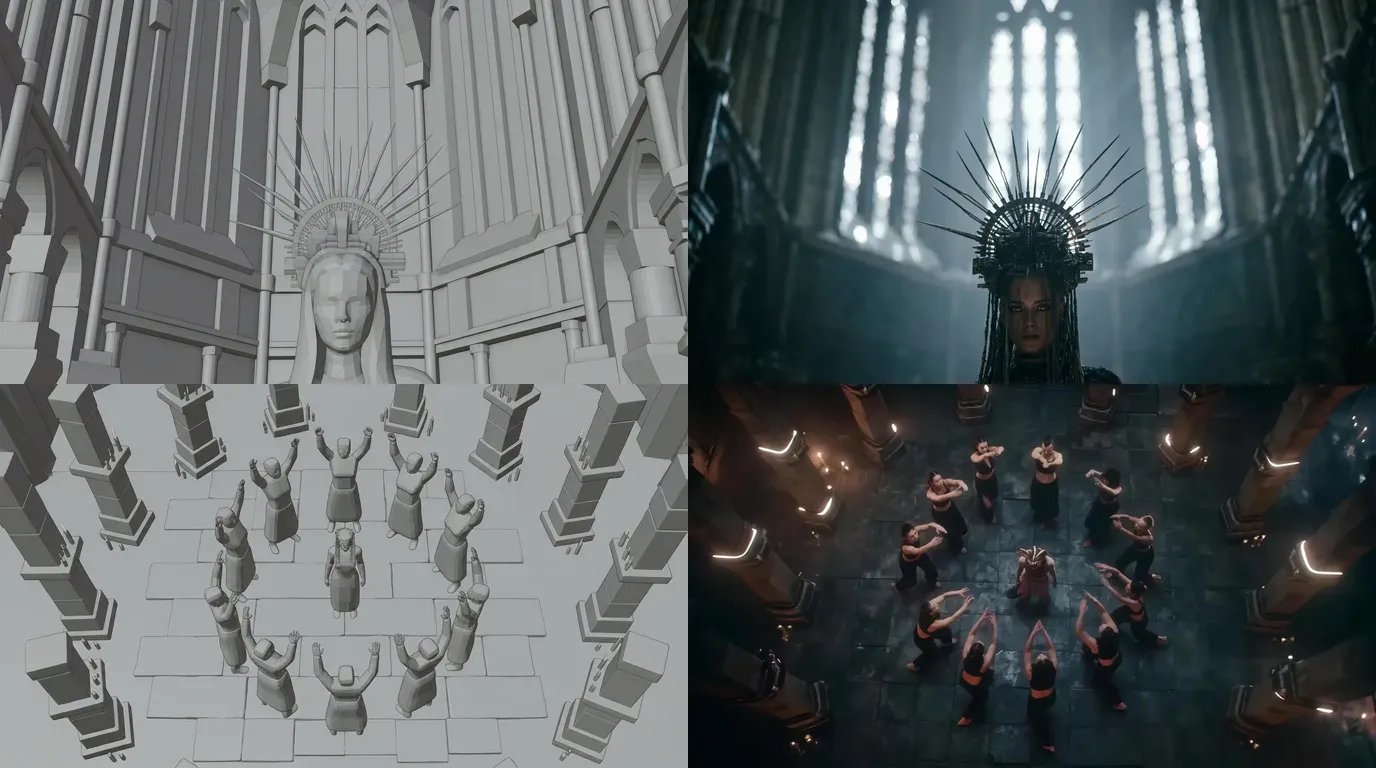
Board the clip section by section, with a time in and a time out on every panel. In ScreenWeaver the storyboard is generated from the shot breakdown with the reference sheets attached, and it renders as a grey 3D previz.
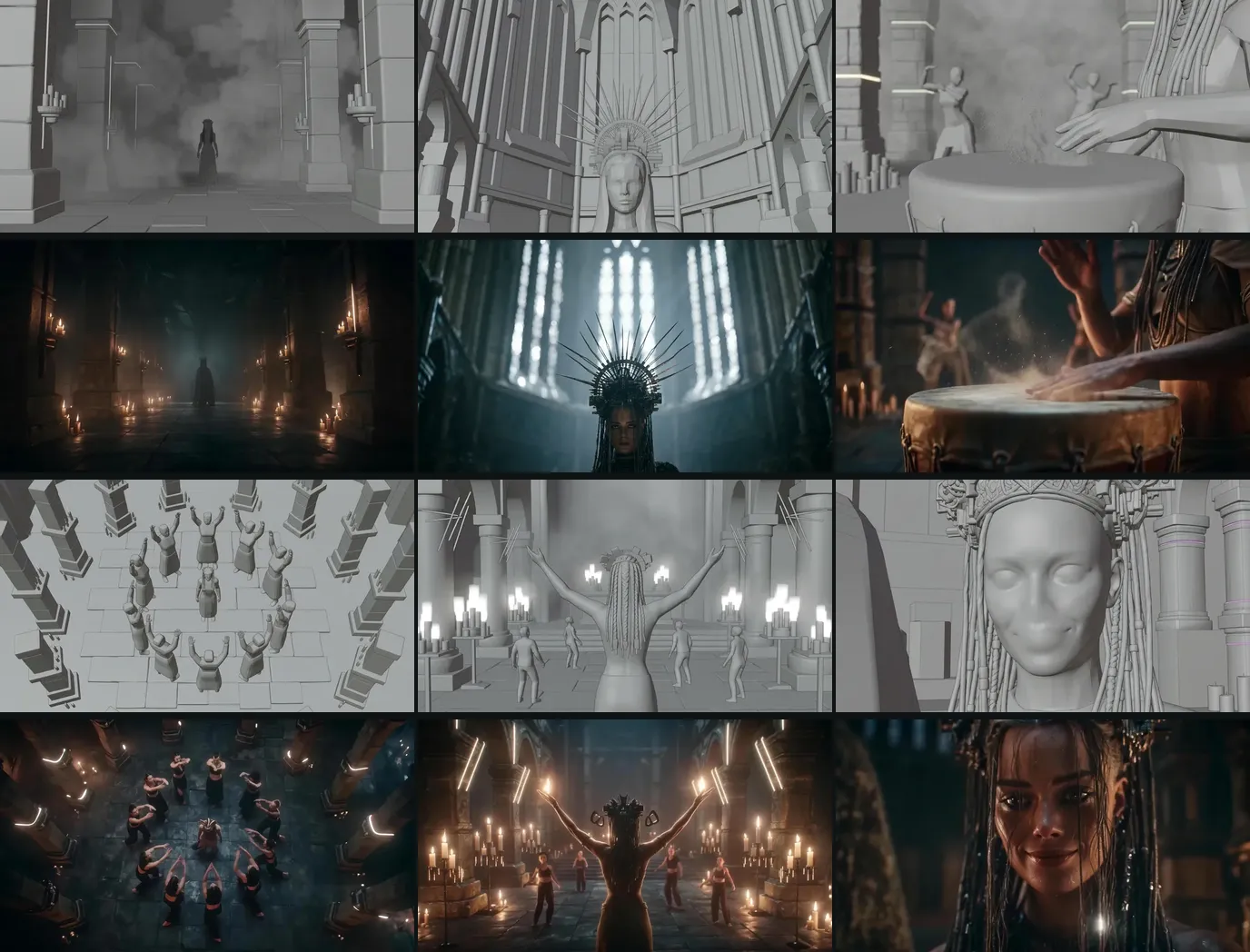
The six shots of Neon Temple, a demo clip the ScreenWeaver team made for our music video page: storyboard frame above, final shot below.
Then cut the boards into an animatic on the master. If chorus 2 reads like chorus 1, you find out in an afternoon, not after three hundred generations. For panel counts per section, see the music video storyboard guide. The AI storyboard generator page shows the boards in the app.
Step 7: Generate shot by shot, in two lanes
On the production canvas, two pipelines turn the board into video. Reference to video turns each shot's action into a directed prompt and attaches the characters, places and objects cited in the shot. Storyboard panels to video uses up to 14 boarded panels of a section to guide the order and composition of the generated sequence, alongside the references.
The default model is Seedance 2.5 (clips from 4 to 30 seconds, up to 1080p, up to 30 image references). Seedance 2, Veo 3.1, Kling 3.0, MiniMax H3 and Grok Imagine Video are also there. Choose per shot. Three rules apply:
Generate longer than the bar. A 1.6 second shot is not a generation length. Generate four seconds or more, describe a single action, and keep the stretch where the motion is clean.
Use the track as a reference, not as a promise. Seedance 2, Seedance 2.5 and MiniMax H3 accept an uploaded audio file as a reference input, so you can give the model the section it illustrates. Treat it as context for mood and energy. Do not count on it to land a cut on a beat or a mouth on a syllable. Timing is fixed in the edit.
Budget takes by lane. Story shots usually converge in a few takes. Performance shots, where a face, hands and an instrument all have to be right, take more. Keep the best take, not the first.
Step 8: Sound, when the song is already finished
ScreenWeaver does not generate music or voices, and a music video does not need it to: the track exists. Most video models can return ambient sound with a shot. Mute it, or keep a breath of it under an intro or a breakdown.
Step 9: Edit on the waveform, export both ratios
ScreenWeaver does not edit or export the final cut. Download your kept shots and assemble them in DaVinci Resolve, Premiere Pro or CapCut, on the master, never on a scratch mix. The real work is choosing which 1.6 seconds of a four-second generation land the hit. Make strobes in the edit, on the beat, from clean lit states, because generated flicker tends to smear.
Keep one frame rate end to end. If a label delivers through Vevo, its published HD spec asks for 1920x1080 in H.264 or ProRes, a native frame rate of at least 23.98, AAC stereo audio and no slates (Vevo, "Music Video Specs", checked 8 October 2026). Then cut the 9:16 versions from the frames you planned.
Keeping the artist the same for three minutes
A music video is the hardest consistency test in AI video. A short film might show its lead in fifteen shots. A clip shows the artist in thirty or forty, often in close-up, under changing light, and every chorus invites a comparison with the last one.
Why the artist drifts
A video model has no memory between generations. Write "a woman with long beaded braids and a metal headdress" in forty prompts and you get forty women who all match the sentence. Words describe a category, not a person, and more detail does not fix it. We go deeper in character drift in AI video.
The rule: attach the reference, do not re-describe it
Consistency comes from images that travel with every shot. In ScreenWeaver, the artist is a Character with a reference sheet. You cite that character in the shot's action line, the sheet follows the shot into the storyboard, and the same references are attached when the shot becomes video. The prompt only says what changes in this shot: action, framing, light.
The artist kit
Build it once, before the first panel:
- A hero shot: front, neutral expression, even light. Every other image is checked against it.
- A turnaround: front, three-quarter, profile, back. Clips use profiles and back shots far more than films do.
- Outfit close-ups: fabric, cut, colours, and every accessory that matters, like a headdress, jewellery or an instrument.
- Key expressions: singing with an open mouth, eyes closed on a held note, the final smile.
- One sheet per outfit: if the artist changes look between sections, each look gets its own sheet, derived from the hero shot so the face stays the same.
The AI character consistency sheet tool helps you list what the sheet must show, and our guide to storyboard character consistency explains how to carry it panel to panel.
Performance shots and story shots are different problems
Performance shots show the artist to camera, singing, playing or dancing. The face is large and the viewer compares it to the last chorus. These shots need the full kit every time, tight framing and more takes. Keep them short: a held close-up is where drift and mouth problems show first.
Story shots show the world, other characters, hands, or the artist from a distance. In a wide, the viewer tracks the silhouette: outfit, hair, build. So the sheet still goes on. A wide shot without the reference is where the coat changes colour.
Outfits by section, decided on the board
A change of look is fine when it is planned. In Neon Temple, the boards give the priestess a spiked halo for the verse and a different crown for the chorus and the outro. That is a section motif written into the storyboard, not drift. What must never change by accident is the face, the braids and the skin tone.

Verse, chorus, outro: three performance shots of the same character from the Neon Temple demo.
The drift test
Before generating a new section, put the first performance shot of the clip next to the latest one. Same face? Same braids? Same headdress for this section? Then compare chorus 1 and chorus 2 side by side, because that is what the audience does. Check on the storyboard first, where a fix costs one panel, then again on the video.
Real artist, generated performer, or no face
Decide this before any generation.
- The real artist, filmed. Shoot the performance against a plain backdrop with playback, then generate the world around it. The mouth is real, so the lip sync is real. For slow motion, the video frames calculator does the playback speed arithmetic.
- A generated performer. Build an original character, keep it consistent with the kit, and keep sung shots wide, in profile or from behind. For the few close-ups that need lip sync, plan a dedicated pass in a separate lip-sync tool, then check that the lips close on B, P and M.
- No face. Hands, places, objects, distant dancers, text. No lip-sync pass, no likeness question.
A generated performer who looks like the real artist needs the artist's written consent. One who looks like any other real singer gets redesigned.
Try it free
Try Screenweaver for free on your script
It is free. Import your existing project, get a clearer view of your outline, and regain control of your story structure in minutes.
Start FreeOne shot, taken apart
Shot 5 of Neon Temple, the first chorus, from page to screen.
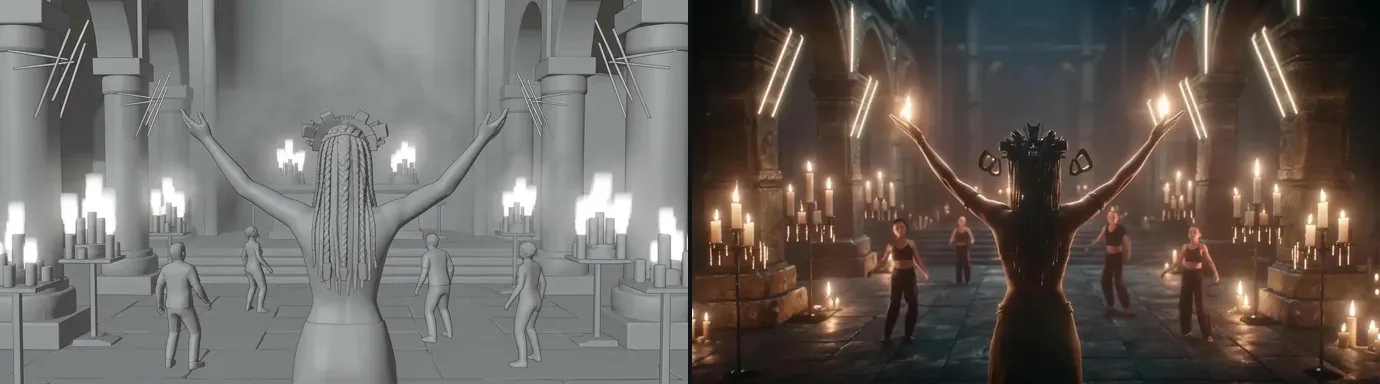
- Time map: chorus 1, one bar per shot at 150 BPM, so 1.6 seconds on screen.
- Script: "She raises both hands, a flame in each. On the next bar, every neon tube in the temple switches on."
- Shot direction: "Wide from behind, arms raised, a flame in each hand, dancers facing her. The white tubes switch on halfway through the shot."
- What the board fixed: the camera behind her, so the biggest image of the chorus needs no lip sync. Dancers facing her, so she is the centre without showing her face. Candles in the foreground, so the neon has something to change.
- What the references fixed: the priestess's braids and build from behind, and the temple's two lighting states.
- What the edit does: the light change lands on a downbeat. If a take had flickered, the fallback was two clean states, tubes off and tubes on, cut on the beat.
We did not log a take count for this demo, so we will not publish one.
What it costs and how long it takes
There is no honest single price, because the bill is shots kept times takes per shot.
Shots: from your time map. Around 45 for three minutes at two bars per shot, closer to 70 with a fast chorus.
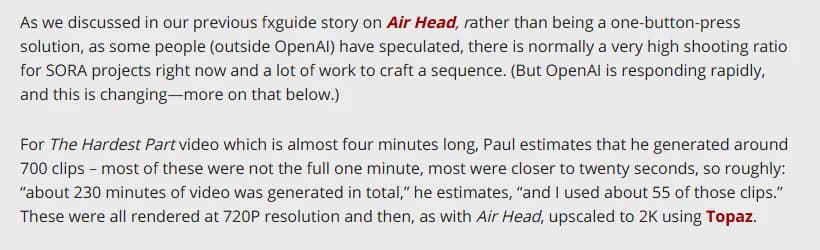
Takes: the best public reference is still Paul Trillo's video for Washed Out's "The Hardest Part" (Sub Pop, 2024), made with Sora. According to fxguide, he generated roughly 700 clips, about 230 minutes of video, and used about 55 (fxguide, 8 May 2024, checked 8 October 2026). That is about 13 generations per clip kept, on a continuous-shot video and an early model. Treat it as a ceiling, and expect fewer takes when shots are boarded and references attached.
Credits: a generation's cost depends on model, length and resolution. Put your shot count and a take profile into the AI video cost calculator before you give the artist a number. Writing costs nothing in ScreenWeaver, and plans are on the pricing section.
Time: a day for the time map and script, one or two for sheets and boards, then generation in proportion to the shot count. For a long-form benchmark of the same pipeline, see the proof box below.
Common mistakes, and how to fix them
1. Generating before the time map. Every shot ends up the wrong length. Fix: map the track and count bars first.
2. Re-describing the artist in every prompt. Forty prompts, forty slightly different singers. Fix: one reference sheet, attached to every shot, wides included.
3. Counting on generated lip sync. Mouths drift off the words, and a held note makes it obvious. Fix: film the artist, keep generated sung shots wide or in profile, or plan a dedicated lip-sync pass.
4. Three actions in one shot. The model compromises and nothing lands on the beat. Fix: one action per shot, generated longer than the bar.
5. Stacking style adjectives. "Cinematic, moody, neon, gothic" gets averaged into a generic look. Fix: one art direction, attached as images.
6. Chorus 2 copies chorus 1. The clip stops growing halfway. Fix: same motif, new angles, one escalation, checked in the animatic.
7. Ignoring the rights. A track you do not control, a performer who looks like a real singer. Fix: written permission for the track, an original performer or the artist's consent.
Which tool to choose
| Kind of tool | What it does well | Where it breaks on a music video |
|---|---|---|
| Standalone video generators | Strong shots, newest models first | No memory between clips, no time map, no storyboard |
| One-click music video apps | A clip in minutes from a song | Generic visuals, little control over the artist or the cut |
| Production suites with script, storyboard and video in one project | Time map, shots, references and generations stay connected | You still write, choose and edit |
ScreenWeaver is in the third row: a screenplay editor, an AI shot breakdown, a storyboard and a production canvas, with the same Character, Place and Object sheets carried from the first word to the last shot. It does not compose music or cut the final edit. What it handles is where most AI clips fall apart: forty shots of one artist, in the right order, at the right length, with the same face.
Proof, not promises
Neon Temple is a demo the ScreenWeaver team made for our AI music video generator page: six shots cut one per bar at 150 BPM, 1.6 seconds each, in 16:9. The page shows every shot as its storyboard frame and its final shot, with its place in the song. It is a demo, not a commissioned video.
For the full pipeline over a long format, read the Lost Garden case study: two anime episodes, 38 minutes in total, made by one person from script to final shots in ScreenWeaver. Episode 2 runs 21 minutes and took 75 hours and $1,850.
Rights and YouTube labels before you publish
YouTube asks creators to disclose realistic content that makes a real person appear to say or do something they did not, alters a real event or place, or shows a realistic scene that did not happen. AI music that is the main focus of a video is on the list too. Clearly non-realistic content does not require it, and disclosure does not limit reach or eligibility to earn money (YouTube Help, "Disclosing use of altered or synthetic content", checked 8 October 2026).
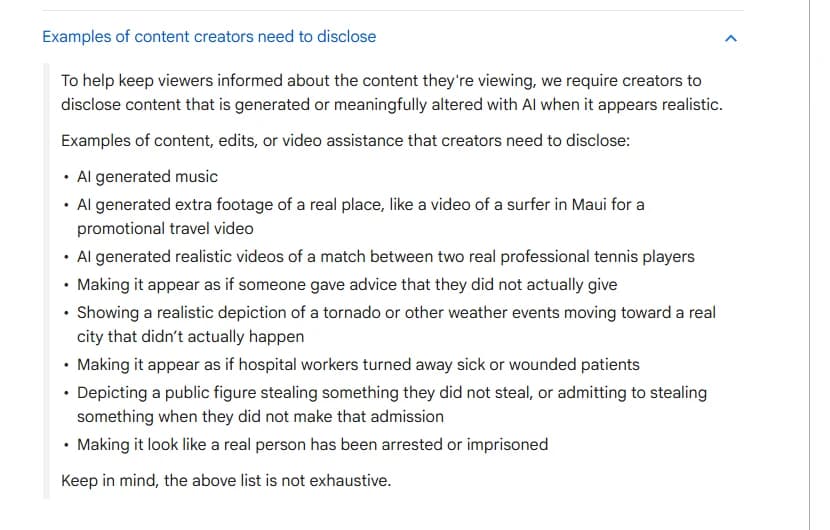
A photoreal generated performer singing the song qualifies. Our AI film disclosure rules cover other platforms.
FAQ
Can I make an AI music video for free?
Partly. Mapping the song and writing the clip script is free on ScreenWeaver's Screenwriter plan. Storyboards and video use credits. The planning, which decides the quality, costs nothing.
What is the best AI for music video lip sync?
No general video model does it reliably on a real vocal yet. Film the artist singing, keep generated sung shots wide or in profile, or run a dedicated lip-sync pass on the few close-ups that need it.
How do I keep the same character through the whole music video?
Use images, not descriptions. Build the artist's reference sheet before the first panel, attach it to every shot, and compare the first and latest performance shots before each new section.
How many shots does a three-minute music video need?
Count bars, not seconds. At 120 BPM, three minutes is 90 bars: about 45 shots at two bars per shot, closer to 70 if the choruses cut on every bar.
Can I make a vertical 9:16 music video?
Yes. ScreenWeaver works in 16:9 and 9:16, among other ratios. Plan the vertical shots as their own frames rather than cropping the master, and open the cut-down on the hook.
Can YouTube monetize an AI music video?
YouTube says disclosing AI use does not affect eligibility to earn money. What matters is controlling the rights to the track, since a rights holder can claim a matching upload through Content ID.
Start with the song
Your track already has a structure. Map it, write the clip and board every section in one project. Start writing for free on ScreenWeaver, then storyboard and generate once the time map holds.
Final Step
Build your next script with Screenweaver
Move from ideas to production-ready pages faster with timeline-native writing and AI-assisted story flow.
Try Screenweaver