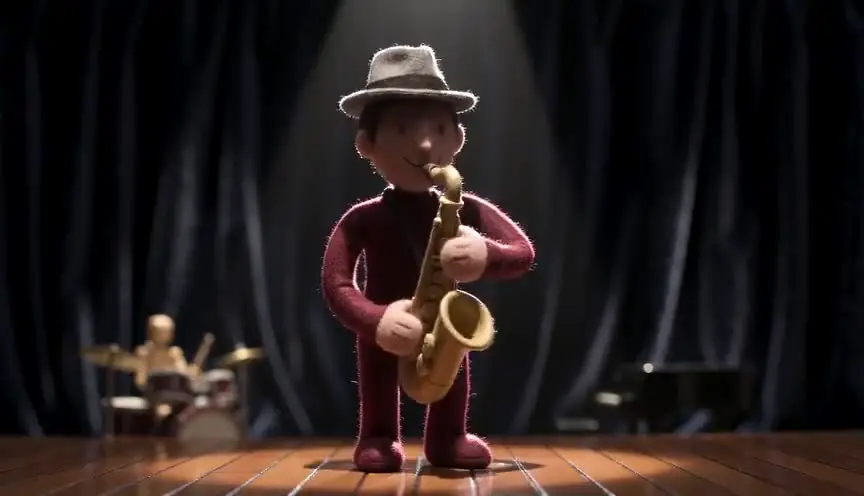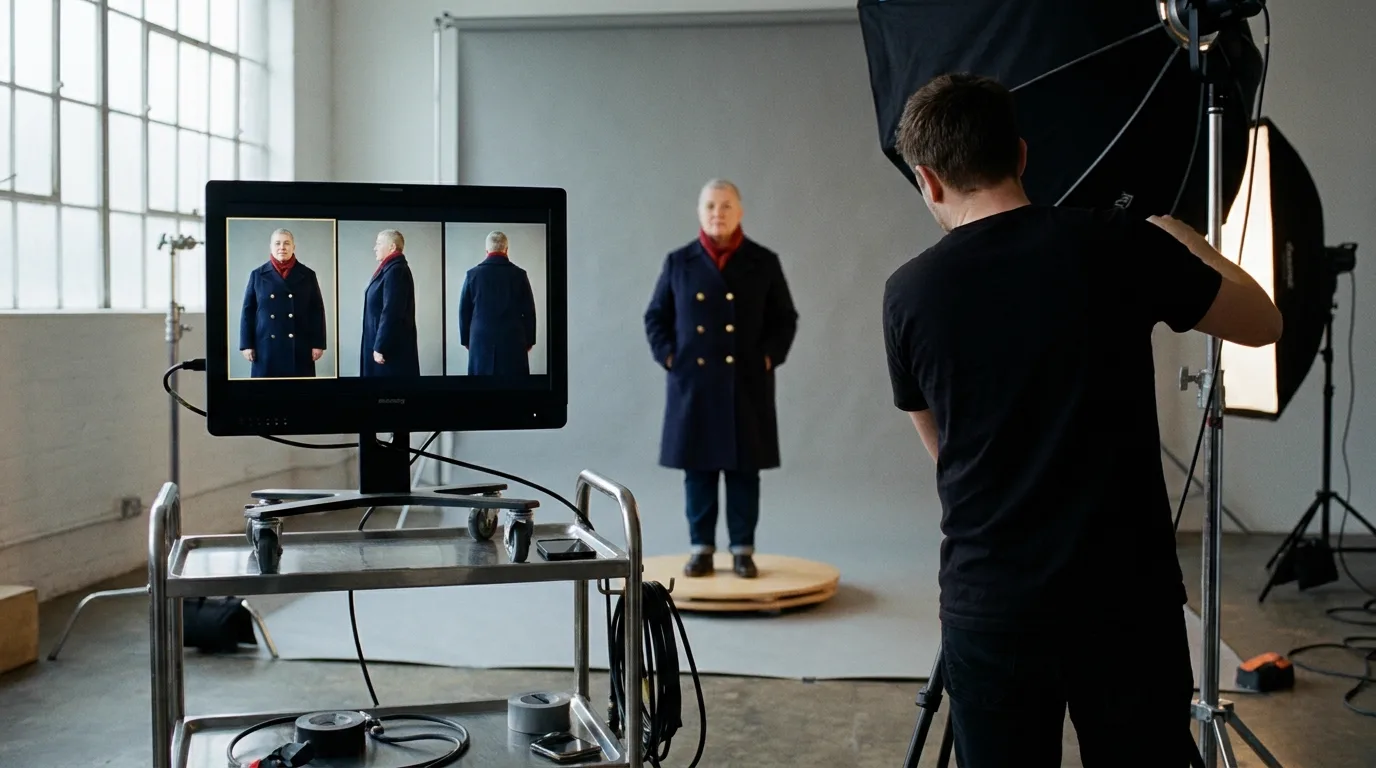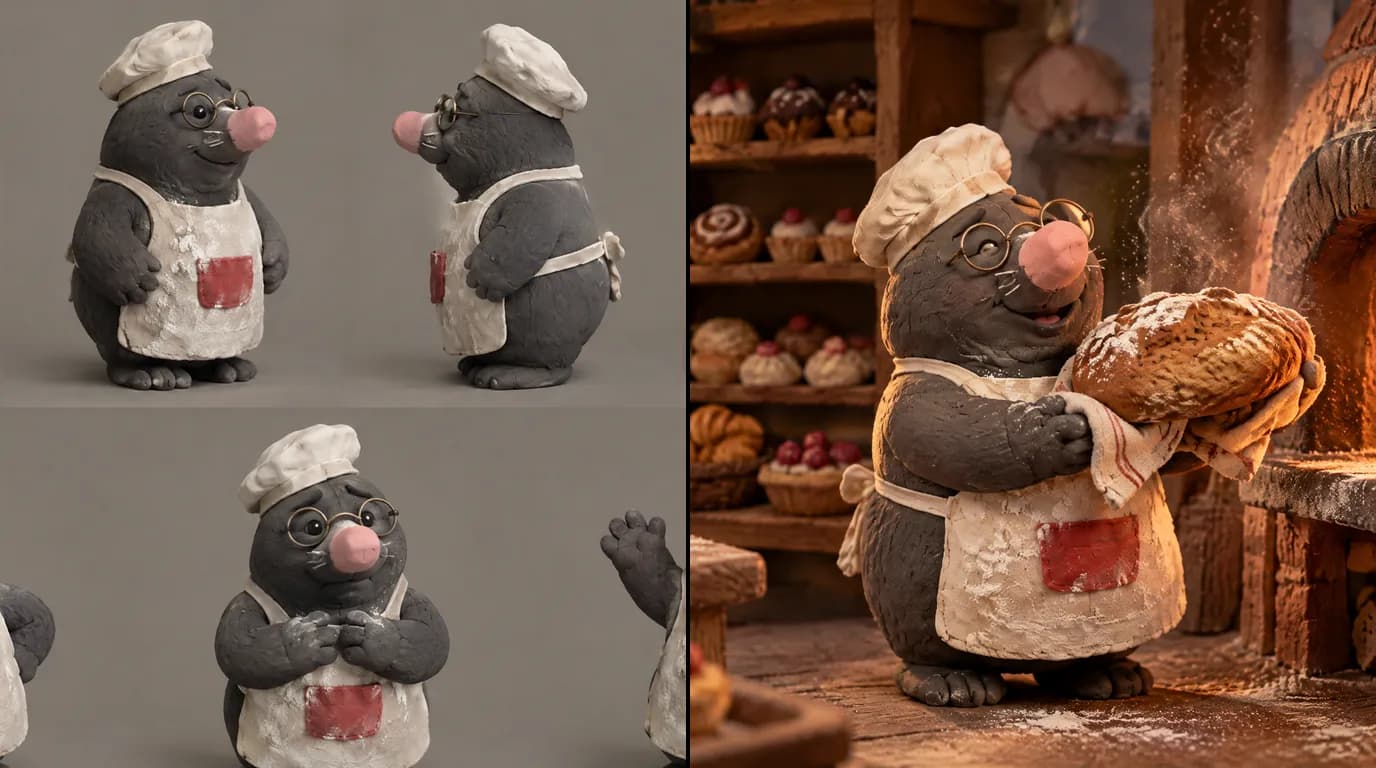

The short answer: design the clay before the film. Write a short script, build one reference sheet per puppet, write a plate that describes plasticine, fingerprints and a miniature set, board every shot, then generate one small action per shot. Finally, retime the clips to 12 poses per second in your editor. That last step is what makes it read as stop motion.
Real clay remembers every touch, and that memory is the first thing an AI model erases. Ask a video model for "claymation" and you usually get a glossy toy gliding through a smooth shot: clay in a still, plastic once it moves.
This guide is about the whole handmade look: thumbprints, lopsided shapes, a tiny set, stepped motion. Our running example is Bertie, an original plasticine mole baker our team designed for this article, and one real shot that took us three takes. We show all three, including the one we got wrong.
What you need
- Time: aim for a first film of 30 to 60 seconds, one set, one or two puppets. Most of the work is in the sheet and the boards.
- Budget: writing is free. Images and video are paid in credits, and the bill depends on how many takes you run per shot. See the pricing and the AI video cost calculator.
- Hardware: a computer with a browser. A phone helps if you sculpt a real maquette and want to photograph it.
- Level: no animation skills. If you can describe a small, clear action, you can direct a clay shot.
What makes good claymation, before any tool
The model knows what clay looks like in a still. It knows little about how clay films are made, so you supply the grammar.
1. The hand stays visible. Real plasticine carries fingerprints, tool marks, small dents and seams. Shapes are never perfectly symmetrical. A flawless surface is the fastest way to lose the look, so write the imperfections in on purpose.
2. Everything is small. A clay film is shot on a tabletop: shallow depth of field, soft background blur, thumb-sized props, felt, card and painted wood. If the set looks like a real kitchen, the puppet stops looking like a puppet.
3. Motion comes in poses, not glides. Film runs at 24 frames per second, and the standard practice in clay animation is to shoot "on twos": two frames per pose, so about 12 changes for each second of film (Wikipedia, Clay animation, checked 8 October 2026). That stepped rhythm is the signature of the craft. Video models produce smooth, interpolated motion, so you add the steps back after generation.
4. Simple shapes, strong silhouettes. Round bodies, chunky hands, bead eyes, one or two signature props. Fine detail melts between shots. Shape survives.
5. A locked camera. Stop-motion cameras are mostly tied down, because every move is animated by hand. A static frame looks more like the craft than a sweeping move.
6. Small actions, long reactions. Clay comedy lives in the pause: the cake collapses, the baker stares, the whiskers droop. Give the reaction its own shot and its own time.
Our stop motion technique sheet covers the same craft from the writing and boarding side.
Why "in the style of [studio]" fails
The temptation is to put a famous stop-motion studio or film title in the prompt. Don't, for two reasons.
The first is rights. Studio names and titles are trademarks, and their characters are protected works. A puppet that copies one is not something you can own, sell or build a series on.
The second is technical. A model has no single "studio look" stored somewhere. It averages everything near that name, so you get the same generic clay face as everyone who typed the same words, with a risk of drifting toward a famous character. The look comes from decisions you can name: matte plasticine with fingerprints, bead eyes, a miniature set, soft practical light. Write those, and the result is yours.
Step 1: Idea and logline
Clay suits small worlds and simple wants: one character, one place, one problem that gets worse. For Bertie, it could be: a mole who runs the smallest bakery in the village tries to bake the perfect cake for a customer who never shows up.
Keep a first film to one set: every extra location is another miniature to hold steady.
Step 2: Write the script
Write it in screenplay format, even for a short: the AI shot breakdown reads it directly. ScreenWeaver's screenplay editor is free on the Screenwriter plan.
Two habits make a clay script generate well:
- Write physical actions, not inner states. "Bertie presses his paw to his cheek and leaves a floury print" films. "Bertie feels defeated" does not.
- Give holds their own line. "He stares at the cake. Hold." is a direction the board can time.
If you come from live action, read our piece on writing animation versus live action.
Step 3: Build the reference sheets
Every puppet, set and key prop gets a reference sheet before the first panel: in ScreenWeaver, Characters, Places and Objects, generated with AI or built from your own uploaded images. In clay, this is where the film is won or lost, so it has its own section below.
Here is Bertie's sheet, made with GPT Image 2.5, one of the image models in ScreenWeaver: front, three-quarter, side and back, plus three expressions.
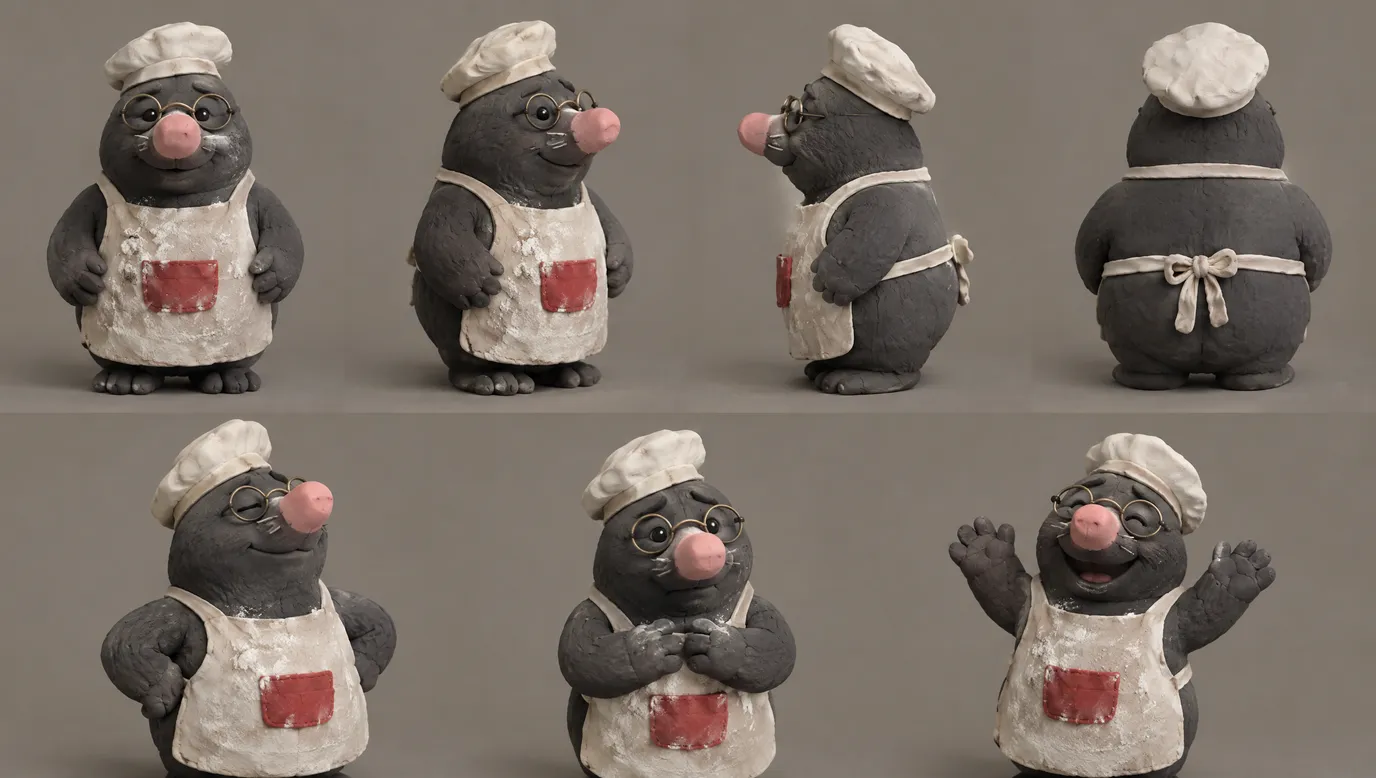
The sheet fixes the grey clay with thumb marks, the pink nose, the round wire glasses, the floury apron with its red pocket, the bow at the back. Every shot gets checked against it.
Step 4: Write the art direction plate
The plate is one short block of text that describes the material, the set and the light. Attach the same block to every image and video generation in the film, so shot 12 is made of the same clay as shot 1. A plate for Bertie's bakery looks like this:
Handmade claymation. Matte plasticine with visible fingerprints,
tool marks and slightly uneven shapes. Small black bead eyes.
Miniature tabletop set built from painted wood, card and felt.
Warm practical light from a tiny oven and a window, soft shadows.
Shallow depth of field, background in soft blur. Locked-off camera.
No studio, no title, no artist name. If a frame comes back glossy, you know which line it ignored.
Step 5: Board every shot
Board before you spend credits on video. The board fixes staging, the puppet's size in frame and every hold. In clay, it also puts the camera at puppet eye level, which is low for a human.
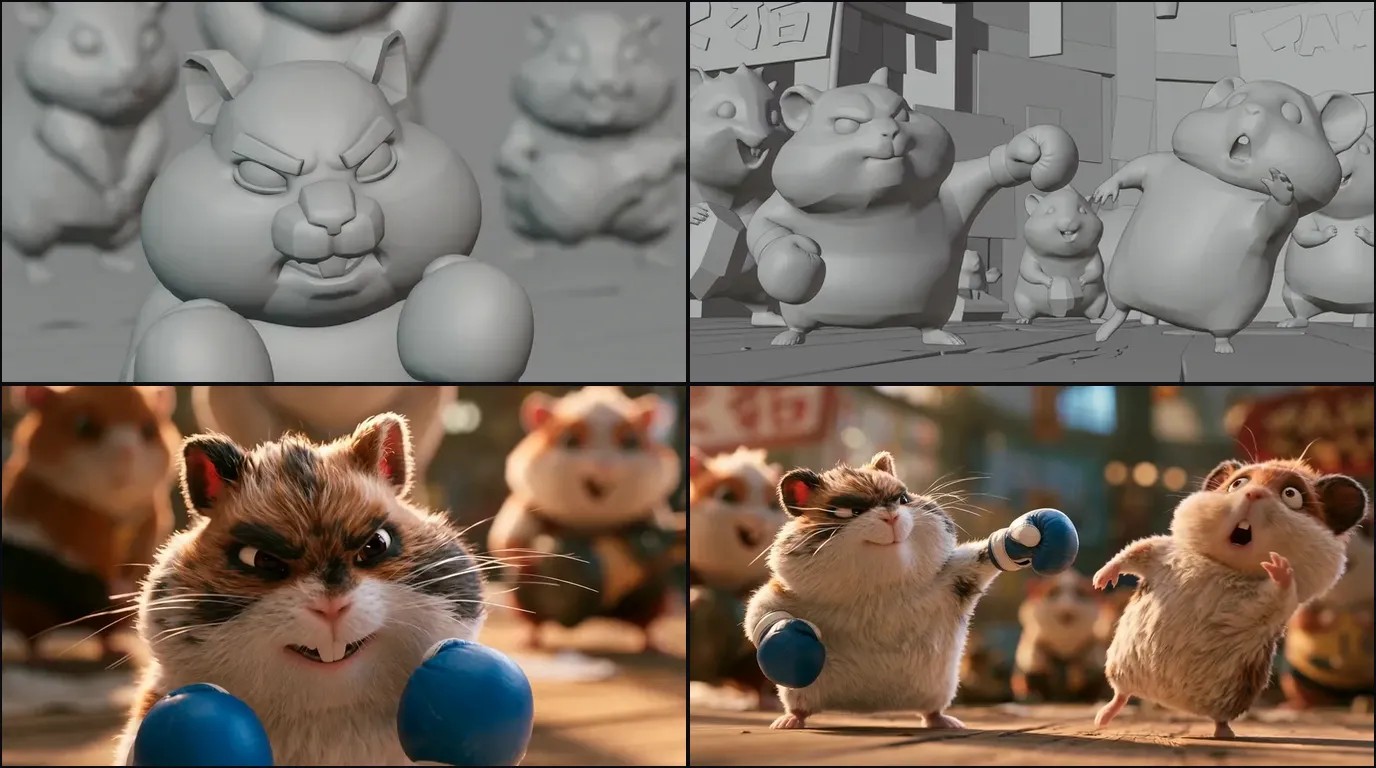
ScreenWeaver breaks each scene into shots with AI, then generates storyboard panels as a grey 3D previz, so you judge staging and timing before any surface detail. See the AI storyboard generator.
Step 6: Generate shot by shot
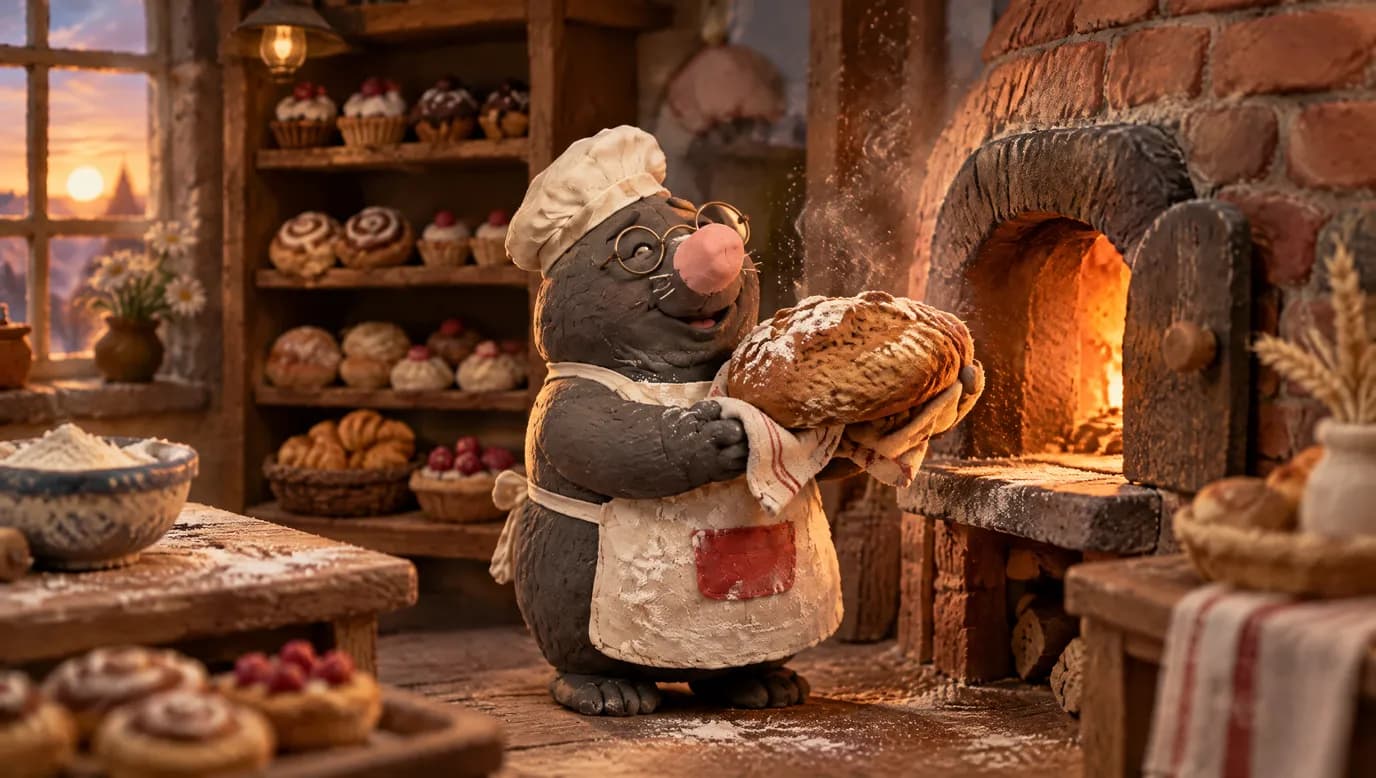
Start with a still for each shot, the sheet attached. Bertie's first shot, lifting a lopsided loaf from his tiny brick oven, came out on model: same hat, apron, glasses and clay.
Then animate. In ScreenWeaver's production canvas, a scene's shots go through one of two pipelines:
- Reference to video: each shot's action becomes a directed prompt, and the characters, places and objects in the shot are attached at the video step.
- Storyboard panels to video: the boarded panels of a scene, up to 14, guide the order and composition of the sequence, alongside the references.
Seedance 2.5 is the default video model: clips from 4 to 30 seconds, up to 1080p, up to 30 image references. Seedance 2, Veo 3.1, Kling 3.0, MiniMax H3 and Grok Imagine Video are also available, shot by shot.
Rules that save credits in clay:
- One action per shot. "He lifts the loaf" is a shot. "He lifts the loaf, turns and shelves it" is three.
- Small, deliberate moves. Wide, fast motion is where clay melts and limbs stretch.
- Draft cheap, finish sharp. Pay for 1080p only on the take you keep.
When a still is almost right, fix it before animating. Crop, Angle (a new camera angle on the same frame) and Edit turn a wrong prop into one image edit, not a new video.
Step 7: Voice, music and sound
ScreenWeaver does not generate voices, music or sound effects. Record dialogue yourself, cast an actor or use a text-to-speech service, before the final cut. Use licensed music or a composer. Clay is tactile, so foley matters: a paw squelching in dough, a tray clinking. Our sound workflow for AI films covers the audio pass.
Step 8: Edit, retime and export
ScreenWeaver does not edit or export a finished film. Bring your kept clips and audio into an editor such as DaVinci Resolve or Premiere Pro.
This is where the claymation look is finished. Generate at the model's native frame rate, then hold every pose for two frames: 12 new images per second on a 24 fps timeline. A posterize-time or frame-hold effect does it per clip. The glide turns into the stepped rhythm of stop motion, and the clay starts to look moved by hand. The video frames calculator does the arithmetic for any duration and frame rate.
For 16:9 and 9:16 versions, generate both ratios instead of cropping.
Character consistency in clay: the section that decides everything
Every generation reinvents the character. Describe "a grey clay mole in a chef's hat" in ten prompts and you get ten different moles. A film needs one specific puppet.
Clay makes it harder: a real puppet is one physical object, so if the apron pocket changes side, the audience knows it is not the same puppet. The mechanics are in character drift in AI video.
The rule: attach, don't redescribe
Once a character has a sheet, stop describing his look in prose and attach the sheet. The prompt only says what changes in this shot: pose, expression, action. Bertie's second shot shows exactly why.
Bertie's worried shot: three takes, one lesson
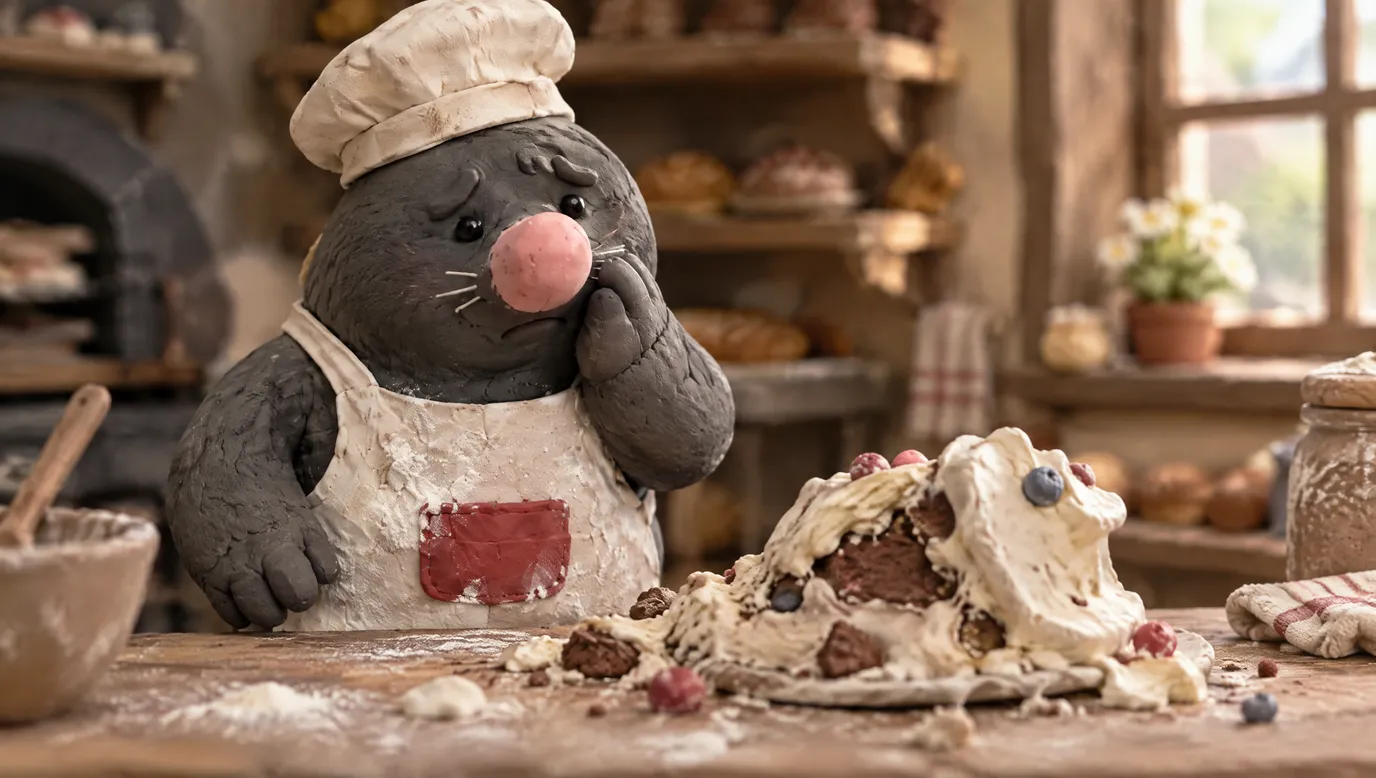
The shot: Bertie stares, worried, at a cake that has collapsed on the counter. The same sheet attached each time, three takes.

Take 1. Our prompt redescribed Bertie in prose on top of the attached sheet: "pink nose, round glasses, apron..." The model followed the words. The result is on model, but only because every word happened to agree with the sheet.
Take 2. We removed the description and wrote: "the character from the reference sheet, exactly as he appears there and nothing added." Glasses, pocket, hat and nose all came from the sheet alone. On model again, with a prompt that carries only the action.
Take 3. We had convinced ourselves that Bertie had a bare face, so we wrote "bare face with NO glasses, small black bead eyes." The model obeyed the words and removed the glasses. Look back at the sheet: Bertie wears round wire glasses in every view. Our working file for this take was even named "fixed". It is the one take off model.
Three lessons, for the price of three image generations on one shot:
- Prose overrides the sheet. When the words and the image disagree, the words tend to win. Every description you add is a second source of truth that can be wrong.
- Check against the sheet, not your memory of it. We were sure, and we were wrong. Put each take next to the sheet before you keep it.
- Name a detail only after reading it off the sheet. Naming a detail the model keeps getting wrong is a good fix. Naming one you remember wrong breaks a shot that was fine.
The claymation character kit
Build this for each recurring puppet before the first panel:
- A turnaround: front, three-quarter, side and back, same pose, same light, plain background. Use the Angle tool to fill a missing view instead of describing it.
- An expression sheet: neutral, worried, delighted, plus whatever the script needs most.
- Accessory and costume close-ups: glasses, whiskers, the pocket, the bow. Small, high-contrast details are the first to appear or vanish, as Bertie showed.
- A scale line-up: every puppet side by side and next to one key prop. Models forget relative size as soon as two characters share a frame.
Lock the clay finish too: a puppet that turns glossy has turned into plastic.
Use your own clay if you have it
If you sculpt, make a real maquette, even a rough one, and photograph it from four sides in even light. Upload the photos as the character's reference images. Your fingerprints are then real fingerprints, and the proportions come from an object that cannot drift. Nano Banana 2 accepts up to 14 reference images and Seedance 2.5 up to 30: enough for a puppet from several angles, a second puppet, the set and a prop.
The drift test
Before the second half of a scene, put shot 1 and the latest shot next to the sheet. Same accessories, same pocket side, same clay? Drift compounds when you reuse a generated frame as the next reference instead of the sheet: a copy of a copy. Always go back to the sheet. The full method for boards is in character consistency in AI storyboards, and the AI character consistency sheet helps you build a sheet from a description.
Try it free
Try Screenweaver for free on your script
It is free. Import your existing project, get a clearer view of your outline, and regain control of your story structure in minutes.
Start FreeOne shot, taken apart
Bertie's bakery shot, layer by layer. We made it as a single still for this guide, so the script line and board show how it would sit in a full film.
The script line: "Bertie hauls a lopsided loaf out of the oven and beams at it."
The board: a medium shot at puppet eye level, Bertie centre left, the glowing oven on the right. The oven is the light source, so it sits in frame.
What gets attached: Bertie's sheet. His hat, apron and glasses do not need to be written in the prompt.
What we check: hat, glasses, pink nose, red pocket, stubby feet. Then the material: thumb marks, an uneven loaf, a set built from wood and card, a soft background. We would reject glossy skin, a perfectly smooth loaf or a missing accessory.
What comes next in a film: the still becomes the first frame of the video shot, and the clip is retimed on twos in the edit. We did not animate Bertie for this guide.
How long it takes and what it costs
We won't quote a fixed price. It depends on three numbers only you control: how many shots, how long each runs, and how many takes you need before one matches the sheet. Bertie's worried shot took three image generations. Budget it this way:
- Board the whole scene to get the real shot count.
- Generate one full scene and count your own takes per kept shot.
- Multiply by the number of scenes with the AI video cost calculator.
Writing is free on the Screenwriter plan, paid plans are in the pricing section, and for a broader view, read AI film production costs.
Common mistakes, and how to fix them
1. Generating before writing. Clips with no story become a mood reel. Fix: logline, script, sheet, boards, then video.
2. Redescribing the puppet in the prompt. When the words disagree with the sheet, the words win, as our take 3 showed. Fix: attach the sheet and keep the prompt to the action.
3. Trusting your memory over the sheet, and keeping the first take. We wrote "NO glasses" for a mole who wears glasses. Fix: open the sheet and compare every take side by side before you keep it.
4. A clean, perfect surface. No fingerprints, no seams, a glossy finish: it reads as plastic or CGI. Fix: write the imperfections into the plate and reject glossy takes.
5. Leaving the motion smooth. The clip moves like a toy commercial. Fix: retime to 12 poses per second in the edit.
6. A life-size world. Real-scale rooms and deep focus kill the miniature. Fix: tabletop materials, shallow depth of field, a camera at puppet eye level.
7. A studio name in the prompt. An averaged look and a design you cannot own. Fix: describe the clay, the set and the light.
Which tool to use
| Kind of tool | Good at | Where it breaks for claymation |
|---|---|---|
| A claymation AI generator or clip app on its own | One charming clip from a prompt | No memory between clips, so the puppet changes. Script, boards and edit live elsewhere. |
| All-in-one video apps and "clay" filters | Turning a photo or footage into a clay look | Little control over staging, the same generic clay as everyone else, hard to hold a cast |
| Real stop motion with a camera | Real clay, real fingerprints, total control | Every second is many hand-moved poses, plus a built set and lights |
| A production suite: script, storyboard and video in one project | Holding puppets, sets and decisions from page to frame | You still write, board, choose the takes and retime in the edit |
We built ScreenWeaver to be that last row: the puppet you design on day one is still the same puppet in shot 30. There is no claymation page on the site yet. The closest are the AI 3D animation generator, for stylised characters and sets, and the AI family movie generator. For neighbouring methods, read how to make 3D animation with AI and how to make an AI cartoon.
Proof: what this method produces
Bertie, a test by the ScreenWeaver team. One original clay character, one sheet, one bakery shot and one shot in three takes, made with GPT Image 2.5 and shown above as they came out, including the take we got wrong. It is a test, not a released film.
Lost Garden, the long-form proof of the same pipeline. Two episodes, 38 minutes of finished anime, made by one person in ScreenWeaver. It is anime, not clay, but the method is this one: script, sheets, boards, one beat per shot. The full case study: how I made a Japanese-style anime with AI.
FAQ
Can I make AI claymation for free?
You can write the full script for free on ScreenWeaver's Screenwriter plan. Reference sheets, storyboards and video use credits on a paid plan, and voice, music and editing happen in other tools, some with free tiers. The writing and the plate, which decide most of the look, cost nothing.
What is the best AI for claymation?
No single model wins every shot. We made Bertie's stills with GPT Image 2.5. For video, Seedance 2.5 is our default because it takes up to 30 image references, which is what holds a puppet on model. Test the same board on two models and keep the one that respects the sheet.
How do I make AI video look like real stop motion?
Write fingerprints, uneven shapes and a miniature set into the plate. Keep the camera still and the actions small. Then retime the clip in your editor so each pose holds for two frames, 12 poses per second, the standard rhythm of clay animation.
Can I use photos of a clay figure I sculpted?
Yes. Photograph your maquette from the front, three-quarter, side and back in even light and upload the photos as the character's reference images. A real object gives the model fixed proportions and real texture.
Can I make a claymation series or a music video for YouTube?
Yes. A series works because the same sheets carry over between episodes. For a music video, the track comes from you or a licensed source: ScreenWeaver does not generate music. YouTube's AI disclosure label targets realistic content, and clearly animated content generally does not need it (YouTube Help, checked October 2026). For monetisation, YouTube's "inauthentic content" policy excludes mass-produced, template-made videos (YouTube monetisation policies). An original puppet with an original story is the opposite of a template.
Start with the puppet
Write the logline and the first scene tonight. The free Screenwriter plan is enough: open ScreenWeaver. When the script is ready, build the sheet, write the plate and board every shot.
For the full fiction pipeline beyond clay, read how to make an AI film.
Final Step
Build your next script with Screenweaver
Move from ideas to production-ready pages faster with timeline-native writing and AI-assisted story flow.
Try Screenweaver