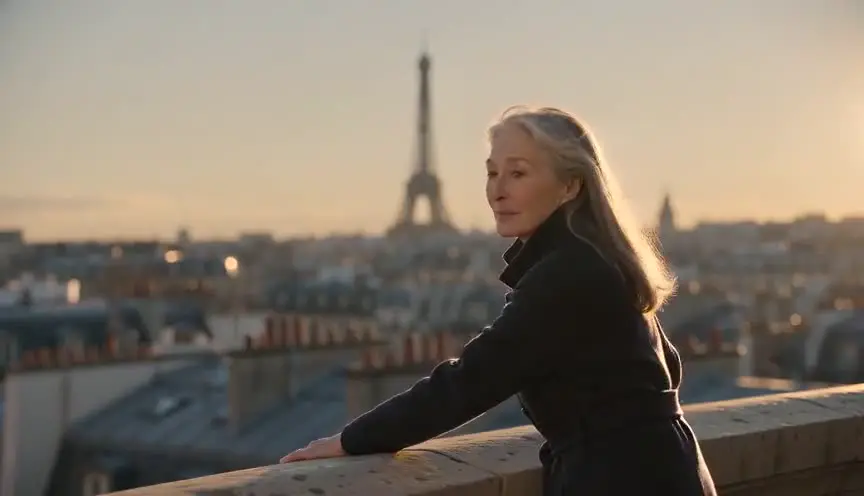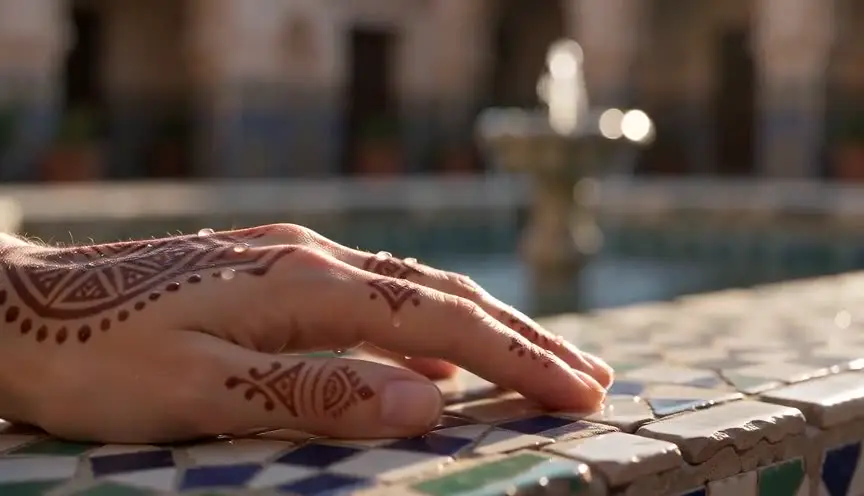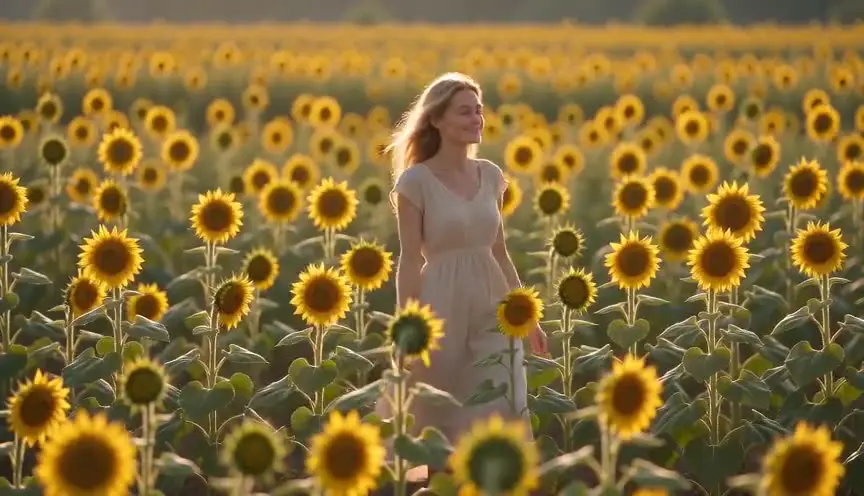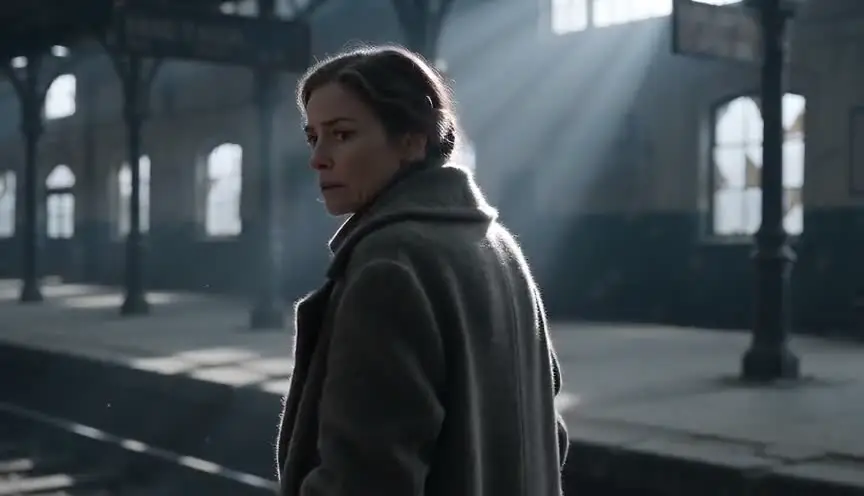
A video model holds a shot size when the prompt names the size, states where the frame cuts, and describes only what fits inside that frame. Most framing drift comes from the third part. Ask for a close-up, then describe the character's boots and the room behind her, and the model widens the shot to show you everything you asked for.
This page belongs to our director's guide to cinematic prompts, which covers the full structure of a video prompt. If you just want the copy-paste fragment for each framing, with a diagram of where the frame cuts, the shot size guide is quicker. What follows is the troubleshooting side: why the size you asked for isn't the size you got, and what to change.
The reference table
| Size | Where the frame cuts | Write it like this | Common drift | First fix |
|---|---|---|---|---|
| Extreme wide (EWS) | Subject is a speck, the place dominates | "Extreme wide shot, the figure a small fraction of the frame" | Subject grows to a wide or full shot | Describe the place in more words than the person |
| Wide (WS) | Full subject with plenty of space around them | "Wide shot showing her whole body and the garage around her" | Lands as a full shot, no air | Name two things in the environment on either side of the subject |
| Full (FS) | Just above the head, just below the feet | "Full shot, head to toe, feet on the wet pavement" | Feet cropped | Mention the feet or the ground they stand on |
| Cowboy (MWS) | Mid-thigh, or the knee, depending on who you ask | "Framed from mid-thigh up, holster visible" | Becomes a medium shot | Name an object at hip level that must stay in frame |
| Medium (MS) | At the waist | "Medium shot, waist up, hands on the table" | Slides to MCU or to full | Anchor with something at waist height |
| Medium close-up (MCU) | At the chest | "Medium close-up, chest up, collar and shoulders in frame" | Turns into a close-up | Mention the shoulders or clothing at chest level |
| Close-up (CU) | Face fills the frame, cut around the shoulders | "Close-up on her face" | Pulls back to MCU or medium | Remove every description below the neck |
| Extreme close-up (ECU) | A fragment of the face, usually the eyes | "Extreme close-up, her eyes fill the frame" | Settles on a regular close-up | Name the one feature and say it fills the frame |
| Insert | A detail of an object or action, not a face | "Insert shot of the key turning in the lock" | A person holding the object, at medium | Describe the object and the hand, never the person |
All nine terms are also defined, with a diagram of the same figure at each size, in our shot size guide.
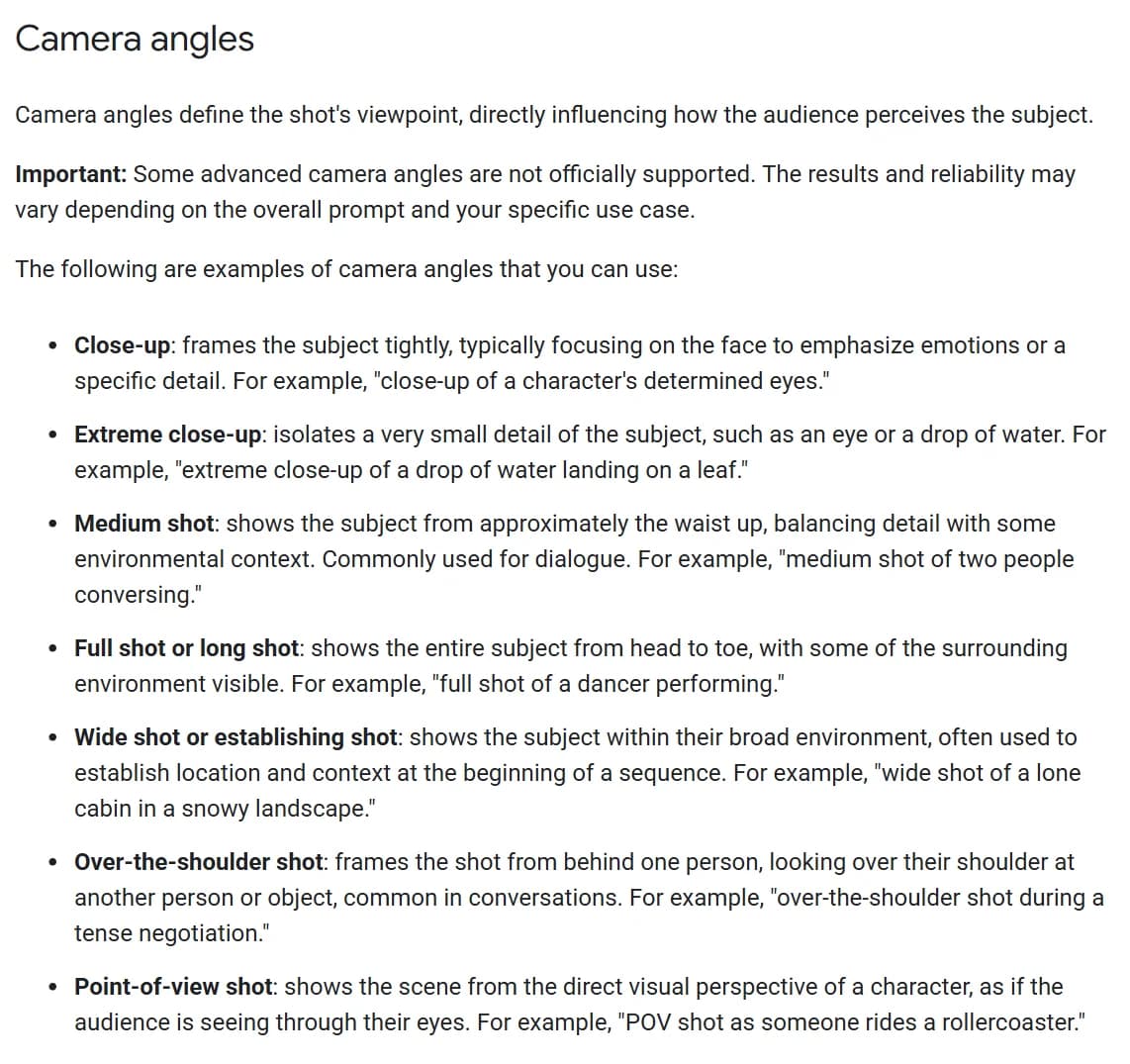
Camera angles section of Google's video generation prompt guide for Veo, captured 8 October 2026. The page was last updated 7 October 2026.
Google's prompt guide for Veo lists shot sizes in the same section as camera angles, and it opens that section with a warning: some advanced angles "are not officially supported," and results vary with the rest of the prompt. Look closely at its close-up example, too. It reads "close-up of a character's determined eyes," which most crews would call an extreme close-up. The vendor's own guide blurs the line between two neighboring sizes, which is a good reason never to rely on the label alone. Say where the frame cuts.
Why the size drifts
A close-up that comes back as a medium, or an extreme wide that comes back as a portrait, usually has one of these five causes. Check them in order; the first two cost a single edit.
1. The label has no cut point. "Medium shot" means waist up to one person and mid-thigh to another. The model has seen footage labeled every possible way. Adding the cut point ("waist up", "chest up", "head to toe") narrows the guess. Our shot size guide writes every fragment this way for that reason: "medium shot framing the subject from the waist up," not just "medium shot."
2. The prompt describes things outside the frame. A close-up prompt that mentions her leather boots, the rug, the fireplace and the dog asleep by the door gets you a medium shot, because a close-up can't contain any of that. Models try to show what you describe. Read your prompt back and delete every noun that wouldn't be visible at the size you chose.
3. The start frame already decided. In image-to-video, the size of the start frame is the size of the clip. Text can ask the camera to move, but it can't reframe an image the model has been told to animate. If the reference still is a medium shot and the prompt says "close-up," you will get a medium shot, or a sudden push-in you didn't want. Generate the still at the size you need, then animate it.
4. The aspect ratio changes what fits. A wide shot in 9:16 doesn't hold the same scene as a wide shot in 16:9. Vertical frames have room above and below the subject and very little to the sides, so a "full shot" fits easily and a two-person "medium shot" may not fit at all. If you deliver in vertical, plan sizes for vertical. The storyboard shot types reference covers how framing reads on the page; the same logic applies to the generated frame.
5. The subject gets more words than the place. In an extreme wide shot, the person should be the smallest thing in the frame. A prompt that spends sixty words on her face, her coat and her expression, then mentions "vast desert" at the end, signals that she matters most. The model frames for what matters most. Flip the ratio.
Extreme wide and wide: make the place the subject
The extreme wide is where weight in the prompt matters most, so it's worth seeing a prompt that works. Our film techniques library renders a demo clip for every shot size and publishes the exact prompt under it.
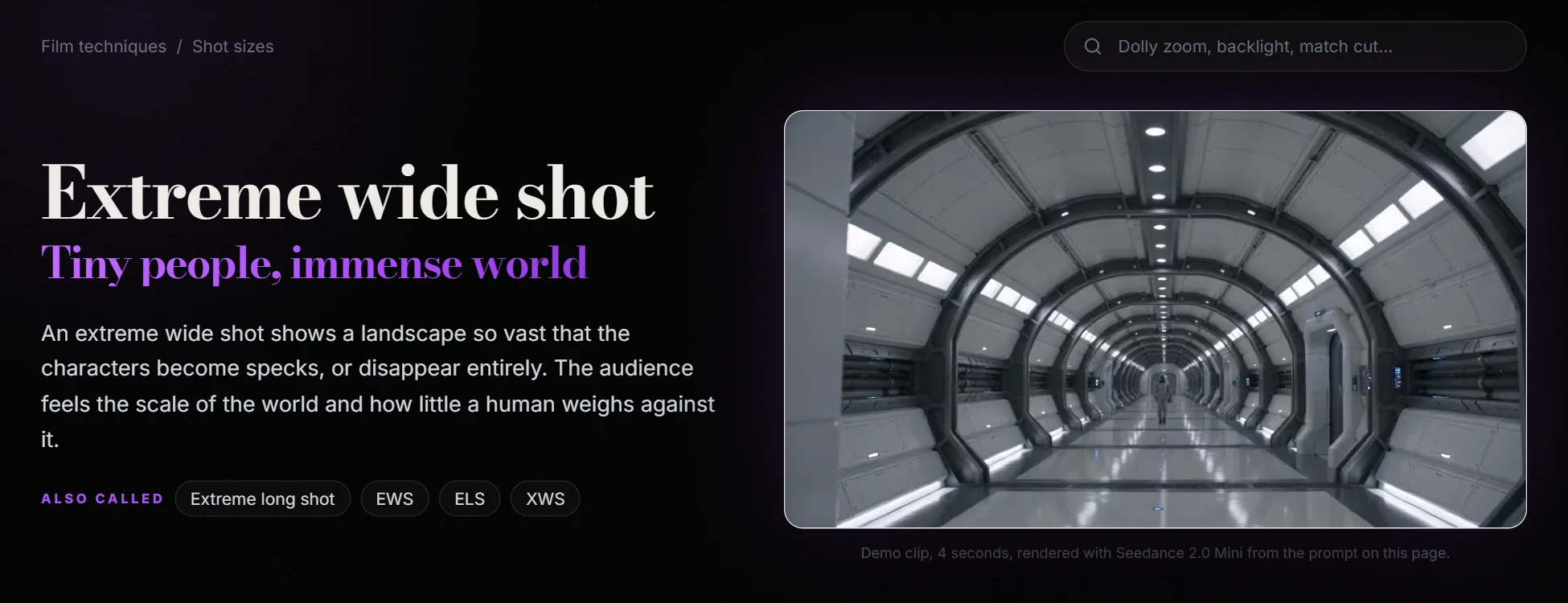
The extreme wide shot page of ScreenWeaver's film techniques library, captured 8 October 2026. The clip is a 4-second render from Seedance 2.0 Mini.
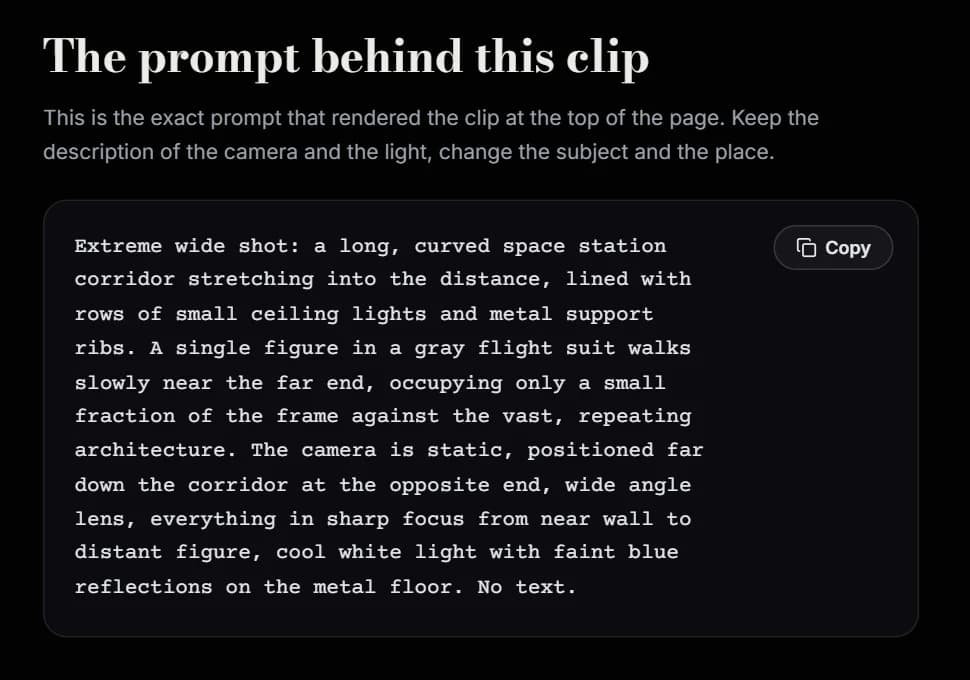
The "prompt behind this clip" block on the same page, captured 8 October 2026.
Three choices in that prompt keep the figure small. The corridor gets most of the words: its curve, its ceiling lights, its support ribs, the reflections on the floor. The figure gets one sentence and an explicit proportion, "occupying only a small fraction of the frame." And the camera is placed in space, "far down the corridor at the opposite end," which tells the model the distance as well as the size.
You can borrow that last move for any wide shot. "Camera on the far bank of the river" or "seen from the top of the dunes" gives the model a physical position, which is easier to obey than an abstract size word.
A plain wide shot is more forgiving. The common failure is a shot with no air, the subject filling the height of the frame like a full shot. Name things on both sides of her ("the workbench to her left, the open roller door to her right") and the frame has to widen to include them.
Full shot and cowboy: where the legs end
The full shot has one job: show the whole body. Cropped feet are its typical failure, and the fix is almost silly. Mention the feet. "Bare feet on the cold tiles" or "boots planted in the mud" forces the bottom of the frame below the ankles.
The cowboy shot is harder, because people disagree about it. Some cut at mid-thigh, others at the knee; our shot types article traces the name back to the French plan américain. A model trained on both versions will drift toward the medium shot it sees far more often. Don't write "cowboy shot" alone. Write the cut and give the frame a reason to stop there: "framed from mid-thigh up, his hand resting on the holster." The holster is the anchor. If it has to be visible, the frame can't cut at the waist.
Medium and medium close-up: the dialogue sizes
Most of a dialogue scene plays at these two sizes, so they get generated more than any other. Google defines the medium shot as "approximately the waist up," and that "approximately" is honest. The drift goes both ways: tighter when the prompt dwells on the face, wider when it describes the room.
Anchor each with something physical at the cut line. For a medium shot, hands on a desk, a belt, a bar counter. For a medium close-up, a collar, a necklace, the top button of a coat. Objects at the cut line work better than adjectives, because the model can place an object.
Both sizes also have to match across a scene. If the first clip of a conversation is a waist-up medium and the reverse lands at chest-up, the cut feels like a mistake. Write the same cut point, word for word, in both prompts.
Close-up, extreme close-up and insert: the tight end
At the tight end of the scale, the rule from cause 2 becomes strict. A close-up prompt should describe a face, light on that face, and what the face is doing. Nothing below the shoulders, nothing behind the head beyond a word about the background blur.
Decide which tight size you mean before writing, because the neighbors bleed into each other, as Google's own example shows. A close-up is the whole face, cut around the shoulders: "close-up on her face," plus an expression and a light. An extreme close-up is one feature, and the prompt should name it and say it fills the frame: "extreme close-up, his left eye fills the frame, the iris catching a reflection of the fire."
An insert is an object or an action, not a face. Describe the object and the hand and leave the person out. "Insert shot of a brass key turning in an old lock" works. "Close-up of the detective turning the key" gets you the detective.
Our insert shot demo uses the same principle with no person at all: "close-up framing that fills most of the frame with the fruit and a few surrounding leaves." The fill instruction does the framing work.
Tight sizes also expose consistency problems faster. A face that holds up at medium can drift at close-up, where every feature is large. If your character's face is changing between clips, the fix is upstream of framing; our guide to character drift covers reference sheets and locking.
Try it free
Try Screenweaver for free on your script
It is free. Import your existing project, get a clearer view of your outline, and regain control of your story structure in minutes.
Start FreeChanging size inside a clip
Sometimes you want the size to change during the shot: a slow move from medium to close-up as the news lands. That is a camera move, and it needs to be written as one. "Slow push-in from a medium shot, ending on a close-up of her eyes" names both ends. Our camera movement prompts page covers why moves get ignored and how to name the destination.
If the move isn't the point, cut instead. Two clips at two sizes, joined in the edit, are easier to control than one clip asked to travel between sizes in five seconds.
Sequencing sizes across a scene
One shot size on its own carries little meaning. It gets its meaning from the shot before it. A close-up after a wide lands hard. A close-up after a medium close-up barely registers. When you plan a scene for generation, write the size of each clip in a list before writing a single prompt, and check the jumps:
- Wide to medium to close-up is the classic walk-in, and it reads as clarity.
- Holding the same size for five clips in a row reads as flat, even when each clip looks good.
- Cutting between two adjacent sizes on the same subject from the same angle (MCU to CU, say) often feels like a jump cut. Change the angle as well, or skip a size.
That list is a shot list. If you'd rather see each size in context before deciding, the film techniques shot size section has a demo clip and the prompt for twenty framings, from the extreme close-up to the over-the-shoulder.
A prompt pattern that holds up
The order I use, in the first sentence of the prompt:
[shot size], [where the frame cuts], [camera position if it matters], [what fills the frame].
Then the action, the light and the look, in that order. The lighting prompts guide covers the light half.
A before and after:
Before: A close-up of an old fisherman with a weathered face, wearing a yellow oilskin and rubber boots, standing on the deck of his boat in a stormy harbor with seagulls overhead, cinematic.
After: Close-up on an old fisherman's weathered face, cut at the collar of a yellow oilskin, rain running down his cheek, eyes on something off frame left. Grey storm light from the right, harbor lights as soft blur behind him, 35mm film grain.
The first prompt asks for a close-up and then describes boots, a deck, a harbor and seagulls. Nothing in it can be satisfied at close-up except the face, so the model will widen. The second describes only what a close-up can hold, and pushes the harbor into the background blur where it belongs.
Checklist before you generate
- The size is named with a standard term (extreme wide, wide, full, medium, medium close-up, close-up, extreme close-up, insert)
- The cut point is written out: head to toe, waist up, chest up, the eyes fill the frame
- The size sentence is the first sentence of the prompt
- Every noun in the prompt would be visible at that size
- For wides, the place gets more words than the person, and the figure's proportion is stated
- For full and cowboy shots, an object or body part at the bottom of the frame anchors the cut
- For inserts, the person is left out and the object is described
- In image-to-video, the start frame is already at the size you want
- The aspect ratio is chosen before the size, and the size makes sense in it
- Clips that cut together in one scene use the same cut-point wording for the same size
Tools for this
The shot size guide shows each framing on the same figure with a copy-paste prompt fragment. The film techniques shot size section has twenty framings with demo clips and the exact prompts behind them. The camera movement prompt library covers the other half of the camera sentence. The AI video prompt generator puts the shot type first and builds the rest of the prompt around it. And if you're working from a script rather than from single shots, ScreenWeaver breaks scenes into shots and writes the prompt for each one; the AI film guide shows how that runs.
FAQ
What are the shot sizes for AI video prompts? The standard film scale: extreme wide, wide, full, cowboy (medium wide), medium, medium close-up, close-up, extreme close-up, plus the insert for objects. Google's Veo prompt guide defines most of them with an example prompt each. Use the standard terms, and add the cut point ("waist up", "head to toe") because the labels alone are read differently by different people and different models.
Why does my AI close-up come out as a medium shot? Usually because the prompt describes things a close-up can't contain: clothing below the shoulders, props on a table, the room. The model widens the frame to show what you described. Delete every noun that wouldn't be visible in a face-filling frame and the close-up usually holds.
How do I get a really wide shot with a tiny subject? Give the environment most of the words, give the subject one sentence, and state the proportion: "a single figure occupying only a small fraction of the frame." Placing the camera far away in physical terms ("from the opposite end of the corridor") helps more than repeating "extreme wide."
Can I change the shot size during one AI video clip? Yes, as a camera move with a named end point: "slow push-in from a medium shot, ending on a close-up." Without the end point, the model guesses how far to go. For bigger changes, generate two clips at two sizes and cut between them.
Does the shot size in my prompt override the start image in image-to-video? No. The start frame sets the framing, and the prompt animates it. If you need a different size, generate a new start image at that size, or write an explicit camera move to get there.
What is the difference between a close-up and an insert shot in a prompt? A close-up is a face. An insert is an object or an action, such as a key in a lock or a hand on a trigger. Writing an insert, leave the person's name out of the prompt; mentioning them pulls the frame wide enough to show them.
Final Step
Build your next script with Screenweaver
Move from ideas to production-ready pages faster with timeline-native writing and AI-assisted story flow.
Try Screenweaver