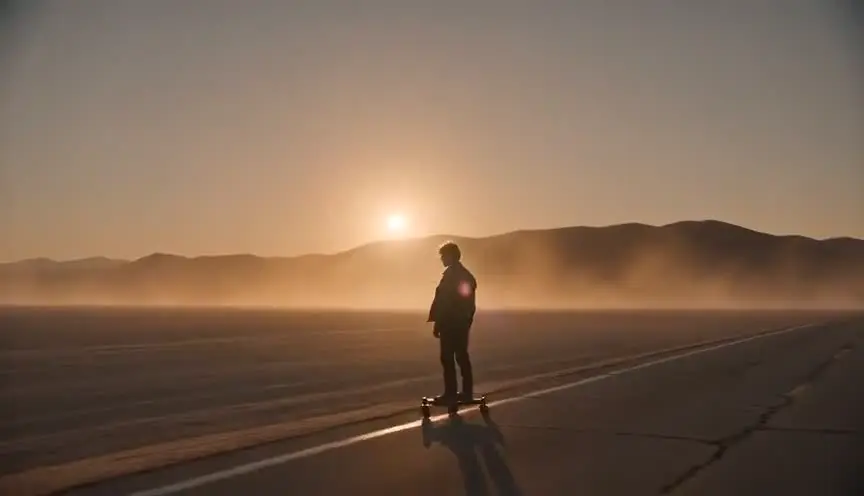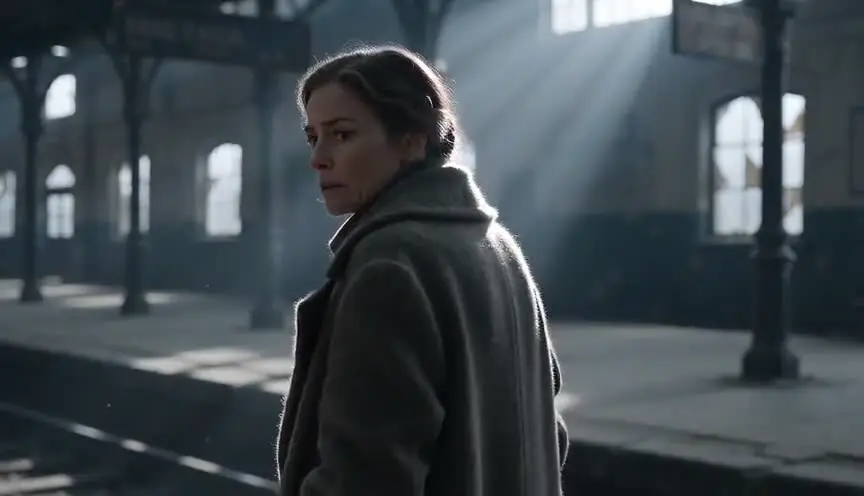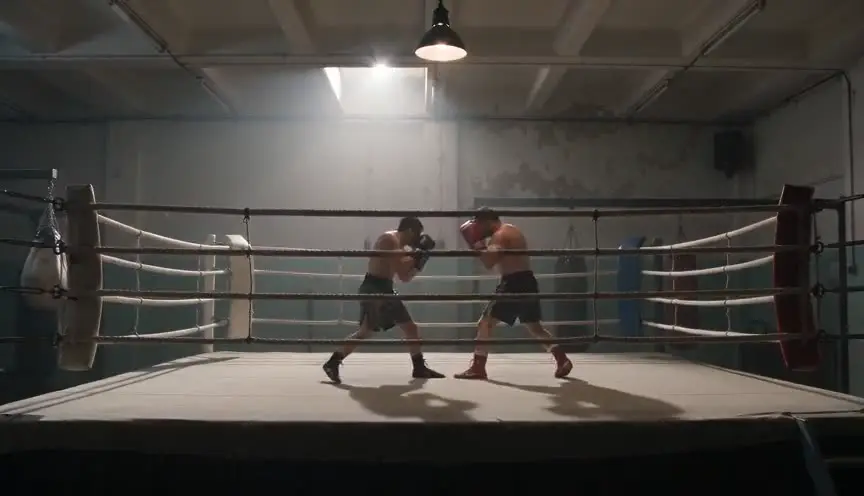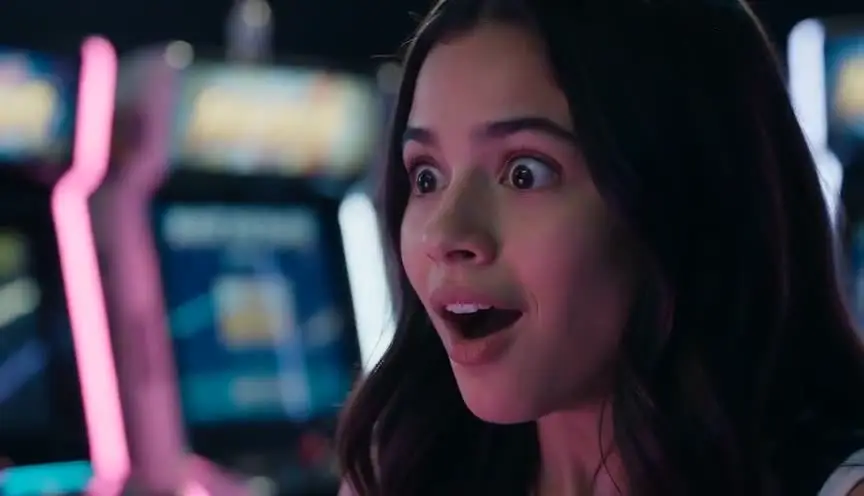

Short answer: video models do not act on emotion words. "Sad" gets you a stock face, usually overplayed. To direct an AI actor, write the physical tell instead (what the eyes, mouth, hands and breath do), give the clip one change with a start state and an end state, frame it close enough to read, and leave it 4 to 6 seconds. "Her chin tightens, she looks down at the photo and blinks twice, her breath catches" plays as grief. "She is very sad" plays as a poster. The tables below give the tells for 12 emotions, an intensity scale and a full scene built in ScreenWeaver.
This is the performance chapter of our director's guide to cinematic prompts. Camera, lens and light have their own guides; this one is about the face.
Why "sad" gives you a stock face
An emotion word is a label, and a model answers a label with the most legible picture of it: the frown, the open-mouthed sob, the grin with every tooth. That is the version of the emotion that photographs best, and it is the version actors avoid. Real performance is smaller and more specific. A person who has just heard bad news rarely cries at once; they stop moving, they look at a fixed point, they swallow.
Runway's prompting guide (published 4 November 2025, read today) puts the craft in one line: "Subtle micro-expressions in the face convey deep emotion through tiny details." The same guide warns that describing what you do not want "often produces exactly that". Both points lead to the same method: describe the visible behaviour, positively, and let the audience name the feeling.
Three things go wrong when the prompt carries only a label:
- Intensity jumps to the top. "Crying" becomes sobbing with shaking shoulders, even when the scene needs one tear.
- The emotion is there from frame one. Nothing changes, so nothing reads as a reaction. A feeling the audience did not see arrive is a mask, not a performance.
- Everybody emotes. With two characters in frame and one emotion word, both faces often take it.
The four parts of an emotion prompt
Every emotional beat that works in AI video has the same four parts. Write them in this order.
| Part | What you write | Example |
|---|---|---|
| Tell | Two or three visible cues on one person, named | "@Émilie's chin tightens, her eyes glisten, she presses her lips together" |
| Change | The state at the start, what triggers it, the state at the end | "She looks at the photo neutral; as she recognises it, her breath catches; she ends with a small, wet smile" |
| Frame | A shot size close enough for the tell | "Close-up, eye level, static" |
| Time | Seconds for each stage, whole numbers, no gaps | "0 to 2 seconds: ... 2 to 5 seconds: ..." |
Two or three cues are the right dose. One cue is often ignored; five cues fight each other and the face starts to twitch between them. The cues must also agree: "eyes glisten" and "jaw clenched" can be one person holding back tears, but add "smiles broadly" and the model averages them into nothing.
The tell table: 12 emotions, what to write instead
This is the core of the method. The left column is the word to delete from your prompt; the rest is what to write instead. Pick two or three cues from the row, never the whole row.
| Instead of | Eyes | Mouth and jaw | Hands and body | Breath and voice | Avoid in the prompt |
|---|---|---|---|---|---|
| Sad, grieving | Gaze drops to a fixed point, slow blinks, eyes glisten | Chin tightens, lips pressed together | Shoulders drop, hands go still | Breath catches, one shaky exhale | "crying", "devastated" |
| Happy, joyful | Eyes narrow, crow's feet show | Smile starts on one side, then opens | Shoulders lift, hands open | Short laugh through the nose | "big smile", "very happy" |
| Afraid | Eyes widen, gaze darts to the sound | Lips part, jaw slack | Freezes, steps back, hand to the chest or a wall | Quick shallow breaths, held breath | "terrified", "screaming" |
| Angry | Hard stare, eyes do not blink | Jaw clenches, nostrils flare | Fists close, leans forward, stillness | Breath through the nose, low even voice | "furious", "rage" |
| Ashamed | Looks away and down, cannot hold eye contact | Swallows, lips pull in | Turns the body away, touches the face or neck | Voice drops, line trails off | "embarrassed face" |
| Relieved | Eyes close for a beat, then open softly | Mouth releases, small exhale smile | Shoulders fall, leans on something | Long exhale, a short laugh | "very relieved" |
| Surprised | Brows go up, eyes open wide for one beat | Mouth opens slightly, then closes | Stops mid-gesture | Sharp inhale | "shocked face", "gasping" |
| Contemptuous | Looks the other person up and down | One corner of the mouth tightens | Turns the head slightly away, chin up | Short exhale through the nose | "disgusted", "evil smile" |
| Longing, tender | Holds the look a beat too long, soft focus on the other face | Slight smile that does not finish | Leans in, then stops | Slow breath, voice softer | "loving eyes", "romantic" |
| Guilty | Glances at the other person, then away, twice | Starts to speak, stops | Fidgets with an object, small steps back | Swallows before speaking | "guilty look" |
| Nervous | Blinks often, checks the door or the phone | Wets the lips, half smile | Rubs the thumb on a finger, shifts weight | Clears the throat, quick speech | "anxious", "stressed" |
| Determined | Steady gaze ahead, no blinks | Jaw sets, lips firm | Squares the shoulders, takes one step forward | Slow deep breath in, then still | "heroic", "epic" |
A useful test before you spend a credit: cover the first column with your hand. If a reader of your prompt can still guess the emotion from the cues alone, the model can play it.
The intensity scale: write level 2, not level 5
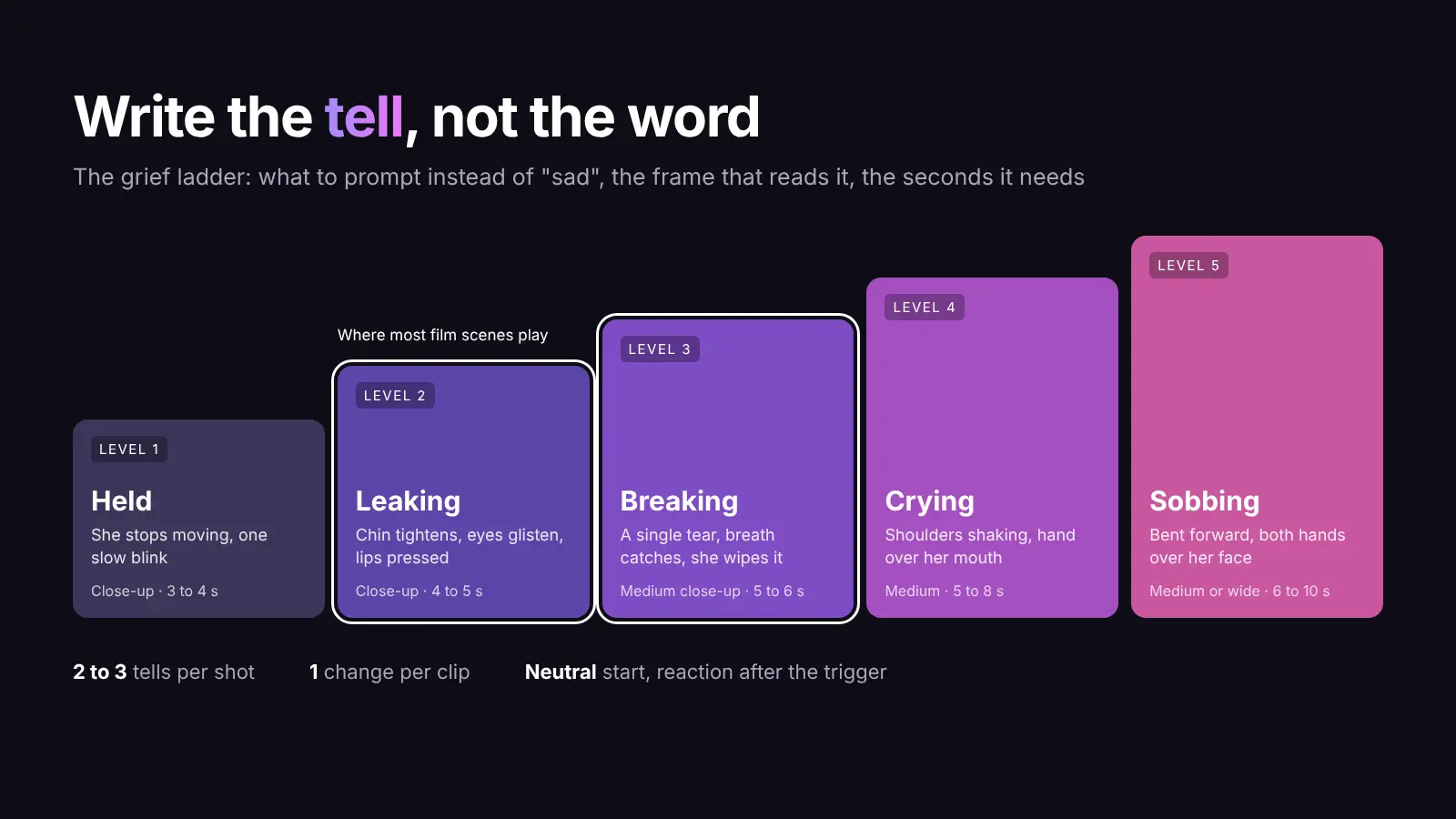
Models default to the loudest version of a feeling. Most film scenes play much lower. Here is one emotion, grief, on a five-step scale; the hero image shows the same ladder.
| Level | What the audience sees | Prompt line | Shot size that reads it | Time it needs |
|---|---|---|---|---|
| 1. Held | Nothing, almost: the body stops | "She stops moving; her gaze stays on the photo; one slow blink" | Close-up | 3 to 4 s |
| 2. Leaking | The control slips for a beat | "Her chin tightens; her eyes glisten; she presses her lips together" | Close-up | 4 to 5 s |
| 3. Breaking | One tear, breath catches, she recovers | "A single tear runs down her left cheek; her breath catches; she wipes it with her thumb" | Medium close-up | 5 to 6 s |
| 4. Crying | Tears, shoulders move, she cannot speak | "She cries quietly, shoulders shaking, a hand over her mouth" | Medium | 5 to 8 s |
| 5. Sobbing | Full release, loud | "She sobs, bent forward, both hands over her face" | Medium or wide | 6 to 10 s |
Levels 2 and 3 are where most dramatic scenes live, and they are the levels a bare emotion word never reaches. Level 5 is rarely needed, and when it is, the wide shot is kinder to the model and to the audience: the body tells it, the face does not have to.
Two words help hold the level down: "barely" and "for a moment". "Her eyes glisten for a moment, then she looks away" keeps the beat at level 2. "Slightly", "a little" and "subtle" are weaker; models read them as decoration and often ignore them.
Frame it: the shot size decides what can be read
A tell that the frame cannot show is wasted words. A tear in a wide shot is three pixels. A clenched fist in a close-up of the eyes is off screen. Match the cue to the frame.
| Shot size | What emotion it can carry | Best cues |
|---|---|---|
| Wide | Posture, distance between people | Turning away, sitting down hard, stopping in a doorway |
| Medium | Shoulders, hands, gestures | Hands going still, a step back, arms crossed |
| Medium close-up | Face and hands together | Wiping a tear, a hand to the mouth, a nervous touch on the neck |
| Close-up | Eyes and mouth | Glistening eyes, a tight chin, a swallow, a held look |
| Extreme close-up | One detail | A single tear, the eyelids, a trembling lip |
Shot sizes drift in AI video, and an emotional close-up that comes back as a medium loses its cue. Our shot size prompts guide explains how to hold the frame you asked for. The camera matters less than the size: for emotion, Static or a slow dolly in is almost always right. The movement is the face's job.
Time it: one change per clip, start and end written
An emotion that is already there at the first frame is not a reaction. Write the neutral start, the trigger and the end state, and give each a whole-second range. With Seedance 2.5, the default video model in ScreenWeaver (clips of 4 to 30 seconds), the timeline format is native: its guide asks for continuous whole-second ranges with no gaps, as our Seedance prompts guide shows.
0 to 2 seconds: @Émilie looks at the photo in her hands, face neutral, eyes on the picture. 2 to 4 seconds: she recognises it; her breath catches; her chin tightens and her eyes glisten. 4 to 6 seconds: a small, wet smile; she looks up at @Thomas.
Three rules hold this together:
- One change per range, at least 2 seconds each. A change shorter than 2 seconds is usually skipped or turns into a twitch.
- A reaction comes after its trigger. Put the line, the sound or the object first, then the face. People react a beat late; models that react on the same frame look like they knew.
- One emotional turn per shot. Tears and then a smile is one turn, and it fits in 5 or 6 seconds. Tears, anger, then forgiveness is three shots.
For models with short fixed lengths (Veo 3.1 at 4, 6 or 8 seconds, for example), the same rule means fewer stages: one change in 6 seconds, not three.
Subtext: when the character hides the feeling
The best scenes are about an emotion the character refuses to show. A label cannot do this at all: "she hides her sadness" gives you sadness. Write the cover behaviour, then the leak, and keep the leak smaller than the cover.
| Hidden emotion | Cover behaviour (what they show) | The leak (what escapes) |
|---|---|---|
| Grief | Polite smile, keeps talking | Smile ends before the sentence; the eyes stay on the table |
| Anger | Calm voice, still hands | Jaw muscle moves once; a long blink |
| Fear | Joking, relaxed posture | Glances at the door twice; hand grips the cup |
| Love | Teasing, looking elsewhere | Looks back a beat too long when the other is not watching |
| Shame | Shrugs, "it's fine" | Swallows; turns the body slightly away |
The prompt order matters: cover first, leak last, because the last thing in the shot is what the audience takes away. "@Émilie smiles and nods as Thomas talks. As he looks back at the road, her smile drops and she stares at the photo."
Try it free
Try ScreenWeaver for free on your script
It is free. Import your existing project, get a clearer view of your outline, and regain control of your story structure in minutes.
Start FreeDialogue: the voice carries half the feeling
When the video model generates sound (the Audio switch on the Video node in ScreenWeaver), write the delivery in its own sentence, after the picture: "@Thomas says quietly, his voice dropping on the last word: I found it at Mom's." Keep the line short; a long line pushes the face into talking for the whole clip and leaves no time for the reaction. The listener's reaction shot is often the stronger emotional shot, and it needs no lip sync at all. Dialogue scene prompts covers coverage and eyelines; when the voice will be replaced later, AI voices and lip sync explains why prosody, not audio quality, is what gives a synthetic voice away.
If the character must not speak in the shot, say what the mouth does: "her lips stay closed". Models often move the lips of anyone in a close-up.
What models overdo, and the fix
| Problem in the take | Usual cause | Fix in the prompt |
|---|---|---|
| Wailing instead of a tear | The word "crying" or "sad" | Write level 2 or 3 from the scale, with "a single tear" |
| The emotion is there from frame one | No start state | Add "face neutral" in the first range |
| Both characters react | One emotion, two people, no name | Name who reacts; give the other a neutral action ("@Thomas keeps his eyes on the road") |
| The face twitches between expressions | Too many cues, or cues that disagree | Two or three cues that belong to one emotion |
| Constant grin | "Happy" with no trigger | A smile that starts on one side, after something happens |
| The actor looks into the lens | No eyeline | Write where the eyes go: "looks down at the photo", "looks at @Thomas" |
| Lips move with no line | Close-up with no mouth instruction | "Her lips stay closed" |
| The face changes identity as the emotion grows | Emotion baked into the reference sheet, or a very long range | Neutral reference sheet; split the change into two shots |
On negative prompts: the model decides whether you have them. Seedance 2.5's own guide limits negatives to subtitles and audio, so everything about the face has to be said positively. Negative prompts for AI video sorts the models by what their negative field accepts.
Keep emotion out of the reference sheet
This is the mistake that costs the most, because it hides upstream. If a character's description says "melancholic" or the reference image shows tears, every shot inherits that face. A model given a sad reference makes a sad character in the happy scene too.
In ScreenWeaver, a character's description holds only what a camera sees, and the editor teaches it: in the demo project, "She is melancholic and secretive" is struck out of Émilie's description.
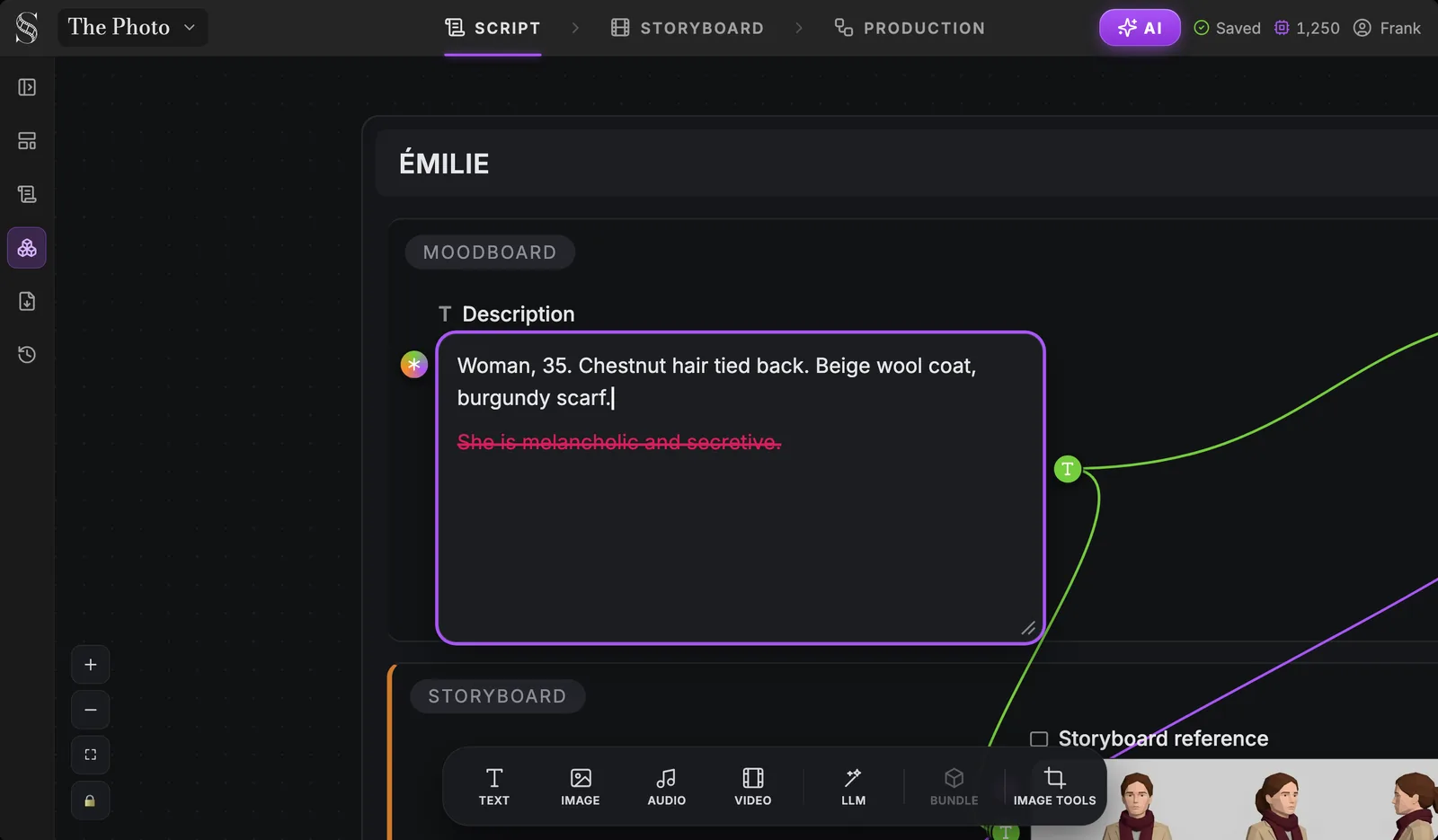
Generate the reference sheet with a neutral, relaxed expression, then put every emotion in the shot. The sheet is the actor; the shot is the direction. Why identity holds or drifts across shots is covered in character consistency prompts.
Worked example: one emotional scene in ScreenWeaver
The demo project The Photo is a good test because it is almost all performance. One scene, INT. THOMAS'S CAR - NIGHT, rain. Thomas, 40, hands his sister Émilie an old photo of the two of them as children, found at their mother's house. He says "I found it at Mom's." Her eyes fill with tears, then she smiles. Four shots, 18 seconds.
The board, shot by shot
In the Storyboard tab, each shot has a Shot value, a Camera movement, a duration and an Action field. Type @ in the Action field to cite a character's sheet. This is where the performance gets written.
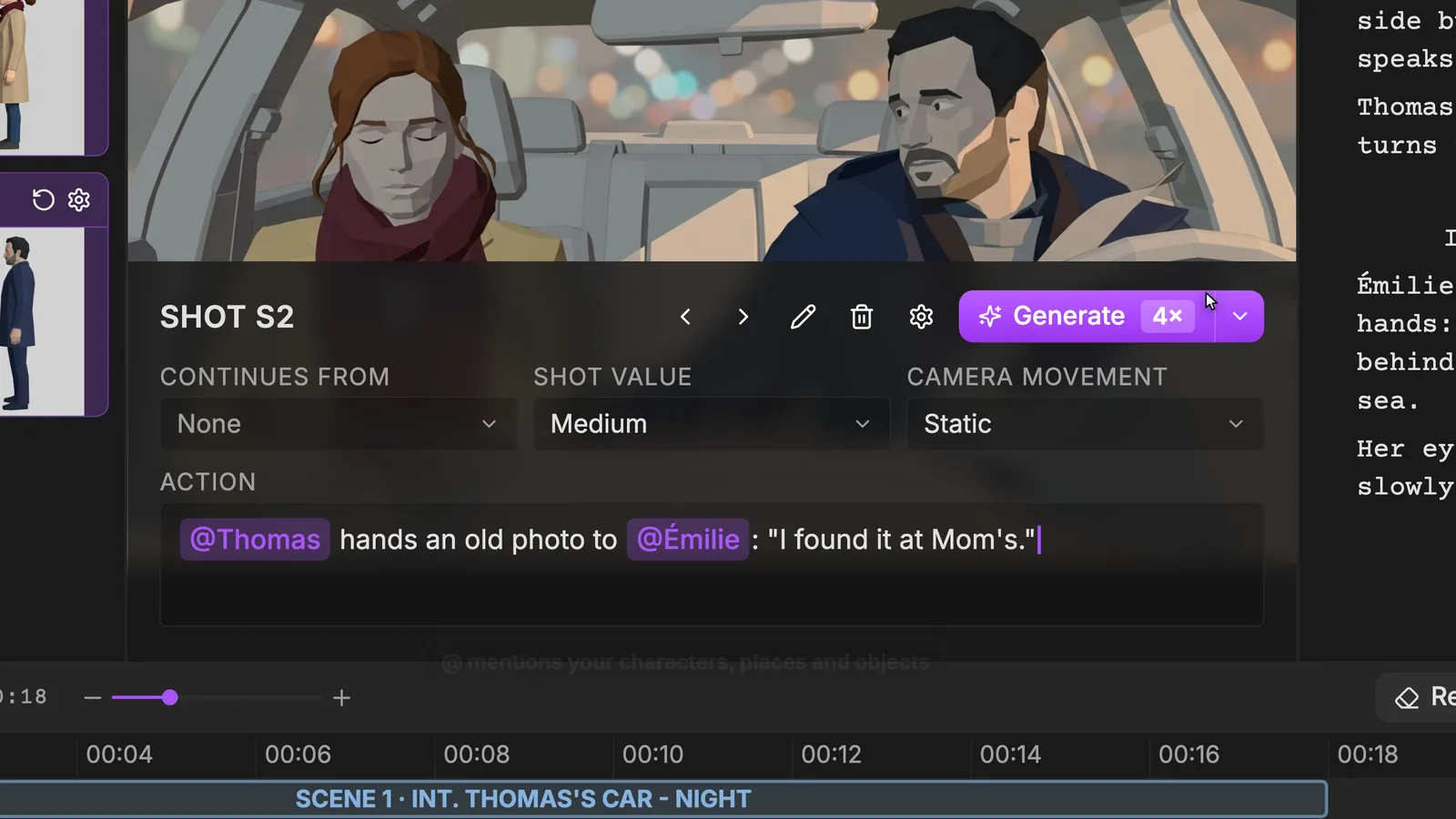
| Shot | Board | Emotion level | Action field (the performance, as we would write it) |
|---|---|---|---|
| S1 | Medium, Dolly in, 5 s | Grief, level 1 (held) | "@Thomas at the wheel, eyes on the road, jaw tight. @Émilie in the passenger seat looks out of her window. Nobody speaks." |
| S2 | Medium, Static, 4 s | Thomas: guilt, level 2 | "@Thomas glances at @Émilie, then away, then hands her an old photo without looking at her. He says quietly: I found it at Mom's." |
| S3 | Insert, 4 s | None: the object carries it | "Close on the photo in @Émilie's hands: two children on a beach. Her thumb moves slowly over the edge." |
| S4 | Close-up, Dolly in, 5 s | Grief level 2 to 3, then relief | "0 to 2 s: @Émilie looks at the photo, face neutral. 2 to 4 s: her breath catches, her eyes fill with tears, a single tear on her left cheek. 4 to 5 s: a small, wet smile; she looks up at @Thomas." |
Note what is not there: no "sad", no "emotional", no "touching moment". S3 has no emotion at all, and it is the shot that makes S4 land: the audience sees what she sees, then sees her see it.
Generate the scene, then judge the faces
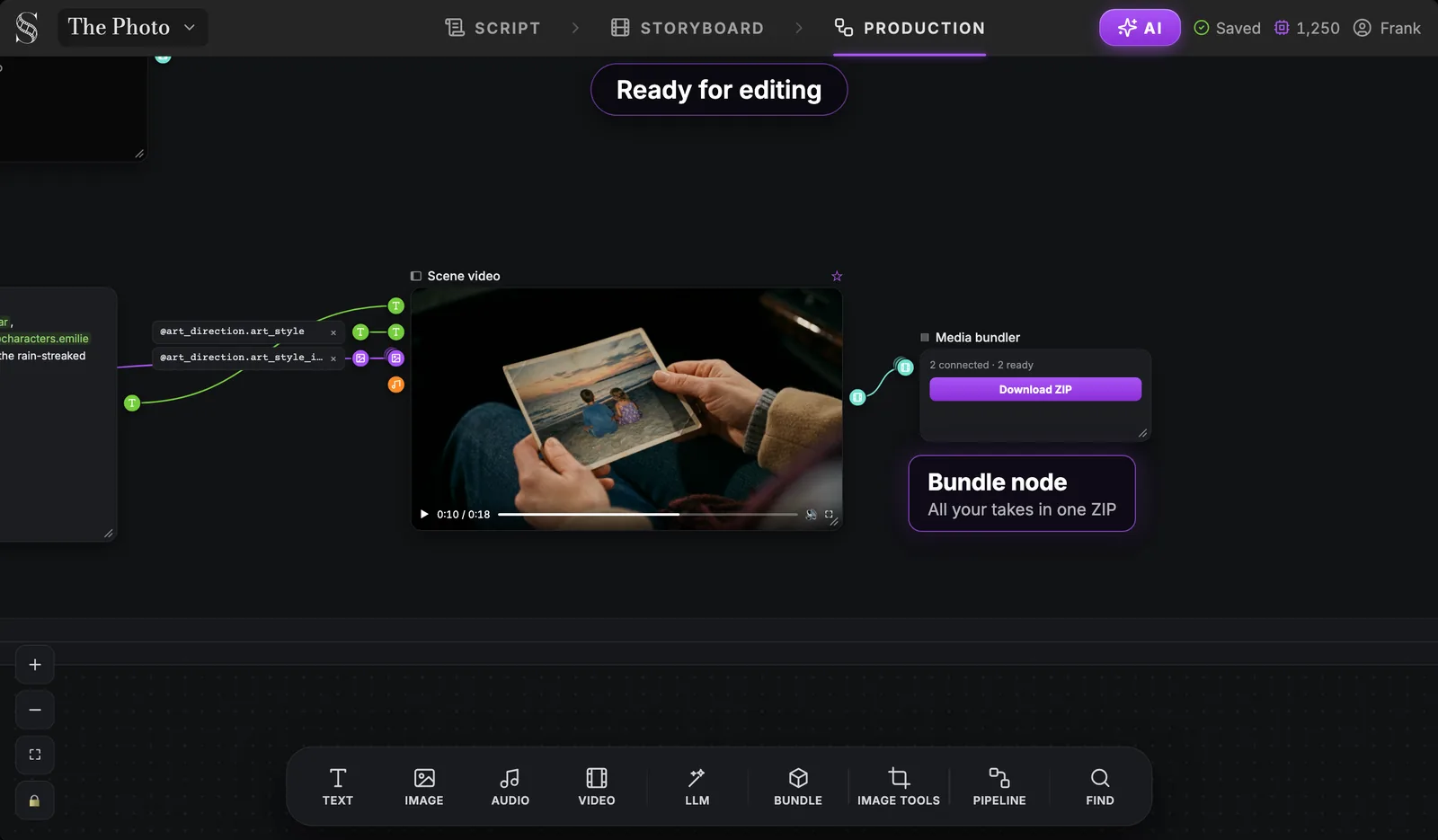
In the Production tab, a pipeline (Storyboard panels to video) sends the four shots, their order, the timed staging and the sheets to one Scene video node, so the faces and the light hold across the cuts. The full method is in multi-shot AI video. For a single shot by hand, a Video node takes the same timeline in its prompt.
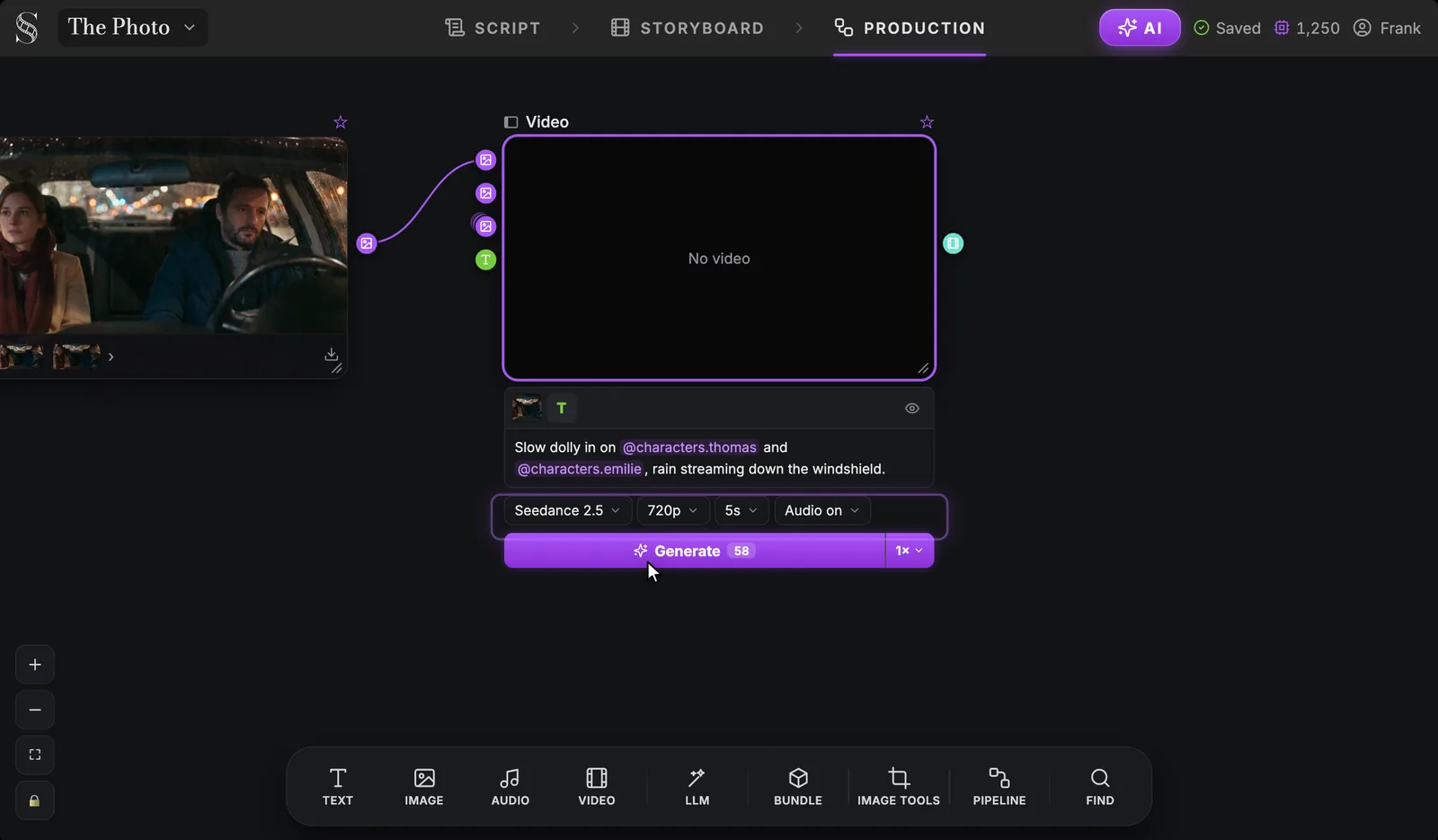
Test performance at 480p Draft first: you are judging the face, and a cheap take shows whether the tear arrives on time. Every node keeps its takes, so generate two or three and keep the one where the change happens in the right second. When a take is right, the Bundle node gathers it with the others for your edit.
What to check in each take
- Does the change happen inside its range? If the tears arrive at second 1, the start state was missing or too short.
- Is it the right person? Thomas should stay on the road in S4.
- Is the level right? If she sobs, rewrite with the level 2 line and "a single tear".
- Is it still her? If the face drifts as the emotion grows, shorten the range or split the shot.
- Do the eyes go where you wrote? A look into the lens breaks the scene at once.
Checklist before you generate an emotional shot
- The emotion word is gone; two or three tells replace it.
- The level on the scale is chosen, and it is usually 2 or 3.
- The shot size can show the tells you wrote.
- The start state is neutral and written in the first range.
- The trigger comes before the reaction.
- Only one person changes; the others have a neutral action.
- The eyeline is written.
- The reference sheet is neutral.
- The clip is 4 to 6 seconds per emotional turn.
FAQ
How do I make an AI character cry realistically?
Do not write "crying". Write the stage you need: eyes glisten and a tight chin (level 2), or a single tear with a caught breath (level 3), in a close-up or medium close-up, after a neutral start of about 2 seconds. Full crying works better in a medium or wide shot, where the shoulders carry it.
Which shot size is best for emotion in AI video?
The close-up for anything in the eyes and mouth, the medium close-up when the hands are part of it (wiping a tear, a hand to the mouth). Use a wide shot for big releases: posture reads well at a distance, and the face does not have to do everything.
How long should an emotional AI video clip be?
About 4 to 6 seconds for one change: 2 seconds of neutral start, 2 to 3 seconds of change, 1 or 2 seconds of the end state. Shorter clips skip the change; longer ones tend to drift or add a second emotion you did not write.
Should I put the emotion in the character's reference image?
No. Keep the sheet neutral and relaxed, and direct the emotion in each shot. A sad reference image makes the character sad in every scene and can pull the face away from its identity as the emotion grows.
Can AI video show subtle emotions, like hiding a feeling?
Yes, if you write the cover behaviour first and the leak last: "she smiles and nods; as he looks away, her smile drops". The label "she hides her sadness" does not work, because the model shows the sadness.
Direct the performance, then generate
Emotion is the part of AI video that still separates a film from a demo, and it is decided in the writing: the tells, the level, the frame, the seconds. Write your next emotional beat with the tables above, then let the AI video prompt generator turn your scene into model-ready prompts, or build the whole scene in ScreenWeaver from the board to the take. Plans and credits are on the pricing page.
From script to shots
Turn your script into a film, shot by shot
Write the scene, get its storyboard, then generate each shot with consistent characters. You direct every step.
Start your film free