A negative prompt for AI video is a list of nouns the model should steer away from, written in a separate field. It only works if your model has that field, and it only removes what you can name. Most of the "AI look" comes from things you fix in the main prompt instead. It's the cleanup pass after the director's guide to cinematic prompts.
Step 1: Find out which kind of model you have
Roughly three kinds: models with the field, models without it, and a few in between. The advice changes completely from one to the next.
| Model | Negative field? | What the documentation says | What to do |
|---|---|---|---|
| Kling (API, and nodes built on it) | Yes, optional | negative_prompt, up to 2,500 characters, same cap as the main prompt | Short list of nouns for recurring defects |
| Wan 2.1 (open weights) | Yes, and it ships with a default | A long default negative list sits in the repo config | Read the default before you replace it |
| Veo | Depends on where you call it | Google's Vertex AI prompt guide documents negative prompts; the Gemini API parameter table for Veo 3.1 does not list the field (checked 12 October 2026) | Check your own endpoint before you rely on it |
| Seedance 2.5 | Only for subtitles and audio | Negative constraints are honored for subtitles and background music, not for image content | Everything visual goes in the positive prompt |
| Runway Gen-4 | No | The official guide asks for positive phrasing only | Rewrite every "no X" as what you want instead |
If your tool hides the API behind a friendly interface, look for a second text box labeled "negative" or "avoid". If you don't see one, assume you don't have one. Typing "no extra fingers" into the main prompt on a model without the field puts the words "extra fingers" in front of the model, and that is the opposite of help.
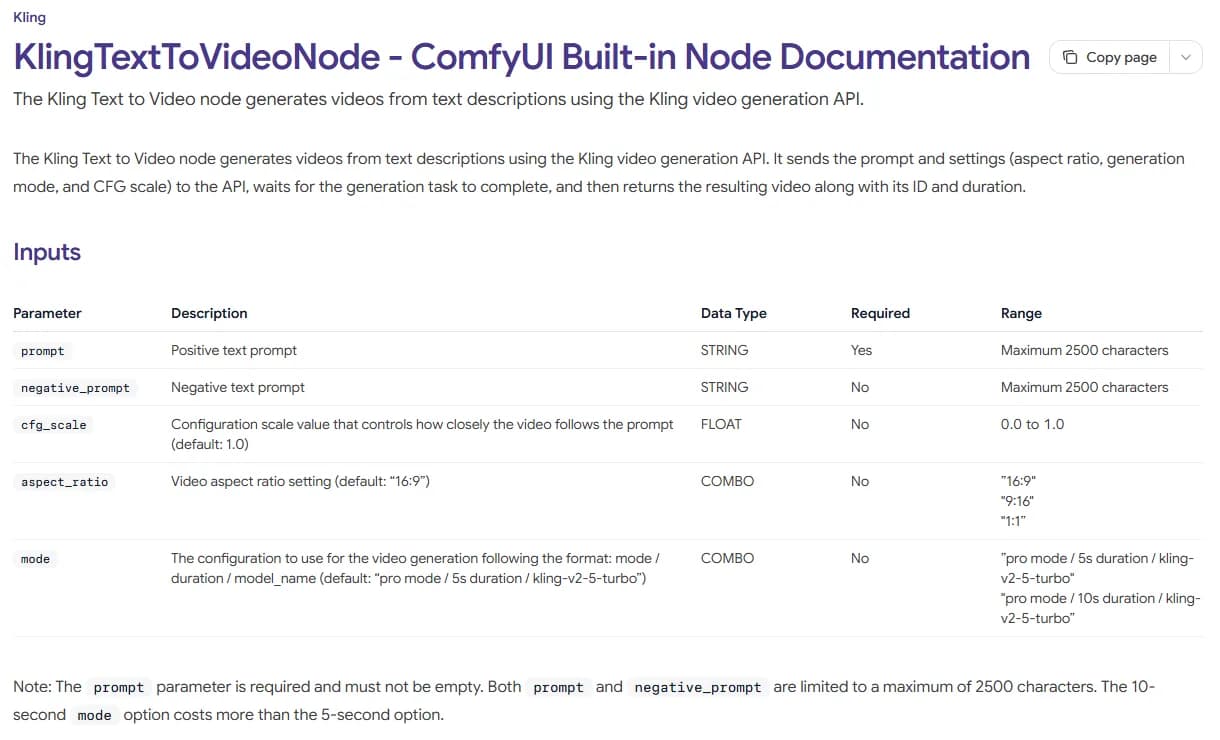
ComfyUI's KlingTextToVideoNode documentation, captured 12 October 2026.
Two details in that table matter. The negative field is optional, so leaving it empty is a normal state, not a mistake. And it has the same 2,500 character ceiling as the positive prompt. Having room for a paragraph doesn't mean a paragraph will help.
Step 2: Name the tell before you write anything
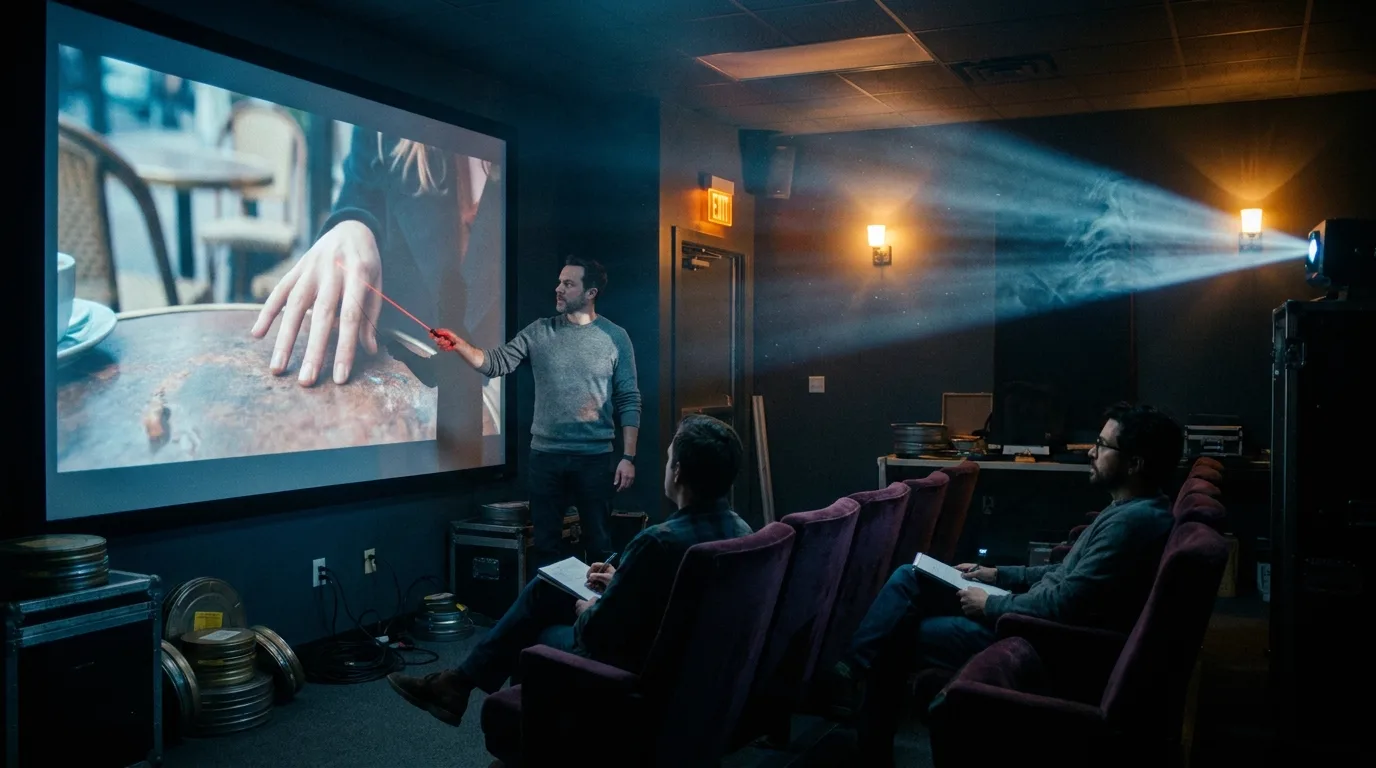
"Make it look less AI" is not something a model can act on. You have to watch the clip, stop on the frame that bothers you, and say what is wrong in plain words. A good supervisor in dailies never says "it feels off". The laser dot goes on the fingers.
Most AI-looking shots fail in one of a handful of ways. Some of these are fixable with a negative list. Most are fixed faster in the main prompt, because they are the model filling in a gap you left open.
| The tell | Usually caused by | Negative terms (if you have the field) | Positive fix (works on every model) |
|---|---|---|---|
| Waxy, poreless skin | No light direction, beauty defaults | "smooth skin, airbrushed, plastic" | Name a hard key from one side and the texture you want: "visible pores, faint stubble, hard window light from the left" |
| Candy colors, glowing highlights | No grade specified | "oversaturated, HDR, overexposed" | Write the grade: "muted palette, lifted blacks, desaturated greens" |
| Extra or fused fingers | Hands in motion, hands near objects | "extra fingers, fused fingers, deformed hands" | Give the hand one clear action and keep it out of close-up unless the shot is about the hand |
| Garbled signs and labels | Text in the scene | "text, letters, signage, subtitles" | Turn signs away from camera, or replace them with shapes: "blank storefront awning" |
| Frozen subject, drifting camera | No action verb | "static, still frame" | One verb for the subject, one move for the camera |
| Clone crowds | "Busy street" with no detail | "crowd, duplicate faces" | Name three specific background people and what they do |
| Everyone centered and symmetrical | No composition given | (rarely helps) | "Subject on the left third, empty space to the right" |
The right-hand column is longer than the negative column for a reason. A negative term subtracts. A positive description replaces the default with a choice, and the choice is what makes a shot look directed. For the light and grade rows in particular, the lighting prompts reference and the film stock and grade prompts guide give you the exact wording.
Step 3: Write nouns, never orders
This rule comes straight from Google's own prompt guide and the pillar guide shows the screenshot: "no walls" or "don't show walls" in a negative field is likely to give you walls. The field expects a list of things. You write "wall, frame".
So:
- Bad: "don't make the skin look fake, no extra fingers please"
- Good: "airbrushed skin, extra fingers"
The same applies to adjectives that carry a judgment. "Ugly" and "bad quality" are not visible things. You can't point at "bad quality" with a laser. Keep to things you could circle on the frame.
Step 4: Read the default list before you write your own
Wan is the useful case study here, because its authors published the negative prompt they run by default. It sits in a config file in the public repository.
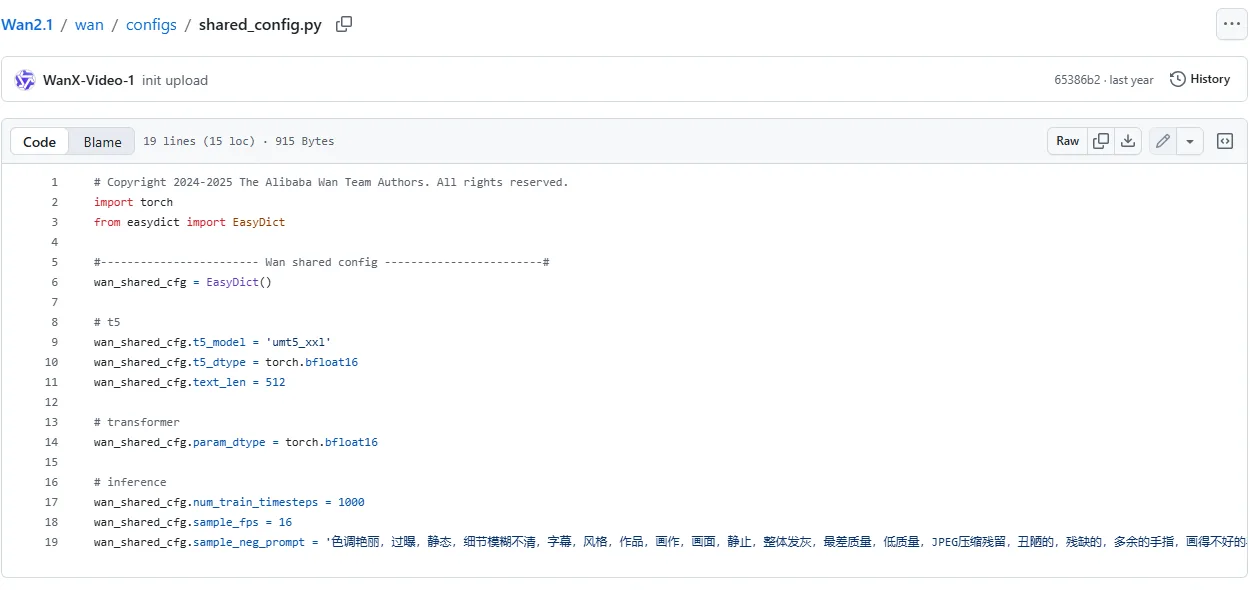
The Wan2.1 repository on GitHub, file wan/configs/shared_config.py, captured 12 October 2026. Line 19 continues past the edge of the frame.
Translated, the list runs roughly: garish colors, overexposed, static, blurry details, subtitles, style, artwork, painting, picture, still, overall gray, worst quality, low quality, JPEG compression artifacts, ugly, mutilated, extra fingers, poorly drawn hands, poorly drawn faces, deformed, disfigured, malformed limbs, fused fingers, motionless frame, cluttered background, three legs, many people in the background, walking backwards.
A big chunk of the list is about motion, not image quality. "Static", "still" and "motionless frame" all appear, and "walking backwards" closes it. The team that built the model knows its most common video failure is a shot that doesn't move or moves the wrong way. That should shape your own list too. A video negative prompt borrowed from still-image habits ("bad anatomy, blurry") misses half the problem.
"Subtitles" is in there too. Seedance, which ignores negatives for almost everything visual, still honors that one, so two separate teams treat burned-in text as worth a dedicated guard.
The list is also long and generic because it has to work for every prompt anyone types. Yours doesn't. If you use Wan through an interface that lets you edit the negative field, think twice before you clear it to write three words. You may be removing protections you didn't know were on.
Step 5: Keep your own list short and tied to the shot
A shot-specific negative list should usually fit on one line. Start from the tell you named in Step 2, add the one or two neighbors that tend to come with it, and stop.
A walking shot on a city street might get: "walking backwards, duplicate faces, signage". A close-up of hands pouring coffee might get: "extra fingers, fused fingers, logo". A night exterior might get: "overexposed, HDR, glowing highlights".
Stay short for a practical reason: when a clip improves, you want to know which term did it. With thirty terms you have no idea, and you will carry all thirty into every future shot out of superstition. Change one thing per run, the same way a gaffer moves one light at a time.
Keep a running file per project of the negatives that earned their place. After ten shots you will have a house list of maybe five terms, built from your own failures. That beats any list copied from a forum.
Try it free
Try Screenweaver for free on your script
It is free. Import your existing project, get a clearer view of your outline, and regain control of your story structure in minutes.
Start FreeStep 6: Move the fix into the positive prompt when the field isn't there
On Runway (its Gen-4 prompting guide asks for positive phrasing only) and for anything visual on Seedance, every negative idea has to become a positive description. The trick is to describe the thing that occupies the space the defect would have taken.
| You want to say | Write this instead |
|---|---|
| No camera movement | "Locked-off camera on a tripod, the frame does not move" |
| No text on the sign | "A plain red awning with no lettering, seen from below" |
| No plastic skin | "Weathered skin with visible pores, hard light from a single window" |
| No crowd | "An empty platform, one man waiting at the far end" |
| Not so saturated | "Muted, cool palette, low contrast, overcast daylight" |
You'll notice the left column of that table is phrased the way people talk, and the right column is phrased the way a camera report reads. A model can render "overcast daylight". It cannot render "not so saturated".
Two of those rewrites still contain the word "no" ("no lettering", "does not move"). On models without a negative field that is a calculated risk: the sentence around it describes a concrete state, so the model has something to aim at. If the defect comes back, cut the negation entirely and describe only the replacement.
Step 7: Accept what a prompt can't fix
Some of the AI look is not in the image at all.
Frame cadence is the big one. A video model draws a new image on every frame (Wan samples at 16 per second by default, line 18 in the screenshot above), and that unbroken smoothness reads as synthetic on anything stylized, where animators hold a drawing for two or three frames. Our AI anime production pipeline covers decimating to twos and threes in post, which no prompt can do for you.
Face drift across shots is another. A negative term can't hold an identity from shot 3 to shot 40. That's a reference-image problem, covered in the character consistency prompts guide.
And the final grade belongs in the edit. Getting the palette roughly right in the prompt saves time, but a colorist or even a single shared LUT across the sequence does more for the "this was shot by one person" feeling than any word in any field.
Common failures
Pasting a still-image negative list into a video model. "Bad anatomy, worst quality, lowres" does little about frozen subjects or reversed walks, which are the defects you will actually see.
Writing orders in the negative field. "No people", "don't add text". You get people and text.
Typing negatives into the main prompt on a model with no field. You have just asked for the thing you wanted to avoid.
Leaving the clip unnamed. If you can't say which frame is wrong and why, any negative you add is a guess.
Never removing anything. Lists only grow. Every few shots, delete a term and see if anything breaks.
Checklist before you hit generate
- I know whether this model has a negative field, from its docs, not from a forum.
- I watched the last take and named the exact tell.
- Every negative term is a noun or visible quality, never an order.
- The list fits on one line and each term is tied to something I saw.
- The positive prompt already describes light, grade, action and composition.
- I changed one thing since the last run.
If you'd rather start from a prompt that already has those positive slots filled, the AI video prompt generator builds one from a scene description, and ScreenWeaver's AI film workflow writes production-ready prompts for every shot straight from your script.
FAQ
What is a negative prompt in AI video?
It is a second text field, separate from the main prompt, that lists things the model should steer away from. It takes nouns and visible qualities ("extra fingers, signage, overexposed"), not instructions. Not every model has it.
Do negative prompts work on Runway?
No. Runway's Gen-4 prompting guide asks for positive phrasing only. Describe what you want to see instead, for example "locked-off camera, the frame does not move" rather than "no camera movement".
Does Veo support negative prompts?
Through Vertex AI, yes on paper: Google's Vertex AI video prompt guide documents negative prompts and shows how to write them, but the Gemini API parameter table for Veo 3.1 does not list a negative prompt field as of 12 October 2026. Check the parameter list for the exact endpoint you use.
What should I put in a negative prompt to avoid the AI look?
Only the defects you actually see in your takes, written as nouns. Common ones for video are "static, walking backwards, extra fingers, signage, oversaturated". Keep the list to one line, and fix light, grade and composition in the main prompt, since those cause most of the AI look.
Why does writing "no" in a prompt make things worse?
Models respond to the words present in the prompt, and "no walls" still contains "walls". Google's own guide gives that exact example. In a negative field, write "wall". In a main prompt, describe what fills the space instead.
Is a longer negative prompt better?
Usually not. Long lists make it impossible to tell which term helped, and they get copied forward out of habit. Wan's long default list is an exception that makes sense, since it has to cover every possible prompt. Your shot-specific list should be short.
Final Step
Build your next script with Screenweaver
Move from ideas to production-ready pages faster with timeline-native writing and AI-assisted story flow.
Try Screenweaver