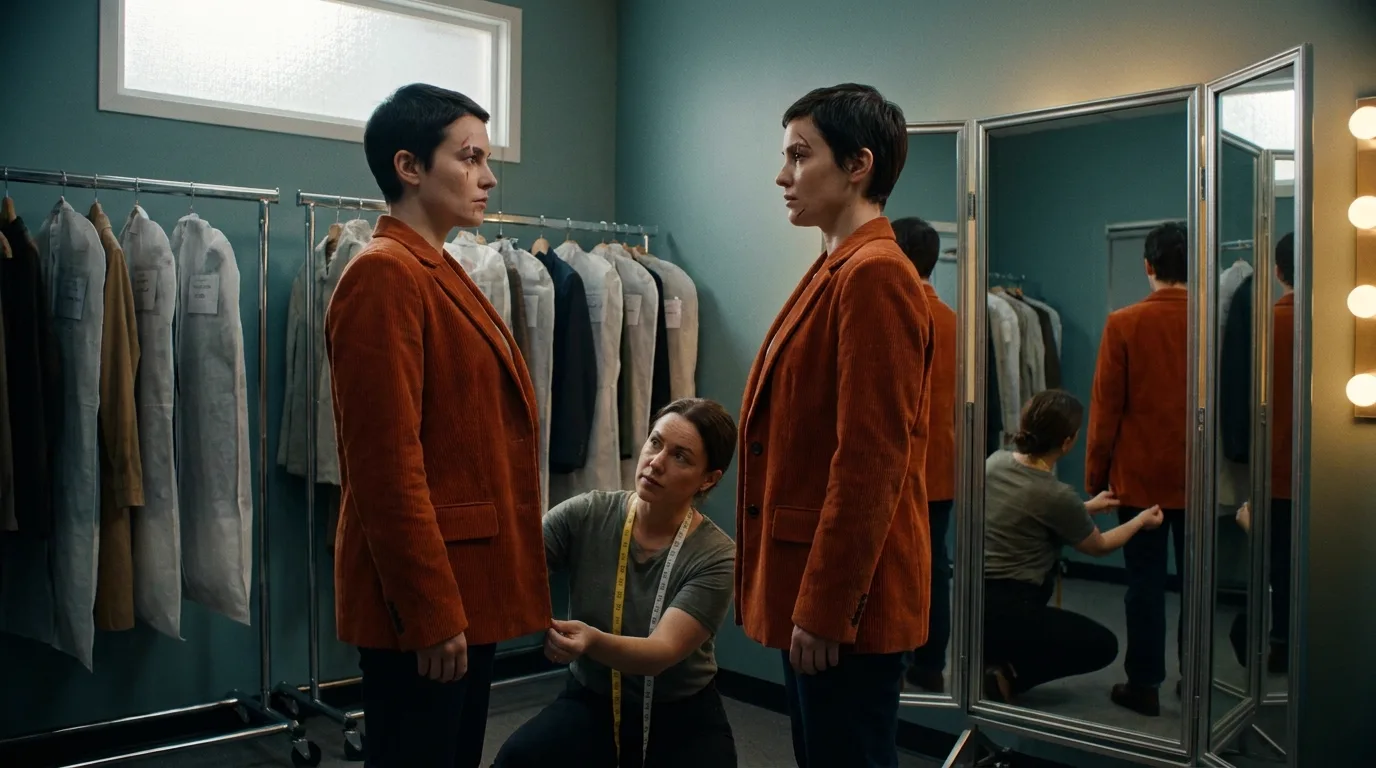

A character consistency prompt does two jobs. It points the model at the reference image ("the woman in Image 1") and it adds only what that image cannot show. Everything else in it should be about the shot. Prompts that re-describe the face fight the reference, and that fight is where drift starts.
This is the character slot of the six-slot structure in our director's guide to cinematic prompts, looked at up close. If you want the whole pipeline these prompts sit inside, start at how to make an AI film.
Two situations, two kinds of prompt
Before writing a word, answer one question: is a reference image attached to this generation?
If yes, the image carries identity and the text carries the shot. If no, the text has to carry identity on its own, and then the rules flip: you need a dense, frozen description pasted word for word into every prompt. Most bad character prompts I review mix the two. They attach a reference and then write a paragraph about the face anyway, or they skip the reference and write "the same woman as before," which means nothing to a model with no memory of before.
| Reference attached | Text only | |
|---|---|---|
| Who carries the face | The image | A frozen identity line |
| What the text says about the character | A binding phrase plus what is off-camera in the reference | Age, build, hair, exact wardrobe, one mark |
| Length of the character part | One or two short sentences | 30 to 50 words, never edited |
| Main failure | Text contradicts the image | Paraphrase creep between shots |
| What survives 40 shots | Identity, if the binding holds | The wardrobe, often; the face, rarely |
Projects that run to 40 shots mostly live in the left column now, so the steps below do too. The text-only regime still has a place. Some tools, some budgets and some quick tests run without references, and for those, our AI character consistency sheet builds the frozen block for you.
Step 1: Bind the reference by its slot, not by a name in the picture
The model does not know that the face in your upload is "Mara." It knows it received an image in a slot. So the first sentence of the prompt connects the slot to the person in the shot.
Seedance 2.5's documentation is explicit about this. Assets are numbered by upload order (Image 1, Image 2, Video 1) and each one is bound in the text, as in "the knight in Image 1." The same guide warns against relying on labels written inside the image, because that causes character confusion. The model ignores a name typed across the top of a character sheet. It follows the binding sentence.
A working binding sentence has three parts: the slot, a two-to-four word handle, and what to keep.
The woman in Image 1 (Mara) keeps her face, haircut and grey field jacket exactly as shown.
That last clause matters more than it looks. Without it, the model treats the reference as inspiration and may restyle the hair to suit your lighting line. With it, the reference becomes the spec.
Then use the handle, not a fresh description, for the rest of the prompt. "Mara crouches by the hatch." Not "the wiry silver-haired woman crouches by the hatch." Every adjective you add after the binding is a second opinion about her appearance, and the model has to reconcile it with the pixels.
Step 2: Write only what the reference cannot show
A chest-up hero shot shows a face, a haircut and a collar. It does not show:
- the back of the jacket, or what is printed on it
- the trousers and boots
- height relative to other people or to the set
- which hand holds the prop
- how the character moves
- anything that is supposed to have changed since the reference was made (a cut lip, a wet coat)
That list is your character text. Nothing else about appearance goes in. If you built a full kit with a turnaround and wardrobe close-ups, as described in our piece on character drift past shot 10, the list gets shorter, because more of it is already in pixels. Check what your model accepts, though. Veo on Google's platform takes up to three images of a single person, character or product, so a hero shot, a turnaround and one wardrobe frame already fill it.
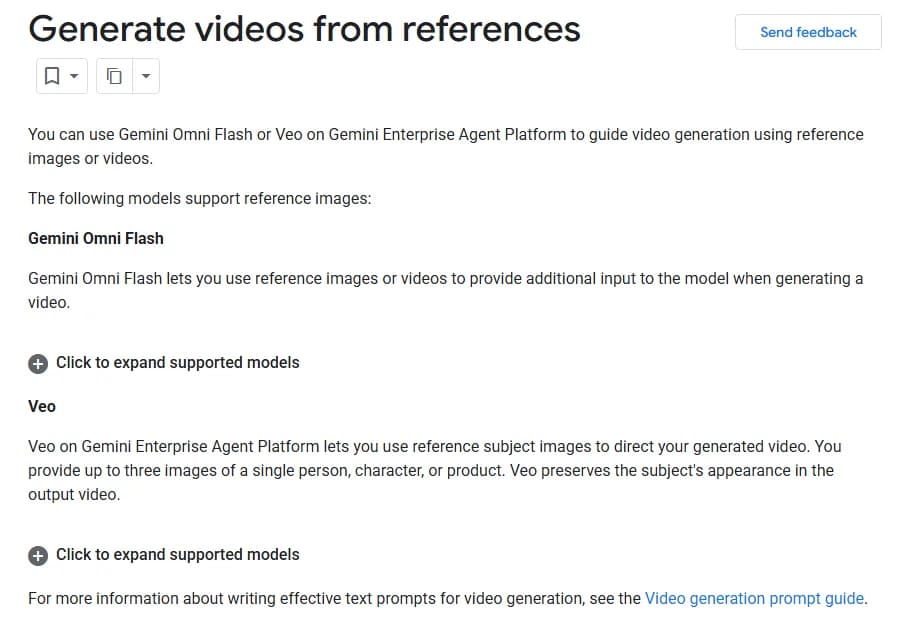
Google Cloud's "Generate videos from references" page, captured 11 October 2026.
Three images is less than it sounds. Spend them on the angles your shot list actually needs. A film that is mostly over-the-shoulder dialogue needs a strong back-three-quarter view far more than a perfect front portrait.
Step 3: Keep a frozen identity line anyway
Even with references, I keep one short line per character that never changes, pasted after the binding sentence. Example:
Mara: early 40s, lean, grey field jacket with two chest pockets, black cargo trousers, worn brown boots, small scar through the left eyebrow.
Its job is breaking ties. When a shot frames Mara from behind, or so wide that the reference resolution is useless, the model has to fill in from somewhere, and you want it filling in from your words instead of from its averages.
Three rules keep the line useful over 40 shots:
- Nouns and counts beat adjectives. "Two chest pockets" survives. "Utilitarian" does not. A count is a fact the model can get wrong in a way you can see; a mood word gives it nothing to hit.
- One distinguishing mark, on a named side. "Scar through the left eyebrow." Not three marks. Every mark you add is one more thing the model will drop in a quarter of the takes, and when it drops one, the audience reads the shot as wrong.
- Never edit it mid-project. Store it in a file, paste it, do not retype it. The day you trim "two chest pockets" to save room for a camera move, the pockets go. If the character genuinely changes, write a new versioned line (Mara_v2, after the fight) and say so in your shot list.
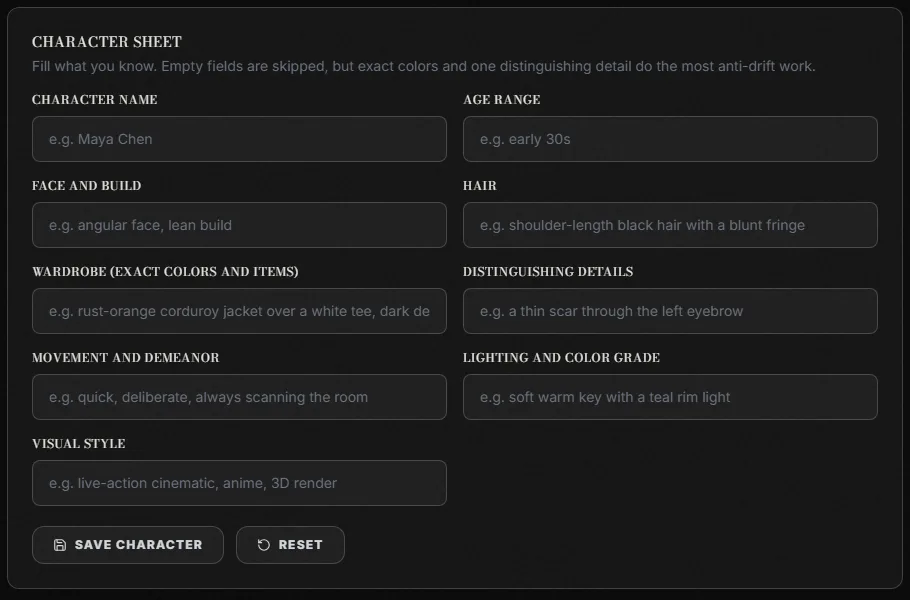
Our free AI character consistency sheet, captured 11 October 2026. The wardrobe and distinguishing-details fields are the two that do the most anti-drift work.
Step 4: Cut the words that move the face
Some words in the shot part of the prompt change the character even though they look like they are about something else. The worst offenders, ranked by the regenerations they have cost me:
| Word or phrase in the shot | What it does to the character | Write instead |
|---|---|---|
| "beautiful", "stunning", "handsome" | Pulls the face toward a generic model face | Nothing. Let the reference decide. |
| "young", "old", "tired-looking" | Shifts apparent age, often by a decade | The cause you can see: "after a sleepless night, dark circles" |
| "screaming in rage", "sobbing uncontrollably" | Extreme expressions distort the facial structure | A smaller beat: "jaw tight, eyes wet" |
| "in the style of" a named artist or film | Restyles faces along with everything else | Describe light and color, as in our lighting prompts guide |
| "makeup", "glamorous", "editorial" | Smooths skin, adds lashes, changes the brow | Leave makeup to the reference |
| "her sister", "another woman" with no binding | Invites the model to clone Mara into the second role | Bind the second person to her own image |
The emotion row needs a caveat. You do need performance. A film where the lead never cries is a strange film. But big expressions are the moments where faces break, so shoot them closer to the reference angle, keep them short, and check them first.
Negative prompts are a separate tool with different rules on every model. For these words the fix is simpler: don't write them.
Try it free
Try Screenweaver for free on your script
It is free. Import your existing project, get a clearer view of your outline, and regain control of your story structure in minutes.
Start FreeStep 5: Two characters in one frame
This is where most 40-shot projects fall apart, because two references in one generation can blend. You get Mara's scar on Joel, or both of them in grey.
What works for me:
- One binding sentence per character, each with its own slot. "The woman in Image 1 (Mara)... The man in Image 2 (Joel)..." Never one sentence covering both.
- Give them positions. "Mara on the left, Joel on the right, by the window." Position gives the model a way to keep the two descriptions apart.
- Keep their wardrobes far apart in color. If both wear grey, the model only needs to swap one face to merge them. A grey jacket and a dark red sweater are much harder to blend.
- Stay inside the model's comfort zone. Seedance 2.5's guide puts the best range at one to eight subjects from image references and calls nine to twelve unstable. Veo's reference feature, per the page above, takes images of a single subject, so a two-character Veo shot needs another route: compose the first frame with both people as an image, then animate from it.
If you storyboard first, the same separation starts on the board, one sheet per character cited in every panel they appear in. Character consistency in AI storyboards walks through that version.
Step 6: Run the three hard shots before the other 37
Do not generate your shot list in order. Pull out the three setups most likely to break the character and run them first:
- The profile or back view in low light. The reference is least useful here, so this is where your identity line gets tested.
- The extreme close-up with a big emotion. The face itself is under stress.
- The wide two-shot. Both characters small in frame, both bindings fighting for attention.
If all three come back as the same person you approved, the prompt is ready and the other 37 shots are mostly mechanical. If one fails, fix the prompt now, while it costs three regenerations instead of thirty. That ordering is the whole point of planning on a board first; our AI storyboard generator gives you the shot list to pull those three from.
The prompt, assembled
One full prompt, with the shot part kept short so the proportion shows:
The woman in Image 1 (Mara) keeps her face, haircut and grey field jacket exactly as shown. Mara: early 40s, lean, grey field jacket with two chest pockets, black cargo trousers, worn brown boots, small scar through the left eyebrow. Medium shot from behind her right shoulder, slow push in. Mara crouches by a rusted hatch and pulls it open with her left hand. Engine room, late afternoon, hard side light from a porthole.
Two sentences of character, three of shot. When the character part is longer than the shot part, something has probably crept back in that the image already handles. For the shot half, our AI video prompt generator assembles camera, action and light; paste your binding and identity line above whatever it produces.
Checklist before you spend a credit
- Reference attached, and the prompt binds it by slot ("the woman in Image 1")
- A "keeps her face, haircut and X exactly as shown" clause
- The handle, not adjectives, used for the rest of the prompt
- Identity line pasted from file, not retyped
- Only off-reference details described (back, lower body, scale, hand, changes)
- No beauty, age or style words in the shot text
- Every person in frame has their own image and binding sentence, plus a position
- The three hard shots run first
FAQ
What is a character consistency prompt?
It is the part of a video prompt that keeps one character looking the same across separately generated shots. With a reference image attached, it binds that image to the person in the shot and adds only details the image cannot show. Without a reference, it is a fixed description pasted word for word into every prompt.
Should I describe my character's face if I attach a reference image?
No. Re-describing the face gives the model a second, conflicting spec, and it will blend your words with the pixels. Bind the image, tell the model to keep the face as shown, and spend your words on wardrobe below the frame, scale, props and anything that has changed since the reference was made.
How do I keep two characters from blending into each other?
Give each one a separate reference image and a separate binding sentence, place them in the frame ("on the left", "on the right"), and dress them in clearly different colors. Check your model's limits too: Seedance 2.5's guide recommends one to eight subjects, while Veo's reference feature takes images of a single subject per generation.
How many reference images can Veo use for a character?
Google's documentation for Veo on its cloud platform says you can provide up to three images of a single person, character or product, and that Veo preserves the subject's appearance in the output. Use the three slots for the angles your shot list needs most, such as a front view, a back three-quarter view and a wardrobe detail.
Why does my character look older or different in emotional shots?
Words that describe age, beauty or intense emotion change the face along with the mood. "Sobbing uncontrollably" can distort facial structure, and "tired-looking" can add a decade. Describe smaller, visible causes instead ("eyes wet", "dark circles after a sleepless night") and generate those shots early so you catch the drift before the rest of the list.
Does writing "the same character as before" help?
No. Each generation is independent and the model has no memory of your previous shot. Consistency comes from what you attach and paste into every prompt: the reference image, the binding sentence and the frozen identity line.
Final Step
Build your next script with Screenweaver
Move from ideas to production-ready pages faster with timeline-native writing and AI-assisted story flow.
Try Screenweaver