
Seven days is enough for a four to eight minute AI short if you lock the script on day one, board every shot before you generate anything, and keep a written log of hours, takes and credits. The reference point is real: the first 17-minute episode of Lost Garden took its solo creator 63 hours, which is seven nine-hour days.
This article sits under the AI filmmaking guide and the how to make an AI film walkthrough. Those explain the pipeline. This one puts a clock on it.
The reference case: 63 hours for 17 minutes
The number is the creator's own. On 23 June 2026, the LostGarden Anime channel posted a short update titled "Lost Garden Episode 2 Is Written". The description states that episode one took 63 hours to create and that each new episode takes around six weeks to produce, with a goal of 24 episodes. Episode one, "The Awakening of the Lantern Knight", went live on 29 May 2026 and runs 17 minutes 12 seconds. Episode two, "The King Beneath the Vault", followed on 15 September 2026 at 21 minutes 24 seconds.
The stack is listed in the episode description, which is the only reason I can quote it: script and storyboard in ScreenWeaver, visual development and shot generation with Dreamina OCTO and Seedance 2, character sheets in Midjourney, voices refined in ElevenLabs, music from Suno, edit in DaVinci Resolve and Filmora. A solo project, in the creator's own words.
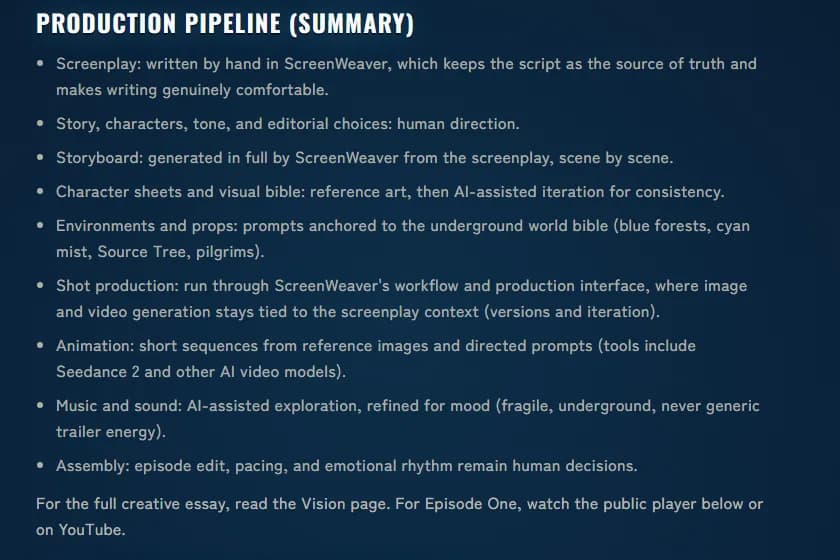
The pipeline summary on lostgarden.world/en/process, captured 19 September 2026. The order of the bullets is the order of the week below.
Two caveats before you copy the number. First, 63 hours is the total. Nobody published a per-day split, so the schedule that follows is my allocation of those hours, built from the order the process page describes and from the failure points I see in first films. The hour budgets are targets. Second, 63 hours bought 17 minutes from someone who had already written the world. Your first week will spend a chunk of those hours on learning. Aim for four to eight minutes. A finished six-minute film beats an abandoned fifteen-minute one.
Rules that make seven days possible
The week works because of what you refuse to do in it.
- The script is frozen at the end of day one. Every rewrite after that costs generated shots, and generated shots cost money and hours.
- Nothing gets generated before it is boarded. Framing, continuity and cuts are decided on paper where they are free. The argument for that is made in full in storyboard first, so I will not repeat it.
- Every character has a reference sheet before day four. Consistency is a day-two job; post cannot fix it.
- You log every day. Hours, shots generated, shots kept, credits used, blockers. The log is what tells you on day five whether day seven is still real.
- Rerolls are capped per shot. Three takes, then you change the shot instead of the seed. The maths behind that cap is in the reroll cost article.
Day 1: script lock (9 hours)
Write for the pipeline you have, not the one you wish you had. That means one location cluster, two or three speaking characters, and a story that can be told in 25 to 40 shots. Cut every scene that needs a crowd, a car chase or a hand holding a small object. Those three things eat rerolls faster than anything else.
Format matters even for a film nobody will read as a script. Proper sluglines give you your location list. Proper action lines give you your shot descriptions. If you write in ScreenWeaver the storyboard step on day three reads the screenplay directly, scene by scene, so sloppy formatting on day one becomes wrong panels on day three.
End of day deliverable: a locked script of five to eight pages, a one-line logline, a scene list with a runtime estimate per scene. Log the page count and the number of scenes. You will compare both to the finished film on day seven and the gap will teach you more than any article.
Day 2: cast, world and style bible (9 hours)
This is the day people skip, and it is the day that decides whether day four and five are production or damage control.
Build one reference sheet per character who appears in more than two shots: front, three-quarter, profile, back and a head close-up, on a neutral background, generated from a written description that names things a model can render (garment, colour, silhouette, hair length) rather than adjectives it cannot (weary, noble). The full method, including how to probe a sheet on three shots before trusting it, is in character consistency in AI storyboards. Then do the same for your two or three environments: one wide establishing image each, plus a lighting note in words.
Write the style bible on a single page. Lost Garden's process page anchors its environments to a short world bible (blue forests, cyan mist, Source Tree, pilgrims), and that anchoring is why the episode looks like one film rather than forty prompts. Yours can be three lines. It must exist.
End of day deliverable: reference sheets for every recurring character, one image per environment, a one-page style bible. Log how many sheet generations it took to get each character right. That count is your first honest estimate of how the model handles your design.
Day 3: storyboard and shot plan (9 hours)
Board the whole film. Every shot, in order, with shot size, camera movement, who is in frame and which reference sheet each panel cites. If the script is in ScreenWeaver the storyboard generator produces the first pass scene by scene from the screenplay and the walkthrough in AI storyboard from a script covers the clicks. Whatever tool you use, the board is where you find out that scene four needs nine shots and your runtime estimate was wrong.
Then split each scene into clips that fit your video model's duration cap. A 20-second dialogue beat is two or three clips depending on the model, and each clip needs its own prompt that continues from the previous one. The scene to clip splitter does the segmentation and hands you chained prompts under the cap. Number the clips. Those numbers are how you will name files on day four, and file naming is the difference between a two-hour assembly on day six and a six-hour one.
Sort the clip list by difficulty before you stop for the night. Hardest shots first tomorrow, because a shot that fails on day four can be reboarded; one that fails on day five cannot.
End of day deliverable: a complete board, a numbered clip list with prompts, a difficulty order. Log total shots and total clips. Multiply clips by three and write that number down: it is your maximum generation count for the week.
Day 4: generation, the hard half (9 hours)
Start with the shots most likely to fail: two characters in frame together, anything with hands, any movement across a cut. Generate each clip from its reference sheets and its written prompt, review it against the board panel, and log the take number when you keep one.
Hold the three-take cap. When a clip fails three times, reboard it. Change the shot size, put the difficult action off-screen, cut to a reaction. Live-action directors do this on every set when a setup is not working; the only difference is that your set costs credits instead of daylight.
Keep a second column in the log for what failed and why: wrong hands, face drift, background swap, motion that ignored the prompt. By the end of the day you will know which failure your model produces most, and day five gets planned around it.
End of day deliverable: roughly half the clips kept, the difficult half. Log generated versus kept and the credits spent. If kept is under a third of generated, stop and reboard before day five, because the plan is out of budget.
Day 5: generation, the easy half, and a first assembly (9 hours)
The remaining clips should be singles, establishing shots and inserts, the ones that pass in one or two takes. Move fast and do not polish. The point of day five is to have every clip on disk by mid-afternoon, then spend the last three hours dropping them onto a timeline in script order with no sound.
That silent assembly is the most useful thing you will watch all week. Shots that looked fine in isolation reveal pacing problems next to each other. A reaction shot is missing. An establishing shot runs four seconds too long. Write down every gap and cover it with a generation on the spot while the reference sheets are still fresh, because on day six you will not want to go back into the generator.
End of day deliverable: every clip kept, a silent assembly with a running time. Log the assembly length against the day-one estimate. On most first films it is shorter than the script predicted, which is fine; it is the first time you have measured the film instead of the screenplay.
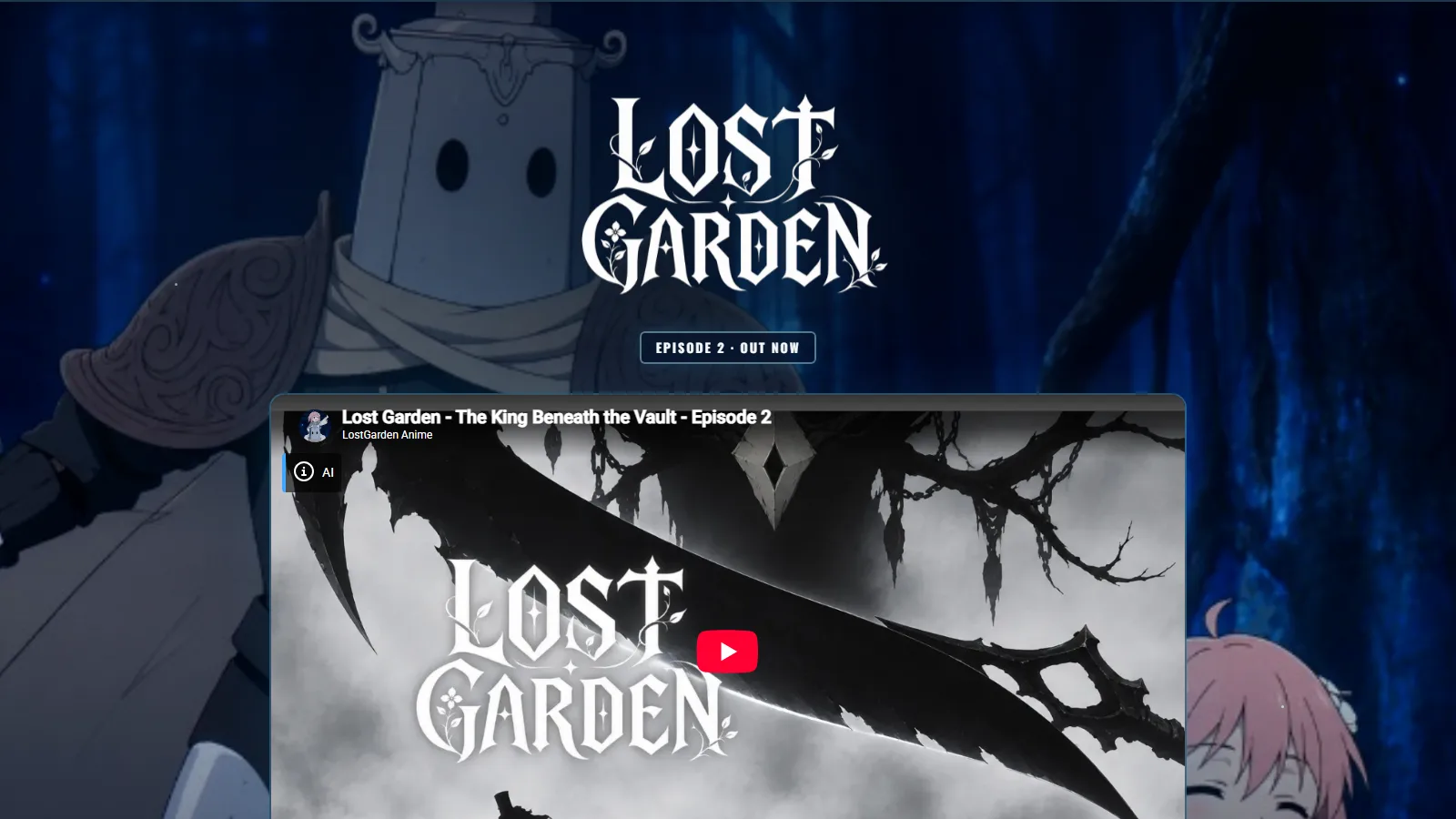
The Lost Garden site with episode two live, captured 19 September 2026. Two episodes in under four months from one creator; the second runs four minutes longer than the first.
A second episode is where the seven-day method stops being enough on its own, because the archive starts working against you. The series consistency guide covers what you have to lock and version once there is an episode two.
Try it free
Try ScreenWeaver for free on your script
It is free. Import your existing project, get a clearer view of your outline, and regain control of your story structure in minutes.
Start FreeDay 6: sound, voice and the real edit (9 hours)
Sound is where an AI film stops looking like a demo reel. Give it a full day, and work through it in passes: the AI film sound workflow breaks this day into seven, from the spotting list to the cue sheet.
Voices first, because they set the cut. Generate or record each line, place it, and trim the picture to the performance rather than the other way round. Music second: one main theme and one alternative, not a library of twenty. Ambience third, and it matters more than the music. A room tone under a silent shot is what tells the viewer the world exists between lines.
Then edit properly. Tighten every shot by the half second you did not dare cut on day five. Drop the shots that only exist because you generated them. A six-minute film that was boarded at seven is normal and usually better.
End of day deliverable: a picture-locked cut with dialogue, music and ambience in place. Log the final shot count against the day-three board. That difference is your storyboard accuracy, and it is the number to improve on film two.
Day 7: finish, label, publish (9 hours)
Grade for consistency rather than beauty: the job is to make forty clips from a probabilistic model sit in one colour world. Mix so dialogue is intelligible on a phone speaker. Export a 1080p H.264 master. Add a 4K one only if your clips were generated at that resolution; upscaling a 1080p generation buys you nothing.
Then handle the paperwork before you upload. Most of the big platforms now ask you to label generated video, and the rules differ from one to the next; the AI film disclosure rules article lists what each one asks for. Write the credits the way the Lost Garden description does: name the tools, name the human decisions. It costs nothing and it prevents the first comment being "is this AI".
Where the film goes is a separate decision covered in where to publish an AI film, and the festival list tells you which submissions are worth a fee. Pick one primary platform for the launch and post there first.
End of day deliverable: a published film and a complete log. Close the week by totalling the log: hours, generations, kept clips, credits. Those four numbers are the budget for film two.
The log sheet
Print this, or keep it as a spreadsheet. The columns are the same every day; only the deliverable changes.
| Day | Deliverable that ends the day | Hours | Generated | Kept | Credits | Blockers |
|---|---|---|---|---|---|---|
| 1 | Locked script, scene list, runtime estimate | 9 | 0 | 0 | 0 | |
| 2 | Character sheets, environment plates, style bible | 9 | ||||
| 3 | Full board, numbered clip list, difficulty order | 9 | 0 | 0 | 0 | |
| 4 | Hard half of the clips kept | 9 | ||||
| 5 | Every clip kept, silent assembly | 9 | ||||
| 6 | Picture lock with voice, music, ambience | 9 | ||||
| 7 | Master exported, disclosure done, published | 9 |
Two habits make the sheet useful. Fill it at the end of each day, never the next morning, because the morning version is always optimistic. And write a one-line note under it every evening about what you would do differently. Seven of those lines are a better guide to your second film than this whole article.
If you want to put a currency figure next to the credits column before you start, the AI video cost calculator turns shot count, takes per shot and model pricing into a per-minute estimate, retries included, and the AI film production cost breakdown adds every other subscription the week will need.
Where seven-day films die
I have watched enough of these weeks go wrong to know the failure points are always the same.
Rewriting on day four. A shot fails, the director decides the scene was the problem, opens the script, and the storyboard is out of date by lunch. Change the shot, keep the scene.
Generating on day two. Excitement pulls people into the video model before a single reference sheet exists. Every clip from that afternoon gets thrown away on day four when the real character sheet arrives and nothing matches.
Skipping the difficulty sort. The easy shots go first because they feel productive, the hard ones land on day five, and the film ships with a missing scene or a fourth-take compromise in its climax.
Sound as an afterthought. The film is cut silent on day six, music is dropped on top on day seven, and every line of dialogue fights the score because the cut was never timed to the voices.
Publishing without a label. A film goes up with no disclosure, gets flagged or reposted with the accusation attached, and the first week of comments is about the tool instead of the story.
The Lost Garden process page ends its FAQ with a line worth pinning above the desk: "AI is used as a production bridge, not as a replacement for taste or story decisions." Every one of the failures above is a taste or story decision that got handed to the generator.
FAQ
Can a beginner really finish an AI short film in seven days?
Yes, if the film is four to eight minutes long, the script is locked on day one and every shot is boarded before generation. The reference case is a 17-minute episode finished in 63 hours by a creator who already knew the tools. A first film should aim shorter and spend the same hours.
How many hours a day does the schedule assume?
Nine, which is 63 hours across seven days. You can spread the same 63 hours across two or three weeks of evenings; what does not change is the order of the days, because each one depends on the deliverable of the one before.
How many shots does a six-minute AI short need?
Plan for 25 to 40 shots, split into clips that fit your model's duration cap, so typically 40 to 70 clips. With a three-take cap that is a maximum of 120 to 210 generations for the week, and most of the easy clips pass in one.
Which day is the most important?
Day two. Reference sheets and a style bible are what let days four and five produce clips that belong to the same film. Skipping day two is the most common reason a seven-day film becomes a twelve-day film.
What if a shot fails three times?
Change the shot, not the seed. Alter the shot size, move the difficult action off-screen or cut to a reaction. A fourth attempt on the same shot is the fastest way to burn the credit budget, and the reboard usually produces a better shot anyway.
Do I need to disclose that the film is AI-generated?
On most platforms, yes, and the requirements differ. Check the platform rules before uploading and name your tools in the description the way the Lost Garden episode does, so the comments are about the story rather than the software.
From script to shots
Turn your script into a film, shot by shot
Write the scene, get its storyboard, then generate each shot with consistent characters. You direct every step.
Start your film free