
MCP servers for video production now cover most of the chain, one stage at a time. ScreenWeaver handles the script, the breakdown and the shot list. Blender MCP drives 3D previs. Runway and Higgsfield generate shots. A community server controls DaVinci Resolve for the edit. ElevenLabs' hosted server does speech. No single server takes you from page to final cut.
That last sentence matters more than the list. If you are new to the protocol, read what an MCP server is first, then come back. This page is the map: which server sits at which stage, who maintains it, how it signs you in, and what it can spend or break.
Disclosure: we build ScreenWeaver, and Frank Houbre, one of our co-founders, uses it on his animated series Lost Garden. Everything below about the other servers comes from their official pages, read and captured on 26 October 2026. Where we could not verify something, we say so.
How we picked and checked these servers
Search "video MCP server" and you get directories listing hundreds of entries, many of them weekend projects. We kept a server only if it met three conditions:
- It does a job a film or video production actually has (write, plan, previs, generate, edit, sound).
- It has an official page or a maintained repository we could read on the day.
- We could state plainly how it connects and what it costs, or say that the page does not tell you.
That rules out a lot. Adobe, for instance: on 26 October 2026 we found no Premiere Pro MCP server published by Adobe, only several community projects with very different tool counts. We left them out of the table because we could not check their claims.
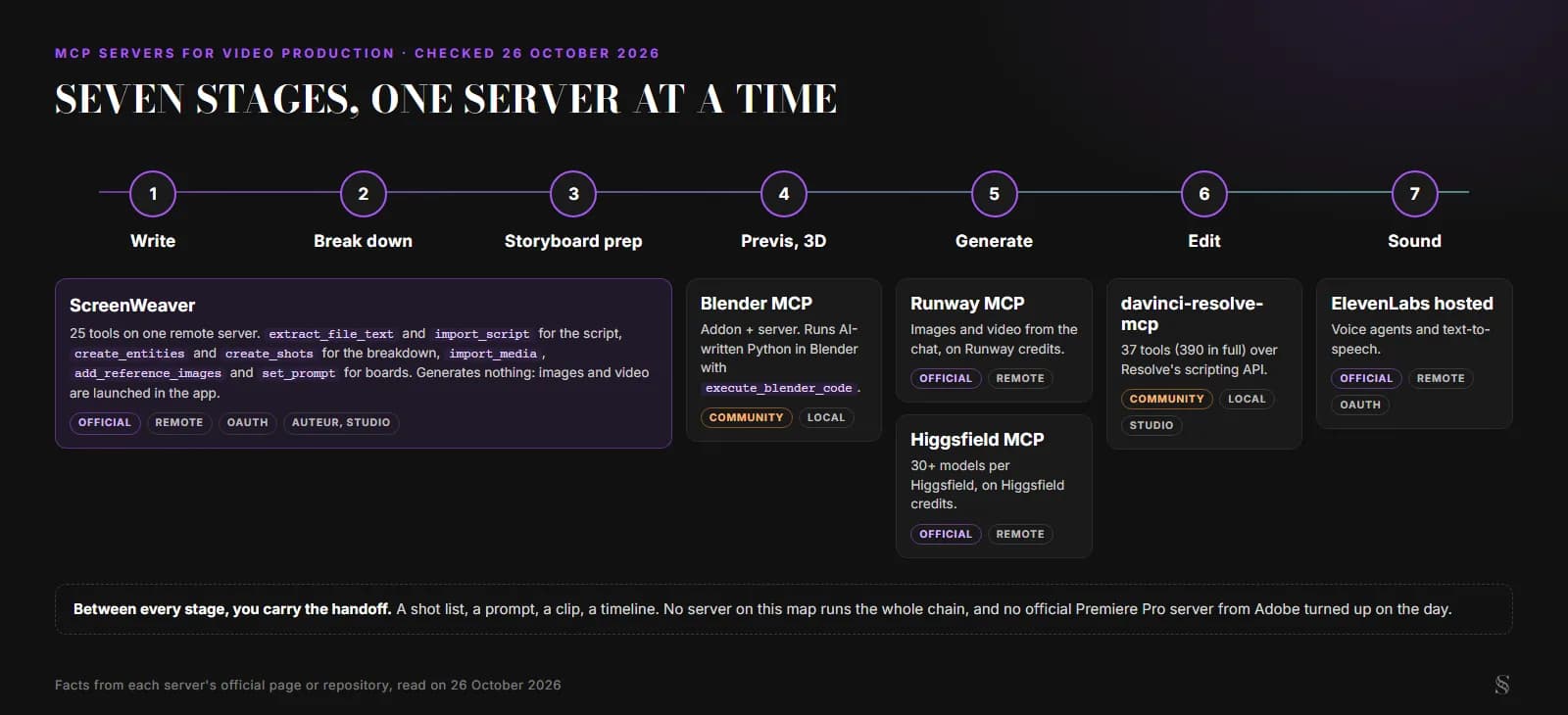
The production chain and the server that covers each stage, as of 26 October 2026. Diagram by ScreenWeaver.
Write and break down: ScreenWeaver
This is the stage most video MCP lists skip, because the generators get the attention. But every shot a generator makes starts as a line in a script and a row in a shot list, and that is where a lot of AI films fall apart.
ScreenWeaver's server lives at https://app.screenweaver.ai/api/mcp. You sign in with OAuth 2.1, no API key, and on the consent page you choose to share all your projects or only some. It exposes 25 tools: eleven that read and fourteen that write. Among them:
extract_file_textreads a PDF. The text layer is free; OCR only runs on scanned pages.import_scriptloads a screenplay. WithdryRun: trueit shows the scenes, places and character links it would create, and writes nothing.create_entitiesbuilds the story elements (characters, places, objects), andcreate_shotswrites the shot list with framing, movement and duration.
The real example we keep coming back to is Dracula. Frank gave the assistant the whole novel as a PDF. What came back in the project: 11 characters, 16 places and 8 objects, each with its sheet, and 32 scenes broken down into 177 shots.
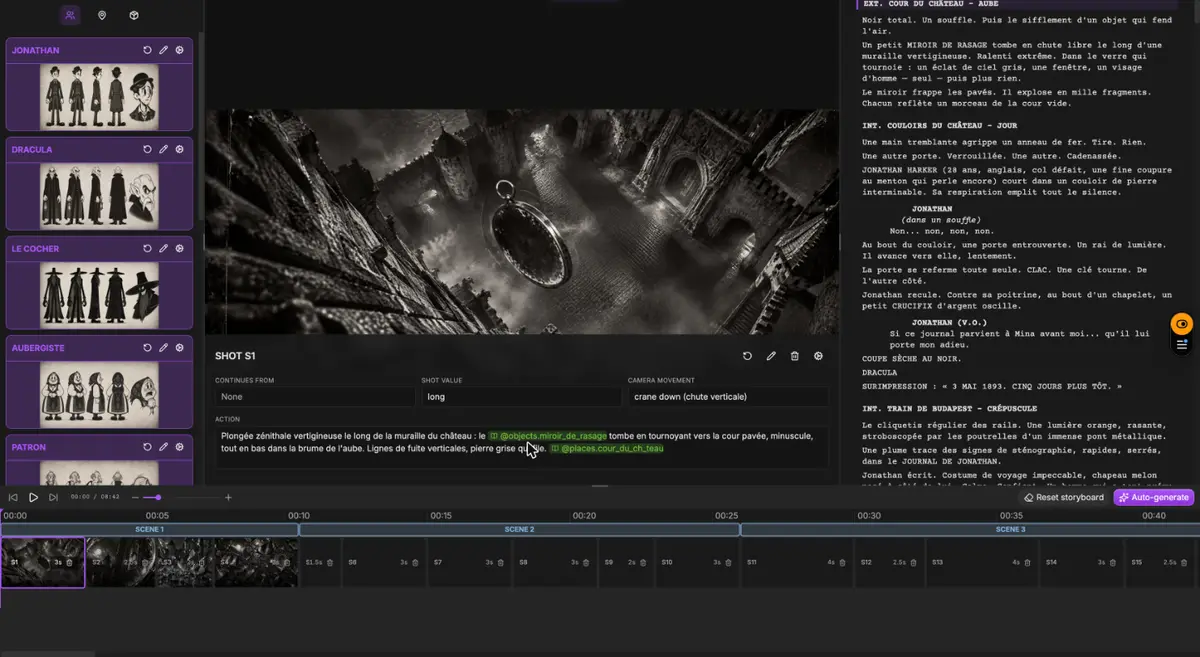
The Dracula project in ScreenWeaver after the breakdown: story elements, shot S1 and the script side by side. Screenshot from screenweaver.ai/start.
Two limits. The server is for the Auteur and Studio plans only. And it generates nothing: no image, no video. The assistant prepares shots, prompts and references; you launch the generation yourself in the Storyboard or Production tab. Connection guides: Claude, ChatGPT, and Claude Code, Cursor and VS Code.
Storyboard prep: comic pages, sketches and references
Same server, different tools. If your source is visual (a comic page, a webtoon episode, a page of pencil thumbnails), import_media brings it in as PDF, PNG, JPEG or WebP, up to 25 MB. Then you have two ways to cut it into panels. With crops, the agent gives the boxes itself and nothing is charged. With findPanels, a vision model detects the panels for about 1 credit a page, and ScreenWeaver's own documentation cites a 20-page board at 6 panels a page that cost $0.097.
After that, add_reference_images attaches up to 8 images to a shot's panel, a story element or the art direction, and set_prompt rewrites the prompt the panel generator will use. The board images themselves are still generated in the app.
Previs and 3D: Blender MCP
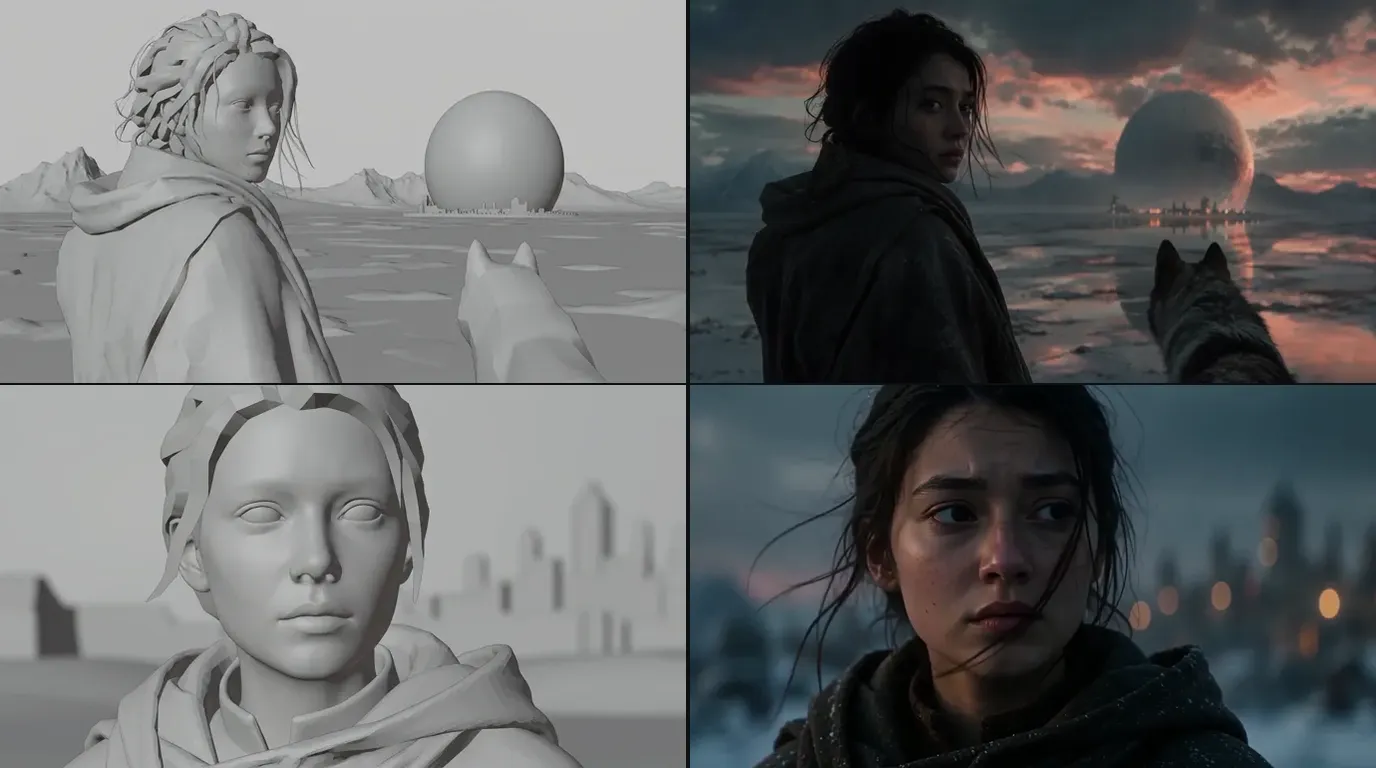
Blender MCP is a community project, and its README says plainly that it is not affiliated with the Blender Foundation. It has two parts: an addon that runs a small socket server inside Blender (by default on localhost:9876) and an MCP server that relays your assistant's requests to it. It works with Claude Desktop, Claude Code, Cursor and Codex, among others.
For a filmmaker, the useful part is blocking a set or a camera move in 3D before generating anything. The tool that does the heavy lifting, execute_blender_code, runs Python written by the AI inside Blender. The README calls that "potentially dangerous" and tells you to save your work first. It also warns that the addon's socket has no authentication, so keep it on your own machine. An optional safe mode screens scripts for risky operations before they run.
Generate: Runway MCP and Higgsfield MCP
This is the crowded stage. Two official servers stood out on the day.
Runway MCP. Runway's page lists ChatGPT, Claude, Grok Bot, Cursor and Replit as clients. You sign in with your Runway account, no API key, and generations draw on your Runway credits exactly as they would in the app, at a cost that depends on model and resolution. The models named on the page include Gen-4.5, Seedance 2.5, Kling 3.0 and Veo 3.1, with availability tied to your plan. Results land in your Runway library.
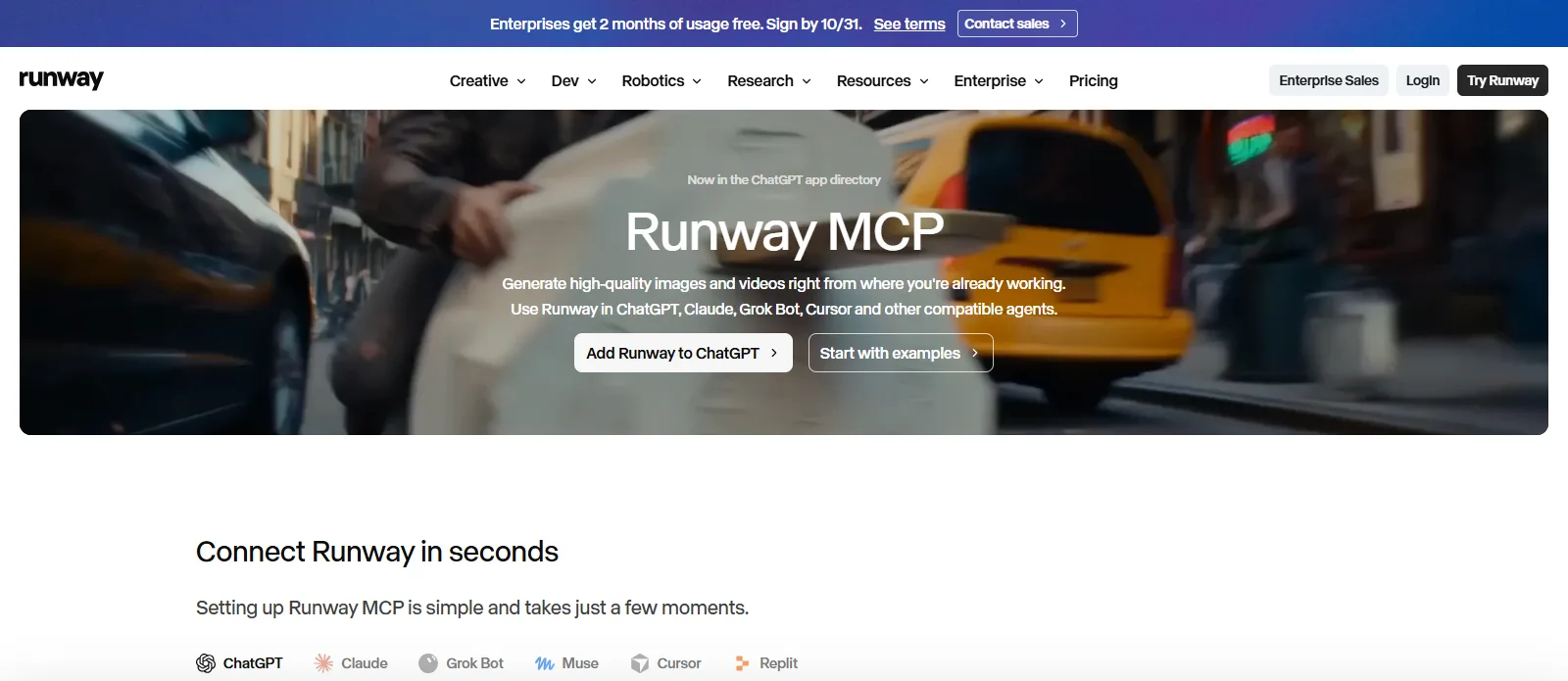
Runway's MCP page, captured 26 October 2026.
One trap if you search GitHub: Runway's older API server (runwayml/runway-api-mcp-server), which ran locally with an API key, was archived on 30 September 2026. The repository now points developers to Runway's agents docs and everyone else to the hosted MCP.
Higgsfield MCP. Higgsfield runs its server at https://mcp.higgsfield.ai. You add it as a custom connector in Claude, connect and sign in. Its own guide, dated 8 May 2026, says the connector reaches more than 30 video and image models, with output up to 4K and clips up to 15 seconds, and that it uses your existing Higgsfield credits. Those figures are Higgsfield's; we did not benchmark them.
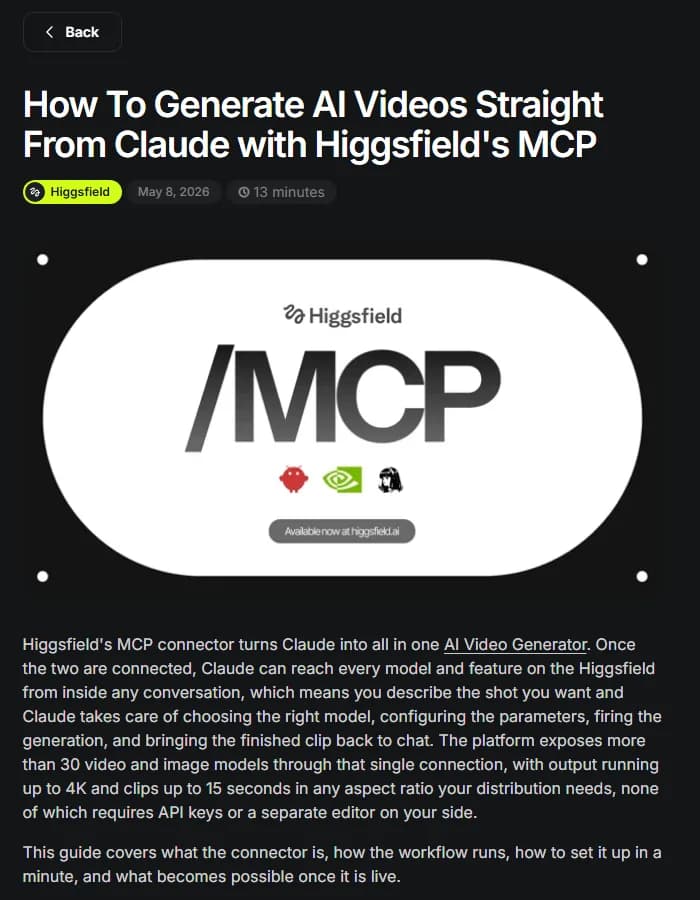
Higgsfield's MCP guide, captured 26 October 2026.
If you already pay for Higgsfield, there is a second route: run ScreenWeaver's video nodes on your Higgsfield account, covered in using Higgsfield credits in ScreenWeaver.
A generator server is good at one clip. It knows nothing about scene 12, the character's jacket in scene 3, or which shot comes next. That context has to come from somewhere, and it is the reason the planning stage above exists.
Edit: the DaVinci Resolve MCP server
There is no official Blackmagic MCP server that we could find. The most starred one we found is davinci-resolve-mcp by Samuel Gursky: MIT licence, 3.8k stars and 52 contributors on the day we looked. It drives Resolve through the official scripting API. By default it runs as a local process started by your MCP client, with no network listener.
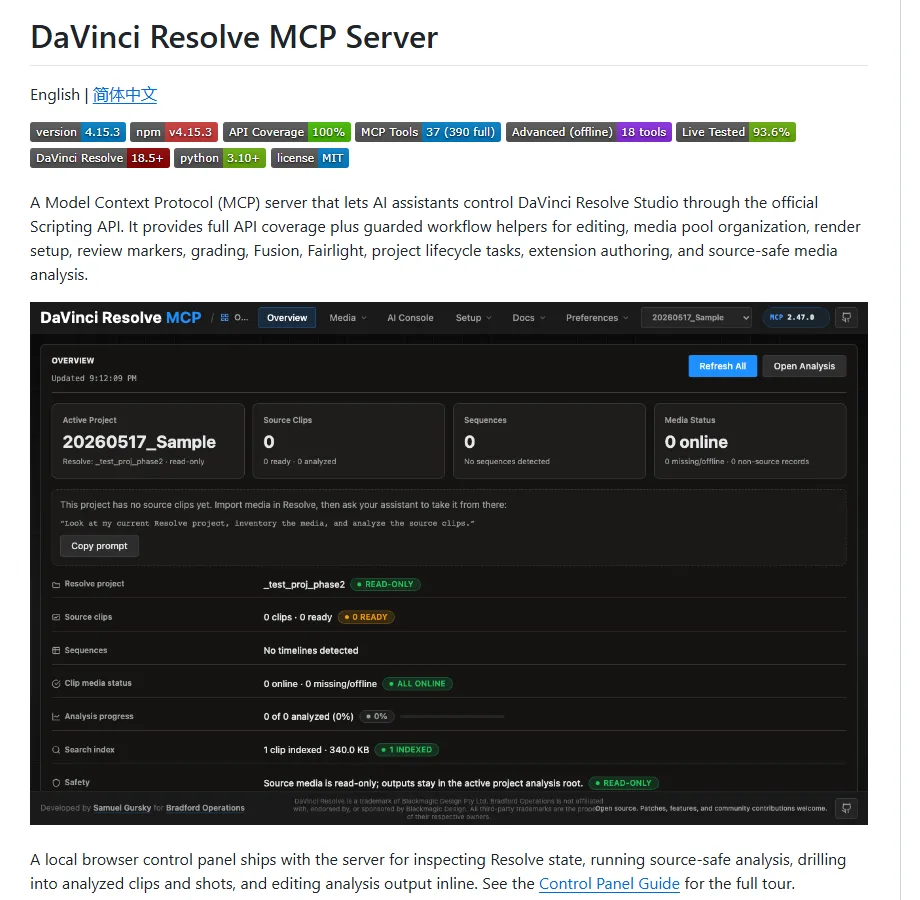
The davinci-resolve-mcp README, captured 26 October 2026.
It ships in two shapes: a compact server of 37 tools that groups operations behind parameters, and a granular one with 390 tools, one per API method. The areas covered include timeline editing, media pool and ingest, markers, grading, Fusion, Fairlight and render queueing.
Check your edition first. External scripting is a Resolve Studio feature. The README describes a bridge that reaches the free edition from inside the app on Resolve 21.0.x, and says its behaviour on 21.1 is unconfirmed. If you edit on the free version, test before you plan around it.
Try it free
Try Screenweaver for free on your script
It is free. Import your existing project, get a clearer view of your outline, and regain control of your story structure in minutes.
Start FreeSound: the ElevenLabs hosted MCP
ElevenLabs moved to a hosted server at https://api.elevenlabs.io/v1/mcp, with OAuth sign-in and nothing to install. Read the page before you connect it for a film, though. It is built mostly for managing ElevenLabs voice agents (creating them, editing them, reviewing conversations). On the audio side, the only capability it lists is text-to-speech, returned as a short-lived download link.
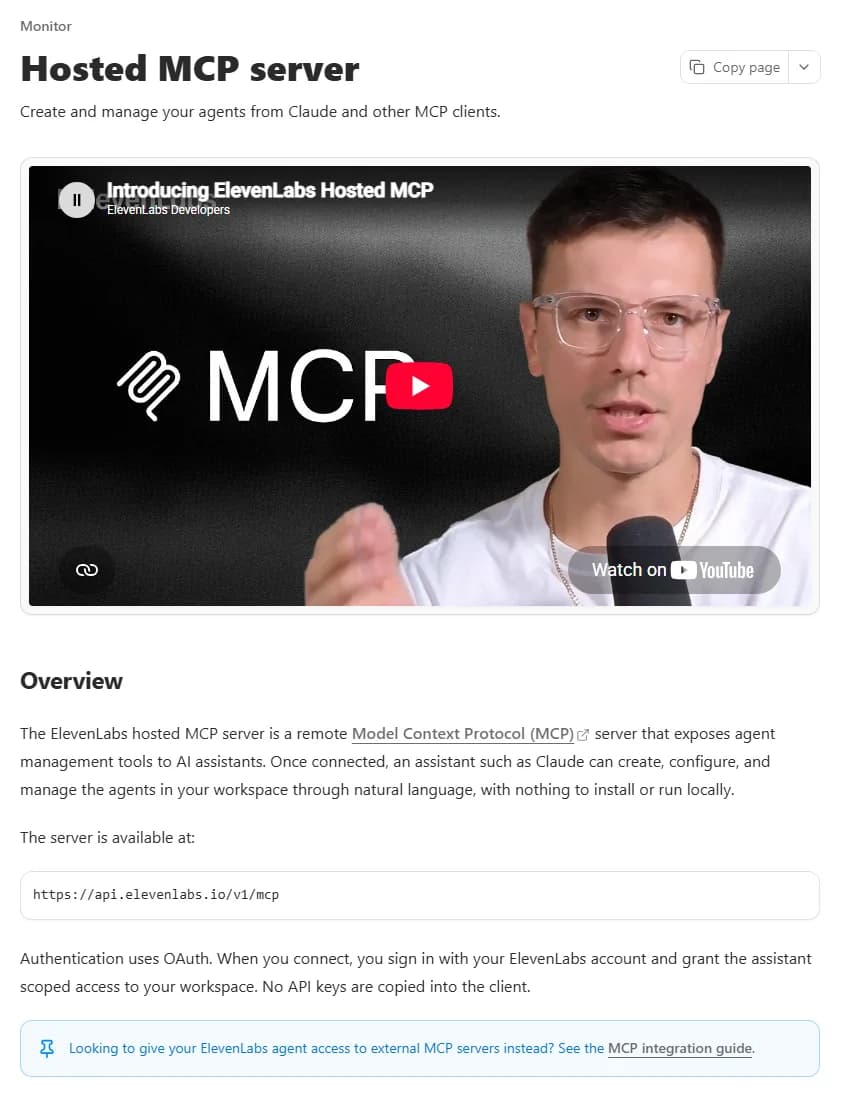
ElevenLabs' hosted MCP documentation, captured 26 October 2026.
The older local server (elevenlabs/elevenlabs-mcp) had a wider audio toolset, including transcription, audio isolation and speech-to-speech, and needed an API key. Its repository is archived and marked as no longer maintained. For the rest of a soundtrack (music, effects, the mix), we have a separate guide on sound for AI films.
The servers side by side
| Server | Stage | Made by | Runs | Sign-in | What it spends |
|---|---|---|---|---|---|
| ScreenWeaver | Write, break down, storyboard prep | ScreenWeaver (official) | Remote | OAuth, pick projects | OCR pages and findPanels only; generation happens in the app |
| Blender MCP | Previs, 3D | Community | Local (addon + server) | None on the socket | Nothing by itself; some asset generators are paid |
| Runway MCP | Generate images and video | Runway (official) | Remote | Runway account | Runway credits, same as the app |
| Higgsfield MCP | Generate images and video | Higgsfield (official) | Remote | Higgsfield account | Higgsfield credits |
| davinci-resolve-mcp | Edit, grade, render | Community | Local | None (local process) | Nothing; needs Resolve Studio for external scripting |
| ElevenLabs hosted MCP | Speech, voice agents | ElevenLabs (official) | Remote | OAuth | Not stated on the page |
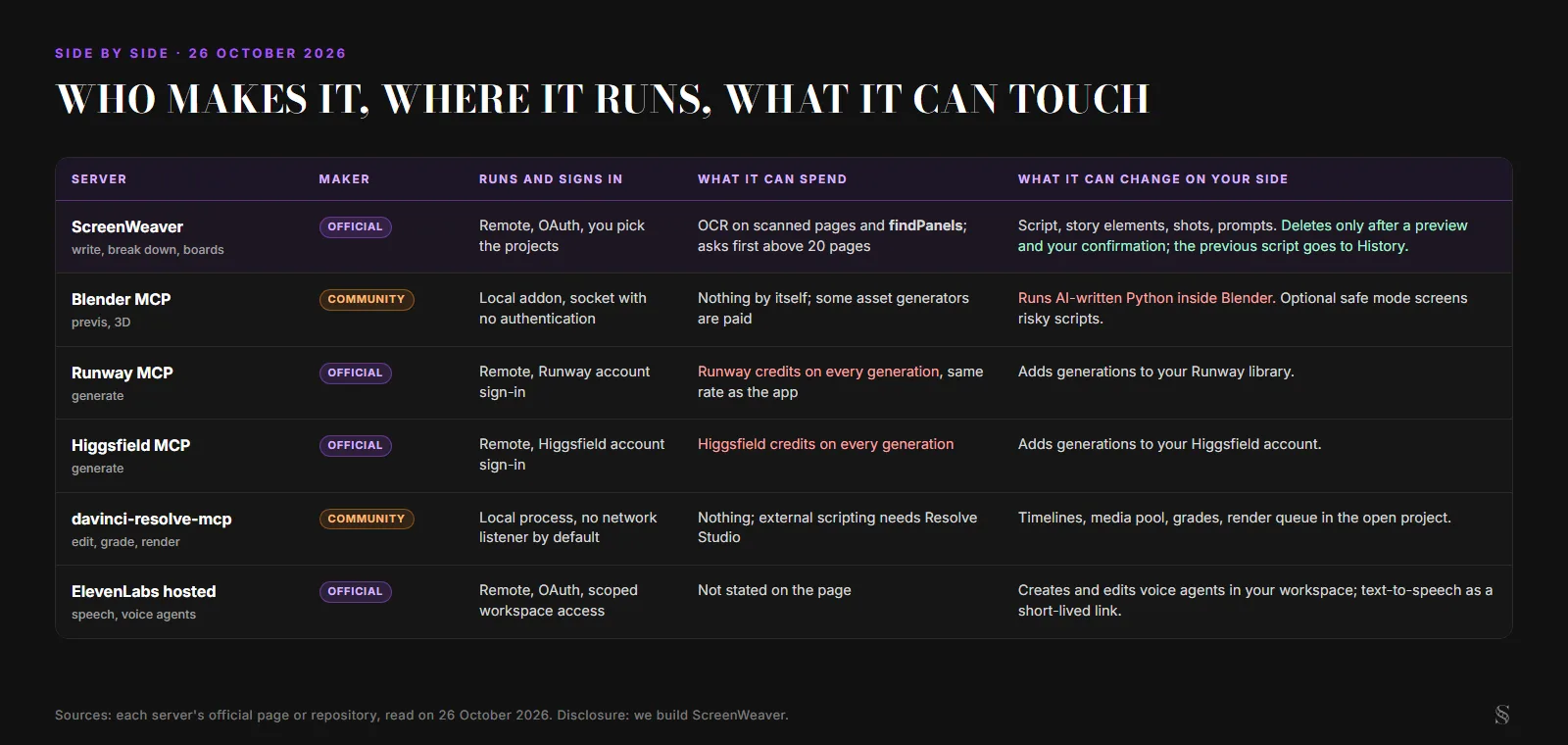
The same six servers with the risk column added. Diagram by ScreenWeaver, facts as of 26 October 2026.
Before you connect one: four questions
Most of the risk in this list does not show up in feature tables. It sits in what a server is allowed to do once your assistant has it. Four questions sort them quickly.
- Does it run code on my machine? Blender MCP does, by design. A local server is not unsafe in itself, but you are trusting whoever wrote it.
- Can it spend money? Runway and Higgsfield spend credits every time a clip renders, and an agent can fire several in a row. ScreenWeaver asks for confirmation before paid steps: an OCR job above 20 pages, or panel detection above 20 pages.
- Can it delete? In ScreenWeaver,
delete_shotsreturns a preview and waits for confirmation, andimport_scriptkeeps the previous draft in History. Check the equivalent before you point any server at a real project. - Who maintains it? Runway and ElevenLabs both archived their first MCP server between August and September 2026. A community repository can stop overnight. Look at the last release date before you build a workflow on it.
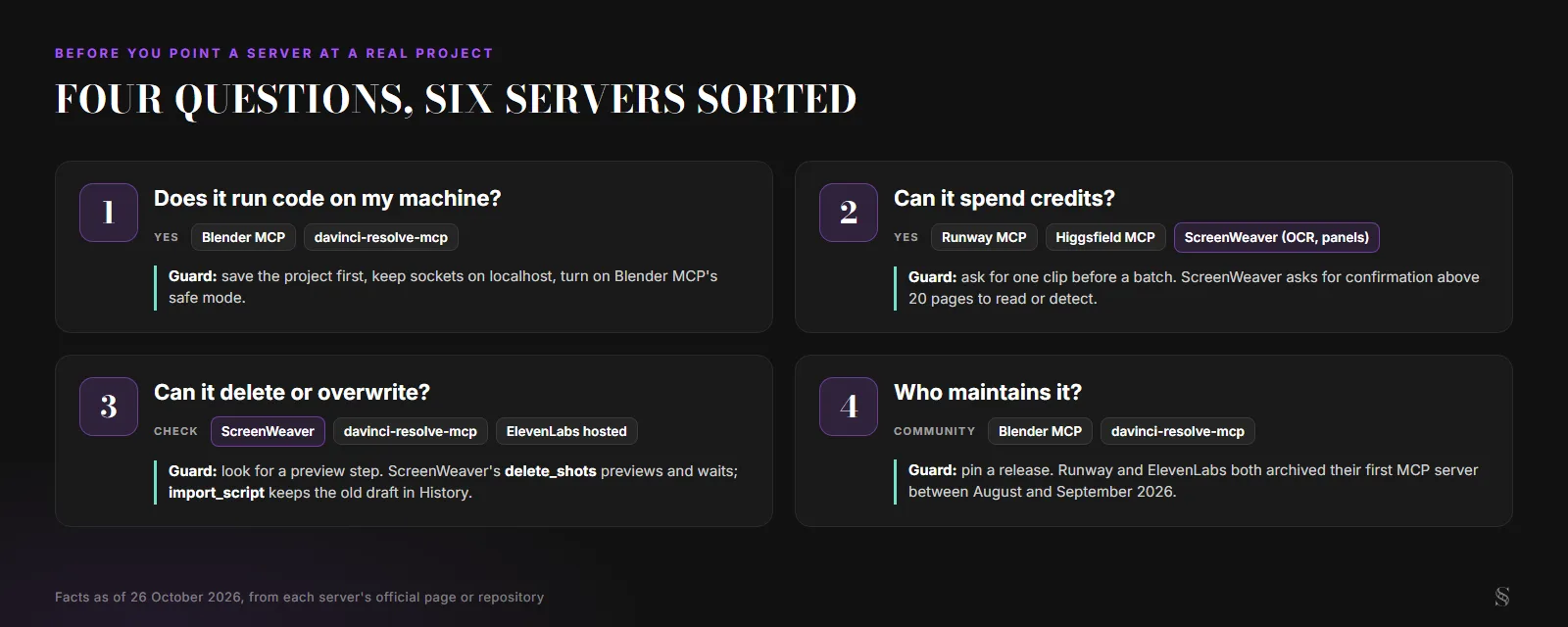
Four questions before connecting a server to a real project. Diagram by ScreenWeaver.
Which ones you actually need
Fewer than you think. For an AI short, the combination that makes sense today is one planning server and one generator: ScreenWeaver for script, story elements and shots, then Runway or Higgsfield if you prefer generating from the chat. Add the Resolve server only if you already cut in Resolve Studio, and Blender MCP only if your film has sets worth blocking in 3D.
What we would not do is connect six servers to one assistant and ask it to make a film. Each handoff is still a file or a list, and each one deserves your eyes. To start with the planning end, the ScreenWeaver MCP page has the server address and the install buttons.
FAQ
Is there an MCP server that makes a whole film from a prompt?
Not that we found on 26 October 2026. Each server covers a stage. Planning servers like ScreenWeaver structure the script and shots, generators like Runway or Higgsfield render clips, and an editing server like the DaVinci Resolve one assembles them. Moving work between them is still on you.
Do MCP servers for video cost money?
The protocol is free. What costs money is the service behind the server. Runway and Higgsfield draw on your credits for every generation. ScreenWeaver's server requires an Auteur or Studio plan, and only OCR on scanned pages and automatic panel detection consume credits. The community Blender and Resolve servers are free, though Resolve's external scripting needs Resolve Studio.
Can ScreenWeaver's MCP server generate video?
No. It writes to the script, story elements, shots, prompts and references. You launch image and video generation yourself in the Storyboard or Production tab, where you see the cost before it runs.
Which MCP server works with DaVinci Resolve?
The most starred one we found is the community project davinci-resolve-mcp by Samuel Gursky, under MIT licence. It controls Resolve through the official scripting API, which needs Resolve Studio. Its README describes a bridge for the free edition on version 21.0.x and calls its behaviour on 21.1 unconfirmed.
Is there an official Premiere Pro MCP server?
We found none published by Adobe on 26 October 2026, only community projects. Check Adobe's developer documentation before relying on one, and treat third-party tool counts as unverified.
Final Step
Build your next script with Screenweaver
Move from ideas to production-ready pages faster with timeline-native writing and AI-assisted story flow.
Try Screenweaver