
Here is a free shot list template you can download as a CSV and open in Google Sheets, Excel or Numbers. It has 15 columns and comes filled with one example scene so you can see every field in use, and a third of those columns can be filled straight from your script. It's one piece of our independent filmmaker workflow.
What's in the template
Fifteen columns. That's a few more than the seven a basic list needs (the shot list definition walks through those), because a template should hold the things people forget to track until the day they need them: where the shot comes from in the script, how long it takes to set up, and which shots can die first.
The useful way to read the columns is by who fills them. Some come straight out of the screenplay. Some are the director's call. The rest belong to whoever is running the day.
| Column | What goes in it | Filled from |
|---|---|---|
| Scene | Scene number from the shooting script | Script |
| Shot | Scene number plus a letter: 1A, 1B, 1C | You, in story order |
| Script page | Page where the shot's action starts | Script |
| Beat | A two-word name for the moment: "Arrival", "The label" | Script, your reading of it |
| Size | WS, MS, MCU, CU, ECU, OTS, Insert | Director |
| Angle | Eye level, high, low, top down, over someone's shoulder | Director |
| Movement | Static, pan, tilt, push, follow, handheld | Director |
| Lens | Focal length, or a range if you don't know the camera yet | Director and DP |
| Subject and action | Who does what inside the frame | Script |
| Dialogue covered | The first words of the line(s) this shot covers | Script |
| Equipment | Sticks, slider, gimbal, overhead arm | DP |
| Setup (min) | Your guess at the time to light and rig | DP and AD |
| Priority | A (must have), B (want), C (bonus) | Director and AD |
| Status | To shoot, Shot, Cut | AD on the day |
| Notes | Continuity, props, anything the row can't hold | Everyone |
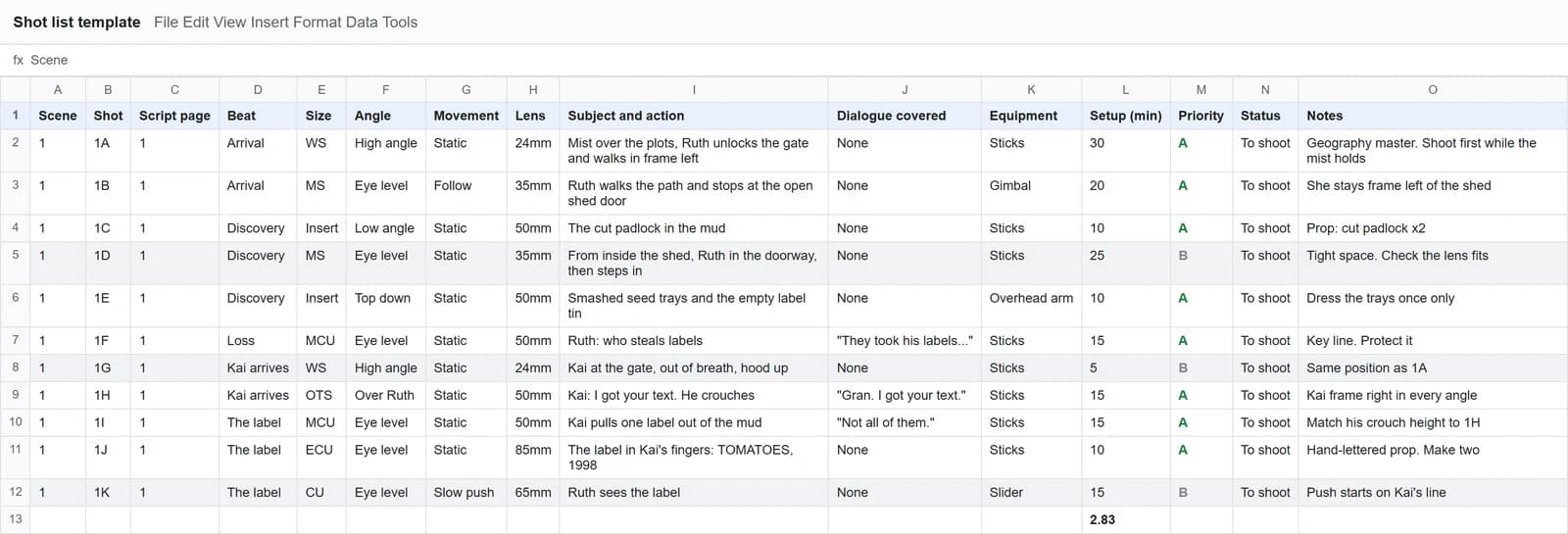
Five of the fifteen columns come from the script, and those go fast. The director's columns take longer, and they should.
The example scene
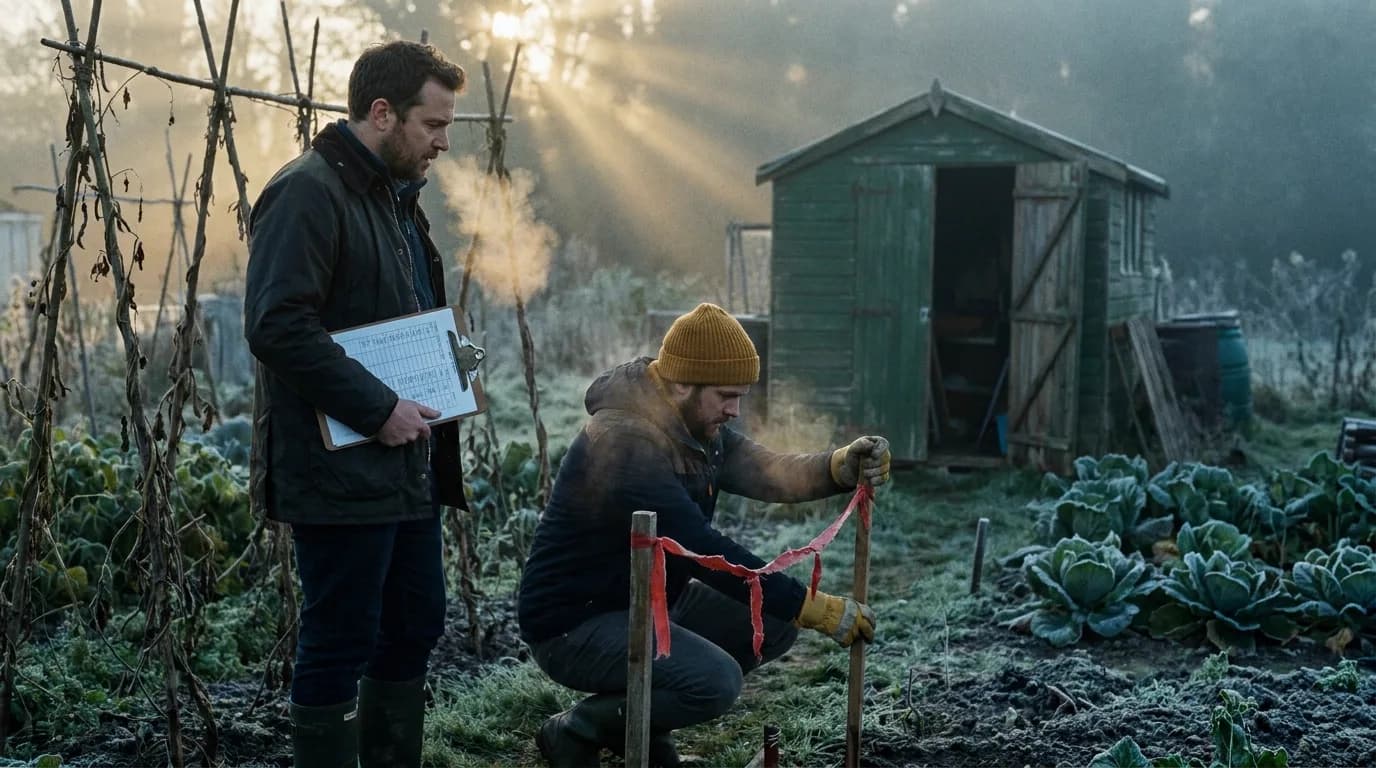
Every row in the file covers this one scene, which we wrote for this guide. Half a page, two characters, one location.
EXT. ALLOTMENT GARDENS - DAWN

Mist over the plots. RUTH (68), wellies, a flask under her
arm, unlocks the gate.

Her shed door hangs open. The padlock lies in the mud, cut.

She steps inside. Seed trays smashed. Her late husband's tin
of plant labels lies empty on the floor.

KAI (19), hood up, out of breath, arrives at the gate.

                    KAI
          Gran. I got your text.

                    RUTH
          They took his labels. Who steals
          labels?

Kai crouches and pulls one label out of the mud. Hand-lettered:
TOMATOES, 1998.

                    KAI
          Not all of them.
Filling it from the script, step by step
1. Copy the scene numbers and pages
Start with the shooting script, numbered and locked (the script breakdown process covers getting there). Write the scene number in column A for as many rows as you think you'll need, and the page number next to it. You'll delete the spare rows later. This step takes a minute and it means every shot can be traced back to a page when the script changes.
2. Cut the scene into beats
Read the scene once and put a slash in the margin every time the picture has to change: someone arrives, something gets found, a line lands. Our scene has five: Arrival, Discovery, Loss, Kai arrives, The label. Name each beat in two words and write it in the Beat column.
Once the beats are named, the rest of the sheet is one question asked five times: how do I cover this moment?
3. Pull the action lines into "Subject and action"
Each sentence of action that a camera can see becomes a candidate row. "The padlock lies in the mud, cut" is a shot. "Her late husband's tin of plant labels lies empty on the floor" is a shot. "Mist over the plots" is the opening wide. Copy them close to word for word. The script already did the describing, so don't rewrite it.
4. Turn props into inserts
Go back through the action lines and circle every object the story depends on. Here it's the cut padlock, the smashed trays, the empty tin and the label. Each one gets its own Insert row, because an editor can't cut to an object nobody filmed. Write the prop in Notes too, with how many you need. A hand-lettered label that gets muddy on take one needs a twin.
5. Add the dialogue rows
For each speaking character, add at least one row that covers their lines, and paste the first words into Dialogue covered. This column is how you check coverage at a glance: if a line appears in no row, nobody shot it. In the example, Kai's two lines sit in 1H and 1I, and Ruth's question has its own MCU (1F) because it's the line the scene is about.
6. Make the director's calls
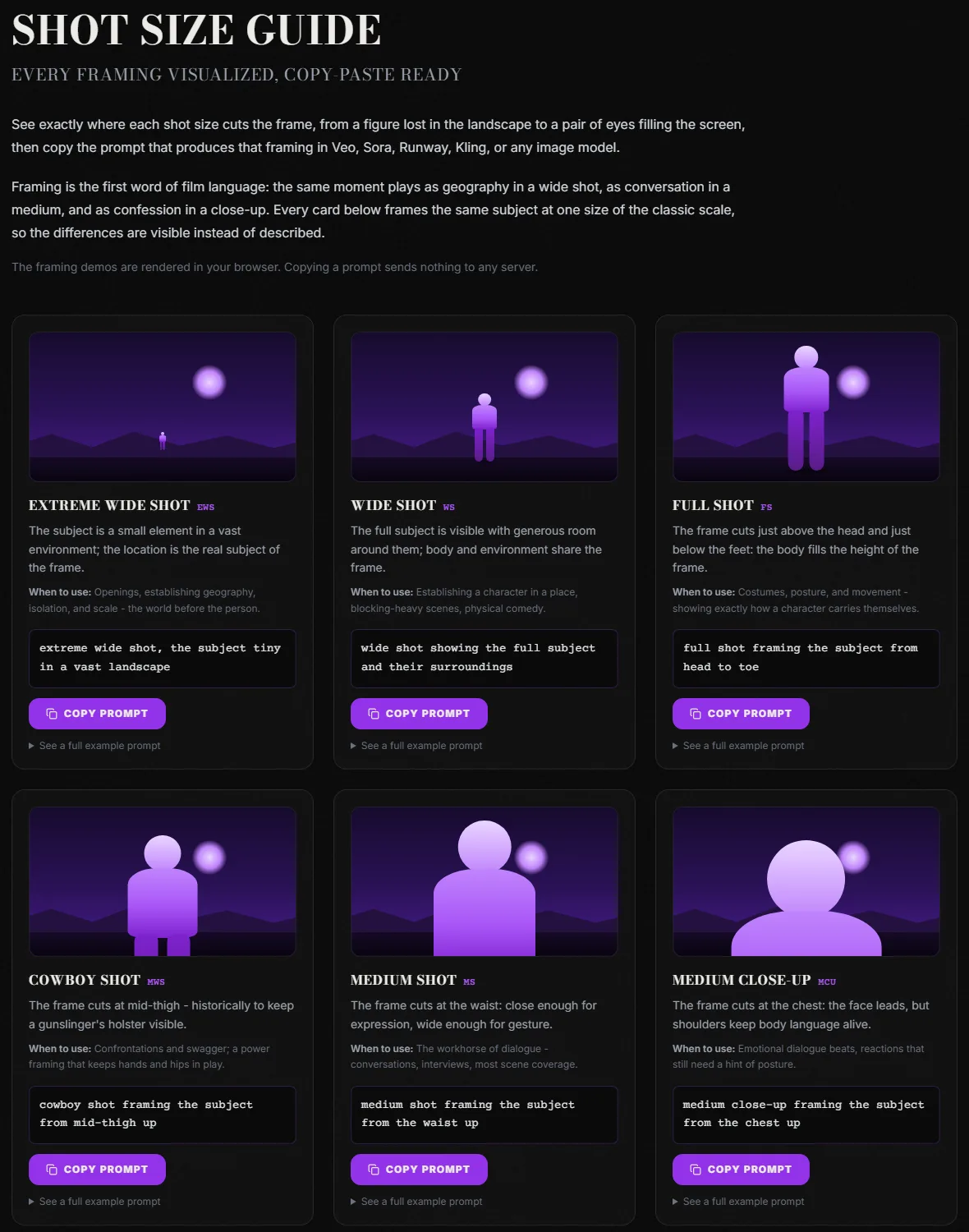
Now the slow part. Size, angle, movement, lens. If the abbreviations are new, keep our shot size guide open in another tab while you fill the Size column. For the Movement column, the camera movement library shows each move animated.
Two rules keep this pass honest. Write an actual size in the Size column, never "nice wide" or "cinematic". And pick a side for each character and keep it: in our example, Kai is frame right in every angle, written in the Notes of 1H so the whole crew sees it.
7. Estimate setups and set priorities
Put a number of minutes in Setup for every row, even a bad guess. Then add a total under the column. In Google Sheets, if your setup times sit in column L from row 2 to row 50:
=SUM(L2:L50)/60
That gives you hours. The example scene comes to 170 minutes of setup before anyone has said "action", for half a page. That number is the whole argument for the Priority column. Mark the shots the scene can't live without as A, the ones you want as B, the nice ideas as C. When the day runs short, the AD cuts from the bottom up and nobody argues on set about what goes.
Then sort a copy of the sheet by camera position. 1A and 1G use the same high wide on the gate, so they get shot back to back even though they're seven rows apart in story order. That re-sorted copy is the first draft of your shooting order. To see how many days the whole script needs, run the page count through the shooting schedule calculator.
Try it free
Try Screenweaver for free on your script
It is free. Import your existing project, get a clearer view of your outline, and regain control of your story structure in minutes.
Start FreeSetting it up in Google Sheets
The CSV opens anywhere, but a few settings make it nicer to use on a phone at 6 a.m.
- Freeze the header row (View, then Freeze, then 1 row) so the column names stay visible when you scroll.
- Turn Size, Movement, Priority and Status into dropdowns so nobody types "Wide-ish". Google's help page on creating an in-cell dropdown lists the routes: Insert, then Dropdown, or Data, then Data validation.
- Add the setup total from step 7 under column L.
- Colour the Priority column: A rows plain, B rows light grey, C rows darker grey. The C rows are the first to go.
- Share it as view-only with the crew and keep editing rights to the director and AD.
Variants
For an AI film
When the shots are generated instead of filmed, three live-action columns stop mattering (Lens, Equipment, Setup minutes) and four new ones matter a lot. Rename or add:
| Column | Why it matters for AI video |
|---|---|
| Duration (s) | Models only output certain lengths (Veo 3.1 does 4, 6 or 8 seconds), so each row needs one the model can produce |
| Model | Different rows may go to different video models |
| References | The character, place and object images that keep the shot consistent |
| Prompt | The text you'll send, written from the row's size, movement and action |
| Takes | How many generations the row has cost so far |
The beat column becomes even more useful here, because one beat per clip is the safest way to keep a generated shot readable. The scene-to-clip splitter does the beat cutting for you: paste a scene and it splits it into beats that fit your model's duration cap, with estimated screen seconds for each. If you'd rather write the prompts by hand, our guide on turning sluglines and action lines into prompts picks up exactly where this sheet stops.
In ScreenWeaver, the shot breakdown is generated from the scene itself in the Storyboard tab, and each shot keeps its framing, angle, movement and duration as editable fields, tied to the characters, places and objects of the script. That workflow is on our AI storyboard page.
For a one-person crew
Delete Equipment and Status. Keep Setup, because when you're the only person rigging, setup time is your real budget. Add one column, "Batch", and give the same number to every shot that shares a camera position and lighting. You shoot by batch, not by row.
For a music video or a doc
For a music video, replace Script page with the timecode of the song section and Dialogue covered with the lyric line. For a documentary, Subject and action becomes "What we hope to catch", Priority becomes the only column that really matters, and Status gets a fourth value: "Happened without us".
What the template catches before the shoot
Run this before you send the sheet to anyone:
- Every line of dialogue appears in at least one row
- Every prop circled in the script has an Insert row
- Every row has a real size and a real movement, even if it's "Static"
- Each character has a side of frame written down
- The setup total fits the hours you have, with A rows alone
- Every shot traces back to a script page
If the boards come next, the shot list vs storyboard comparison covers which order to do them in. For printable frames to sketch the A rows, the storyboard template generator makes sheets in any aspect ratio.
FAQ
Is this shot list template free?
Yes. It's a plain CSV file with no signup and no watermark. Open it in Google Sheets, Excel, Numbers or LibreOffice, delete our example rows, and keep the header. The file includes one scene filled in so you can see how each of the 15 columns is used before you write your own.
How do I make a shot list from a script quickly?
Do the script columns first, because they're mechanical: scene numbers, pages, beats, action lines and dialogue. Cut each scene into beats, turn every visible action and every key prop into a row, then add a row per speaking character. Size, angle, movement and lens come after, and that's the part worth slowing down for.
What columns should a shot list have?
At minimum: shot number, size, angle, movement, lens, subject and action, and notes. Our template adds script page, beat, dialogue covered, equipment, setup minutes, priority and status, because those are the fields that help on the shoot day itself, when you need to know what can be cut and what's been shot.
How many shots per page of script?
There's no standard. Our half-page example has 11 rows, which is on the heavy side because it's built around inserts. A walk-and-talk can be two shots. Count your setup minutes rather than your rows: that's what tells you whether the day works.
Can I use the same template for an AI film?
Yes, with a few changes. Drop lens, equipment and setup minutes, then add duration, model, references, prompt and takes. Keep the beat column, since one beat per generated clip makes each shot easier to read. The scene-to-clip splitter can propose the beats and durations from your scene text.
Final Step
Build your next script with Screenweaver
Move from ideas to production-ready pages faster with timeline-native writing and AI-assisted story flow.
Try Screenweaver