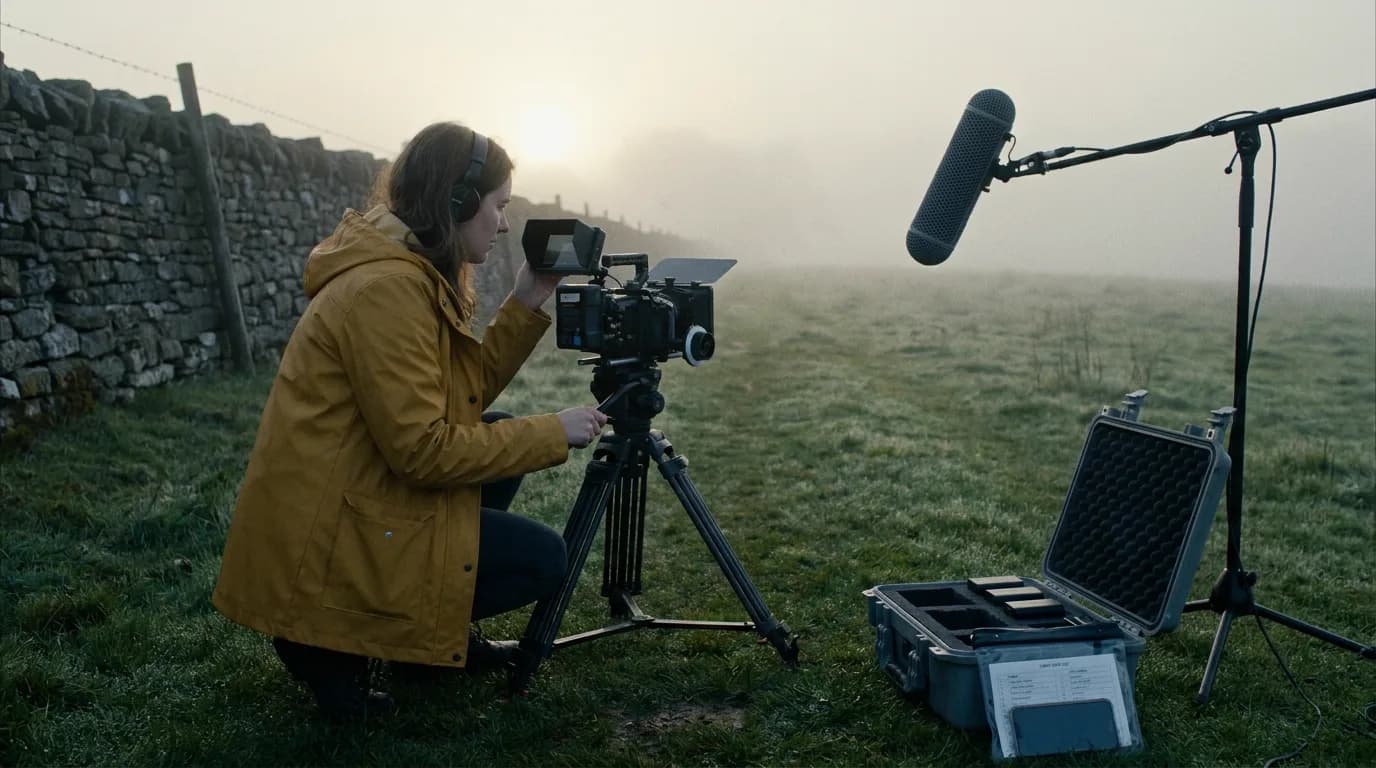

A one-person film crew needs one tool per job that leaves a file behind: a script app, a breakdown, a shot list, a schedule, a camera and sound kit you can run alone (or an AI generator), an editor and a backup routine. Most of that stack is free. What costs you is the handoff between layers, so pick tools that share files.
This guide sits under our independent filmmaker workflow, which covers the whole indie pipeline. Here the question is narrower: which jobs from a full crew can one person absorb, what to use for each, and what to hand to somebody else the day you have a little money.
What a full crew does, and what you inherit
Wikipedia's film crew entry lists the departments a feature normally staffs: production, camera and lighting, sound, art, costume and makeup, continuity, post-production and more. Each one has a head and assistants. The same entry notes, about several of these posts, that "sometimes these jobs may be combined". On a solo project they all collapse onto one person.
You don't do every job equally well, and you don't need to. Some roles shrink to a checklist. Some can be borrowed for a day. One or two will hurt the film if you fake them.
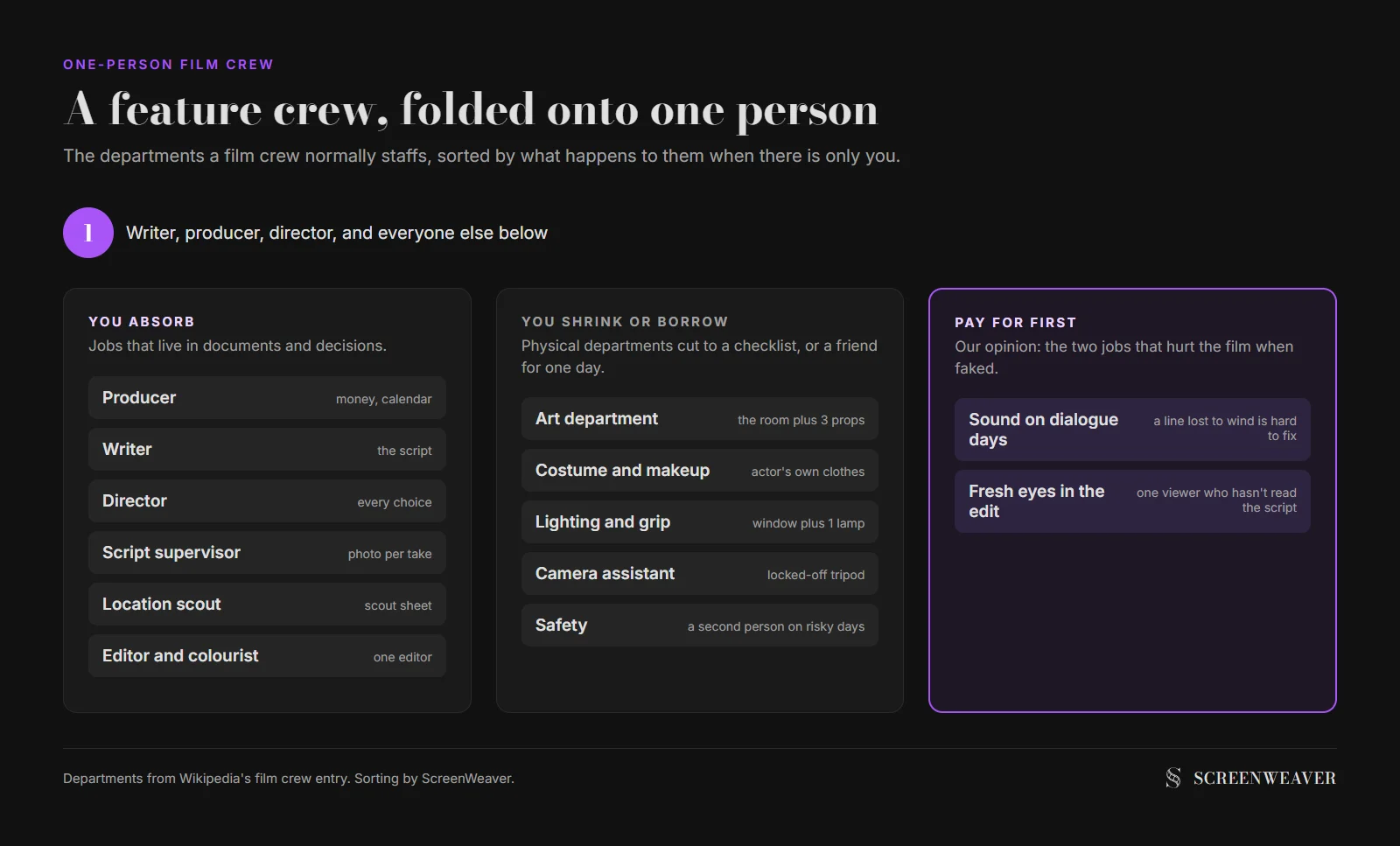
The jobs you absorb completely are the ones that live in documents: producer, writer, director, script supervisor, location scout, editor. They're paperwork and decisions, and on a solo film you'd be making those decisions anyway.
The ones you shrink are the physical departments. Art becomes "what's already in the room plus three props". Costume becomes the actor's own clothes, photographed on the first day so you can match them later. Lighting becomes window light and one practical lamp. You lose range, but these jobs still get done.
The solo stack, layer by layer
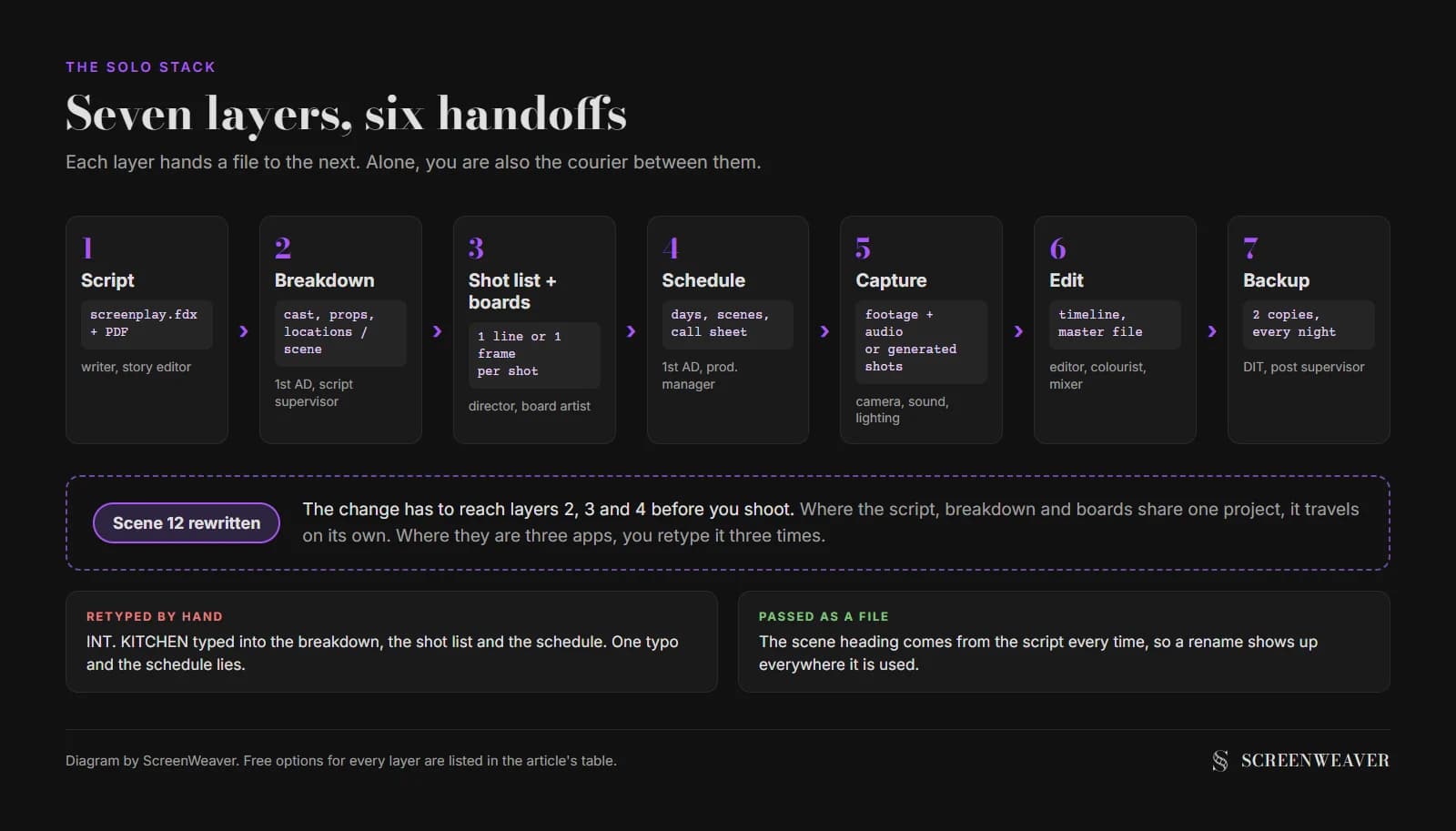
Every layer below hands a file to the next one. When the script changes on day three, you want that change to travel down the stack without you retyping it.
| Layer | Crew job it replaces | What it produces | Free option | Paid if you outgrow it |
|---|---|---|---|---|
| Script | Writer, story editor | A formatted screenplay (FDX, PDF) | ScreenWeaver's free Screenwriter plan, or a Fountain plain-text file | ScreenWeaver Auteur, $39.99/month (adds storyboard and AI production) |
| Breakdown | 1st AD, script supervisor | Cast, props, locations per scene | Our script breakdown checklist | Not needed for a solo shoot |
| Shot list and boards | Director, storyboard artist | One line or one frame per shot | A shot list template, stick figures | AI storyboard from the script |
| Schedule | 1st AD, production manager | Days, scenes per day, who's needed | Day out of days and shooting schedule calculator | Optional on a short shoot |
| Capture | Camera, sound, lighting departments | Footage and separate audio, or generated shots | The camera and recorder you own | AI video models through credits |
| Edit, colour, sound mix | Editor, colourist, re-recording mixer | A finished master | DaVinci Resolve 21 (free version) | DaVinci Resolve Studio |
| Backup | DIT, post supervisor | Two copies of everything, every night | Two drives and a habit | Cloud storage |
Every other layer reads from the script. A breakdown is only as good as the scene headings it was built from. If you write "INT. KITCHEN" for three different kitchens, your schedule will lie to you. Our guide to the complete script breakdown process shows how to tag a scene in one pass.
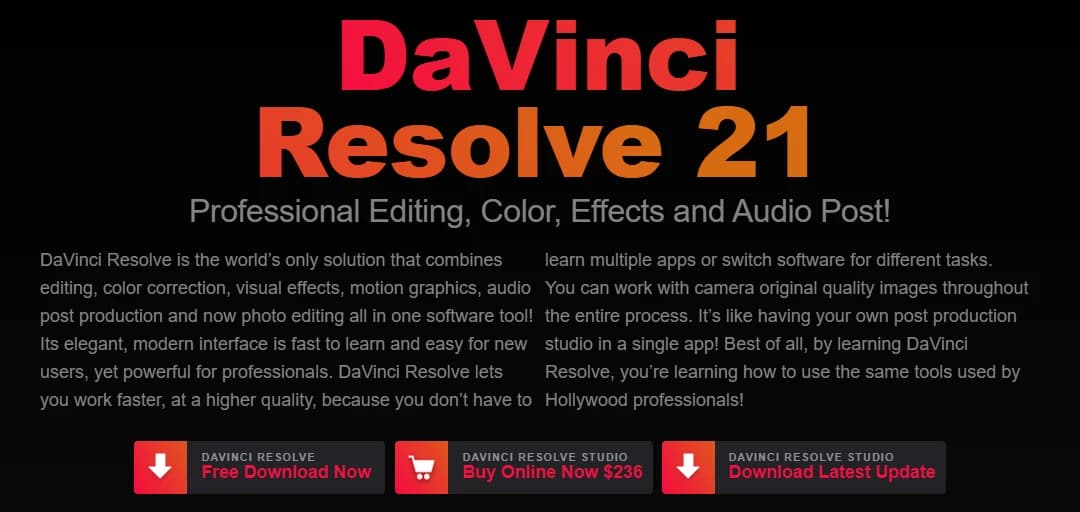
For the edit, the free version of DaVinci Resolve is hard to argue with. Blackmagic's product page sells it as editing, colour correction, effects, motion graphics and audio post "all in one software tool", which is the exact list of post jobs a solo creator inherits.
Pick one editor and stay in it for the whole project. Moving an edit between apps halfway through means conforming the timeline and relearning every shortcut.
Two solo stacks: shooting it or generating it
There are now two very different ways to be a one-person crew, and they share the top half of the stack.
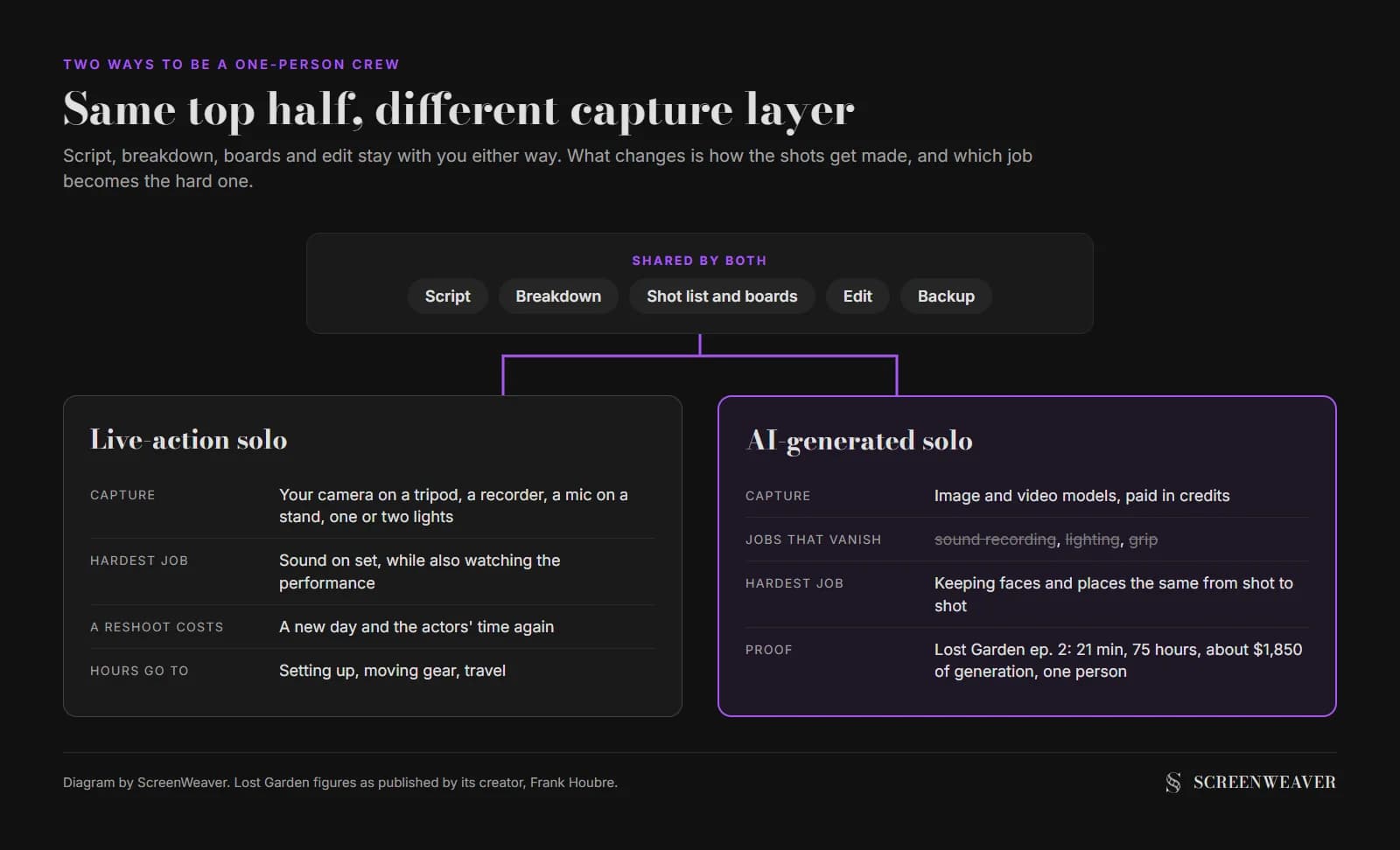
The live-action solo shooter holds the camera, records the sound and directs the actors, usually one or two of them. The constraint is physics: you can't watch the monitor, ride the boom and listen on headphones while also reading the performance. The workable answer is a locked-off camera on a tripod, a microphone clamped to a stand just out of frame, and setups simple enough to reset alone. It also keeps you small on paper. Film London's advice for small crews treats five people or fewer, actors included, as its own category on public streets, which our location scouting checklist covers in detail.
The AI solo creator has no set at all. The capture layer becomes image and video generation, and the jobs that disappear are physical ones (sound recording, lighting, grip). The jobs that stay are the ones about intent: script, shot design, continuity of faces and places, editing. Continuity actually gets harder, because a model doesn't remember yesterday's costume unless you give it a reference.
| Live-action solo | AI-generated solo | |
|---|---|---|
| Hardest job to do alone | Sound on set | Character and location continuity |
| What fills the capture layer | Your camera, recorder, one or two lights | Image and video models, paid in credits |
| What a reshoot costs | A new day, the actors' time again | Credits and an hour of regenerating |
| Where the hours go | Setting up and travel | Generating, selecting, regenerating |
| First thing worth paying for | A sound recordist for the dialogue days | Generation credits once the board is locked |
Lost Garden is the case we know best, because it was made in ScreenWeaver. It's a dark fantasy anime series by Frank Houbre, who co-founded ScreenWeaver, and the site describes it as an anime made by one person. Episode 1 runs 17 minutes and took 63 hours. Episode 2 runs 21 minutes and took 75 hours, with about $1,850 of generation. The script was written in ScreenWeaver, the storyboard was built scene by scene from it, and every shot was produced in its production interface.

Those numbers aren't a promise about your film. They show where a solo AI production spends its time: on generating, choosing and regenerating shots, which is why the board has to be finished before the credits start running. The full method is in how I made a Japanese-style anime with AI, and a shorter example is the seven-day AI short film log.
Try it free
Try Screenweaver for free on your script
It is free. Import your existing project, get a clearer view of your outline, and regain control of your story structure in minutes.
Start FreeThe order of work when you're the whole crew
A crew works in parallel. You can't, so the order matters more.
- Lock the script before you board anything. A changed scene after boarding means redoing the board, the shot list and the schedule.
- Break it down the same day. Cast, props, wardrobe, locations, anything that needs to match.
- Board or shot-list every scene, then cut shots. Alone, every setup costs you twice: once to light and frame, once to move everything. Fewer, better setups win.
- Schedule by location, then by actor. Group everything shot in one place. Our stripboard basics show the method.
- Write a call sheet even if it goes to two people. It's the only document your actors read. The call sheet template has a micro-shoot version.
- Back up before you sleep. Two copies, two drives. On a solo shoot, nobody else will notice a corrupted card until it's too late.
- Edit with fresh eyes, or borrow some. Leave a day between the last shot and the first assembly if you can.
If you want to see how far a plan should go before you shoot, our comparison of previs, storyboard and animatic tells you which scenes deserve more than a board.
The first two jobs to hand to someone else
This part is our opinion.
The first is sound on dialogue days. Picture problems can sometimes be cropped, graded or cut around. A line buried in wind or a fridge hum can't be fixed in the same way, and re-recording dialogue alone with an actor is slow. If you have money for one person on set, make it the person with headphones. On an AI production the equivalent is the voice track: record or source it properly before you edit to it.
The second is a fresh pair of eyes in the edit. You know what every shot was meant to say, so you can't see when it doesn't. Show a rough cut to one person who has not read the script, and watch where they lean forward and where they reach for their phone. It costs nothing.
Everything else can stay with you for a long time. Budget it on paper first with our micro-budget film budget template, so the day you can pay for help, you already know where it goes.
Where the one-person crew breaks
Safety comes first. Nobody should do a stunt, a rooftop or a night shoot near water alone. Bring a second person for those days, even unpaid, and tell them their only job is to watch.
Continuity drifts without a script supervisor: a cup moves from the left hand to the right between takes. Photograph the end of every take on your phone and you have a free continuity log.
Then there's fatigue. By day four you'll accept a weak take to save ten minutes, so plan shorter days than you think you can handle.
And tools sprawl. Every new app is one more export to forget. If two layers can live in one tool, let them.
That last point is where ScreenWeaver fits. The script, the shot breakdown, the storyboard and the AI production canvas live in one project, so a scene rewrite is visible where the shots are planned. The film pre-production page shows the planning side, and if your film is AI-generated, make a film alone with AI walks through the same project from screenplay to footage.
FAQ
What tools does a solo filmmaker need?
A screenwriting app, a way to break the script down, a shot list or storyboard, a simple schedule, the camera and sound kit you can run alone (or an AI video tool), an editor and two backup drives. Most of the software layer has a free option, including DaVinci Resolve for the edit.
Can one person really make a film alone?
Yes, within limits. A one-person crew works best with few locations, one or two actors and simple setups. Lost Garden shows the AI version: one person wrote, boarded and produced episodes of 17 and 21 minutes. Live action alone is harder, mostly because of sound.
What should a one-person crew hire first?
In our view, a sound recordist for dialogue days. Bad picture can sometimes be cropped or cut around, while bad dialogue audio means re-recording. After that, find one honest viewer for your rough cut.
Is DaVinci Resolve free?
Yes. Blackmagic Design offers a free download of DaVinci Resolve 21 and sells DaVinci Resolve Studio separately. On 26 October 2026 the Studio version was listed at $236, down from $295.
Is AI filmmaking easier for a one-person crew?
It removes the physical jobs (sound, lighting, grip, travel) but makes continuity harder, because models need references to keep faces and places stable. It also moves the cost from shoot days to generation credits, so planning every shot before generating matters even more.
How does ScreenWeaver fit a solo stack?
It covers the script, breakdown, storyboard and AI production layers in one project. The Screenwriter plan is free for writing; Auteur at $39.99 a month adds the AI storyboard and video production.
Final Step
Build your next script with Screenweaver
Move from ideas to production-ready pages faster with timeline-native writing and AI-assisted story flow.
Try Screenweaver