Double exposureTwo images, one mind
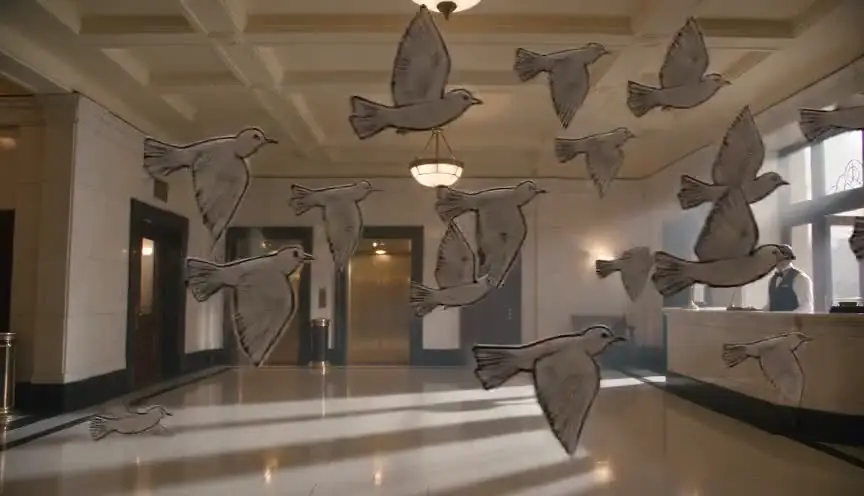
A double exposure layers two images in the same frame, so one shows through the other like a ghost. The audience reads the overlap as a connection that cannot exist in real space: a face filled with a memory, a person merged with a place, two identities blending.
Also calledMultiple exposureSuperimpositionGhost overlay
Optical effects
Why it works on screen
Use it when a character's inner life needs to share the frame with the outside world. A soldier's face over the fire he remembers, a mother over the city where her child vanished, two lovers who have become one idea. Double exposure serves memory, trauma, obsession, spiritual presence and the collapse of identity. It also works as a transition, holding the old scene over the new one for a beat longer than a dissolve. A scene earns it when the link between the two images is the point of the moment. If the two layers have nothing to say to each other, it looks like a music video effect.
The shot list line
- Size
- Close-up or medium close-up for the face layer, wide for the second layer
- Angle
- Profile or eye level
- Movement
- Static on both layers, or gentle matched drift
- Lens
- 50mm to 85mm for the face, 24mm to 35mm for the landscape
- Duration
- 3 to 6 s
Shoot the face layer against a dark or plain background so the second image can show through, and plan the key shapes of both layers to fit together.
Screenplay
On the page
Superimposition is an accepted screenplay convention, and "SUPER:" is usually reserved for on-screen text, so describe the image instead: over her face, the flooded village rises and fades. Use it once or twice in a script, where the connection matters most. Say what the two images are and how long they share the frame in story terms. The opacity, the blending of shapes and whether it happens in camera or in compositing belong in the shot list and the edit notes.
INT. NIGHT BUS, LAGOS - NIGHT
CHIDI EZE (50s, security guard uniform, cap on his knee) leans his head against the window.
Streetlights slide across his face.
Over his reflection, the image of a football pitch in his village, boys running barefoot in red dust, rises and holds.
One of the boys is him. He is laughing.
The bus brakes. The pitch fades. Only the reflection remains.
Storyboard
In the storyboard
Draw the two layers in separate small panels first: the face and the second image. Then draw the combined panel, with the face in solid line and the second image in lighter strokes or colored pencil passing through it. Circle the areas where the layers should overlap most, such as eyes or silhouette. Note the balance, for example 60/40, the duration of the overlap and how each layer enters and exits.
Pairs well with

A dissolve into the double exposure and another one out of it lets the second image arrive and leave gently, so the overlap feels like memory surfacing rather than a hard graphic effect.
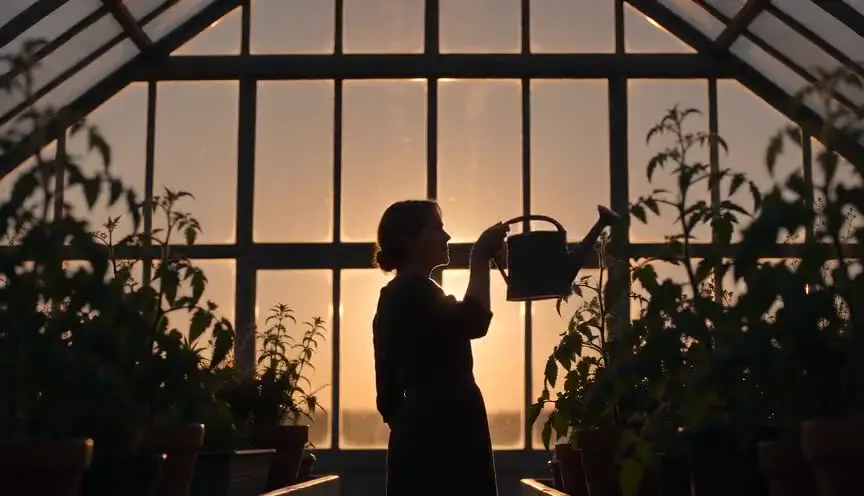
A dark silhouette gives the second image a clear shape to fill. The outline of a head or a body becomes a window through which the memory or the place appears.
Reference
Watch it in
Persona (1966)
Bergman fuses half of one actress's face with half of the other's, so the two women seem to share a single, unstable identity.
Apocalypse Now (1979)
The opening lays helicopter blades and jungle fire over the captain's upturned face, mixing his hotel room hangover with the war he cannot leave.
ScreenWeaver
Set it up in ScreenWeaver
Describe both images in your screenplay, and ScreenWeaver breaks the scene into shots automatically, so each layer can be its own storyboard shot. Set the face shot as a close-up in profile with static movement, set the second image as a wide shot, and give them the same duration. Characters, locations and references carry from shot to shot, so the memory matches its earlier appearance. Review both shots in the AI previsualization, then note the overlap balance for compositing.
Start writing for freeThe prompt behind this clip
This is the exact prompt that rendered the clip at the top of the page. Keep the description of the camera and the light, change the subject and the place.
Double exposure of a woman's silhouette walking slowly through a golden sunflower field at sunset, her outline holding steady in the center of frame while a second, semi-transparent layer of blooming sunflower heads and drifting clouds blends through her body at roughly fifty percent opacity. The camera stays locked and static throughout, the light stays warm and low, and only the internal texture shifts, flowers gently swaying, clouds sliding, while her silhouette remains sharp and unmoving. No text.
Common mistakes
- 01
Two busy layers
When both images are full of detail, the result is a muddy mess. Keep one layer simple and dark, like a silhouette or a face on black, so the other can read through it.
- 02
No clear link
An overlay of unrelated images is only decoration. Decide what each layer means and why they belong together, then frame them so the connection is visible.
- 03
Holding too long
Superimposed images tire the eye quickly. A few seconds is usually enough, unless the whole sequence is built as a dream with a clear rhythm.