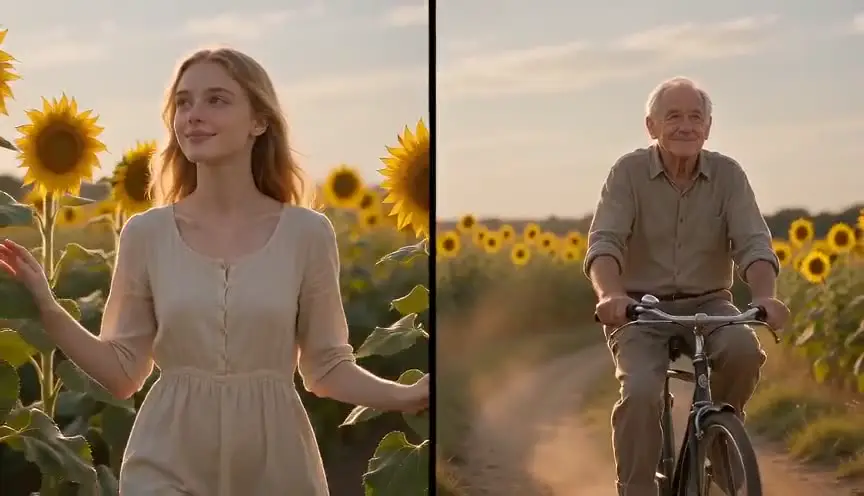
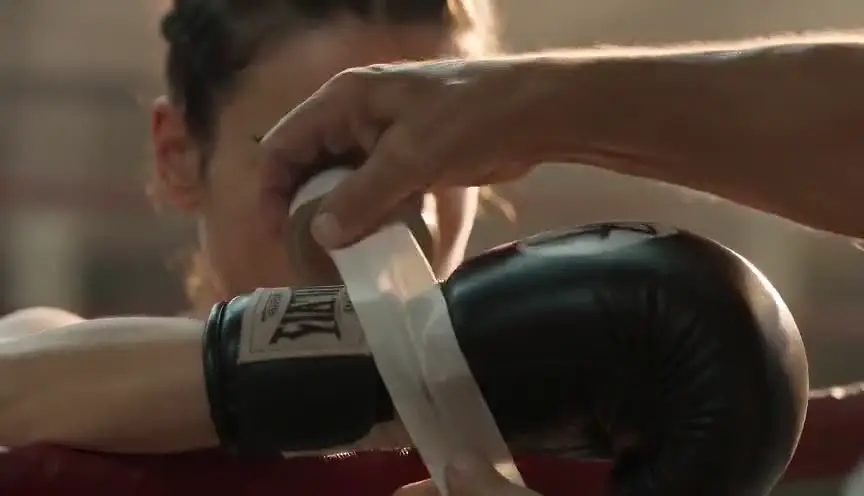
Cross-cuttingTwo scenes racing side by side
Cross-cutting alternates between two or more scenes happening in different places, usually at the same time. The audience links them in their mind, and the back and forth builds suspense, irony or a sense of fate.
Also calledParallel editingParallel cuttingIntercutting
Editing and transitions
Why it works on screen
Cross-cutting creates tension through comparison. A rescue speeding toward a victim, a heist in progress while guards patrol, a celebration interrupted by violence elsewhere: the audience knows more than any single character and waits for the threads to collide. It also creates meaning, a prayer beside a murder, a wedding beside a funeral. It serves climaxes, chases, parallel lives and moral contrasts. A scene earns it when two storylines are strong enough on their own that each cut back feels like a reward. The rhythm usually speeds up toward the end, shorter shots, faster alternation, until the threads meet.
The shot list line
- Size
- Varies, tighter as tension rises
- Angle
- Consistent angles for each location
- Movement
- Static or handheld, matching energy in both threads
- Lens
- Consistent lens choices per location
- Duration
- 2 to 5 s per shot at first, down to 1 s near the climax
Keep screen direction and visual style distinct for each thread so the audience always knows which location they are in.
Screenplay
On the page
Cross-cutting belongs on the page when it is the structure of a sequence. Write the scenes in alternation, with short scene headings, or use "INTERCUT" to show that two locations run together. Establish each location fully once, then use brief sluglines or "BACK TO SCENE" as the pace picks up. Keep each fragment short and purposeful. The editor will refine the rhythm, and the shot list will note shared screen directions, timing and cutting points.
INT. BANQUET HALL - MUMBAI - NIGHT
The groom, VIKRAM MEHTA (30s), lifts the veil of his bride, ANJALI (20s). Cheers, rose petals, a trumpet.
INT. BANK VAULT - MUMBAI - SAME TIME
Anjali's brother ROHAN (20s) pulls a drill from a catering crate. Sweat on his lip.
INTERCUT BETWEEN HALL AND VAULT
In the hall, Vikram's father raises a glass. In the vault, Rohan's drill bites into steel.
ANJALI
(smiling, whispering to herself)
Twenty minutes, bhai. Only twenty.
Storyboard
In the storyboard
Draw panels in two rows, one row per location, and number them in the cutting order. Use a colored border or tag for each thread (A, B) so the alternation is visible at a glance. Add arrows showing screen direction and time. Near the climax, draw smaller, tighter panels to show acceleration. Note any sound that bridges the cuts, such as music or a ticking clock.
Pairs well with

Before cross-cutting starts, an establishing shot for each location anchors the audience. Once both places are clear, the alternation can accelerate without confusion.
Inserts of clocks, fuses, messages or tools during cross-cutting show how close each thread is to its deadline, sharpening suspense with each return.
Reference
Watch it in
The Godfather (1972)
A baptism in church alternates with a string of killings across the city, Michael's sacred promise laid against his orders in action.
The Silence of the Lambs (1991)
An FBI raid on the wrong house alternates with Clarice at the killer's real door, fooling the audience about where the danger lies.
Intolerance (1916)
D.W. Griffith weaves a last-minute rescue across four historical periods, an early milestone in parallel editing.
ScreenWeaver
Set it up in ScreenWeaver
Write your two scenes in alternation, or with INTERCUT, and ScreenWeaver breaks the screenplay down into shots automatically. In the storyboard, give each location its own framing and angle choices, then shorten durations as the sequence builds. Characters and locations carry from shot to shot, so each thread stays consistent even when the cuts come fast. Play the sequence in the AI previsualization to judge the rhythm and adjust shot lengths.
Start writing for freeThe prompt behind this clip
This is the exact prompt that rendered the clip at the top of the page. Keep the description of the camera and the light, change the subject and the place.
Cross-cutting between two actions inside a busy ramen kitchen: a static medium close-up on a woman's hands slicing scallions fast under harsh fluorescent light, then a hard cut to a static medium close-up on a man's hands plunging noodles into a rolling, steaming pot at the next station. The shot alternates between these two fixed setups four times, roughly every one second, each cut landing on the same clanging rhythm of pans and shouted orders, camera never moving within either shot, until the sequence lands on the woman's hands lifting the scallions the instant the noodles hit the broth. No text.
Common mistakes
- 01
Unclear locations
If both scenes look alike, the audience loses track. Give each thread its own light, color or framing so every cut is readable at once.
- 02
A weak thread
When one storyline is much less interesting, every cut back feels like a pause. Make sure both threads have stakes and forward motion.
- 03
Flat rhythm
Keeping the same shot length throughout loses the build. Let the cuts accelerate toward the climax so tension rises with the pace.