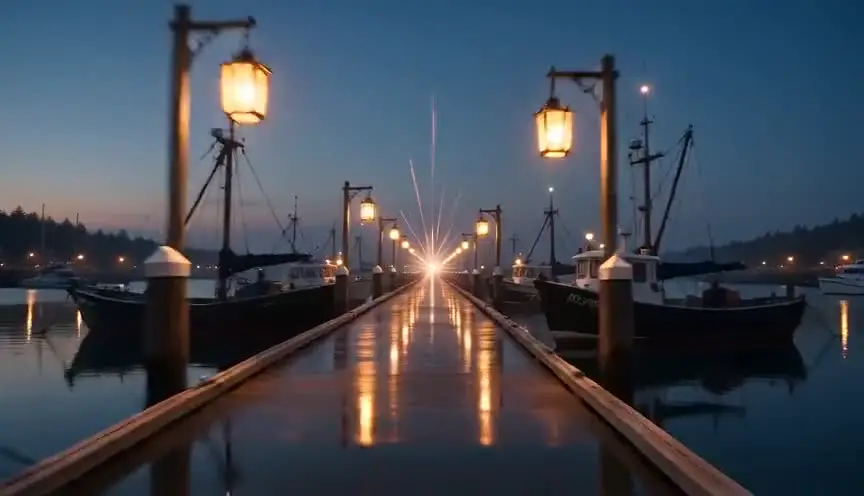
HyperlapseCovering distance and hours at once
A hyperlapse is a time-lapse in which the camera travels a long path between frames, so both time and space rush past in a few seconds. The audience feels a journey, a city or a whole day compressed into one breath.
Also calledMotion time-lapseWalking time-lapseMoving time-lapse
Camera movement
Why it works on screen
Use it when the story needs to move a character, or the audience, across a great deal of ground without a montage of separate shots. A newcomer's first night crossing a vast city, the long drive to a place no one wants to reach, a neighborhood shifting from market day to curfew. It serves scale, disorientation, the indifference of a place to one person, and the feeling that life is moving faster than a character can follow. A scene earns it at a threshold: arriving, leaving, or a stretch of time that changes nothing inside the character while everything outside keeps churning.
The shot list line
- Size
- Wide shot
- Angle
- Eye level
- Movement
- Forward travel along a fixed path, one frame every few steps
- Lens
- 16mm to 24mm
- Duration
- 4 to 8 s on screen
Lock a point of interest in the center of frame at every step and move the same distance between exposures so the stabilization in post has less to fix.
Screenplay
On the page
A screenplay should not name the rig or the interval. Suggest the compression through the action: the light changes as the character walks, crowds thicken and thin, the street goes from dusk to neon in a line or two. If the passage is truly a set piece, a SERIES OF SHOTS or a short MONTAGE heading is acceptable, but use it once. The frame interval, the path and the total distance belong in the shot list, where the camera team can plan them.
EXT. OLD QUARTER - HANOI - DUSK
LINH (19, a backpack bigger than her torso) sets off down a street of shuttered silk shops, a paper map in her fist.
She keeps walking. Lanterns come on above her. Scooters multiply, braid, pour around her like water.
The sky goes from orange to violet to black while she crosses one intersection after another.
EXT. NIGHT MARKET - CONTINUOUS
She stops at last, breathless, in a wall of steam and noise.
Storyboard
In the storyboard
Draw a start panel and an end panel of the route, with the same anchor point, a tower or a sign, centered in both. Between them, sketch a small map strip with the path and tick marks for each exposure. Write the real distance, the real elapsed time and the screen duration under the panels. Note any light change, from day to night for example, with a small sun and moon symbol on the timeline.
Pairs well with

A still establishing shot before the hyperlapse fixes where the journey begins, so when the frame starts racing forward the audience has a stable point to measure the distance against.

Landing on a close-up after the rush brings the audience back to one human face. The contrast between speed and stillness shows how small the character feels inside the place.
Reference
Watch it in
Baraka (1992)
Ron Fricke drives motion-controlled time-lapse moves over landscapes and cities, squeezing travel and hours together long before digital hyperlapse tools existed.
Samsara (2011)
Fricke returns to the same method with more polish, sliding through temples, dunes and factory floors as time races by.
ScreenWeaver
Set it up in ScreenWeaver
Describe the passage of time and space in your action lines, and ScreenWeaver breaks the scene down into shots automatically. Open the travel shot, set the framing to a wide shot at eye level, pick a forward movement, and give it a short on-screen duration. The location and the character carry from shot to shot, so the landing close-up matches the place where the journey ends. Use the AI previsualization to judge whether the speed feels like wonder or like panic.
Start writing for freeThe prompt behind this clip
This is the exact prompt that rendered the clip at the top of the page. Keep the description of the camera and the light, change the subject and the place.
Hyperlapse across a vast white salt flat at dusk, camera advancing in a straight continuous line low to the ground, cracked salt texture sharp in the foreground while the horizon and a distant lone figure in work clothes stay small and steady ahead. The sky above streaks with fast-moving clouds and the sun arcs and drops toward the horizon, light shifting from warm orange to deep blue within the shot. The camera glide is smooth and unbroken, no cuts, ground detail crisp, sky and light compressed and racing. No text.
Common mistakes
- 01
No anchor point
Without a fixed point held in the center of frame, the image jerks from side to side and the viewer loses the path. Choose a landmark for every leg of the route and frame each exposure on it.
- 02
Too many cuts inside it
Breaking the hyperlapse into several short pieces kills the feeling of one continuous journey. Plan a single route, or a few long legs joined by clear turns, and let it run.
- 03
Using it as decoration
A hyperlapse over every scene change becomes a stock look and says nothing. Keep it for the passage the story truly needs to compress, where scale or speed carries a feeling.