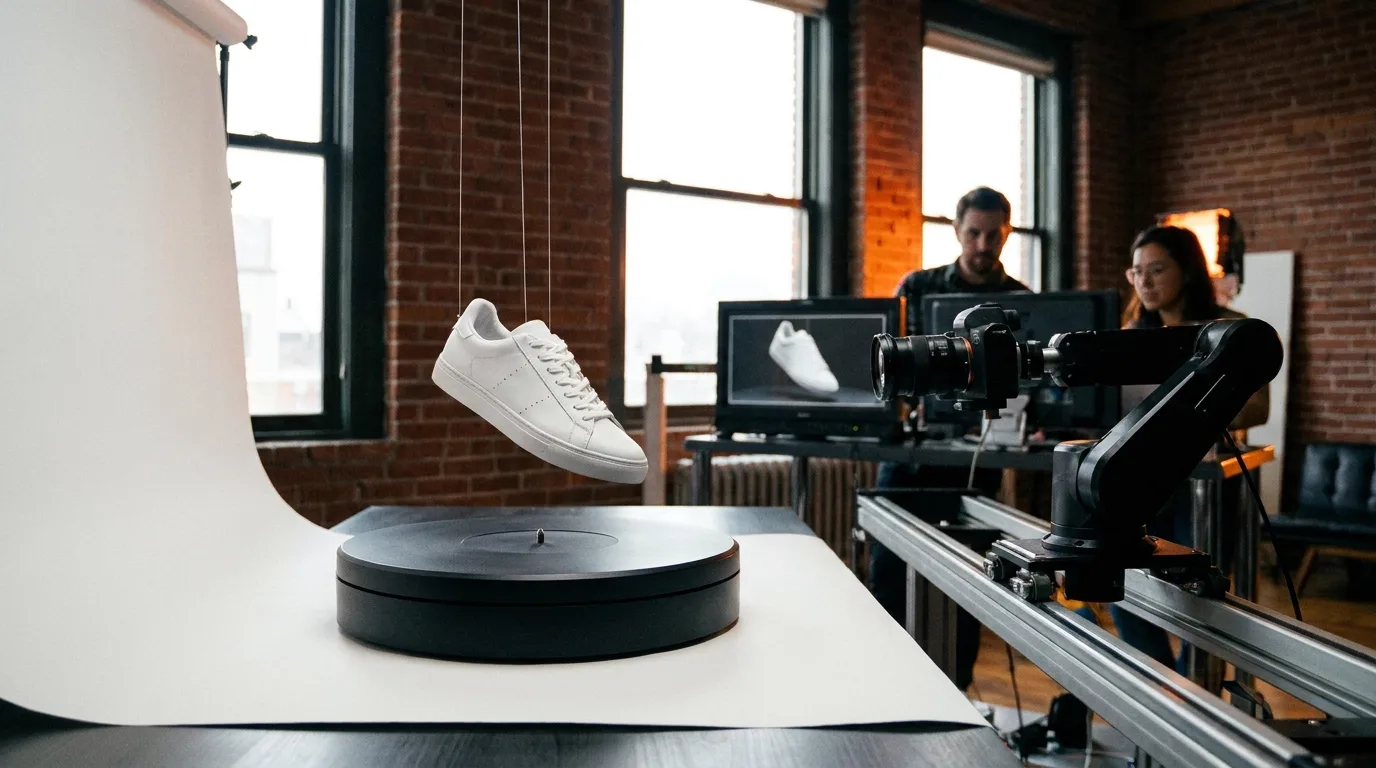

For a commercial that has to sell one specific product, Veo 3.1 is the better pick. It accepts up to three reference images of the product, renders the hero shot in 4K and syncs a spoken line. Kling wins the shots around the product: fast motion, takes longer than 8 seconds, and batches of social variants.
This comparison is part of our AI filmmaking guide, and if you need the full brief-to-broadcast process first, read producing an ad with AI.
Every spec below comes from Google's Veo 3.1 page in the Gemini API docs and from kling.ai, both read on 29 October 2026, plus the facts we checked for our Kling AI review two days earlier.
Veo vs Kling for ads: the comparison table
| What an ad needs | Veo 3.1 (Google) | Kling 4.0 (Kuaishou) | Edge |
|---|---|---|---|
| Length of one clip | 4, 6 or 8 seconds | 3 to 30 seconds in one pass | Kling |
| Keeping the product identical | Up to 3 asset images of a single person, character or product | Up to 15 assets: images, videos, subject elements | Veo, for packaging |
| Top resolution | 720p, 1080p, 4K (1080p and 4K at 8 seconds only) | Not stated for video on kling.ai | Veo |
| Aspect ratios | 16:9 and 9:16 | Check in the app | Veo, on paper |
| Sound | Native audio, always on | Native audio; Kling 3.0 speaks five languages | Even |
| Several shots in one job | No, one moment per clip, then extend at 720p | Multi-shot sequences | Kling |
| Published price per second | Not on the Veo docs page | Credit packs, no per-second rate | Neither |
| Provenance | SynthID watermark on every video | Not mentioned on the homepage | Veo |
| Batch variants | One video per request | "Generate multiple versions at once" | Kling |
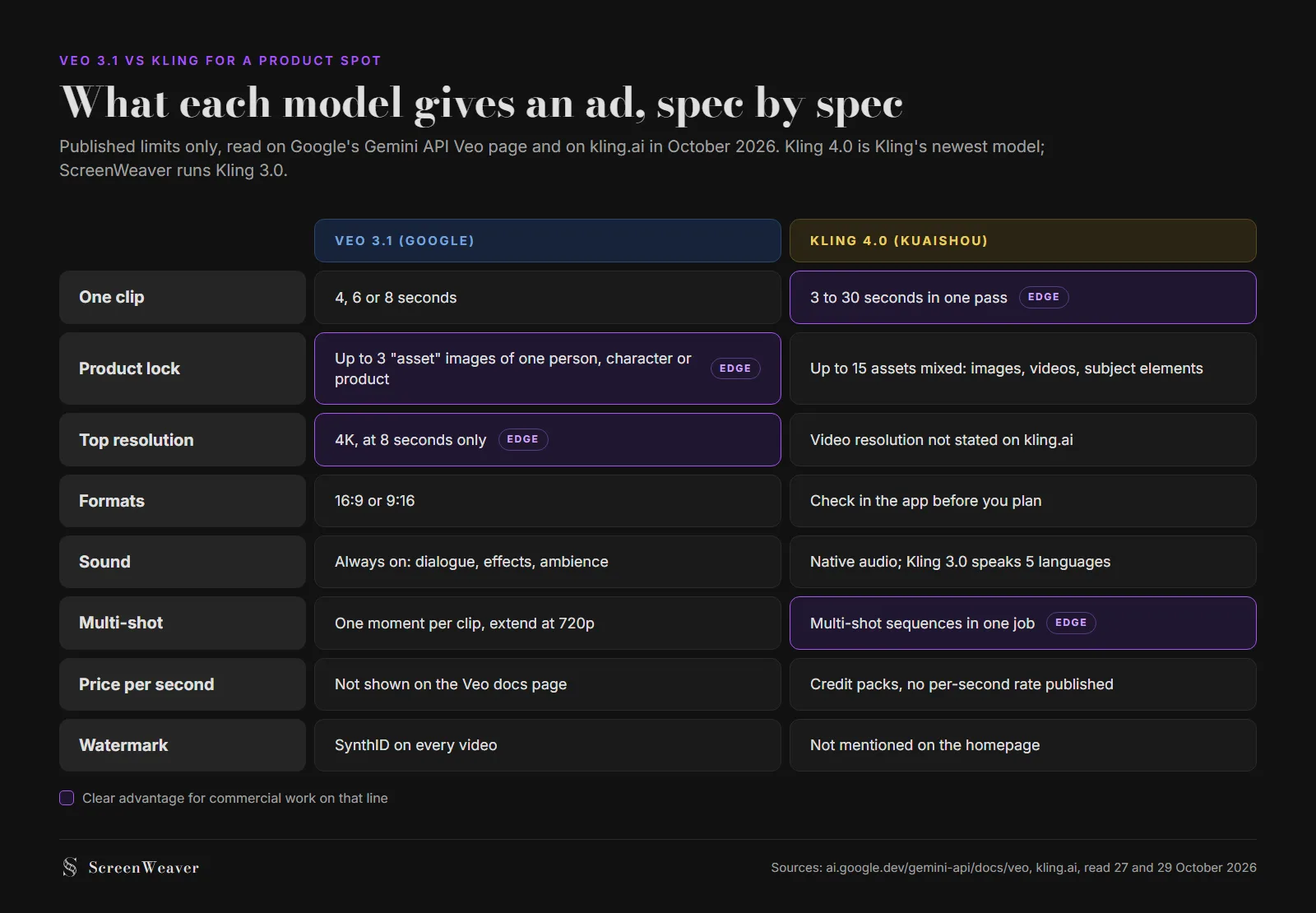
Two lines in that table decide most ad briefs. Product lock decides whether the bottle on screen looks like the bottle on the shelf. Clip length decides how many joins you hide in the edit. The models split those two lines between them, which is why "which one is better" has no single answer for a whole spot and a clear answer for each shot.
Veo 3.1: built for the frame that has to match the shelf
Strengths for a commercial
Google's docs say it plainly: "Provide up to three asset images of a single person, character, or product." Veo then "preserves the subject's appearance in the output video." For an ad, that is the feature. Three photos of the real pack (front, three-quarter, the label close up) give the model something to hold the logo and shape to, take after take. References reduce drift without guaranteeing the exact label, so for a broadcast spot our ad workflow still recommends compositing the brand's real packshot into the generated shot.
4K is the second reason. It exists only at 8 seconds, so you plan the hero shot as an 8-second clip and get a master you can crop for a 9:16 cutdown later. Audio is always on, which matters for the pack shot with the spoken line. Our Veo prompting guide covers how to write that line so the model speaks it instead of printing it on screen: put a colon after the speaker's action, as Google's Vertex best practices suggest.
There is also a track record. The Kalshi spot that aired during the 2025 NBA Finals was made with Veo 3 in two to three days for about $2,000, with 300 to 400 generations for 15 usable clips. We break that case down in the ad production workflow. That ratio, roughly 25 takes per kept shot, is a fair planning figure for any model on a product spot.
Costs and limits
The 8-second ceiling shapes everything. A 30-second spot at 1080p is at least four Veo clips stitched in the edit, and each join is a place where light, grade or the product's position can jump. Extension exists but runs at 720p only, so it won't save a 4K hero.
Availability changed this month too. The Gemini API page now opens with a notice that the three Veo 3.1 preview models were shut down on 22 October 2026, and it points developers to Gemini Omni Flash or to the GA models on Gemini Enterprise Agent Platform.
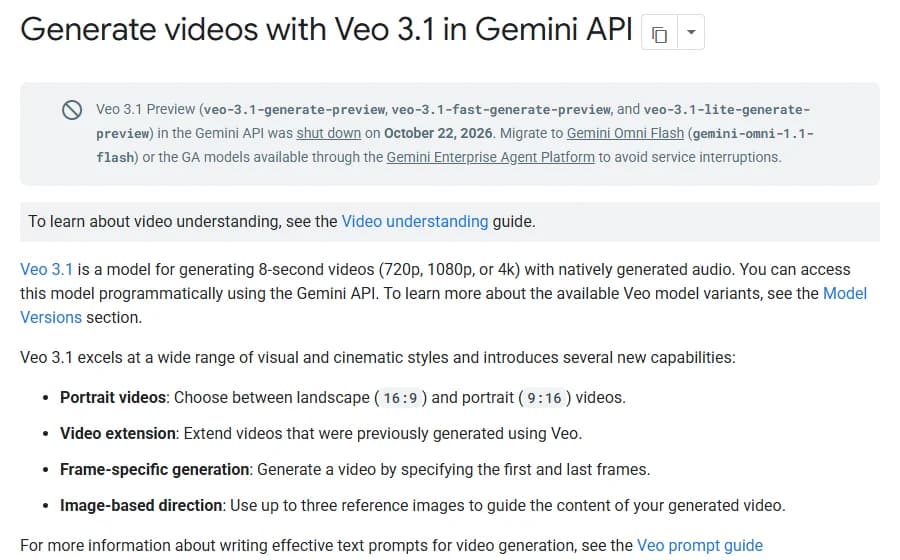
If your agency pipeline called veo-3.1-generate-preview, it broke last week. If you generate through a platform instead, ask which Veo endpoint it uses now before you book a client deadline on it.
Price is the last gap. The Veo docs page doesn't list a per-second rate. The September 2026 dataset behind our AI video cost calculator has Veo 3.1 at $0.40 a second through the API, but third-party figures we found this week disagree with each other. Check the pricing page of the platform you actually generate on, on the day you quote the client.
Kling: built for motion, length and volume
Strengths for a commercial
Kling's reputation comes from movement: running, pouring, spinning objects, aggressive camera moves. That is exactly what the first two seconds of a social ad need. Kling 4.0 also goes from 3 to 30 seconds in one pass and builds multi-shot sequences in a single job, so a 15-second social spot can come out as one piece with no edit joins.
Kuaishou pitches the product at advertisers directly. The "Industry Applications" block on kling.ai has tabs for Advertising & Marketing and E-Commerce, with examples for on-model fashion videos and beverage ads built "around packaging, product benefits, and consumption occasions."
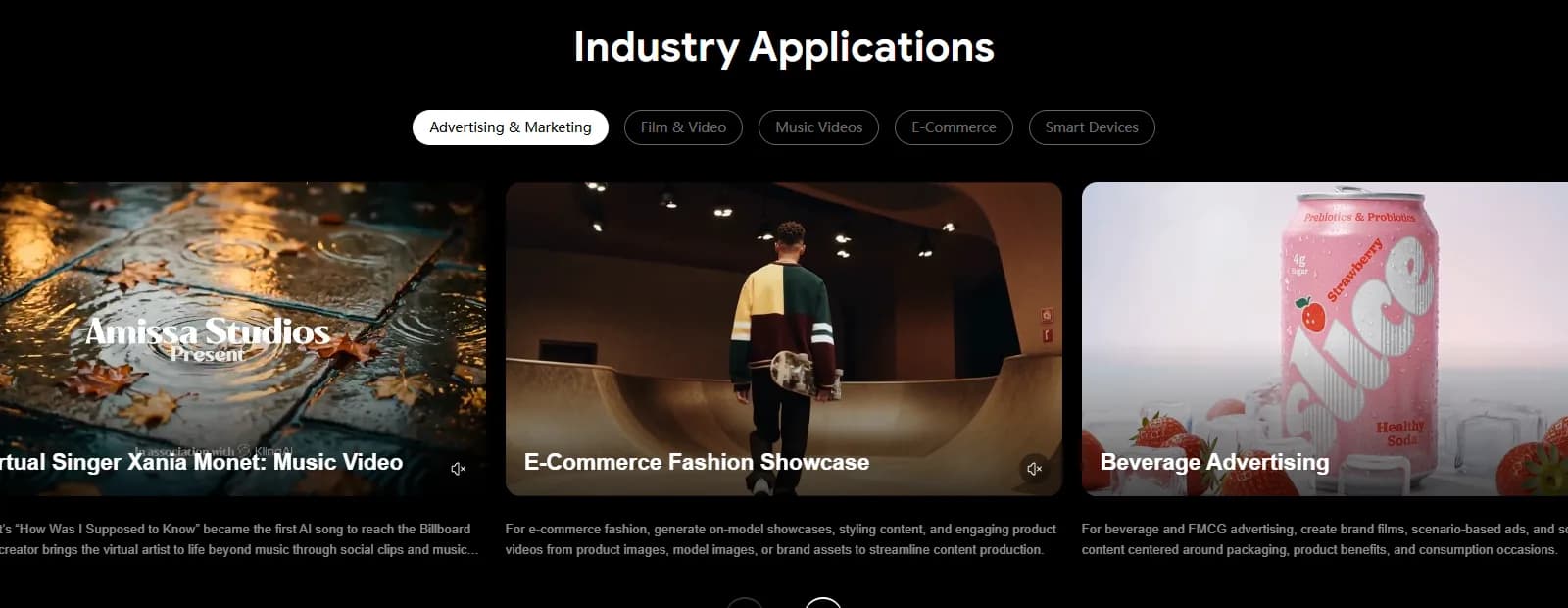
The same page promises batch generation to "test styles" and produce versions at scale. For an e-commerce brand that needs twelve variants of one product video for A/B testing, that matters more than 4K. The reference system is wider too: Kling 4.0 combines up to 15 assets, mixing images, videos and subject elements, which helps when the ad has a presenter, a product and a location to keep stable at once.
Costs and limits
Kling does not publish what a second of video costs. The App Store lists Standard at $10 a month, Pro at $37 and Premier at $92, with credit packs at a flat 66 credits per dollar, but without the per-clip rate you can't turn that into seconds before you buy. App Store reviewers also quote the rule that credits are non-refundable once a video has generated, even when it misses the prompt.
For ads, that rule interacts badly with long takes. A 30-second single pass with a warped label at second 22 is a whole take lost, and you pay for it. A 6-second clip with the same defect is far less footage to throw away. The homepage also doesn't state a video resolution, so confirm it in the app before you promise a client a 4K master.
Try it free
Try ScreenWeaver for free on your script
It is free. Import your existing project, get a clearer view of your outline, and regain control of your story structure in minutes.
Start FreeHow to split a 30-second spot between the two
Most product spots have the same four beats: a hook, the product reveal, the product in use, and a pack shot with the line. Write them as a two-column script first (our 30-second commercial AV format guide has the template), then assign a model per beat.
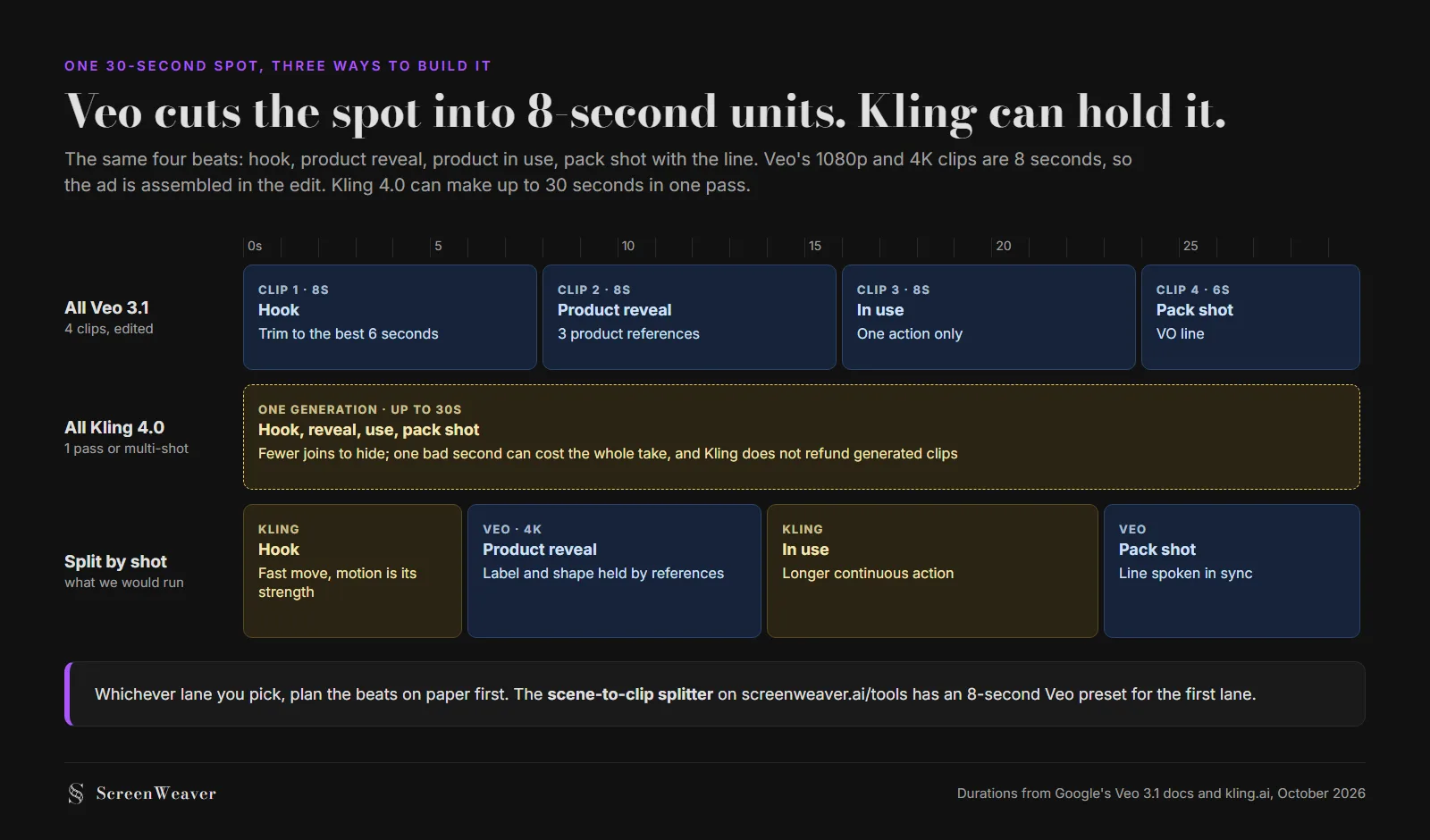
The split lane is what we would run. Kling opens on movement, Veo takes the reveal with three photos of the pack as references, Kling carries the longer action, and Veo closes on the pack shot with the line spoken in sync.
The free scene-to-clip splitter cuts a script into model-sized clips, with an 8-second Veo preset. If you are still choosing between more than two models, the AI video model picker asks what the shot needs and suggests one.
Which to pick, by use case
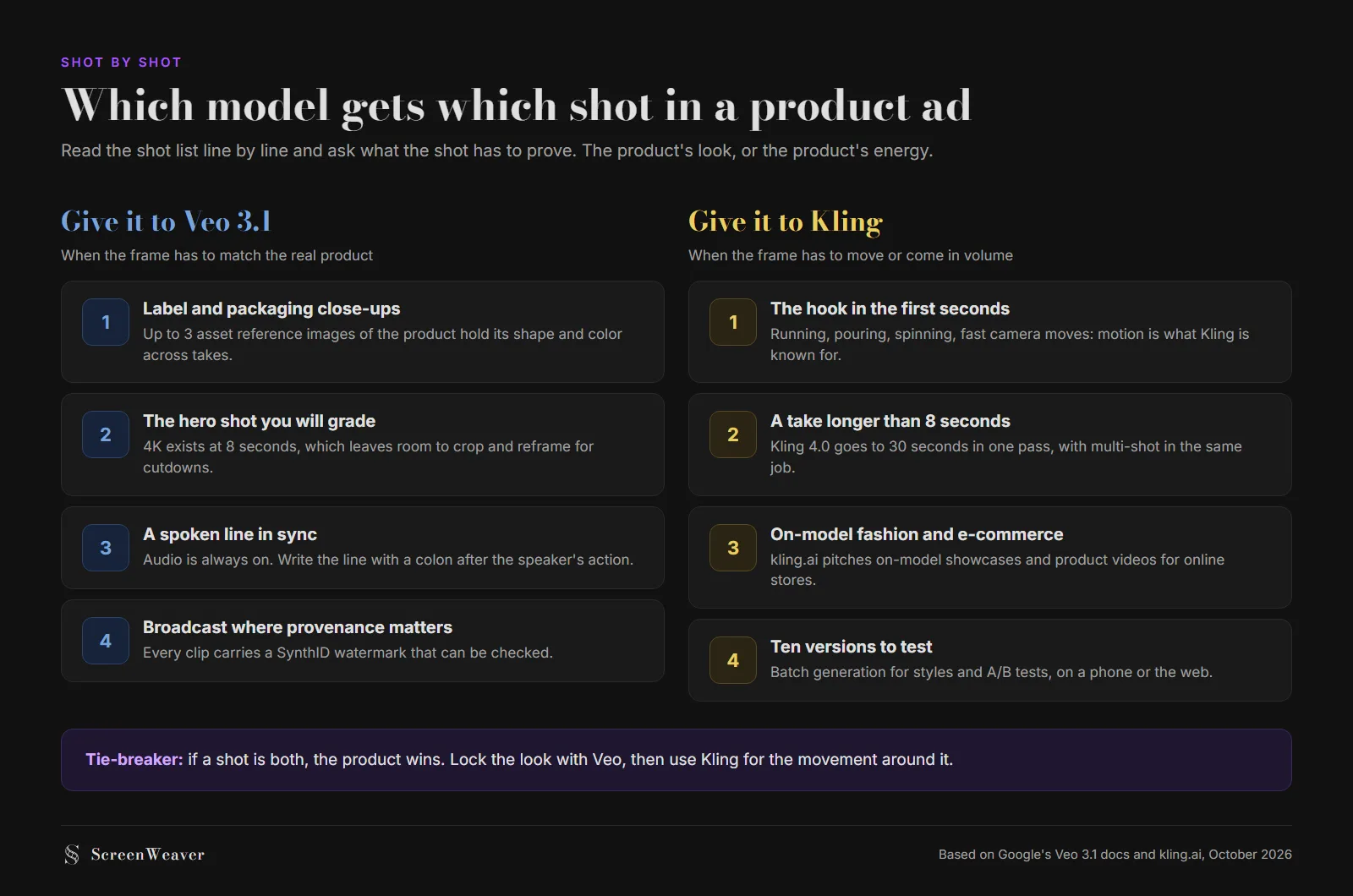
| Your brief | Pick | Why |
|---|---|---|
| TV or pre-roll spot for one packaged product | Veo 3.1 | Product references, 4K hero, synced line, SynthID for provenance |
| 15-second social ad, lots of movement | Kling | One pass up to 30 seconds, motion first |
| Fashion or e-commerce catalog videos | Kling | On-model product videos and batch variants |
| A presenter speaking to camera with the product | Veo 3.1 | Reference images plus always-on audio |
| Twelve A/B variants of one concept | Kling | Batch generation, cheaper to fail per clip |
| A full 30-second spot with a client sign-off | Both, split by shot | Each model on the beat it does best |
If you can only pay for one, pick by the product. When the client will hold the bottle next to the screen at the review, take Veo. When the client will look at the click-through rate, take Kling.
Running both without two projects
The awkward part of a split spot is the paperwork. Two tools means two prompt histories, two sets of reference images and a shot list that lives in a spreadsheet nobody updates. Our guide to storyboarding a commercial covers how to keep the board as the single reference.
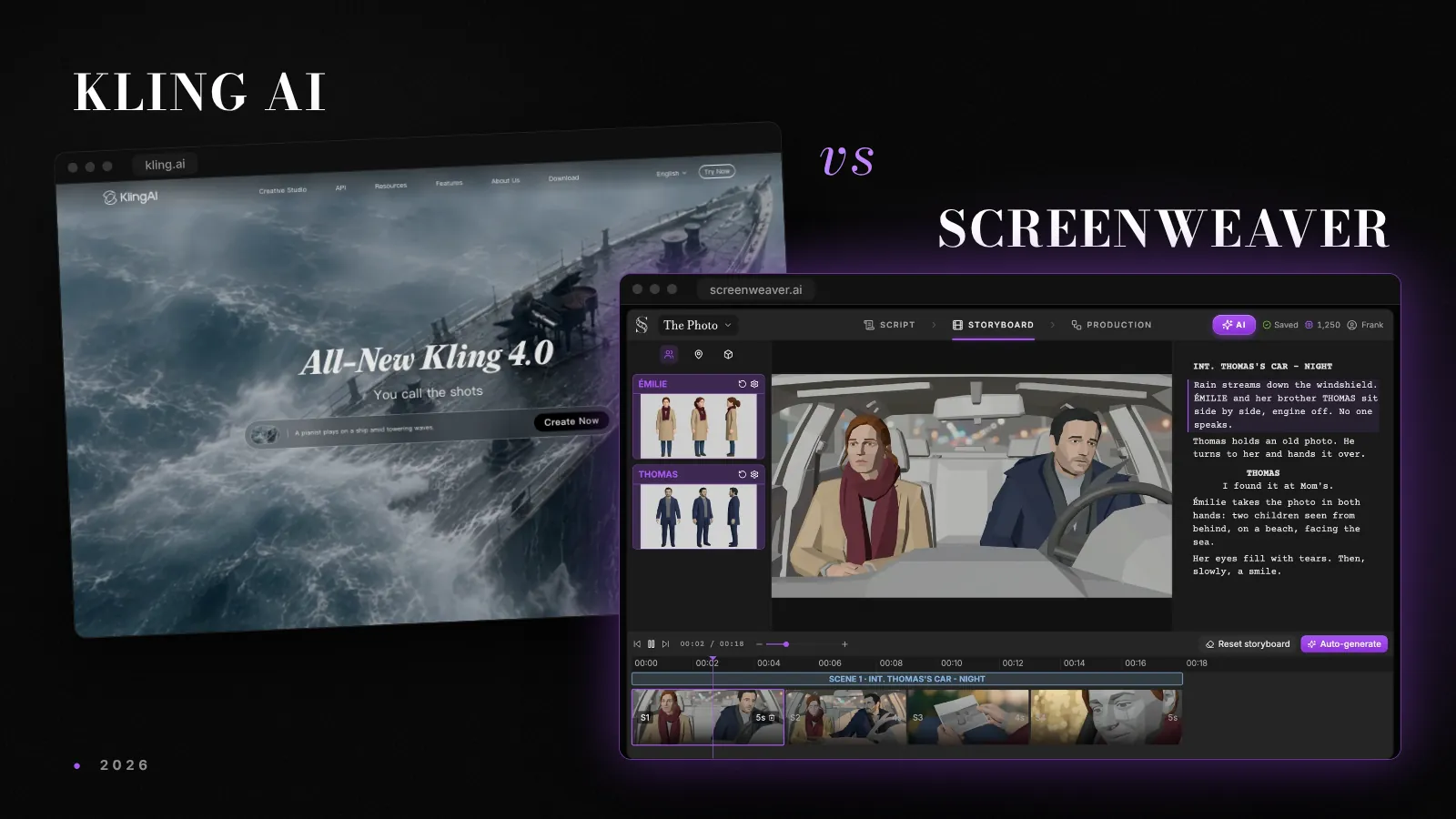
ScreenWeaver runs both models on the same video node: Veo 3.1 and Kling 3.0 (plus Kling 3.0 Motion Control), next to Seedance 2.5, MiniMax H3 and others. You write the AV script, the storyboard comes from it, and each shot can go to whichever model suits it. One limit to know: on ScreenWeaver, Veo 3.1 doesn't take reference videos, while Kling 3.0 Motion Control takes a starting image plus a motion video. Writing is free on the Screenwriter plan; production starts on Auteur at $39.99 a month. The side-by-side with Kling's own app is on our Kling alternative page.
For the wider model race, including what replaced Sora after its shutdown, see Seedance 2 vs Veo 3 vs Sora 2, and for character-driven work, Kling 3 vs Seedance 2.
FAQ
Is Veo or Kling better for product ads?
Veo 3.1 is better for the shots where the product must look exactly right, because it accepts up to three reference images of a product and renders 4K at 8 seconds. Kling is better for motion-heavy shots, takes longer than 8 seconds and batches of variants. A full spot often uses both.
How long can a Veo or Kling commercial clip be?
Veo 3.1 makes 4, 6 or 8 seconds per clip, and 1080p or 4K require 8 seconds. Kling 4.0 makes 3 to 30 seconds in one pass and can build multi-shot sequences, so a 15-second social ad can come out in one generation.
Can I keep my real product consistent across shots?
With Veo 3.1, send up to three asset images of the product as references; the clip must then be 8 seconds. Kling 4.0 combines up to 15 assets, mixing images, videos and subject elements. In both cases, use clean photos of the real pack and check the label in every take.
Is the Veo 3.1 API still available?
The three Veo 3.1 preview models in the Gemini API were shut down on 22 October 2026. Google's docs point developers to Gemini Omni Flash or to the GA models on Gemini Enterprise Agent Platform. If you use Veo through another tool, check which version it runs.
Do Veo videos carry a watermark?
Yes. Google's docs say videos created by Veo are watermarked with SynthID, which can be checked on Google's SynthID verification platform. Disclosure rules for ads still apply on top of that; see our guide to AI film disclosure rules.
Can I use Veo and Kling in the same project?
Yes. ScreenWeaver runs Veo 3.1 and Kling 3.0 on the same video node, so each shot of a storyboard generated from your script can go to a different model.
See for yourself
Try the editor on your own script
Import your script or start a new one. Writing, PDF and Final Draft export are free.
Start writing free