VignetteGuide the eye to the center
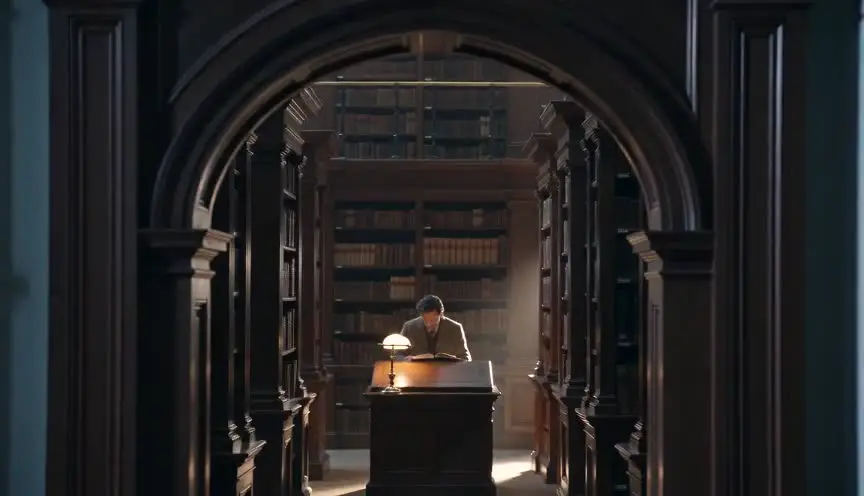
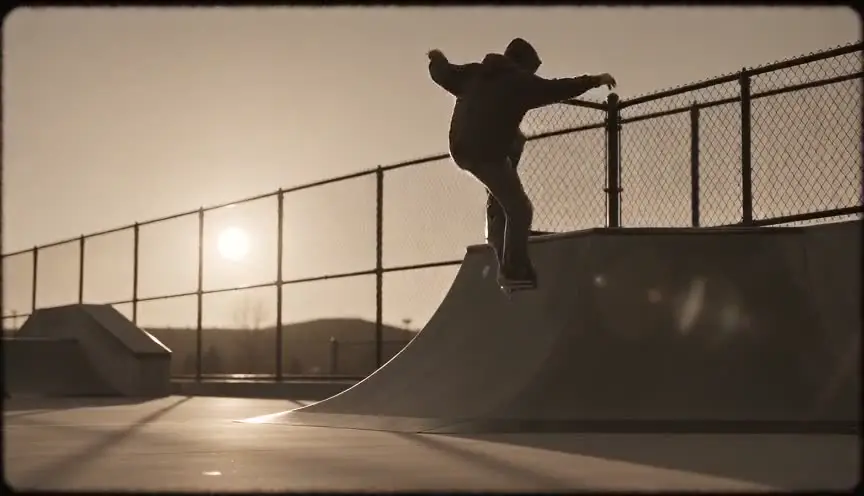
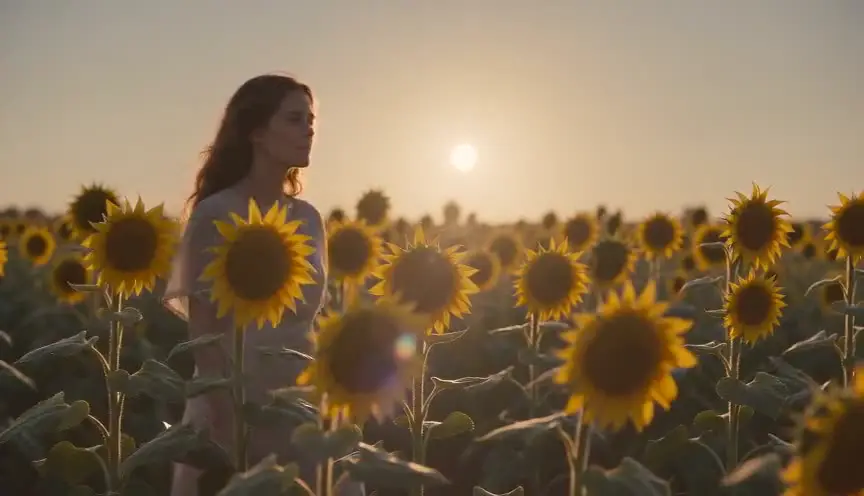
A vignette darkens or softens the edges and corners of the frame, so the center stays bright and sharp. The audience's eye settles naturally on the middle, and the image takes on an intimate, storybook or remembered quality.
Also calledVignettingEdge darkeningCorner falloff
Optical effects
Why it works on screen
Use it when the story is told from inside a character's head or through a nostalgic lens. A vignette can make a scene feel like a memory, an old photograph, a fairy tale or a secret being watched. It serves nostalgia, whimsy, focus and a quiet sense of isolation. In a heavy form, it suggests a keyhole, binoculars or a fading consciousness. A scene or a whole film earns it when the audience should feel they are looking into a world rather than standing in it. As a default grading habit on every shot, it becomes invisible at best and heavy-handed at worst.
The shot list line
- Size
- Medium shot
- Angle
- Eye level, or low for a child's point of view
- Movement
- Static or slow push
- Lens
- 35mm or 50mm vintage glass, or a vignette added in grading
- Duration
- 4 to 8 s
Keep the important action in the center third of the frame, since the edges will lose light and detail.
Screenplay
On the page
Vignetting is a lens or grading decision, so leave the term out of a spec script. When a scene should feel like a memory, a storybook or a spy looking through something, say that in story terms: the scene plays like an old photograph, or we watch through the gap in the curtains. The director and colorist can then choose the look. Strength, shape and softness of the vignette belong in the visual notes and the grading plan.
INT. SWEET SHOP, 1960s NAPLES - MORNING
The way Nonna Lucia remembers it: jars of candied fruit glowing like jewels, the counter impossibly tall.
LITTLE LUCIA (7, braids, one sock down) presses her nose to the glass.
Behind the counter, SIGNOR ESPOSITO (60s, white apron) slides a paper cone of almonds toward her with one finger.
SIGNOR ESPOSITO
For the girl who never pays.
Storyboard
In the storyboard
Draw the frame normally, then shade the corners and edges with soft graduated hatching, darkest in the corners and fading toward the center. Keep the main subject clean and centered. Note the intended strength, for example one stop at the corners, oval shape, and whether it comes from the lens or the grade. If the vignette grows during a shot, draw start and end panels with different shading.
Pairs well with
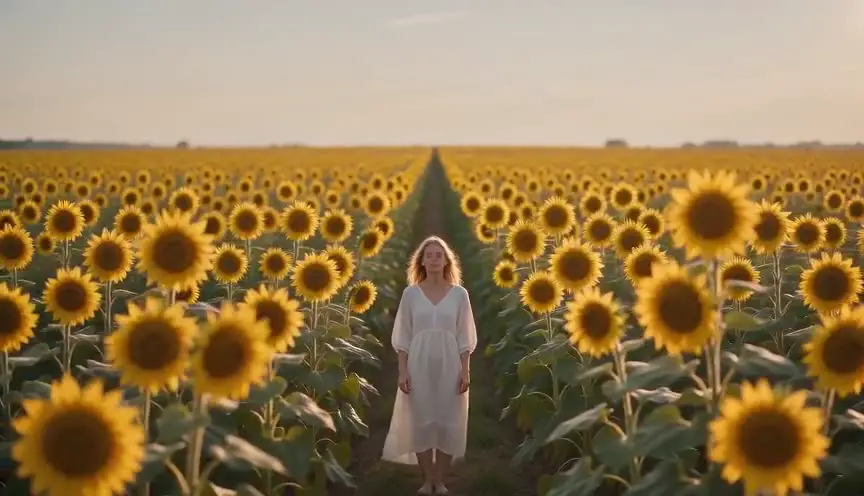
A centered composition puts the subject where the vignette leaves the most light. The two together create a strong, simple image that feels like a portrait or an old photograph.

A warm amber grade combined with a vignette gives a scene the glow of memory. The warmth sets the emotion and the dark edges fold the audience into the recollection.
Reference
Watch it in
Amélie (2001)
A warm, closing darkness at the edges of many shots gives the Paris of the film the feel of an illustrated storybook.
The Assassination of Jesse James by the Coward Robert Ford (2007)
Roger Deakins used specially built lenses that darken and blur the frame edges in chosen shots, making landscapes feel like faded memories.
ScreenWeaver
Set it up in ScreenWeaver
Mark in your screenplay when a scene is a memory or a story told, and ScreenWeaver breaks it into shots automatically. For each shot, set a medium framing with the subject centered, an eye-level or low angle, a static or slow push movement and a duration, then note the vignette in the shot description. Characters and locations carry from shot to shot, so the remembered world stays consistent. Use the AI previsualization to check that the key action sits in the bright center.
Start writing for freeThe prompt behind this clip
This is the exact prompt that rendered the clip at the top of the page. Keep the description of the camera and the light, change the subject and the place.
Vignette: a static locked-off medium shot inside a small flower shop, an adult woman with curly gray hair arranging a bouquet of white peonies at a wooden counter, soft window light on her face and hands. The center of the frame stays brightly and evenly lit while the corners and edges darken gradually in a soft oval falloff, roughly one stop darker than the center, feathered with no hard edge. Nothing moves except her hands trimming a stem and dust drifting faintly in the light. No text.
Common mistakes
- 01
Too dark, too obvious
A heavy vignette on a normal scene looks like a filter. Keep it subtle unless the story calls for a strong device like a keyhole or a fading mind.
- 02
Subjects at the edges
Important action placed near the corners gets swallowed by the darkness. Adjust composition or reduce the vignette in those shots.
- 03
Jumping between shots
A vignette that changes strength from cut to cut draws attention. Apply it consistently across a scene, or change it only with a clear reason.