Crane overCrossing the barrier to see beyond
A crane over lifts the camera up and across an obstacle, such as a wall, a hedge, a crowd or a roof, to reveal what lies on the other side. The audience crosses a line with the camera and discovers a new space all at once.
Also calledCrane-over shotBoom overCrane up and over
Camera movement
Why it works on screen
The move is built on a barrier and a reveal. Something blocks the view, the camera rises over it, and the world on the far side opens up: a battlefield, a secret garden, a family waiting, a city in ruins. It serves thresholds in the story, the moment a character commits to crossing into danger or into freedom. It also sells scale, because the hidden space is usually bigger than expected. A scene earns it when the obstacle means something, and when what lies beyond changes the character's situation or the audience's understanding.
The shot list line
- Size
- Medium on the obstacle to wide on the reveal
- Angle
- Eye level rising to high angle
- Movement
- Crane up and forward over the obstacle, tilting down
- Lens
- 24mm to 35mm
- Duration
- 8 to 15 s
Measure the obstacle and the arm reach in advance, and keep the far side hidden in the start frame so the reveal is total.
Screenplay
On the page
Do not write "crane over the wall" in a spec script. Write the barrier and then what lies beyond it, in that order, so the reader discovers the far side after the obstacle. A character who climbs, looks over or walks through a gate gives the director a natural motivation for the move. Keep this reveal for real turning points. When you direct, the shot list should give the obstacle height, the path over it and the final frame.
EXT. STATE PENITENTIARY, EAST TEXAS - MORNING
A red brick wall, twenty feet high, topped with wire.
A steel door in it opens. LUCIUS BRANCH (50s, release clothes a size too big) steps out with a paper bag.
He looks at the wall behind him for a long moment.
On the other side of the road: a rusted station wagon, a woman in a church hat, and three grown children he has only seen in photographs.
The youngest is holding a balloon.
Storyboard
In the storyboard
Draw the starting panel filled with the obstacle, with the character or the top edge of the wall in view. Draw the ending panel from above, showing the far side in full. Between them, draw a side-view diagram of the wall with an arc arrow rising over it, labeled CRANE OVER. Note the obstacle height, the arm reach, the duration and the moment the far side first appears.
Pairs well with
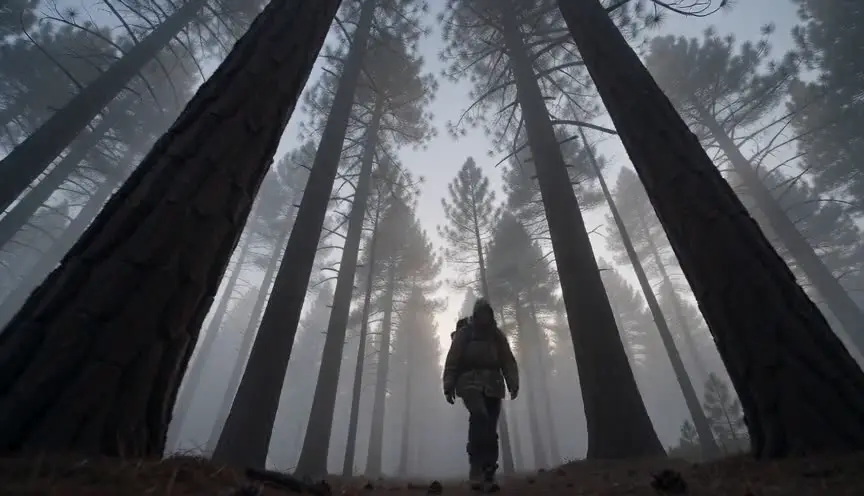
A low angle on the wall or barrier before the crane over makes it look taller and harder to cross. When the camera rises over it, the release feels bigger.

After the reveal, cut to a wide shot on the far side at ground level. The audience moves from overview to being inside the new space, alongside the character.
Reference
Watch it in
Gone with the Wind (1939)
Rising over the wounded laid out at the depot, the camera finds the rows continuing into the distance, and the war's cost suddenly seems endless.
1917 (2019)
As Schofield climbs out of the trench, the camera lifts over the sandbags with him and into the open ground beyond, all inside the continuous take.
ScreenWeaver
Set it up in ScreenWeaver
Write the barrier and then what lies beyond it in your screenplay, and ScreenWeaver breaks the scene down into shots automatically. Open the reveal shot, set the framing to start on the obstacle, choose a crane over as the movement, set the angle and give it enough duration to cross. Characters and the location carry from shot to shot, so the wall and the far side stay consistent with the shots around them. Check the reveal in the AI previsualization.
Start writing for freeThe prompt behind this clip
This is the exact prompt that rendered the clip at the top of the page. Keep the description of the camera and the light, change the subject and the place.
Crane over: the camera starts low behind a boxing ring's top rope, framing a trainer wrapping a fighter's hands in the foreground, then the crane arm rises smoothly and pushes forward, lifting the lens up and over the rope in one continuous three-second arc to reveal the full gym floor beyond, where two boxers spar under hanging heavy bags and rows of fluorescent lights. The camera keeps rising and tilts down slightly as it clears the rope, settling into a high wide angle looking down at the sparring pair, motion smooth and motorized throughout, no cuts. No text.
Common mistakes
- 01
Showing the far side too early
If a previous shot already reveals what is behind the obstacle, the crane over reveals nothing. Keep that space hidden until the camera clears the barrier.
- 02
Obstacle too low
A crane over a knee-high fence feels like fuss. The barrier needs to block the view for the move to feel like a reveal. Frame low enough that it fills the lower part of the image.
- 03
A cramped final frame
The far side should open wide. If the camera stops too close, the audience sees only part of it. Plan the arm reach and height from the final composition.