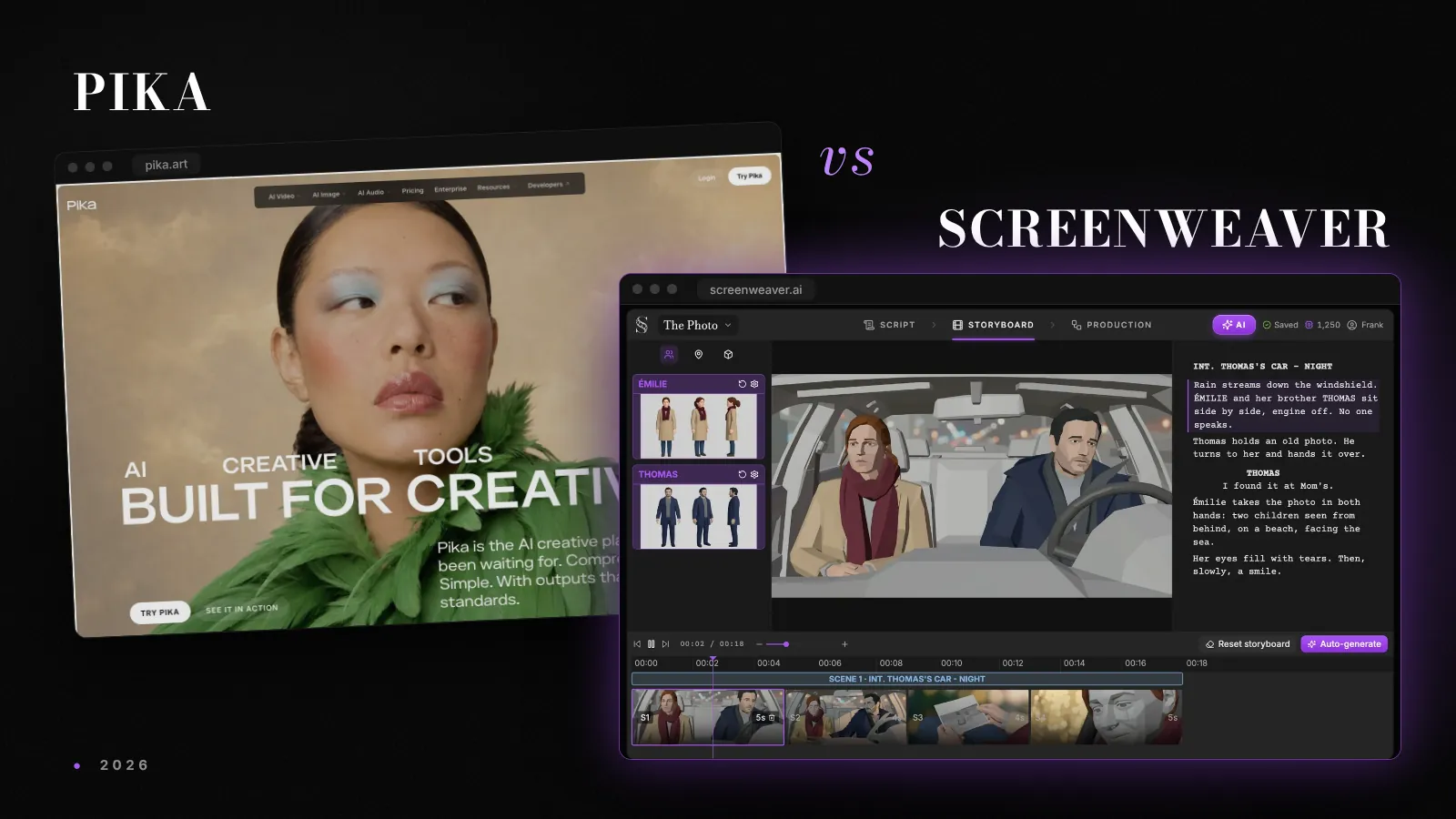

Pika released Pika H3 Flex on 29 October 2026, a video model post-trained on MiniMax H3 with open weights on Hugging Face and GitHub. It takes up to 12 references per shot, including voice samples, and can export dialogue, score and effects as separate audio files. For anyone cutting a scene, those two features matter more than the speed claims.
The announcement went out as a Business Wire press release on 29 October, with specs and prices on the Pika H3 Flex model page. The model is live on the Pika API now and reaches the pika.art creation app on 2 November. We priced a few shots from those numbers and checked the Hugging Face card, since the open release turns out narrower than the headline.
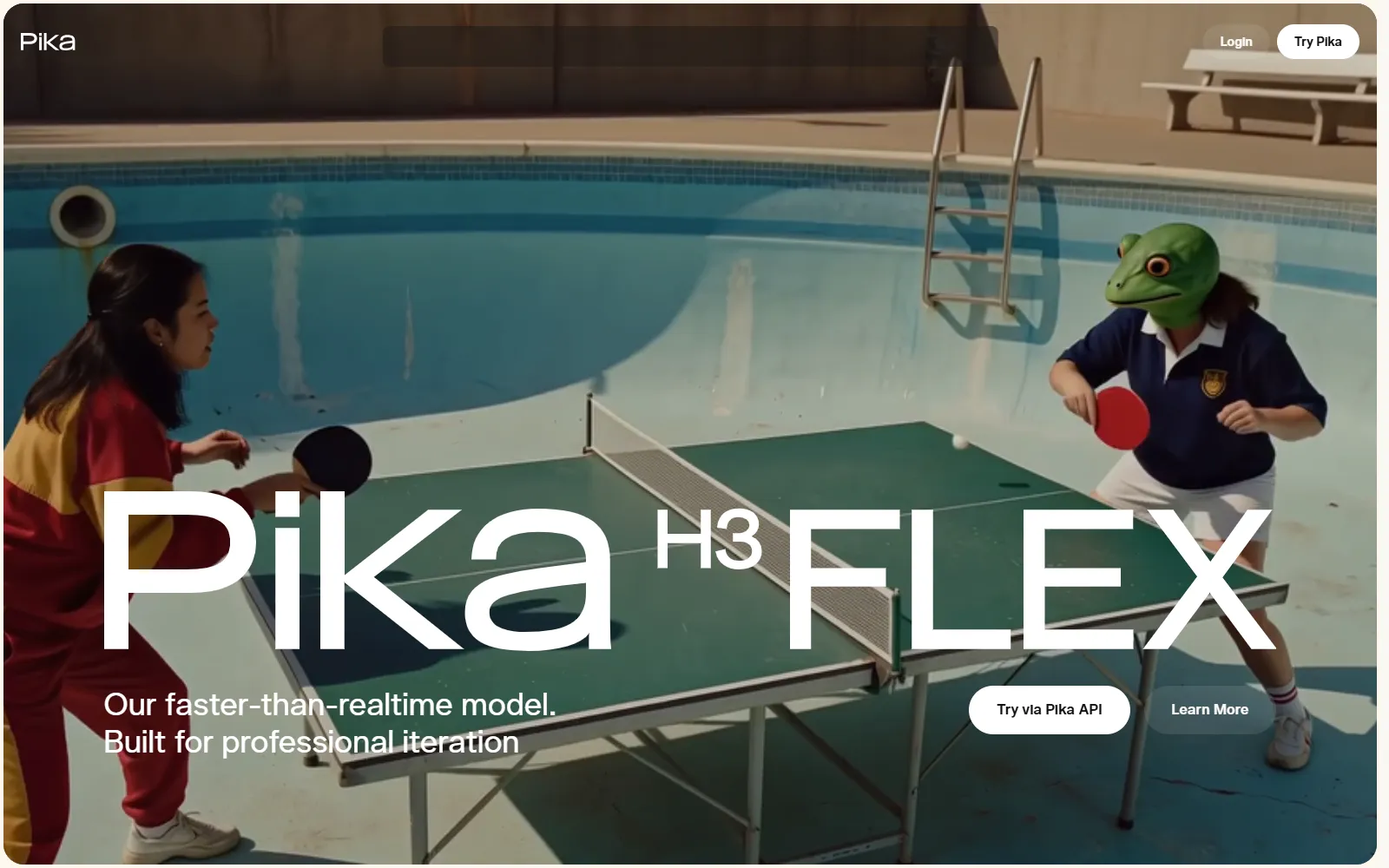
What Pika announced
Flex is not a model trained from scratch. Pika took MiniMax H3, the model sold to consumers as Hailuo, and post-trained it: generation drops from 50 denoising steps to 6, and Pika says it refined the output with reward learning and preference optimization. The Hugging Face card tags the release as an adapter on MiniMaxAI/MiniMax-H3.
The specs, as listed on Pika's page on 1 November:
| Spec | Pika H3 Flex |
|---|---|
| Modes | Text to video, first and last frame, reference to video, reference-guided editing |
| Clip length | 5 to 15 seconds, whole seconds |
| Frame rate | 24 fps |
| Native resolution | 480p or 768p, hosted upscale to 1080p, 2K or 4K in the same job |
| References | Up to 12: 9 images, 3 videos, 3 audio clips |
| Audio | Stereo at 32 kHz, optional stems (dialogue, score, SFX, foley, ambience) |
| Aspect ratios | 11, from 21:9 to 9:21 |
| Prompt length | Up to 8,000 characters |
| Seed control | Yes |
Pika also claims Flex is up to 1.8 times faster and up to 80% cheaper than H3 Max, averaged across text, image and reference jobs. The page is careful to say the speed figure is transformer time in a controlled benchmark, not the time you wait for an API response. The headline "15 seconds of 768p video in as little as 7 seconds" is the same kind of number.
On quality, Pika points to DesignArena's text-to-video board, where Flex sits seventh with a score of 1293, above base H3, H3 Max and Seedance 2.5 according to Pika. That is one crowd-voted leaderboard. Treat it as a signal, and run your own shots before you move a project over.
The reference budget is what filmmakers should look at
On a film, the work is holding the same face, the same jacket and the same voice across forty shots, the whole subject of our character drift guide. The reference budget decides how much of that you can pin down per generation.
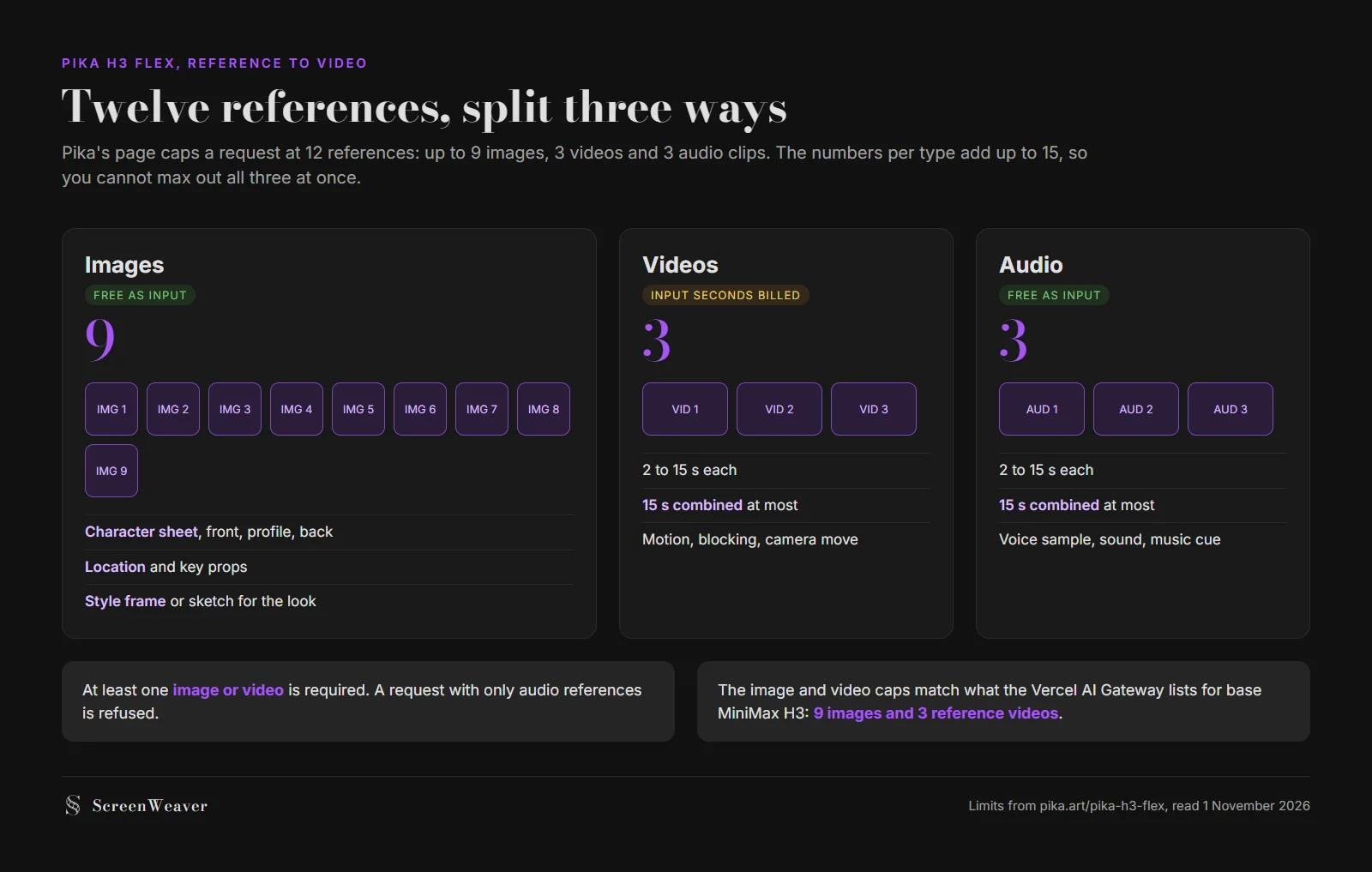
Nine images is the same image cap the Vercel AI Gateway lists for base MiniMax H3, along with three reference videos. In practice that is enough for a front, profile and back view of two characters plus a location and a style frame. It is well short of the 30 images Seedance 2.5 accepts, which we compared in the best AI video model for anime.
The three audio slots are the interesting part. A voice sample as a reference means the dialogue in shot 12 has something concrete to match against the dialogue in shot 3. Pika's page lists a voice sample as a reference type. It does not publish any test of how well a voice holds across separate generations, so that is the first thing to try before casting a whole short with it.
Some rules from the page that will trip people up:
- At least one image or video reference is required. Audio-only requests are refused.
- Video and audio references each run 2 to 15 seconds, with 15 seconds combined per type.
- The per-type caps add up to 15, but the total stops at 12, so you trade slots between types.
Audio stems help in the edit
Most video models hand you one mixed audio track. If a line reads wrong, you regenerate the whole take and lose the picture you liked. Flex can return up to five separate WAV files, dialogue, score, SFX, foley and ambience, for $0.001 per second of output.
That is how sound already works in post. With dialogue on its own stem you can mute a generated line and lay a recorded one under the same picture, duck the score under speech, or swap the ambience for the room tone of the next shot so the cut does not jump. If you have read our piece on pre-lap and audio transitions, stems are what make those cuts possible with generated footage.
One caveat. Stem separation runs on Pika's servers only. It is not part of the open release.
Try it free
Try ScreenWeaver for free on your script
It is free. Import your existing project, get a clearer view of your outline, and regain control of your story structure in minutes.
Start FreeWhat a shot costs
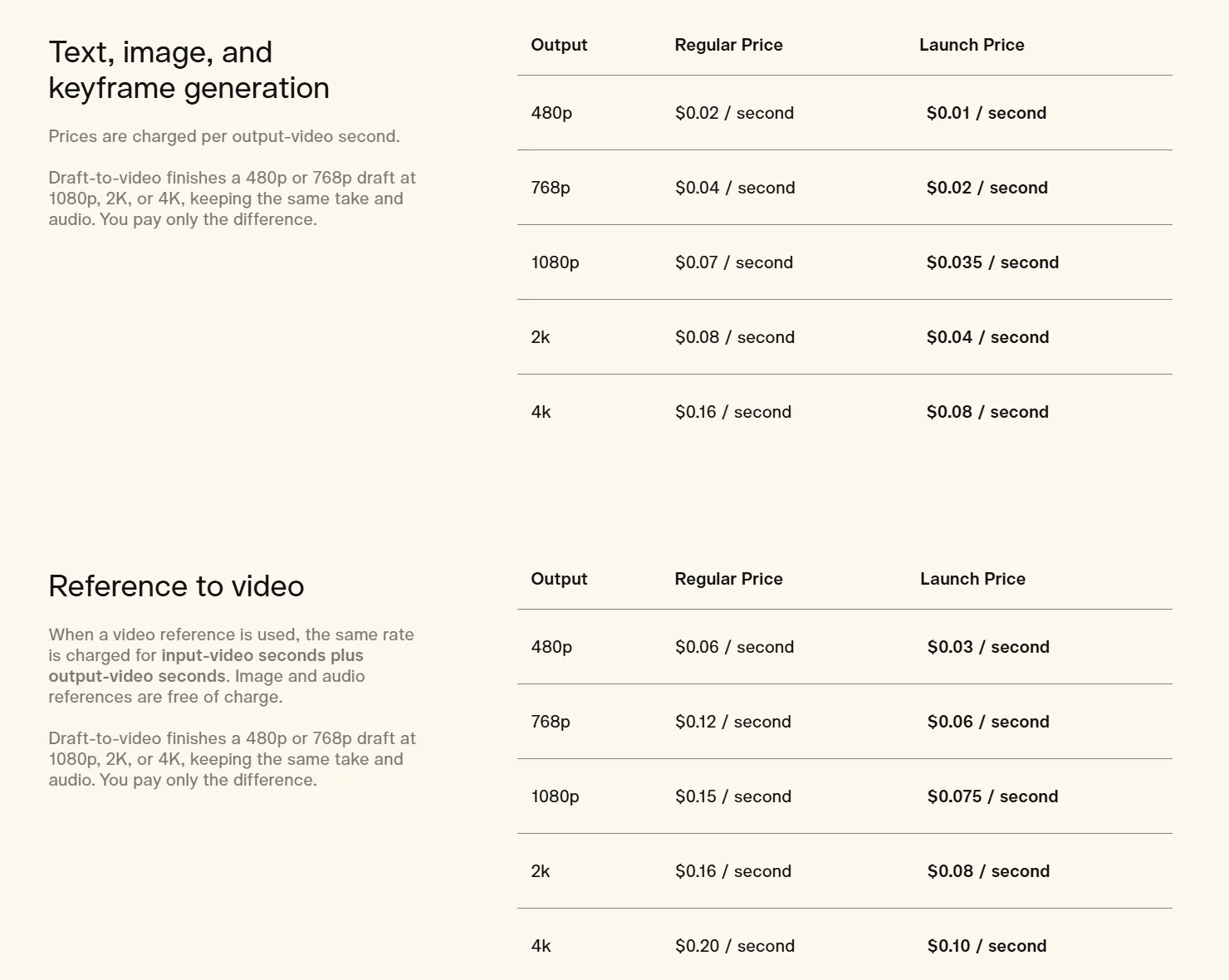
Pika bills per second of output, with a launch price at half the regular rate for the first two weeks. Reference to video costs more, and when you use a video reference, its seconds are billed as well as the output. Image and audio references are free.
Here is what one 15-second take works out to:
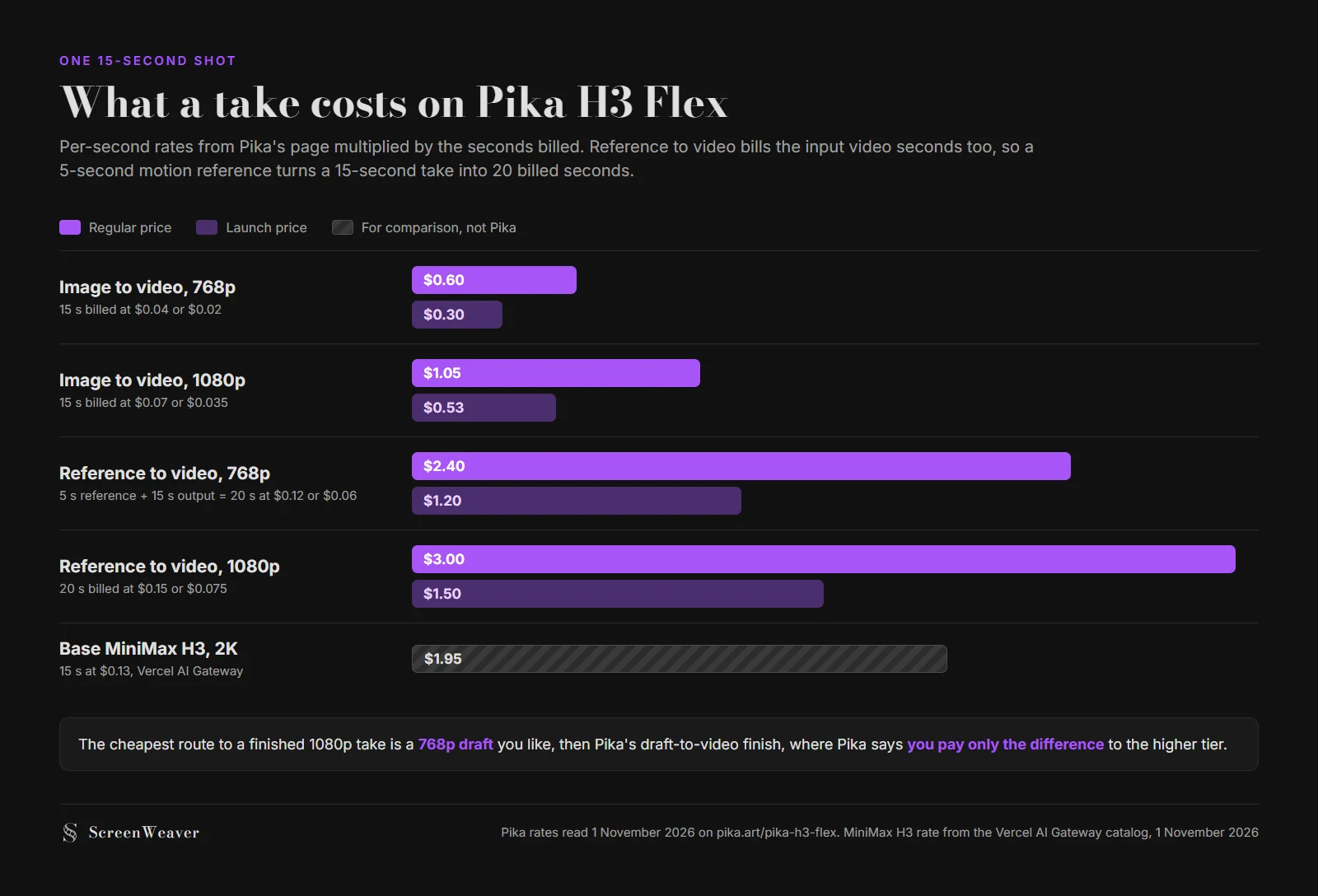
The draft route is where the pricing makes sense. Pika's page says a 480p or 768p draft can be finished at 1080p, 2K or 4K "keeping the same take and audio", and that you pay only the difference. So you can rough out a scene at $0.04 a second, keep the takes that work, and pay the finishing rate on those alone. A take still has to be right before you finish it, so budget for rerolls the way we describe in AI video model pricing compared, and plan on the cost per second you keep in the cut rather than the list rate.
What the open weights let you do
"Open weights" covers less than the phrase suggests, and Pika says so plainly on its page.
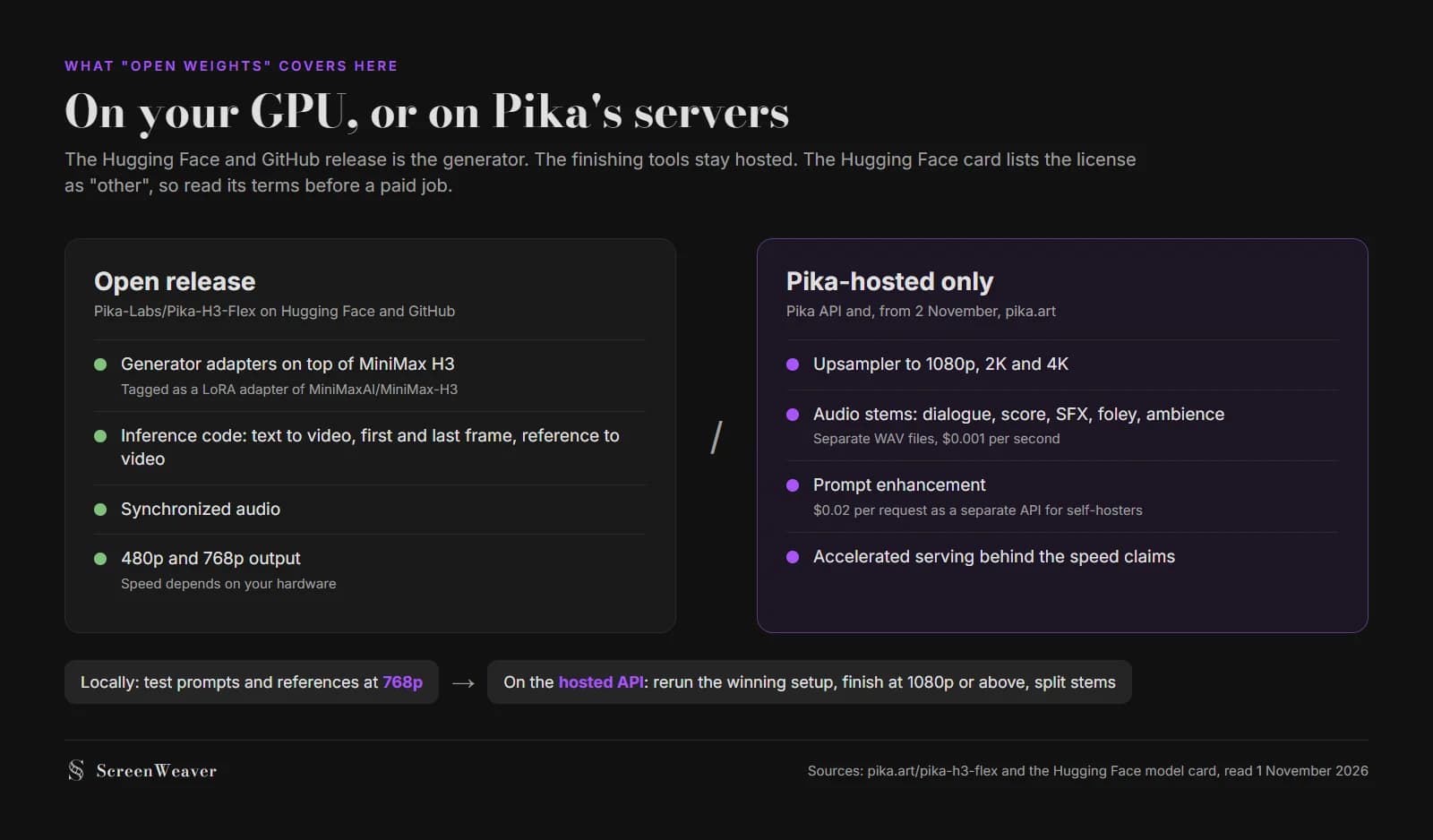
You get the generator adapters and inference code for the three main modes, with synchronized audio, at 480p and 768p. A ComfyUI tutorial is linked from the model page. You do not get the upscaler, stem separation, prompt enhancement or the serving stack behind the speed numbers. Prompt enhancement is sold separately to self-hosters at $0.02 per request.
Two things to check before you build on it. The Hugging Face card lists the license as "other", and neither the press release nor the model page names it, so read the actual terms before you deliver paid work made with a self-hosted copy. And the card reports roughly 33 billion parameters. Pika's own page warns that local speed depends on your hardware and may not match the hosted API.
What we don't know yet
- Voice consistency across shots. Pika lists voice samples as references but publishes no multi-shot test.
- Real latency. The speed figures are denoising time. End-to-end API time is not published.
- The license: "other" on Hugging Face, unnamed in the release.
- Whether a local draft can be finished on the hosted upscaler. The page describes draft-to-video for Pika-hosted drafts and does not say either way for self-hosted ones.
- The pika.art app version. It arrives on 2 November, and the page does not say whether the app exposes every reference slot and stem.
Where this fits in a film pipeline
Flex makes shots. It does not tell you which shots the scene needs, in what order, or what the character looked like in shot 3. That work happens before generation, in the script, the shot list and the reference sheets you feed into those 9 image slots.
We have not added Pika H3 Flex to ScreenWeaver. The base model it builds on, MiniMax H3, is already one of the video models in the Production canvas, next to Seedance, Veo, Kling, Wan and Grok, and it accepts reference videos there. For a fuller look at Pika's consumer app, plans and credits, see our Pika review.
FAQ
What is Pika H3 Flex? A video model Pika released on 29 October 2026. It is a post-trained version of MiniMax H3 that generates 5 to 15 second clips at 24 fps with synchronized stereo audio, natively at 480p or 768p, with hosted upscaling to 4K.
Is Pika H3 Flex open source?
The weights and inference code are public on Hugging Face and GitHub under Pika-Labs/Pika-H3-Flex, and the card lists the license as "other". The upscaler, audio stems, prompt enhancement and fast serving stay on Pika's servers.
How much does Pika H3 Flex cost? From $0.02 per output second at 480p to $0.16 at 4K for text and image to video, and $0.06 to $0.20 for reference to video, where video reference seconds are billed too. Launch prices are half, for the first two weeks after 29 October.
How many references does Pika H3 Flex accept? Up to 12 per request: up to 9 images, 3 videos and 3 audio clips. At least one image or video is required.
When can I use Pika H3 Flex on pika.art? Pika says the model comes to the pika.art creation app on 2 November 2026. It is already available through the Pika API.
From script to shots
Turn your script into a film, shot by shot
Write the scene, get its storyboard, then generate each shot with consistent characters. You direct every step.
Start your film free