Adapt your novel.Scene by scene, shot by shot.
- Up to 300 pages per PDF
- Characters, places, scenes, shots
- With Claude, ChatGPT or in the app
Case study · Public domain
Dracula, from the 1897 novel to a storyboarded film.
The request
“Here is Dracula as a PDF. Adapt it as a gothic film: create the characters and the places, write the scenes, then cut them into shots.”
01
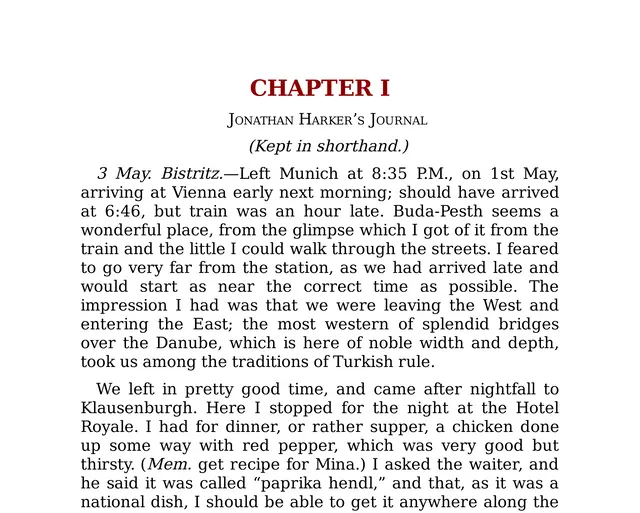
The novel
The full PDF, in the public domain.
02
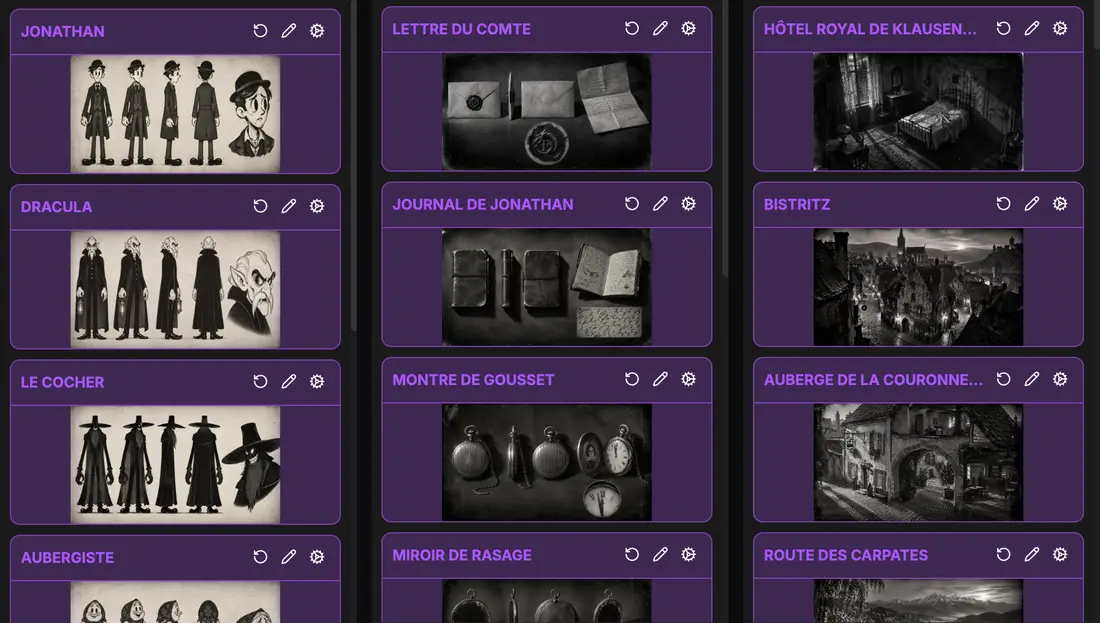
The story bible
11 characters, 16 places and 8 objects, each with its sheet.
03
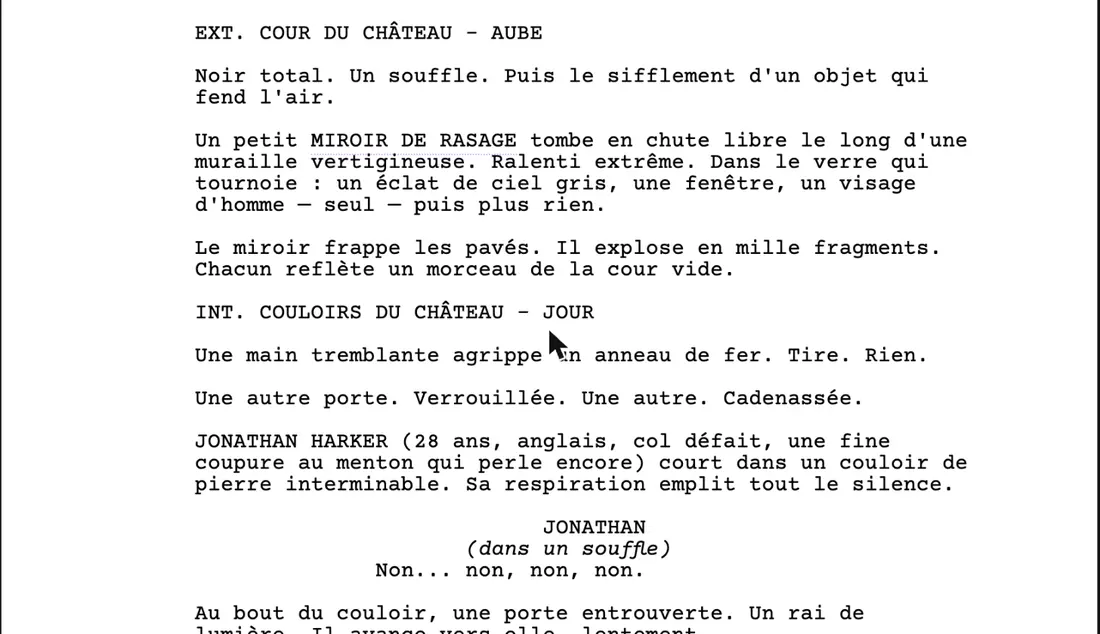
The script
32 scenes written for the screen.
04
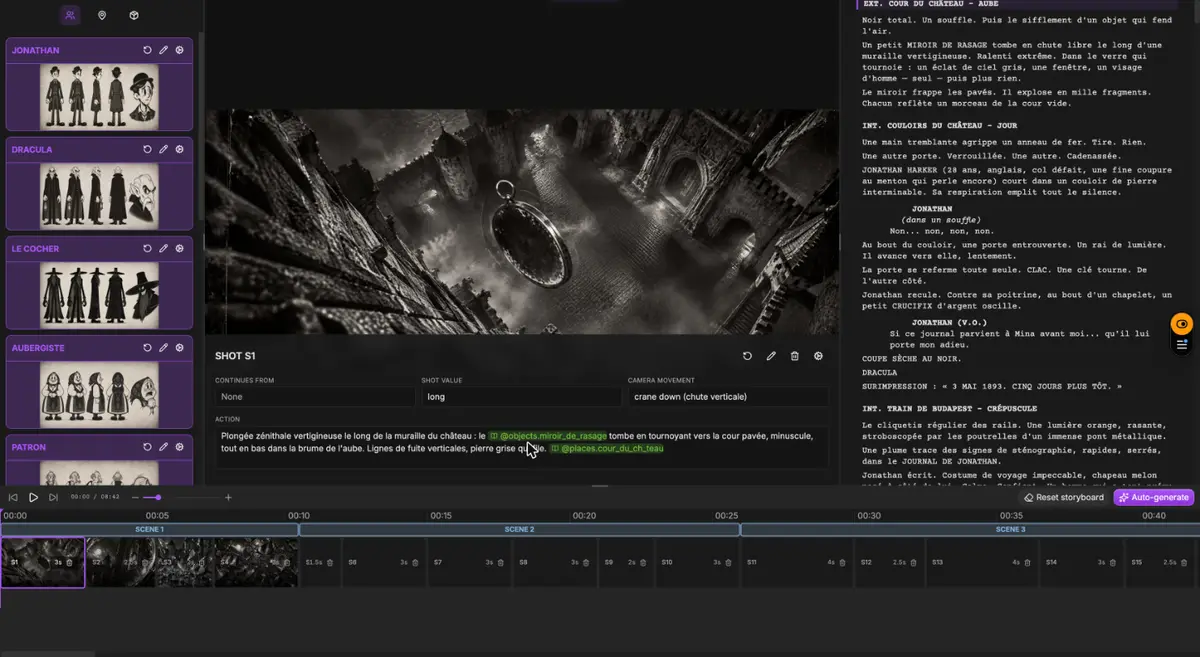
The storyboard
177 shots, scene by scene.
- A shot of the Dracula film: a carriage on a mountain road at night
05
The film
Generated in ScreenWeaver.
- Scenes
- 32
- Scenes
- Shots
- 177
- Shots
- Characters
- 11
- Characters
- Places
- 16
- Places
The assistant read, wrote and organised. The images and the video were generated in the app. The Dracula script was written in French.
How it works
From the PDF to the storyboard, in six steps.
- 01
Open a project
Ask the assistant in the app, or Claude or ChatGPT through the MCP, to create a film or a series. It gives you the link.
No credits
Set up the MCPTools called
- create_project
- 02
Give it the book
Attach the PDF. A PDF with a text layer is read for free. Scanned pages go through OCR, and the assistant asks before reading more than 20 of them. Up to 300 pages are read per file.
Free, OCR about ½ credit a page
Tools called
- extract_file_text
- 03
Create the cast and the places
The people, places and objects the story needs become story elements, each with a description. You review them in the app.
No credits
Tools called
- list_entities
- create_entities
- 04
Write the scenes
A novel is not a screenplay, so it is not imported as one: the assistant writes the adaptation scene by scene into your script. The previous version stays in History.
No credits
Tools called
- edit_script
- 05
Cut the scenes into shots
Each scene becomes shots with an action, a framing, a camera movement and a duration, citing the characters and places in frame.
No credits
Tools called
- create_shots
- update_shot
- 06
Generate in the app
Open Storyboard to generate the frames, then Production for the video. Generation never starts from the MCP: you decide what to spend.
Credits per frame and clip
Start with one chapter. You see what the assistant keeps, cuts and moves, and you steer the rest of the book from there.
Page to screen
A novel tells. A film has to show.
| Your novel has | A film needs | In ScreenWeaver |
|---|---|---|
| Chapters | Scenes, each in one place and one time | The adaptation written scene by scene, with scene headings |
| Thoughts and narration | Things you can see or hear | Inner life turned into action, dialogue or voice-over, in the script you edit |
| Hundreds of pages | A running time | A film or a series project, condensed in the script |
| Descriptions of people and places | Characters and sets that stay the same | Story elements with a description and a reference sheet, cited in every shot |
| Dialogue inside the prose | Lines with a speaker | Dialogue in standard screenplay format |
| The reader's imagination | Framing, movement and duration | A shot list per scene that you can reorder, split or merge |
The right column is what ScreenWeaver does today. The creative choices stay yours. The full method, step by step: How to turn a novel into an AI film
Before you import
Free to adapt does not mean free to take.
Dracula is free to adapt: Bram Stoker died in 1912, and his novel is in the public domain in Europe and in the United States. Most books are not.
- Your own novel is the simplest case. You hold the rights, and your projects stay private.
- Someone else's book needs the written agreement of its author or publisher, even for a fan project shared online.
- The public domain depends on the country. In the European Union, a work becomes free 70 years after its author's death.
- Work from the original text. A recent translation, an annotated edition or a film version can be protected even when the book is free.
Go further
Guides for adapting a book
FAQ
Novel to storyboard questions
Can ScreenWeaver turn a novel into a storyboard?
How long can the book be?
Does it write the screenplay too?
Is it automatic, from book to film?
Can I adapt a book into a series?
Do I need Claude or ChatGPT?
How much does it cost?
Is my manuscript used to train AI models?
Your novel, in scenes and shots.
Film techniques
Film techniques to explore
Each one with a short clip, a screenplay excerpt and the shot list line.