
Highland 2 is not for sale anymore. Quote-Unquote replaced it with Highland Pro in March 2025, pulled the old app from public listing, and stopped development on it. If you already bought the $49.99 Pro Upgrade, it still runs on your Mac. If you did not, the plain-text path now costs $59.99 a year. For a side-by-side of the old app and its replacement, read Highland 2 vs Highland Pro.
Shortlisting apps? Start with our best screenwriting software 2026 roundup, or the screenwriting software comparisons hub for the head to heads.
Everything below was checked against quoteunquoteapps.com, the App Store listings and archived versions of the Highland 2 site, in August 2026. Prices are US dollars.
The verdict
Keep Highland 2 if you own it and it still opens. It was a genuinely good app and nothing about it broke when Pro shipped. The developer says it will "still work for years to come, although some UI issues will inevitably occur as Mac OS changes." That is an honest way of saying: no more fixes, run it until macOS breaks it.
Do not go hunting for it if you never bought it. Both quoteunquoteapps.com/highland-2 and highland2.app now redirect to the Highland Pro page. The old App Store listing no longer answers to a public lookup. The only documented route back to Highland 2 is your own purchase history in the Mac App Store, under your avatar, in previously installed apps.
Try Highland Pro if the plain-text approach is what drew you here. The 30-day trial is long enough to write something real in, which is unusual in this category. Just go in knowing you are signing up for a subscription across Mac, iPad and iPhone, not a one-time purchase for one machine.
| You are | Best fit | Cost |
|---|---|---|
| Already own the Highland 2 Pro Upgrade | Keep using it, no action needed | $0, frozen at its last build |
| A former Highland 2 student licensee | Highland Pro trial, then decide | $0 for 30 days, then $59.99/yr |
| New to Highland, curious about plain text | Highland Pro trial | $0 for 30 days |
| Committed to Highland long term | Highland Pro yearly | $59.99/yr, works out to $4.99/mo |
| Writing on a Mac older than macOS 13 | Highland 2 if you own it, otherwise elsewhere | Pro will not install |
| Wanting to own your software outright | Fade In | $79.95 once |
What actually happened to Highland 2
It aged into a new app with a new name and a new business model. The developer's own Highland 2 to Highland Pro post lays out the timeline, and it is worth reading before you spend anything.
| When | What shipped |
|---|---|
| 2012 | Highland launches as a utility that melts PDFs back into editable text |
| May 2018 | Highland 2 ships after a three-year beta |
| June 2019 | Highland 2.5 adds Revision Mode and the drag-and-drop Navigator |
| Nov 2023 | Version 2.9.18, the last update visible on the public listing |
| March 2025 | Highland Pro launches as version 3.0, a rewrite replacing 95% of the code |
| June 2025 | Pro adds Overview |
| 2026 | Highland 2 delisted, its URLs redirecting to Pro |
The naming decision gets explained in that post too. They considered Highland 3, decided version numbers create exactly this problem every few years, and went with Pro instead. Reasonable enough. The practical effect for anyone searching "Highland 2" in 2026 is that you land on a subscription page for a different app.
What Highland 2 still does well
It gets out of the way. No tab key gymnastics. You type, and the app works out what is a character cue and what is action. Seven years on, that still feels better than the tab-and-enter dance in Final Draft.
Your words stay plain text. Highland 2 opens and edits .fountain, .markdown and .txt without complaint. The .highland format it introduced is a wrapper around plain text, so you can convert in either direction whenever you want. If you have never worked this way, our guide to Fountain import and export formatting covers what survives the round trip.
Gender Analysis. Highland 2 was the first screenwriting app to ship it. It counts how often characters speak and how many words they get, then lets you flip a character's gender to see what changes. Most competitors still have nothing like it.
Revision Mode. Colors and margin stars, the way a production office expects. This arrived in 2.5 and it is what took Highland from a writing utility to something you could carry into a rewrite.
It is fast. A 36.3 MB native Mac app opens instantly and scrolls without stutter. Anyone who has watched a heavier app think about a 120-page document knows what that is worth.
Where it costs you
Nobody is fixing anything. The developer updated Highland 2 for compatibility with Pro and then stopped. There will be no further updates. Every macOS release from here is a coin flip on some piece of the interface.
Mac only, one machine at a time. No iPad, no iPhone, no Windows, no sync. Highland 2 required macOS 10.13 or later, which at least means it runs on genuinely old hardware.
You cannot buy it. Not delisted-but-findable. A public lookup on its old App Store ID returns nothing at all. If it is not in your purchase history, it is not yours to get.
No collaboration. Highland has never done live co-writing. If two people need to be in a script at once, this was never the app. That is WriterDuet territory and it always was.
Support is a redirect. The old Highland 2 support pages now point at Highland Pro. Priority email support was a Pro Upgrade perk, and that product no longer exists to support.
Pricing decoded
Highland 2 used a free-plus-unlock model. The free tier was usable and it watermarked your PDFs. Here is what the split looked like before the app went away, taken from the Highland 2 site:
| Feature | Highland 2 Basic (free) | Pro Upgrade ($49.99 once) |
|---|---|---|
| PDF templates | 5, including Screenplay, Manuscript, MLA | 14, adding Multi-cam, Stage Play, Treatment |
| Editor themes | 2 (Classic, Dark Mode) | 10, plus the Custom Theme Builder |
| PDF export | Watermarked "Made in Highland" | Clean |
| Character highlighting, Sprints, Gender Analysis | Yes | Yes |
| Plain-text backups, international terms | Yes | Yes |
| Word Analysis | No | Yes |
| Revision Mode | No | Yes |
| Support | Knowledge base | Priority email, in-app |
Students got the whole Pro feature set free for a year with a verified school address, then dropped back to Basic. That program does not appear anywhere on the Highland Pro site, and we could not find a replacement for it.
Highland Pro prices like this:
| Plan | Price | Notes |
|---|---|---|
| Trial | $0 | 30 days, cancel anytime |
| Yearly | $59.99/yr | The site shows it as $4.99/month, billed annually |
| Monthly | $9.99/mo | Twice the yearly rate per month |
One subscription covers Mac, iPad and iPhone with iCloud sync. Prices vary by region.
If your subscription lapses, the App Store listing says Highland Pro still opens, prints and exports documents in compatible formats. A subscription screenwriting app that does not hold your pages hostage when you stop paying is rarer than it should be. Weigh that against the hidden costs that come with free and cheap tools.
Try it free
Try Screenweaver for free on your script
It is free. Import your existing project, get a clearer view of your outline, and regain control of your story structure in minutes.
Start FreeHighland 2 against Highland Pro
| Highland 2 | Highland Pro | |
|---|---|---|
| Status | Frozen, delisted | Version 3.3.6, updated July 2026 |
| Platforms | Mac | Mac, iPad, iPhone, iCloud sync |
| Requires | macOS 10.13+ | macOS 13+, iOS and iPadOS 26+ |
| Payment | $49.99 once for Pro features | $59.99/yr or $9.99/mo |
| Fountain | Yes | Yes |
| Revision Mode | Pro Upgrade only | Included |
| Gender Analysis | Yes | Yes |
| Added in Pro | /Lookup, Shelf, Overview, custom themes, PDF melting, autocomplete, scene numbering | |
| Ratings | 4.5 from 350 ratings | 4.8 from 17 ratings |
Read those two rating numbers next to each other. Highland 2 accumulated 350 ratings over seven years. Pro has 17 on the US store. That is a young listing rather than a verdict, but it does mean you should not treat the 4.8 as settled.
Which one fits you
| Your situation | What to do |
|---|---|
| You own the Pro Upgrade and write on one Mac | Nothing. Keep writing. Revisit when macOS breaks something |
| You own it and want iPad drafting | Trial Pro, keep Highland 2 installed as a fallback |
| You loved Highland 2 and hate subscriptions | Trial Pro honestly, then look at Fade In at $79.95 once |
| You are a student | Trial Pro and ask support about education pricing before you pay |
| Your collaborators send .fdx with revision marks | Final Draft 13 at $199.99 is still the safe answer |
| You need scheduling and breakdowns | Celtx, not Highland |
| You want structure tools alongside the page | Arc Studio |
| You write Fountain in a text editor and just need a PDF | Our free Fountain to PDF converter |
Use the 30 days properly
Thirty days is generous, so treat it as a real test rather than a look around.
- Import your longest existing script and check the page count against the original.
- Export it back to .fdx and open it in whatever your collaborators use.
- Write a full scene without touching the tab key and see whether the automatic parsing holds.
- Run a revision pass with colors and print only the changed pages.
- Try /Lookup mid-sentence and decide whether it keeps you in the document or pulls you out.
- Open the same file on iPad, edit it, and confirm it syncs back cleanly.
- Run Gender Analysis on a finished draft and see if it tells you anything you did not already know.
- Around day 25, cancel and reopen a document to confirm the lapsed-subscription behavior matches the listing.
That last one is the test almost nobody runs, and it is the one that tells you what happens the month you cannot pay.
Alternatives
If the appeal was plain text and Mac minimalism, Highland Pro is the direct continuation and nothing else shares that lineage. Slugline is the closest philosophical neighbor. Writing Fountain in any text editor stays free forever, which is rather the point of the format.
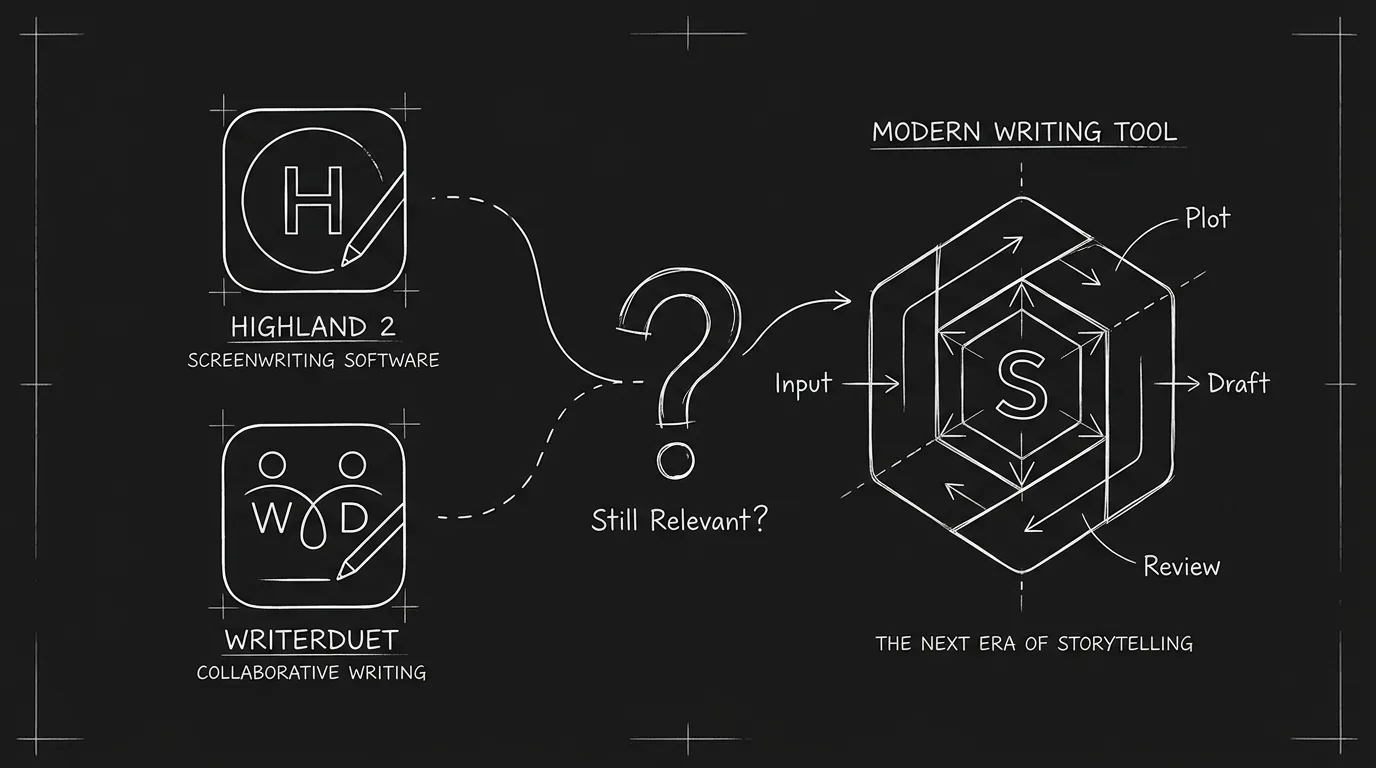
If the appeal was owning your software, go to Fade In. One payment of $79.95, Windows, Mac and Linux, no renewal. We also looked at whether Highland and WriterDuet have aged out of relevance in this piece on older writing tools, which reads differently now that one of the two has been replaced by its own successor.
If the appeal was getting from script to something you can show people, that is a different job, and it is covered in the verdict below.
Final verdict: Highland 2 or ScreenWeaver?
Highland 2 was a fine plain-text editor, and if you own it, nothing forces you off it today. But it will not get fixes, and its successor is a subscription. If you are choosing now, ScreenWeaver is the more complete option: professional screenwriting is free on the Screenwriter plan, in the browser on Mac, Windows, Linux and iPad, with unlimited projects and pages and PDF and Final Draft export. When the script is ready to be seen, the Auteur plan at $39.99 a month adds a storyboard generated from your screenplay and AI video production in the same project, which no plain-text editor sets out to do. Our Highland alternative page puts the two side by side.
FAQ
Can I still buy Highland 2 in 2026?
No. The app is not publicly listed, and quoteunquoteapps.com/highland-2 and highland2.app both redirect to the Highland Pro page. Existing owners can redownload it from the Mac App Store by clicking their avatar and finding it under previously installed apps.
Does Highland 2 still work?
Yes, if it is installed or sitting in your purchase history. The developer updated it for compatibility with Highland Pro and then stopped, saying it should keep working for years while warning that macOS changes will eventually cause interface problems. There will be no fixes when that happens.
Is Highland 2 free?
It used to be. Highland 2 Basic was a free, fully usable download that watermarked its PDF exports, and the Pro Upgrade removed the watermark for $49.99 once. Today there is nothing to download for a new user: the app is delisted, and the free route in 2026 is Highland Pro's 30-day trial or, if you only need plain-text screenwriting, Fountain in any text editor.
How much did Highland 2 cost?
The app was a free download with one in-app purchase, the Highland 2 Pro Upgrade, at $49.99. That unlocked 14 PDF templates, the Custom Theme Builder, watermark-free PDFs, Word Analysis, Revision Mode and priority support. Students in verified university programs got those features free for one year.
What is the difference between Highland 2 and Highland Pro?
Pro is version 3.0 rewritten from the ground up, replacing 95% of the code. It runs on Mac, iPad and iPhone with iCloud sync instead of Mac only, and it adds /Lookup, the Shelf, Overview and custom themes. The payment model changed from a one-time $49.99 unlock to a subscription at $59.99 a year or $9.99 a month.
How much is Highland Pro?
$59.99 billed annually, which the site presents as $4.99 a month, or $9.99 a month billed monthly. One subscription covers all three platforms and there is a 30-day free trial. Regional prices differ.
What happens to my scripts if I stop paying for Highland Pro?
The App Store listing states that Highland Pro still opens, prints and exports documents in compatible formats after a subscription lapses. Your .fountain files were never locked anyway, and the .highland format is a Zip-compressed TextBundle with plain text inside.
Is there a Windows version of Highland?
No, and there never has been. Highland has always been an Apple-only product. Windows writers who want the same plain-text workflow can write Fountain in any editor and format it separately, or look at Fade In, which runs on Windows, Mac and Linux.
Final Step
Build your next script with Screenweaver
Move from ideas to production-ready pages faster with timeline-native writing and AI-assisted story flow.
Try Screenweaver