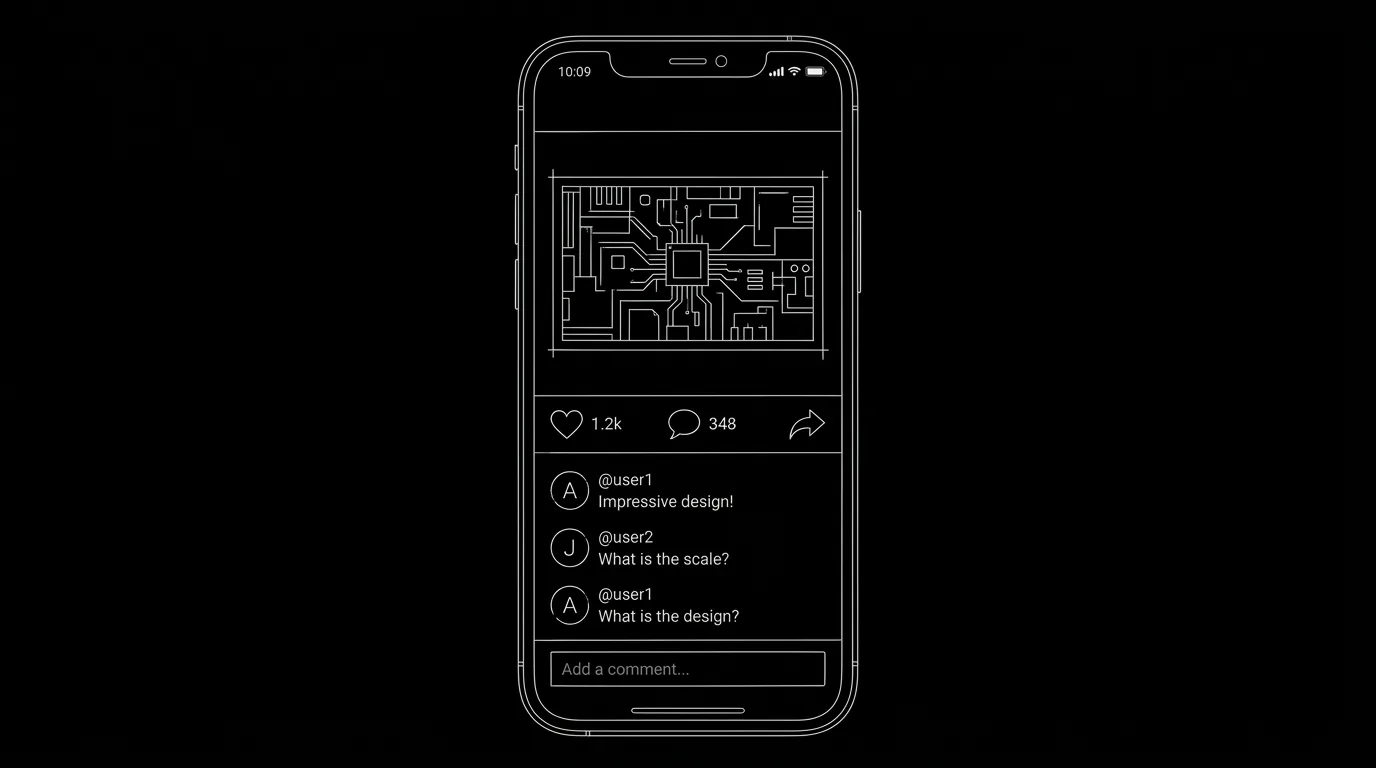

The story happens on a phone. Or part of it does, a character watches a TikTok, an Instagram Live, or a story. Vertical format, comments, likes, and live elements have to be put on the page so the reader and production understand what we see. Here's how to format social media content in a script without turning the page into a storyboard.
Describe what we see and hear. Use a consistent convention. Production will interpret, your job is clarity.
Think about it this way. The audience will see a vertical frame (or a phone in hand), possibly on-screen text (comments, usernames, captions), and audio (dialogue, music, reaction). On the page you're not designing the app, you're specifying content and context: whose phone, what platform, what we see and hear. Our guide on formatting text messages covers SMS; social is a step further, full-screen video, often with meta-elements (likes, comments). This piece is about TikTok, Instagram Live, Stories, and similar. For on-screen text in general, see chyrons. For desktop cinema where the whole film is on screens, see desktop cinema.
What Production Needs to Know
Frame: Are we in a vertical (9:16) or square (1:1) or full-screen phone? Content: What is the video? Who is in it? What do they say or do? Meta: Do we see comments, likes, captions, usernames? Context: Is a character watching this? Where? Audio: Dialogue from the video, music, or the watcher's reaction? When you format, you're answering these so the reader can see the beat and production can build or source it. For chyrons and supers, see chyrons.
Formatting a TikTok (or Short-Form Video)
Option A: Insert-style. "INSERT - PHONE SCREEN - TIKTOK (VERTICAL)." Then describe the video: who's in it, what they do/say, duration feel (e.g. "15-second clip"). If we see captions, comments, or username, add them. Option B: Action-style. "On her phone, a TikTok plays. A teenager lip-syncs to [song]. Caption: Tell me I'm wrong. Comments scroll: @user1 this is so true..." Use one approach consistently. For emojis and on-screen text in those frames, see emojis and GIFs.
Formatting an Instagram Live (or Livestream)
Live means real-time feel: we might see viewer count, comments popping in, or the host reacting. On the page: "INSERT - INSTAGRAM LIVE (VERTICAL)" or action: "She's on Instagram Live. View count: 2.3K. Comments fly: omg where is he is that real? She reads one, pales." Specify the host, what they're doing/saying, and any comments or metrics that matter to the story. For multimedia (podcasts, news) in scripts, see multimedia.
Formatting Stories (Ephemeral)
Stories are short, vertical, often with text overlay or stickers. Format as a short insert or action: "His Instagram story: a video of the party. Text overlay: best night ever. Ten seconds, then it's gone." If the disappearance or the timestamp matters, say so. For time and location on screen, see chyrons.
Relatable Scenario: The Character Who Goes Viral
We see the TikTok they post. Then we see it blow up, views, comments. Format: First beat: insert or action for the TikTok content. Second beat: we might see the same clip again with comments/likes over it, or a new shot of the character watching the numbers. Specify "Comments include:" or "Likes climb to X" when it matters. For exposition through media, see exposition dump.
Relatable Scenario: The Livestream That Goes Wrong
Someone is live. Something happens on camera. Format: Establish the live (platform, host, what we see). Then the event. Then the reaction (comments, host's face, cut to black). Keep the reader in the moment. For tension and pacing, see micro-pacing.
The Trench Warfare Section: What Beginners Get Wrong
Over-specifying the UI. You're writing every pixel of the app. Fix: Content and context are enough. "TikTok (vertical). Teen dances. Caption: POV. Comments: [two or three examples]." Production designs the rest.
Under-specifying. "She watches a video." What video? Fix: Say what we see and hear. One or two comment examples if they matter. For clarity, see screenplay format.
Mixing formats. Sometimes insert, sometimes a long paragraph of description. Fix: Pick a convention (e.g. INSERT for full-screen social, action for character watching) and stick to it.
Forgetting the character. We're so deep in the screen we forget who's watching. Fix: Tie the beat to the watcher when relevant, their reaction, their location. For POV and subtext, see subtext.
Unreadable comment blocks. Twenty comments in a block. Fix: One to three representative comments. Or "Comments flood: [summary]." For readability, see micro-pacing.
Try it free
Try Screenweaver for free on your script
It is free. Import your existing project, get a clearer view of your outline, and regain control of your story structure in minutes.
Start FreeSocial Media in Scripts: What to Include
| Element | Include when |
|---|---|
| Platform (TikTok, IG Live, etc.) | Always |
| Vertical/square/full screen | When it affects how we see it |
| Video content (who, what, say/do) | Always |
| Caption, username | When story-relevant |
| Comments, likes, viewer count | When they matter to plot or tone |
| Watcher and reaction | When we're with a character |
Step-by-Step: Formatting a Social Beat
First: Decide what we see (the video, the meta, the watcher). Second: Choose insert (full-screen) or action (character watching). Third: Write the content of the video, who, what, duration feel. Fourth: Add meta (caption, comments, likes) only if it matters. Fifth: Tie to character if someone is watching. For more on on-screen text, see chyrons and text messages.
The Perspective
Format social media by specifying platform, frame (vertical etc.), content (who, what, say/do), and meta (comments, captions) when relevant. Don't over-design the UI. Don't under-specify the content. When the reader and production know what we see and hear, the format works. So describe the video. Add a few comments if they matter. And keep it clear.
Final Step
Build your next script with Screenweaver
Move from ideas to production-ready pages faster with timeline-native writing and AI-assisted story flow.
Try Screenweaver