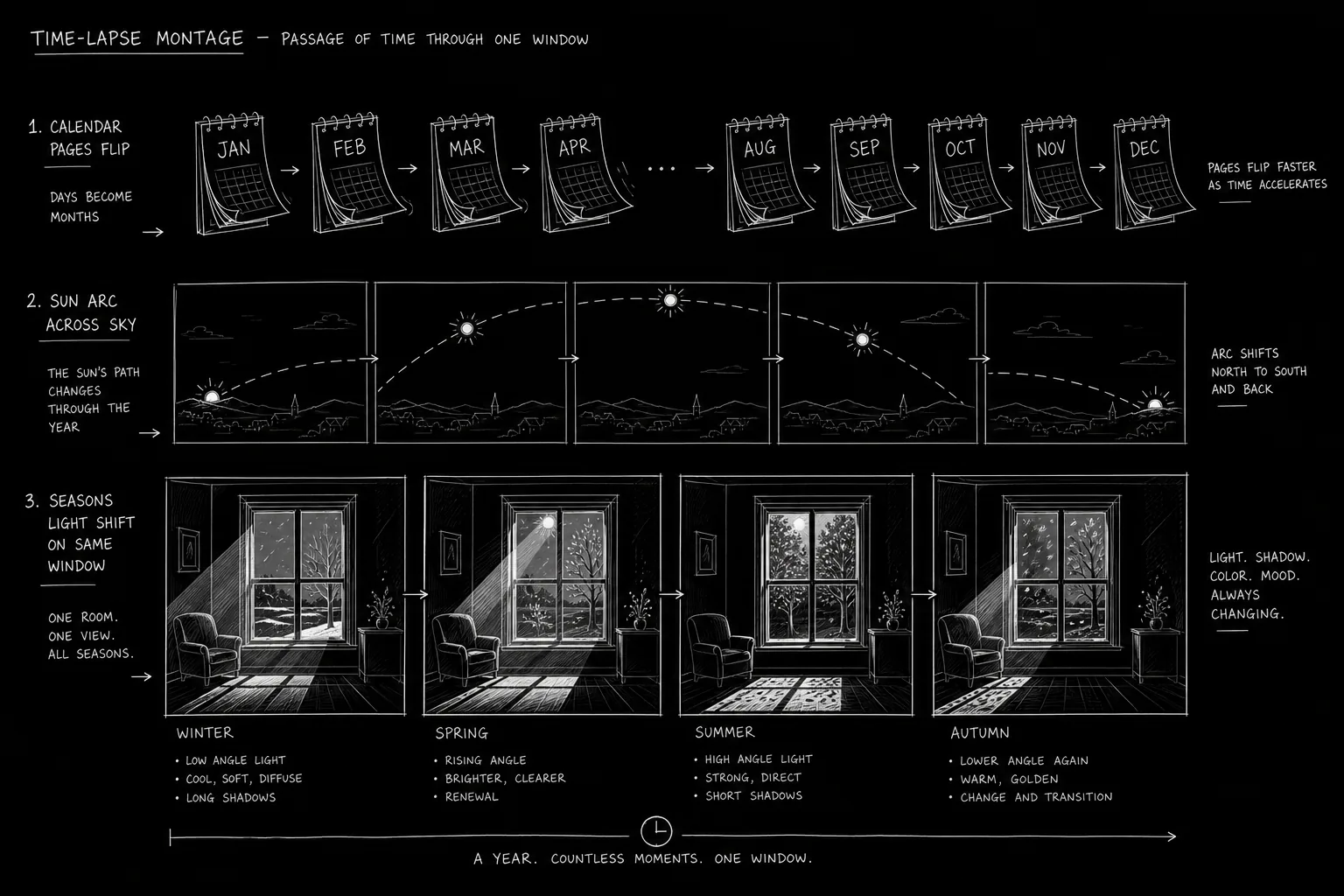

A seedling becomes a forest. A mural fades under sun and rain. A relationship dies in empty coffee cups accumulated on a windowsill. Time-lapse compresses hours into seconds. On screen it is magic. On the page it is often a single lazy line: MONTAGE - TIME PASSES.
Montage is a legitimate screenplay tool. Time-lapse is a specific montage grammar - continuous camera, accelerated time, often without character present. Writers who format it clearly give directors a vision and editors a rhythm.
This guide shows how to describe time-lapse montages in features, pilots, and sequences so readers see the compression without confusion.
Free tool: use the Script Time Calculator to estimate your runtime from page count.
How It Works: Time-Lapse vs. Standard Montage
Standard montage: Multiple shots, often with music, showing varied actions toward a goal. Training montage. Relationship montage. Heist prep.
Time-lapse montage: Typically one fixed or slowly moving camera position. Time accelerates within the frame. Clouds streak. Shadows crawl. Construction rises.
Shared skill: Both require labeled progression and clear endpoint.
Format elements:
TIME-LAPSE MONTAGEorMONTAGE - TIME-LAPSEheader- Optional
(DURATION: 30 SECONDS)note - Series of image beats or one continuous description
- Optional
MUSIC:orSOUND:design - Exit line:
END MONTAGEor cut to scene
Time-lapse tells the audience: the world kept turning while characters were busy elsewhere.
For match cuts that bridge time elegantly, see match cuts on the page. For before/after status changes without dialogue, see before and after scenes. For flashforward structure, see writing flashforwards.
Platform and Use-Case Sections
Feature Film (Act Break Compression)
Use: Pass months between acts without new subplot. City changes during incarceration. Seasons mark grief.
Format: 4-8 discrete time-lapse beats, each a sentence. End on present-tense story present.
TV Pilot (Establishing Scale)
Use: Show case length of investigation, pregnancy trimesters, campaign season.
Format: Shorter - 15-30 seconds screen time. Tie final image to first scene of next act.
Documentary-Style Drama
Use: Real locations aging, protest camps growing, ice melting.
Format: May include TITLE: dates over time-lapse. SUPER: "Six months later" optional if not redundant.
Horror / Thriller
Use: Decay, mold spread, body decomposition (tastefulness matters), abandoned house reclaiming nature.
Format: Sound design carries unease. Silence or single drone note.
Romance / Drama
Use: Shared space evolving - apartment filling with plants, photos multiplying then one removed.
Format: Emotional object focus rather than epic skyline.
Step-by-Step: Writing the Time-Lapse Montage
Step 1 - Name the function. What must the audience understand when montage ends? "Investigation took a year." "She healed physically." Write that sentence before images.
Step 2 - Choose fixed camera or traveling camera. Fixed window, bridge, tree line is classic. Traveling time-lapse needs (CAMERA SLOWLY PUSHES) note.
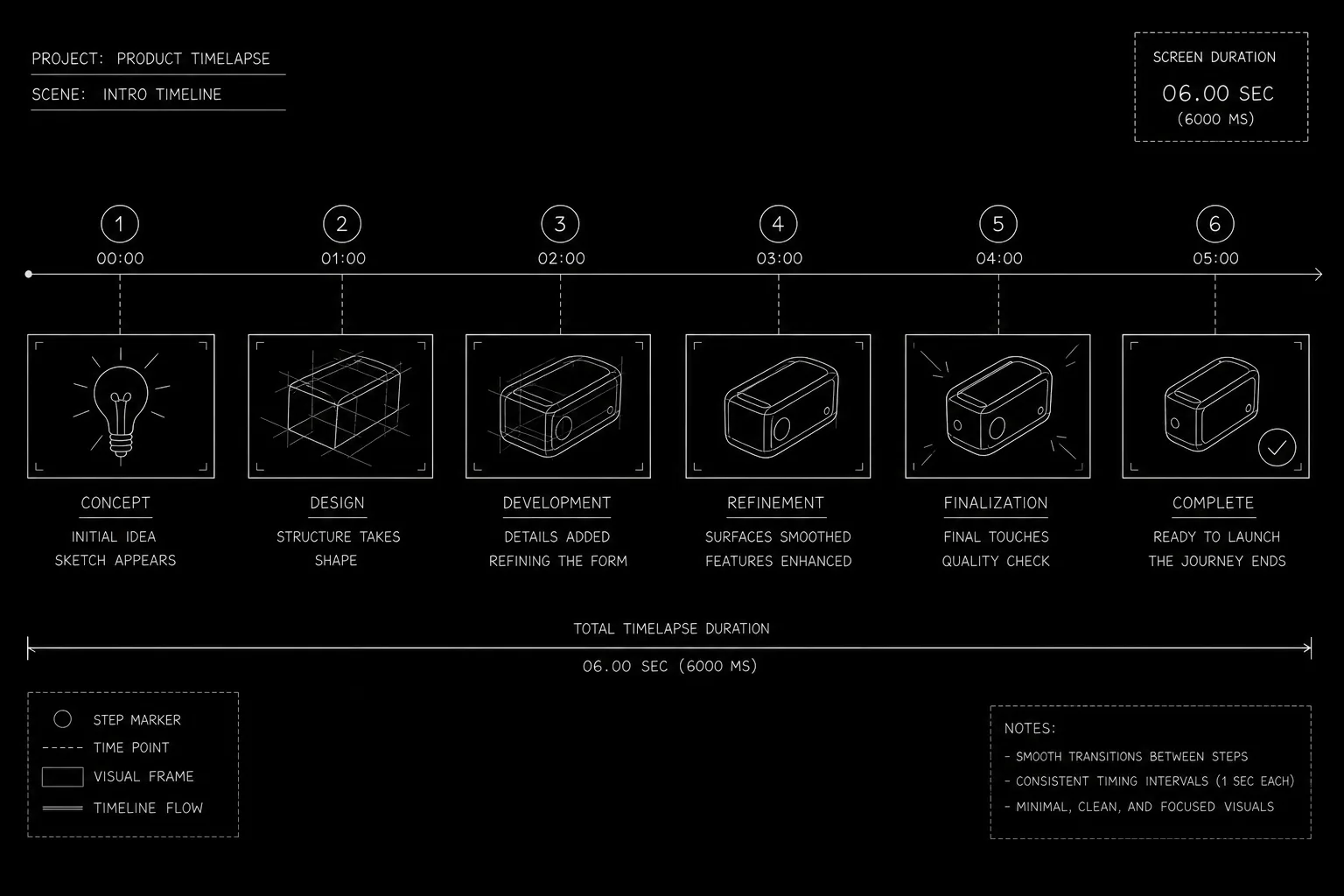
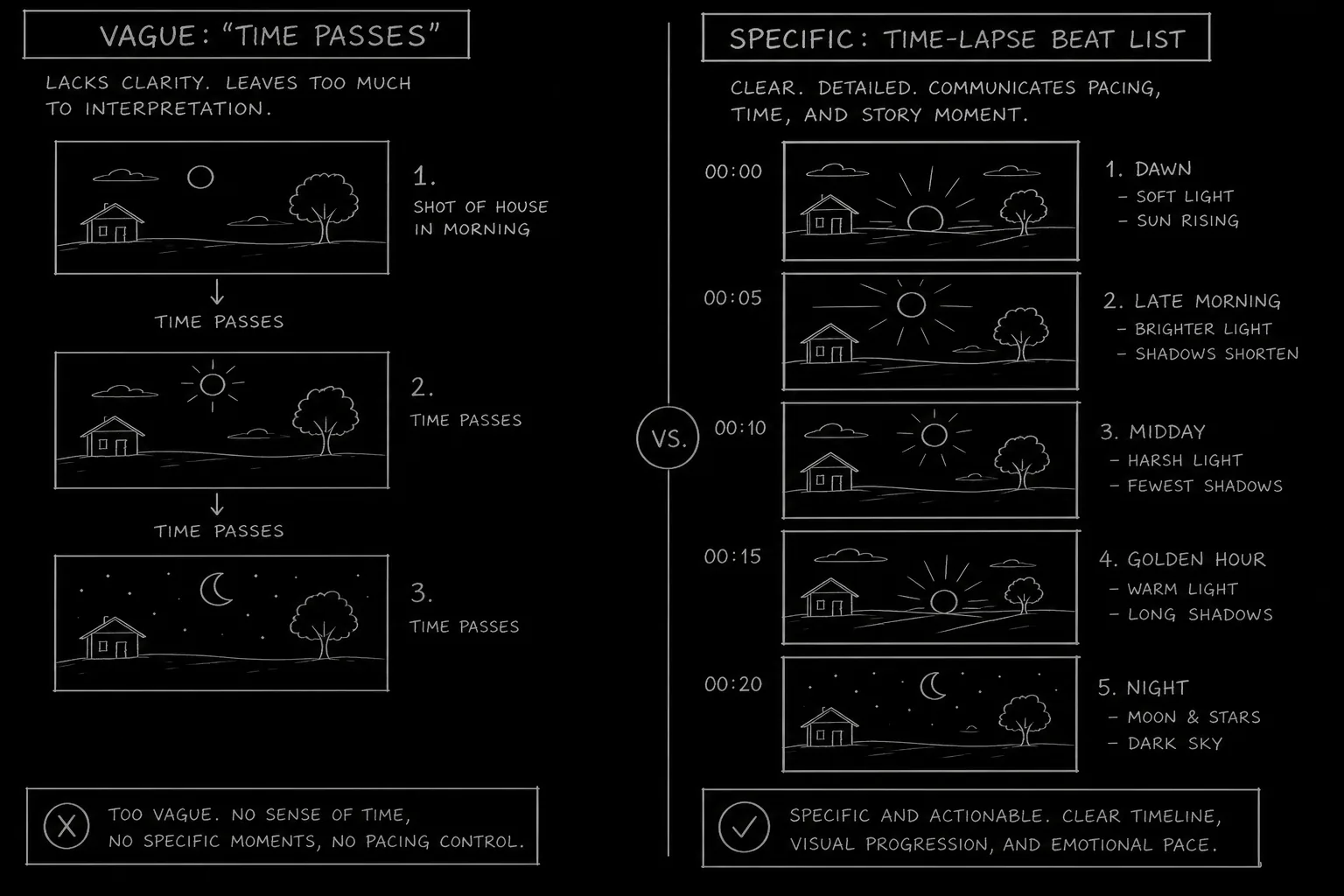
Step 3 - List 4-6 progress markers. Each marker is one visual state change. Day to night cycles count as one marker if repeated; vary something else (construction floor count).
Step 4 - Add one human trace (optional). Footprints in snow appear and melt. Coffee cup arrives on sill. Human scale anchors abstraction.
Step 5 - Specify audio. Music swell, city ambience accelerating, vinyl crackle under photo morph. Sound sells time compression.
Step 6 - Format as labeled sequence.
TIME-LAPSE MONTAGE

A fixed frame on the BROWNSTONE stoop.

Winter ice melts to spring mud.
CHERRY blossoms burst, wilt, fall.
SCAFFOLDING rises on the neighbor building, wraps in tarps, vanishes.
The FOR SALE sign goes up, sun-bleaches, is removed.

END MONTAGE.
Step 7 - Enter next scene in clear present. Do not repeat montage information in dialogue.
[YOUTUBE VIDEO: Time-lapse montage examples with script beats overlaid showing progression markers and duration notes.]
Operational Section: Format Rules and Reader Clarity
Header Options
| Style | Example |
|---|---|
| All caps slug | TIME-LAPSE MONTAGE |
| Montage subtype | MONTAGE - TIME-LAPSE - CONSTRUCTION |
| Scene hybrid | EXT. SKYLINE - TIME-LAPSE - DAWN TO DUSK |
Pick one convention per script.
Duration Notes
Optional but helpful: (SCREEN TIME: 20 SECONDS) or (COMPRESSES 18 MONTHS). Prevents reader imagining five-minute indulgence.
Avoiding Unfilmable Poetry
Weak: Time flows like a river over memory.
Strong: Shadows race across the plaza. Newspaper headlines in kiosk change six times.
Pairing with Titles
If you use SUPER: "One year later" you may not need time-lapse. Choose one compression tool. Double labeling feels redundant unless stylized.
VFX and Stock
Time-lapse may be shot in camera, stock, or VFX. Writer provides subject and progression; production picks method.
Relatable Scenario: The Investigation Winter
Your detective cannot solve a cold case in one episode. You need winter to pass without four new scenes of snow shoveling.
TIME-LAPSE MONTAGE (COMPRESSES 5 MONTHS)

Fixed frame on DETECTIVE MERCEDES'S OFFICE WINDOW.

First snow sticks to glass.
Case files pile on the sill, undisturbed.
Snow melts; a dead plant browns.
Rain streaks the pane; a NEW PHOTO is taped to the glass.
Leaves return; the photo sun-bleaches.
A SECOND PHOTO covers the first.

END MONTAGE.

INT. OFFICE - SPRING - DAY

Mercedes enters, older in the shoulders, and opens a fresh file.
The window is the clock. Human traces (photos, files) tell the story files alone cannot.
Relatable Scenario: The Relationship Apartment
Romance and drama use object accumulation instead of calendar text.
TIME-LAPSE MONTAGE

Same wide on the LIVING ROOM CORNER.

A single coffee mug on the floor.
Two mugs appear by week's end.
A blanket arrives, then takeout boxes, then framed photo.
The photo turns face-down one night without explanation.
Boxes stack by the door.
The corner is empty again.

END MONTAGE.
No dialogue required. The audience understands intimacy, rupture, and departure through objects and light.
Pairing Music and Sound
Note (SCORE: Piano motif, accelerating tempo) or ambient shift: day birds to night crickets in compressed seconds. Sound designers use your cues to hide cuts between time-lapse segments.
Try it free
Try Screenweaver for free on your script
It is free. Import your existing project, get a clearer view of your outline, and regain control of your story structure in minutes.
Start FreeOutcome Section: Results You Are Aiming For
Temporal clarity. Audience knows how much time passed and what changed in the world.
Emotional shorthand. Grief, ambition, decay conveyed without new scenes.
Pacing relief. Act breaks breathe. Episodes jump seasons cleanly.
Failure outcomes:
- Vague "time passes" with no images
- Montage repeats information characters already stated
- Too many beats (reader fatigue)
- Time-lapse ends and next scene re-explains the same elapsed time
Success test: cover the dialogue in the scene after the montage. Does time passage still land? If yes, the montage worked.
Why It Matters: Old Way vs. New Way
The old way: Writers trusted directors to invent montage in post. The script said MONTAGE and little else. Editors saved weak structure with music.
The new way: Streamers and tight runtimes demand intentional compression on the page. Time-lapse is storyboarded in writing rooms. Clear progression beats reduce reshoot anxiety.
Time-lapse is not filler. It is narrative math: multiply time, divide scenes, add meaning. Format it with the same care you give a match cut that turns a tear into rainfall.
Readers skim long blocks. Time-lapse lists scan fast when each line is one image. That scannability is a feature. Use it at act breaks where you want momentum, not explanation.
Final CTA: Compress Time With Intention
Identify where your story jumps months. Replace the empty MONTAGE with four concrete images. Note the duration. Sound the exit.
The camera can stay still while the world rewrites itself. Your job is to list what changes, in what order, and why the audience should feel it.
Write the time-lapse. Cut the repetition. Let the shadows race.
Final Step
Build your next script with Screenweaver
Move from ideas to production-ready pages faster with timeline-native writing and AI-assisted story flow.
Try Screenweaver