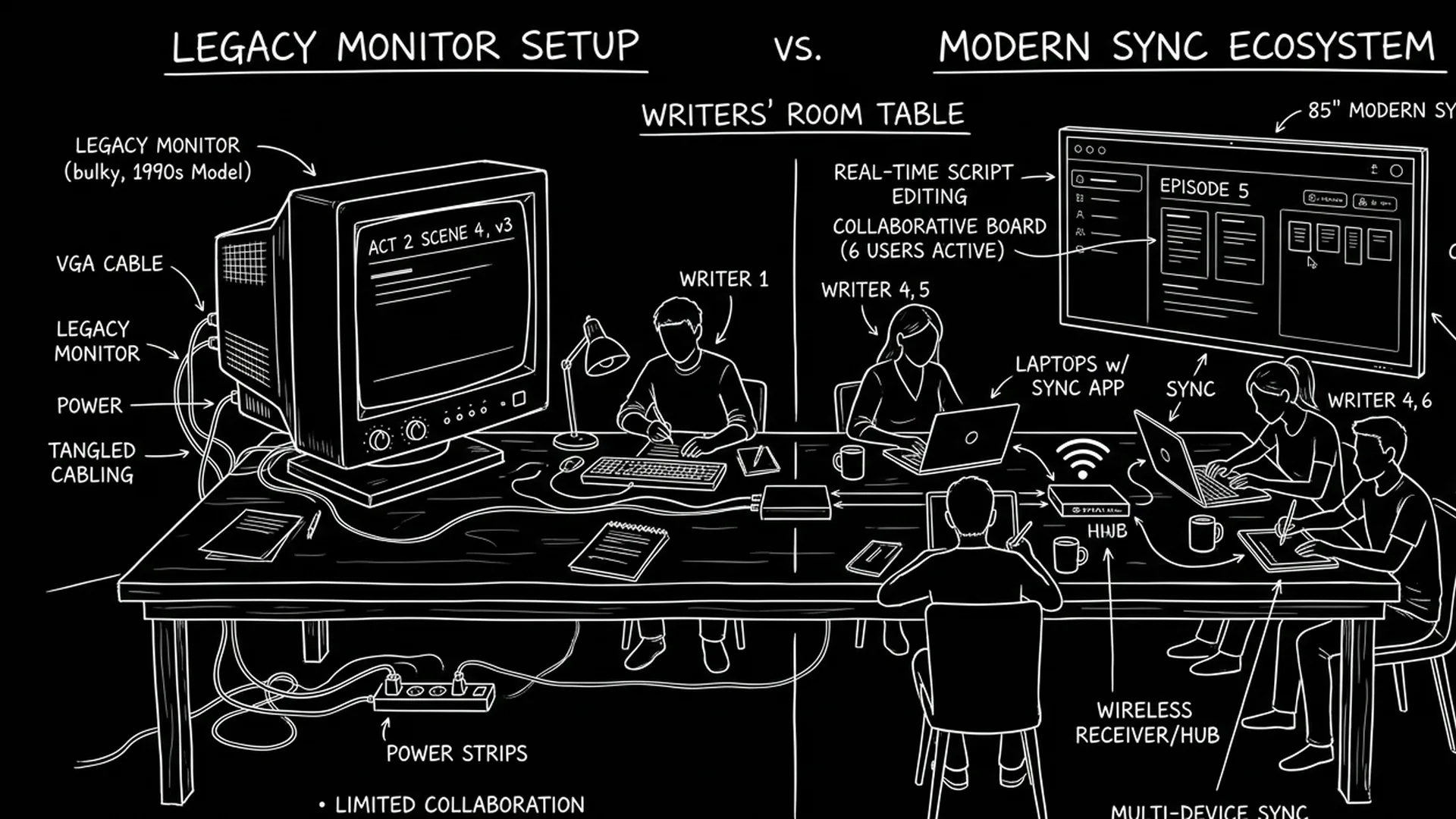

Traditional screenwriting software mostly fails at real-time co-writing because it was built for one writer and one file: cloud save is not live co-editing, and when two people save, the last save wins. Real-time collaboration needs presence, live edits and conflict handling. Without them, take turns on a single master file or split sections, or switch to a collaboration-first tool, compared in the screenwriting software comparisons hub.
You and your co-writer are on a deadline. You're both in the script. You save. They save. Now you have two versions and no clear way to merge them without losing lines or overwriting each other. That's the norm in traditional screenwriting software. Real-time co-writing means two or more people editing the same draft at the same time and seeing each other's changes as they happen, or at least within seconds. Google Docs does it for prose. Most screenwriting apps don't. They were built for a single writer, or for "pass the file" workflows. So when writers ask for real-time collaboration, they're asking for something the architecture of legacy tools never had to support. Here's why that architecture fails at syncing, and what to do instead.
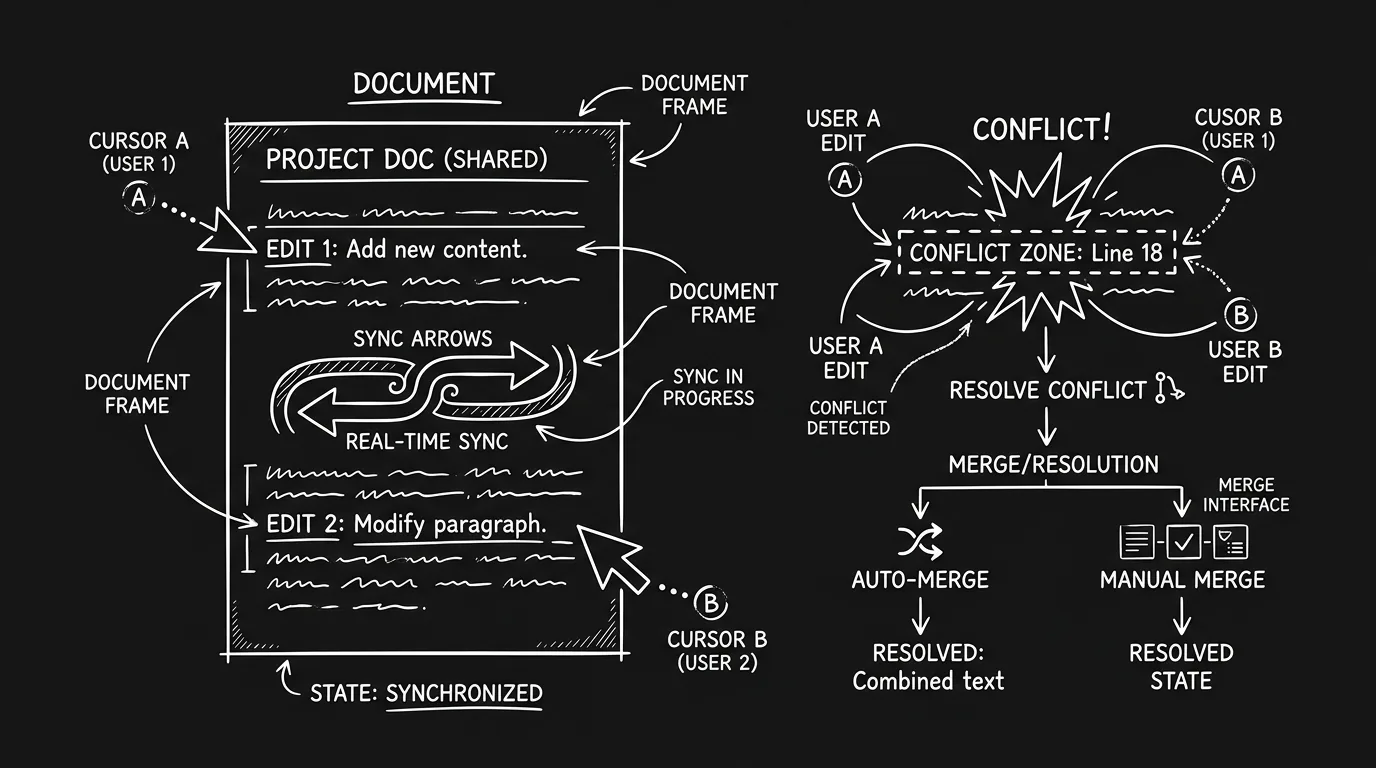
Real-time sync is hard. It's not just "save to the cloud." It's conflict resolution: two people edit the same scene at the same time. Who wins? Do you merge? Do you lock paragraphs? Legacy apps typically do none of that. They assume one active writer. You might have "comments" or "revision mode," but not live cursors and live text. So the failure isn't a bug. It's a design choice that became a limitation. Here's a concrete test: open the same script in two browsers or two machines with two different accounts (or two profiles). Type in both. If you don't see the other person's text appear in real time, or if you get an overwrite warning, you don't have real-time. You have cloud storage. For why rooms are moving away from legacy tools, we cover the bigger shift. For tools that do support real-time collaboration, we compare options.
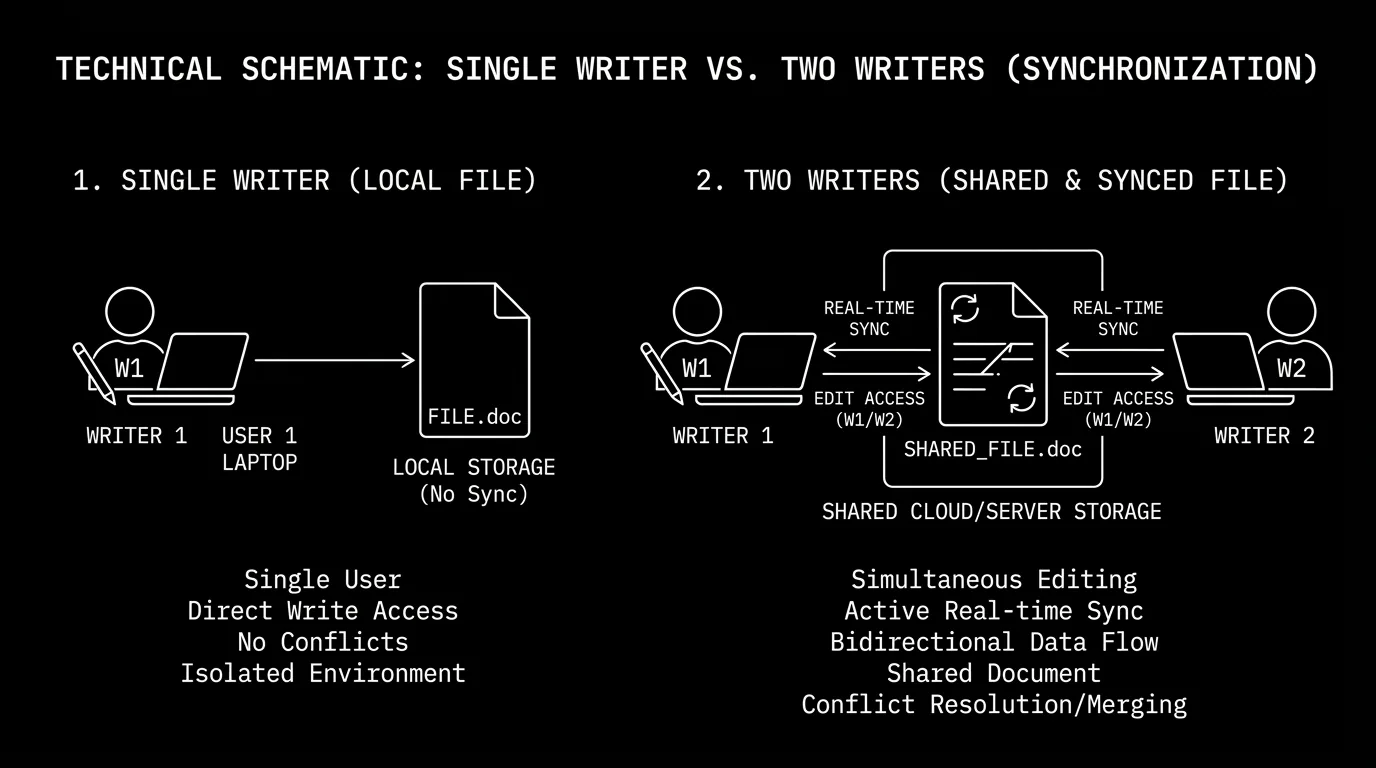
Traditional software was built around one writer and one file. Real-time co-writing needs multiple writers, one shared document, and a sync engine that can merge edits. Most apps never had the third part.
Free tool: use the Slugline Formatter to clean up and standardize your scene headings.
What "Real-Time" Actually Means (And What Legacy Apps Do Instead)
Real-time collaboration usually means: presence (you see who else is in the doc), live edits (their typing appears on your screen without refresh), and conflict handling (when two people edit the same spot, the system resolves or flags it). Legacy screenwriting software tends to offer cloud save, your file lives on a server so you can open it from another device. That's not real-time. You still have one writer at a time, or you have to pass the file and merge manually. Some apps added version history or check-out: you "lock" the file, edit, save, and unlock. The other writer then gets the new version. Again, not real-time. No one sees the other's cursor or live text. So when we say "traditional software fails at syncing drafts," we mean it fails at the live, multi-user experience. For version control and snapshots, we cover how to manage drafts when you don't have real-time.
Relatable Scenario: The Duplicate Drafts That Couldn't Be Merged
Taylor and Jordan were co-writing a pilot. They used a well-known desktop app. They agreed: Taylor would work on Act 1, Jordan on Act 2. They'd pass the file at the end of the day. But Taylor had to leave early. They both had the file open. Taylor saved their Act 1 changes to the cloud. Jordan, still working, had the old file open. Jordan saved their Act 2 changes. Now the cloud had Jordan's version, which overwrote Taylor's Act 1. Taylor's work was gone. They had to recover from a backup and manually re-apply Taylor's scenes. Fix: In tools that don't support real-time, only one person should have the file open for editing at a time. Or use an app that supports true multi-user editing. For collaboration-friendly tools, we compare.
Relatable Scenario: The "Sync" That Was Just Cloud Backup
Casey thought their app had "collaboration." It had a cloud folder. They shared the folder with their co-writer. Both opened the same script. Casey edited scene 5. The co-writer edited scene 10. When the co-writer saved, they got a message: "File has been modified by another user. Save a copy?" So they had two files: the original and "Copy of Script." No merge. No live sync. The "collaboration" was just shared storage. Takeaway: Cloud storage is not the same as real-time sync. If the app doesn't show the other person's cursor or live edits, you're not co-writing, you're sharing a file and risking overwrites. For what to look for in a co-writing tool, we compare features; for alternatives, we cover why rooms are switching.
Relatable Scenario: The Room That Couldn't Work in the Same Doc
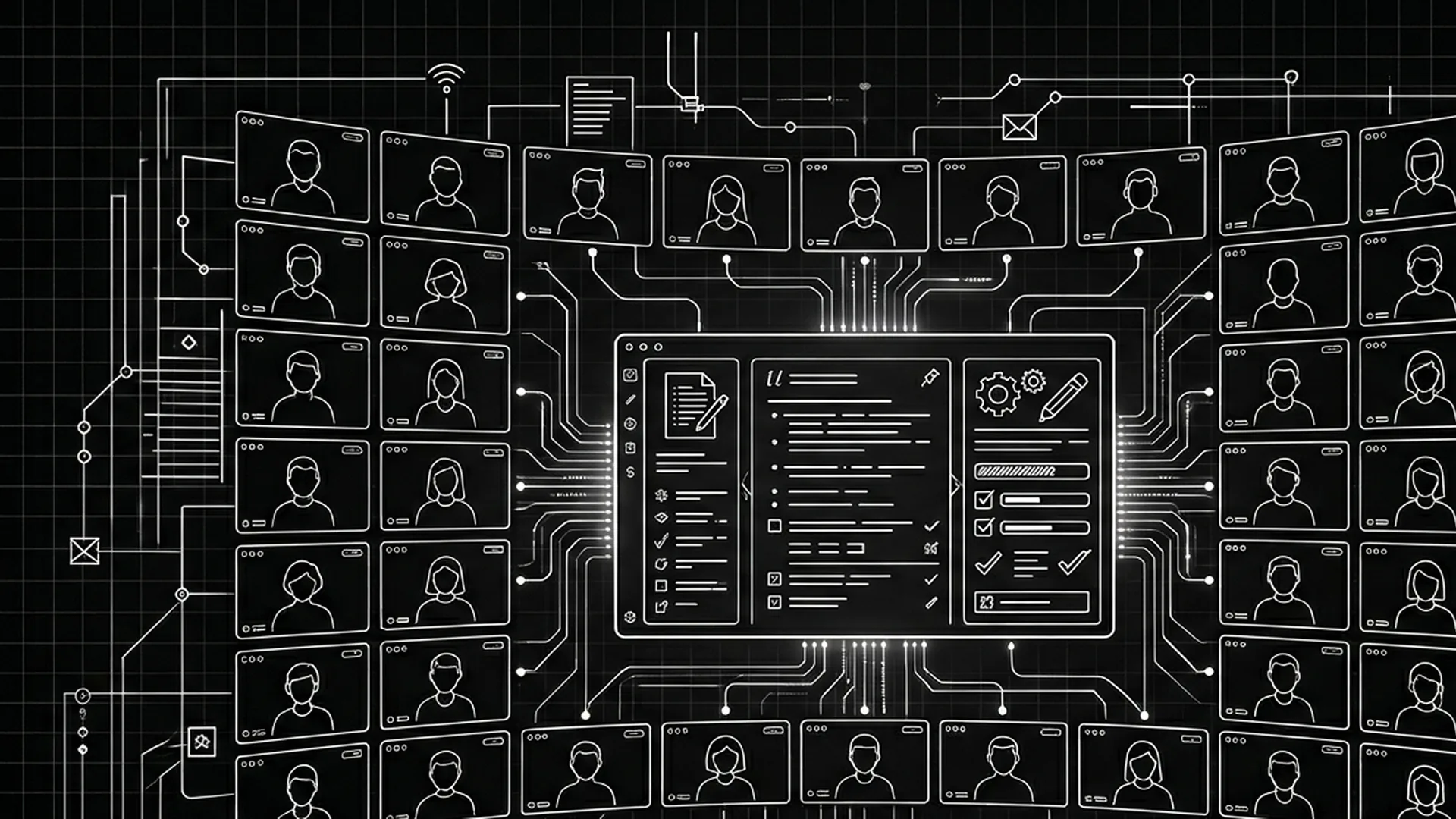
A writers' room was on a tight deadline. The showrunner wanted everyone in the same document so they could see changes as they happened. The production standard was a legacy app. It had no multi-user editing. So the room had to work in sequence: one writer at a time, or split by acts and merge later. The merge was a mess, different formatting, duplicate scenes, and a long night for the script coordinator. Fix: If the room needs real-time, the tool has to support it. Otherwise you're forcing a workflow the software wasn't built for. For why showrunners are abandoning legacy software, we cover this shift.
Why Traditional Architecture Fails at Sync
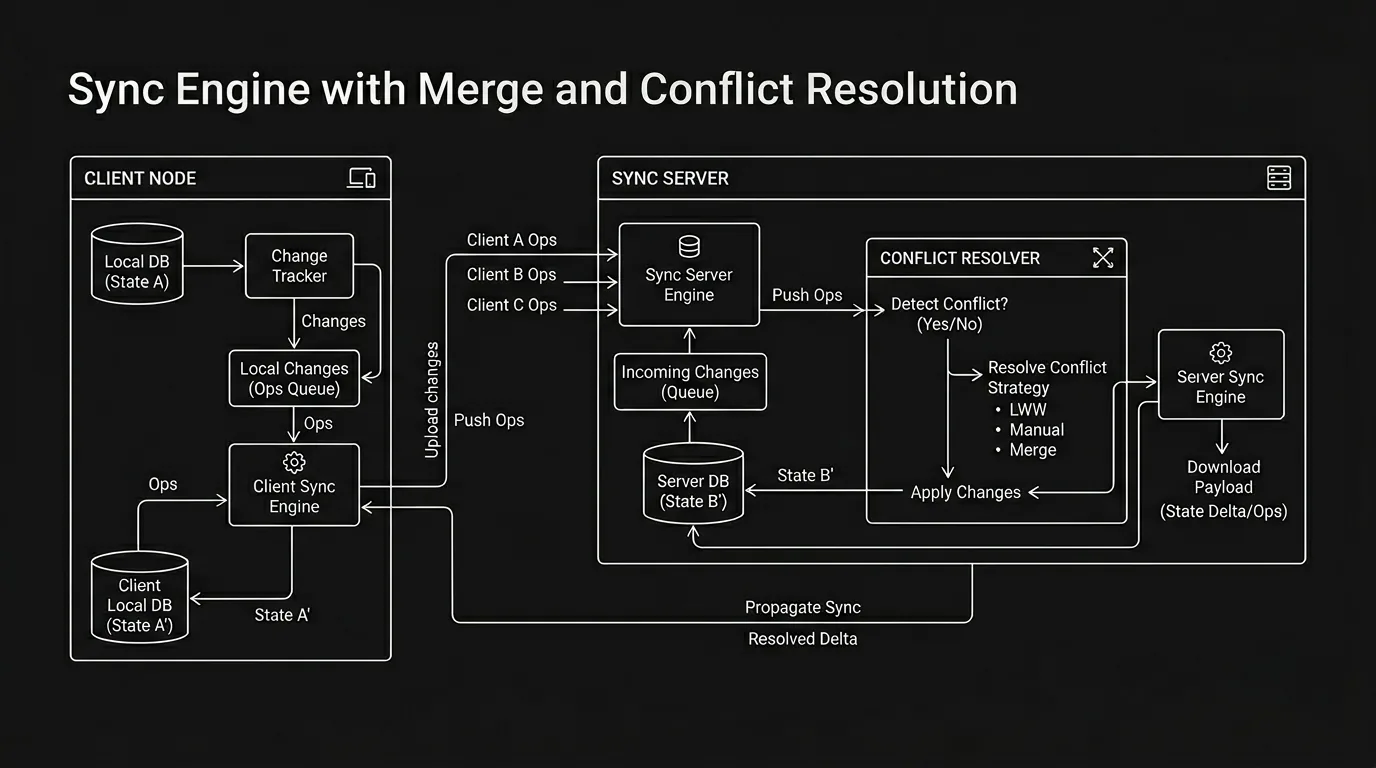
Legacy screenwriting apps were built around a single-writer, single-file model. The file is a binary or XML blob (e.g. FDX). To "sync," you'd have to either lock the file (one writer at a time) or merge two blobs. Merging two screenplay files is not like merging two text files. You need to understand structure: scene headings, character blocks, dialogue. If you just diff the raw file, you get nonsense. So real-time sync requires: a structured representation of the script (so you can merge at the scene or paragraph level), operational transform or CRDTs (math that lets concurrent edits be merged without losing data), and a server that can broadcast changes to all clients. Most legacy apps have none of that. They have a file format and a single-user editor. Adding real-time would mean re-architecting the product. That's expensive and risky for a company whose users have mostly accepted "pass the file." So the gap persists: writers who want Google-Docs-style collaboration are asking for a feature that legacy products never prioritized. For how modern tools approach this, we look at apps that were designed for collaboration from the start.
What You Can Do Without Real-Time
If you're stuck with a tool that doesn't sync in real time, you can still co-write. You just need discipline. Option one: strict turn-taking. One writer has the file. They edit, save, send (or push to cloud). The other writer opens, edits, saves, sends back. No one has the file open at the same time. Option two: split by section. Writer A owns acts 1–2; Writer B owns act 3. Each works in their own file or in a clearly marked section. You merge manually (copy-paste or import) at agreed checkpoints. Option three: use a real-time tool for drafting and export for polish. Draft in Google Docs or a collaboration-first screenwriting app, then export to Fountain or FDX and polish in your preferred editor. You lose some formatting convenience, but you gain sync. For Fountain and portability, we cover moving between formats. For version control, we cover saving snapshots so you can roll back.
Granular Workflow: Turn-Taking When You Don't Have Real-Time
Step one: Agree on a single "master" file. It lives in one place (cloud folder or shared drive). Everyone opens from there. Step two: Agree on who edits when. Use a simple rule: "I have it Monday/Wednesday; you have it Tuesday/Thursday," or "I'll take Act 1 and 2, you take Act 3; we merge Friday." Step three: Before you open the file, say so. Send a quick message: "Opening the script now." When you're done, save and message: "Done. Your turn." Step four: When you open, check the modified date. If it's newer than when you last had it, the other person has saved. Re-open or refresh so you're not working on a stale copy. Step five: If you need to merge two versions (e.g. you both had to work in parallel), do it in a single session. Open one version, then copy-paste or import the other's sections. Resolve conflicts by hand. Save as a new draft (e.g. "Merged Draft 2"). Be ruthless about which version is "source of truth" for each section, otherwise you'll mix two line-edit passes and lose one. For version control and naming, we cover how to label drafts so you don't lose track.
How to Tell If an App Really Has Real-Time
Look for: live presence (you see avatars or names of others in the doc), live cursors (you see where they're typing), live text (their edits appear without you saving or refreshing), and conflict handling (if you both edit the same line, the app merges or flags it instead of overwriting). If the vendor says "cloud collaboration" or "work together," read the fine print. "Share a link" often means "they can view" or "they get a copy," not "they can edit with you at the same time." For side-by-side comparison of collaboration tools, we go through what each app actually does.
Try it free
Try Screenweaver for free on your script
It is free. Import your existing project, get a clearer view of your outline, and regain control of your story structure in minutes.
Start FreeThe Trench Warfare: What Co-Writers Get Wrong
Assuming "cloud" means "we can both edit." Cloud save means the file lives online. It doesn't mean two people can edit at once. Fix: Check the app's docs. If it doesn't say "real-time collaboration" or "live co-editing," assume one writer at a time. For tools that do support it, we list options.
Editing the same section at the same time in a non–real-time app. One of you will overwrite the other. Fix: Agree on who owns which scenes or acts. Or switch to an app that supports real-time. For why legacy tools fail, we go into the reasons.
Not communicating before save. You both have the file. You save. They save. Now you have two versions and no merge. Fix: In a non–real-time workflow, communicate before opening and before saving. "I'm going in to edit Act 2." "I'm done; it's your turn." For version control habits, we cover naming and backups.
Expecting merge to "just work." In legacy apps, there's often no merge. There's "overwrite" or "save as copy." Fix: Don't rely on the app to merge. Either take turns or use a tool that does real-time. For export and handoff, we cover delivering a single clean draft.
Using comments or revision mode as a substitute for co-editing. Comments are great for notes. They're not the same as two people typing in the same doc. Fix: Use comments for feedback; use real-time (or strict turn-taking) for actual co-writing. For collaboration features, we compare what each tool offers.
Skipping the "who has the file" conversation. You assume they're not editing. They assume you're not editing. You both edit. Fix: Make turn-taking explicit. A shared calendar or a simple "I have it / you have it" message thread prevents double edits. For version control habits, we cover naming and backups so you can recover if something goes wrong.
Real-Time vs Traditional: What You Give Up and Gain
| Approach | What you get | What you give up |
|---|---|---|
| Legacy app, cloud save | Single file in the cloud; open from any device | No multi-user editing; last save wins |
| Legacy app, pass the file | Full control; one writer at a time | No live sync; manual merge if you both edit |
| Real-time collaboration app | Live cursors, live text, conflict resolution | May be different app than "industry standard"; learning curve |
| Google Docs / Fountain in shared doc | Real-time sync; familiar for prose writers | Formatting and screenplay features are limited |
For more on choosing a workflow, see WriterDuet vs ScreenWeaver and showrunners and legacy.
The Perspective
Most traditional screenwriting software fails at real-time co-writing because it was never designed for it. The file format, the edit model, and the business model were all built for one writer. That doesn't make those tools bad, it makes them the wrong fit when you need two people in the same draft at once. So either adopt a workflow that doesn't require real-time (turn-taking, split sections, merge at checkpoints) or switch to a tool that was built for collaboration. Don't assume that "cloud" or "shared folder" means you can both edit. It usually doesn't. For more on collaboration-first tools, see WriterDuet vs ScreenWeaver. For why writers' rooms are changing tools, we cover the bigger picture. The <a href="https://www.writersguild.org.uk" rel="nofollow">Writers' Guild of Great Britain</a> and other bodies often discuss collaboration and contracts, useful context when co-writing with a partner.
Takeaway
Traditional software assumes one writer. Real-time co-writing needs multi-user sync and conflict resolution. If your app doesn't offer that, use turn-taking or split sections, or switch to a collaboration-first tool. For real-time options, version control, and why rooms are changing, you're covered.
Final Step
Build your next script with Screenweaver
Move from ideas to production-ready pages faster with timeline-native writing and AI-assisted story flow.
Try Screenweaver