
The character sings. Or we hear a song over the action. In a musical (or any script with songs), the page has to separate lyrics (what we hear) from dialogue and action, and distinguish diegetic (performed in the world) from non-diegetic (score, source we don't see). Here's how to format lyrics and song cues so the reader and the music team know what's what.
Lyrics are not dialogue. They're a distinct element, and we need to know if the character is singing or if it's the score.
Think about it this way. Diegetic = the character is singing or the song is playing from a source in the scene (radio, band). Non-diegetic = the song is score or voice-over song (we hear it but no one in the scene is performing it). The format has to make that clear. Lyrics are often in a block (indented or in a distinct style), with a cue (song title, writer, or "MUSIC:") so production can clear and place them. Our guide on sound effects covers SFX; songs are a step further, lyrics and rights. This piece is about the page. For montage with music, see montage.
Formatting Lyrics (Character Sings)
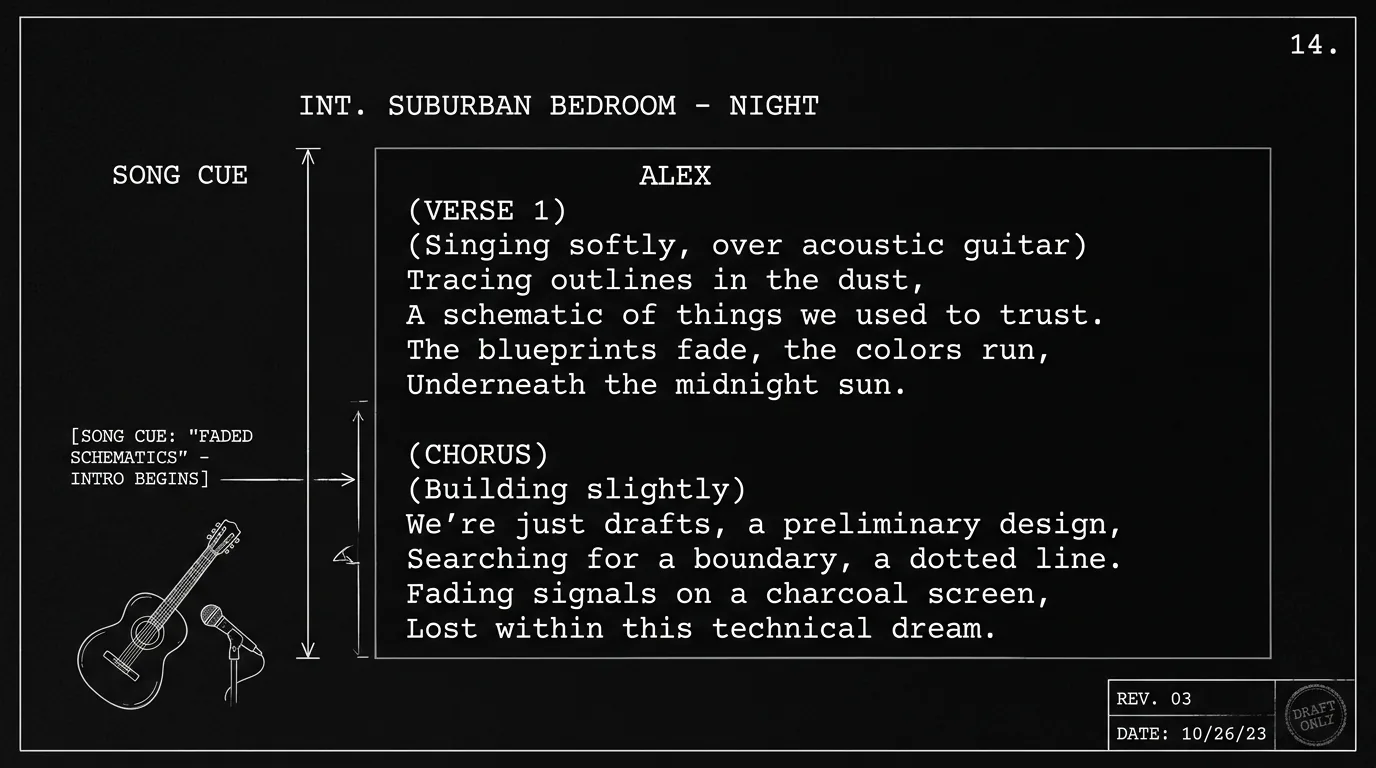
Option A: Under character name. CHARACTER NAME (SINGING): then the lyrics, often in verse/chorus blocks. Option B: Song cue then lyrics. "SONG: 'Title' - CHARACTER sings:" then the lyrics. Option C: Lyrics in a block. Indent or use a distinct block so lyrics don't read as dialogue. The key is consistency and clarity, the reader knows this is sung, not spoken. For dialogue format, see screenplay format.
Formatting Song Cues (Score or Source)
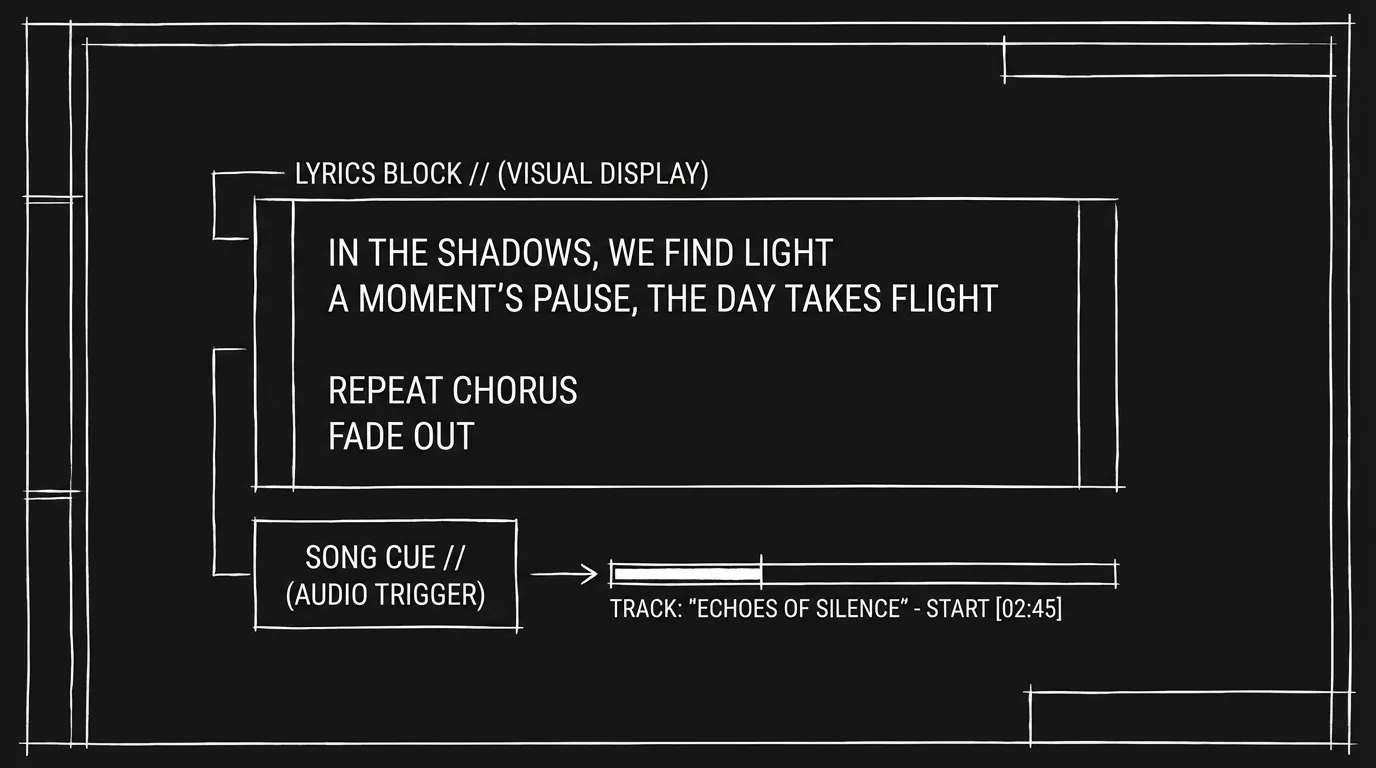
When we hear a song but no one is singing on screen: "MUSIC: 'Song Title' - [artist or 'score']." Or "MUSIC SWELLS: [genre or mood]." Production needs to know what to license or compose. Don't quote full lyrics in the action unless a line is story-critical, then one line in quotes. For sound and pacing, see micro-pacing.
Diegetic vs. Non-Diegetic
Diegetic: The character performs or the song plays from a visible source. Format: CHARACTER (SINGING) or "On the jukebox: 'Song Title.'" Non-diegetic: Score or voice-over song. Format: "MUSIC: 'Song Title'" or "SONG (V.O.): 'Title' - we hear the track over the scene." Label so the reader and the music supervisor know. For voice over, see voice over vs off screen.
Relatable Scenario: The Character Sings to Themselves
One person. They sing. Format: CHARACTER (SINGING): lyrics. Or "She sings, under her breath: [first line]. Then full: [verse]." For character and subtext, see subtext, the song can do the work.
Relatable Scenario: The Montage With a Song
We're in a montage. A song plays over it. Format: MONTAGE. Then the beats. "MUSIC: 'Song Title' - [mood]." No need to print full lyrics unless a line matters. For montage format, see montage and series of shots vs montage.
The Trench Warfare Section: What Beginners Get Wrong
Lyrics as dialogue. We can't tell sung from spoken. Fix: Label (SINGING) or put lyrics in a block. For format, see screenplay format.
Full lyrics when one line would do. The script has two pages of lyrics. Fix: Summarize or give key lines. Full lyrics go to the music team separately. For economy, see micro-pacing.
Unclear if it's diegetic. Is the character singing or is it the score? Fix: State (SINGING), or "MUSIC:" for score. For sound, see sound effects.
No song title or cue. Production can't clear or compose. Fix: Name the song or give a mood/genre so they know what to use. For production, see exporting for production.
Try it free
Try Screenweaver for free on your script
It is free. Import your existing project, get a clearer view of your outline, and regain control of your story structure in minutes.
Start FreeMusical Format at a Glance
| Element | Format |
|---|---|
| Character sings | CHARACTER (SINGING): lyrics or lyrics block |
| Score/source song | MUSIC: "Title" - [source/mood] |
| One line matters | "We hear the line: [line]." |
| Diegetic | Performer or visible source named |
| Non-diegetic | MUSIC: or SONG (V.O.): |
Step-by-Step: Formatting a Song in the Script
First: Decide diegetic (character/source) or non-diegetic (score). Second: Label, (SINGING) or MUSIC: "Title." Third: Lyrics, full block or key lines only. Fourth: Cue for production, title, mood, or "score." Fifth: Consistent convention for the script. For more on sound and format, see sound effects and screenplay format.
The Perspective
Format lyrics as a distinct element (SINGING or lyrics block). Label song cues (MUSIC:, title, mood) for production. Make diegetic vs. non-diegetic clear. When the reader and the music team know what's sung, what's score, and what to clear, the format works. So label it. Block the lyrics. And cue the song.
Final Step
Build your next script with Screenweaver
Move from ideas to production-ready pages faster with timeline-native writing and AI-assisted story flow.
Try Screenweaver