
"PARIS, 1940." A name appears under a senator's face. A news ticker crawls: MARKETS IN FREE FALL. Three different text layers, three different jobs - and beginners format them all the same way, or not at all.
Title cards, chyrons, and lower thirds are the typography of cinema. They orient, identify, and pressure the story with information the characters may not speak aloud. Screenwriters do not design fonts. They authorize content and timing so readers, editors, and graphics teams align.
This guide distinguishes each text type, shows consistent formatting conventions, and walks you through operational rules so your script stays clean and production-ready.
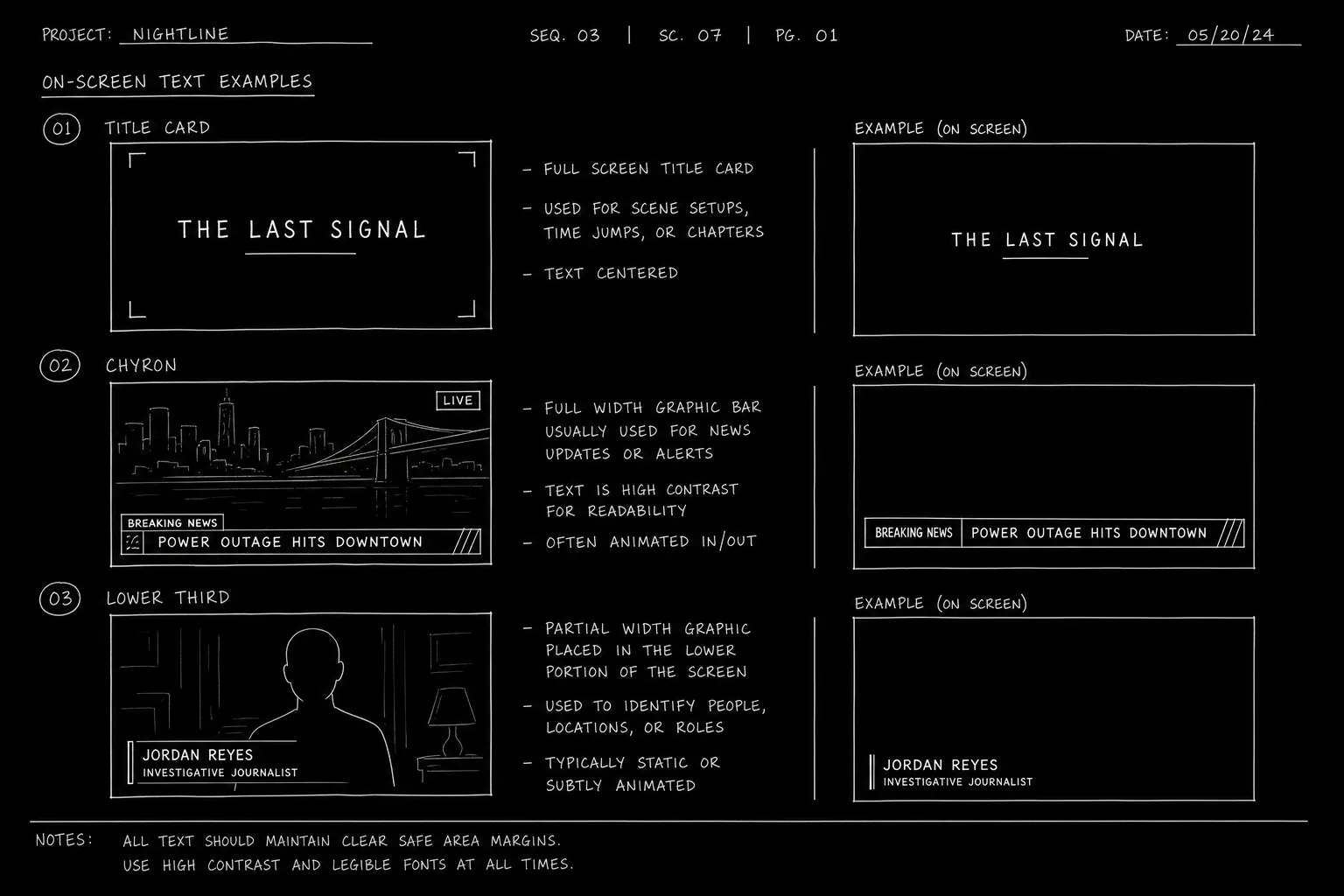
How It Works: Three Text Layers, Three Jobs
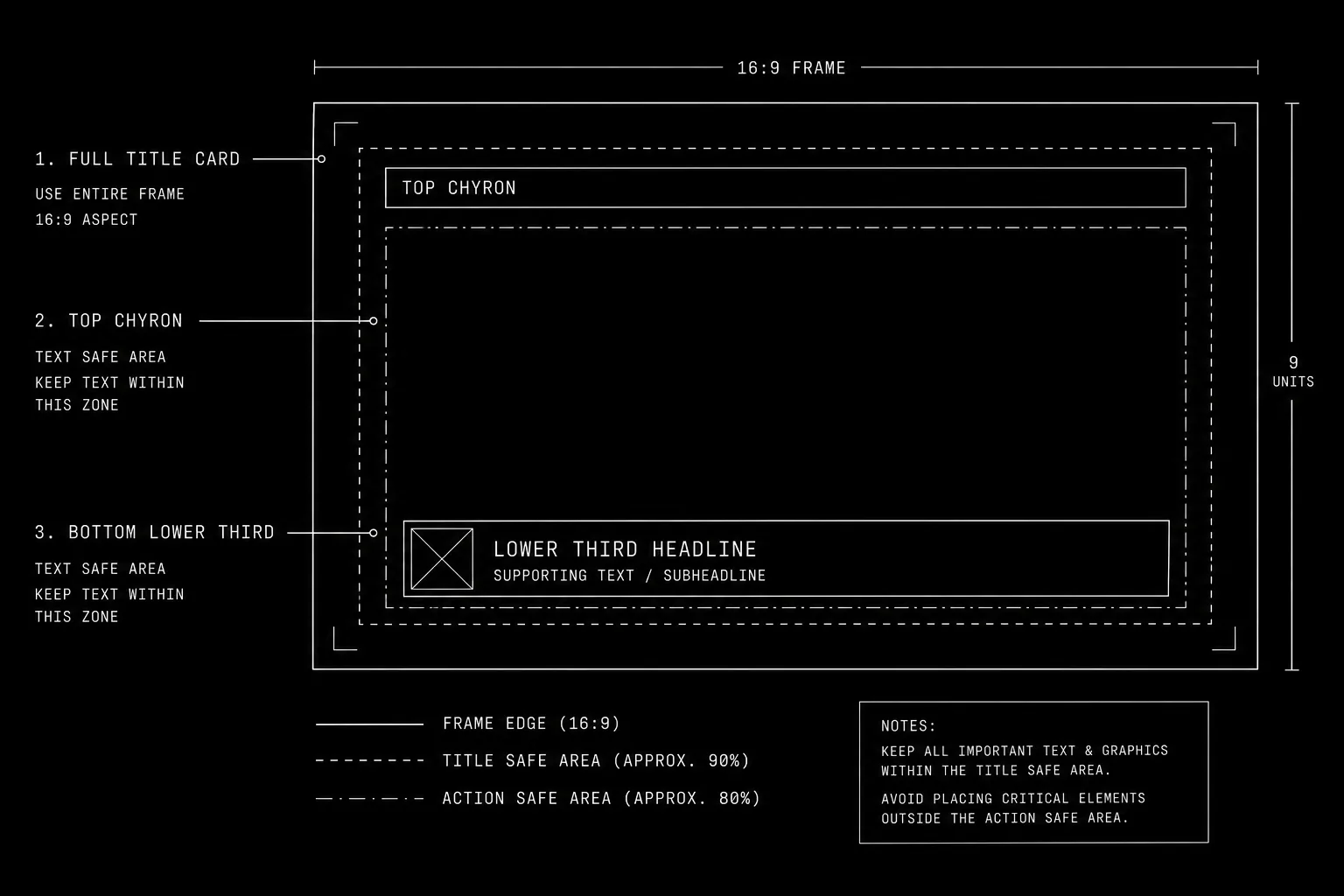
Title card: Full-screen or dominant text, often separate from live action. Location/time jumps, chapter titles, THREE YEARS LATER, stylistic chapter breaks like PART ONE: THE HUNT.
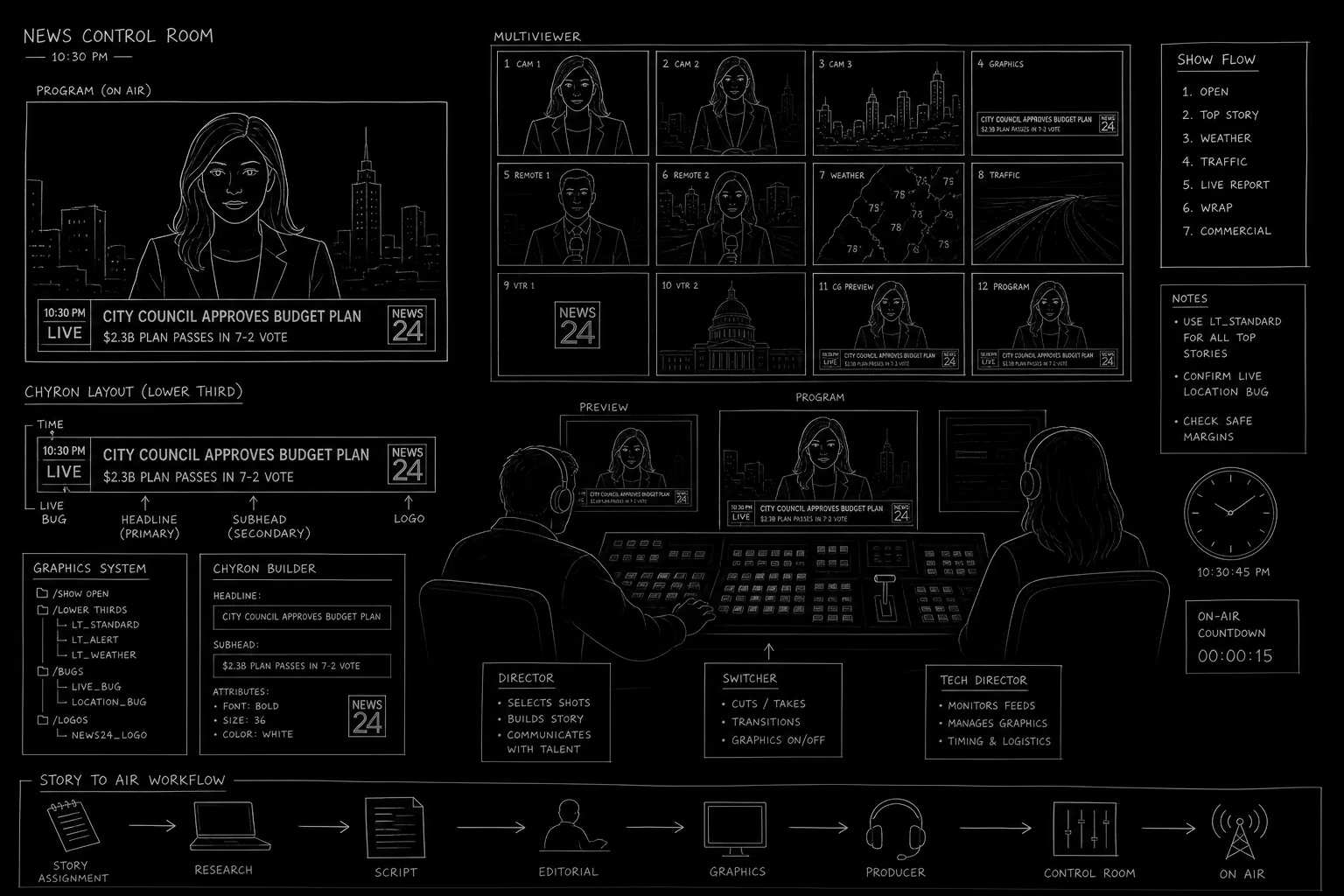
Chyron (super): Text overlaid on live action or B-roll. Breaking news banners, location tags, time stamps. Often top or bottom of frame.
Lower third: Name and title identification, typically bottom left. JAMES COLE - DEFENSE ATTORNEY. Common in documentaries, news scenes, and political dramas.
All three appear in the action portion of your script, not as dialogue. Pick a convention and repeat it.
Specify what the audience reads. Let production choose how it looks.
For foundational on-screen text craft, see chyrons and on-screen text. For newsroom-specific usage, see formatting news broadcast scenes. For opening crawl prose (a cousin of title cards), see opening crawl format.
Platform and Use-Case Sections
Feature Film (Chapter and Location Cards)
Title card examples:
TITLE CARD: "CHICAGO - 1927"

FADE IN:
When to use: Period pieces, anthology structure, time jumps too large for dialogue.
Avoid: Title card every scene. Audience fatigue arrives fast.
TV Drama (Episode Structure)
Lower third on first appearance:
SUPER: "DETECTIVE ANNA MERCEDES"

She enters the bullpen, ignored.
When to use: Large ensembles, documentary tone, first episode introductions.
News and Docu-Style
Chyron + lower third combo:
ON TV - CABLE NEWS

CHYRON: "BREAKING - VOTE FAILS"

LOWER THIRD: "SENATOR HALE - FINANCE COMMITTEE"
When to use: Media-in-media sequences, political thrillers.
Streaming / Limited Series
Stylized title cards between episodes or acts. Same format as feature cards. Note (HOLD 3 SECONDS) only if timing is joke or rhythm critical.
Foreign Language / Subtitle Overlap
When lower third identifies a speaker and subtitles translate speech, specify translation in dialogue formatting per foreign language and subtitle rules. Do not stack redundant supers.
Step-by-Step: Adding Text Layers Correctly
Step 1 - Decide the layer. Full-screen title? Overlay on image? Name ID only? Wrong layer confuses production.
Step 2 - Pick your keyword. Common options: TITLE CARD:, SUPER:, CHYRON:, LOWER THIRD:. One primary keyword per script.
Step 3 - Write exact text in quotes. SUPER: "LONDON - PRESENT DAY" not A location super appears.
Step 4 - Place the line where the audience sees it. Usually immediately before or as we cut to the relevant shot.
Step 5 - State duration only when story-critical. (TITLE CARD - 2 SECONDS) for rapid-fire comedy or sync to music sting.
Step 6 - Separate in-world text from formal supers. Phone screen text stays in action: Her phone shows: 2:34 AM. Formal time jump uses SUPER: or TITLE CARD:.
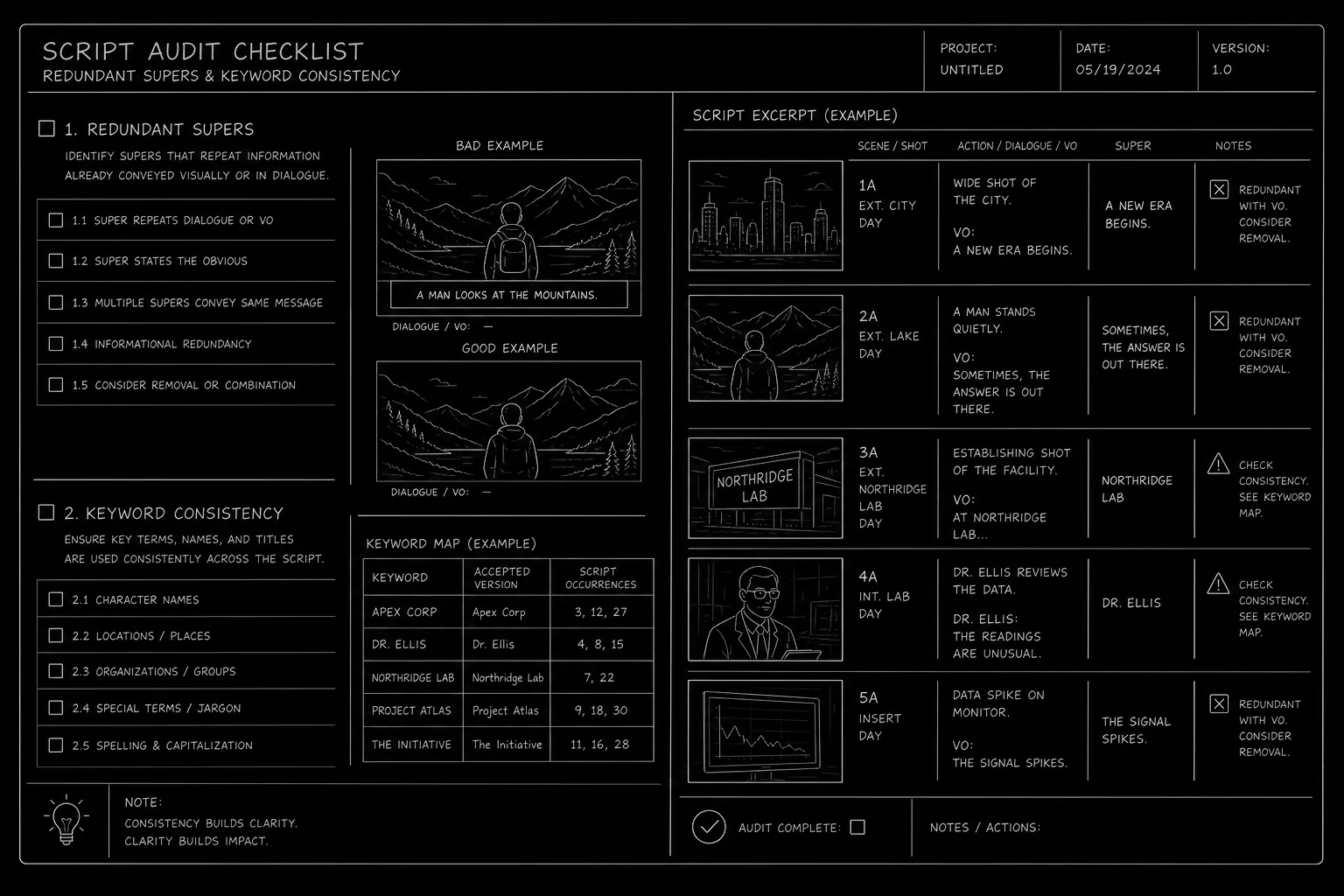
Step 7 - Audit for redundancy. If dialogue already says "We're in London," you may not need the super unless style demands it.
[YOUTUBE VIDEO: Same scene with title card, chyron, and lower third each isolated, showing script lines that generated each layer.]
Operational Section: Format Reference and Requirements
Quick Reference Table
| Type | Purpose | Format example |
|---|---|---|
| Title card | Chapter, location, time | TITLE CARD: "ACT II" |
| Chyron / super | Orient, breaking news | CHYRON: "SHELTER IN PLACE" |
| Lower third | Name, role, ID | LOWER THIRD: "MARA LIN - WHISTLEBLOWER" |
| In-world screen | Phone, computer, prop | Action line, no SUPER |
Capitalization and Punctuation
Industry habit varies. Consistency beats correctness debates. Choose:
- ALL CAPS for super text:
SUPER: "NEW YORK - 1999" - Or title case in quotes:
SUPER: "New York - 1999"
Never both in one script.
Overuse Warning Signs
- More than three supers in five pages without time jumps
- Lower third on every speaking character in a dinner scene
- Chyrons restating dialogue we just heard
Production Handoff
Graphics departments extract supers from script breakdowns. Exact text reduces costly clarification emails during post.
Accessibility
Supers carry information sighted audiences get visually. Ensure critical super facts are not inaccessible to the story logic for blind audiences unless another channel repeats them (dialogue, audio description note for production).
Relatable Scenario: Multi-City Pilot
Your pilot jumps Chicago, Warsaw, and Dubai in twenty pages. Title cards carry load so scenes do not open with characters announcing geography.
TITLE CARD: "CHICAGO - 6 AM"

INT. L TRAIN - MOVING - DAY
...

TITLE CARD: "WARSAW - 2 PM"

INT. APARTMENT - DAY
...

TITLE CARD: "DUBAI - 9 PM"

EXT. MARINA - NIGHT
Identical formatting trains the reader. Production designs one title template and reuses it.
Relatable Scenario: Documentary-Style Introduction
First time we meet a senator in a docu-drama tone:
INT. COMMITTEE HEARING ROOM - DAY

LOWER THIRD: "SENATOR DIANE HALE - CHAIR, OVERSIGHT COMMITTEE"

Hale adjusts her mic. Already mid-sentence on the feed.
Lower third does character ID work dialogue should not waste. When she returns three episodes later without the super, the audience remembers.
Audit Pass Before Delivery
Search your PDF export for SUPER, CHYRON, TITLE CARD, and LOWER THIRD. If two adjacent scenes use supers for the same location without a time jump, cut one. If a character speaks the super text aloud in the next line, delete the dialogue or the super.
Try it free
Try Screenweaver for free on your script
It is free. Import your existing project, get a clearer view of your outline, and regain control of your story structure in minutes.
Start FreeOutcome Section: What Clean Formatting Delivers
Reader orientation. No guessing whether text is full-screen or overlay.
Post-production efficiency. Graphics knows what to build.
Tonal control. Documentary gravity vs. comic chapter cards vs. news urgency - each reads differently when formatted distinctly.
Failure outcomes:
- Vague "text appears"
- Inconsistent keywords (SUPER vs CHYRON vs TITLE randomly)
- Supers that duplicate dialogue
- Title cards used for information better shown in scene
Success test: hand your script to a reader unfamiliar with the story. After a time jump sequence, can they state the new time and place without re-reading dialogue? If yes, your text layers worked.
Why It Matters: Old Way vs. New Way
The old way: Writers assumed editors would "add titles in post" and left pages bare. Readers stumbled. Graphics got inconsistent notes from directors.
The new way: Screenplays specify on-screen text with the same discipline as news broadcast formatting. Writers' rooms on docu-style and political shows maintain super bibles per episode.
Typography on screen is authorship. Format it clearly and you own the information architecture of your film, not just the spoken lines.
Final CTA: Own the Text on Screen
Audit your script tonight. Highlight every on-screen text moment. Label each as title card, chyron, or lower third. Write the exact words. Cut duplicates.
Production will choose typefaces and animation. You choose what the audience knows and when they know it.
Pick your keyword. State the text. Place it where the cut lands.
The frame is yours. The words on it should be too.
Final Step
Build your next script with Screenweaver
Move from ideas to production-ready pages faster with timeline-native writing and AI-assisted story flow.
Try Screenweaver