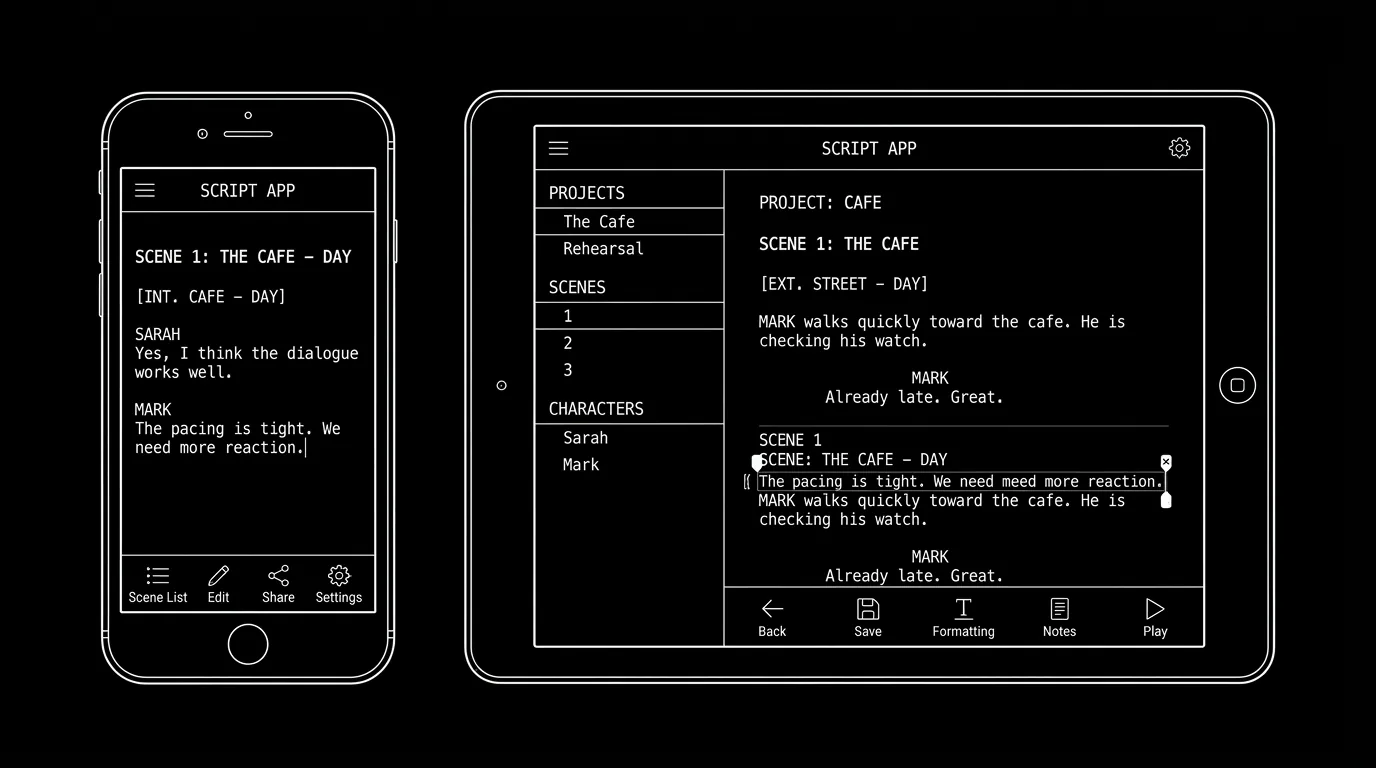

You're not at your desk. You have a line, a beat, or a full scene in your head. Mobile screenwriting apps (iPad, iPhone, Android) let you capture and sometimes format on the go. In 2026 the best of them sync with the desktop so you're not stuck in a separate file. Here's what to look for and how formatting holds up on small screens.
On mobile, the goal is capture and light editing. Full formatting and long drafts are still better on desktop.
Think about it this way. Mobile is good for: quick dialogue or action lines, notes, and reading the script. Desktop is better for: full formatting, long scenes, export to PDF/FDX, and collaboration. The best mobile apps sync with the main app (Final Draft, WriterDuet, etc.) so you're not maintaining two versions. Our guide on Final Draft vs WriterDuet and cloud collaboration touches on sync; this piece is mobile-specific. For version control when you write in two places, see version control.
Free tool: use the Slugline Formatter to clean up and standardize your scene headings.
What to Look For in a Mobile Script App
Sync: Does it sync with your desktop app or cloud? Format: Does it preserve script elements (scene headings, character, dialogue) or is it plain text? Usability: Can you actually type and edit on a phone, or is it tablet-only? Export: Can you get the result into your main project? For export, see exporting for production.
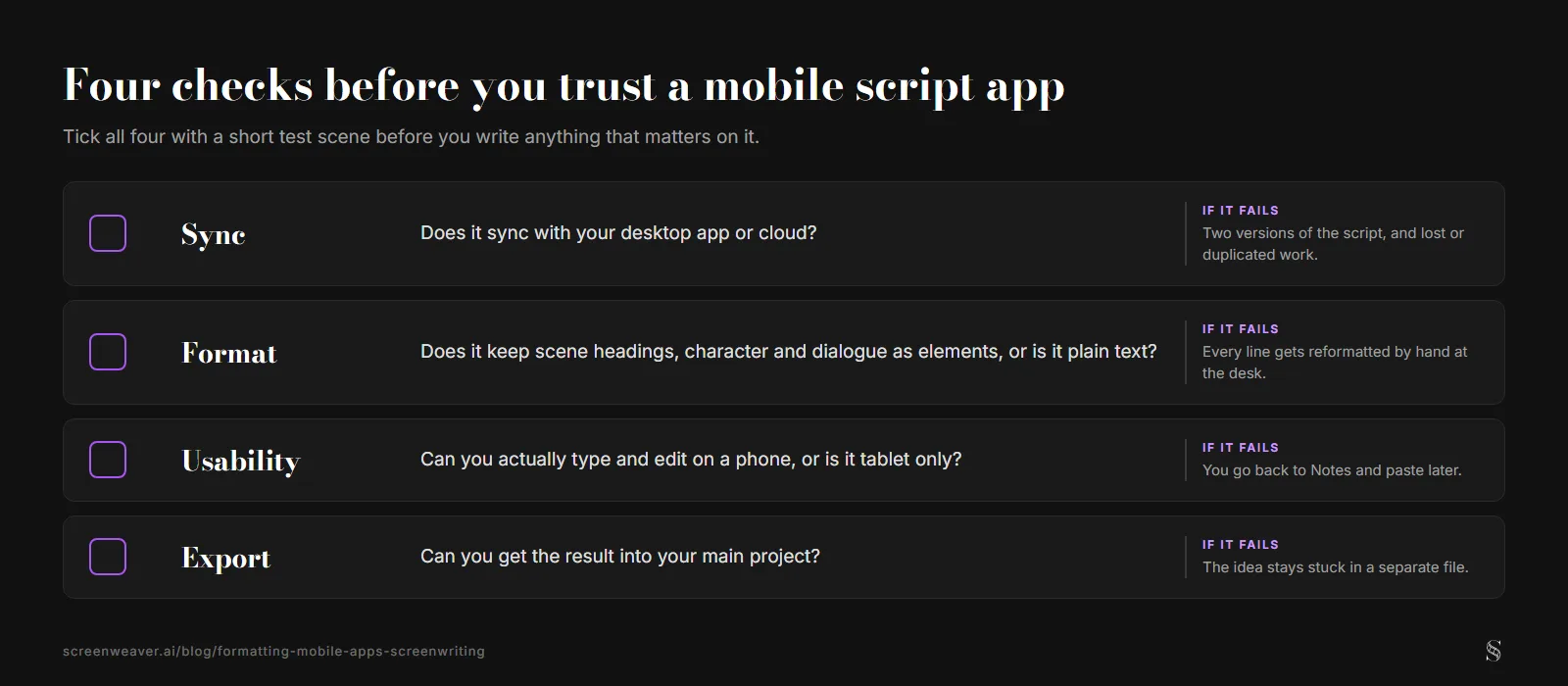
The four checks from this section, with the cost of skipping each one. ScreenWeaver diagram.
Relatable Scenario: Capturing a Line on the Train
You get a line. You open the app. You type. Best case: It syncs to your project and appears in the right place. Reality check: Many writers use Notes or a simple editor and paste into the script later, so "best mobile app" might be "the one that syncs with my main tool." For workflow, see script templates and macros.
The Trench Warfare: What Beginners Get Wrong
Expecting full desktop formatting on a phone. Fix: Use mobile for capture and light edits; do heavy formatting on desktop. Not checking sync. Fix: Verify that mobile and desktop stay in sync and that you're not duplicating or losing work. For version control, see version control.
Try it free
Try Screenweaver for free on your script
It is free. Import your existing project, get a clearer view of your outline, and regain control of your story structure in minutes.
Start FreeMobile Screenwriting at a Glance
| Use mobile for | Prefer desktop for |
|---|---|
| Quick lines; notes; reading | Full formatting; long scenes; export |
| Capture when away | Collaboration; final PDF/FDX |
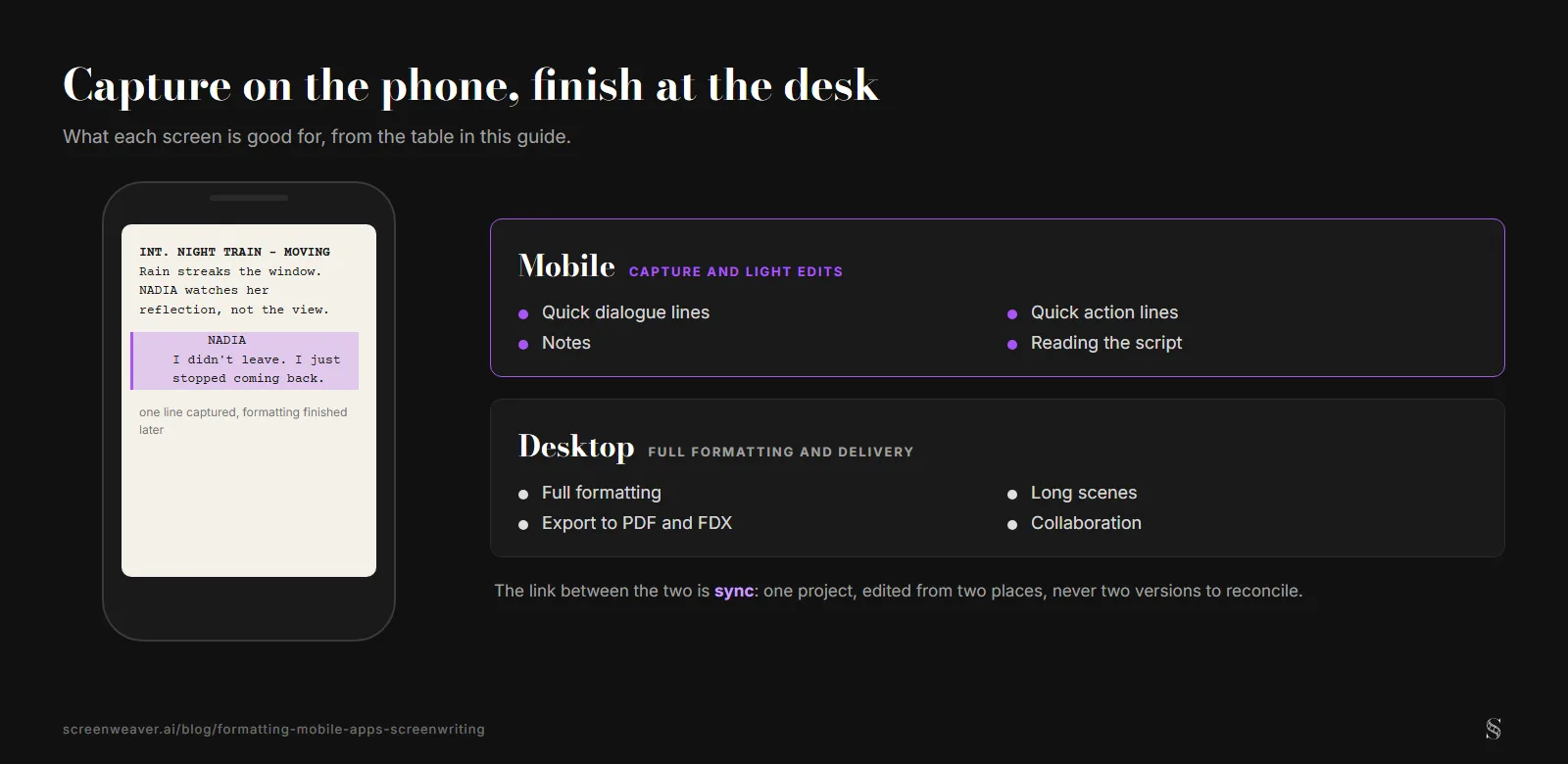
The same split as the table, with the example line written for this diagram. ScreenWeaver diagram.
Step-by-Step: Choosing a Mobile App
First: What's your main tool? (FD, WriterDuet, etc.) Check if it has an official or recommended mobile app. Second: Test sync with a short scene. Third: Use it for capture and light edits only. Fourth: Finalize on desktop. For more, see cloud collaboration and version control.
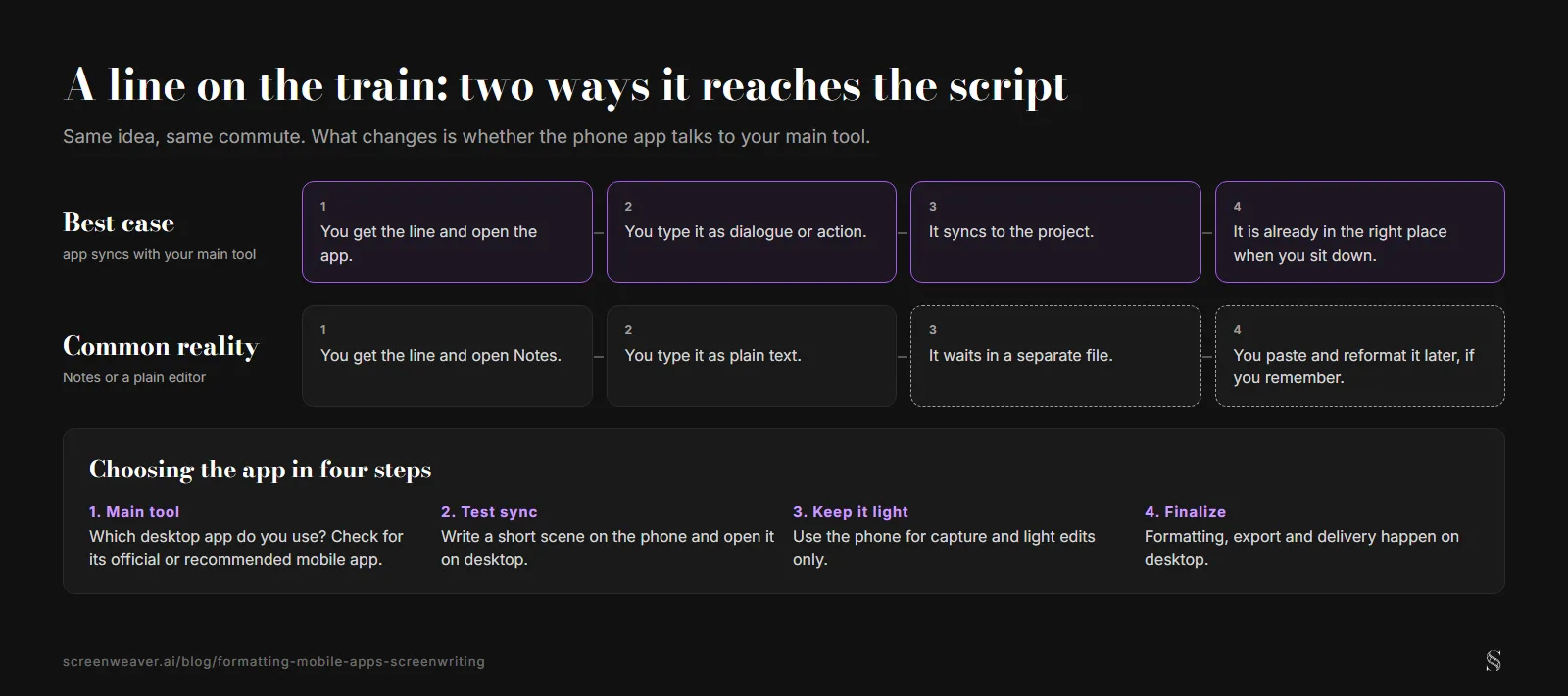
The train scenario from earlier, side by side with the four-step choice. ScreenWeaver diagram.
The Perspective
Mobile is for capture and light editing; desktop is for full formatting and delivery. Pick an app that syncs with your main tool. When you use mobile to catch ideas and desktop to finish, the workflow works. So sync. Capture on the go. And finish at the desk.
Final Step
Build your next script with Screenweaver
Move from ideas to production-ready pages faster with timeline-native writing and AI-assisted story flow.
Try Screenweaver