
The blank page doesn’t care that you have a deadline. You have a premise. Maybe a character. Maybe a logline. What you don’t have is the next step, the sequence of beats that turns "idea" into "story." That’s where a lot of scripts die. Not because the writer can’t write dialogue, but because they never got from the fog of the premise to a clear outline. AI can help with that. Not by writing your script, but by generating beats, sequences, and structural options you can accept, reject, or twist. Here’s how to use it for outlining without handing over the story.
Use AI for the skeleton. You supply the spine. Beats and structure are fair game for generation; the choices that make the story yours, who wants what, why it hurts, what changes, have to come from you.
For how to keep structure and script in one place instead of a separate outline file, see augmented screenwriting. For the ethics of using AI at all, ethics of AI in screenwriting sets the line.
Prompts that survive a model swap live here: prompt engineering for screenwriters. Already itching to buy a branded box? Fine, skim top AI tools for screenwriters in 2026, then come back; this article only cares about outline vs ego.
Free tool: use the Beat Sheet Calculator to map these beats to exact page numbers for your script length.
Why Outlining Is the Right Job for AI
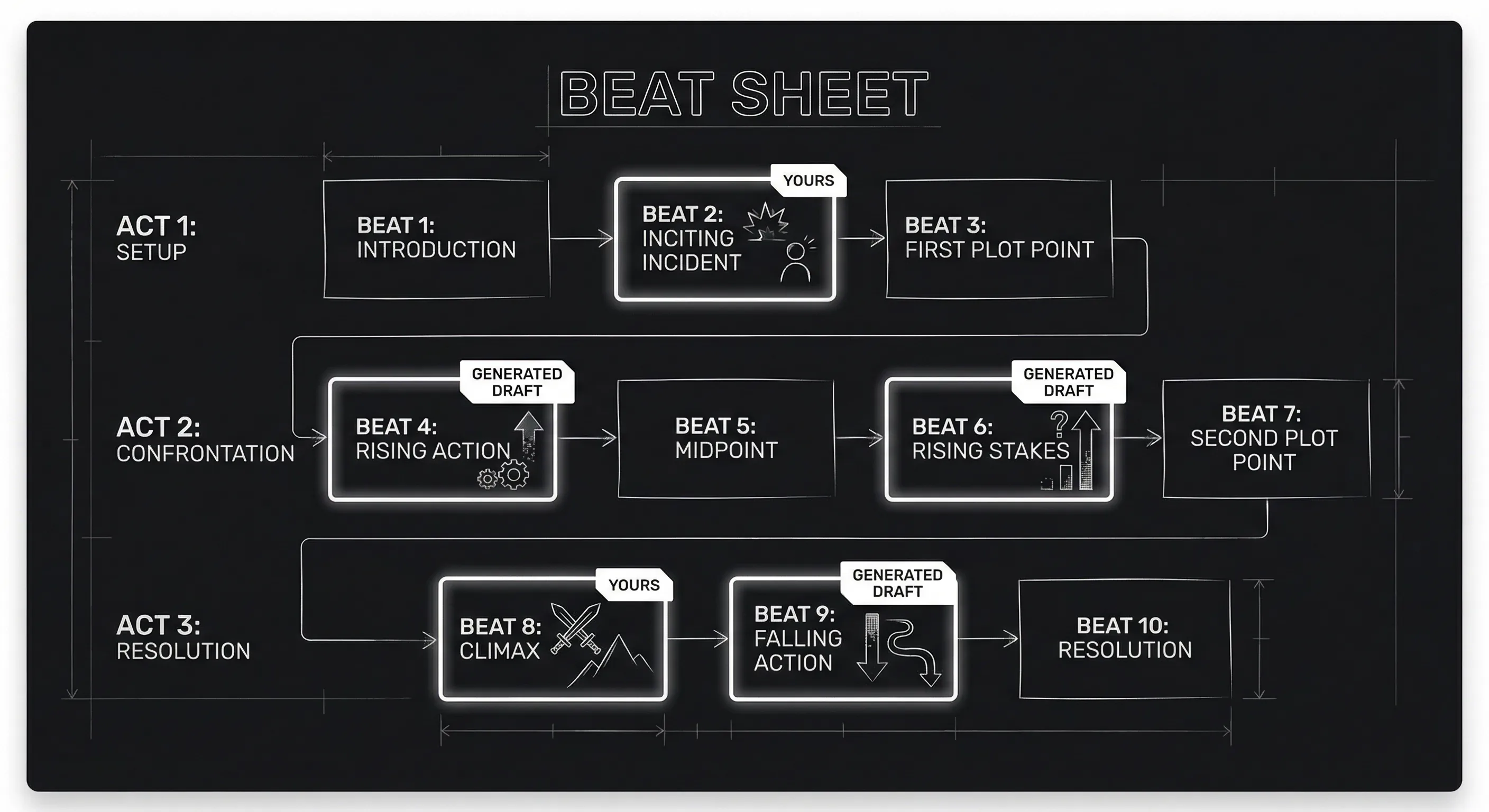
Dialogue has to sound like your characters. Scenes have to carry subtext and rhythm. But beats, "hero refuses the call," "midpoint turns the situation," "all is lost", are patterns. They’re the kind of thing a model can suggest from a prompt and a genre. That doesn’t mean the model understands your story. It means it can spit out a plausible sequence you can edit. So the division of labor is clear: you decide what the story is about and who the protagonist is; the tool can propose a beat sheet or a list of scenes that you then rewrite, reorder, or throw away. You’re using AI to beat the blank page, not to think for you.
Think about it this way. You’ve read Save the Cat or watched a dozen thrillers. You already have a feel for "what usually happens" in act two. The model has seen the same patterns in training data. So when you ask it for a 12-beat outline from a one-paragraph premise, you’re not cheating. You’re getting a first draft of structure, the same way you might sketch beats on a whiteboard and then erase half of them. The difference is that the whiteboard is in the cloud and the first draft is generated. Your job is to make the outline yours by changing what doesn’t fit and adding what only you know about the character and the theme.
A Concrete Workflow: From Logline to Beat Sheet
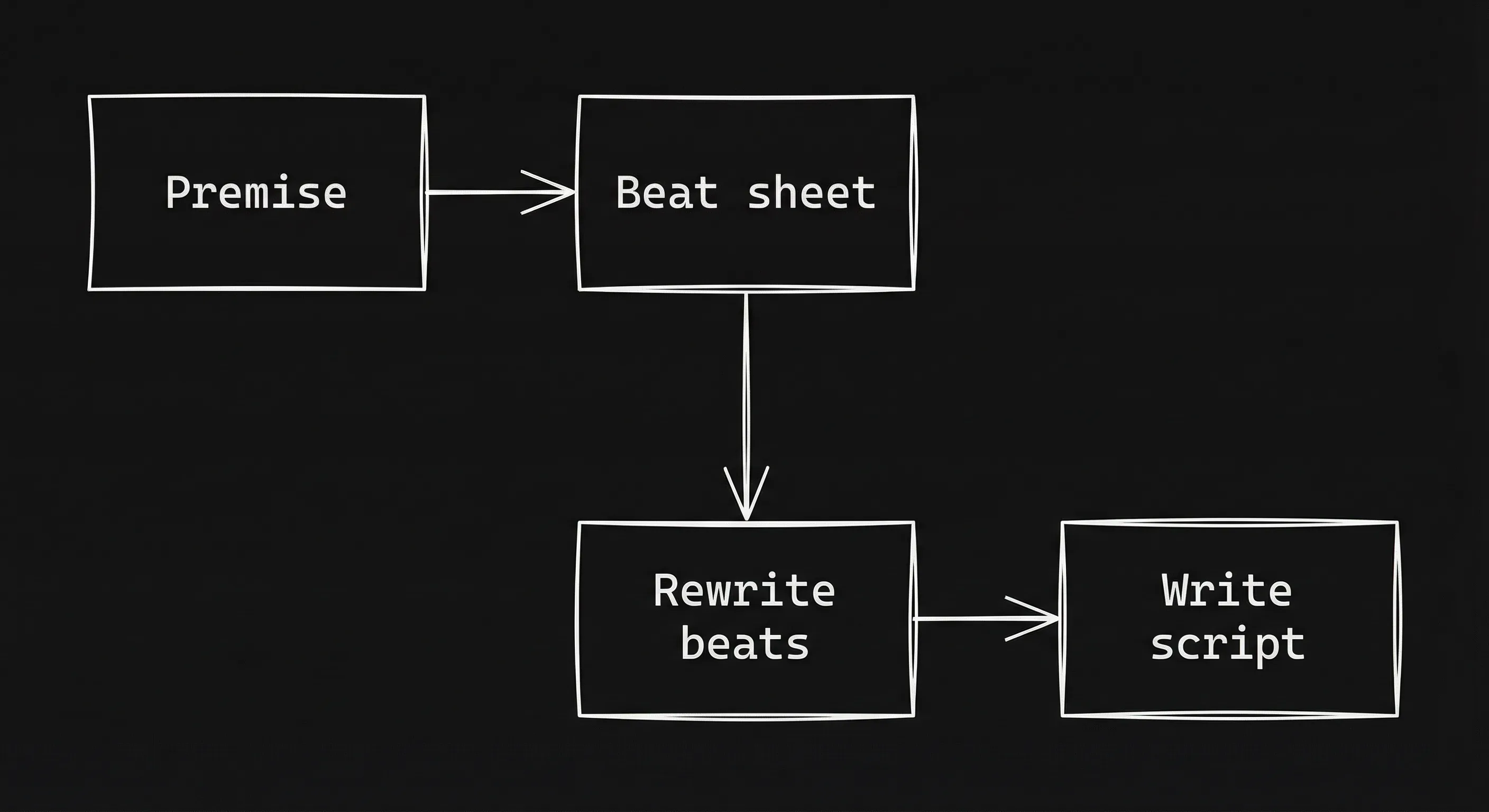
Step 1: Write the premise yourself. Don’t paste a vague idea. Write two or three sentences: who the protagonist is, what they want, what gets in the way, and what kind of story it is (thriller, rom-com, etc.). This is the only part that has to be 100% you. If you don’t know yet, the model can’t fix that. So spend ten minutes nailing the premise. "A burned-out cop has to protect the witness who got her partner killed." "A chef who lost her sense of taste has to win one last competition to save her restaurant." The more specific, the better the outline you’ll get back.
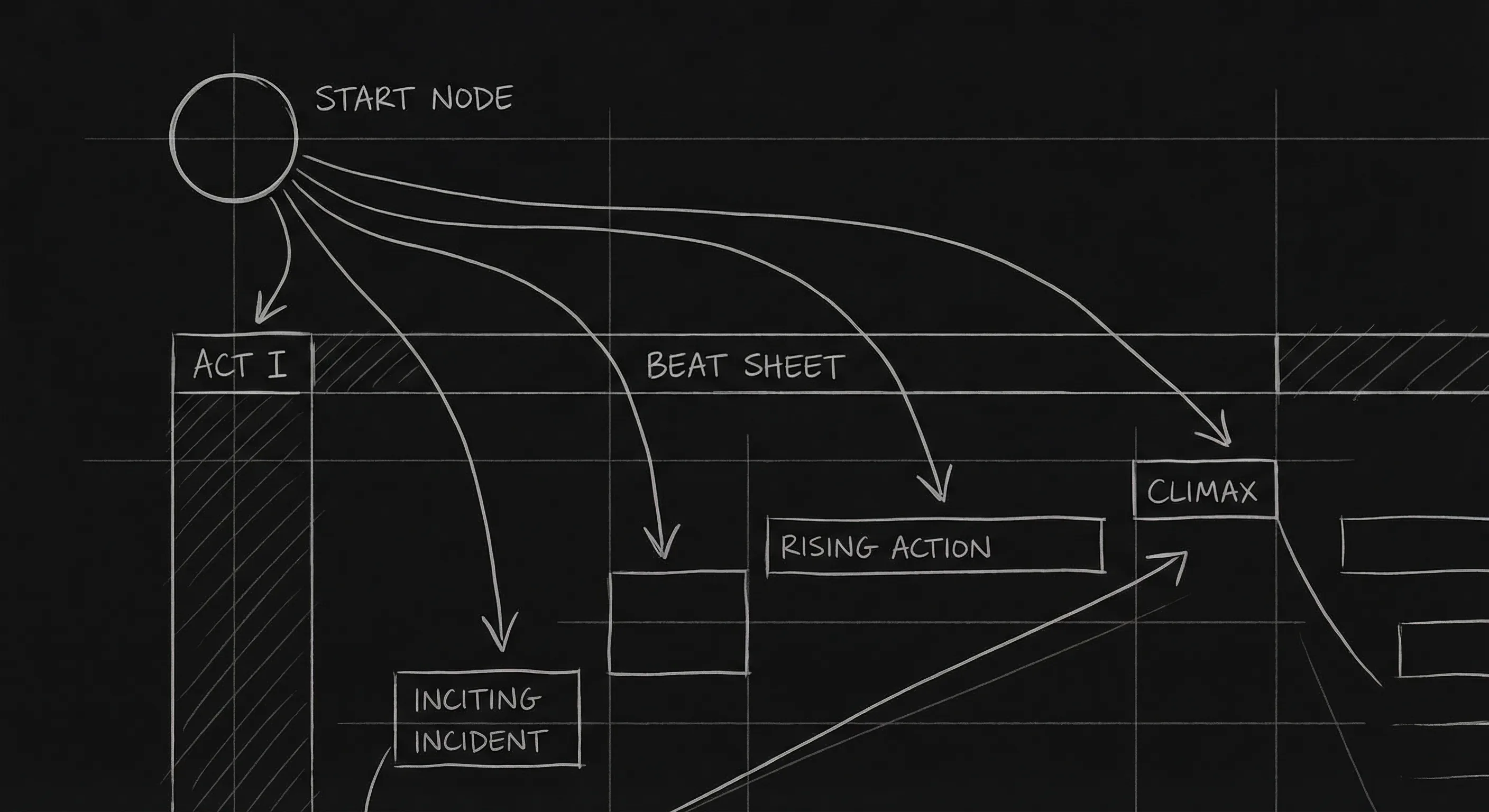
Step 2: Choose a structure frame. Tell the model what you want. "Give me a 12-beat Save the Cat beat sheet for this premise." Or "Give me a three-act outline with a midpoint reversal." Or "Give me a sequence outline: eight sequences of about 12–15 minutes each." If you don’t name a framework, you’ll get something generic. Naming it constrains the output and makes it easier to compare to what you know (e.g. inciting incident, midpoint).
Step 3: Paste the premise and ask for the outline. One prompt is enough. "Here’s my premise: [paste]. Give me a [framework] beat sheet. One sentence per beat." You’ll get back a list. It will be generic in places. That’s fine. You’re not submitting the outline. You’re using it to see the page.
Step 4: Rewrite every beat. Go through the list. Keep the beats that fit. Change the ones that don’t. Add beats the model missed. Replace generic descriptions ("the hero confronts their flaw") with your specific story ("she has to ask the witness for help even though she blames him"). This is where you take ownership. The outline should feel like your story, not a template.
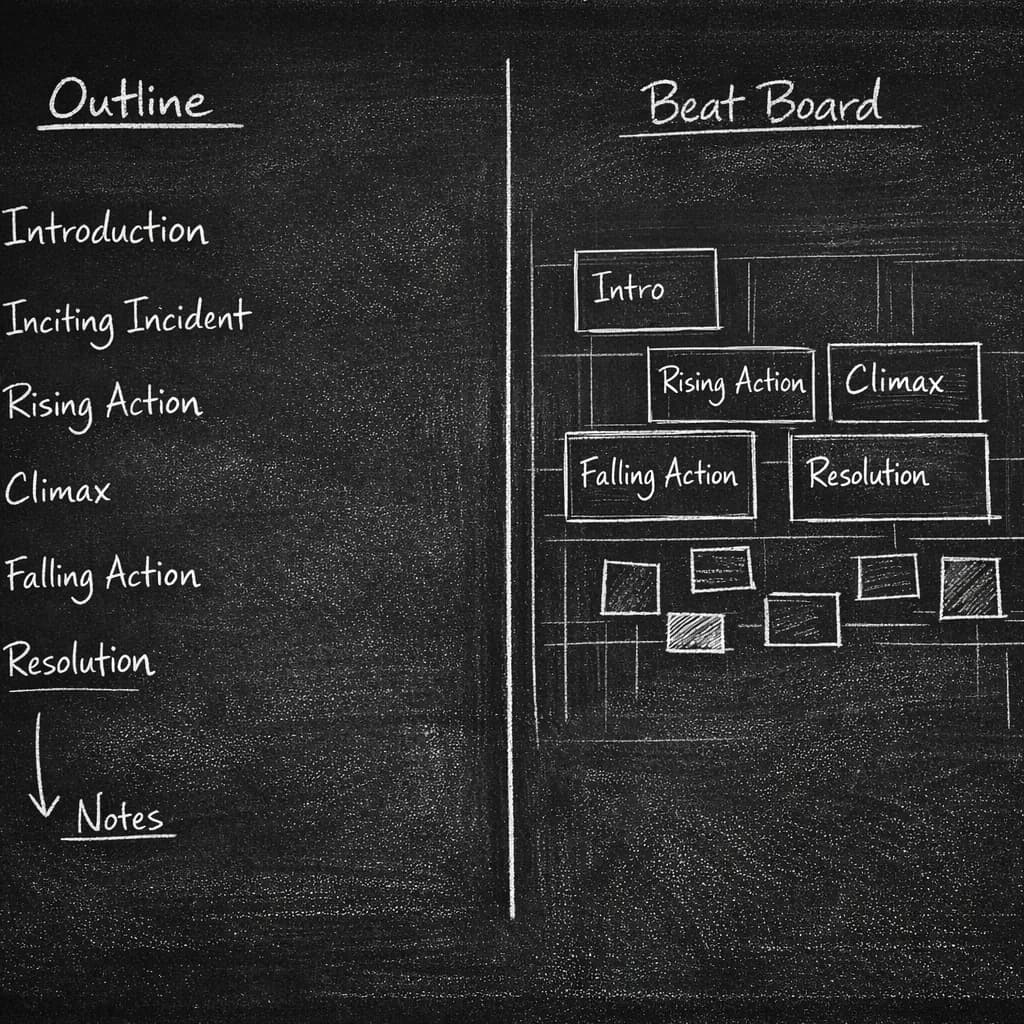
Step 5: Use the outline to write, or to generate scene ideas, not dialogue. When you’re ready to write scenes, you can either write them yourself from the beats or ask the model for "scene ideas" or "what happens in this beat" and then write the actual script yourself. Do not ask the model to write the dialogue for the scene. Use it for structure and event; you write the lines. That keeps the line between tool and author clear. For more on structure without generation, beat boards vs outlines shows how a visual map can replace a list.
Relatable Scenario: The Stuck Second Act
You have a strong act one and a clear ending. The middle is mush. You paste your premise and your act-one and act-three beats into the model. You ask: "What could happen in act two? Give me five options for the midpoint and five for the all-is-lost moment." You get a list. Most options are bland. One midpoint idea sparks something: "What if the witness is the one who has to save her?" You take that idea and rewrite it in your terms. You don’t use the model’s exact words. You use the model to break the block. The story is still yours. That’s the right use.
Relatable Scenario: The Blank Pilot
You’re developing a pilot. You have a world and a cast. You don’t have a pilot story. You prompt: "I have a show about [world and characters]. Give me three possible pilot storylines that establish the series and end with a hook for episode two." You get three outlines. One is cliché. One is too small. One has a twist you like. You take that one, change the twist to fit your theme, and build your own beat sheet from it. The model gave you options. You chose and rewrote. Again, structure in, your choices out.
Try it free
Try Screenweaver for free on your script
It is free. Import your existing project, get a clearer view of your outline, and regain control of your story structure in minutes.
Start FreeWhat Beginners Get Wrong
Asking for dialogue or full scenes in the outline step. The moment you ask the model to "write the scene" or "write the dialogue for this beat," you’re no longer using it just for outlining. You’re generating script. That’s a different conversation, and one where you must rewrite everything before you call it yours. Keep the outline phase clean: beats, events, maybe scene headings. No dialogue.
Accepting the first outline. The first outline you get will be generic. If you don’t rewrite it, your script will feel generic too. The fix: treat the outline as a first draft. Change at least half the beats. Add at least two that are entirely yours. Make sure the protagonist’s want and need are clear in your version. For more on want vs need, character engine is a good reference.
Skipping the premise. If you prompt with "a thriller about a detective," you’ll get a thriller about a generic detective. If you prompt with "a detective who lost her badge after a wrongful shooting has to solve the case that ruined her, without a gun or a badge," you’ll get something you can actually use. The model can’t invent your premise. You have to give it something to work with.
Using the same structure for every project. Save the Cat is one frame. So is the hero’s journey, the sequence method, and non-traditional structures. If you always ask for the same beat sheet, your outlines will start to look the same. Dan Harmon's eight-step circle is another option; the Dan Harmon story circle tool drafts that frame from your premise. Vary the prompt. Try "give me a Fichtean curve" or "give me a sequence outline" so you’re not always getting the same skeleton.
Confusing "I used AI for beats" with "I didn’t outline." You did outline. You used a tool to draft the outline, then you rewrote it. The final beat sheet is yours. You can say "I used AI to generate a first pass at my beat sheet and then rewrote it." That’s honest and it keeps you as the author of the structure.
Outlining vs. Generating Script: Where to Stop
| Step | Use AI? | Why |
|---|---|---|
| Premise / logline | No | This is your idea. You write it. |
| Beat sheet / sequence outline | Yes, then rewrite | Generic structure is fine as a draft; you make it specific. |
| Scene ideas / "what happens" | Yes, then rewrite | Events and beats; you own the meaning and the dialogue. |
| Actual dialogue and action lines | No (or generate and fully rewrite) | The words on the page should be yours. |
Keeping this boundary clear is how you beat the blank page without losing authorship. For a deeper take on when AI helps and when it doesn’t, can AI write subtext tests the limits.
For keeping that outline in sync with your script instead of in a separate doc, augmented screenwriting and prompt engineering for screenwriters extend the workflow. Prompt Engineering for Screenwriters (external) offers general prompt tips you can adapt for structure.
The Perspective
The blank page wins when you have nothing to write toward. Use AI to get a first-draft outline. Then own it. Rewrite every beat. Write the script from your outline. That’s how you beat the blank page without giving away the story.
Final Step
Build your next script with Screenweaver
Move from ideas to production-ready pages faster with timeline-native writing and AI-assisted story flow.
Try Screenweaver