
Two (or more) locations. One story. We cut between them, the bomb and the hero running, the meeting and the car approaching. Intercutting is the format that holds parallel action in one unit so the reader and the editor see the rhythm. Here's how to set up and format intercut sequences so the page stays clear.
INTERCUT means we're cutting between named locations. Establish them once, then use the locations as mini-slugs so we always know where we are.
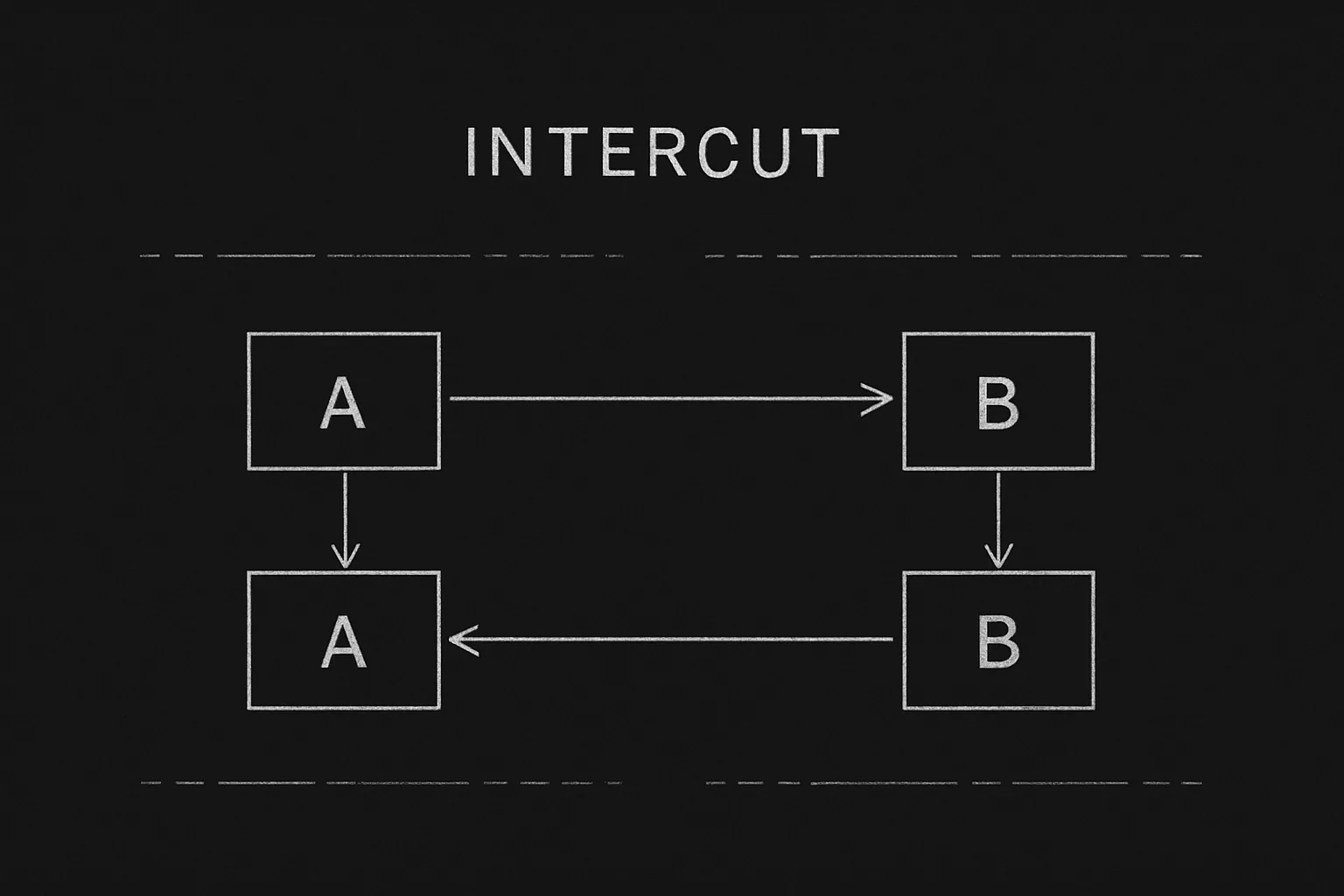
Think about it this way. We have Location A and Location B. We might have C. We establish each with a scene heading. Then we use INTERCUT (or "CUT BETWEEN") and mini-slugs (A, B, A, B) or location names so each cut is clear. Dialogue and action go under the right slug. Our guide on intercutting masterclass covers tension and phone calls; this piece is about format for any parallel action. For phone calls specifically, see phone calls.
Free tool: use the Slugline Formatter to clean up and standardize your scene headings.
How to Format Intercut
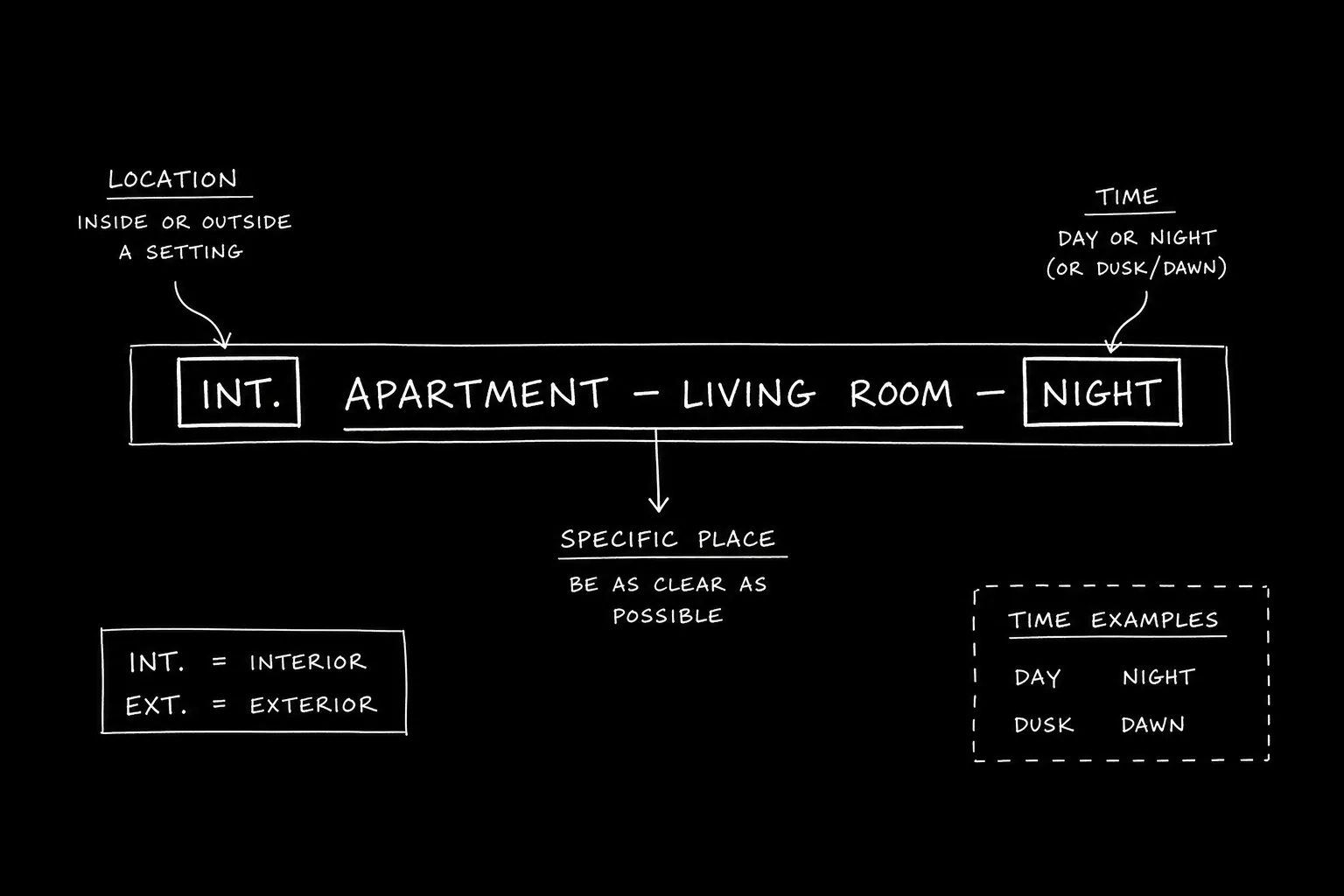
Step 1: Establish each location with a full scene heading. "INT. ROOM A - NIGHT." "INT. ROOM B - NIGHT." Step 2: "INTERCUT - ROOM A / ROOM B" (or "CUT BETWEEN - A AND B"). Step 3: Use mini-slugs for each cut. "ROOM A" then action/dialogue. "ROOM B" then action/dialogue. Repeat. Step 4: When the intercut ends, a full scene heading or "END INTERCUT." For scene headings, see screenplay format.
Relatable Scenario: The Bomb and the Hero
Hero is defusing. Villain is watching. Format: Establish both. INTERCUT. Then alternate with mini-slugs so we know where we are each time. For tension, see intercutting masterclass.
Relatable Scenario: Three-Way Intercut
Election night. Three campaign HQs. Format: Establish all three. INTERCUT - A / B / C. Then cycle with mini-slugs. For ensemble, see ensemble casts.
The Trench Warfare Section: What Beginners Get Wrong
No mini-slugs. We're intercutting but the reader can't tell which location we're in. Fix: Slug every cut (A, B, or location name). For clarity, see screenplay format.
Intercut that never ends. We forget to close the intercut. Fix: END INTERCUT or a full scene heading when we stay in one place. For structure, see scene entry and exit.
Too many locations. Five-way intercut. Fix: Two or three is usually enough. For economy, see micro-pacing.
Try it free
Try Screenweaver for free on your script
It is free. Import your existing project, get a clearer view of your outline, and regain control of your story structure in minutes.
Start FreeIntercut Format at a Glance
| Step | Format |
|---|---|
| Establish | Full scene headings for A, B (and C if needed) |
| Open | INTERCUT - A / B |
| Beats | Mini-slug (A or B) then action/dialogue |
| Close | END INTERCUT or full scene heading |
Step-by-Step: Formatting an Intercut
First: Establish each location with a scene heading. Second: INTERCUT - [locations]. Third: Mini-slug each cut. Fourth: End with END INTERCUT or next scene. For more, see intercutting masterclass and phone calls.
The Perspective
Format intercut by establishing locations, opening with INTERCUT, slugging every cut, and closing the intercut. When the reader always knows which location we're in, the format works. So establish. Slug. And end the intercut.
Final Step
Build your next script with Screenweaver
Move from ideas to production-ready pages faster with timeline-native writing and AI-assisted story flow.
Try Screenweaver