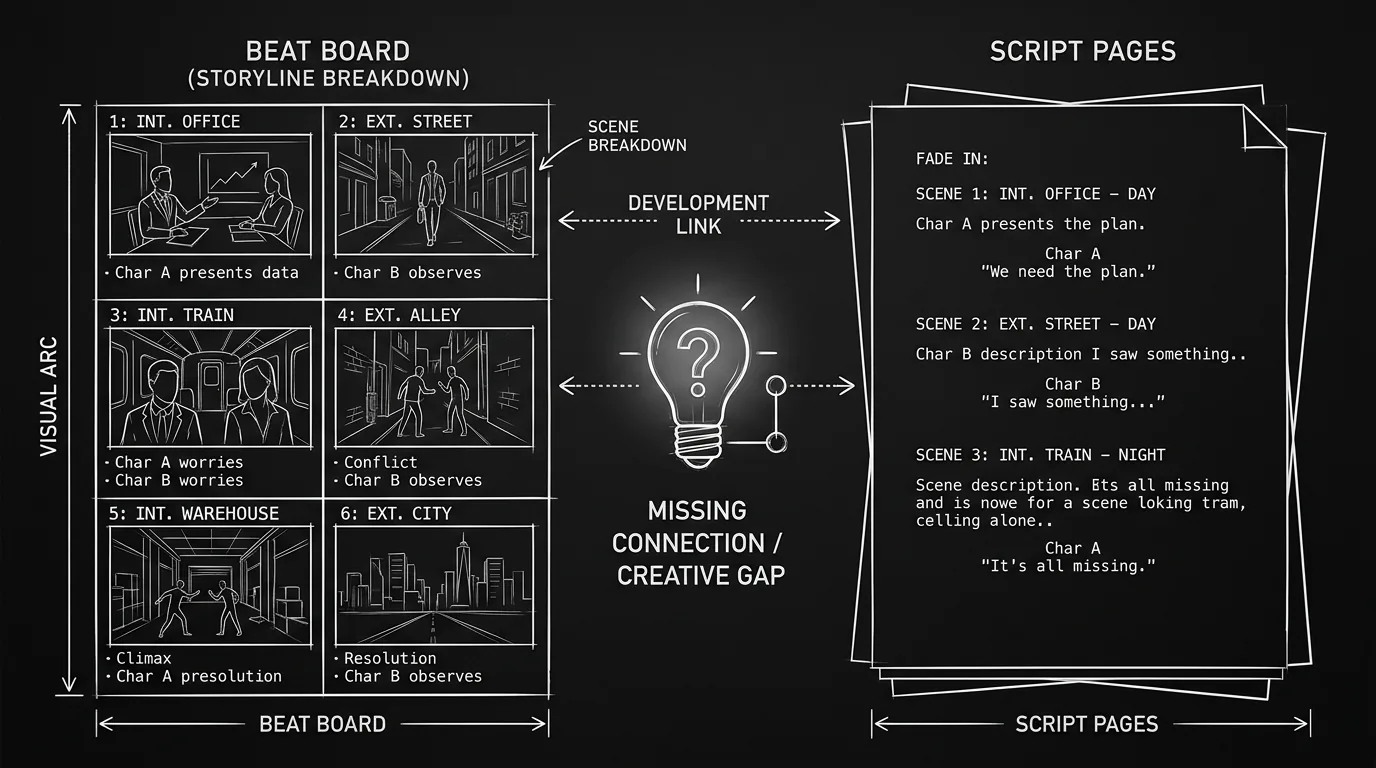

Prompt: Dark Mode Technical Sketch, A beat board on the left and script pages on the right with a visible gap between them; a small "?" or lightbulb in the gap suggesting missing connection; clean thin white lines on solid black; no 3D renders --ar 16:9
Arc Studio Pro has earned a following for good reasons. The interface is clean. The beat board gives you a visual way to lay out acts and scenes. You can collaborate in real time and export to PDF or FDX. For writers who want a modern, structure-aware script editor that stays out of the way, it's a solid choice. But there's a difference between structure as layout and structure as creative assistance. If you're looking for a tool that doesn't just display your beats but actually helps you think about story, that surfaces character arcs, suggests connections, or keeps your timeline and script in a single object so that moving a beat rewrites the document, Arc Studio Pro has clear limits. This piece is about those limits: where Arc stops short for screenwriters who want true creative assistance, and what to look for if that's what you need.
"Creative assistance" here doesn't mean autocomplete or grammar check. It means the software helping you reason about the story. Does it show you when a character drops out of the script for twenty pages? Does it tie your outline and your script so tightly that restructuring in one place restructures the other? Does it offer any kind of feedback on pacing, theme, or consistency? Arc Studio Pro gives you a place to put beats and a place to write. It does not, by design, step into the role of a thinking partner. For some writers that's exactly what they want. For others it's the thing that sends them looking elsewhere. The line between "tool that holds my structure" and "tool that helps me think about my structure" is thin in marketing and thick in practice. Arc sits firmly on one side. This piece is for people who thought they were buying the other.
Free tool: use the Beat Sheet Calculator to map these beats to exact page numbers for your script length.
What Arc Studio Pro Does Well (And Why It's Not the Same as Creative Assistance)
Arc excels at presentation of structure. You get a beat board. You can use templates (Save the Cat, Hero's Journey, etc.) to scaffold acts and sequences. The script sits alongside. The UI is minimal, which reduces cognitive load. You're not fighting the app. That's real value. It's also formatting and export: industry-standard script format, PDF, FDX. And collaboration: real-time co-writing so more than one person can be in the document. For a full comparison of how it stacks up against other collaborative tools, see our round-up of screenwriting software and Arc Studio Pro vs ScreenWeaver.
Where the gap appears is in what the app does with your structure. The beat board and the script are related, but they're not the same object. Move a beat on the board and the script doesn't automatically reflow. Add a scene in the script and the board doesn't always update in lockstep. You're maintaining two views. The app helps you see structure; it doesn't enforce or evolve it in response to how you write. That's the first limitation for anyone seeking creative assistance: the tool is a container, not a participant. It holds your choices. It doesn't question them or suggest what might be missing. If that's fine with you, Arc will feel lightweight and focused. If you wanted the software to push back or reflect the story back to you, you'll feel the limit.
Arc Studio Pro is built to get out of the way. Creative assistance, by definition, gets in the way, in a useful way. It asks: Is this character present enough? Is this beat earning its place? The app doesn't ask those questions.
Relatable Scenario: The Writer Who Wants the App to "Notice" When Something's Off
Dana outlines a feature in Arc. Three acts, twelve beats. They write the script. Halfway through the second act they realize they've dropped a major character for fifteen pages. Arc doesn't flag it. The beat board still shows the same cards; the script just … has a hole. Dana wishes the tool would surface character presence, who appears where, how often, so they could see the gap before a reader does. Arc doesn't do that. It's not a bug; it's a boundary. The app assumes you'll track that in your head or in a separate document. Creative assistance would mean the tool tracking characters (and maybe themes, locations, or subplots) and giving you a view or a nudge when something disappears or goes quiet. Arc gives you a clean script and a clean board. It doesn't give you that layer of analysis. If that's what you're after, you're running into a limitation, not a setting you can turn on.
Relatable Scenario: The Room That Restructures Constantly
A writers' room uses Arc. They love the beat board for breaking story. Then they decide to move Act Two's midpoint earlier and merge two scenes. On the board they drag cards. In the script they have to cut, paste, and renumber by hand. The board and the script are out of sync until someone manually updates both. That's the two-views problem. Tools that offer true creative assistance in structure often bind the outline and the script into one object: when you move a beat or a sequence on the timeline, the script reorders itself. You don't maintain two things. Arc doesn't do that. So for rooms that tear the script apart and put it back together often, the limitation is real: you're doing double work. Our comparison of Arc Studio Pro and ScreenWeaver goes into this distinction, timeline-as-script vs. beat board beside script, in detail.
Relatable Scenario: The Writer Who Wants Thematic or Pacing Feedback
Jordan has a draft. They want to know if the theme is landing, if the B-story is balanced, or if the middle sags. They look for a way to get that inside Arc, a report, a dashboard, a "story health" view. Arc doesn't offer it. You can read your script and your beat board; the app doesn't analyze them for pacing, theme, or consistency. Again, that's by design. Arc is a writing environment, not a feedback engine. Writers who want that kind of creative assistance, something that reflects the story back to them with a degree of analysis, have to look elsewhere: a separate outlining or analysis tool, a human reader, or a different screenwriting app that bakes in that layer. For options that go beyond formatting and into story-level support, see best screenwriting software alternatives.
Where Arc Studio Pro Stops Short: A Summary
| What you might want | What Arc Studio Pro offers | The gap |
|---|---|---|
| Structure that reflows the script when you move beats | Beat board + script as two linked views | Manual sync; no single object |
| Character presence / arc tracking across the script | None | You track it yourself or use another tool |
| Thematic or pacing analysis | None | No built-in story analysis |
| Visual context (mood boards, concept art) tied to scenes | Primarily text and structure | Limited; not a focus of the product |
| Outline and script as one thing (drag to reorder script) | Separate beat board and script | You maintain both |
None of this makes Arc bad. It makes it bounded. It's excellent for writers who want a clean, structure-aware editor and are happy to do their own story reasoning. It's a poor fit for writers who want the software to participate in that reasoning, to surface gaps, suggest connections, or keep structure and script in a single, drag-to-reorder object.
Try it free
Try Screenweaver for free on your script
It is free. Import your existing project, get a clearer view of your outline, and regain control of your story structure in minutes.
Start FreeThe Trench Warfare: What Writers Get Wrong When Choosing Arc for "Creative" Help
Assuming "beat board" means "story intelligence." A beat board is a layout. You put cards on it. The app doesn't interpret them, it doesn't tell you if a beat is weak or if two beats are redundant. Fix: If you want analysis, look for a tool that explicitly offers character tracking, theme reports, or pacing views. Arc is strong for organizing structure, not evaluating it.
Expecting the board and script to stay in sync automatically. In Arc, moving a beat doesn't reorder the script. You have to edit the script separately. Fix: Either accept the two-view workflow or choose an app that binds timeline and script (e.g. a single story map that reflows the script when you drag). Our Arc Studio Pro vs ScreenWeaver comparison spells out that difference.
Thinking "creative assistance" is the same as "good formatting." Formatting is necessary. Creative assistance is optional, and it's the layer that helps you think about story, not just type it. Arc does the former very well. It doesn't aim to do the latter. Fix: Be clear about what you need. If you need formatting + collaboration + beat board, Arc may be enough. If you need the app to help you see character arcs, pacing, or theme, you're asking for something Arc doesn't provide.
Ignoring the trial. Some writers sign up hoping for hidden "AI" or "story" features and are disappointed. Fix: Use the free or trial version with a short project. Outline on the board, write a few scenes, and ask: Did the app help me think about the story, or did it only hold my structure? If the answer is "hold," and you wanted "think," you've found the limitation. Then you can decide whether to stay and supplement with other tools or switch.
Comparing Arc to tools built for creative assistance. Arc competes with Final Draft, WriterDuet, and Fade In on formatting and collaboration. It doesn't compete with tools that are built around a living story map, character tracking, or story-level feedback. Fix: Compare like to like. If creative assistance is your priority, look at the small set of products that advertise it, and try them. For a broader landscape, see screenwriting software alternatives.
Expecting templates to do the thinking. Arc offers Save the Cat, Hero's Journey, and similar templates. They're scaffolds: empty beats with labels. The app doesn't fill them in or tell you if your take on "Fun and Games" is strong or thin. Fix: Use templates as a starting grid, not as a substitute for story reasoning. If you want the tool to react to what you've written, to suggest where a beat might be missing or where the theme is fading, Arc won't do that. You'll need to do it yourself or use a different kind of product.
What "True Creative Assistance" Can Mean (And Where to Look)
If Arc's limits are a dealbreaker for you, it helps to name what you want. One object for structure and script: You want to move a beat or a scene and have the script update. That usually means a timeline or story map that is the script, not a separate view. Character and presence tracking: You want to see who appears in which scenes, or when a character goes missing. Some tools surface this; Arc doesn't. Thematic or pacing feedback: You want the app to reflect the story back, subplot balance, act length, theme consistency. That's rare; when it exists, it's a selling point. Visual context: You want concept art or mood boards tied to scenes so you can pitch or write with images in view. Arc is text-and-structure first. Once you know which of these you care about, you can narrow the field. Not every writer needs every kind of assistance. Some only need the first; some want all four. The mistake is assuming that "good structure tools" means "creative assistance." Arc is the former. If you need the latter, our Arc Studio Pro vs ScreenWeaver comparison and ScreenWeaver vs Final Draft cover tools that emphasize a unified story map and visual context; the alternatives round-up gives a wider list.
The Perspective
Arc Studio Pro is a strong choice for writers who want a clean, modern script editor with a beat board and real-time collaboration. It is not built to be a creative assistant. It doesn't track your characters, analyze your theme, or bind your outline and script into one object so that restructuring is a single gesture. That's a design choice, not a flaw. The limitation only matters if you went in expecting the app to help you think about the story, and in that case, you're not missing a feature. You're in the wrong product category. Know what you need. If it's structure as layout and a calm writing experience, Arc may be exactly right. If it's structure as a thinking partner, look elsewhere and try before you commit. The best tool is the one that matches how you actually work, and how much help you want from the software itself.
For more on how Arc fits next to the other tools, see our Arc Studio review for 2026, which decodes every pricing tier, and best screenwriting software alternatives in 2026. For the official product details and feature list, Arc Studio is the source of record.
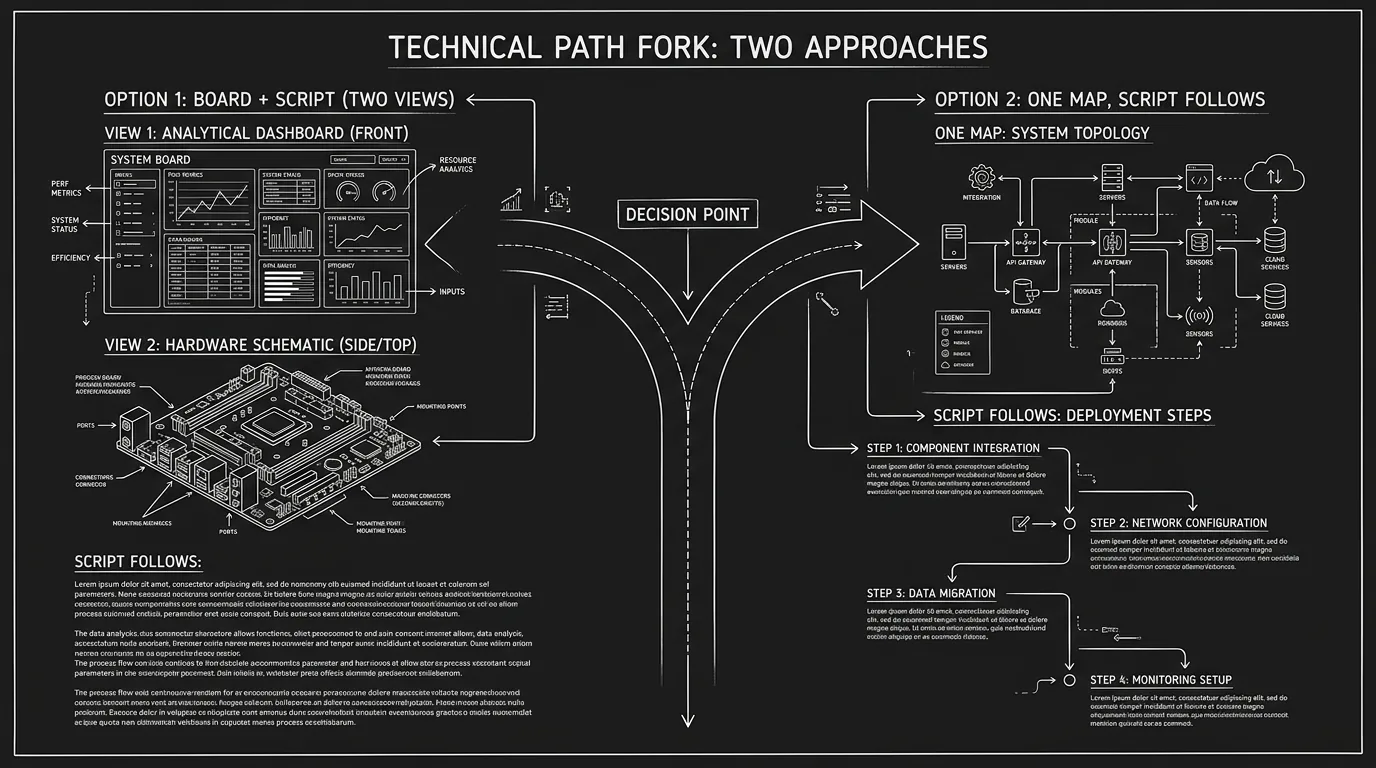
Prompt: Dark Mode Technical Sketch, Fork in a path: one side "board + script (two views)"; other side "one map, script follows"; thin white lines on solid black; no 3D renders --ar 16:9
When Arc Studio Pro Is Still the Right Call
None of this is a reason to drop Arc if it fits. If you outline in beats, want minimal UI, need real-time collaboration, and don't need the app to analyze or reflow your story, Arc is a good fit. The limitations described here matter most to writers who explicitly want creative assistance, story-level help, character tracking, or a single object for structure and script. If that's not you, Arc's boundaries won't get in your way. Use the trial. Use the board. Export to PDF and FDX when you need to hand off. The tool doesn't have to do everything; it has to do what you need. For many writers, Arc does exactly that. The key is to decide before you commit: are you looking for a better typewriter, or for a partner that helps you see the story? Arc is the former. Choose accordingly.
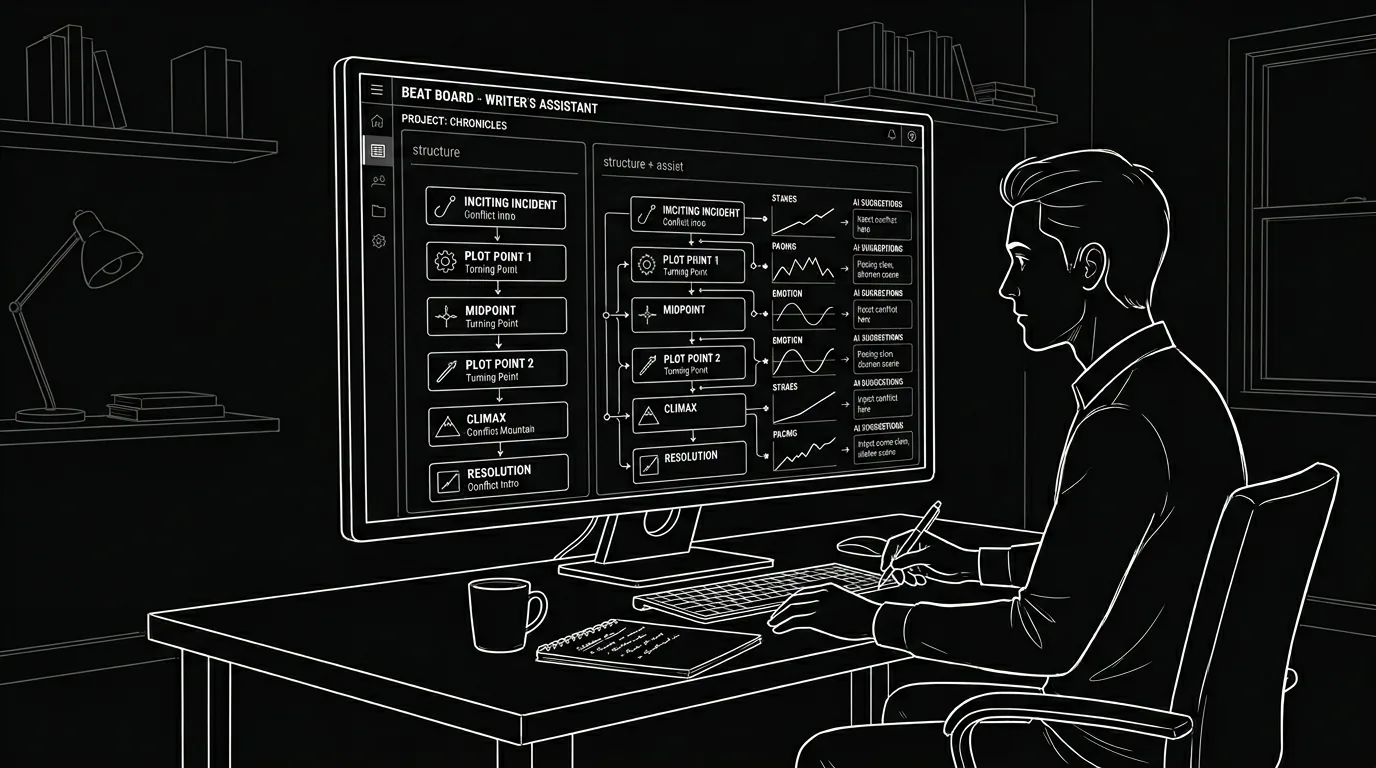
Prompt: Dark Mode Technical Sketch, A writer at a desk with a beat board on screen; subtle label "structure" vs "structure + assist"; thin white lines on solid black; no 3D renders --ar 16:9
Final Step
Build your next script with Screenweaver
Move from ideas to production-ready pages faster with timeline-native writing and AI-assisted story flow.
Try Screenweaver