
You are in a writers' room. Three people are on the same script at once. One is rewriting a scene; another is adjusting the beat sheet. The third is checking whether the B-story has enough presence in Act 2. If the tool cannot keep up,if it forces check-out/check-in or separate outline and script views that drift,the room stops. Collaborative screenplay tools are not about features on a list. They are about whether the software gets out of the way.
Arc Studio Pro and ScreenWeaver both aim at writers who care about structure and collaboration. Arc Studio has built a name on clean beat boards, story guides, and real-time co-writing. ScreenWeaver adds a persistent timeline that stays synced to the script and ties in visual context. Both offer assisted writing features. So which one delivers better for teams that need to outline and write in the same breath?
Stack this comparison with process (idea → draft), beat boards vs outlines, and TCO when the room grows. Arc Studio’s public site is arcstudiopro.com; we are not affiliated.
What "Collaborative" Really Means
Collaboration in screenwriting can mean several things. It can mean two co-writers in different cities editing the same script at the same time. It can mean a showrunner and a staff writer working in the same document with comments and version history. It can mean a writer and a director sharing a script and a visual treatment. In every case, the tool has to do two jobs: keep the text in sync and keep the *structure* in sync. If the outline says Scene 12 is the midpoint but the script has been reordered and no one updated the outline, you have two sources of truth. That is where collaboration breaks down.
Arc Studio Pro addresses this with integrated beat boards and a modern, web-native editor. You can see beats and scenes in one place and invite others to edit. ScreenWeaver goes further by making the timeline the same object as the script: when you move a beat or a sequence on the timeline, the script reflows. There is no separate outline to maintain. That distinction matters for rooms that restructure often. For a broader view of how collaboration fits into the tool landscape, our best screenwriting alternatives guide compares real-time and host-join models across the market.
The best collaborative tool is the one where "the outline" and "the script" are the same document. If they are not, someone will forget to update one of them,and that someone is always you at 2 a.m. before a deadline.
Arc Studio Pro: Beat Boards and Co-Writing
Arc Studio Pro is built for writers who think in structure. It offers beat boards, templates (e.g. Save the Cat, Hero's Journey), and a clean interface that ties scenes to beats. You can invite collaborators and work in real time on the script. The experience feels like a focused screenwriting app with structure built in rather than bolted on. That is a real improvement over traditional desktop apps where the outline is a separate file or a separate mode.
Where Arc Studio Pro stops short is the *binding* between structure and script. The beat board and the script are related, but moving a beat or a scene on the board does not always reorder the script in a single drag. You have a better view of structure than in a pure word processor, but the story map and the document are still two views that need to be kept in sync manually in some workflows. For many teams that is acceptable. For rooms that restructure constantly, a single unified map can save a lot of cognitive load.
ScreenWeaver: One Map, One Script
ScreenWeaver is built on the idea that the timeline is the script. The horizontal sequencer shows acts, sequences, and beats. Click a beat and the script scrolls to it. Drag a sequence and the script moves with it. There is no second document to update. That design makes it strong for collaborative restructuring: everyone sees the same timeline and the same script, and a single drag updates both. Real-time collaboration works in the same way as in modern doc editors,multiple cursors, live updates, comments. So you get co-writing plus a structural view that cannot get out of sync because it is the same data.
ScreenWeaver also ties visual context to the project. Concept art and mood boards can live with scenes. For rooms that pitch visually or work with a director who thinks in images, that can replace a separate lookbook or deck. Arc Studio Pro does not emphasize visuals in the same way; it is primarily text and structure. So the choice often comes down to whether you want the tightest possible link between timeline and script and built-in visuals, or a strong beat-based workflow without that level of visual integration. Our ScreenWeaver vs Final Draft comparison goes deeper on how the living story map changes the writing and pitching process.
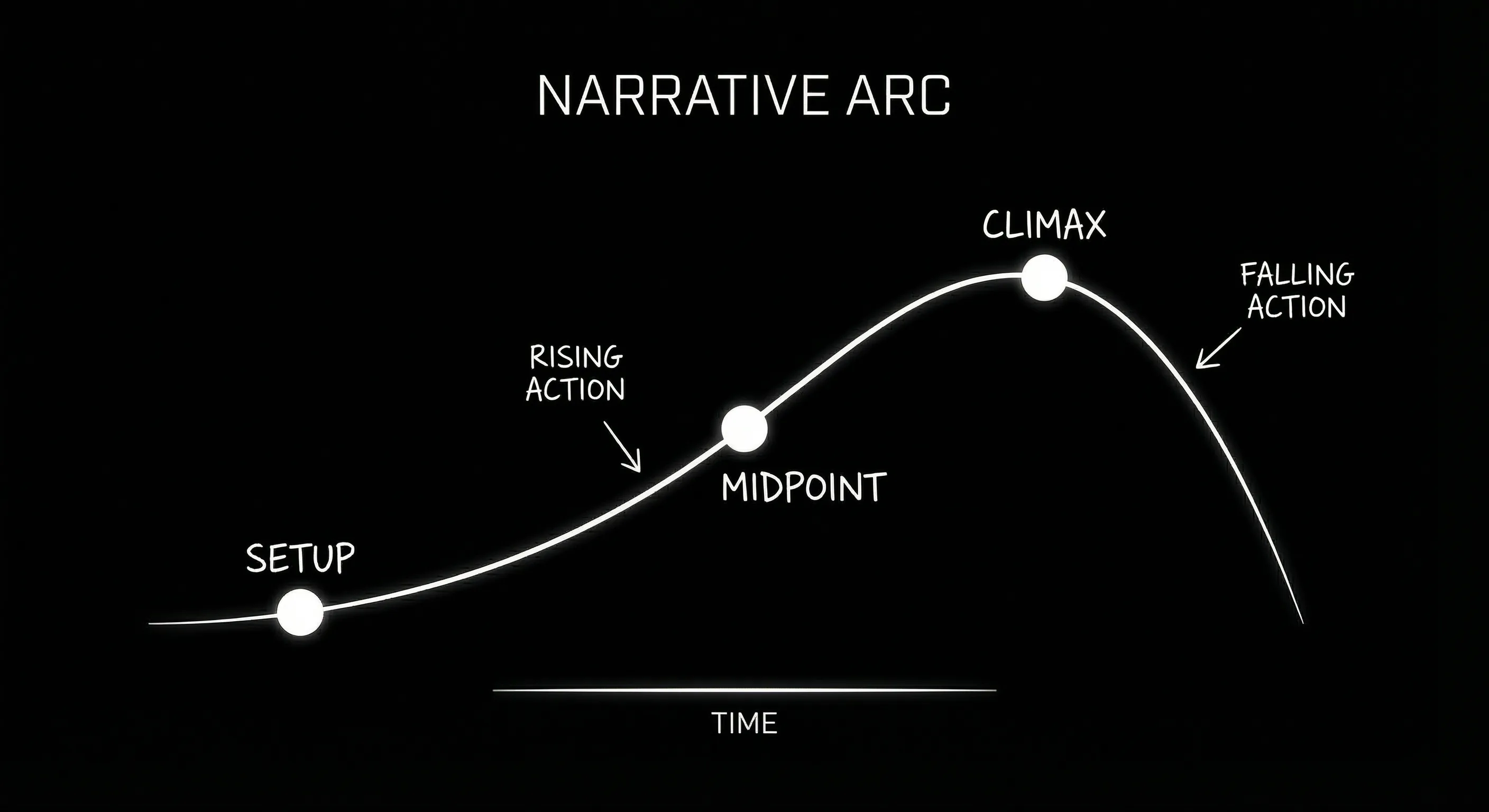
Structure and script as one object: drag on the timeline, script follows.
Collaboration and Structure: Comparison
The table below focuses on collaboration and structural clarity. Both tools support real-time or near-real-time co-writing. The main difference is how they represent and bind structure to the script.
| Dimension | Arc Studio Pro | ScreenWeaver |
|---|---|---|
| Real-time co-writing | Yes | Yes |
| Structure view | Beat boards, scene cards | Timeline (acts/sequences/beats) |
| Drag to reorder script | Varies; board and script linked | Yes; timeline and script are one |
| Visuals with script | Not core | Concept/mood tied to scenes |
| Story guides / templates | Yes (e.g. Save the Cat) | Structure-first; templates possible |
| Export | PDF, FDX | PDF, FDX, pitch deck |
Who Each Tool Is For
Arc Studio Pro fits writers and rooms that like beat sheets and structure templates and want a clean, web-based co-writing experience. If your process is "outline in beats, then write scenes" and you do not need the outline to be the same object as the script (so that dragging reorders the script automatically), Arc Studio Pro is a strong option. It is easy to learn and stays out of the way.
ScreenWeaver fits rooms that restructure often and want to see the whole story at a glance without switching views. If you want one surface where the timeline and the script are the same,and where you can attach or generate visuals for pitch or production,ScreenWeaver is built for that. The trade-off is a different mental model: you are working in a story map that is the script, not in a script with a separate outline. For more on version control and saving drafts when you take big structural risks, see our version control and snapshots guide.
BODY IMAGE 2 PROMPT: Shared script with timeline above and two cursor indicators; collaborative editing, dark technical sketch.
The Takeaway
Arc Studio Pro and ScreenWeaver both deliver collaborative screenplay tools with structural awareness. Arc Studio Pro excels at beat-based outlining and straightforward co-writing. ScreenWeaver excels at binding the timeline and the script into one object and at tying visuals to the project. Choose Arc Studio Pro if you want structure templates and a clean co-writing experience without needing the tightest possible link between moving a beat and reordering the script. Choose ScreenWeaver if you want that link and visual context in the same app. The best tool is the one that matches how your room actually works,and how often you tear the script apart and put it back together.
For plans and pricing next to each other, see our Arc Studio Pro alternative page.
Final Step
Build your next script with Screenweaver
Move from ideas to production-ready pages faster with timeline-native writing and AI-assisted story flow.
Try Screenweaver