Free video course
Write Your Screenplay with AI: The Complete ScreenWeaver Script Course
From idea to a finished, professionally formatted screenplay, step by step.
Chapters (8)
About this course
A free 27-lesson screenwriting course for total beginners, inside ScreenWeaver's writing room. You learn the screenplay format element by element, the keyboard flow professional writers use, story structure from logline to outline to story beats, how to use AI as a writing partner without losing your voice, and how to write a feature film, a series episode or a vertical short drama. Together we write one complete short film, The Night Ferry, from the logline to the last line.
Every lesson has its own page with the video, chapters, key takeaways and the full transcript. The project you follow from the first lesson to the last: The Night Ferry.
All 27 lessons
Section 1 · Welcome to the Writing Room
- 1.1Welcome: From Idea to Finished ScreenplayWhat you'll learn, the writing room (ScreenWeaver Part 1, free), the course project The Night Ferry, the resources and how the course works.2:58
- 1.2A Tour of Part 1: The Script TabThe header (project menu, tabs, AI button), the sidebar (Outline view, Script view, story elements, Import / Export, version history), the page, the toolbar, the outline and the AI Center.3:03
- 1.3Create Your ProjectNew Project, the title, Feature film vs Episodical / TV, the title block, project settings and Team & Sharing.2:41
Section 2 · The Screenplay Format
- 2.1Screenplay Format 101The blueprint, one page one minute, the seven elements, page one of The Night Ferry, and four beginner mistakes.3:44
- 2.2Scene Headings: Where and WhenInterior or exterior, place, time of day; the autocomplete for prefixes, places and times; when to start a new scene; one place, one name; special cases.3:53
- 2.3Action Lines: Write What the Camera SeesPresent tense, camera only, short paragraphs, first appearances, sounds, objects, strong verbs, and a bad first draft fixed.4:01
- 2.4Characters, Dialogue and ParentheticalsCharacter cues and the character autocomplete, dialogue, parentheticals, subtext, saying less, distinct voices, transitions and shots.3:54
- 2.5The Keyboard Flow: Write a Whole SceneEnter and Tab, Shift+Tab, suggestion lists, and scene one of The Night Ferry written without touching the mouse.3:01
Section 3 · Story Structure
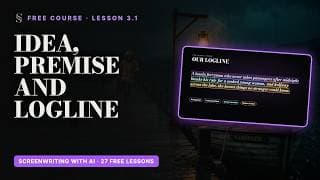
- 3.1Idea, Premise and LoglineFrom a spark to a premise to a logline: the four-part template, three tests, write ten, other genres, common mistakes, and where it goes in ScreenWeaver.3:48
- 3.2What Is an Outline?The map of your story, the five structure levels, Feature film vs Episodical, outline lines and the eye icon, the Outline view, outline vs synopsis.3:38
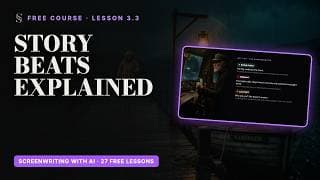
- 3.3Story Beats ExplainedWhat a beat is, the nine structure labels on The Night Ferry, where they fall, the four tone labels, up to three labels per beat, custom labels.3:54
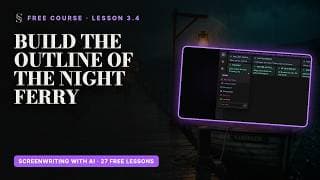
- 3.4Build the Outline of The Night FerryFour sequences, seven beats, their outline lines and labels, drag and drop, reading the outline out loud.3:20
- 3.5From Beats to ScenesFrom a beat to its outline line to a scene heading, scene cards under their beats, attachments (notes, images, links) and floating windows.2:30
- 3.6Live: Write a Scene from the OutlineScene four of The Night Ferry written live under its two beats, with the reason for every line: build-up, an answer that's a clue, an action instead of words, setup and payoff.2:51
Section 4 · Writing with AI
- 4.1The AI CenterGenerations and the assistant, the welcome message, Flash vs Thinking, ideas / analysis / edits, prompts to try, the help desk, three rules.2:42
- 4.2Brainstorm with the AssistantA seed and constraints, ten loglines read as a map, follow-up questions, seven labelled beats, asking for criticism, backstories and names.3:22
- 4.3Write and Rewrite Scenes with AIA precise request, the scene written in the script, three passes (story, camera, dialogue), renaming and changing the tone, Undo and the version history.3:00
- 4.4Import an Existing ScriptImport through the assistant (paperclip or drag and drop, "Import this script"), supported formats, Retry apply, three checks, tips, the checkpoint before the import.2:36
Section 5 · Film, Series, Short Drama
- 5.1Writing a Feature FilmFeature film mode, eight sequences, the nine labels by page, reading the whole, writing in passes, the B story, genre promises, the page count as a clock.3:10
- 5.2Writing a Series EpisodeEpisodical / TV mode, Lost Garden as an example, the season on one board, a complete arc and a hook per episode, the series bible, teasers and act breaks, shared elements, exporting one episode at a time.2:49
- 5.3Writing a Short DramaThe vertical format and The Other Nora: the hook in three seconds, one turn, four beats of fifteen seconds, end on a question, faces and short lines.2:50
- 5.4Writing for an AI ProductionSix habits: consistent names, everything visible, few characters and places, scenes the right size, objects with a job, write the sound.2:31
Section 6 · Finish Your Script
- 6.1Story Elements, Straight from Your ScriptCharacters and places created from the script, duplicates, objects added by hand, camera-ready descriptions, why they matter for the storyboard.2:37
- 6.2Ten Beginner Mistakes, and How to Fix ThemStarting too early, explained feelings, too many characters, scenes without change, inconsistent names, walls of action, camera directions, parentheticals, no midpoint, never finishing.2:46
- 6.3Table Read: The Night FerryThe whole script read out loud, the page following the voice, and why images and sounds come first.3:55
- 6.4A Seven-Day Plan to Finish Your ScriptFrom the logline to the table read, one hour a day.2:14
- 6.5Polish, Export, Share, and What's NextThe polish checklist, Export (PDF, FDX, ScreenWeaver backup, include outline), auto-backup, Team & Sharing, feedback questions, the Storyboard tab as Part 2, sum-up.2:31
Follow along in ScreenWeaver
Watch a lesson, then do the same step in your own project. Writing is free forever, and the learning path explains every button.