
You have a feature idea, no budget for software, and a deadline. Someone recommends a free tool that writes scripts for you. Another recommends one that turns your script into something you can actually show a producer. The choice is not just free versus paid. It is what kind of filmmaker you want to be,and what you are willing to compromise.
NolanAI and ScreenWeaver both sit in the "augmented screenwriting" space. One is known for a generous free tier and assisted drafting. The other is built around a persistent story map, real-time structure, and visuals that stay tied to your script. For indie filmmakers in 2026, the right pick depends on whether you need a fast first draft or a tool that carries you from outline to pitch to production without switching apps.
Squibler, Sudowrite, half a dozen tabs already open? Cool. Read top AI tools for screenwriters in 2026 once, clear the cache, then come back here for the NolanAI vs ScreenWeaver knife fight only.
Process and money still matter: idea to first draft, hidden costs of “free” tiers, and prompting discipline. NolanAI’s own site is nolanai.app; we are not affiliated - check their pricing and terms before you ship a room draft there.
The Real Question: What Are You Buying?
Free is seductive. It is also a trade-off. When a product does not charge you money, it often charges you in other ways: limited exports, locked features, or a ceiling on how far your workflow can go. NolanAI has built a following by offering a free tier that lets you generate and edit scripts with smart assistance. ScreenWeaver offers a freemium path too, but its focus is different. It is not primarily a text generator. It is a visual story architect,a single surface where the script, the timeline, and the look of your film live together.
So the first fork in the road is this: Do you want a tool that helps you get words on the page quickly, or one that helps you see and shape the whole story as you go? Both are valid. They serve different moments in a project and different kinds of creators. Our guide on screenwriting software alternatives frames this as the difference between a formatting engine and a creative partner; the same lens applies here.
The best free tool is not the one that costs zero. It is the one that does not cap your ambition,or force you to migrate mid-project when you outgrow it.
NolanAI in Practice: Where It Shines
NolanAI positions itself as an accessible way to get from idea to script. You can describe a concept, get a draft structure or full scenes, and edit in a familiar script-style interface. For a writer who is stuck on the blank page or needs to vomit-draft a treatment fast, that has real value. The free tier lowers the barrier to starting. You are not paying a subscription before you know if you like the workflow.
The trade-off is scope. NolanAI is built around generating and editing text. It does not maintain a persistent visual timeline that stays in sync with your script. It does not show you act breaks, sequence density, or character presence across the whole document at a glance. So you get speed and low cost at the expense of structural visibility. For a short film or a quick spec, that may be enough. For a feature or a project you plan to pitch with visuals, you will likely need another tool for structure and look development,which brings us back to the cost of "free": your time and the friction of switching later.
Where NolanAI Falls Short for Indie Filmmakers
Indie filmmakers often wear multiple hats. You are not only writing; you are thinking about look, tone, and how to communicate your vision to a DP, a producer, or a grant committee. A tool that only produces and edits text does not help with that. You still have to build mood boards elsewhere, track structure in a separate outline, and hope the script and the "vision" document stay aligned. That fragmentation is where many free tools leave you. You save money on software and spend it in hours of manual reconciliation.
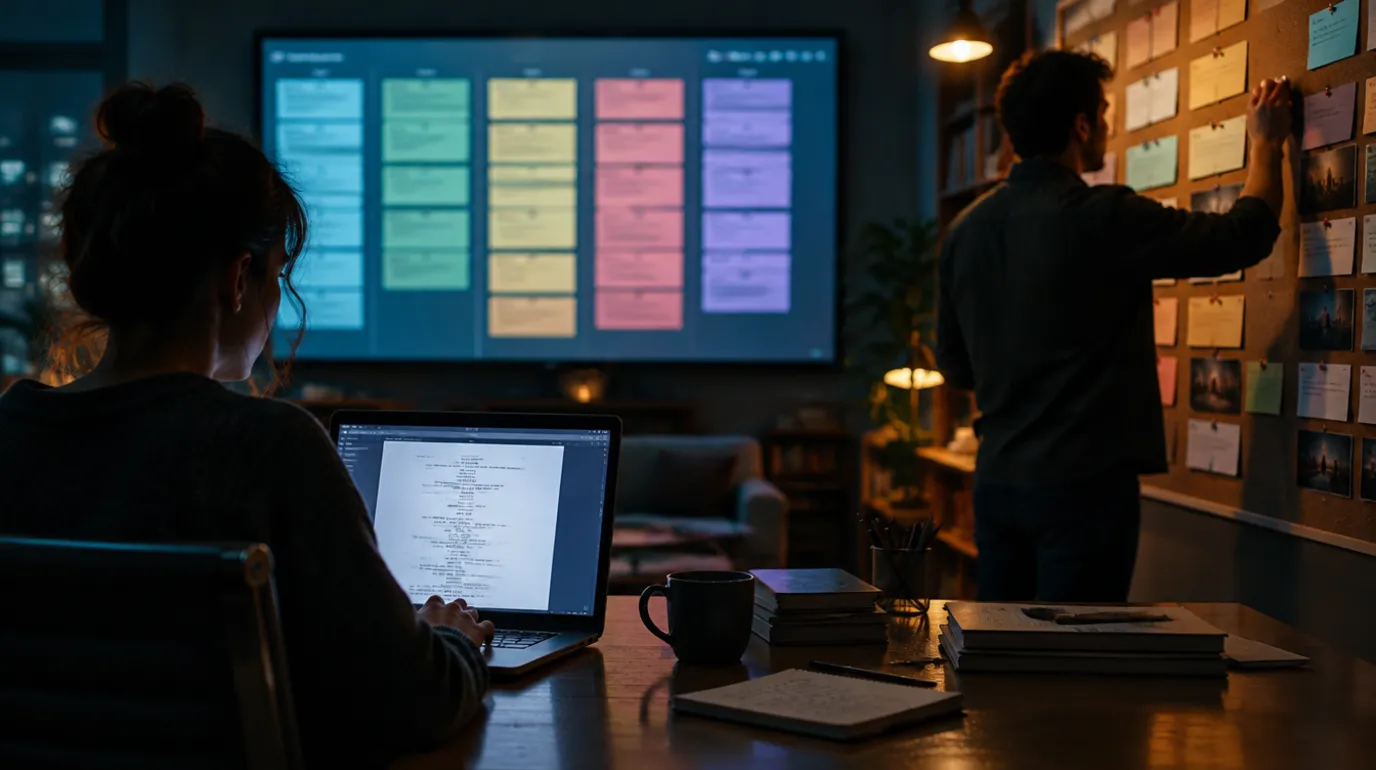
Structural visibility: text-only flow versus timeline and script in sync.
ScreenWeaver for Indie Filmmakers: The Full Picture
ScreenWeaver is built on a different premise. The script is one view of your project. The other is the living story map,a horizontal timeline of acts, sequences, and beats that stays tied to the same document. You drag a beat or a sequence; the script updates. You click a moment on the timeline; the script scrolls there. You are never writing blind. You always see where you are in the whole.
For indies, that matters because you rarely have a script coordinator or a room full of writers to keep structure in check. You are the writer, the structural editor, and often the person who has to explain the film to others. A tool that surfaces pacing, act breaks, and character presence without leaving the page reduces cognitive load. You can focus on the scene in front of you while the tool keeps the macro view visible. That is not a small thing when you are juggling a day job and a feature draft.
ScreenWeaver also ties visual context to the script. As you write a scene, you can generate or attach concept art and mood references that live with the project. When it is time to pitch or apply for funding, you are not starting from zero in Keynote. You have a script and a visual language already in one place. For a deeper look at how this compares to the industry-standard workflow, our ScreenWeaver vs Final Draft comparison goes into how augmented screenwriting changes the pitch and production handoff.
Side-by-Side: What You Actually Get
The table below is not a scorecard. It is a map of trade-offs. NolanAI excels at getting words on the page quickly and at low cost. ScreenWeaver excels at keeping structure and visuals in sync with the script and at carrying you from draft to pitch without leaving the app.
| Dimension | NolanAI | ScreenWeaver |
|---|---|---|
| Primary strength | Assisted drafting, fast first draft | Structure + script + visuals in one surface |
| Structural visibility | Limited; outline separate or minimal | Always-on timeline, acts/sequences/beats |
| Visuals tied to script | Not core to the product | Concept art, mood, storyboard in sync |
| Export for production | PDF/FDX where supported | FDX, PDF, pitch deck with visuals |
| Best for | Quick drafts, testing ideas | Features, pitch packages, full control |
Which One Wins for Indie Filmmakers in 2026?
"Wins" is the wrong word. The right question is: What stage are you at, and what do you need to do next? If you need to break a story block and get a messy first draft down so you have something to rewrite, NolanAI's free tier can help. If you need to hold the whole film in your head and in your tool,structure, script, and look,and you want to walk into a meeting with one link that shows both the script and the world, ScreenWeaver is built for that.
Many indies will use both at different times: NolanAI for speed in early development, then a move to ScreenWeaver (or another structural tool) when the script gets long enough that they need to see the map. The cost of that move is migration. FDX and PDF help, but re-creating structure and visuals in a new app takes time. If you already know you care about structure and pitch readiness, starting in ScreenWeaver can save you that step. If you are experimenting and budget is the main constraint, NolanAI is a reasonable starting point,as long as you know you may outgrow it. For more on why free tiers have hidden costs, our piece on best screenwriting alternatives goes into security, feature ceilings, and lock-in.
One project: script and visual references in a single surface.
The Takeaway
NolanAI and ScreenWeaver are not direct clones. One optimizes for speed and cost; the other for structure, visibility, and pitch-ready output. For indie filmmakers in 2026, the winner is the tool that matches how you work and where you are in the process. Choose the one that gets you to the next milestone without trapping you in a workflow you will have to abandon later.
Final Step
Build your next script with Screenweaver
Move from ideas to production-ready pages faster with timeline-native writing and AI-assisted story flow.
Try Screenweaver