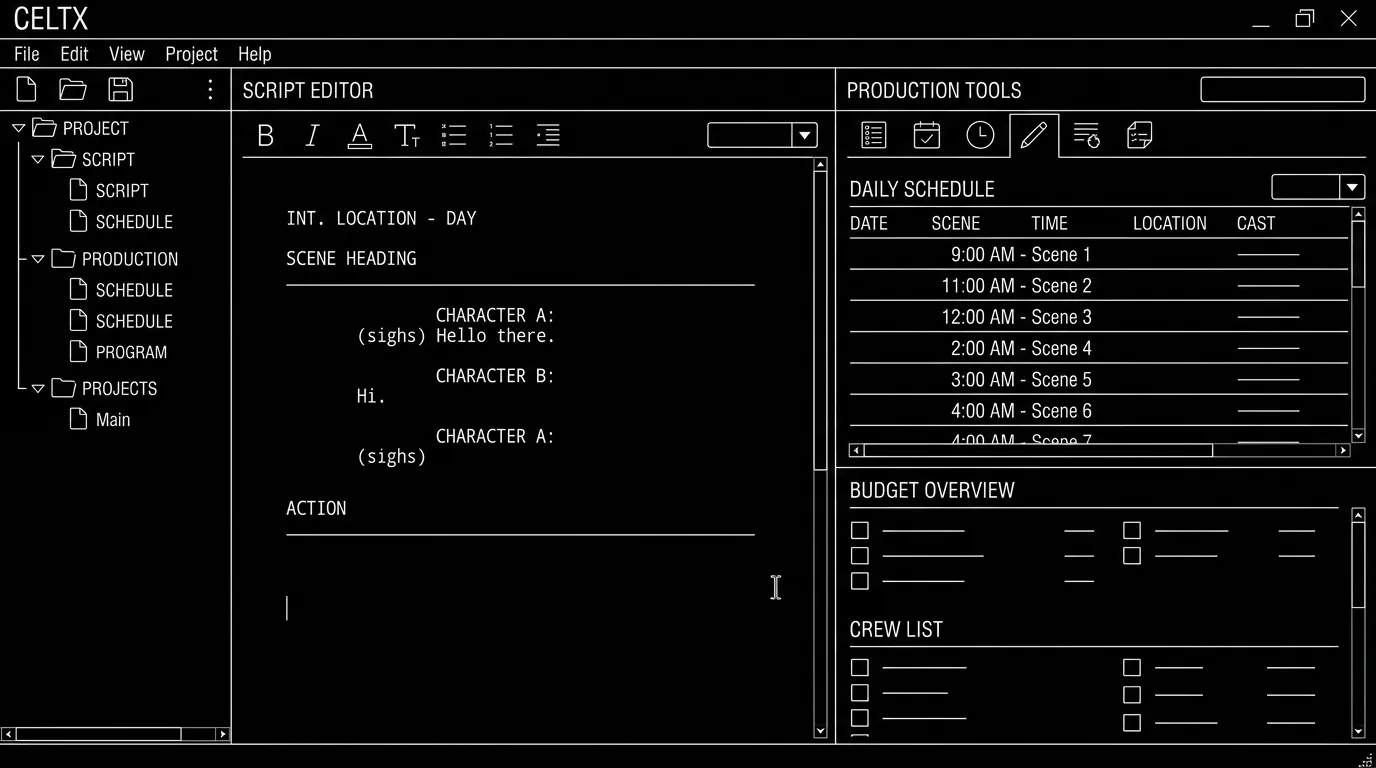

Celtx has long been the budget and education option: free tier, script + pre-production tools, and classroom-friendly licensing. In 2026 it's evolved into a production suite (scheduling, breakdown, etc.) as much as a pure writer's tool. So is it still the best option for students? It depends what they need: a simple script editor, or a full pre-pro intro.
Celtx is still a strong student choice if they want one tool for script and basic production. For script-only focus, other options may be simpler.
Think about it this way. Students need: something affordable (or free), correct formatting, and ideally a path to industry (export to PDF/FDX). Celtx does that and adds breakdown, scheduling, and collaboration, so it's a good fit for film schools that teach pre-production. The tradeoff is that the product is now broader; writers who only want to write might prefer a leaner app. Our Celtx vs Final Draft and Celtx vs ScreenWeaver comparisons go deeper; this piece is Celtx for students in 2026. For export, see exporting for production.
What Celtx Still Offers Students
Price: Free tier; education pricing (see our Celtx pricing and review for what the Student plan includes at $79.99 a year and how the education brackets are priced). Formatting: Industry-standard script format. Pre-production: Breakdown, scheduling, so they learn the full pipeline. Collaboration: Shared projects. Export: PDF and often FDX. For production workflow, see breaking down the script.
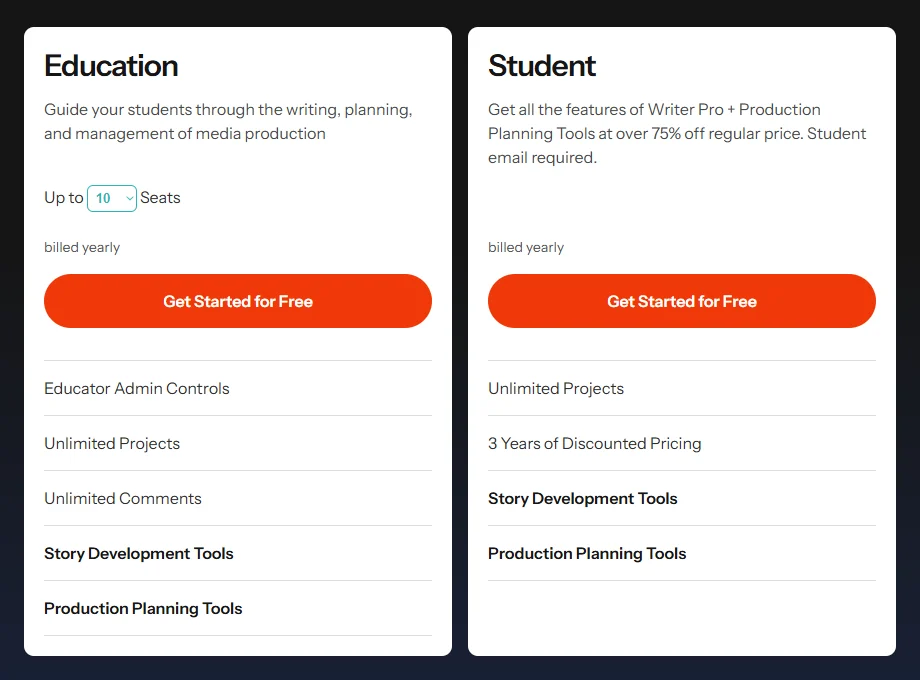
The Education tab on celtx.com/pricing, captured 25 October 2026. The price figures did not render in our headless capture; the $79.99 a year Student price comes from our pricing review.
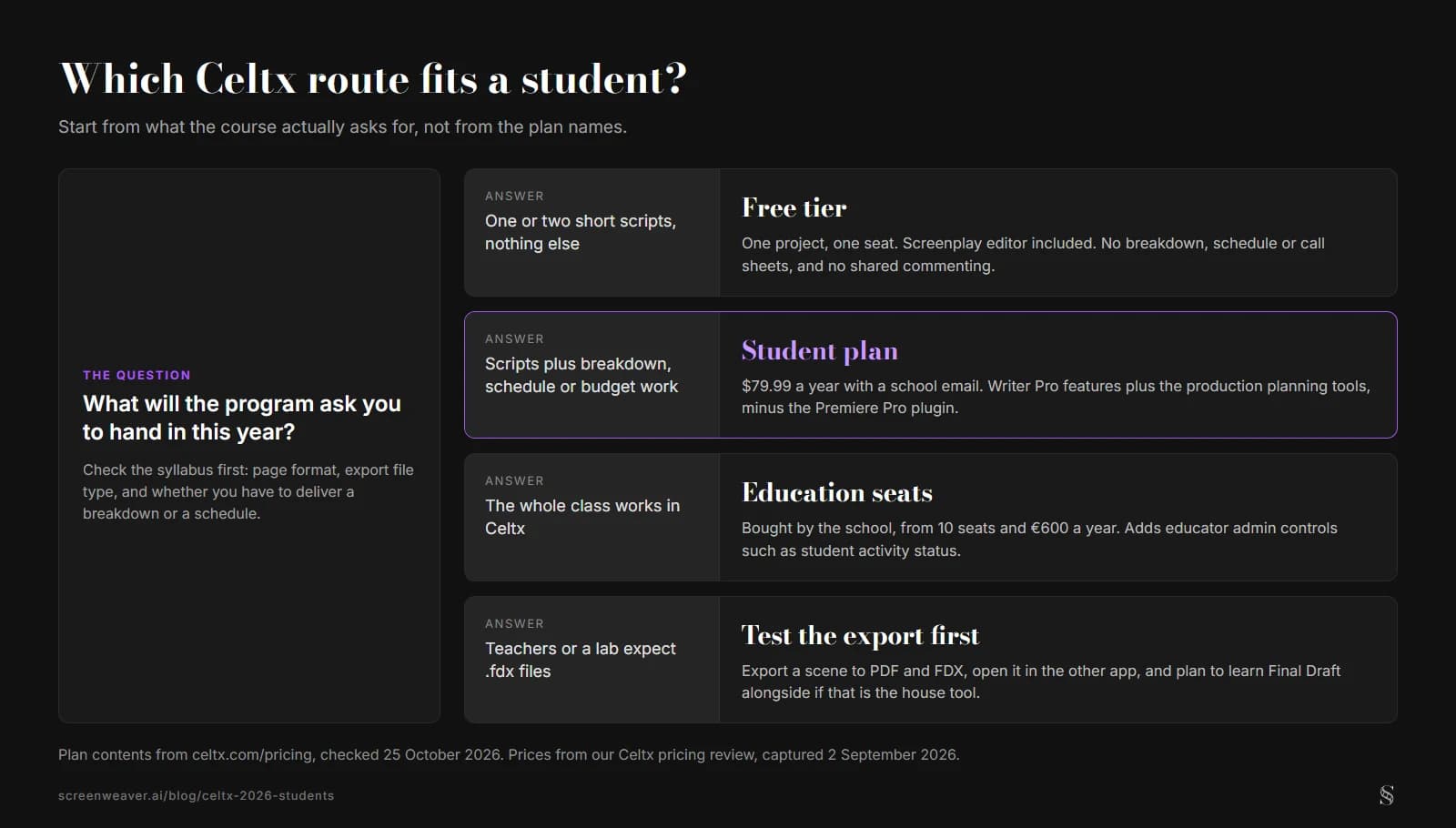
Start from what the course asks for. ScreenWeaver diagram.
Where Students Might Look Elsewhere
Script-only: If they only need to write, a simpler or more focus-oriented tool (e.g. Arc, or a free FD alternative) might be enough. Industry standard: Studios still default to Final Draft; learning FD in parallel or later can help. For alternatives, see best screenwriting software alternatives.
Relatable Scenario: Film School First Year
They need to write and turn in scripts; they may also do basic breakdown. Celtx fits: one login, script + pre-pro. For format, see screenplay format.
The Trench Warfare: What Beginners Get Wrong
Assuming "free" means "limited forever." Celtx free tier is real; paid adds more. Skipping export check. Ensure they can export PDF (and FDX if the program requires it). For export, see exporting for production.
The free tier's limits are easy to check on the comparison table: one seat, one project, and none of the production planning tools.
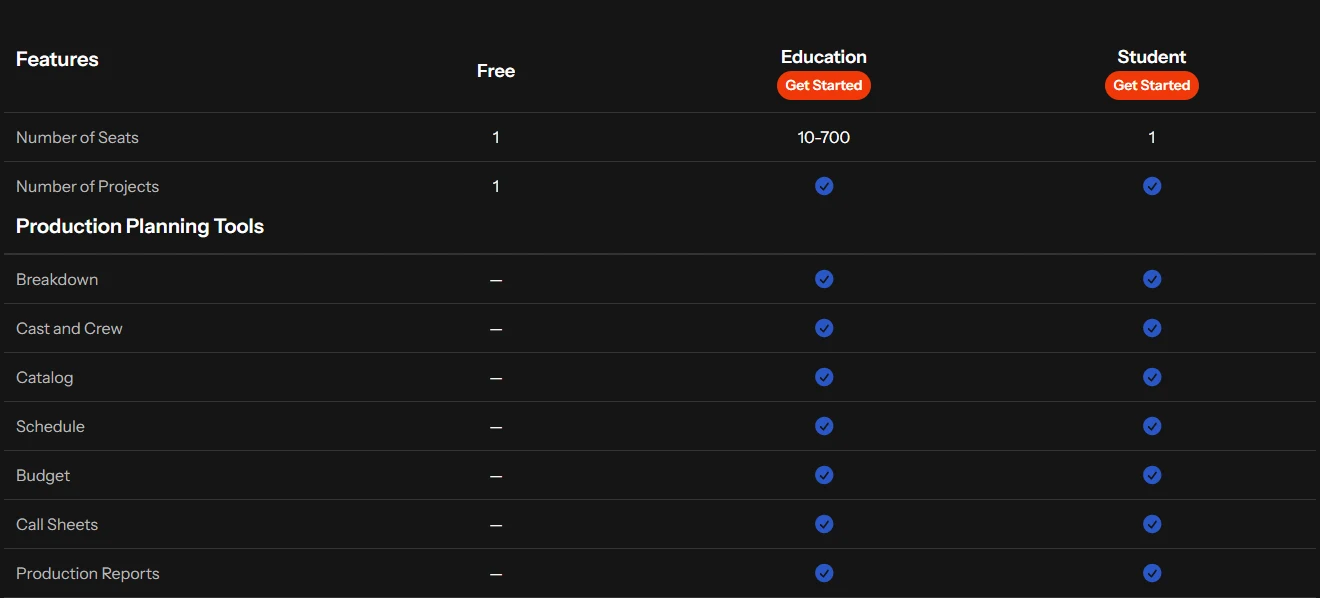
Two sections of the feature table on celtx.com/pricing (Education tab), captured 25 October 2026 and joined for this article.
Try it free
Try Screenweaver for free on your script
It is free. Import your existing project, get a clearer view of your outline, and regain control of your story structure in minutes.
Start FreeVerdict at a Glance
| For students | Consideration |
|---|---|
| Affordable; script + pre-pro | Product is broad; may feel heavy for script-only |
| Good for classes that teach pipeline | Industry still uses FD in many rooms |
| Export PDF/FDX | Verify with your program |
Step-by-Step: Deciding for School
First: Check what the program requires (format, export, collaboration). Second: Try Celtx free tier for one short script. Third: Export to PDF and FDX and open elsewhere. Fourth: If they'll work in industry later, add FD or another pro tool when possible. For more, see Celtx vs Final Draft and Celtx alternative.
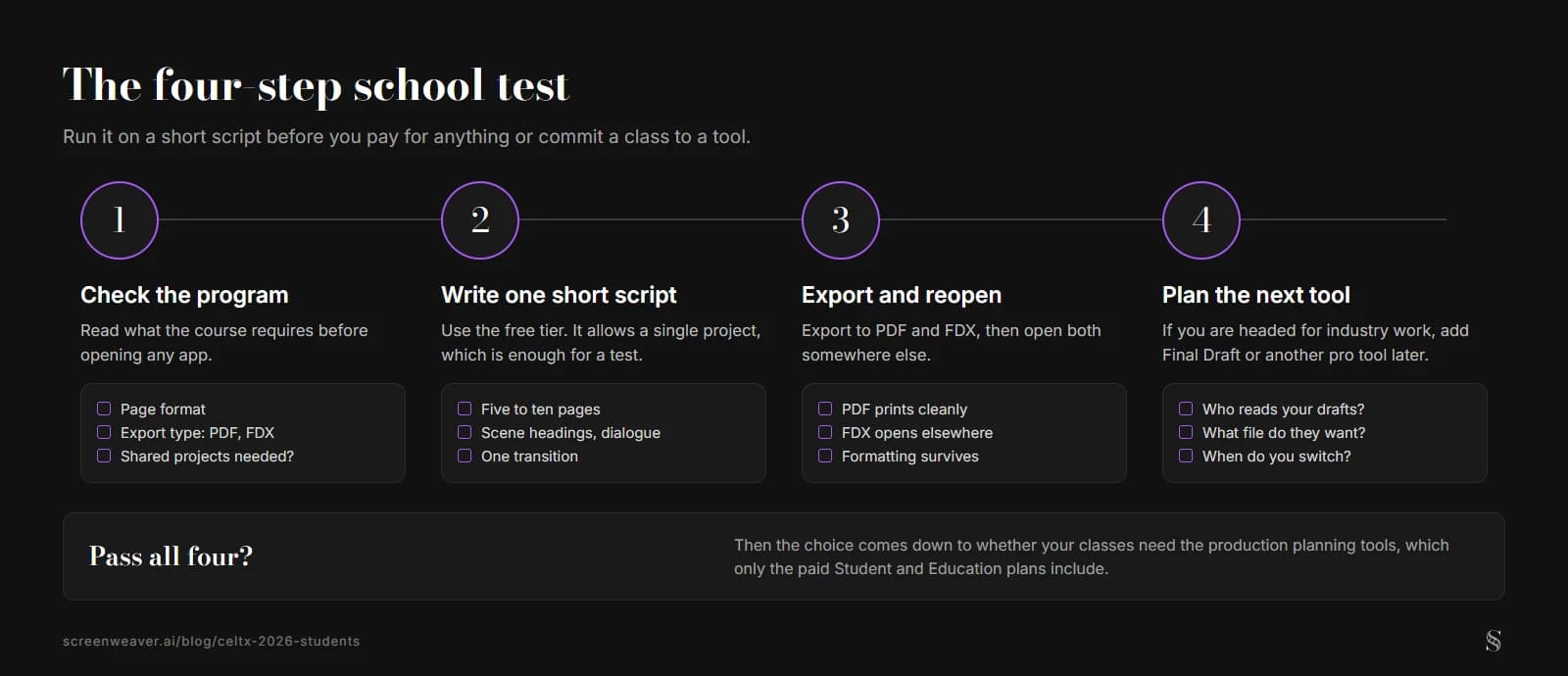
The step-by-step above as a checklist. ScreenWeaver diagram.
The Perspective
Celtx in 2026 is still a solid student option when they need script + pre-production in one place and budget matters. For script-only or industry-standard focus, weigh it against leaner or more FD-centric tools. So check the program requirements. Try the free tier. And decide by their real workflow and goals.
Final Step
Build your next script with Screenweaver
Move from ideas to production-ready pages faster with timeline-native writing and AI-assisted story flow.
Try Screenweaver