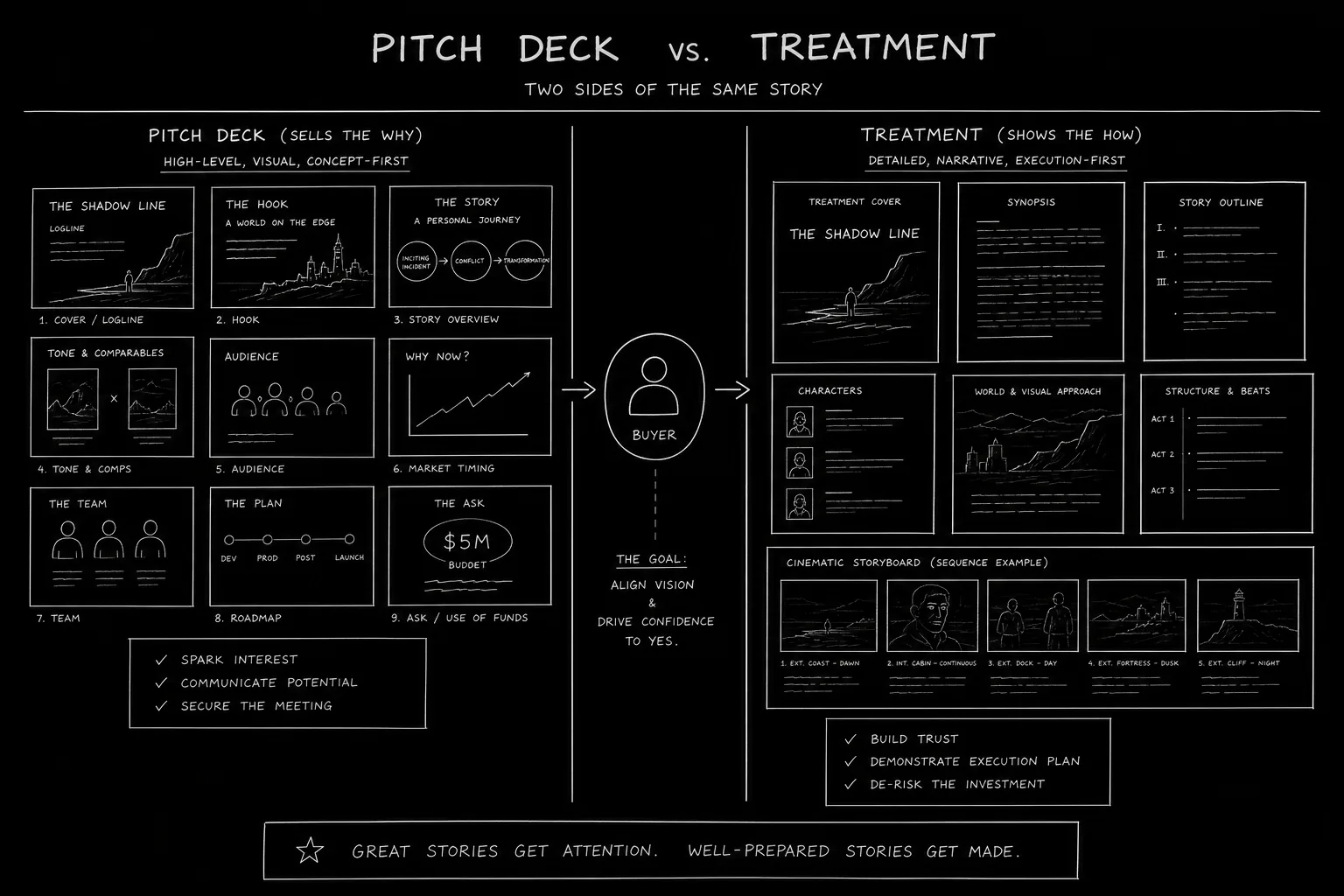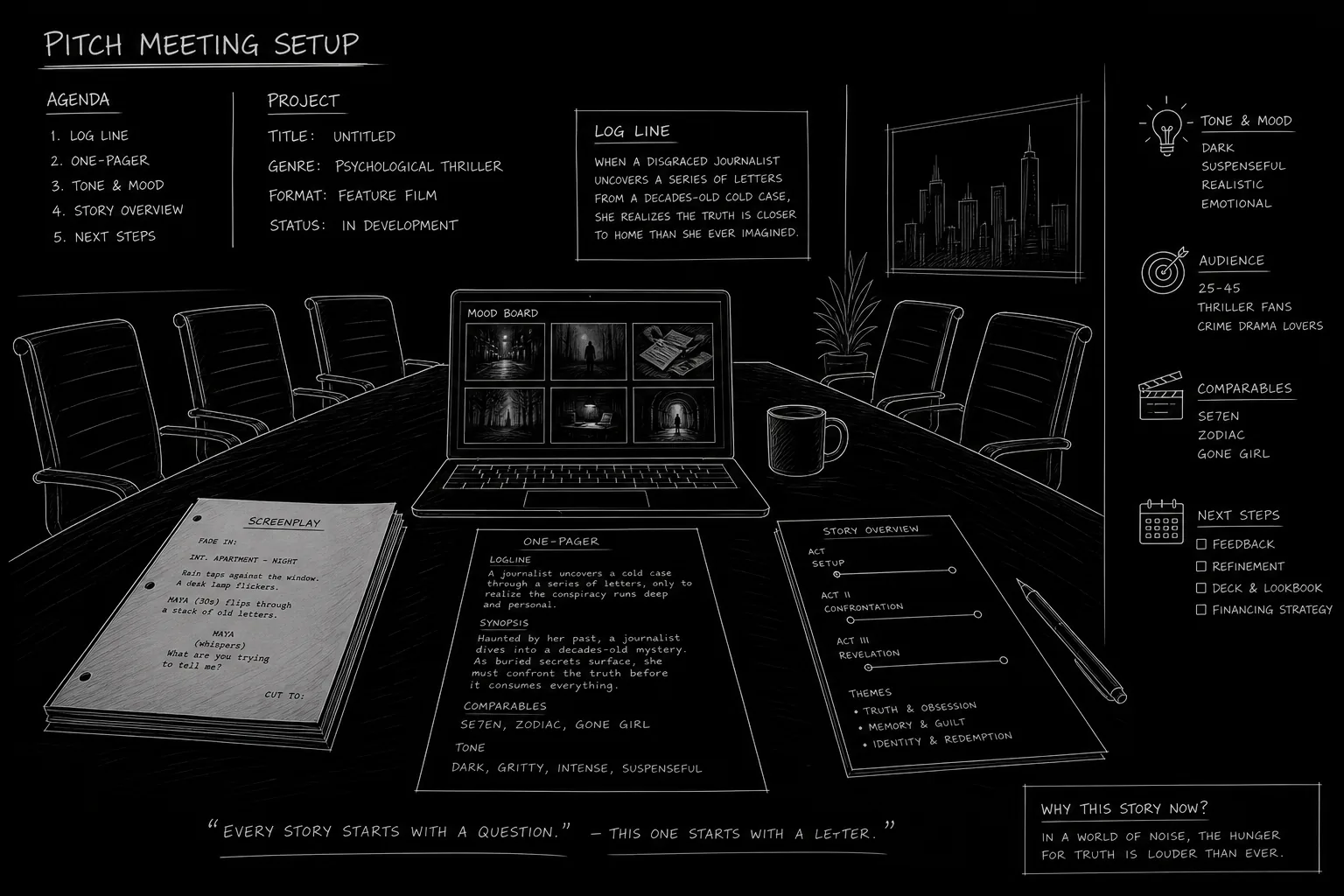

The room is set. The execs are in. You have twenty minutes to make them see your movie. Not read it, see it. That’s what a pitch deck is for. It’s not a script. It’s not a treatment. It’s a visual argument that your idea is a film they should make. Slide by slide, you’re building a shared picture: tone, world, characters, and why now. Get it wrong and you’re reading bullet points to people who’ve already checked out. Get it right and they’re seeing the movie in their head before you say “fade out.”
This guide walks you through a slide-by-slide template you can adapt for any feature. We’re not talking about a one-size-fits-all deck. We’re talking about the components that belong in a professional pitch: what to put on each slide, what to leave out, and how to use visuals so the deck does work while you talk. Mood boards, casting ideas, and a clear throughline will make the difference between “send us the script” and “we’ll pass.”
Free tool: use the Logline Workshop to build and pressure-test your logline.
What a Pitch Deck Is (and Isn’t)
A pitch deck is a short visual document, usually 10–20 slides, that accompanies your verbal pitch. It lives on a screen or tablet in the room (or on Zoom). You don’t read it word for word. You use it to anchor the conversation. A strong slide might have one line of text and one image. The rest is you. The deck is there to show tone, world, and cast potential, and to give executives something to remember and share internally after you leave.
It is not a business plan. It’s not a full treatment. It’s not a lookbook with no story. It has to have enough structure that someone who wasn’t in the room can flip through it and get the gist. But its primary job is to support you in the room. Every slide should earn its place. If a slide doesn’t do work, cut it.
Slide 1: Title and Tagline
Open with the title of the film and a single line that captures the premise or feeling. Not a logline yet, that comes next. This is the hook line. Something like “A heist movie where the crew are all ex-lovers” or “She came to bury her mother. She stayed to become someone else.” The image on this slide can be a key art concept, a single strong still, or a minimal graphic that sets the tone. Keep text minimal. You want them to feel the movie, not read a paragraph.
Slide 2: Logline
One or two sentences. Protagonist, goal, obstacle, stakes. This is the same logline you’d use in a one-pager or in a logline-focused pitch. The slide makes it visible so everyone is aligned on what the movie is “about” before you go deeper. No need for a busy image here; the words do the work. Optional: add a genre and tone label (e.g. “Psychological thriller / 2020s noir”).
Slide 3: Why Now / Why This
This is your relevance slide. Why does this story matter today? Why are you the one to tell it? You might reference a cultural moment, a gap in the market, or a personal connection to the material. Keep it short. One or two bullets or a single block of text. The goal is to answer the unspoken question: why should we make this movie and why with you? If you have a compelling “proof of concept” (e.g. a short that got traction), this is where you can hint at it or show one still. For more on using a short to prove the feature, see our guide on proof of concept filmmaking.
Slide 4: Tone and References
Here’s where mood takes over. Use a small grid of reference images: stills from 2–4 films (or shows) that share the tone, palette, or vibe of your movie. “No Country for Old Men meets Eighth Grade” is a line; a slide that shows a Coen brothers frame next to a Bo Burnham frame is a feeling. Add one line of text: “Tone: X meets Y” or “Visual language: …”. Execs think in comps. Give them comps they can see. Avoid generic stock art. Use frames from real films (you can use them in a private pitch deck; for public or investor decks, use licensed or original imagery). If one scene in the script needs proving rather than evoking, follow this slide with a single boarded sequence; the pitch deck storyboard guide covers which scene to pick and how many panels fit on a slide.
Slide 5: The World
One slide that establishes where and when the story takes place. A single strong image (location, era, or environment) plus a short line. “Small-town Texas, present day.” “Tokyo, 1980s.” “A single apartment over one night.” If the world has rules (sci-fi, period, etc.), state them in one sentence. This slide answers “What does this look like?” so you don’t have to describe it from scratch in the room.
Slide 6: Main Character(s)
Introduce the protagonist (and, if useful, the key relationship or antagonist) in one slide. Ideal casting is powerful here. “A role for a [age] [type], think Zendaya in Euphoria” or “Someone who can do brittle and funny, Carey Mulligan in Promising Young Woman.” You’re not committing to cast; you’re giving them a shared reference. One or two sentences per character. One image per character if you have them (reference stills or mood images). This helps execs imagine the film and start thinking about attachments.
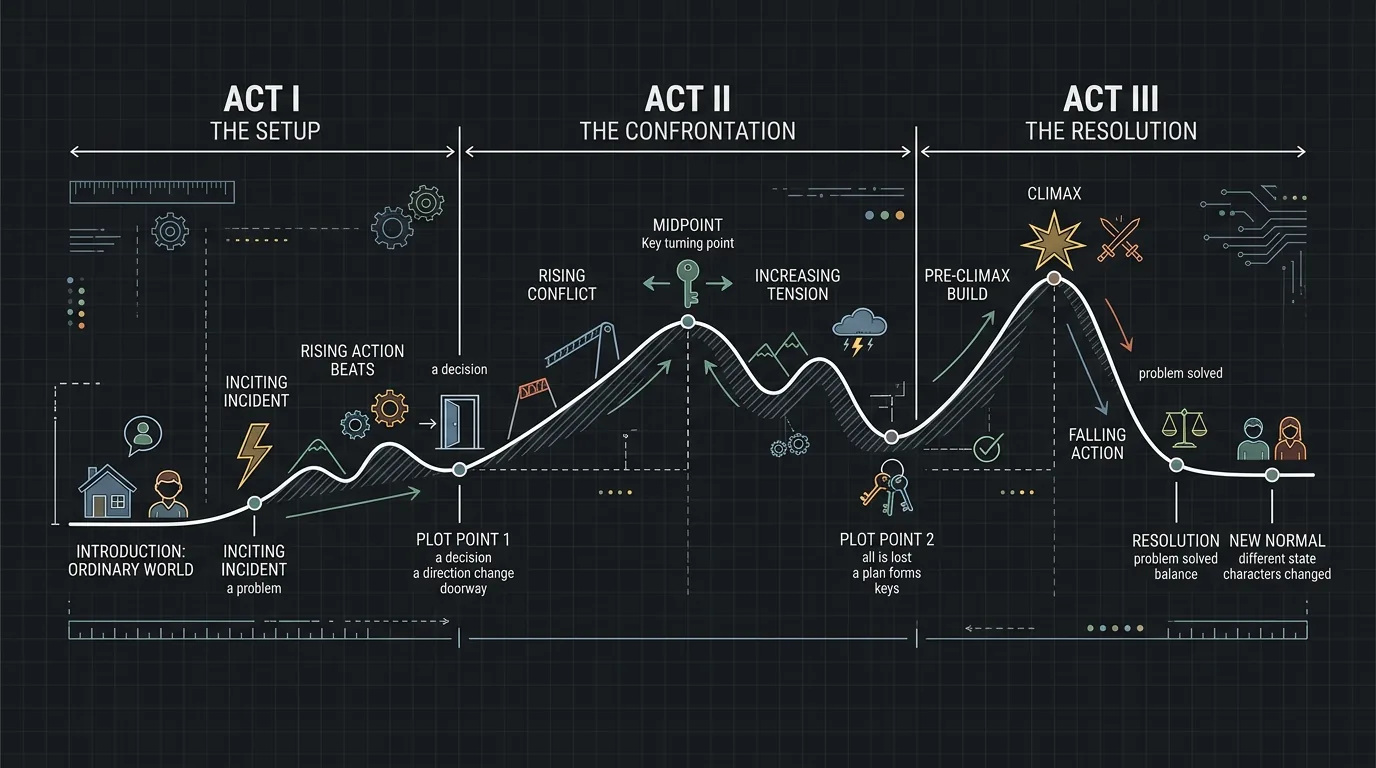
Slide 7: Story in Three Acts (or Key Beats)
Three to five bullets or a simple diagram. Act One: setup and inciting incident. Act Two: escalation and midpoint. Act Three: climax and resolution. Don’t overwrite. You’re showing shape, not every scene. Some decks use a single timeline image with labels. Others use three columns. The point is that in 30 seconds they can see the movie’s spine. If your structure is non-standard (e.g. circular, multi-timeline), say so and show it. Our structure guides can help you articulate act breaks; the deck just needs to reflect your chosen structure clearly.
Slide 8: Key Set Pieces or Sequences
One slide that highlights 2–4 moments that define the movie. The heist. The confrontation. The twist. Use one image or one line per moment. This is the “trailer” slide, the beats that would go in the trailer and that you’d want to see in the film. It reassures them the idea has scenes, not just theme.
Slide 9: Themes and Stakes
What is the movie about under the plot? One short paragraph or a few lines. “This is a movie about trust after betrayal” or “It’s about the cost of keeping a family secret.” You’re not lecturing. You’re giving them the takeaway so they can pitch it up the chain. Optional: one evocative image that supports the theme.
Slide 10: Who You Are (Optional)
If the room doesn’t know you, one slide: your name, your credits or relevant work, and one line on why you’re the writer (or writer-director) for this. No long bio. No list of every short you’ve made. Just enough so they know you’re real and you’re committed.
Try it free
Try Screenweaver for free on your script
It is free. Import your existing project, get a clearer view of your outline, and regain control of your story structure in minutes.
Start FreeSlide 11: Ask / Next Step
Last slide. What do you want? “We’re looking for a development partner” or “We’d love to come back with a full treatment and budget.” One line. Then thank them. Leave the deck with them (or send it right after) so they can circulate it. Don’t end on a cliffhanger. End on a clear ask.
What to Avoid
Too much text. If every slide is a paragraph, no one will read it. Use the deck for headlines and images; you provide the detail aloud.
Spoiling the whole script. The deck should tease and structure, not replace the read. Save the best twists for the room or the script.
Generic art. Stock photos of “business people” or “drama” don’t convey your movie. Use reference stills, concept art, or photography that matches your tone.
Too many slides. If you have 30 slides, you’re doing a presentation, not a pitch. Cut to the essentials. You can have an appendix in the back for backup (e.g. full cast ideas, more references) but the core should be tight.
What Beginners Get Wrong (The Trench Warfare Section)
Leading with plot. Opening with six slides of story beats before establishing tone and world loses people. They need to feel the movie first. Put title, logline, tone, and world before you go deep on acts.
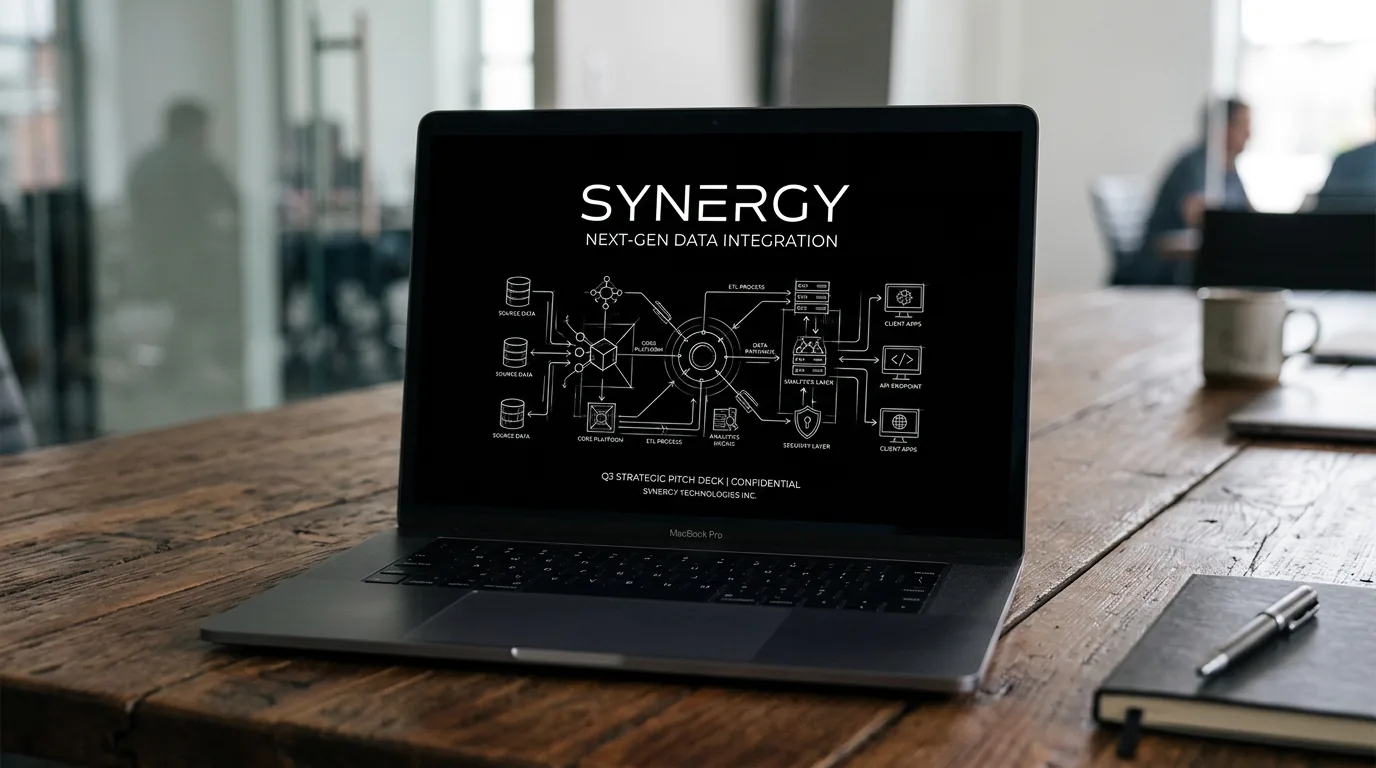
No visual consistency. Every slide looks like a different movie. Pick a palette, a font, and a style (e.g. dark mode technical sketch, or clean minimal) and stick to it. The deck should feel like one film.
Vague comps. “It’s like a mix of a lot of things” doesn’t help. “Parasite meets Lady Bird” on a slide with two clear images does. Be specific. Execs use comps to position the film for their bosses.
Forgetting the ask. You leave the room and they don’t know what you want. Always end with a clear next step. Make it easy for them to say yes to the next meeting.
Over-designing. Fancy transitions and animations can feel like a sales pitch, not a creative pitch. Simple, clear, and fast to load is better. Focus on content and tone, not bells and whistles.
A Quick Reference Table
| Slide | Purpose | Do | Don’t |
|---|---|---|---|
| Title | Hook and title | One line, one image | Long synopsis |
| Logline | Premise in one breath | Protagonist + goal + obstacle | Full paragraph |
| Why Now | Relevance | 1–2 bullets or short block | Essay |
| Tone | Feel of the film | 2–4 reference images + one line | No images or vague “dramatic” |
| World | Where/when | One strong image + one line | Multiple locations without focus |
| Characters | Who and casting idea | Name, one line, ref image | Full bios |
| Story | Shape of the film | 3–5 beats or simple diagram | Every scene |
| Set pieces | Memorable moments | 2–4 images/lines | Entire plot |
| Themes | What it’s about | Short paragraph | Lecture |
| You / Ask | Who you are, what you want | One slide total | Long bio, no ask |
The best pitch decks don’t explain the movie. They make the reader see it. Your job is to choose the images and lines that do that.
The Perspective
A feature pitch deck is a visual handshake. It says: here’s the movie, here’s the tone, here’s the cast we’re imagining, here’s the shape of the story. It doesn’t replace the script or the pitch. It supports them. Build it slide by slide with mood and clarity, and when you leave the room, they should remember the film, not just the bullet points.
These two visuals work as a pair: the first shows Mood board grid: four reference frames; dark mode technical sketch, and the second shifts to Three-act timeline with key beats; dark mode technical sketch - compare them briefly, then move on.
Final Step
Build your next script with Screenweaver
Move from ideas to production-ready pages faster with timeline-native writing and AI-assisted story flow.
Try Screenweaver