พรอมป์ตการเคลื่อนกล้อง

ทุกการเคลื่อนกล้อง ทำเป็นภาพเคลื่อนไหวและคัดลอกได้ทันที

ดูว่าการเคลื่อนกล้องแต่ละแบบทำอะไรกับเฟรมจริง ๆ แล้วคัดลอกวลีที่ทำให้มันเกิดขึ้นใน Veo, Sora, Runway, Kling และ Seedance เลิกสั่งดอลลีทั้งที่ภาพในหัวคุณคือแพน

โมเดลข้อความสู่วิดีโอเข้าใจคำศัพท์การถ่ายภาพยนตร์จริง แต่ต่อเมื่อคุณใช้คำที่ถูกกับการเคลื่อนที่ถูก การ์ดแต่ละใบด้านล่างทำการเคลื่อนกล้องหนึ่งแบบบนฉากเดียวกันให้เป็นภาพเคลื่อนไหว ความต่างจึงเห็นได้ด้วยตาแทนที่จะถูกบรรยาย แพนจะกวาดโดยไม่มีพารัลแลกซ์ ทรักจะเลื่อนพร้อมพารัลแลกซ์ การดันกล้องเข้าเดินทางผ่านพื้นที่ ส่วนซูมทำให้มันแบน

ภาพเคลื่อนไหวเป็นการสาธิตด้วย CSS ล้วนที่วาดในเบราว์เซอร์ของคุณ การคัดลอกพรอมป์ตไม่ส่งข้อมูลใดไปยังเซิร์ฟเวอร์

Static / Locked-off

The camera does not move at all, as if mounted on a tripod.

ใช้เมื่อ Composed tableaus, dialogue, comedy framing, letting action play inside a fixed frame.

static camera, locked-off shot, no camera movement

ดูตัวอย่างพรอมป์ตเต็ม

Wide shot of an empty diner at dawn, static camera, locked-off shot, no camera movement.

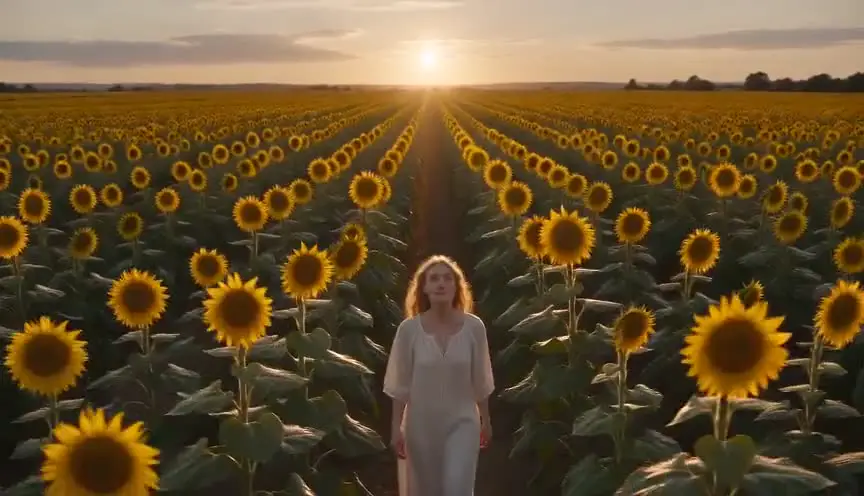
Pan

The camera rotates horizontally on its axis, sweeping the view across the scene.

ใช้เมื่อ Revealing a landscape, following action across a space, connecting two subjects.

slow pan from left to right across the scene

ดูตัวอย่างพรอมป์ตเต็ม

Desert canyon at golden hour, slow pan from left to right across the scene, cinematic.

Tilt

The camera rotates vertically, pivoting the view up or down from a fixed position.

ใช้เมื่อ Revealing scale (a tower, a giant), moving from detail to context, hero introductions.

slow tilt upward from the ground to the sky

ดูตัวอย่างพรอมป์ตเต็ม

Base of a futuristic skyscraper at night, slow tilt upward from the ground to the sky.

Push-in

The camera moves physically toward the subject, tightening the frame.

ใช้เมื่อ Building tension, signaling a realization, isolating a character from their surroundings.

slow push-in toward the subject, smooth cinematic camera move

ดูตัวอย่างพรอมป์ตเต็ม

A detective studies a wall of photographs, slow push-in toward the subject, smooth cinematic camera move, moody interior light.

Pull-back

The camera moves physically away from the subject, widening the frame.

ใช้เมื่อ Endings, reveals of context or isolation, showing how small the subject is in the world.

slow pull-back away from the subject, revealing the surroundings

ดูตัวอย่างพรอมป์ตเต็ม

A lone figure on a rooftop, slow pull-back away from the subject, revealing the surroundings, sprawling city below.

Crash zoom

A sudden, fast zoom onto the subject, snapping the frame tighter in a fraction of a second.

ใช้เมื่อ Shock beats, comedic emphasis, stylized action (Tarantino, Wright).

sudden crash zoom onto the subject

ดูตัวอย่างพรอมป์ตเต็ม

A cowboy's eyes narrow under his hat brim, sudden crash zoom onto the subject, western standoff.

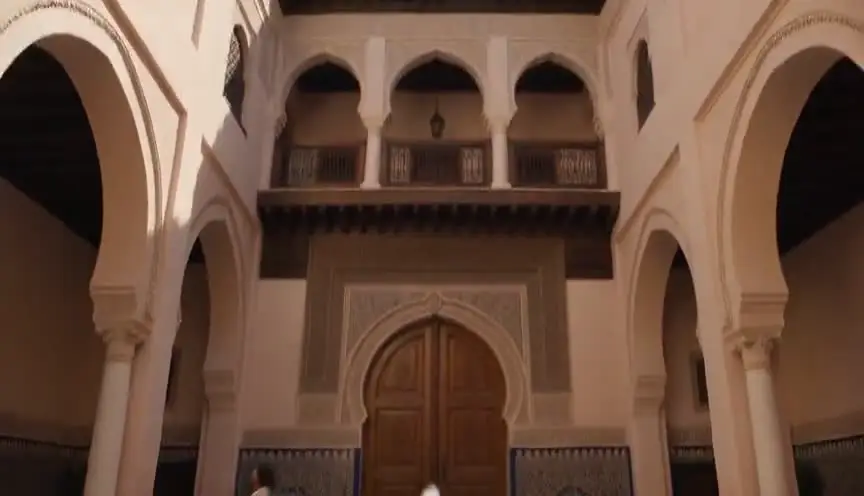
Dolly / Truck

The camera slides laterally on a track, creating natural parallax between foreground and background.

ใช้เมื่อ Moving past environments, following lateral action, elegant scene exploration.

camera trucks right, sliding laterally with natural parallax

ดูตัวอย่างพรอมป์ตเต็ม

Rows of neon market stalls at night, camera trucks right, sliding laterally with natural parallax.

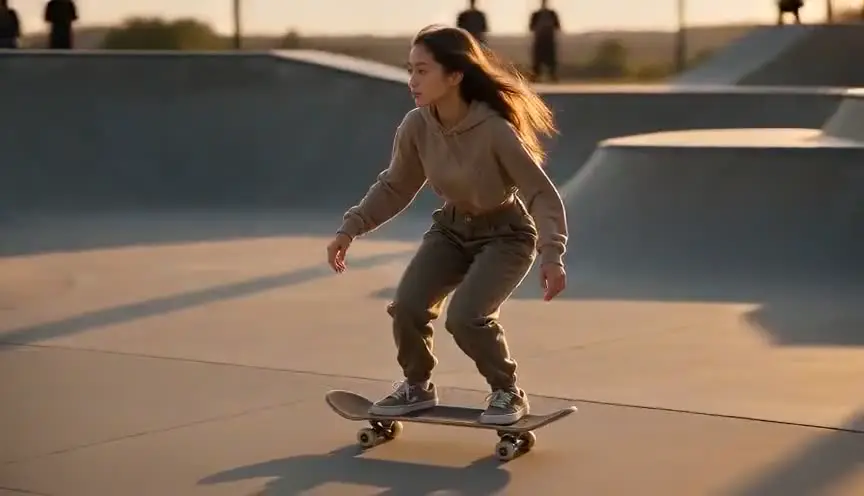
Tracking shot

The camera travels with the subject, keeping them framed while the world streams past.

ใช้เมื่อ Walk-and-talks, chases, immersing the viewer in a character's forward motion.

tracking shot following the subject as they move, subject stays centered

ดูตัวอย่างพรอมป์ตเต็ม

A runner sprints through rain-soaked streets, tracking shot following the subject as they move, subject stays centered.

Orbit / Arc

The camera circles around the subject in a smooth arc, keeping them centered.

ใช้เมื่อ Hero moments, revealing all sides of a subject, dramatic emphasis mid-scene.

camera orbits slowly around the subject in a smooth arc

ดูตัวอย่างพรอมป์ตเต็ม

A samurai stands ready in a bamboo grove, camera orbits slowly around the subject in a smooth arc.

Crane / Boom

The camera rises (or descends) vertically through space, changing the angle on the whole scene.

ใช้เมื่อ Openings and closings, lifting from intimate detail to god's-eye context.

crane shot rising from ground level to a high angle above the scene

ดูตัวอย่างพรอมป์ตเต็ม

A wedding crowd throws confetti, crane shot rising from ground level to a high angle above the scene.

Handheld

The camera is carried, with subtle natural shake and drift in every frame.

ใช้เมื่อ Documentary realism, unease, action immediacy, found-footage styles.

handheld camera with subtle natural shake, documentary feel

ดูตัวอย่างพรอมป์ตเต็ม

Soldiers move through a smoke-filled corridor, handheld camera with subtle natural shake, documentary feel.

Whip pan

An extremely fast pan that blurs the image, snapping from one framing to another.

ใช้เมื่อ Energetic transitions, comedic double-takes, connecting simultaneous actions.

fast whip pan to the right with motion blur

ดูตัวอย่างพรอมป์ตเต็ม

From the pitcher's wind-up, fast whip pan to the right with motion blur, to the batter waiting.

Rack focus

The lens focus shifts between two planes: foreground and background trade sharpness.

ใช้เมื่อ Redirecting attention, reveals within a frame, connecting two story beats without a cut.

rack focus from the foreground subject to the background

ดูตัวอย่างพรอมป์ตเต็ม

A letter in trembling hands, rack focus from the foreground subject to the background, where a door slowly opens.

Dutch angle

The camera rolls on its long axis so the horizon sits tilted in the frame.

ใช้เมื่อ Disorientation, psychological tension, villain framings, worlds gone wrong.

dutch angle, camera rolls to a tilted horizon

ดูตัวอย่างพรอมป์ตเต็ม

A hacker's face lit by monitor glow, dutch angle, camera rolls to a tilted horizon, thriller mood.

Zoom in

The lens focal length increases from a fixed position: the frame tightens but perspective flattens, with no parallax.

ใช้เมื่อ Surveillance and documentary feels, retro 70s style, deliberate optical emphasis.

slow zoom in on the subject, optical zoom, no camera movement

ดูตัวอย่างพรอมป์ตเต็ม

A figure waits at the far end of a train platform, slow zoom in on the subject, optical zoom, no camera movement, 70s thriller style.

Zoom out

The lens focal length decreases from a fixed position, widening the frame without the camera traveling.

ใช้เมื่อ Deadpan comedic reveals, stepping back from a detail to its flat context.

slow zoom out revealing the scene, optical zoom, no camera movement

ดูตัวอย่างพรอมป์ตเต็ม

A single melting ice cream cone on hot asphalt, slow zoom out revealing the scene, optical zoom, no camera movement, an empty amusement park around it.

Dolly zoom (Vertigo)

The camera dollies one way while the lens zooms the other: the subject stays the same size as the background warps toward or away.

ใช้เมื่อ Realization, dread, vertigo, the world shifting around a character (Jaws, Vertigo).

dolly zoom vertigo effect, background warping while the subject stays the same size

ดูตัวอย่างพรอมป์ตเต็ม

A detective freezes as the truth lands, dolly zoom vertigo effect, background warping while the subject stays the same size.

Steadicam glide

The camera floats forward smoothly with a subtle organic sway, stabilized but alive.

ใช้เมื่อ Following characters through spaces, immersive long-take feels (Goodfellas, The Shining).

smooth steadicam glide forward, floating camera movement

ดูตัวอย่างพรอมป์ตเต็ม

Moving through a crowded backstage corridor toward the stage lights, smooth steadicam glide forward, floating camera movement.

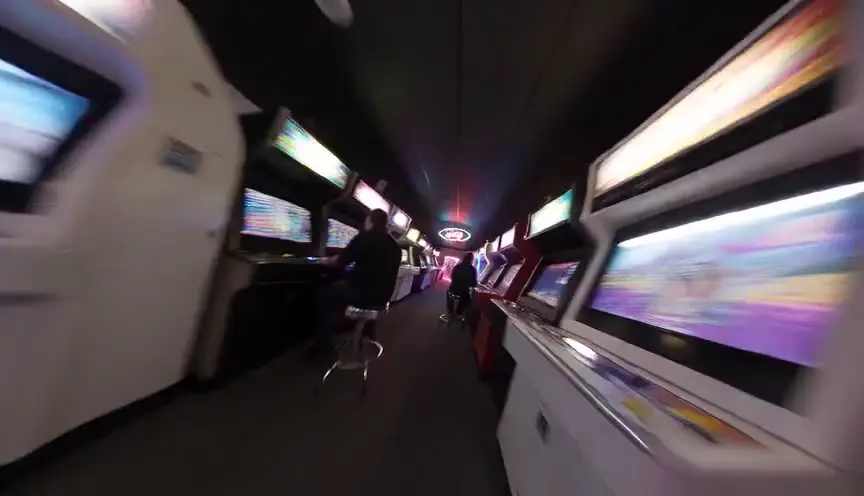
FPV drone dive

A first-person drone races and dives toward the subject at high speed, with aggressive momentum.

ใช้เมื่อ High-energy reveals, action sequences, flythrough transitions, music video energy.

FPV drone shot diving toward the subject at high speed

ดูตัวอย่างพรอมป์ตเต็ม

A lighthouse on a storm-battered cliff, FPV drone shot diving toward the subject at high speed, waves exploding below.

Aerial pull-away

A drone rises and pulls back, shrinking the subject into an expanding aerial view.

ใช้เมื่อ Endings, scale reveals, leaving a character to their fate, establishing geography in reverse.

aerial drone shot rising and pulling away from the scene

ดูตัวอย่างพรอมป์ตเต็ม

A lone car drives a desert highway at dusk, aerial drone shot rising and pulling away from the scene.

Barrel roll

The camera rotates a full 360 degrees on its long axis, rolling the whole world around the lens.

ใช้เมื่อ Stylized transitions, zero-gravity or dream sequences, high-impact music video moments.

camera barrel roll, full 360 degree rotation

ดูตัวอย่างพรอมป์ตเต็ม

Skydivers in freefall against sunset clouds, camera barrel roll, full 360 degree rotation.

Snorricam

The camera is rigged to the subject's body facing them: the actor stays locked in frame while the world swings behind them.

ใช้เมื่อ Panic, intoxication, obsession - subjective states where the world unmoors (Requiem for a Dream).

snorricam shot, camera locked to the subject while the background swings around them

ดูตัวอย่างพรอมป์ตเต็ม

A man sprints through a neon market in panic, snorricam shot, camera locked to the subject while the background swings around them.

วิธีใช้หน้านี้

หาการเคลื่อนกล้องที่ตรงกับช็อตที่คุณเห็นในหัว คัดลอกชิ้นส่วนพรอมป์ตของมัน แล้ววางลงในพรอมป์ตวิดีโอ AI ของคุณต่อจากขนาดภาพและตัวแบบทันที ชิ้นส่วนแต่ละอันใช้วลีที่โมเดลหลักอ่านได้น่าเชื่อถือที่สุด พร้อมคำบอกความเร็ว เพราะ «ค่อย ๆ ดันกล้องเข้า» กับ «ซูมกระชาก» เป็นคำสั่งคนละอย่าง ไม่ใช่รูปแบบต่างของสิ่งเดียวกัน ตัวอย่างเต็มบนการ์ดแต่ละใบแสดงชิ้นส่วนนั้นในพรอมป์ตที่เรียงลำดับดีครบถ้วน

การเคลื่อนกล้องในการสร้างวิดีโอด้วย AI

การเคลื่อนกล้องเป็นส่วนที่ถูกใช้ผิดมากที่สุดในการเขียนพรอมป์ตวิดีโอ AI โมเดลอย่าง Veo, Sora, Runway และ Kling ฝึกมาจากฟุตเทจที่ถูกบรรยายด้วยคำศัพท์หนังจริง คำอย่าง «แพนซ้ายช้า ๆ» «ช็อตแทร็กกิ้ง» และ «เครนขึ้น» จึงเป็นคำสั่งที่มันทำตามได้จริง ขณะที่ «กล้องอลังการเคลื่อนไหวดุดัน» เป็นเสียงรบกวนที่มันจะเดาเติมเอง

ความสับสนคลาสสิกทำให้เสียการเจนซ้ำมากที่สุด แพนหมุนอยู่กับที่โดยไม่มีพารัลแลกซ์ ส่วนดอลลีหรือทรักเคลื่อนตัวจริง ทำให้ฉากหน้ากับฉากหลังแยกออกจากกัน ซูมเปลี่ยนความยาวโฟกัสและทำภาพแบนลง ส่วนการดันกล้องเข้าเคลื่อนผ่านพื้นที่และรักษาเปอร์สเปกทีฟให้เป็นธรรมชาติ การสั่งผิดตัวให้ผลที่รู้สึกไม่ถูกโดยไม่ได้พังชัด ๆ

หนึ่งการเคลื่อนกล้องต่อหนึ่งช็อตคือค่าตั้งต้นแบบมืออาชีพ ทั้งในการเจนด้วย AI และบนกองถ่ายจริง เมื่อช่วงเวลาหนึ่งดูเหมือนต้องการสองการเคลื่อน ให้เจนเป็นสองคลิปแล้วตัดต่อ หรือเลือกการเคลื่อนที่เด่นที่สุดแล้วปล่อยให้การตัดต่อจัดการที่เหลือ การซ้อนคำสั่งกล้องหลายอันในพรอมป์ตเดียวคือสาเหตุที่พบบ่อยที่สุดของฟุตเทจ AI ที่มัวและลอยไปมา

เหมาะกับใคร

  • คนทำหนังด้วย AI สั่งการเคลื่อนกล้องที่คุณเห็นในหัวได้ตรง ๆ แทนที่จะเผาการเจนไปกับการเดาคำศัพท์
  • นักศึกษาภาพยนตร์ เรียนคำศัพท์การเคลื่อนกล้องด้วยสายตา ในแบบที่มันปรากฏบนจอ ไม่ใช่แค่ในอภิธานศัพท์
  • ทีมวิดีโอ แชร์แหล่งอ้างอิงชุดเดียว เพื่อให้ทุกพรอมป์ตในไปป์ไลน์ใช้ภาษากล้องเดียวกัน

Camera Movement Prompts: the complete guide

It pairs an animated demonstration of every core camera movement with the copy-paste prompt fragment that reliably produces it in Veo, Sora, Runway, Kling, and Seedance.

For this workflow, the central problem is clear: camera movement names are learned from text descriptions, so creators prompt 'dolly' when they mean 'pan' and get footage that moves wrong. Left unresolved, this creates downstream friction and slower decisions. The practical target is you see each movement animated, understand what it does to the frame, and copy the exact prompt phrasing that triggers it in AI video models.

Limitation to keep in mind: Model support for camera language varies: most handle pans, push-ins, and tracking well, while complex moves like orbits and rack focus may need a second generation or a model with explicit camera controls.

Advanced workflow: AI filmmakers pair one movement per shot with the prompt generator, keeping subject descriptions locked across the sequence so the movement changes while the world stays consistent.

Step-by-Step Workflow

  1. Watch the animations and identify the movement that matches the shot in your head.
  2. Copy the prompt fragment and paste it into your AI video prompt after subject and setting.
  3. Expand the example to see the fragment used in a complete, well-ordered prompt.
  4. Keep one movement per shot: models blur or ignore stacked contradictory camera instructions.

Use Cases By Profile

  • AI filmmaker: stop guessing movement vocabulary and prompt the move you actually visualized.
  • Film student: learn what each movement does to a frame by watching it, not reading about it.
  • Video team: share one reference page so everyone's prompts use the same camera language.

Common Mistakes To Avoid

  • Stacking multiple movements in one prompt (pan + orbit + zoom) and getting muddy motion.
  • Using 'zoom' when the shot needs a push-in: zoom flattens, dolly moves through space.
  • Prompting vague words like 'dynamic camera' instead of a named, specific movement.

Professional Best Practices

  • Add a speed word to every movement: 'slow push-in' and 'fast whip pan' behave very differently.
  • Pair movement with motivation: 'tracking shot following the subject' beats 'tracking shot' alone.
  • If a model ignores the movement, move it earlier in the prompt, right after the shot type.

Treat this tool output as a decision support layer, not a replacement for authorship. Great scripts are remembered for specific choices, emotional precision, and clarity of dramatic movement. Tools help by removing noise so your energy can go where it matters: character, conflict, escalation, and payoff. If you review outcomes after each pass and keep an explicit log of accepted changes, your workflow becomes faster and more predictable from draft to draft. That consistency is exactly what professional collaborators value: fewer surprises, clearer rationale, and a script that evolves with intent.

Extended FAQ

What are the main camera movements in film?

The core vocabulary is pan, tilt, push-in, pull-back, zoom, dolly/truck, tracking shot, orbit or arc, crane or boom, handheld, whip pan, rack focus, and the dutch angle roll. Each one is animated on this page with its matching AI prompt.

Which camera movements work best in AI video models?

Pans, push-ins, pull-backs, tracking shots, and handheld styles are reliably understood by Veo, Sora, Runway, Kling, and Seedance. Orbits, crane moves, and rack focus work but may need a retry or a model with dedicated camera controls.

What is the difference between a pan and a dolly?

A pan rotates the camera in place, sweeping the view with no parallax. A dolly physically moves the camera through space, so foreground and background shift at different speeds. The two animations on this page show the difference instantly.

Why does my AI video ignore my camera movement prompt?

The most common causes are stacking several movements in one prompt, burying the movement at the end of a long prompt, or using vague language. Use one named movement, place it right after the shot framing, and add a speed word.

What is the difference between a zoom and a push-in?

A zoom changes the lens focal length from a fixed position, flattening perspective as it tightens. A push-in physically moves the camera toward the subject, keeping perspective natural. Prompt 'push-in' for cinematic results and 'zoom' only when you want the optical effect.

Can I combine camera movements in one AI prompt?

Generally one movement per shot works best. If the story needs two moves, either pick the dominant one or generate two clips and cut them together, the same way a real production would cover it.

FAQ

คำถามที่พบบ่อย

ได้ ชิ้นส่วนพรอมป์ตใช้คำศัพท์การถ่ายภาพยนตร์มาตรฐานที่โมเดลข้อความสู่วิดีโอหลักทุกตัวฝึกมา การรองรับต่างกันไปตามการเคลื่อนกล้อง แพน การดันกล้องเข้า และช็อตแทร็กกิ้งน่าเชื่อถือที่สุดในทุกโมเดล ส่วนออร์บิตกับแร็กโฟกัสอาจต้องเจนซ้ำในบางโมเดล

แพนหมุนกล้องอยู่กับที่ ภาพทั้งภาพจึงกวาดไปพร้อมกันโดยไม่มีพารัลแลกซ์ ส่วนดอลลีเคลื่อนตัวกล้องจริง สิ่งที่อยู่ใกล้กับอยู่ไกลจึงขยับด้วยความเร็วต่างกัน เทียบภาพเคลื่อนไหวสองอันด้านบนแล้วจะเห็นความต่างทันที

ส่วนใหญ่เพราะการเคลื่อนกล้องถูกฝังไว้ท้ายพรอมป์ตยาว ๆ เขียนคลุมเครือ หรือซ้อนกับการเคลื่อนอีกอัน ให้วางการเคลื่อนกล้องที่เรียกชื่อชัดเจนหนึ่งอันไว้ต่อจากขนาดภาพทันที เติมคำบอกความเร็ว และคุมไว้ที่หนึ่งการเคลื่อนต่อหนึ่งช็อต

ส่วนใหญ่ควรสั่งการดันกล้องเข้า เพราะมันเคลื่อนผ่านพื้นที่และรักษาเปอร์สเปกทีฟให้เป็นธรรมชาติ ซึ่งอ่านดูเป็นหนัง ส่วนซูมทำเปอร์สเปกทีฟแบน ซึ่งเป็นเอฟเฟกต์เชิงสไตล์ที่ตั้งใจ ดีสำหรับซูมกระชาก แต่ผิดสำหรับการค่อย ๆ เข้าหาแบบดราม่า

มักทำให้ผลแย่ลง ให้เลือกการเคลื่อนที่เด่นที่สุด หรือเจนสองการเคลื่อนเป็นคลิปแยกแล้วตัดต่อเข้าด้วยกัน เหมือนที่การผลิตจริงถ่ายคลุมฉากหนึ่ง

Preview of ScreenWeaver visual timeline and script rhythm

จากช็อตเดี่ยวสู่ไปป์ไลน์หนัง AI เต็มรูปแบบ

ScreenWeaver เปลี่ยนบทของคุณเป็นฉาก สตอรีบอร์ด และพรอมป์ตทีละช็อตที่มีตัวละครกับสถานที่คงเส้นคงวา ภาษากล้องจึงกลายเป็นแผน ไม่ใช่การเดา เริ่มใช้ฟรี

วางแผนช็อตของคุณฟรี