Prompts de movimentos de câmera

Cada movimento de câmera, animado e pronto para copiar

Veja o que cada movimento de câmera faz de verdade com o quadro e copie depois a formulação exata que o aciona em Veo, Sora, Runway, Kling e Seedance. Chega de pedir um travelling quando o plano na sua cabeça é uma panorâmica.

Os modelos de texto para vídeo entendem o vocabulário real de filmagem, mas só se você usar a palavra certa para o movimento certo. Cada ficha abaixo anima um movimento sobre a mesma cena, para que as diferenças apareçam em vez de serem descritas: uma panorâmica varre sem paralaxe, um travelling lateral desliza com paralaxe, um travelling de aproximação atravessa o espaço onde um zoom o achata.

As animações são simples demonstrações em CSS, calculadas no seu navegador. Copiar um prompt não envia nada a nenhum servidor.

Static / Locked-off

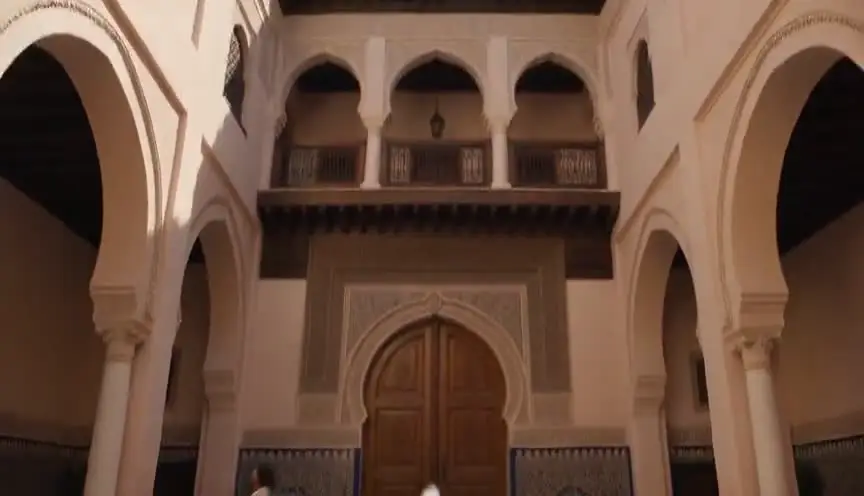
The camera does not move at all, as if mounted on a tripod.

Quando usar: Composed tableaus, dialogue, comedy framing, letting action play inside a fixed frame.

static camera, locked-off shot, no camera movement

Ver um exemplo de prompt completo

Wide shot of an empty diner at dawn, static camera, locked-off shot, no camera movement.

Pan

The camera rotates horizontally on its axis, sweeping the view across the scene.

Quando usar: Revealing a landscape, following action across a space, connecting two subjects.

slow pan from left to right across the scene

Ver um exemplo de prompt completo

Desert canyon at golden hour, slow pan from left to right across the scene, cinematic.

Tilt

The camera rotates vertically, pivoting the view up or down from a fixed position.

Quando usar: Revealing scale (a tower, a giant), moving from detail to context, hero introductions.

slow tilt upward from the ground to the sky

Ver um exemplo de prompt completo

Base of a futuristic skyscraper at night, slow tilt upward from the ground to the sky.

Push-in

The camera moves physically toward the subject, tightening the frame.

Quando usar: Building tension, signaling a realization, isolating a character from their surroundings.

slow push-in toward the subject, smooth cinematic camera move

Ver um exemplo de prompt completo

A detective studies a wall of photographs, slow push-in toward the subject, smooth cinematic camera move, moody interior light.

Pull-back

The camera moves physically away from the subject, widening the frame.

Quando usar: Endings, reveals of context or isolation, showing how small the subject is in the world.

slow pull-back away from the subject, revealing the surroundings

Ver um exemplo de prompt completo

A lone figure on a rooftop, slow pull-back away from the subject, revealing the surroundings, sprawling city below.

Crash zoom

A sudden, fast zoom onto the subject, snapping the frame tighter in a fraction of a second.

Quando usar: Shock beats, comedic emphasis, stylized action (Tarantino, Wright).

sudden crash zoom onto the subject

Ver um exemplo de prompt completo

A cowboy's eyes narrow under his hat brim, sudden crash zoom onto the subject, western standoff.

Dolly / Truck

The camera slides laterally on a track, creating natural parallax between foreground and background.

Quando usar: Moving past environments, following lateral action, elegant scene exploration.

camera trucks right, sliding laterally with natural parallax

Ver um exemplo de prompt completo

Rows of neon market stalls at night, camera trucks right, sliding laterally with natural parallax.

Tracking shot

The camera travels with the subject, keeping them framed while the world streams past.

Quando usar: Walk-and-talks, chases, immersing the viewer in a character's forward motion.

tracking shot following the subject as they move, subject stays centered

Ver um exemplo de prompt completo

A runner sprints through rain-soaked streets, tracking shot following the subject as they move, subject stays centered.

Orbit / Arc

The camera circles around the subject in a smooth arc, keeping them centered.

Quando usar: Hero moments, revealing all sides of a subject, dramatic emphasis mid-scene.

camera orbits slowly around the subject in a smooth arc

Ver um exemplo de prompt completo

A samurai stands ready in a bamboo grove, camera orbits slowly around the subject in a smooth arc.

Crane / Boom

The camera rises (or descends) vertically through space, changing the angle on the whole scene.

Quando usar: Openings and closings, lifting from intimate detail to god's-eye context.

crane shot rising from ground level to a high angle above the scene

Ver um exemplo de prompt completo

A wedding crowd throws confetti, crane shot rising from ground level to a high angle above the scene.

Handheld

The camera is carried, with subtle natural shake and drift in every frame.

Quando usar: Documentary realism, unease, action immediacy, found-footage styles.

handheld camera with subtle natural shake, documentary feel

Ver um exemplo de prompt completo

Soldiers move through a smoke-filled corridor, handheld camera with subtle natural shake, documentary feel.

Whip pan

An extremely fast pan that blurs the image, snapping from one framing to another.

Quando usar: Energetic transitions, comedic double-takes, connecting simultaneous actions.

fast whip pan to the right with motion blur

Ver um exemplo de prompt completo

From the pitcher's wind-up, fast whip pan to the right with motion blur, to the batter waiting.

Rack focus

The lens focus shifts between two planes: foreground and background trade sharpness.

Quando usar: Redirecting attention, reveals within a frame, connecting two story beats without a cut.

rack focus from the foreground subject to the background

Ver um exemplo de prompt completo

A letter in trembling hands, rack focus from the foreground subject to the background, where a door slowly opens.

Dutch angle

The camera rolls on its long axis so the horizon sits tilted in the frame.

Quando usar: Disorientation, psychological tension, villain framings, worlds gone wrong.

dutch angle, camera rolls to a tilted horizon

Ver um exemplo de prompt completo

A hacker's face lit by monitor glow, dutch angle, camera rolls to a tilted horizon, thriller mood.

Zoom in

The lens focal length increases from a fixed position: the frame tightens but perspective flattens, with no parallax.

Quando usar: Surveillance and documentary feels, retro 70s style, deliberate optical emphasis.

slow zoom in on the subject, optical zoom, no camera movement

Ver um exemplo de prompt completo

A figure waits at the far end of a train platform, slow zoom in on the subject, optical zoom, no camera movement, 70s thriller style.

Zoom out

The lens focal length decreases from a fixed position, widening the frame without the camera traveling.

Quando usar: Deadpan comedic reveals, stepping back from a detail to its flat context.

slow zoom out revealing the scene, optical zoom, no camera movement

Ver um exemplo de prompt completo

A single melting ice cream cone on hot asphalt, slow zoom out revealing the scene, optical zoom, no camera movement, an empty amusement park around it.

Dolly zoom (Vertigo)

The camera dollies one way while the lens zooms the other: the subject stays the same size as the background warps toward or away.

Quando usar: Realization, dread, vertigo, the world shifting around a character (Jaws, Vertigo).

dolly zoom vertigo effect, background warping while the subject stays the same size

Ver um exemplo de prompt completo

A detective freezes as the truth lands, dolly zoom vertigo effect, background warping while the subject stays the same size.

Steadicam glide

The camera floats forward smoothly with a subtle organic sway, stabilized but alive.

Quando usar: Following characters through spaces, immersive long-take feels (Goodfellas, The Shining).

smooth steadicam glide forward, floating camera movement

Ver um exemplo de prompt completo

Moving through a crowded backstage corridor toward the stage lights, smooth steadicam glide forward, floating camera movement.

FPV drone dive

A first-person drone races and dives toward the subject at high speed, with aggressive momentum.

Quando usar: High-energy reveals, action sequences, flythrough transitions, music video energy.

FPV drone shot diving toward the subject at high speed

Ver um exemplo de prompt completo

A lighthouse on a storm-battered cliff, FPV drone shot diving toward the subject at high speed, waves exploding below.

Aerial pull-away

A drone rises and pulls back, shrinking the subject into an expanding aerial view.

Quando usar: Endings, scale reveals, leaving a character to their fate, establishing geography in reverse.

aerial drone shot rising and pulling away from the scene

Ver um exemplo de prompt completo

A lone car drives a desert highway at dusk, aerial drone shot rising and pulling away from the scene.

Barrel roll

The camera rotates a full 360 degrees on its long axis, rolling the whole world around the lens.

Quando usar: Stylized transitions, zero-gravity or dream sequences, high-impact music video moments.

camera barrel roll, full 360 degree rotation

Ver um exemplo de prompt completo

Skydivers in freefall against sunset clouds, camera barrel roll, full 360 degree rotation.

Snorricam

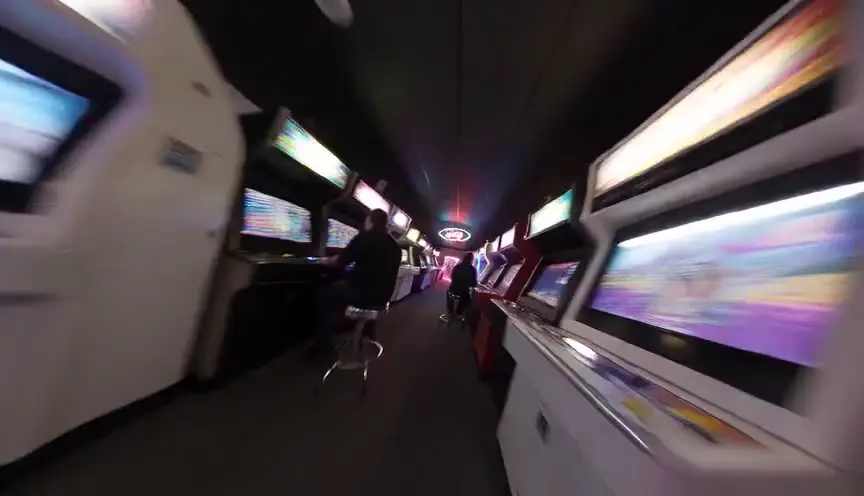
The camera is rigged to the subject's body facing them: the actor stays locked in frame while the world swings behind them.

Quando usar: Panic, intoxication, obsession - subjective states where the world unmoors (Requiem for a Dream).

snorricam shot, camera locked to the subject while the background swings around them

Ver um exemplo de prompt completo

A man sprints through a neon market in panic, snorricam shot, camera locked to the subject while the background swings around them.

Como usar esta página

Encontre o movimento que corresponde ao plano que você imagina, copie o fragmento de prompt e cole no seu prompt de vídeo com IA logo depois do enquadramento e do sujeito. Cada fragmento usa a formulação que os grandes modelos interpretam com mais fidelidade, com uma palavra de velocidade, porque «travelling de aproximação lento» e «zoom brusco» são duas instruções diferentes e não duas variantes da mesma ideia. O exemplo completo de cada ficha mostra o fragmento dentro de um prompt inteiro e bem ordenado.

Os movimentos de câmera na geração de vídeo com IA

O movimento de câmera é a parte pior usada do prompting de vídeo com IA. Modelos como Veo, Sora, Runway e Kling foram treinados com material descrito em vocabulário de cinema de verdade: «panorâmica lenta para a esquerda», «travelling» ou «grua ascendente» são instruções que eles seguem mesmo, enquanto «câmera épica e dinâmica» é só ruído que preenchem ao acaso.

As confusões clássicas são as que mais custam repetições. Uma panorâmica gira no próprio eixo, sem paralaxe; um travelling desloca fisicamente a câmera e separa o primeiro plano do fundo. Um zoom muda a distância focal e achata a imagem; um travelling de aproximação atravessa o espaço e mantém uma perspectiva natural. Pedir o errado produz um movimento que soa falso sem estar visivelmente quebrado.

Um movimento por plano continua sendo a regra profissional, tanto na geração com IA quanto num set real. Quando um momento parece pedir dois, gere dois clipes e monte, ou escolha o movimento dominante e deixe a montagem fazer o resto. Empilhar instruções de câmera num único prompt é a primeira causa de imagens de IA moles e flutuantes.

Para quem serve

  • Criadores de cinema com IA: peça exatamente o movimento que você tem na cabeça, em vez de queimar gerações adivinhando vocabulário.
  • Estudantes de cinema: aprenda o vocabulário dos movimentos visualmente, como ele se lê na tela, não só num glossário.
  • Equipes de vídeo: compartilhe uma referência única para que todos os prompts da cadeia falem a mesma linguagem de câmera.

Camera Movement Prompts: the complete guide

It pairs an animated demonstration of every core camera movement with the copy-paste prompt fragment that reliably produces it in Veo, Sora, Runway, Kling, and Seedance.

For this workflow, the central problem is clear: camera movement names are learned from text descriptions, so creators prompt 'dolly' when they mean 'pan' and get footage that moves wrong. Left unresolved, this creates downstream friction and slower decisions. The practical target is you see each movement animated, understand what it does to the frame, and copy the exact prompt phrasing that triggers it in AI video models.

Limitation to keep in mind: Model support for camera language varies: most handle pans, push-ins, and tracking well, while complex moves like orbits and rack focus may need a second generation or a model with explicit camera controls.

Advanced workflow: AI filmmakers pair one movement per shot with the prompt generator, keeping subject descriptions locked across the sequence so the movement changes while the world stays consistent.

Step-by-Step Workflow

  1. Watch the animations and identify the movement that matches the shot in your head.
  2. Copy the prompt fragment and paste it into your AI video prompt after subject and setting.
  3. Expand the example to see the fragment used in a complete, well-ordered prompt.
  4. Keep one movement per shot: models blur or ignore stacked contradictory camera instructions.

Use Cases By Profile

  • AI filmmaker: stop guessing movement vocabulary and prompt the move you actually visualized.
  • Film student: learn what each movement does to a frame by watching it, not reading about it.
  • Video team: share one reference page so everyone's prompts use the same camera language.

Common Mistakes To Avoid

  • Stacking multiple movements in one prompt (pan + orbit + zoom) and getting muddy motion.
  • Using 'zoom' when the shot needs a push-in: zoom flattens, dolly moves through space.
  • Prompting vague words like 'dynamic camera' instead of a named, specific movement.

Professional Best Practices

  • Add a speed word to every movement: 'slow push-in' and 'fast whip pan' behave very differently.
  • Pair movement with motivation: 'tracking shot following the subject' beats 'tracking shot' alone.
  • If a model ignores the movement, move it earlier in the prompt, right after the shot type.

Treat this tool output as a decision support layer, not a replacement for authorship. Great scripts are remembered for specific choices, emotional precision, and clarity of dramatic movement. Tools help by removing noise so your energy can go where it matters: character, conflict, escalation, and payoff. If you review outcomes after each pass and keep an explicit log of accepted changes, your workflow becomes faster and more predictable from draft to draft. That consistency is exactly what professional collaborators value: fewer surprises, clearer rationale, and a script that evolves with intent.

Extended FAQ

What are the main camera movements in film?

The core vocabulary is pan, tilt, push-in, pull-back, zoom, dolly/truck, tracking shot, orbit or arc, crane or boom, handheld, whip pan, rack focus, and the dutch angle roll. Each one is animated on this page with its matching AI prompt.

Which camera movements work best in AI video models?

Pans, push-ins, pull-backs, tracking shots, and handheld styles are reliably understood by Veo, Sora, Runway, Kling, and Seedance. Orbits, crane moves, and rack focus work but may need a retry or a model with dedicated camera controls.

What is the difference between a pan and a dolly?

A pan rotates the camera in place, sweeping the view with no parallax. A dolly physically moves the camera through space, so foreground and background shift at different speeds. The two animations on this page show the difference instantly.

Why does my AI video ignore my camera movement prompt?

The most common causes are stacking several movements in one prompt, burying the movement at the end of a long prompt, or using vague language. Use one named movement, place it right after the shot framing, and add a speed word.

What is the difference between a zoom and a push-in?

A zoom changes the lens focal length from a fixed position, flattening perspective as it tightens. A push-in physically moves the camera toward the subject, keeping perspective natural. Prompt 'push-in' for cinematic results and 'zoom' only when you want the optical effect.

Can I combine camera movements in one AI prompt?

Generally one movement per shot works best. If the story needs two moves, either pick the dominant one or generate two clips and cut them together, the same way a real production would cover it.

FAQ

Perguntas frequentes

Sim. Os fragmentos usam o vocabulário padrão de filmagem, com o qual todos os grandes modelos de texto para vídeo foram treinados. O nível de suporte varia conforme o movimento: panorâmicas, travellings de aproximação e planos em travelling são os mais confiáveis em toda parte; órbitas e mudanças de foco às vezes exigem uma repetição em alguns modelos.

Uma panorâmica gira a câmera no próprio eixo, então toda a imagem varre junto, sem paralaxe. Um travelling desloca fisicamente a câmera, então os elementos próximos e distantes se movem em velocidades diferentes. Compare as duas animações acima e a diferença salta aos olhos.

Em geral o movimento fica enterrado no fim de um prompt longo, formulado de forma vaga, ou empilhado com outro movimento. Coloque um único movimento nomeado logo depois do enquadramento, acrescente uma palavra de velocidade e fique num movimento por plano.

Um travelling, na maioria dos casos. Ele atravessa o espaço e mantém uma perspectiva natural, o que se lê como cinema. O zoom achata a perspectiva, é um efeito de estilo assumido: perfeito para um zoom brusco, inadequado para uma aproximação dramática lenta.

Isso costuma piorar o resultado. Escolha o movimento dominante, ou gere os dois como clipes separados e monte juntos, exatamente como uma produção real cobre uma cena.

Preview of ScreenWeaver visual timeline and script rhythm

Do plano solto a uma cadeia de produção com IA

O ScreenWeaver transforma seu roteiro em cenas, storyboards e prompts plano a plano, com personagens e cenários coerentes, para que a linguagem de câmera vire um plano de trabalho e não uma aposta. Grátis para começar.

Planejar seus planos de graça