Prompts de mouvements de caméra

Chaque mouvement de caméra, animé et prêt à copier

Voyez ce que chaque mouvement de caméra fait réellement au cadre, puis copiez la formulation exacte qui le déclenche dans Veo, Sora, Runway, Kling et Seedance. Fini le travelling demandé alors que le plan dans votre tête est un panoramique.

Les modèles texte vers vidéo comprennent le vocabulaire réel de la prise de vues, mais seulement si vous employez le bon mot pour le bon mouvement. Chaque fiche ci-dessous anime un mouvement sur la même scène, pour que les différences se voient au lieu d'être décrites : un panoramique balaie sans parallaxe, un travelling latéral glisse avec parallaxe, un travelling avant traverse l'espace là où un zoom l'aplatit.

Les animations sont de simples démonstrations en CSS, calculées dans votre navigateur. Copier un prompt n'envoie rien à un serveur.

Static / Locked-off

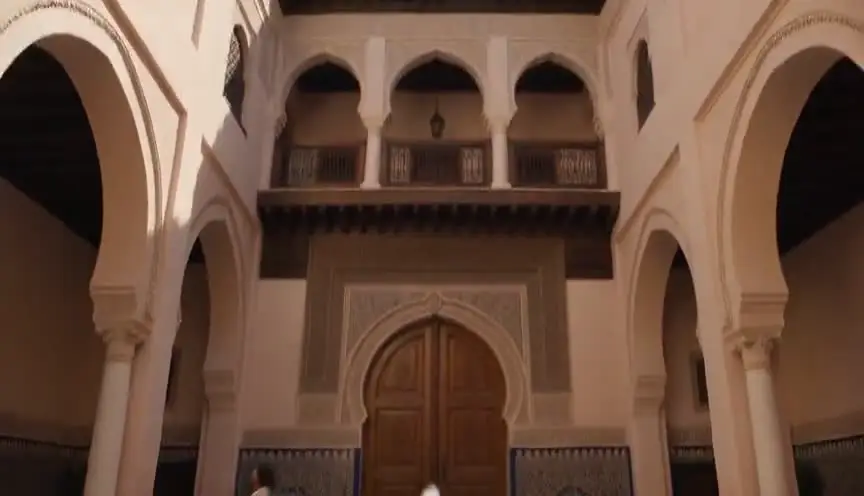
The camera does not move at all, as if mounted on a tripod.

Quand l'utiliser : Composed tableaus, dialogue, comedy framing, letting action play inside a fixed frame.

static camera, locked-off shot, no camera movement

Voir un exemple de prompt complet

Wide shot of an empty diner at dawn, static camera, locked-off shot, no camera movement.

Pan

The camera rotates horizontally on its axis, sweeping the view across the scene.

Quand l'utiliser : Revealing a landscape, following action across a space, connecting two subjects.

slow pan from left to right across the scene

Voir un exemple de prompt complet

Desert canyon at golden hour, slow pan from left to right across the scene, cinematic.

Tilt

The camera rotates vertically, pivoting the view up or down from a fixed position.

Quand l'utiliser : Revealing scale (a tower, a giant), moving from detail to context, hero introductions.

slow tilt upward from the ground to the sky

Voir un exemple de prompt complet

Base of a futuristic skyscraper at night, slow tilt upward from the ground to the sky.

Push-in

The camera moves physically toward the subject, tightening the frame.

Quand l'utiliser : Building tension, signaling a realization, isolating a character from their surroundings.

slow push-in toward the subject, smooth cinematic camera move

Voir un exemple de prompt complet

A detective studies a wall of photographs, slow push-in toward the subject, smooth cinematic camera move, moody interior light.

Pull-back

The camera moves physically away from the subject, widening the frame.

Quand l'utiliser : Endings, reveals of context or isolation, showing how small the subject is in the world.

slow pull-back away from the subject, revealing the surroundings

Voir un exemple de prompt complet

A lone figure on a rooftop, slow pull-back away from the subject, revealing the surroundings, sprawling city below.

Crash zoom

A sudden, fast zoom onto the subject, snapping the frame tighter in a fraction of a second.

Quand l'utiliser : Shock beats, comedic emphasis, stylized action (Tarantino, Wright).

sudden crash zoom onto the subject

Voir un exemple de prompt complet

A cowboy's eyes narrow under his hat brim, sudden crash zoom onto the subject, western standoff.

Dolly / Truck

The camera slides laterally on a track, creating natural parallax between foreground and background.

Quand l'utiliser : Moving past environments, following lateral action, elegant scene exploration.

camera trucks right, sliding laterally with natural parallax

Voir un exemple de prompt complet

Rows of neon market stalls at night, camera trucks right, sliding laterally with natural parallax.

Tracking shot

The camera travels with the subject, keeping them framed while the world streams past.

Quand l'utiliser : Walk-and-talks, chases, immersing the viewer in a character's forward motion.

tracking shot following the subject as they move, subject stays centered

Voir un exemple de prompt complet

A runner sprints through rain-soaked streets, tracking shot following the subject as they move, subject stays centered.

Orbit / Arc

The camera circles around the subject in a smooth arc, keeping them centered.

Quand l'utiliser : Hero moments, revealing all sides of a subject, dramatic emphasis mid-scene.

camera orbits slowly around the subject in a smooth arc

Voir un exemple de prompt complet

A samurai stands ready in a bamboo grove, camera orbits slowly around the subject in a smooth arc.

Crane / Boom

The camera rises (or descends) vertically through space, changing the angle on the whole scene.

Quand l'utiliser : Openings and closings, lifting from intimate detail to god's-eye context.

crane shot rising from ground level to a high angle above the scene

Voir un exemple de prompt complet

A wedding crowd throws confetti, crane shot rising from ground level to a high angle above the scene.

Handheld

The camera is carried, with subtle natural shake and drift in every frame.

Quand l'utiliser : Documentary realism, unease, action immediacy, found-footage styles.

handheld camera with subtle natural shake, documentary feel

Voir un exemple de prompt complet

Soldiers move through a smoke-filled corridor, handheld camera with subtle natural shake, documentary feel.

Whip pan

An extremely fast pan that blurs the image, snapping from one framing to another.

Quand l'utiliser : Energetic transitions, comedic double-takes, connecting simultaneous actions.

fast whip pan to the right with motion blur

Voir un exemple de prompt complet

From the pitcher's wind-up, fast whip pan to the right with motion blur, to the batter waiting.

Rack focus

The lens focus shifts between two planes: foreground and background trade sharpness.

Quand l'utiliser : Redirecting attention, reveals within a frame, connecting two story beats without a cut.

rack focus from the foreground subject to the background

Voir un exemple de prompt complet

A letter in trembling hands, rack focus from the foreground subject to the background, where a door slowly opens.

Dutch angle

The camera rolls on its long axis so the horizon sits tilted in the frame.

Quand l'utiliser : Disorientation, psychological tension, villain framings, worlds gone wrong.

dutch angle, camera rolls to a tilted horizon

Voir un exemple de prompt complet

A hacker's face lit by monitor glow, dutch angle, camera rolls to a tilted horizon, thriller mood.

Zoom in

The lens focal length increases from a fixed position: the frame tightens but perspective flattens, with no parallax.

Quand l'utiliser : Surveillance and documentary feels, retro 70s style, deliberate optical emphasis.

slow zoom in on the subject, optical zoom, no camera movement

Voir un exemple de prompt complet

A figure waits at the far end of a train platform, slow zoom in on the subject, optical zoom, no camera movement, 70s thriller style.

Zoom out

The lens focal length decreases from a fixed position, widening the frame without the camera traveling.

Quand l'utiliser : Deadpan comedic reveals, stepping back from a detail to its flat context.

slow zoom out revealing the scene, optical zoom, no camera movement

Voir un exemple de prompt complet

A single melting ice cream cone on hot asphalt, slow zoom out revealing the scene, optical zoom, no camera movement, an empty amusement park around it.

Dolly zoom (Vertigo)

The camera dollies one way while the lens zooms the other: the subject stays the same size as the background warps toward or away.

Quand l'utiliser : Realization, dread, vertigo, the world shifting around a character (Jaws, Vertigo).

dolly zoom vertigo effect, background warping while the subject stays the same size

Voir un exemple de prompt complet

A detective freezes as the truth lands, dolly zoom vertigo effect, background warping while the subject stays the same size.

Steadicam glide

The camera floats forward smoothly with a subtle organic sway, stabilized but alive.

Quand l'utiliser : Following characters through spaces, immersive long-take feels (Goodfellas, The Shining).

smooth steadicam glide forward, floating camera movement

Voir un exemple de prompt complet

Moving through a crowded backstage corridor toward the stage lights, smooth steadicam glide forward, floating camera movement.

FPV drone dive

A first-person drone races and dives toward the subject at high speed, with aggressive momentum.

Quand l'utiliser : High-energy reveals, action sequences, flythrough transitions, music video energy.

FPV drone shot diving toward the subject at high speed

Voir un exemple de prompt complet

A lighthouse on a storm-battered cliff, FPV drone shot diving toward the subject at high speed, waves exploding below.

Aerial pull-away

A drone rises and pulls back, shrinking the subject into an expanding aerial view.

Quand l'utiliser : Endings, scale reveals, leaving a character to their fate, establishing geography in reverse.

aerial drone shot rising and pulling away from the scene

Voir un exemple de prompt complet

A lone car drives a desert highway at dusk, aerial drone shot rising and pulling away from the scene.

Barrel roll

The camera rotates a full 360 degrees on its long axis, rolling the whole world around the lens.

Quand l'utiliser : Stylized transitions, zero-gravity or dream sequences, high-impact music video moments.

camera barrel roll, full 360 degree rotation

Voir un exemple de prompt complet

Skydivers in freefall against sunset clouds, camera barrel roll, full 360 degree rotation.

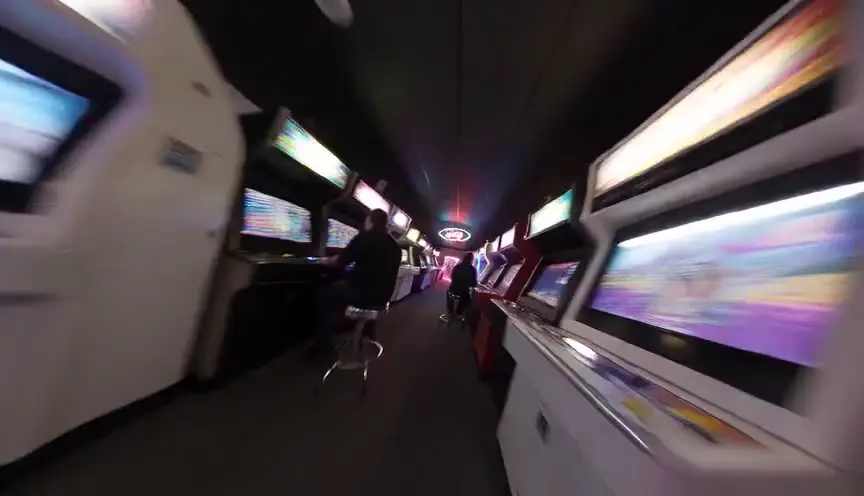
Snorricam

The camera is rigged to the subject's body facing them: the actor stays locked in frame while the world swings behind them.

Quand l'utiliser : Panic, intoxication, obsession - subjective states where the world unmoors (Requiem for a Dream).

snorricam shot, camera locked to the subject while the background swings around them

Voir un exemple de prompt complet

A man sprints through a neon market in panic, snorricam shot, camera locked to the subject while the background swings around them.

Comment utiliser cette page

Trouvez le mouvement qui correspond au plan que vous visualisez, copiez son fragment de prompt et collez-le dans votre prompt vidéo IA juste après le cadrage et le sujet. Chaque fragment utilise la formulation que les grands modèles texte vers vidéo interprètent le plus fidèlement, avec un mot de vitesse, parce que « travelling avant lent » et « zoom brutal » sont deux instructions différentes, pas deux variantes d'une même idée. L'exemple complet de chaque fiche montre le fragment dans un prompt entier, bien ordonné.

Les mouvements de caméra en génération vidéo IA

Le mouvement de caméra est la partie la plus mal utilisée du prompting vidéo IA. Des modèles comme Veo, Sora, Runway et Kling ont été entraînés sur des images décrites avec un vrai vocabulaire de cinéma : « panoramique lent vers la gauche », « plan en travelling » ou « mouvement de grue ascendant » sont des instructions qu'ils suivent réellement, tandis que « caméra épique et dynamique » n'est qu'un bruit qu'ils comblent au hasard.

Les confusions classiques coûtent le plus cher en reprises. Un panoramique pivote sur place, sans parallaxe ; un travelling déplace physiquement la caméra et sépare le premier plan de l'arrière-plan. Un zoom change la focale et aplatit l'image ; un travelling avant traverse l'espace et garde une perspective naturelle. Demander le mauvais produit un mouvement qui sonne faux sans être visiblement raté.

Un mouvement par plan reste la règle professionnelle, en génération IA comme sur un vrai plateau. Quand un moment semble en demander deux, générez deux clips et montez-les, ou choisissez le mouvement dominant et laissez le montage faire le reste. Empiler des instructions de caméra dans un seul prompt est la première cause d'images IA molles et flottantes.

À qui ça s'adresse

  • Créateurs de films IA : demandez exactement le mouvement que vous avez en tête, au lieu de brûler des générations à deviner le vocabulaire.
  • Étudiants en cinéma : apprenez le vocabulaire des mouvements visuellement, tel qu'il se lit à l'écran, pas seulement dans un glossaire.
  • Équipes vidéo : partagez une référence unique pour que tous les prompts de la chaîne parlent le même langage de caméra.

Camera Movement Prompts: the complete guide

It pairs an animated demonstration of every core camera movement with the copy-paste prompt fragment that reliably produces it in Veo, Sora, Runway, Kling, and Seedance.

For this workflow, the central problem is clear: camera movement names are learned from text descriptions, so creators prompt 'dolly' when they mean 'pan' and get footage that moves wrong. Left unresolved, this creates downstream friction and slower decisions. The practical target is you see each movement animated, understand what it does to the frame, and copy the exact prompt phrasing that triggers it in AI video models.

Limitation to keep in mind: Model support for camera language varies: most handle pans, push-ins, and tracking well, while complex moves like orbits and rack focus may need a second generation or a model with explicit camera controls.

Advanced workflow: AI filmmakers pair one movement per shot with the prompt generator, keeping subject descriptions locked across the sequence so the movement changes while the world stays consistent.

Step-by-Step Workflow

  1. Watch the animations and identify the movement that matches the shot in your head.
  2. Copy the prompt fragment and paste it into your AI video prompt after subject and setting.
  3. Expand the example to see the fragment used in a complete, well-ordered prompt.
  4. Keep one movement per shot: models blur or ignore stacked contradictory camera instructions.

Use Cases By Profile

  • AI filmmaker: stop guessing movement vocabulary and prompt the move you actually visualized.
  • Film student: learn what each movement does to a frame by watching it, not reading about it.
  • Video team: share one reference page so everyone's prompts use the same camera language.

Common Mistakes To Avoid

  • Stacking multiple movements in one prompt (pan + orbit + zoom) and getting muddy motion.
  • Using 'zoom' when the shot needs a push-in: zoom flattens, dolly moves through space.
  • Prompting vague words like 'dynamic camera' instead of a named, specific movement.

Professional Best Practices

  • Add a speed word to every movement: 'slow push-in' and 'fast whip pan' behave very differently.
  • Pair movement with motivation: 'tracking shot following the subject' beats 'tracking shot' alone.
  • If a model ignores the movement, move it earlier in the prompt, right after the shot type.

Treat this tool output as a decision support layer, not a replacement for authorship. Great scripts are remembered for specific choices, emotional precision, and clarity of dramatic movement. Tools help by removing noise so your energy can go where it matters: character, conflict, escalation, and payoff. If you review outcomes after each pass and keep an explicit log of accepted changes, your workflow becomes faster and more predictable from draft to draft. That consistency is exactly what professional collaborators value: fewer surprises, clearer rationale, and a script that evolves with intent.

Extended FAQ

What are the main camera movements in film?

The core vocabulary is pan, tilt, push-in, pull-back, zoom, dolly/truck, tracking shot, orbit or arc, crane or boom, handheld, whip pan, rack focus, and the dutch angle roll. Each one is animated on this page with its matching AI prompt.

Which camera movements work best in AI video models?

Pans, push-ins, pull-backs, tracking shots, and handheld styles are reliably understood by Veo, Sora, Runway, Kling, and Seedance. Orbits, crane moves, and rack focus work but may need a retry or a model with dedicated camera controls.

What is the difference between a pan and a dolly?

A pan rotates the camera in place, sweeping the view with no parallax. A dolly physically moves the camera through space, so foreground and background shift at different speeds. The two animations on this page show the difference instantly.

Why does my AI video ignore my camera movement prompt?

The most common causes are stacking several movements in one prompt, burying the movement at the end of a long prompt, or using vague language. Use one named movement, place it right after the shot framing, and add a speed word.

What is the difference between a zoom and a push-in?

A zoom changes the lens focal length from a fixed position, flattening perspective as it tightens. A push-in physically moves the camera toward the subject, keeping perspective natural. Prompt 'push-in' for cinematic results and 'zoom' only when you want the optical effect.

Can I combine camera movements in one AI prompt?

Generally one movement per shot works best. If the story needs two moves, either pick the dominant one or generate two clips and cut them together, the same way a real production would cover it.

FAQ

Questions fréquentes

Oui. Les fragments utilisent le vocabulaire standard de la prise de vues, sur lequel tous les grands modèles texte vers vidéo ont été entraînés. Le niveau de prise en charge varie selon le mouvement : panoramiques, travellings avant et plans en travelling sont les plus fiables partout ; les travellings circulaires et les changements de point demandent parfois une reprise sur certains modèles.

Un panoramique fait pivoter la caméra sur place, toute l'image balaie donc ensemble, sans parallaxe. Un travelling déplace physiquement la caméra, les éléments proches et lointains se décalent donc à des vitesses différentes. Comparez les deux animations ci-dessus et la différence saute aux yeux.

En général, le mouvement est enfoui à la fin d'un long prompt, formulé de façon vague, ou empilé avec un autre mouvement. Placez un seul mouvement nommé juste après le cadrage, ajoutez un mot de vitesse, et tenez-vous-en à un mouvement par plan.

Un travelling avant, dans la plupart des cas. Il traverse l'espace et garde une perspective naturelle, ce qui se lit comme du cinéma. Le zoom aplatit la perspective, c'est un effet de style assumé : parfait pour un zoom brutal, inadapté pour une approche dramatique lente.

Cela dégrade généralement le résultat. Choisissez le mouvement dominant, ou générez les deux mouvements en clips séparés et montez-les ensemble, exactement comme une vraie production couvre une scène.

Preview of ScreenWeaver visual timeline and script rhythm

Du plan isolé à une vraie chaîne de production IA

ScreenWeaver transforme votre scénario en scènes, storyboards et prompts plan par plan, avec des personnages et des décors cohérents, pour que le langage de caméra devienne un plan de travail plutôt qu'un pari. Gratuit pour démarrer.

Planifier vos plans gratuitement